Introduction
Insurance Management System Project In Python involves maintaining customer information, insurance policies, claims, and related records in an organized manner. When these activities are handled manually, it can become difficult to keep information accurate, find records quickly, and maintain a clear history of policies and claims. A computerized management system can simplify these activities by keeping the required information in a structured database.
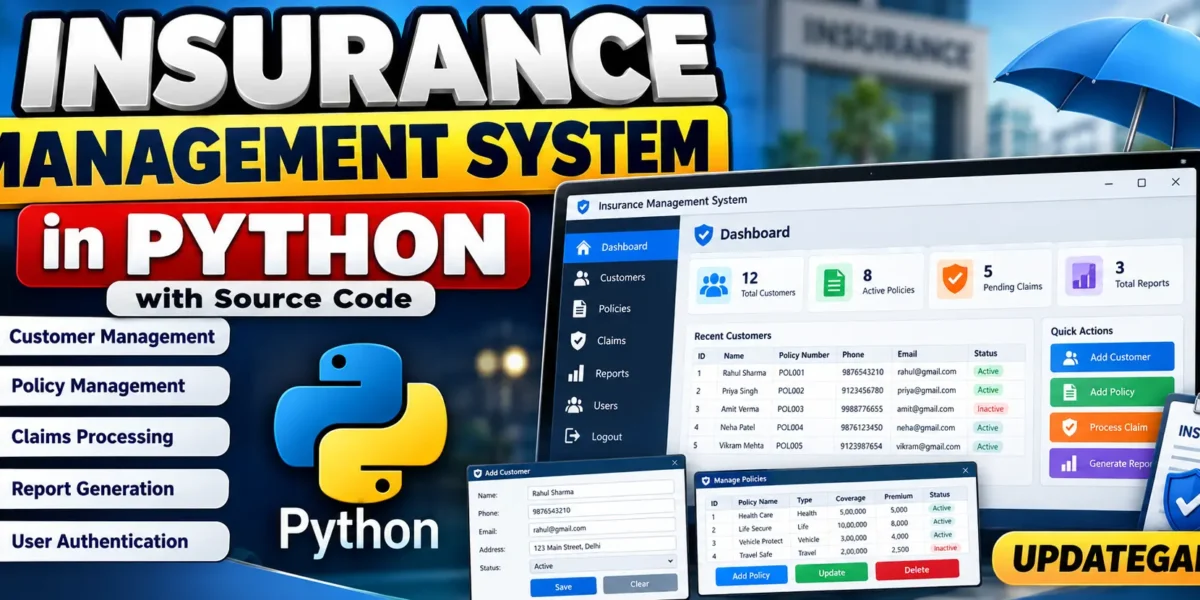
The Insurance Management System in Python is a desktop-based application designed to manage the basic operations of an insurance management environment. The project uses Python as the programming language, Tkinter for the graphical user interface, and SQLite for storing application data.
If you want to take this Insurance Management System to the next level, you can explore an advanced version with AI-powered features, automated premium estimation, risk analysis, claim fraud detection, and improved customer management.
Explore the advanced Insurance Management System with AI: https://updategadh.com/insurance-management-system-with-ai/
Instead of maintaining separate files for customers, policies, and claims, the application stores the information in an SQLite database. This allows the user to add new records, view existing records, update information, and delete records through the graphical interface.
Table of Contents
- Features of an Insurance Management System
- Setting Up Your Python Environment
- Database Considerations
- Basic Structure of the System
- Creating the Policy Module
- Managing Customer Data
- Claims Processing Module
- Generating Reports
- Error Handling and Security
- Adding a User Interface
- Complete Source Code
- Running the Project
- Testing and Debugging
- Future Enhancements and Final Thoughts
Features of an Insurance Management System
Customer Management
The customer module is used to maintain customer information. Users can add a customer’s name, phone number, email address, and address. Existing customer information can also be viewed, updated, or deleted from the application.
Policy Management
The policy module manages insurance policy information. A policy can be connected to an existing customer and can contain a policy number, policy type, premium amount, start date, end date, and status.
Claims Processing
The claims module allows users to register claims against insurance policies. Claim information includes the customer, policy number, claim amount, claim description, claim date, and claim status. The status can be maintained as Pending, Approved, or Rejected.
Report Generation
The report section provides a simple summary of the information stored in the system. It displays customer, policy, and claim counts and provides tables containing the current records.
User Authentication and Security
The system includes a basic login mechanism. A username and password are required before the main application can be opened. Passwords are stored using SHA-256 hashing rather than storing the original password directly.
Setting Up Your Python Environment
Before running the project, make sure Python 3 is installed on your computer. The project can be developed using Visual Studio Code, PyCharm, or another Python-compatible editor.
This version uses Python’s built-in sqlite3, tkinter, and hashlib modules. Therefore, a separate database server is not required, and these modules normally do not need to be installed using pip.
Create a project folder and create the following Python file:
InsuranceManagementSystem.pyPaste the complete source code provided below into this file.
Run the project from the terminal using:
python InsuranceManagementSystem.pyDatabase Considerations for the Project
SQLite is used as the database for this project because it is lightweight and easy to integrate with Python. It stores the application’s information in a local file named insurance.db.
The program automatically creates the database and required tables when it starts. Four tables are used in the application:
- users: Stores login credentials and password hashes.
- customers: Stores customer information.
- policies: Stores insurance policy information.
- claims: Stores insurance claim information.
Complete Advance AI Topics: Click Here
Real Time Projects:- DecodeIT
This approach means that the user does not need to manually create SQL tables before starting the application.
Building the Basic Structure of the System
The application starts with a login window. After successful authentication, the main management window is displayed.
The main window contains separate sections for customers, policies, claims, and reports. Each section provides forms for entering information and tables for displaying database records.
The program uses parameterized SQLite queries when inserting or updating information. This keeps database operations organized and avoids constructing SQL statements by directly joining user-entered values.
Creating the Policy Module
Every policy belongs to a customer. The policy module therefore first loads available customers and allows the user to select a customer when creating a policy.
The policy information contains the policy number, policy type, premium, start date, end date, and status. The available operations are adding, updating, deleting, clearing, and refreshing policy records.
When a policy is selected from the table, its details are loaded back into the input fields. This makes it possible to edit an existing record.
Managing Customer Data
Customer management is one of the central parts of the system. The customer form contains fields for the customer’s name, phone number, email address, and address.
The user can add new customers and view the stored records in a table. Selecting a record loads its information into the form so that it can be updated or deleted.
Customer records are stored in the SQLite database and remain available when the application is started again.
Claims Processing Module
The claims module is used to record claims related to insurance policies. A customer and policy can be selected before entering the claim amount and description.
The claim date is stored with the record, and the initial status is set to Pending. The user can then update the claim status when required.
The claims table provides a simple view of the claim information stored in the database.
Generating Reports
The report section gives the user an overview of the information stored in the application. It displays the total number of customers, policies, and claims.
The same section also displays customer, policy, and claim records in separate tables. A refresh button can be used to load the latest information from the database.
Integrating Error Handling and Security
The application uses exception handling around database operations so that database errors can be displayed through message boxes instead of terminating the application unexpectedly.
Required fields are checked before records are inserted. Passwords are processed with the hashlib module and SHA-256 before being stored in the users table.
The project is intended as a learning application. For a production insurance application, additional security controls, authorization, encryption, auditing, backup, and access management would be required.
Adding a User Interface
Tkinter is used to create the graphical interface. The application contains a login window and a main window with tabs.
The customer, policy, claims, and report sections use forms, buttons, tables, and selection controls to make the application easier to operate.
Complete Source Code for Insurance Management System
The following is the complete single-file source code for the described Insurance Management System. It creates the SQLite database automatically and provides customer management, policy management, claims processing, reports, and authentication.
Running the Project
After saving the code, open the project folder in Visual Studio Code or a terminal. Run the application using the Python command.
python InsuranceManagementSystem.pyOn the first run, the application automatically creates insurance.db and the required database tables. It also creates a default user for accessing the application.
Use the following login details:
Username: admin
Password: admin123
After logging in, the main application window will appear.
Adding a Customer
Open the Customers tab and enter the customer’s name, phone number, email address, and address. Click Add to store the record. The customer will immediately appear in the table.
Adding a Policy
Open the Policies tab. Select an existing customer and enter the policy number, policy type, premium, start date, end date, and status. Click Add to save the policy.
Registering a Claim
Open the Claims tab, select a customer and policy, enter the claim amount and description, choose the claim status, and click Add Claim.
Viewing Reports
Open the Reports tab to view customer, policy, and claim counts along with stored records.
Testing and Debugging Your Code
Testing should be performed after each major operation. Start by checking the login functionality. Then add a customer and verify that the customer appears in the table. Create a policy using that customer and confirm that the policy is displayed correctly.
Next, register a claim against the policy and check whether it appears in the claims table. Select existing records and test the update and delete operations. Finally, open the Reports tab and verify that the displayed counts and records match the information entered into the application.
If the application does not start, first check that Python is installed correctly and that the file has been saved with the .py extension. If a database error occurs, check that the application has permission to create the insurance.db file in its project directory.
Future Enhancements and Final Thoughts
The current Insurance Management System provides the basic functionality required to manage customers, policies, claims, and reports through a Python desktop interface. The project can be extended according to future requirements.
Possible future improvements include cloud integration, additional authentication controls, stronger data protection, more detailed reports, automated notifications, and AI-driven claims processing. These improvements can be added while keeping the basic customer, policy, and claims structure as the foundation.
For students, this project is a useful example of how Python can be used to create a real-world database application. It brings together Tkinter for the interface, SQLite for data storage, SQL queries for database operations, and hashing for basic password protection.
Building an Insurance Management System also provides practical experience with CRUD operations, forms, tables, authentication, validation, and report generation. The project can therefore serve as a foundation for understanding how desktop applications are designed around real-world data management requirements.
Project Requirements
- Python 3
- Visual Studio Code, PyCharm, or another Python IDE
- Tkinter
- SQLite
- Python hashlib module
Technologies Used
- Python
- Tkinter
- SQLite
- SQL
- Hashlib
Keywords: Insurance Management System in Python, Insurance Management System Project in Python, Insurance Python Project, Insurance Management System Source Code, Insurance Management System Python Source Code, Python Insurance Project, Insurance Management Software in Python, Python Tkinter Project, Python SQLite Project, Insurance Claims Management System, Insurance Policy Management System, Customer Management System Python, Python Desktop Application, Python Project with Source Code Insurance Management System Insurance Management System