Account Management System in Python
In a world where every penny counts and financial decisions can shape our future, the importance of staying organized with your finances cannot be overstated. Managing multiple accounts, tracking expenses, and ensuring that every transaction is recorded accurately can sometimes feel like a daunting task.
But imagine having a tool that not only simplifies this process but also helps you take control of your financial information. An Account Management System in Python provides a simple way to manage accounts, record transactions, and generate transaction reports from a single application.
This project is useful for understanding how Python can be used to build an account management application. It demonstrates account creation, transaction recording, balance updates, and report generation using Python and SQLite.
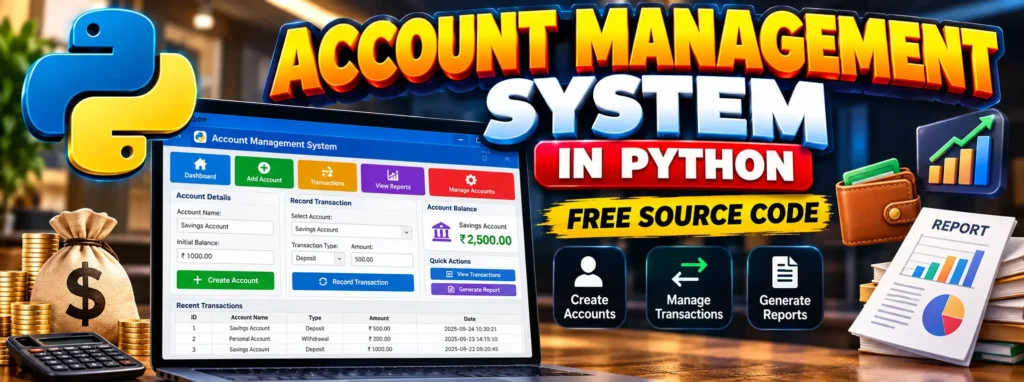
Account Management System in Python Free Source Code
An Account Management System is a software application designed to help users manage their financial accounts. It allows account information to be created and maintained while providing a way to record transactions and check account-related information.
The system’s primary goal is to keep account and transaction information organized and easily accessible when required. Python can be used to implement the main functionality, while SQLite provides a lightweight database for storing accounts and transactions.
Complete Advance AI Topics: Click Here
Real Time Projects:- DecodeIT
Understanding
An Account Management System is designed to manage financial account information in an organized way. Instead of keeping account details and transaction information separately, the system can store them together and make them available whenever required.
The application can manage account names, balances, transaction amounts, transaction types, and transaction dates. When a transaction is recorded, the corresponding account balance can also be updated.
For example, when a deposit is recorded, the deposited amount is added to the account balance. Similarly, when a withdrawal is recorded, the withdrawal amount is deducted from the account balance.
Core Features
- User Authentication: Secure login and registration to ensure that only authorized users can access the system.
- Account Creation and Management: The ability to create new accounts, update account details, and delete accounts as needed.
- Transaction Management: Recording and managing income and expenses along with detailed transaction histories.
- Reporting: Generating reports that provide information about account balances, spending patterns, and overall financial information.
These features work together to provide a solution for managing financial accounts. By combining account management, transaction recording, and reporting, the system can help keep financial information organized.
Step-by-Step Guide
1. Setting Up Your Environment
Before beginning the development process, make sure Python is installed on your computer. You can use an Integrated Development Environment (IDE) such as PyCharm or Visual Studio Code to write and run the Python code.
The project uses SQLite for storing account and transaction information.
pip install sqlite3After preparing the Python environment, you can begin creating the database and implementing the main account management functions.
2. Designing the Database
SQLite is a lightweight database that can be used to store account information and transaction records. In this project, two tables are used: accounts and transactions.
The accounts table stores information such as the account ID, account name, and account balance. The transactions table stores the transaction ID, account ID, amount, transaction type, and transaction date.
import sqlite3

def create_database():
    conn = sqlite3.connect('account_management.db')
    c = conn.cursor()

    c.execute('''CREATE TABLE IF NOT EXISTS accounts
                 (id INTEGER PRIMARY KEY, name TEXT, balance REAL)''')

    c.execute('''CREATE TABLE IF NOT EXISTS transactions
                 (id INTEGER PRIMARY KEY, account_id INTEGER, amount REAL,
                 type TEXT, date TEXT,
                 FOREIGN KEY(account_id) REFERENCES accounts(id))''')

    conn.commit()
    conn.close()

create_database()
The create_database() function creates the database connection and creates the required tables if they do not already exist.
3. Implementing Core Functions
Create a New Account
The account creation function adds a new account to the accounts table. It accepts the account name and initial balance as parameters.
def create_account(name, initial_balance):
    conn = sqlite3.connect('account_management.db')
    c = conn.cursor()

    c.execute(
        "INSERT INTO accounts (name, balance) VALUES (?, ?)",
        (name, initial_balance)
    )

    conn.commit()
    conn.close()

create_account('Savings', 1000.00)
In this example, a Savings account is created with an initial balance of 1000.00.
Record a Transaction
Transaction management is another important part of the Account Management System. A transaction can be recorded with an account ID, amount, and transaction type.
from datetime import datetime

def record_transaction(account_id, amount, transaction_type):
    conn = sqlite3.connect('account_management.db')
    c = conn.cursor()

    date = datetime.now().strftime('%Y-%m-%d %H:%M:%S')

    c.execute(
        "INSERT INTO transactions "
        "(account_id, amount, type, date) VALUES (?, ?, ?, ?)",
        (account_id, amount, transaction_type, date)
    )

    if transaction_type == 'deposit':
        c.execute(
            "UPDATE accounts SET balance = balance + ? WHERE id = ?",
            (amount, account_id)
        )
    elif transaction_type == 'withdrawal':
        c.execute(
            "UPDATE accounts SET balance = balance - ? WHERE id = ?",
            (amount, account_id)
        )

    conn.commit()
    conn.close()

record_transaction(1, 500.00, 'deposit')
The function first records the transaction in the transactions table. It then checks whether the transaction is a deposit or withdrawal and updates the corresponding account balance.
For a deposit, the amount is added to the account balance. For a withdrawal, the amount is deducted from the account balance.
Generate a Report
The system can also generate a transaction report for a particular account. The report retrieves the transaction records associated with the specified account ID.
def generate_report(account_id):
    conn = sqlite3.connect('account_management.db')
    c = conn.cursor()

    c.execute(
        "SELECT * FROM transactions WHERE account_id = ?",
        (account_id,)
    )

    transactions = c.fetchall()
    conn.close()

    print(f"Transaction Report for Account ID: {account_id}")

    for transaction in transactions:
        print(transaction)

generate_report(1)
The generate_report() function retrieves all transactions associated with the selected account and displays them as a transaction report.
The Emotional Impact of Financial Organization
There is something empowering about having better control over financial information. When a system keeps track of accounts, records transactions, and provides information about financial activity, it becomes easier to understand what has happened within an account.
An organized account management system can provide a clearer view of account activity. Having transaction information available in one place can also make it easier to review previous financial activities.
From a programming perspective, this type of project also demonstrates how software can be designed around real-world requirements. Concepts such as databases, functions, conditional statements, and transaction records can be combined to create a practical Python application.
Conclusion
Building an Account Management System in Python is more than just a programming exercise. It demonstrates how Python can be used to create an application for managing accounts and recording financial transactions.
The project covers important programming concepts including SQLite database creation, account creation, transaction management, balance updates, date and time handling, and report generation.
With this system, account information and transactions can be stored in an organized manner. The project can also provide useful practice for students who want to understand how Python interacts with a database while developing a practical application.
Keywords
- what is account management system
- what is account management
- what is user account management
- library management system in python
- what is bank account management
- how to use python in accounting
- python accounting
- bank account python project
- Account Management System in Python With Source Code
- Account Management System in Python
- Account Management System in Python Free Source Code