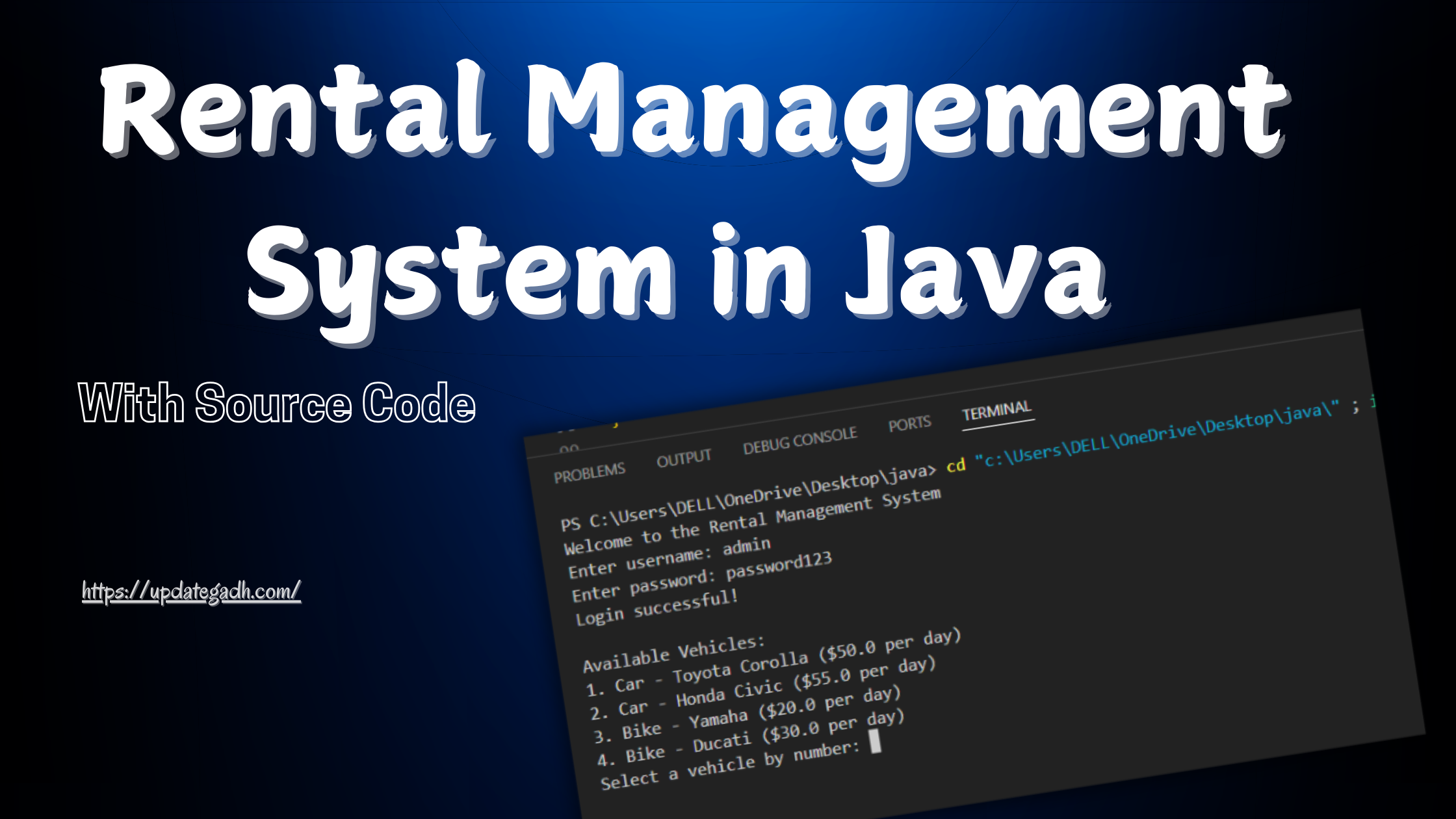
Rental Management System in Java
Introduction
Managing a rental business, whether its cars, bikes, or other assets, can be a complex process involving a lot of manual tracking and organization. The Rental Management System in Java offers a streamlined solution by enabling businesses to manage rentals with ease, providing essential features to facilitate booking, tracking, and invoicing.
Key Features
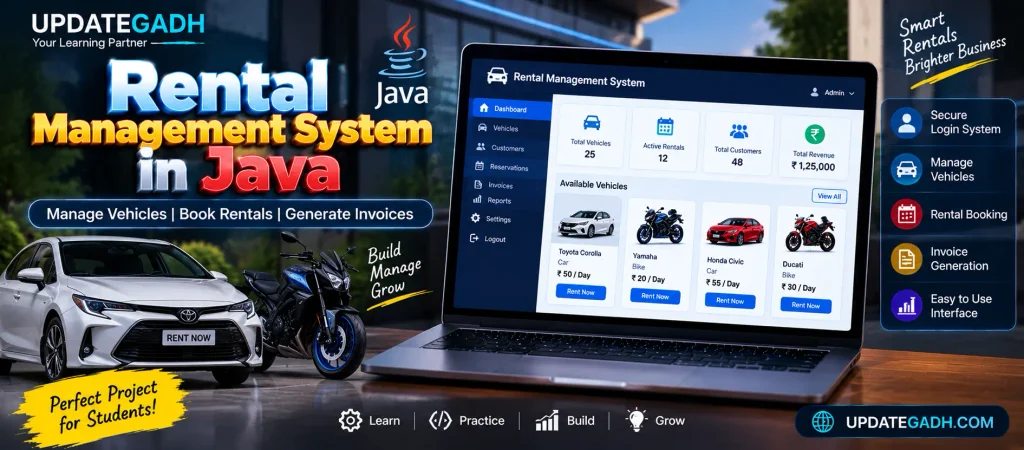
- Secure Login System: Upon launch, users must log in with valid credentials, ensuring system security and limited access to authorized users.
- Vehicle Selection: After logging in, users can browse through available cars and bikes, filtering by model and type.
- Flexible Rental Duration: Users can specify rental start and end dates, allowing for a customized rental period.
- Invoice Generation: The system automatically generates an invoice based on the selected vehicle and rental duration, making billing straightforward and accurate.
Download New Real Time Projects :-Click here
Project Requirements
To run this project, you will need:
- Java JDK: This project is built in Java, requiring the latest version of Java Development Kit.
- Eclipse IDE: The entire project was developed in Eclipse, making it the recommended platform for running and modifying the code.
This project serves as an invaluable learning tool for students and novice Java programmers, offering hands-on experience with core concepts such as user authentication, GUI design, and simple database handling (if extended). For small rental businesses, it provides a practical and easy-to-implement solution for managing daily rental operations.
Getting Started
- Download and Install Java JDK and Eclipse IDE: Ensure you have the necessary environment setup for Java.
- Import the Project into Eclipse: Download the source code, import it into Eclipse, and run the program.
- Login and Explore: Use the login feature to access the system, select a vehicle, specify your rental dates, and generate an invoice.
Project Structure
- Main Class: Initializes the program and handles user login.
- RentalSystem Class: Manages vehicle selection, rental period, and invoice generation.
- Vehicle Class: Represents vehicles (cars, bikes) with attributes like model, price per day, and type.
Sample Source Code
Here is a basic structure:
1. Main Class (RentalManagementSystem.java)
import java.util.Scanner;

public class RentalManagementSystem {
    public static void main(String[] args) {
        Scanner scanner = new Scanner(System.in);

        // Simple Login
        System.out.println("Welcome to the Rental Management System");
        System.out.print("Enter username: ");
        String username = scanner.nextLine();

        System.out.print("Enter password: ");
        String password = scanner.nextLine();

        // For simplicity, assuming a fixed username/password
        if (username.equals("admin") && password.equals("password123")) {
            System.out.println("Login successful!\n");
            RentalSystem rentalSystem = new RentalSystem();
            rentalSystem.showMenu(scanner);
        } else {
            System.out.println("Invalid login. Access denied.");
        }

        scanner.close();
    }
}
2. Rental System Class (RentalSystem.java)
import java.util.ArrayList;
import java.util.Scanner;

public class RentalSystem {
    private ArrayList<Vehicle> vehicles;

    public RentalSystem() {
        vehicles = new ArrayList<>();
        vehicles.add(new Vehicle("Car", "Toyota Corolla", 50));
        vehicles.add(new Vehicle("Car", "Honda Civic", 55));
        vehicles.add(new Vehicle("Bike", "Yamaha", 20));
        vehicles.add(new Vehicle("Bike", "Ducati", 30));
    }

    public void showMenu(Scanner scanner) {
        System.out.println("Available Vehicles:");
        for (int i = 0; i < vehicles.size(); i++) {
            System.out.println((i + 1) + ". " + vehicles.get(i));
        }

        System.out.print("Select a vehicle by number: ");
        int choice = scanner.nextInt();
        Vehicle selectedVehicle = vehicles.get(choice - 1);

        System.out.print("Enter rental start date (YYYY-MM-DD): ");
        String startDate = scanner.next();

        System.out.print("Enter rental end date (YYYY-MM-DD): ");
        String endDate = scanner.next();

        generateInvoice(selectedVehicle, startDate, endDate);
    }

    public void generateInvoice(Vehicle vehicle, String startDate, String endDate) {
        int rentalDays = 5; // Simplified; calculate days between startDate and endDate
        double totalCost = rentalDays * vehicle.getPricePerDay();

        System.out.println("\n--- Invoice ---");
        System.out.println("Vehicle: " + vehicle.getModel());
        System.out.println("Rental Days: " + rentalDays);
        System.out.println("Total Cost: $" + totalCost);
        System.out.println("Thank you for choosing our service!");
    }
}
3. Vehicle Class (Vehicle.java)
public class Vehicle {
    private String type;
    private String model;
    private double pricePerDay;

    public Vehicle(String type, String model, double pricePerDay) {
        this.type = type;
        this.model = model;
        this.pricePerDay = pricePerDay;
    }

    public String getType() {
        return type;
    }

    public String getModel() {
        return model;
    }

    public double getPricePerDay() {
        return pricePerDay;
    }

    @Override
    public String toString() {
        return type + " - " + model + " ($" + pricePerDay + " per day)";
    }
}
How to Run the Project
- Set up your environment: Install Java JDK and Eclipse IDE.
- Create the project in Eclipse: Create a new Java Project in Eclipse and add each class in separate
.javafiles. - Compile and Run: Run the
RentalManagementSystem.javafile to start the program.
Complete Advance AI Topics: Click Here
Real Time Projects:- DecodeIT
Features to Expand
- Calculate Rental Days: Use Java’s
LocalDateto calculate rental days based on user-provided dates. - Database Integration: Add a database to store vehicle details and user data.
- Additional Vehicle Options: Expand the
vehicleslist to add more vehicle types and models.
FAQs – Rental Management System in Java
1. What is a Rental Management System in Java?
A Rental Management System in Java is an application designed to manage rental operations such as vehicle selection, rental duration, and invoice generation.
2. Which programming language is used to develop this project?
The project is developed using Java and demonstrates core Java programming concepts such as classes, objects, collections, methods, and user input.
3. Which vehicles can be managed in this system?
The sample project includes both cars and bikes, such as Toyota Corolla, Honda Civic, Yamaha, and Ducati.
4. Does the Rental Management System have a login feature?
Yes. The sample application includes a basic login system where users must enter a username and password before accessing the rental menu.
5. How does the system calculate the rental cost?
The total cost is calculated using the rental duration and the selected vehicle’s price per day. The sample code currently uses a simplified five-day rental calculation.
6. Can the rental dates be entered by the user?
Yes. The system asks the user to enter a rental start date and an end date in the YYYY-MM-DD format.
7. Does the project generate an invoice?
Yes. After selecting a vehicle and entering the rental information, the system generates an invoice showing the vehicle, rental days, and total cost.
8. Which IDE is recommended for this Java project?
The project was developed using Eclipse IDE, so Eclipse is recommended for importing, modifying, and running the project.
9. Can a database be added to the Rental Management System?
Yes. The project can be extended with database integration to store vehicle information, customer details, rental records, and other data.
10. Can this Java project be expanded with additional features?
Yes. Possible improvements include calculating actual rental days using Java LocalDate, adding more vehicle types, integrating a database, and expanding the rental management functionality.
Keywords:
rental management system in java with source code rental management system in java pdf rental management system in java example house rental-management system project in java github house rental management system github car rental system project in java with source code house rental management system project documentation pdf car-rental-system project in java github