Advanced Calendar Generator in Python
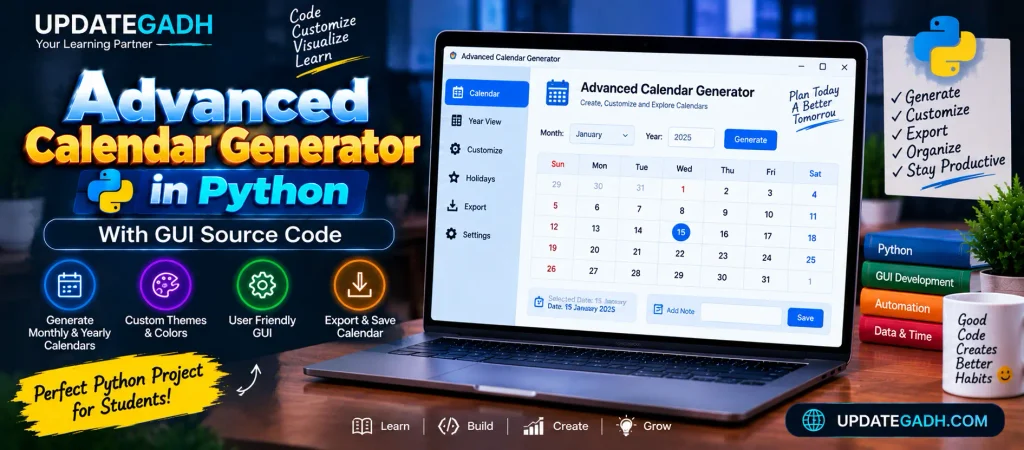
The Calendar Generator in Python is a GUI-based project that allows users to generate calendars for any given year. Built using Tkinter, this tool offers easy navigation between years, clear input handling, and a user-friendly interface. With simple design and advanced features, its perfect for quickly generating and viewing yearly calendars effortlessly.
About the System
This advanced-level Calendar Generator combines functionality and a sleek user interface using Pythons Tkinter library. The code features year navigation with “Previous” and “Next” buttons, input validation, and a clear button to reset the display. It uses a class-based design for modularity and a fixed-width font to ensure the calendar aligns perfectly. Enhanced user experience and error handling make it more interactive and professional.
Key Features:
- Navigate Between Years: Buttons to navigate to the previous or next year.
- Clear Button: A button to reset the calendar display.
- Error Handling: Handles invalid inputs.
- Fixed-width font for proper alignment of the calendar.
- Styling: Improved design and layout for a modern GUI.
Calendar Generator Code:
import calendar
from tkinter import *
from tkinter import messagebox

class CalendarApp:
    def __init__(self, root):
        self.root = root
        self.root.title("Advanced Calendar Generator")
        self.root.geometry("600x500")
        self.root.configure(bg='#f0f0f0')

        # Default year to display
        self.current_year = 2024

        # Create UI elements
        self.create_widgets()

    def create_widgets(self):
        # Title
        title_label = Label(self.root, text="Calendar Generator", font=("Arial", 20, "bold"), bg='#f0f0f0')
        title_label.pack(pady=10)

        # Input field for year
        year_frame = Frame(self.root, bg='#f0f0f0')
        year_frame.pack(pady=5)

        self.year_label = Label(year_frame, text="Enter Year:", font=("Arial", 12), bg='#f0f0f0')
        self.year_label.grid(row=0, column=0, padx=5, pady=10)

        self.year_field = Entry(year_frame, width=10, font=("Arial", 12))
        self.year_field.grid(row=0, column=1, padx=5, pady=10)
        self.year_field.insert(0, str(self.current_year))  # Default year

        # Generate Button
        self.generate_btn = Button(year_frame, text="Generate Calendar", font=("Arial", 10), command=self.show_calendar)
        self.generate_btn.grid(row=0, column=2, padx=10)

        # Navigation Buttons (Previous Year, Next Year)
        nav_frame = Frame(self.root, bg='#f0f0f0')
        nav_frame.pack(pady=10)

        prev_year_btn = Button(nav_frame, text="<< Previous Year", font=("Arial", 10), command=self.show_previous_year)
        prev_year_btn.grid(row=0, column=0, padx=10)

        next_year_btn = Button(nav_frame, text="Next Year >>", font=("Arial", 10), command=self.show_next_year)
        next_year_btn.grid(row=0, column=1, padx=10)

        # Calendar Display Area
        self.cal_area = Text(self.root, height=20, width=60, font=("Courier", 10), borderwidth=2, relief="solid")
        self.cal_area.pack(pady=20)

        # Clear and Exit buttons
        action_frame = Frame(self.root, bg='#f0f0f0')
        action_frame.pack(pady=10)

        clear_btn = Button(action_frame, text="Clear", font=("Arial", 10), command=self.clear_calendar)
        clear_btn.grid(row=0, column=0, padx=10)

        exit_btn = Button(action_frame, text="Exit", font=("Arial", 10), command=self.root.quit)
        exit_btn.grid(row=0, column=1, padx=10)

        # Show initial calendar
        self.show_calendar()

    def show_calendar(self):
        try:
            # Get year input from user
            year = self.year_field.get()
            self.current_year = int(year)  # Ensure valid integer

            # Generate the calendar for the year
            cal_content = calendar.TextCalendar(0).formatyear(self.current_year, 2, 1, 1, 3)

            # Clear the text area before inserting the new calendar
            self.cal_area.delete(1.0, END)
            self.cal_area.insert(INSERT, cal_content)
        except ValueError:
            messagebox.showerror("Invalid Input", "Please enter a valid year.")
            self.clear_calendar()

    def show_previous_year(self):
        """Displays the calendar for the previous year."""
        self.current_year -= 1
        self.year_field.delete(0, END)
        self.year_field.insert(0, str(self.current_year))
        self.show_calendar()

    def show_next_year(self):
        """Displays the calendar for the next year."""
        self.current_year += 1
        self.year_field.delete(0, END)
        self.year_field.insert(0, str(self.current_year))
        self.show_calendar()

    def clear_calendar(self):
        """Clears the calendar display area and resets the input field."""
        self.cal_area.delete(1.0, END)
        self.year_field.delete(0, END)
        self.year_field.insert(0, str(self.current_year))

# Initialize the Tkinter window
if __name__ == "__main__":
    root = Tk()
    app = CalendarApp(root)
    root.mainloop()
Complete Advance AI Topics: Click Here
Real Time Projects:- DecodeIT
Features Explained:
- Class-Based Design: This approach organizes the GUI in a class, making it more modular and scalable.
- Navigation: The
show_previous_yearandshow_next_yearmethods allow the user to navigate through different years without manually entering the year each time. - Input Validation: It handles invalid inputs by showing an error dialog box using
messagebox.showerror. - Fixed-Width Font: The
Textwidget uses the"Courier"font, which is monospaced. This ensures that the calendar is displayed in a structured manner, maintaining the proper alignment of days. - Clear Button: Resets the calendar display and input fields.
- Responsive Buttons: Users can navigate to previous and next years with dedicated buttons, and also exit the application with the
Exitbutton. - Modern Styling: The GUI uses a clean and simple style with padding and proper layouts for a pleasant user experience.
How it Works:
- Year Input: Users enter a year in the input field or navigate between years using the “Previous Year” and “Next Year” buttons.
- Calendar Display: The calendar is displayed in a fixed-width
Textwidget, ensuring that the months and days are aligned correctly. - Error Handling: If the user enters an invalid year (non-integer), an error message is shown.
FAQs – Advanced Calendar Generator in Python with GUI
1. What is an Advanced Calendar Generator in Python?
It is a Python-based GUI application that can generate and display calendars through a user-friendly graphical interface.
2. Which programming language is used for this project?
The project is developed using Python and focuses on GUI-based application development.
3. What can the Calendar Generator do?
It can generate calendars and can be extended with features such as customization, different views, date selection, and calendar export.
4. Is a GUI included in the Calendar Generator?
Yes. The project is designed with a graphical user interface, making it easier for users to interact with the calendar instead of using only command-line input.
5. Is this project suitable for Python students?
Yes. It is a useful project for practicing Python GUI development, date and calendar handling, interface design, and building a practical desktop application.
Keywords
- free advanced calendar generator in python
- advanced calendar generator in python pdf
- advanced calendar generator in python 2024
- calendar maker online free
- custom calendar generator in python
- calendar generator with events
- Advanced Calendar Generator in Python
- calendar maker free printable
- calendar maker 2024