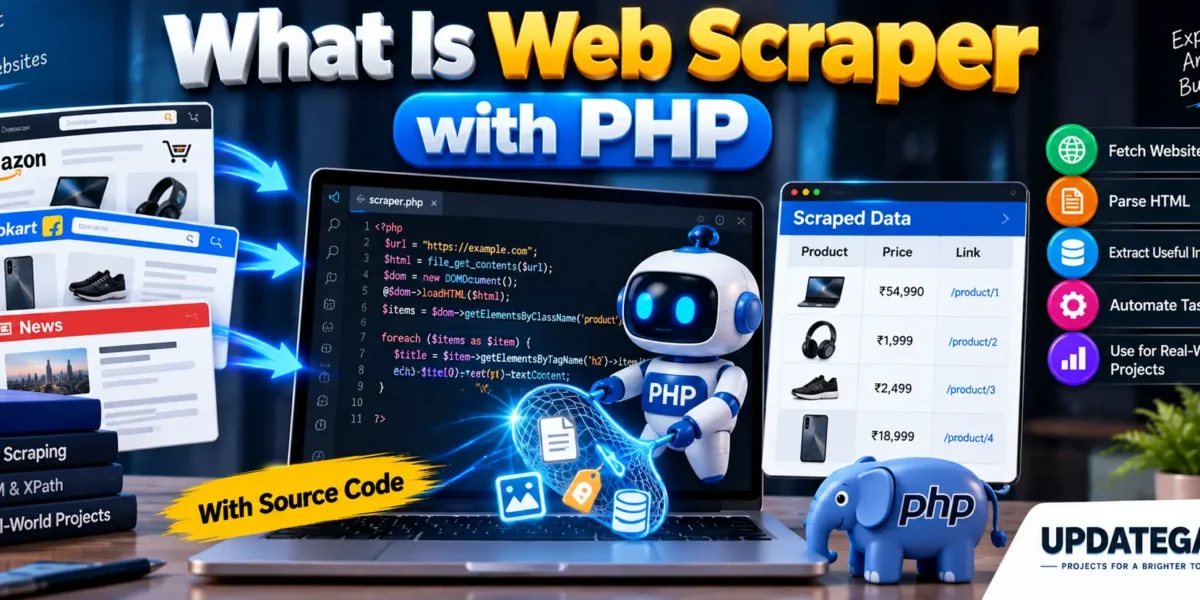
Web Scraper with PHP
Overview
This PHP library is a comprehensive toolkit for handling all your web scraping needs. It is available under the MIT or LGPL license, providing you with the flexibility to use it in various projects. The toolkit makes it easy to perform RFC-compliant web requests that mimic real web browsers, ensuring reliable and consistent scraping.
Complete Advance AI Topics: Click Here
Real Time Projects:- DecodeIT
Key Features
- RFC-Compliant Requests: Adheres to IETF RFC standards for HTTP protocols, ensuring seamless integration with web services.
- Advanced Request Handling:
- Supports file transfers, SSL/TLS, and HTTP/HTTPS/CONNECT proxies.
- Emulates various web browser headers for realistic interactions.
- Features a state engine that manages cookies and redirection automatically, including handling of HTTP status codes like 301.
- Form Handling:
- Extract and manipulate HTML forms directly without needing to fake them.
- Extensive callback support for custom handling during requests.
- Asynchronous and Non-blocking Support:
- Enables simultaneous scraping of multiple content sources for efficiency.
- Includes WebSocket support for real-time communication needs.
- cURL Emulation Layer:
- Provides a drop-in replacement for environments where the PHP cURL extension is unavailable.
- Tag Filtering Library (TagFilter):
- Powerful parsing capabilities using CSS3 selectors compliant with the W3C specification.
- Fast and accurate extraction from complex HTML structures, such as those generated by Microsoft Word.
- HTML Purification: Produces secure outputs that effectively mitigate XSS vulnerabilities.
- Legacy Support:
- Includes the Simple HTML DOM library for backward compatibility, though TagFilter is the recommended tool for improved performance and flexibility.
- Custom Server Classes:
- Create your own web servers and WebSocket servers in pure PHP, with optional SSL/TLS support.
- Download and Offline Use:
- Ability to download whole webpages for archiving or offline viewing.
- DNS over HTTPS Support:
- Enhances privacy and security when resolving domain names.
- International Domain Name Support:
- Fully supports IDNA/Punycode for handling internationalized domain names.
- Open Source License:
- Choose between MIT or LGPL, allowing for broad usage across projects.
- Community-Driven Development:
- Hosted on GitHub, facilitating collaboration through pull requests and issue tracking.
Ideal For
This toolkit is perfect for developers looking to integrate advanced web scraping capabilities into their PHP applications. Whether you are building a custom API for home use, deploying enterprise solutions, or simply need to extract data from various websites, this toolkit provides the tools necessary for efficient and effective scraping.
Here’s a simplified example of a PHP web scraping toolkit that incorporates some of the features you’ve described. This code is a basic representation and can be expanded based on your specific needs.
Basic Web Scraping Toolkit in PHP
1. Install Dependencies
Before using the toolkit, ensure you have the following PHP extensions enabled:
cURLDOMSimpleXML

You can also use Composer to manage dependencies if you want to include external libraries like Guzzle for HTTP requests or Symfony’s DomCrawler for parsing HTML.
2. Example Code
Here’s a simple implementation of a web scraping class in PHP:
<?php

class WebScraper {
    private $url;
    private $options;

    public function __construct($url) {
        $this->url = $url;
        $this->options = [
            CURLOPT_RETURNTRANSFER => true,
            CURLOPT_FOLLOWLOCATION => true,
            CURLOPT_SSL_VERIFYPEER => false, // Disable SSL verification for simplicity
            CURLOPT_USERAGENT => 'Mozilla/5.0 (Windows NT 10.0; Win64; x64) AppleWebKit/537.36 (KHTML, like Gecko) Chrome/58.0.3029.110 Safari/537.3',
        ];
    }

    public function setOption($option, $value) {
        $this->options[$option] = $value;
    }

    public function scrape() {
        $ch = curl_init($this->url);
        curl_setopt_array($ch, $this->options);
        $content = curl_exec($ch);

        if (curl_errno($ch)) {
            echo 'Curl error: ' . curl_error($ch);
        }

        curl_close($ch);
        return $content;
    }

    public function extractLinks($html) {
        $dom = new DOMDocument();
        @$dom->loadHTML($html);
        $links = [];

        foreach ($dom->getElementsByTagName('a') as $link) {
            $href = $link->getAttribute('href');
            if ($href) {
                $links[] = $href;
            }
        }

        return $links;
    }
}

// Usage example
$url = 'https://www.example.com';
$scraper = new WebScraper($url);

// Scrape the webpage
$htmlContent = $scraper->scrape();

// Extract links from the scraped content
$links = $scraper->extractLinks($htmlContent);

echo "Links found:\n";
print_r($links);
?>
Explanation of the Code
- Class Definition: The
WebScraperclass encapsulates the functionality for scraping web pages. - Constructor: Takes the URL to scrape and initializes cURL options to mimic a real browser.
- setOption() Method: Allows modification of cURL options if needed.
- scrape() Method: Executes the cURL request and returns the content of the webpage.
- extractLinks() Method: Parses the HTML using the DOMDocument class and extracts all anchor (
<a>) links.
Features to Add
- Cookie Management: Implement a cookie jar for handling sessions.
- Asynchronous Requests: Consider using
curl_multi_*functions for non-blocking requests. - Advanced HTML Parsing: Integrate libraries like Symfony’s DomCrawler or Goutte for more complex HTML manipulation.
- Error Handling: Enhance error handling for HTTP response codes and cURL errors.
- Proxy Support: Add options for using HTTP/HTTPS proxies.
Frequently Asked Questions (FAQ)
1. What is a web scraper?
A web scraper is a program that automatically collects specific information from websites and converts the required web page data into a usable format.
2. What is web scraping with PHP?
Web scraping with PHP means using PHP code to request web pages, read their HTML content, and extract specific information such as titles, links, prices, or other publicly available data.
3. Which PHP functions can be used for web scraping?
PHP provides functions such as file_get_contents() and cURL for retrieving web page content. HTML can then be processed using tools such as DOMDocument and DOMXPath.
4. What type of information can PHP web scrapers collect?
Depending on the website and its structure, a scraper can collect publicly accessible information such as product names, prices, article titles, links, images, and other structured content.
5. Is web scraping legal?
The legality of web scraping depends on the website, jurisdiction, type of information collected, and how the collected data is used. Always review the website’s terms, robots.txt where relevant, and applicable laws before scraping.
6. Can web scraping be automated with PHP?
Yes. PHP scripts can be scheduled to run automatically and collect updated information at defined intervals, provided the website permits such access.
7. Is PHP web scraping suitable for beginners?
Yes. A simple scraper can be a useful learning project for understanding HTTP requests, HTML structure, DOM parsing, XPath, and data processing.
8. Can scraped data be stored in a database?
Yes. Extracted information can be cleaned and stored in databases such as MySQL for later searching, analysis, or display in another application.
9. Should a scraper collect data from every website?
No. Websites can have different technical restrictions and terms of use. A responsible scraper should respect access rules, avoid excessive requests, and collect only information that it is permitted to access.
- Web Scraper with PHP with Source Code
- Web Scraper with PHP
- Web Scraper with PHP
- Web Scraper with PHP with Source Code
- Web Scraper with PHP
- Web Scraper with PHP
- Web Scraper with PHP