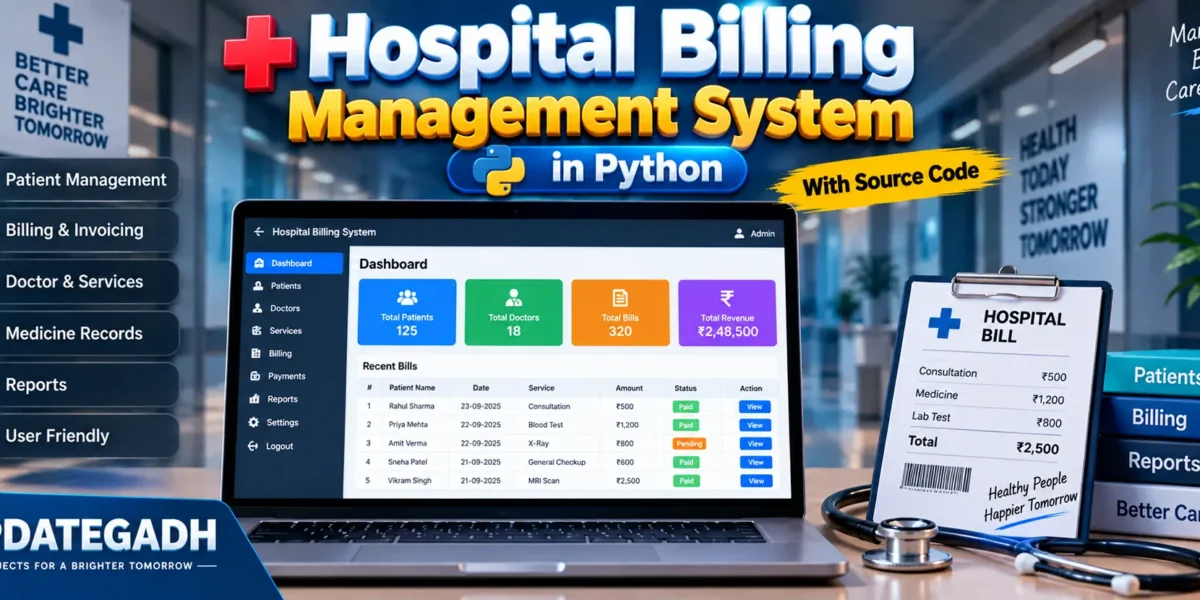
Hospital Billing Management System in Python
Introduction
The billing system in a hospital involves various components like patient admission, treatment details, doctor consultation fees, room charges, medication expenses, and more. Manually handling such a process is prone to errors, which can lead to financial losses or dissatisfied patients. A hospital billing management system helps streamline this process by.
Complete Advance AI Topics: Click Here
Real Time Projects:- DecodeIT
- Automating Billing: Reduces the need for manual intervention and errors, ensuring accuracy.
- Easy Access to Information: Provides instant access to a patients billing history and treatment details.
- Time Efficiency: Saves time by generating bills automatically after treatment or services are completed.
- Organized Records: All records are stored digitally, making it easier to retrieve and analyze them.
Features
- Patient Information Management: Handles patient details like name, age, gender, and contact details.
- Doctor Consultation Fees: Includes consultation charges for doctors based on their specialties.
- Room Charges: Adds up room charges based on the number of days admitted.
System Requirements
- Python 3.x installed on your system.
- Basic understanding of Python, Tkinter for the GUI, and SQLite for database management.
PHP PROJECT:-
Step-by-Step Implementation
1. Setting Up the Environment
Let us first install the required libraries so that we can get started. We will use Tkinter for the graphical user interface and SQLite for managing the data.
pip install tk2. Source Code
Here’s the Python code to build a simple Hospital Billing Management System:
import sqlite3
from tkinter import *

# Create a database or connect to one
conn = sqlite3.connect('hospital_billing.db')

# Create cursor
c = conn.cursor()

# Create table
c.execute("""CREATE TABLE IF NOT EXISTS patients (
            patient_id INTEGER PRIMARY KEY AUTOINCREMENT,
            name TEXT,
            age INTEGER,
            gender TEXT,
            contact TEXT,
            treatment TEXT,
            doctor_fee REAL,
            room_charge REAL,
            medication_cost REAL,
            total REAL
            )""")

# Commit the changes and close connection
conn.commit()
conn.close()

def add_patient():
    conn = sqlite3.connect('hospital_billing.db')
    c = conn.cursor()

    # Calculate total bill
    total_cost = float(doctor_fee_entry.get()) + float(room_charge_entry.get()) + float(medication_cost_entry.get())

    c.execute("INSERT INTO patients (name, age, gender, contact, treatment, doctor_fee, room_charge, medication_cost, total) VALUES (?, ?, ?, ?, ?, ?, ?, ?, ?)",
              (name_entry.get(), age_entry.get(), gender_entry.get(), contact_entry.get(), treatment_entry.get(), doctor_fee_entry.get(), room_charge_entry.get(), medication_cost_entry.get(), total_cost))

    conn.commit()
    conn.close()

    # Clear the text boxes
    name_entry.delete(0, END)
    age_entry.delete(0, END)
    gender_entry.delete(0, END)
    contact_entry.delete(0, END)
    treatment_entry.delete(0, END)
    doctor_fee_entry.delete(0, END)
    room_charge_entry.delete(0, END)
    medication_cost_entry.delete(0, END)

# Create the GUI window
root = Tk()
root.title("Hospital Billing Management System")

# Define labels and entry fields
name_label = Label(root, text="Patient Name")
name_label.grid(row=0, column=0)
name_entry = Entry(root, width=30)
name_entry.grid(row=0, column=1)

age_label = Label(root, text="Age")
age_label.grid(row=1, column=0)
age_entry = Entry(root, width=30)
age_entry.grid(row=1, column=1)

gender_label = Label(root, text="Gender")
gender_label.grid(row=2, column=0)
gender_entry = Entry(root, width=30)
gender_entry.grid(row=2, column=1)

contact_label = Label(root, text="Contact")
contact_label.grid(row=3, column=0)
contact_entry = Entry(root, width=30)
contact_entry.grid(row=3, column=1)

treatment_label = Label(root, text="Treatment")
treatment_label.grid(row=4, column=0)
treatment_entry = Entry(root, width=30)
treatment_entry.grid(row=4, column=1)

doctor_fee_label = Label(root, text="Doctor Fee")
doctor_fee_label.grid(row=5, column=0)
doctor_fee_entry = Entry(root, width=30)
doctor_fee_entry.grid(row=5, column=1)

room_charge_label = Label(root, text="Room Charge")
room_charge_label.grid(row=6, column=0)
room_charge_entry = Entry(root, width=30)
room_charge_entry.grid(row=6, column=1)

medication_cost_label = Label(root, text="Medication Cost")
medication_cost_label.grid(row=7, column=0)
medication_cost_entry = Entry(root, width=30)
medication_cost_entry.grid(row=7, column=1)

# Button to add patient
submit_btn = Button(root, text="Add Patient", command=add_patient)
submit_btn.grid(row=8, column=0, columnspan=2, pady=10, padx=10, ipadx=100)

root.mainloop()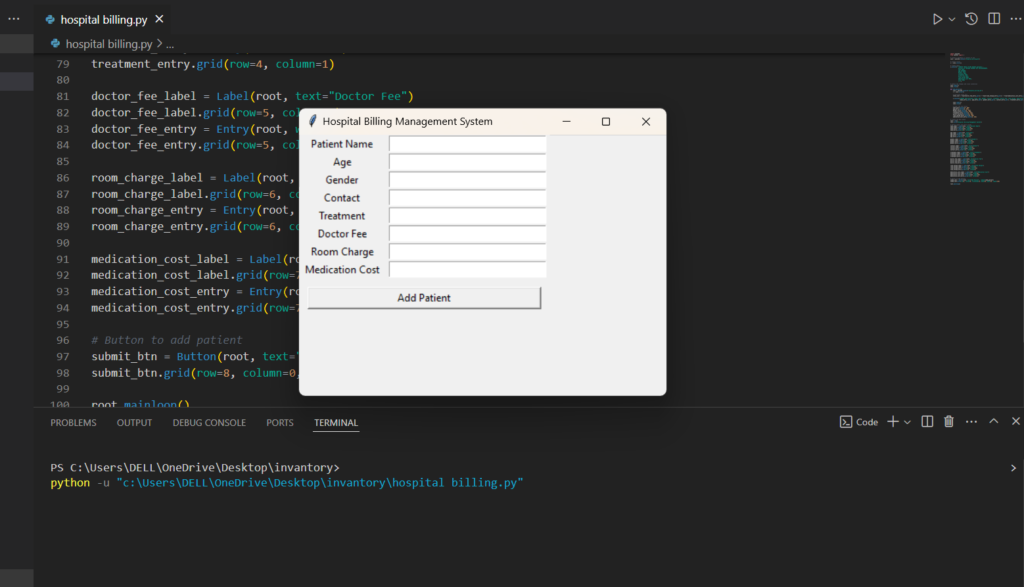
3. How the Code Works
- The SQLite database stores patient details such as name, age, gender, contact, treatment information, doctor fees, room charges, and medication costs.
- Tkinter provides a user-friendly interface where hospital staff can enter patient data, and the system automatically calculates the total bill.
- When a patients details are entered, they are stored in the SQLite database, and the system generates the total billing cost.
- You can further expand this system by adding features like bill printing, report generation, and payment tracking.
Frequently Asked Questions (FAQ)
1. What is a Hospital Billing Management System in Python?
A Hospital Billing Management System is a software application used to manage patient billing, hospital services, treatment charges, medicine costs, and payment records in an organized way.
2. Which technology is used to develop this project?
The project is developed using Python. Depending on the implementation, Python GUI libraries and a database can be used for the application.
3. What is the main purpose of this system?
The main purpose is to simplify hospital billing by recording patient details, adding services and charges, calculating the total amount, and maintaining billing records.
4. What details can be included in a hospital bill?
A bill may include consultation charges, laboratory tests, medicines, room charges, procedures, and other hospital services.
5. Can the system calculate the total bill automatically?
Yes. The system can calculate the total amount by adding the charges for the selected hospital services and other applicable costs.
6. Is this project suitable for students?
Yes. It is a practical Python project for students who want to learn how programming can be applied to a real-world management system.
7. Can a database be added to the project?
Yes. A database such as MySQL or SQLite can be integrated to store patient, billing, service, and payment information permanently.
8. Can this project be expanded for real hospital use?
Yes, it can be extended with authentication, appointment management, pharmacy records, payment tracking, invoice printing, reporting, and role-based access. A real healthcare deployment would also require appropriate security, privacy, validation, and regulatory controls.