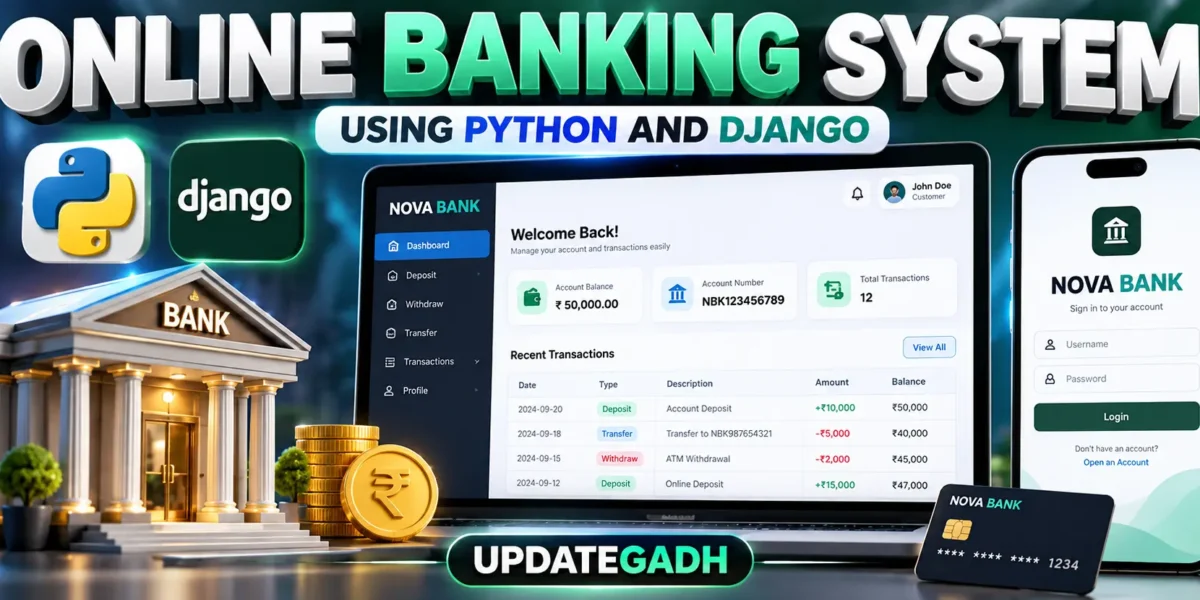
The Online Banking System Using Python and Django is a web-based college project developed to demonstrate common banking operations through a simple and practical interface. The system allows registered customers to manage their banking accounts, check balances, deposit and withdraw money, transfer funds, and review transaction records. It uses Python and Django for backend development, HTML and CSS for the interface, JavaScript where required, and SQLite for database storage.
Table of Contents
Complete Advance AI Topics: Click Here
Real Time Projects on YouTube:- DecodeIT
Project Overview
| Project Name | Online Banking System Using Python and Django |
|---|---|
| Language/s Used | Python, HTML, CSS, JavaScript |
| Database | SQLite |
| Type | Web Application |
| Developer | UPDATEGADH |
The application provides separate access for customers and authorized staff users. Customers can access their own banking information after authentication, while staff users can use a custom staff dashboard to review registered customers and recent transaction activity. The project does not depend on Django’s built-in administration interface for its normal operations.
Key Features
- User Registration and Login: Customers can create an account and securely log in to the banking system.
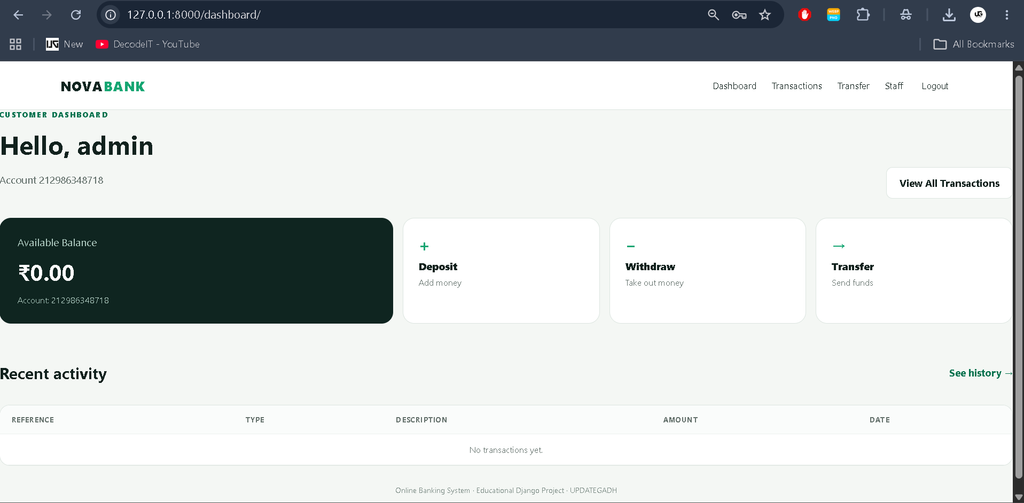
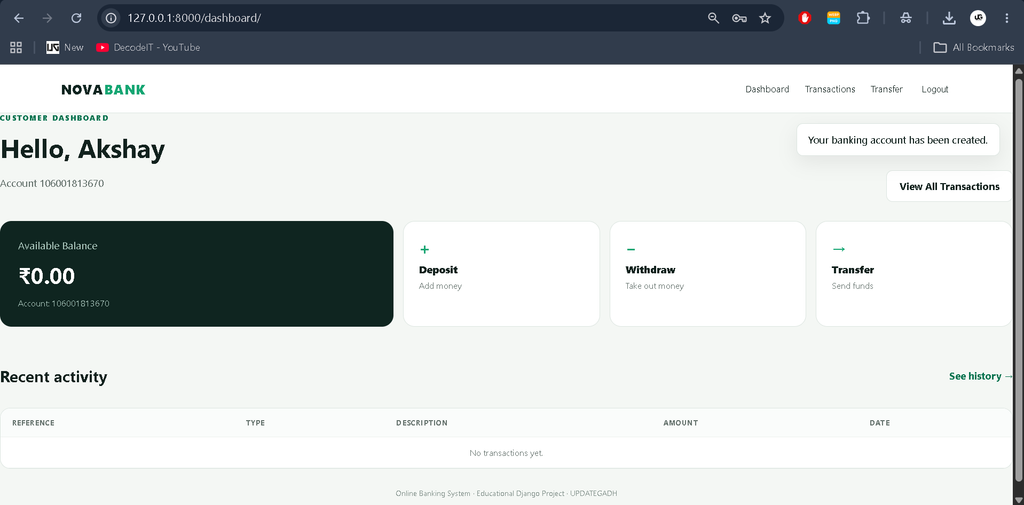
- Account Dashboard: Customers can view their account number, available balance, and recent banking activity.
- Deposit: Customers can add funds to their account and record the transaction.
- Withdrawal: Customers can withdraw money after the system checks whether sufficient balance is available.
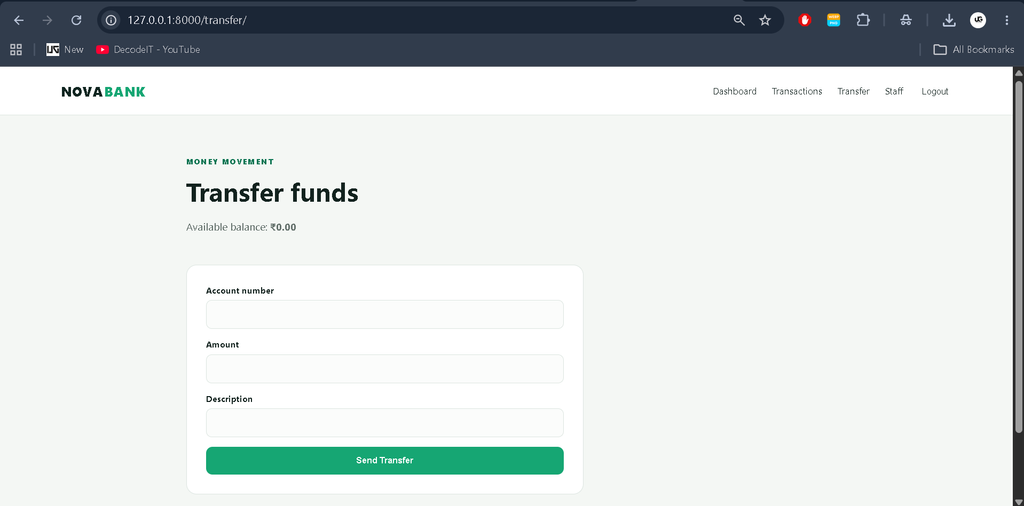
- Money Transfer: Customers can transfer funds to another registered banking account.
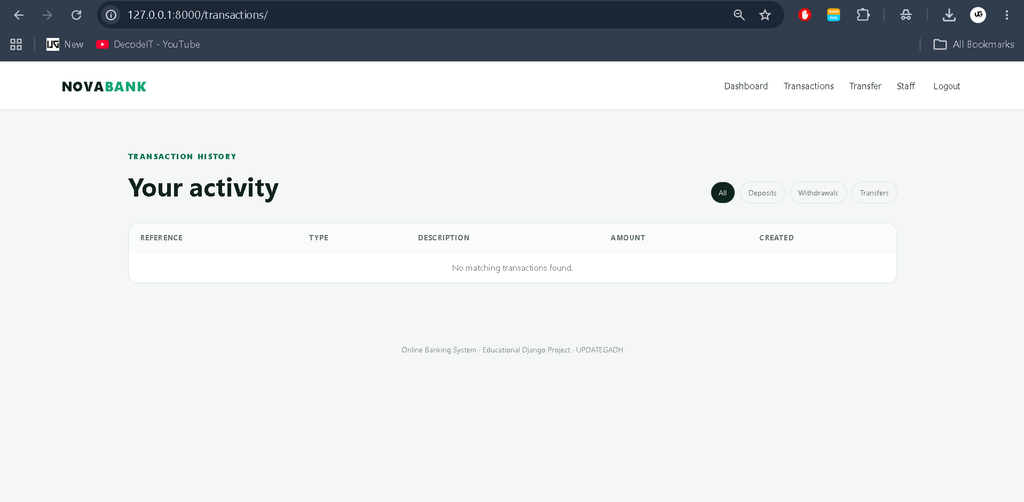
- Transaction History: Deposits, withdrawals, and transfers are stored as transaction records.
- Transaction Filtering: Customers can filter transaction records according to transaction type.
- Custom Staff Dashboard: Authorized staff users can review customers and recent transaction information.
User Roles
Customer
The customer is the primary user of the system. A new customer can register and receive a unique banking account. After logging in, the customer can access the dashboard and perform available banking operations. Customers can check their current balance, deposit money, withdraw funds, transfer money to another account, and review previous transactions.
The system also validates important banking operations. For example, a withdrawal cannot be completed when the requested amount is greater than the available balance. During a transfer, the destination account must exist and cannot be the same as the customer’s own account.
Staff
The staff role is intended for authorized users who need to monitor the banking system. Staff members can access the custom staff dashboard and review registered customer information and recent transactions. This dashboard is implemented inside the project instead of using Django Admin.
Technologies Used
- Python: Used for the primary backend programming and application logic.
- Django: Handles authentication, routing, database models, sessions, forms, validation, and request processing.
- SQLite: Stores user accounts, banking account information, balances, and transaction records.
- HTML: Provides the structure of the application’s web pages.
- CSS: Provides the visual design, layouts, forms, cards, tables, and navigation.
- JavaScript: Supports frontend interface behavior where required.
Download complete source code
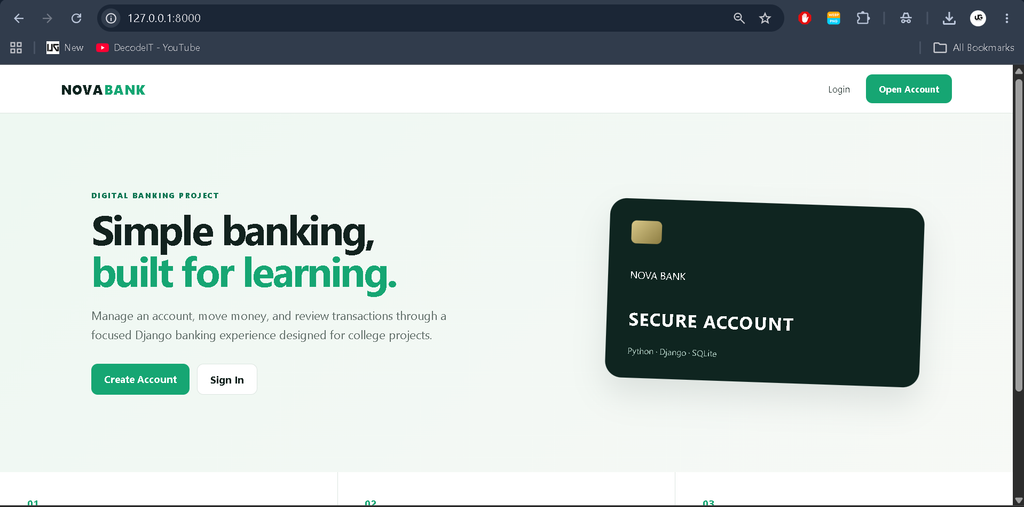
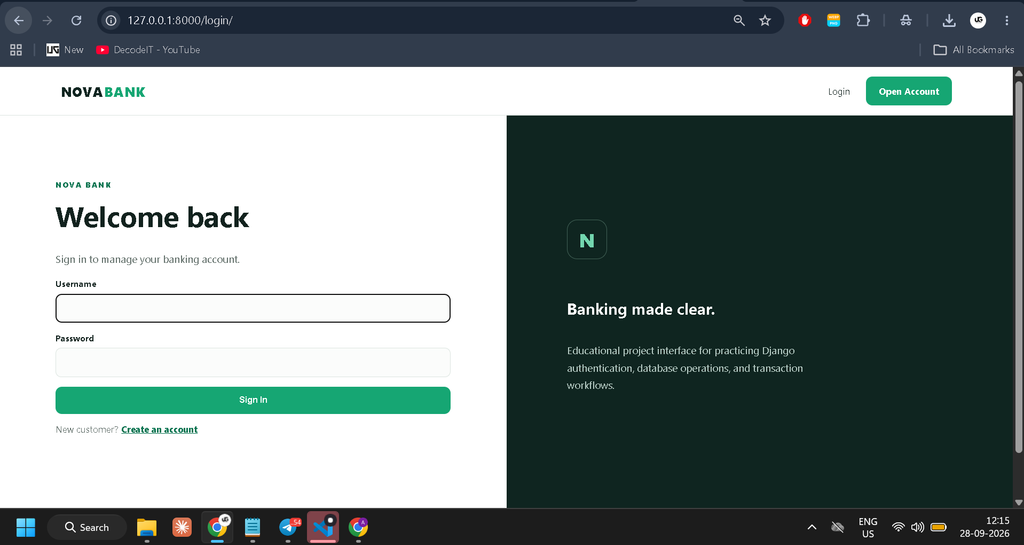
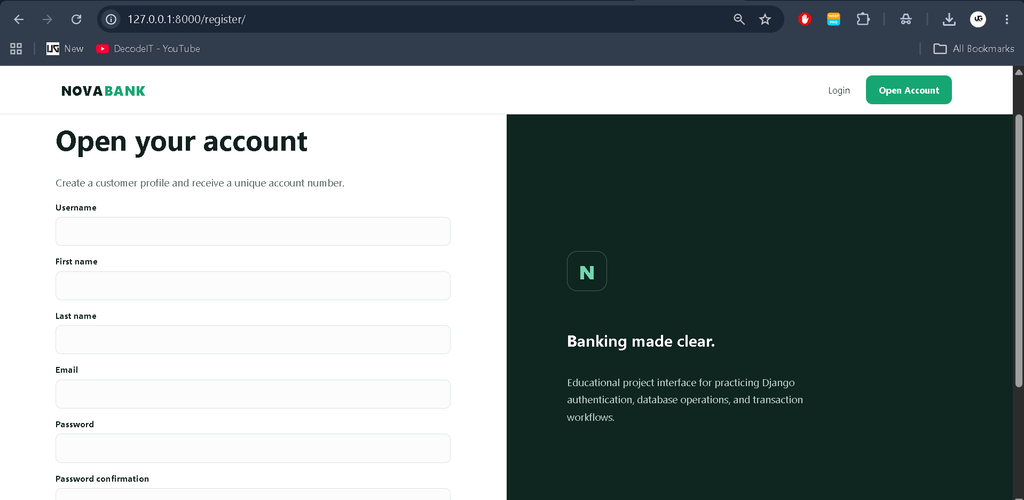
Screenshot
Project Modules
Authentication Module
The authentication module manages customer registration and login. New customers can create their accounts, while existing users can authenticate through the login page before accessing banking operations.
Account Module
The account module connects each customer with a banking account. The account contains a unique account number and current balance, allowing the system to identify customers during deposits, withdrawals, and transfers.
Transaction Module
The transaction module records financial activities performed through the application. Deposit, withdrawal, and transfer operations create transaction records containing important information such as transaction type, amount, reference, description, and transaction date.
Transfer Module
The transfer module allows one registered customer to send funds to another account. The system validates the destination account, checks the available balance, prevents transfers to the same account, and updates the involved account balances as part of the transaction process.
Staff Module
The staff module provides a dedicated dashboard for authorized staff users. It allows them to review registered customers and recent transaction activity without requiring access to Django’s built-in administration interface.
How the System Works
The workflow starts when a visitor opens the banking website. A new customer can select the registration option and provide the required information. After successful registration, the system creates a linked banking account with a unique account number. The customer can then log in using the login page.
After authentication, the customer is taken to the dashboard. The dashboard displays the current account information and recent transaction activity. From this area, customers can navigate to the available banking operations.
When a customer performs a deposit, the specified amount is added to the account balance and a deposit record is created. For a withdrawal, the system first checks the available balance. If the requested amount is within the available balance, the amount is deducted and the transaction is recorded. If there is insufficient balance, the operation is rejected.
The transfer process requires a valid destination account number and amount. The application checks whether the destination account exists and ensures that the customer is not transferring money to the same account. It also checks whether the sender has sufficient funds. When all validations pass, the source account is reduced, the destination account is increased, and the transfer records are stored.
Installation and Setup
To run the project, extract the project folder and open it in Visual Studio Code. Make sure Python is installed on the system, then open the terminal inside the project directory.
Create a virtual environment using:
python -m venv venvActivate the virtual environment on Windows:
venv\Scripts\activateInstall the required Python packages:
pip install -r requirements.txtApply the database migrations:
python manage.py migrateCreate a staff account when staff access is required:
python manage.py createsuperuserStart the Django development server:
python manage.py runserverAfter the server starts successfully, open the local URL displayed in the terminal. Customers can use the normal registration and login pages, while authorized staff users can access the custom staff dashboard.
Usage
Customers should first register through the account creation page. After successful registration, they can log in and access their banking dashboard. The dashboard provides access to account information and the main banking operations.
Customers can use the deposit page to add funds, the withdrawal page to remove funds when sufficient balance is available, and the transfer page to send money to another registered account. The transaction history page allows customers to review previous activity and filter records according to transaction type.
Authorized staff users can access the custom staff dashboard after login. The staff area provides a separate view for reviewing customer information and recent transactions.
Frequently Asked Questions
Which programming language is used?
The project primarily uses Python with the Django framework. HTML, CSS, and JavaScript are used for the web interface.
Which database is used?
SQLite is used as the database for storing users, banking accounts, balances, and transaction information.
Does this project use Django Admin?
No. The project uses a custom staff dashboard for staff-level operations instead of relying on Django’s built-in administration interface.
Can customers transfer money?
Yes. Authenticated customers can transfer money to another registered account by providing the destination account number and amount.
What happens when the balance is insufficient?
The system validates the available balance before completing a withdrawal or transfer. If the required amount is greater than the available balance, the operation is rejected.
Future Scope
- Loan management can be added while keeping it separate from the existing account and transaction workflow.
- Interest calculation can be introduced for suitable banking accounts.
- An additional verification step can be added to strengthen the existing authentication process.
- The custom staff dashboard can be expanded with additional customer and transaction management options.
Contributing
Students and developers can improve the project while maintaining its existing banking workflow. Contributions can focus on improving the existing authentication, account management, transaction handling, validation, dashboard interface, and overall usability of the application.
Conclusion
The Online Banking System Using Python and Django provides practical experience with authentication, database management, account handling, transaction processing, validation, and role-based access. The project combines these concepts into one understandable web application without introducing unnecessary enterprise-level complexity.
Keywords:
Online Banking System
Online Banking System – Google Search
online banking system project
online banking system use case diagram
online banking system project github
online banking system class diagram
online banking system dfd
online banking system uml diagrams
online banking system diagram
online banking system project with source code
online banking system data flow diagram,Online Banking System Using Python and Django