Inventory Management System Using Python Django
The Inventory Management System is a web-based Django project designed to organize everyday inventory activities in one structured workspace. It brings products, suppliers, customers, purchases, sales, expenses, and returns together so that stock movement can be recorded and reviewed without relying on scattered registers or spreadsheets. The project is intended as an intermediate-level college application, with a practical workflow and a clean custom interface.
Table of Contents
Complete Advance AI Topics: Click Here
Real Time Projects on YouTube:- DecodeIT
Project Overview
| Attribute | Details |
|---|---|
| Project Name | Inventory Management System |
| Language/s Used | Python, HTML, CSS, JavaScript |
| Framework | Django |
| Database | SQLite |
| Application Type | Web Application |
| Developer | UPDATEGADH |
Project Introduction
Managing stock requires more than simply recording the number of products available. A business also needs supplier details, customer information, purchase records, sales records, expenses, and return transactions. When these activities are maintained separately, it becomes harder to understand the current stock position and the movement of goods. This project provides a centralized Django application for handling those related activities through a single interface.
The system follows a straightforward business flow. Products are maintained with their SKU, category, supplier, selling price, stock quantity, and reorder level. Purchases increase available stock, while completed sales reduce stock after an availability check. Returns can also adjust stock according to their type and approval status. This makes the application useful for demonstrating how interconnected business records can work together.
Key Features
User Authentication and Roles
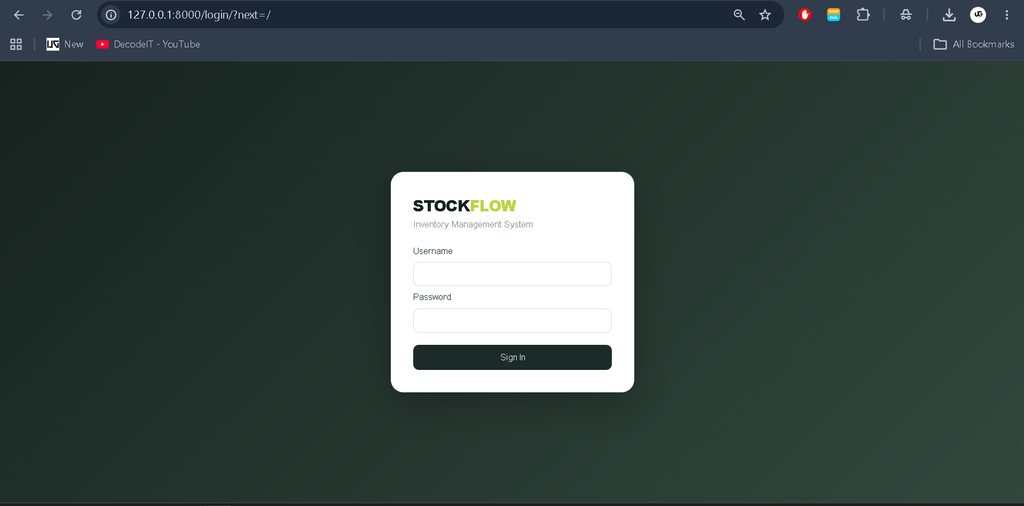
The application provides a custom login screen and session-based authentication. Users are associated with either an Admin or Staff role through a profile record. The role is visible inside the application, and administrative product deletion is restricted to Admin users. The project does not use the Django Admin interface; its operations are handled through the custom application pages.
Product Management
Products can be added with important inventory information such as product name, SKU, category, supplier, price, available stock, and reorder level. The product listing provides a search option for product names and SKUs. Stock levels are also highlighted when they reach the configured reorder level, making low-stock records easier to notice.
Supplier and Customer Management
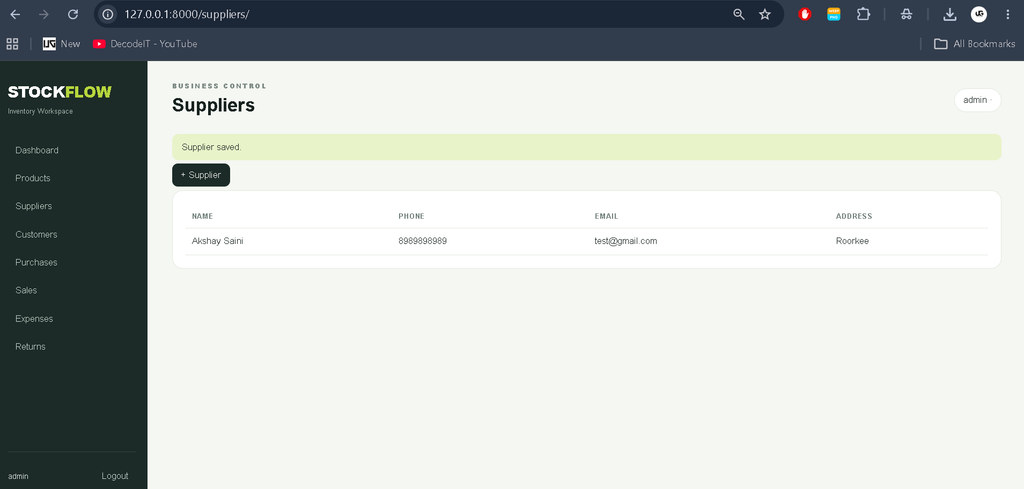
Supplier records contain contact information and address details, while customer records maintain similar information for people or organizations purchasing products. These records are connected to purchasing and sales workflows, helping the system keep transaction information organized.
Purchase Management
A purchase record stores the supplier, product, quantity, and unit cost. When a purchase is successfully recorded, the related product stock is increased automatically. The purchase list displays the transaction date, supplier, product, quantity, and calculated total value.
Sales Management
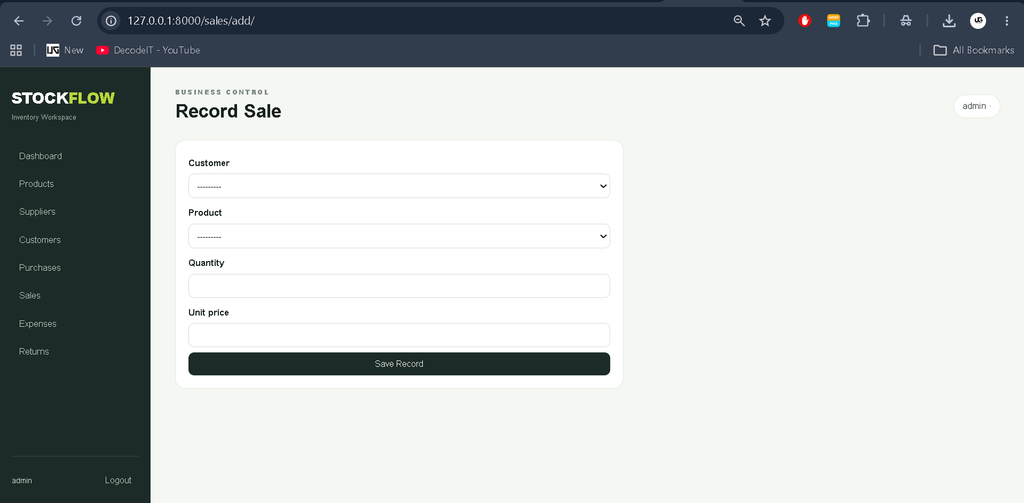
Sales can be recorded for a registered customer or as a walk-in transaction. Before saving a sale, the system checks whether enough stock is available. If the requested quantity exceeds the current stock, the form shows a validation error. Successful sales are stored with the product, customer, quantity, unit price, and transaction time, and the corresponding stock is reduced.
Expense and Return Management
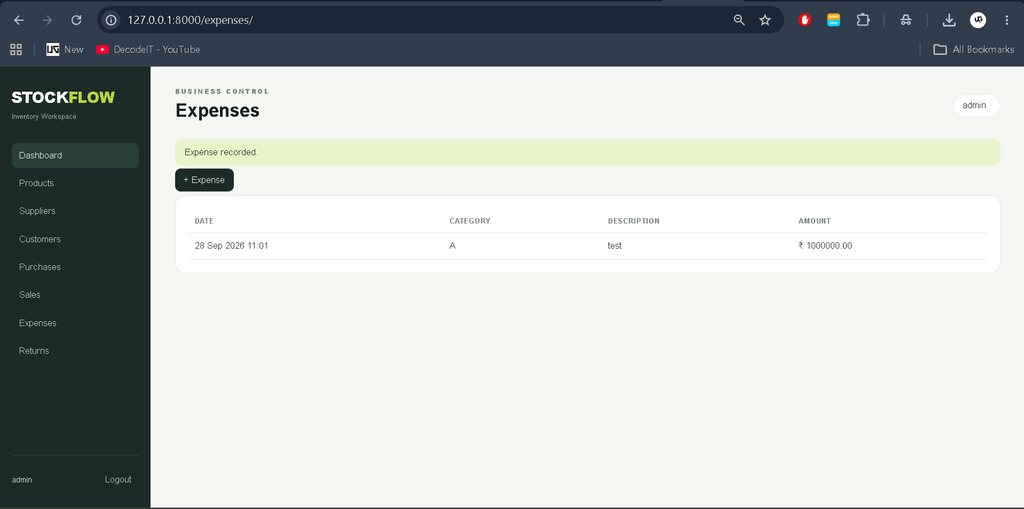
The expense module records an expense category, description, amount, and date. The return module supports sales returns and purchase returns with product, quantity, reason, and status information. Approved sales returns add stock back, while approved purchase returns reduce stock, keeping the inventory quantity connected to return activity.
Dashboard and Reporting View
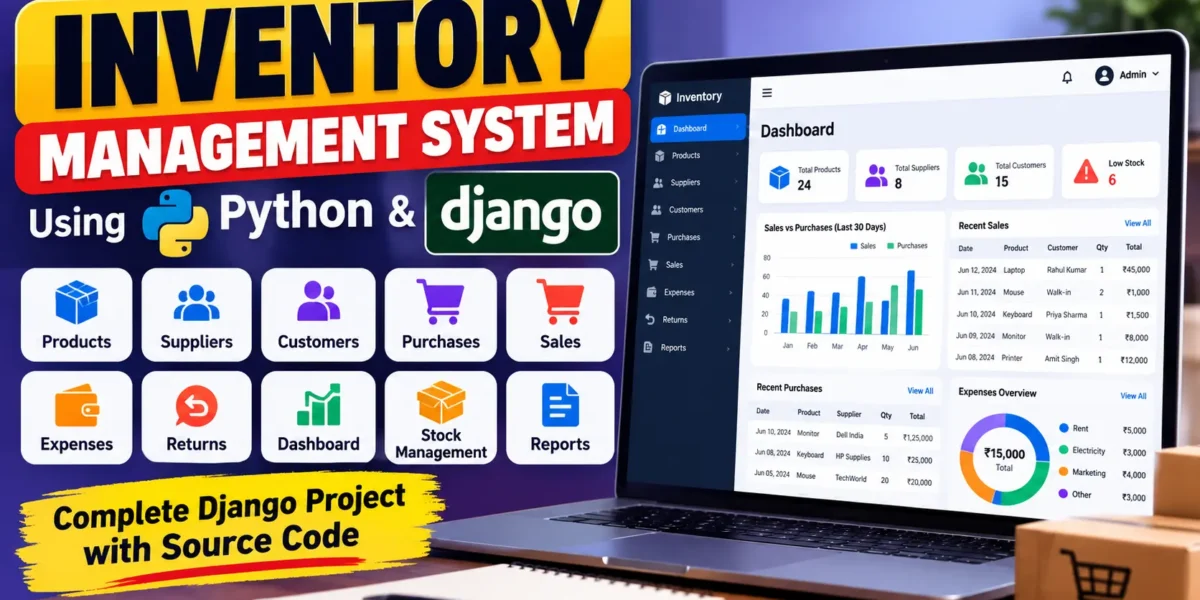
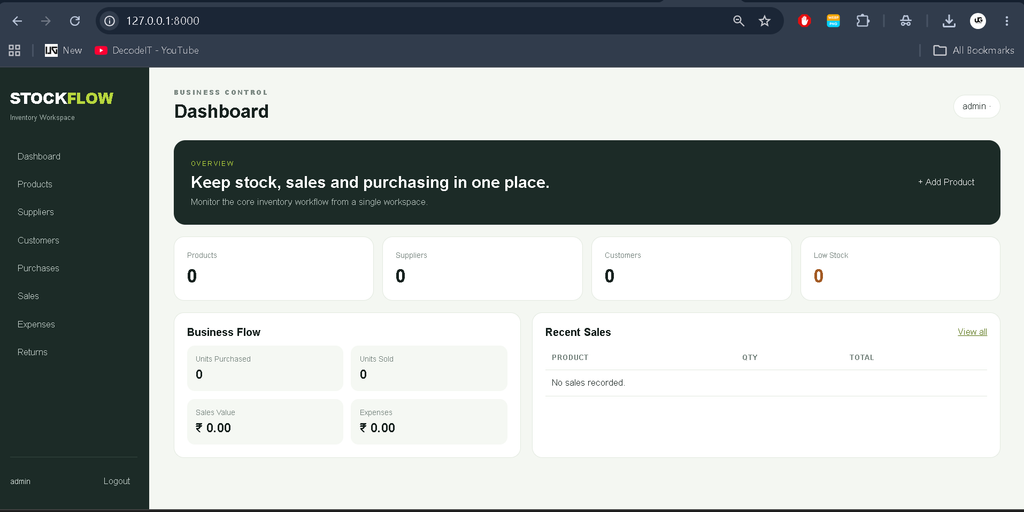
The custom dashboard presents an overview of product, supplier, and customer counts along with low-stock information. It also summarizes purchased units, sold units, sales value, and recorded expenses. A recent-sales section provides a quick view of recent transaction activity. These summaries help users review the current state of the inventory without opening every module separately.
User Roles
- Admin: Can sign in to the application, view operational modules, manage inventory records, and perform administrative product deletion through the custom interface.
- Staff: Can sign in and work with the operational inventory screens. Staff users do not receive the Admin-only product deletion action.
Project Modules
- Authentication and role profiles
- Product and stock management
- Supplier management
- Customer management
- Purchase recording
- Sales recording
- Expense recording
- Return recording
- Dashboard summaries and recent sales
Technologies Used
The project is built with Python and Django for server-side application development and database interaction. HTML is used for page structure, CSS provides the custom visual design, and the browser interface is organized as responsive web pages. SQLite is configured as the project database, making the application straightforward to set up for college development and local testing.
How the System Works
After logging in, the user reaches the dashboard and can move between the available modules using the sidebar. A product is first recorded with its basic inventory details. Supplier and customer records can then be maintained for transactions. When stock is purchased, the purchase entry increases the product quantity. When a sale is recorded, the application checks stock and decreases the quantity only after successful validation. Expenses are stored independently for financial tracking, while approved returns adjust stock according to whether the return originated from a sale or purchase. The dashboard then reflects the resulting counts and transaction summaries.
Installation and Setup
To run the project, install Python and VS Code, open the project folder, and create a virtual environment. Activate the environment and install the packages listed in requirements.txt. Create the Django migration files with the standard migration command and apply them to SQLite. Then run the included setup command to create the starter Admin account and initial categories. Finally, start the Django development server and open the local address shown by the terminal.
python -m venv venv
venv\Scripts\activate
pip install -r requirements.txt
python manage.py makemigrations inventory
python manage.py migrate
python manage.py setup_inventory
python manage.py runserver
The included starter login is admin with password admin123. For a real deployment, this password should be changed and proper production security settings should be applied.
Download Source Code
Screenshot
Usage Information
Admin users can begin by creating product records and maintaining supplier and customer information. Purchase entries can be added when new stock arrives. Sales entries should be created only for quantities available in inventory. Expense records can be entered as business costs occur, while return records should include an appropriate type, quantity, reason, and status. The dashboard can then be used as a quick operational summary of the stored data.
Frequently Asked Questions
Does the project use Django Admin?
No. The project intentionally uses a custom login, dashboard, navigation, forms, and management screens instead of the Django Admin interface.
Which database is configured?
SQLite is configured in the supplied project, so no separate database server is required for local execution.
Can the system prevent a sale when stock is insufficient?
Yes. The sales form validates the requested quantity against the product’s available stock before saving the transaction.
Are sales and purchases connected to stock?
Yes. A successful purchase increases stock, while a successful sale decreases stock.
Future Scope
- Add more detailed role permissions for individual modules.
- Extend product editing and record-management options across all modules.
- Add richer sales, purchase, expense, and stock reports.
- Provide invoice and receipt generation for stored transactions.
- Support MySQL as an additional production database configuration.
- Extend the dashboard with more detailed business reporting.
Conclusion
The Inventory Management System using Python Django provides a practical example of how a college-level web application can connect inventory records with purchasing, sales, customers, suppliers, expenses, and returns. Its custom interface, stock validation, transaction-based updates, authentication, and dashboard summaries make it more complete than a basic CRUD demonstration while keeping the structure understandable for students. The project can therefore serve as a useful foundation for learning Django models, forms, views, templates, authentication, database relationships, and real-world inventory workflows.
Keywords:
Inventory Management System
Inventory Management System – Google Search
inventory management system ghaziabad police
inventory management system meaning in hindi
inventory management system project in python with source code
inventory management system project
inventory management system in excel free download
inventory management system Ild
inventory management system github
inventory management system design
inventory management system project with source code