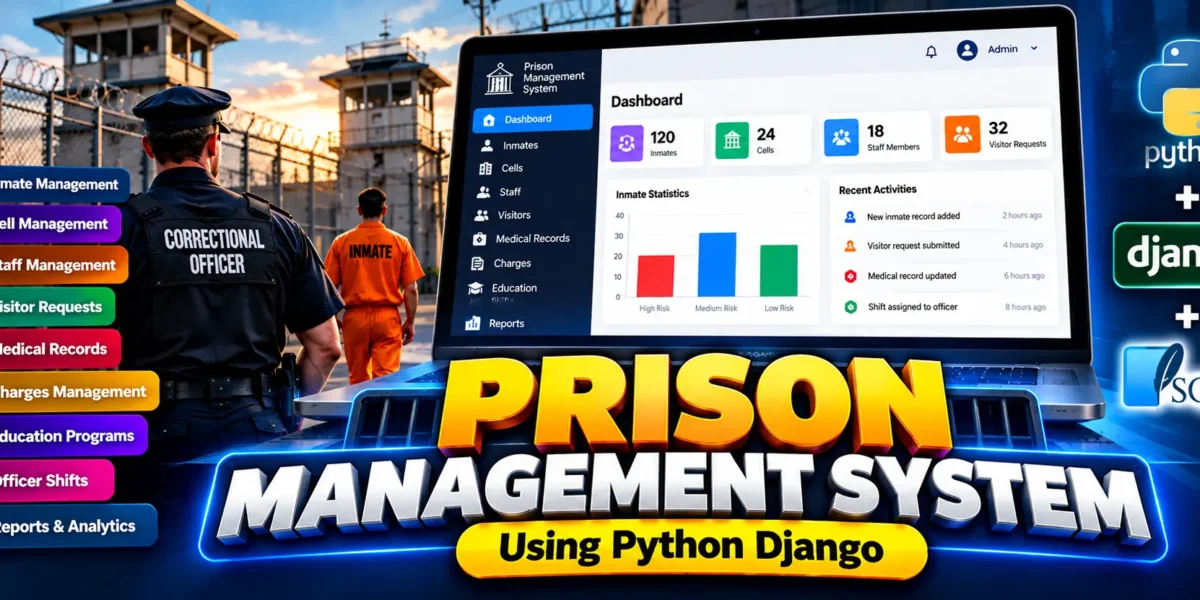
Prison Management System Using Python Django
The Prison Management System is an advanced web-based management application developed using Python and Django with SQLite as the database. The system is designed to organize important prison operations through a centralized platform where inmate records, cells, correctional officers, medical records, visitor requests, charges, education programs and officer shifts can be managed efficiently.
The project follows a role-based approach so that different users only access the modules required for their responsibilities. The application includes dedicated access for Administrators, Correctional Officers and Medical Staff, while the dashboard, sidebar navigation, action buttons and protected URLs respond according to the user’s assigned role.
Table of Contents
Complete Advance AI Topics: Click Here
Real Time Projects on YouTube:- DecodeIT
Project Overview
| Attribute | Details |
|---|---|
| Project Name | Prison Management System |
| Language/s Used | Python, Django, HTML, CSS, JavaScript |
| Database | SQLite |
| Type | Advanced Web Application |
| Authentication | Django Authentication with Role-Based Access |
User Roles and Access
One of the major improvements in the system is its role-based access structure. Instead of giving every authenticated user access to every module, the application checks the user’s role before displaying navigation items and before allowing protected URLs to open.
Administrator
- Access to the complete dashboard.
- Access to all operational modules.
- Staff management.
- Inmate and cell management.
- Visitor request management.
- Charges and education management.
- Medical and shift information.
- Reports and system administration.
Correctional Officer
- Inmate records and lookup.
- Cell information.
- Visitor requests.
- Charges information.
- Education records.
- Officer shifts.
- Operational reports.
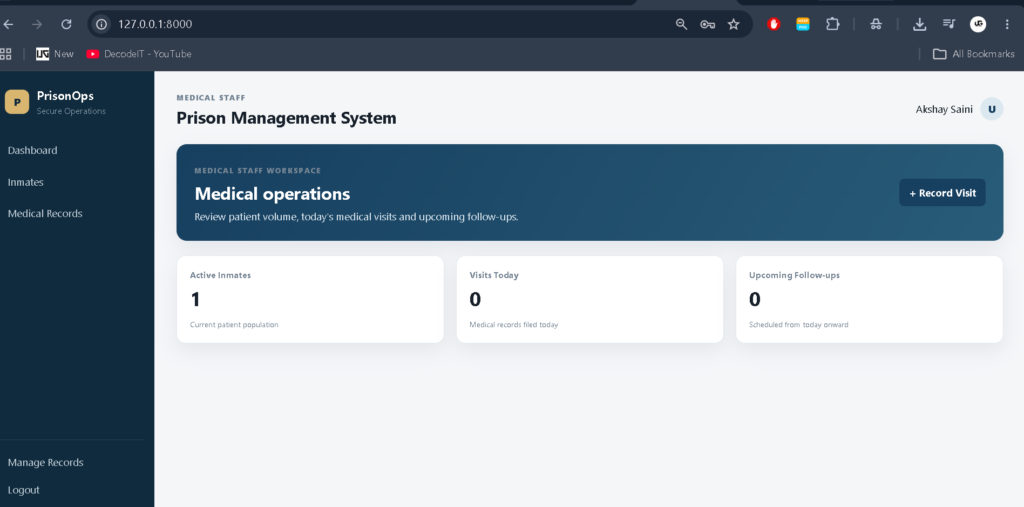
Medical Staff
- Inmate lookup.
- Medical record management.
- Access to information required for medical operations.
Superusers receive full system access. Other users require an associated StaffProfile with an active role before role-specific access is provided.
Key Features
- Role-Based Authentication: Users receive access according to their assigned role.
- Protected URLs: Unauthorized users cannot access restricted modules simply by entering their URLs directly.
- Role-Based Sidebar: Navigation items are displayed according to the user’s permissions.
- Role-Based Dashboard: Dashboard content changes according to the logged-in user’s responsibilities.
- Role-Based Add Buttons: Create actions are shown only where the current role is allowed to perform them.
- Inmate Management: Manage important inmate information and custody records.
- Cell Management: Maintain prison cell and occupancy information.
- Staff Management: Administrators can manage staff profiles and roles.
- Visitor Requests: Manage visitor requests and their status.
- Medical Records: Maintain inmate medical information for authorized medical staff.
- Charges Management: Maintain charges connected with inmate records.
- Education Programs: Manage educational programs associated with inmates.
- Shift Management: Maintain correctional officer shift information.
- Reports: Provide operational information to authorized roles.
- Activity Tracking: Important system actions can be recorded for operational visibility.
Project Modules
1. Dashboard
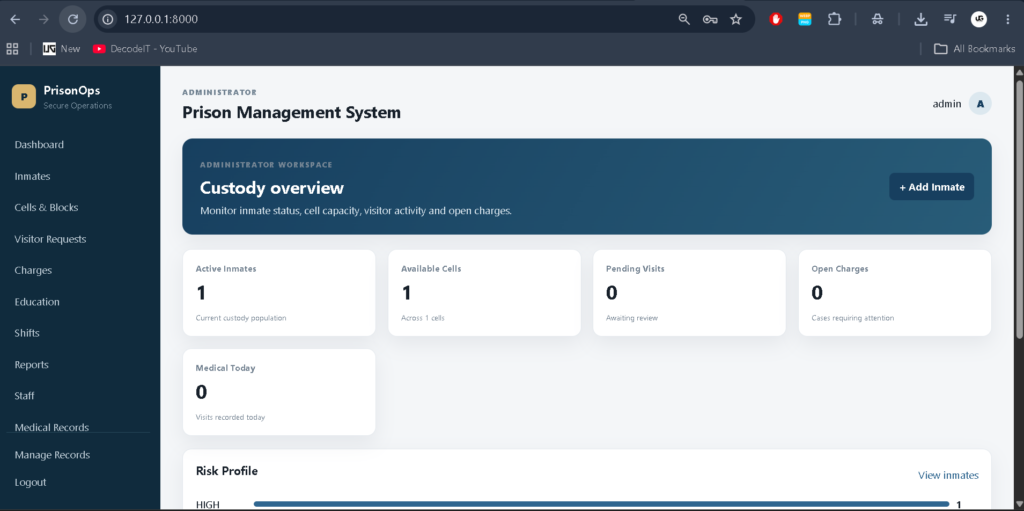
The dashboard acts as the main workspace after login. Instead of displaying the same interface to every user, the application determines the user’s role and displays relevant information. Administrators receive the broadest operational overview, while Correctional Officers and Medical Staff see information related to their permitted responsibilities.
2. Inmate Management
The inmate module provides structured access to inmate records. Authorized users can search and review information needed for custody operations. Inmate information is connected with other modules such as cells, charges, education, visitor requests and medical records.
3. Cell Management
Cell management provides information about prison blocks, cells and occupancy. This module helps authorized staff understand cell allocation and available capacity without maintaining separate disconnected records.
4. Staff Management
Staff management is available to administrators. Staff profiles can be associated with operational roles such as Correctional Officer and Medical Staff. The active role determines which parts of the application the user can access.
5. Visitor Request Management
The visitor module provides a structured process for handling visit requests. Authorized users can review visitor information and request status. Administrative actions can update requests according to the available workflow.
6. Medical Records
The medical module provides authorized medical personnel with access to inmate medical information. Medical records can contain visit information, conditions, treatment details and related staff information.
7. Charges Management
Charges are maintained as records connected to inmates. This provides a structured way to organize charge information and its current status within the system.
8. Education Programs
Education management allows the application to maintain educational programs and their association with inmate records. This creates a structured module for managing education-related information.
9. Officer Shifts
The shift module maintains correctional officer schedules, working times and assigned operational areas. This information can be accessed by users whose roles permit shift-related operations.
10. Reports
The reports module provides authorized users with an operational overview of available system information. Access to reports is controlled through the role-based permission structure.
How to Download
The complete package is available so you can run, study, and submit it with confidence. It includes:
- Full Source Code
- Project Report
- Synopsis
- PPT Presentation
Screenshots
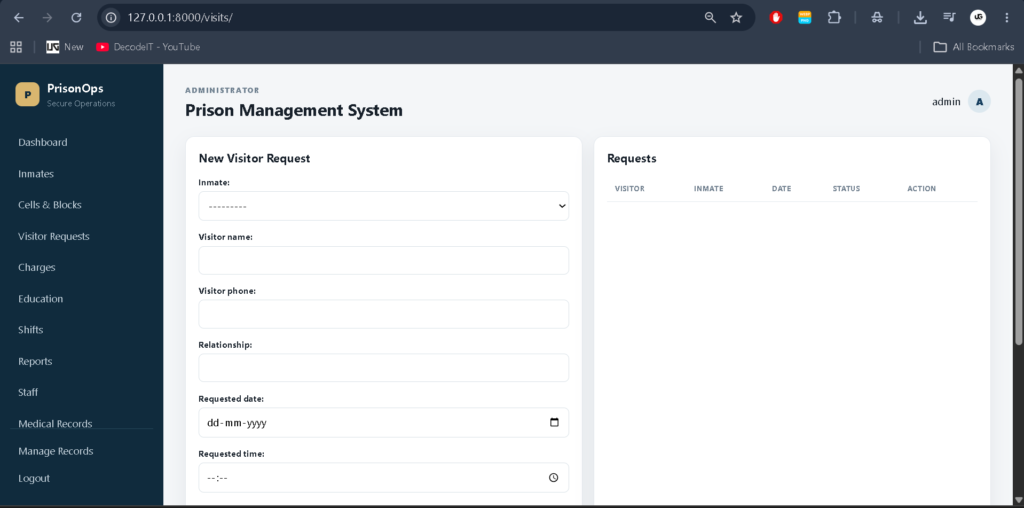
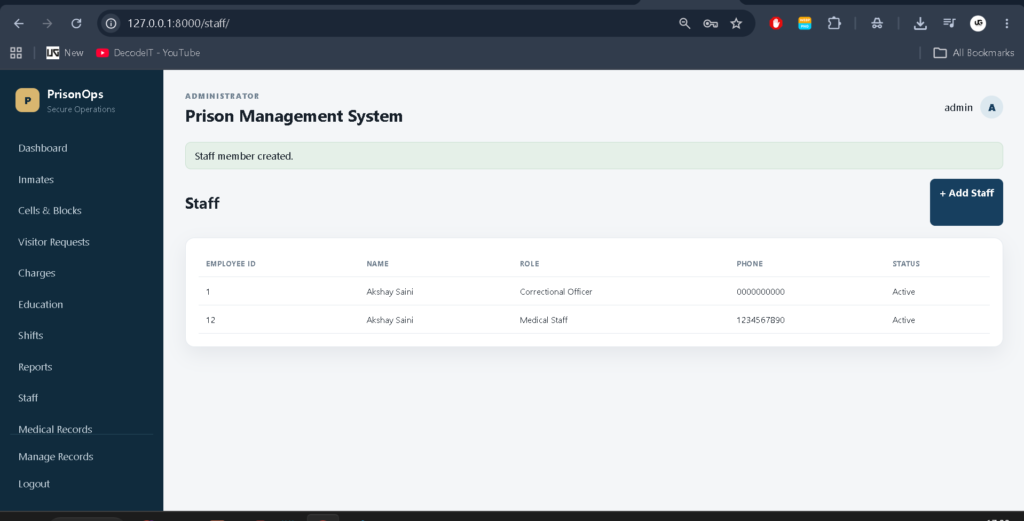
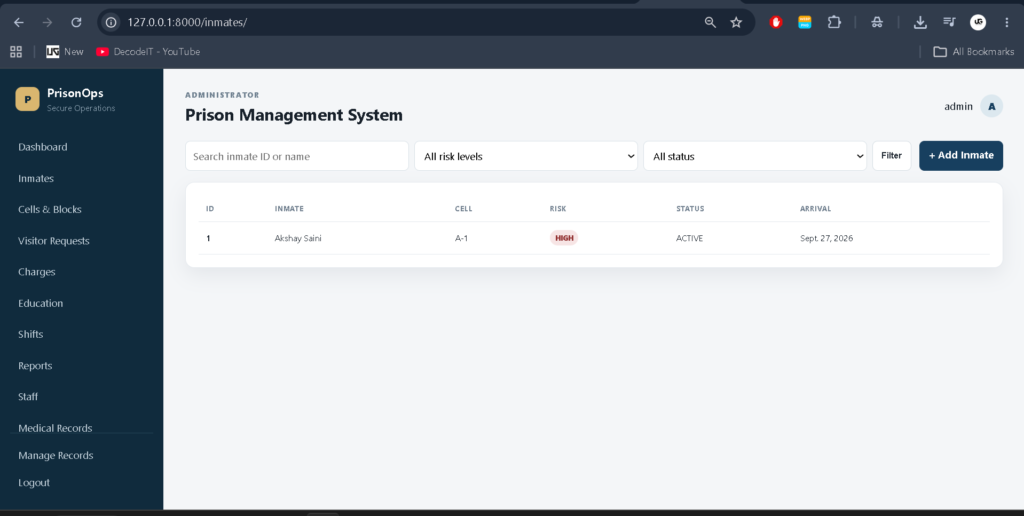
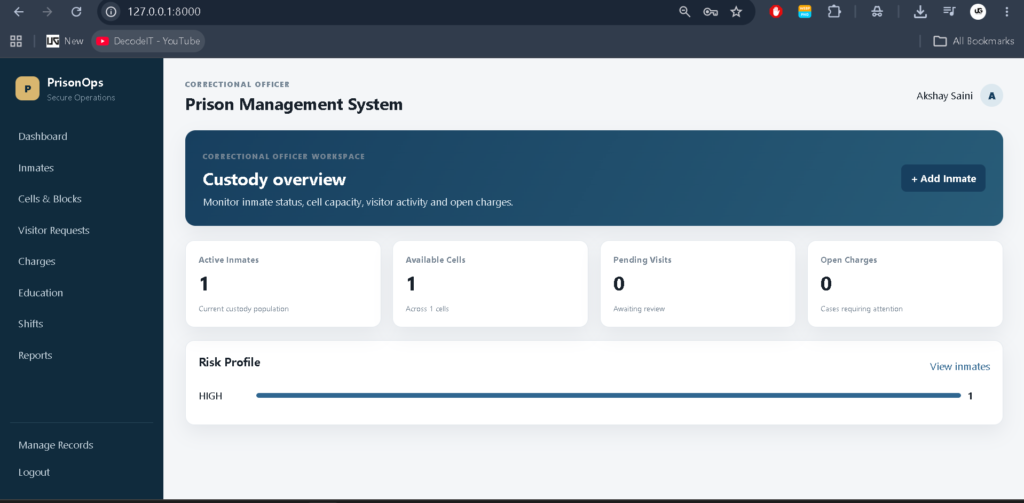
Role-Based Access Control
Role-based access control is implemented at more than one level. The interface first adapts to the user’s role by displaying the appropriate sidebar links, dashboard information and available action buttons. However, hiding a menu item alone is not treated as sufficient protection.
The application also checks permissions inside the views. Therefore, if a user manually enters a restricted URL, the application blocks access instead of allowing the page to load. This provides a more complete access-control workflow and prevents the interface from being the only security boundary.
Professional Dashboard UI
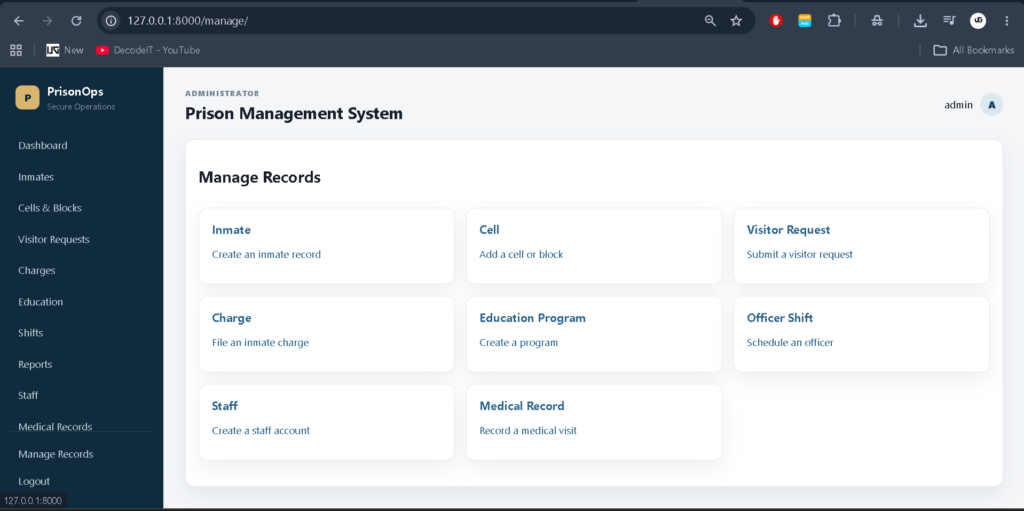
The project uses a custom dashboard interface rather than depending only on the default Django administration interface. The design includes a professional sidebar, top navigation area, user information, dashboard cards, operational records and role-specific navigation.
The interface is responsive so that important records and navigation remain usable across desktop, laptop, tablet and smaller screens. Different roles receive different dashboard experiences while maintaining a consistent application identity.
Authentication and Security
Django authentication is used to control login access. Superusers have complete access to the application, while normal staff users require a valid StaffProfile and an active role. Role checks are performed in application views to prevent unauthorized access to restricted modules.
The project also uses Django’s built-in request protection mechanisms, form handling and database ORM. Input validation is handled through Django forms where applicable, while database relationships are maintained through Django models.
Database Structure
The application uses SQLite as its database and Django ORM for database operations. Core records are represented through connected models instead of keeping all information in a single table.
- Staff profiles and user accounts
- Inmate records
- Cells and blocks
- Charges
- Education programs
- Officer shifts
- Medical records
- Visitor requests
- Activity records
These relationships allow different operational modules to work together. For example, an inmate can be connected with a cell, charges, medical records, education programs and visitor requests.
Testing and Verification
The role-based functionality has been tested using the Django test suite. The current implementation includes 13 passing tests, covering the application’s role and access-control behavior. These tests help verify that users receive the expected access according to their configured role and that restricted functionality cannot simply be reached through unauthorized URLs.
Installation Guide
To run the project locally in VS Code, first create and activate a Python virtual environment.
python -m venv venvActivate it on Windows:
venv\Scripts\activateInstall the project dependencies:
pip install -r requirements.txtBecause the project uses an inmate photo field, Pillow should also be installed if it is not already included in the environment:
python -m pip install PillowRun migrations:
python manage.py makemigrations
python manage.py migrate
Create the main administrator account:
python manage.py createsuperuserStart the development server:
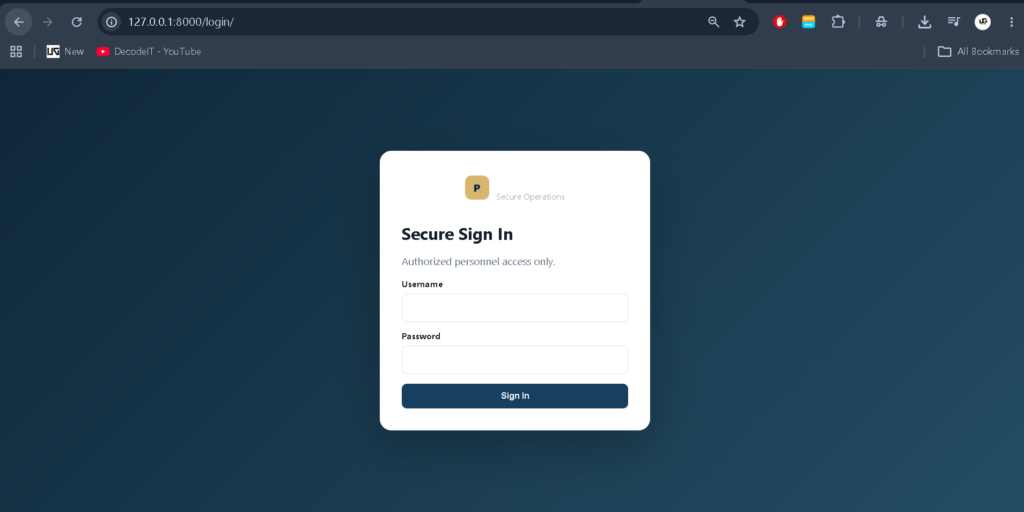
python manage.py runserverThen open the application login page at http://127.0.0.1:8000/login/.
Usage of the System
After signing in, the application identifies the user’s access level and prepares the appropriate workspace. Administrators can manage the complete operational environment, including staff and core prison records. Correctional Officers receive access to the operational modules required for custody and supervision. Medical Staff receive a focused interface for inmate lookup and medical records.
When an unauthorized user attempts to open a restricted module manually, the application checks the role at the view level and blocks the request. This makes the workflow more reliable than simply hiding navigation links.
Frequently Asked Questions
What is the Prison Management System?
It is a Django-based web application for managing interconnected prison operational records such as inmates, cells, staff, visits, medical information, charges, education and shifts.
Which database does the project use?
The project uses SQLite as its configured database.
Which roles are available?
The current role-based structure supports Administrator, Correctional Officer and Medical Staff access.
Does every user see the same dashboard?
No. The dashboard, sidebar and available actions are adjusted according to the user’s role.
Can a user bypass the sidebar by typing a URL?
No. Restricted URLs are also checked in the application views, so unauthorized users are blocked even when they attempt direct URL access.
How many tests are currently passing?
The current implementation has 13 passing Django tests for the role and access-control functionality.
Future Scope
- Introduce more granular permissions for individual actions.
- Add downloadable and printable operational reports.
- Expand audit history for sensitive record changes.
- Add configurable system notifications.
- Add advanced historical analytics and operational trends.
- Add additional administrative configuration options.
Conclusion
The Prison Management System is a practical advanced Django project that demonstrates how a complex management application can be organized around real-world roles and connected database records. Its major strength is the role-based workflow, where administrators, correctional officers and medical staff receive different access instead of using one common interface.
Keywords:
Prison Management System
Prison Management System – Google Search
prison management system project
prison management system pdf
prison management system source code
prison management system project pdf
prison management system php
prison management system documentation
prison management system github
correctional management systems columbia tn
correctional management systems,Prison Management System,Prison Management System Using Python Django