Node.js Errors
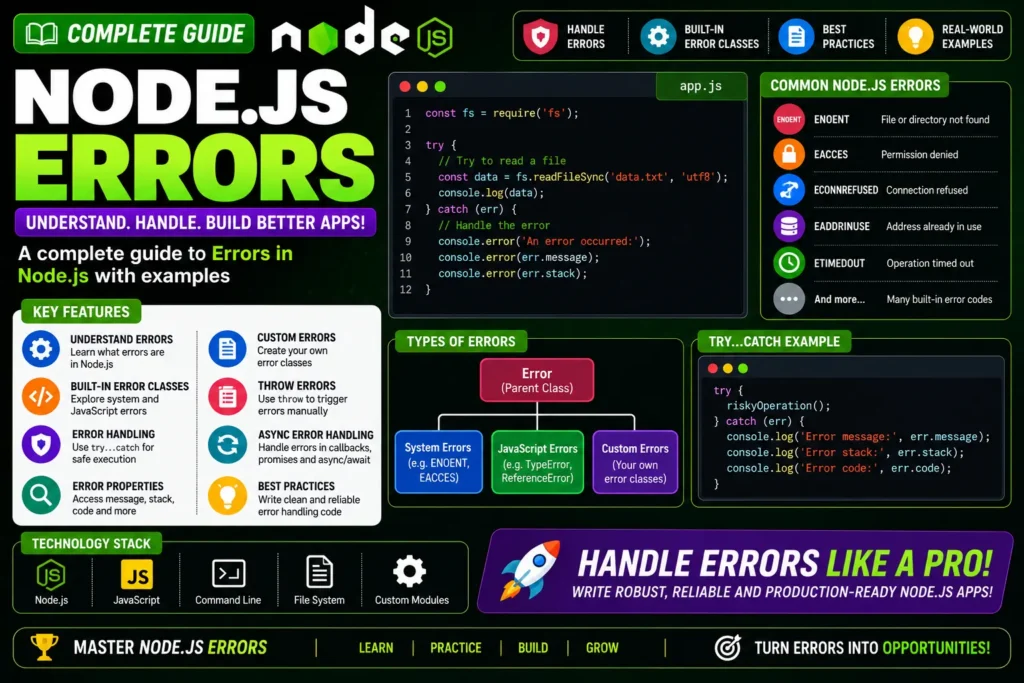
When building applications with Node.js, developers often come across different types of errors. Understanding them helps you write cleaner, more reliable code. Broadly, Node.js applications encounter four categories of errors.
Complete Advance AI Topics: Click Here
SQL Tutorial: Click Here
Four Categories of Node.js Errors
- Standard JavaScript Errors: EvalError, SyntaxError, RangeError, ReferenceError, TypeError, URIError.
- System Errors: OS-level issues such as file not found or network failure.
- User-Specified Errors: Custom errors defined by developers for app logic.
- Assertion Errors: Raised when an assertion test fails, often in testing.
Example 1: ReferenceError (Standard JS Error)
// error_example1.js
try {
  const a = 1;
  const c = a + b; // b is not defined
} catch (err) {
  console.log(err);
}

// Run: node error_example1.js
Example 2: System Error (fs module)
// error_example2.js
const fs = require('fs');

function nodeStyleCallback(err, data) {
  if (err) {
    console.error('There was an error', err);
    return;
  }
  console.log(data);
}

fs.readFile('/path/does-not-exist', nodeStyleCallback);
The first readFile call attempts to read a non-existent file and triggers a system error handled in the callback.
Error Handling Best Practices
- Always handle the
errargument in callbacks. - Use
try...catchfor synchronous code and.catch()for promises. - Create custom error classes that extend
Errorfor clearer messages. - Never silently swallow errors ÔÇö log or rethrow them.
Download New Real Time Projects:- Click here
node js throw error with status code
node js error handling
error handling in node js rest api
node js error object
nodejs error class
node js error handling best practices
node js custom error
node js errors w3schools