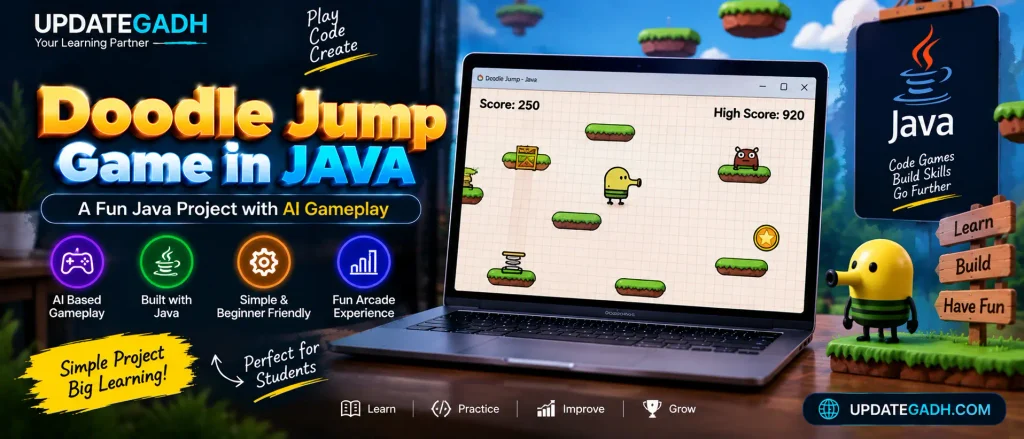
Doodle Jump Game in JAVA
Javas versatility in game development has always been impressive, and the Java Doodle Jump Game is a fantastic example of a beginner-friendly yet engaging project. This game captures the essence of classic arcade fun, similar to the original Doodle Jump, but with an interesting twist: you get to watch an AI character handle the gameplay. Developed using Eclipse IDE and requiring JDK and JRE for execution, this project offers a delightful introduction to Java-based game development.
Table of Contents
About
The Java Doodle Jump Game is a lightweight, graphical application that provides a complete arcade experience with a Java-based GUI. While Doodle Jump fans may remember manually navigating platforms and dodging obstacles, this version automates the gameplay. Instead of guiding the character yourself, the AI jumps from platform to platform, aiming to reach the highest possible score. Its a unique twist that allows players to sit back, watch, and cheer for the virtual player as it tackles the game.
Getting Started: Requirements and Setup
Before diving into the game, lets cover the basic requirements:
- JDK and JRE: Ensure that both Java Development Kit (JDK) and Java Runtime Environment (JRE) are installed. These are essential for running any Java-based application.
- Eclipse IDE: This game was developed using Eclipse, a popular Integrated Development Environment for Java. While Eclipse offers ease of use with project management, you could alternatively use any Java-compatible IDE or even run it from the command prompt.
Download New Real Time Projects :-Click here
Code Overview
The games source code includes several essential components to facilitate smooth gameplay and visually appealing graphics. Heres a quick look at what each part does:
- Main.java: This file initiates the game and sets up the main game window. Its responsible for creating instances of the character, the platforms, and other elements displayed on the screen.
- Player.java: This class manages the AI players movements. It includes methods for detecting platform edges, calculating jumps, and tracking score progression. By tweaking this file, you could potentially add more advanced AI logic or customize the characters behavior.
- Platform.java: Each platform is created as an instance of this class, complete with position data and movement methods. Platforms move up and down or disappear as the player progresses, adding to the games challenge.
- Game Loop: The loop continuously refreshes the screen, updating platform positions, and checking for collision with platforms. It is responsible for ensuring that the AI character lands correctly on each platform and adjusts its jumps accordingly.
Customizing the Game
One of the best aspects of this project is how easy it is to customize and expand. Here are a few ideas to make the game even more interesting:
- Add Power-Ups: Modify the
Platform.javaorPlayer.javaclasses to include power-ups like speed boosts, extra points, or temporary invincibility. This would introduce a new layer of excitement to the game. - Implement Different Levels: By creating different platform types or introducing obstacles, you could make the AI work harder to achieve a high score. Different levels or difficulty settings could be introduced, making the game progressively harder.
- Sound Effects: Incorporate basic sound effects for jumps, landing, and scoring. Javas
AudioClipclass provides an easy way to add audio to a game, making it more immersive.
Java Doodle Jump Game (Basic GUI-Based)
To run this, ensure you have Java installed and an IDE like Eclipse set up.
import javax.swing.*;
import java.awt.*;
import java.awt.event.ActionEvent;
import java.awt.event.ActionListener;
import java.awt.event.KeyEvent;
import java.awt.event.KeyListener;
import java.util.ArrayList;
import java.util.Random;

public class DoodleJumpGame extends JPanel implements ActionListener, KeyListener {
    private Timer timer;
    private int score;
    private int playerX, playerY, playerWidth, playerHeight;
    private int yVelocity;
    private boolean isJumping;

    private ArrayList<Platform> platforms;

    public DoodleJumpGame() {
        setFocusable(true);
        addKeyListener(this);

        // Game settings
        timer = new Timer(20, this);
        timer.start();

        score = 0;
        playerX = 200;
        playerY = 400;
        playerWidth = 30;
        playerHeight = 30;
        yVelocity = 0;
        isJumping = false;

        // Generate platforms
        platforms = new ArrayList<>();
        Random random = new Random();
        for (int i = 0; i < 5; i++) {
            int x = random.nextInt(300);
            int y = 500 - i * 100;
            platforms.add(new Platform(x, y, 60, 10));
        }
    }

    @Override
    protected void paintComponent(Graphics g) {
        super.paintComponent(g);
        // Background
        g.setColor(Color.CYAN);
        g.fillRect(0, 0, getWidth(), getHeight());

        // Player
        g.setColor(Color.RED);
        g.fillRect(playerX, playerY, playerWidth, playerHeight);

        // Platforms
        g.setColor(Color.GREEN);
        for (Platform platform : platforms) {
            g.fillRect(platform.x, platform.y, platform.width, platform.height);
        }

        // Score
        g.setColor(Color.BLACK);
        g.drawString("Score: " + score, 10, 10);
    }

    @Override
    public void actionPerformed(ActionEvent e) {
        yVelocity += 1; // Gravity
        playerY += yVelocity;

        // Check for jumping on platforms
        for (Platform platform : platforms) {
            if (playerY + playerHeight >= platform.y && playerY + playerHeight <= platform.y + 10
                    && playerX + playerWidth > platform.x && playerX < platform.x + platform.width) {
                yVelocity = -10; // Jumping effect
                score++;
            }
        }

        // Player reaches the top, move platforms down
        if (playerY < 200) {
            playerY = 200;
            for (Platform platform : platforms) {
                platform.y += 10;
                if (platform.y > 600) {
                    platform.y = 0;
                    platform.x = new Random().nextInt(300);
                }
            }
        }

        // Game over condition
        if (playerY > 600) {
            timer.stop();
            JOptionPane.showMessageDialog(this, "Game Over! Your score is: " + score);
            System.exit(0);
        }

        repaint();
    }

    @Override
    public void keyPressed(KeyEvent e) {
        int key = e.getKeyCode();
        if (key == KeyEvent.VK_LEFT) {
            playerX -= 10;
        } else if (key == KeyEvent.VK_RIGHT) {
            playerX += 10;
        }
    }

    @Override
    public void keyReleased(KeyEvent e) {
        // Not used
    }

    @Override
    public void keyTyped(KeyEvent e) {
        // Not used
    }

    public static void main(String[] args) {
        JFrame frame = new JFrame("Java Doodle Jump Game");
        DoodleJumpGame game = new DoodleJumpGame();
        frame.add(game);
        frame.setSize(400, 600);
        frame.setDefaultCloseOperation(JFrame.EXIT_ON_CLOSE);
        frame.setVisible(true);
    }
}

class Platform {
    int x, y, width, height;

    public Platform(int x, int y, int width, int height) {
        this.x = x;
        this.y = y;
        this.width = width;
        this.height = height;
    }
}
Code Explanation:
- Game Timer: The
Timerobject updates the games state every 20 milliseconds to create smooth animations. - Player Control: The player can move left or right with arrow keys.
- Platform Detection: The player “jumps” upon colliding with platforms. This is handled in
actionPerformedby checking if the player’s rectangle intersects with any platform. - Gravity and Jumping: The
yVelocitysimulates gravity. When the player hits a platform, its set to a negative value to make the player “jump.” - Scrolling Platforms: When the player reaches the upper part of the window, platforms move downward, making the game challenging.
Complete Advance AI Topics: Click Here
Real Time Projects:- DecodeIT
Running the Game
- Copy and paste the code into a Java file, save it as
DoodleJumpGame.java, and open it in an IDE like Eclipse. - Run the code, and a window will appear with a basic version of the Doodle Jump game.
Further Customization Ideas
You can add:
- AI-based movement for the player by setting up an automatic left and right movement.
- Background music or sound effects using Javas
AudioClip. - Obstacle elements like enemies or moving platforms.
This project serves as a beginner-friendly arcade game to practice Java GUI development and game mechanics.
- doodle jump html
- doodle jump processing
- Doodle Jump Game in JAVA
- Doodle Jump Game in JAVA
- doodle jump unlock code free
- doodle jump jar
- Doodle Jump Game in JAVA
- online java compiler
- Doodle Jump Game in JAVA
- download doodle jump
- Doodle Jump Game in JAVA
- doodle jump deluxe 240×320
- simple games in java with source code
- doodle jump game in java github
- Doodle Jump Game in JAVA