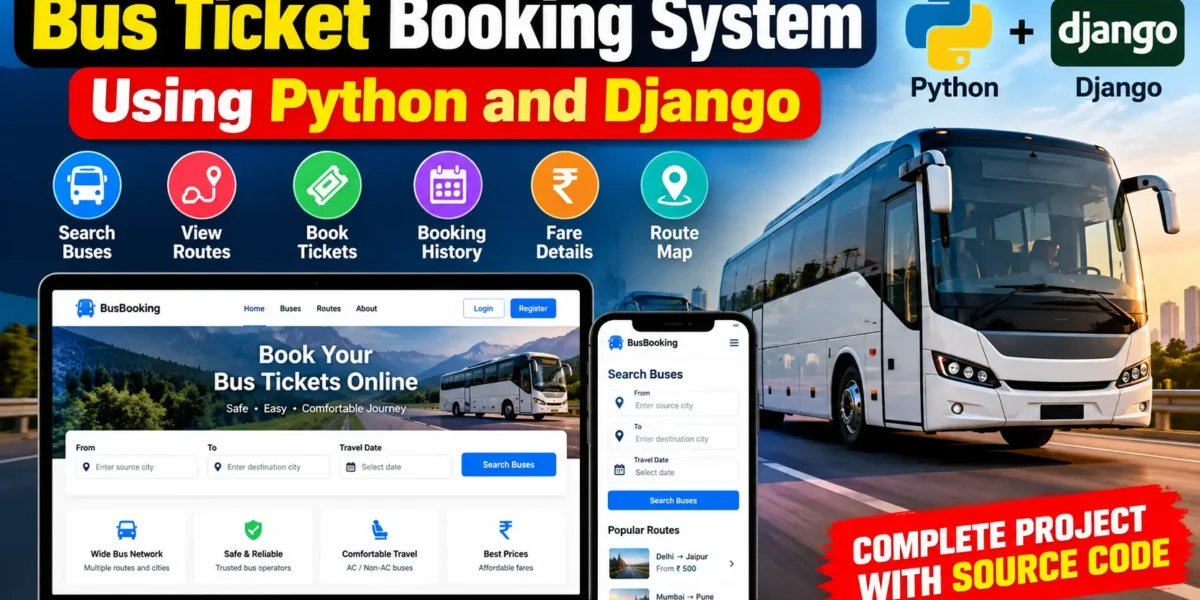
Bus Ticket Booking System Using Python and Django
The Advanced Bus Ticket Booking System Using Python and Django is a complete web-based application designed to simplify bus ticket reservation and transport management. The system allows passengers to search available buses, find suitable routes, check fares, select travel details, and book tickets through an organized online platform.
Developed using Python and Django Framework, the project combines passenger booking functionality with transport administration features. Passengers can search buses between source and destination locations, view complete route information, make ticket bookings, check their booking history, and cancel eligible tickets. Administrators can manage buses, stops, routes, fares, passengers, bookings, payment methods, feedback, and system activities through a custom management dashboard.
Table of Contents
Complete Advance AI Topics: Click Here
Real Time Projects on YouTube:- DecodeIT
Project Overview
| Project Name | Advanced Bus Ticket Booking System |
|---|---|
| Language/s Used | Python (Django Framework), HTML, CSS, JavaScript |
| Database | SQLite |
| Type | Web Application |
User Roles
Passenger
The passenger can register an account, log in securely, search buses, check routes and fares, book tickets, view booking history, cancel eligible tickets, manage profile information, and submit feedback.
Administrator
The administrator manages the complete transport booking environment. Admin functionality includes bus management, route and stop management, passenger management, ticket management, fare information, payment-method configuration, feedback review, activity monitoring, and dashboard analytics.
Available Features
The system provides the following major features for passenger ticket reservation and transport administration:
- Bus Search: Passengers can search available buses according to their travel requirements.
- Source and Destination Search: Users can enter their starting location and destination to find buses operating on the selected route.
- Bus Details: The system displays bus name, bus number, fare, route information, and availability status.
- Complete Route Information: Passengers can view the ordered stops associated with a selected bus.
- Ticket Booking: Authenticated passengers can select a bus, source, destination, travel date, passenger quantity, and available payment method.
- Fare Calculation: The booking amount is calculated using the selected bus fare and passenger quantity.
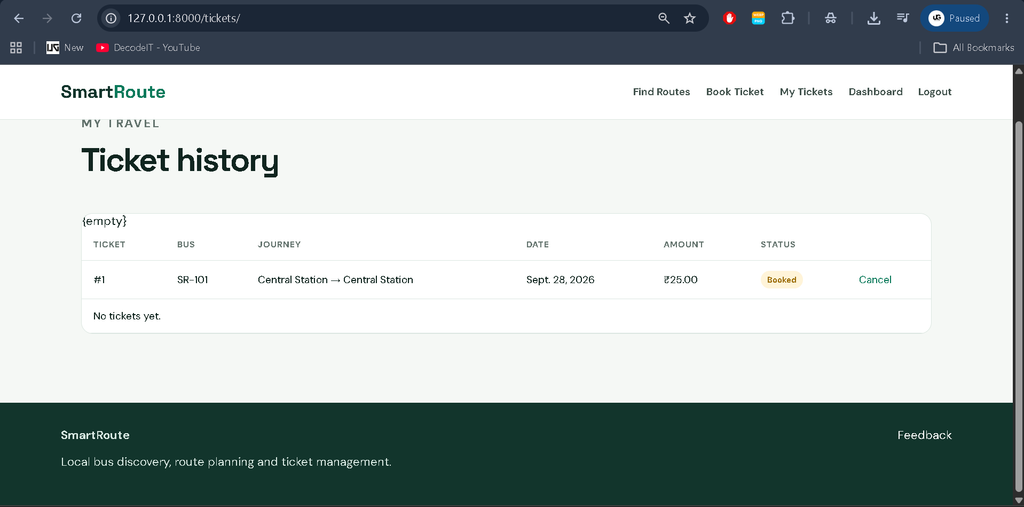
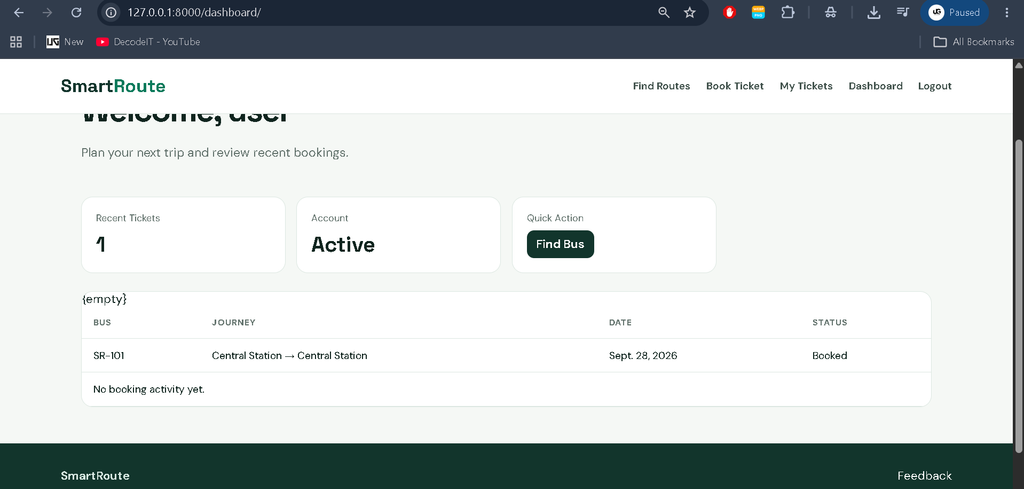
- Booking History: Passengers can view their previous bookings and current booking status.
- Ticket Cancellation: Eligible bookings can be cancelled from the passenger dashboard.
- Payment Method Management: Administrators can configure supported booking methods such as UPI, Card, and PayPal.
- Bus Management: Administrators can add, update, activate, deactivate, and manage bus information.
- Stop Management: Transport stops can be maintained with relevant location information.
- Route Management: Administrators can maintain ordered bus routes and their associated stops.
- Passenger Management: Registered passenger information can be reviewed from the management interface.
- Feedback and Rating: Passengers can provide feedback and ratings for the transport service.
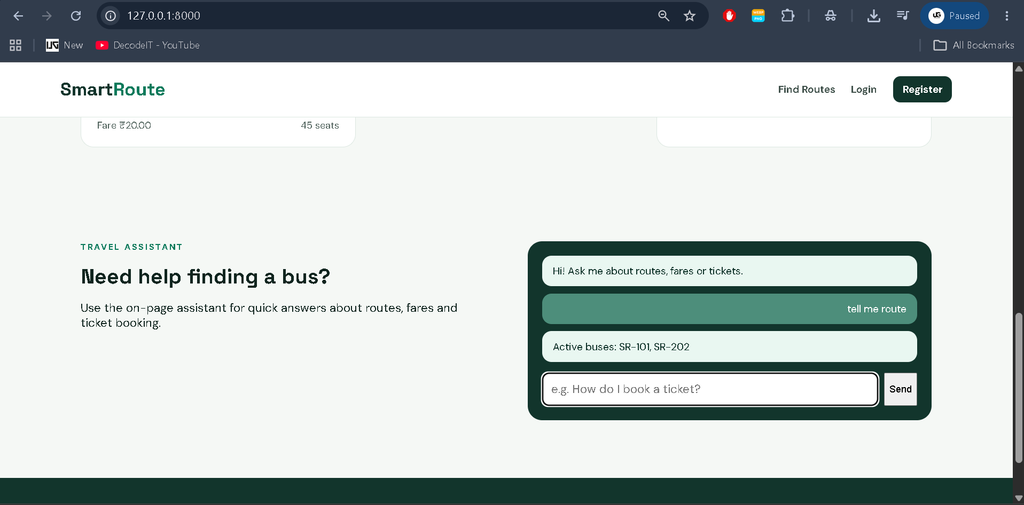
- Home Page Chatbot: A simple transport assistant helps users with common questions about buses, routes, fares, and bookings.
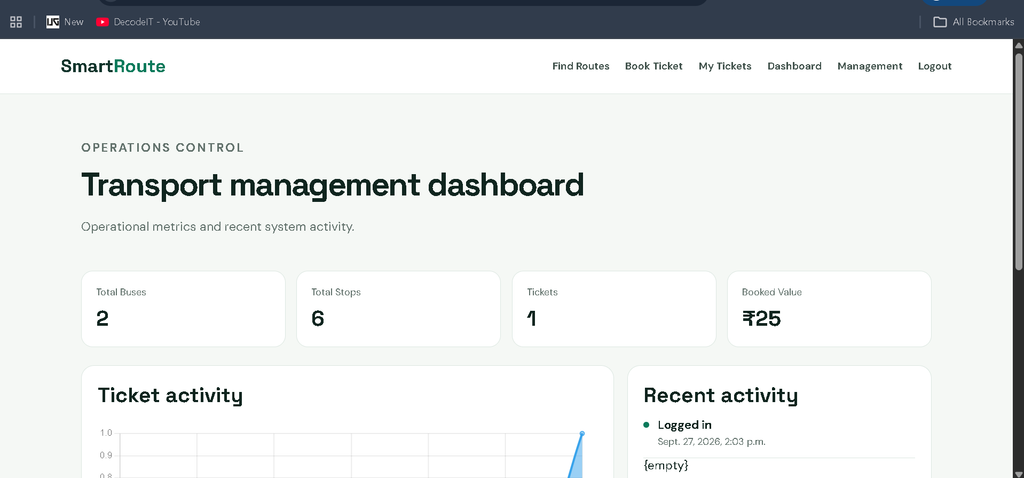
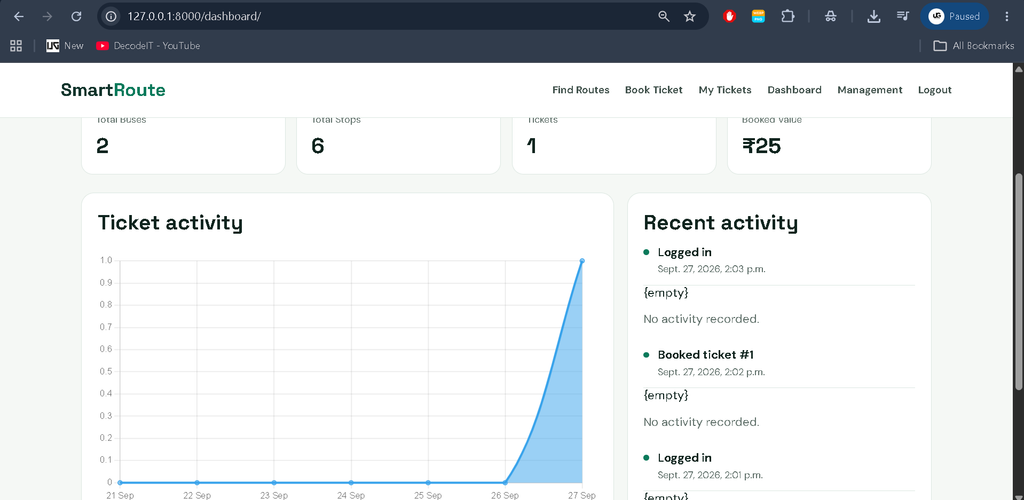
- Admin Dashboard: Administrators receive an overview of important booking and transport information through KPI cards and activity information.
- Search and Filtering: Relevant management records can be searched and filtered for easier administration.
- Responsive UI: The application interface is designed for desktop, laptop, tablet, and mobile screens.
Download Complete Source Code
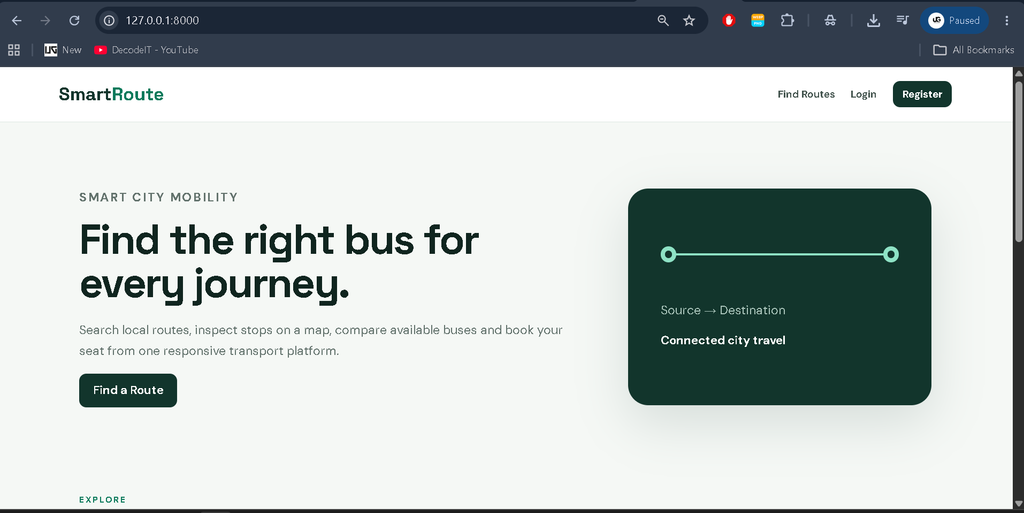
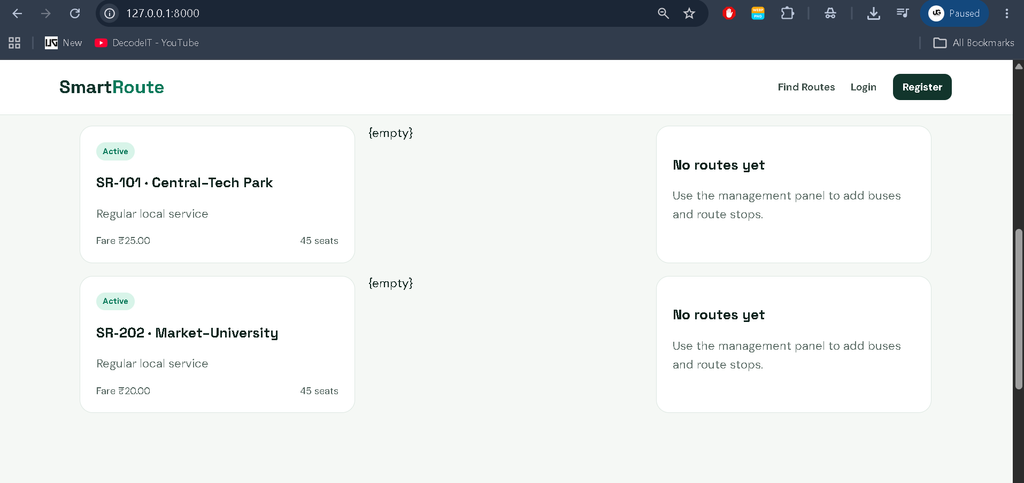
Screenshot
Project Modules
1. Passenger Management
The passenger module handles registration, login, profiles, booking access, ticket history, cancellation, and feedback. Authentication ensures that personal booking information remains associated with the correct user.
2. Bus Management
Administrators can maintain bus names, numbers, fares, capacity, descriptions, and active status. This information is used throughout the bus search and booking workflow.
3. Route and Stop Management
Routes are created using ordered stops. This structure allows the application to determine whether a bus operates between a selected source and destination and display the complete route to passengers.
4. Ticket Booking Management
The booking module connects passengers with buses and travel locations. It stores booking information, passenger quantity, fare calculation, payment method, booking status, and booking timestamps.
5. Payment Method Management
Administrators can control which payment methods are available for ticket booking. Methods such as UPI, Card, and PayPal can be configured from the management system. The project provides payment-method configuration rather than claiming live payment-gateway processing.
6. Feedback Management
Passengers can submit ratings and comments after using the transport service. Administrators can review submitted feedback for operational monitoring.
Professional Admin Dashboard
The project includes a custom management dashboard instead of depending only on the default Django admin interface. The dashboard provides transport-related KPI information, recent booking activity, bus and stop statistics, ticket information, and operational controls.
The interface includes a professional sidebar, top navigation, search controls, profile area, responsive tables, status indicators, KPI cards, activity information, quick actions, and modern forms. The visual design is focused on transportation and ticket reservation rather than using a generic dashboard appearance.
Technology Stack
- Backend: Python and Django
- Frontend: HTML, CSS, and JavaScript
- Database: SQLite
- Authentication: Django Authentication System
- Dashboard: Custom Django Dashboard
- Architecture: Django MVT Architecture
Database
The SQLite database stores the information required for the complete booking workflow. Important entities include users, passenger profiles, buses, stops, route stops, tickets, payment methods, feedback, activity records, and system settings.
Relationships between these entities allow the system to connect passengers with bookings, buses with routes, routes with stops, and bookings with configured payment methods. This database structure provides a foundation for managing the complete ticket reservation process.
Installation Guide
Follow these steps to run the project in Visual Studio Code.
Step 1: Install Python
Install Python 3.x and verify the installation:
python --versionStep 2: Open the Project
Extract the project and open the project folder in Visual Studio Code. Open the integrated terminal using Terminal > New Terminal.
Step 3: Create Virtual Environment
python -m venv venvActivate the environment on Windows:
venv\Scripts\activateStep 4: Install Dependencies
pip install -r requirements.txtStep 5: Apply Database Migrations
python manage.py migrateStep 6: Add Demo Data
python manage.py seed_demoStep 7: Start the Server
python manage.py runserverAfter starting the server, open the local Django address displayed in the terminal.
Usage
Passenger Usage
- Create a passenger account.
- Log in to the system.
- Search buses using source and destination.
- Check bus routes and fares.
- Select travel details.
- Choose an available payment method.
- Book the required ticket.
- View booking history.
- Cancel eligible bookings.
- Submit feedback.
Admin Usage
- Manage buses and bus information.
- Manage stops and route sequences.
- Review passengers and bookings.
- Configure payment methods.
- Monitor ticket activity.
- Review passenger feedback.
- Use dashboard statistics for operational monitoring.
Frequently Asked Questions
What is the purpose of this project?
The project provides an online platform for searching buses, checking routes and fares, and booking bus tickets through a Django-based application.
Which technology is used?
The system uses Python with Django for the backend, HTML, CSS and JavaScript for the frontend, and SQLite for the database.
Can passengers search buses without logging in?
Yes. Bus and route searching can be accessed before authentication, while personal booking functionality requires the passenger to log in.
Can administrators configure payment methods?
Yes. Administrators can manage available payment methods from the management system.
Does the project include live payment processing?
No. The project includes payment-method configuration for the booking workflow. Live payment gateway processing would require separate provider integration and credentials.
Future Scope
- Integration with live GPS-based bus tracking.
- Production payment gateway integration.
- Automatic booking notifications.
- Digital ticket or QR-code generation.
- Advanced seat-layout selection.
- Real-time bus availability.
- Advanced route optimization.
- Downloadable booking reports.
- Multilingual passenger assistance.
Conclusion
The Advanced Bus Ticket Booking System Using Python and Django is a practical real-world project that demonstrates how a complete online ticket reservation platform can be developed using Django. Instead of limiting the application to a simple booking form, the project connects passenger management, bus management, route handling, ticket reservation, fare calculation, payment-method configuration, feedback, and administrative analytics into one workflow.
Keywords:
Bus Ticket Booking System
Bus Ticket Booking System – Google Search
bus ticket booking system project
bus ticket booking system github
bus ticket booking system design
bus ticket booking system er diagram
bus ticket booking system use case diagram
bus ticket booking system dfd
bus ticket booking system data flow diagram
bus ticket booking system Ild
bus ticket reservation system