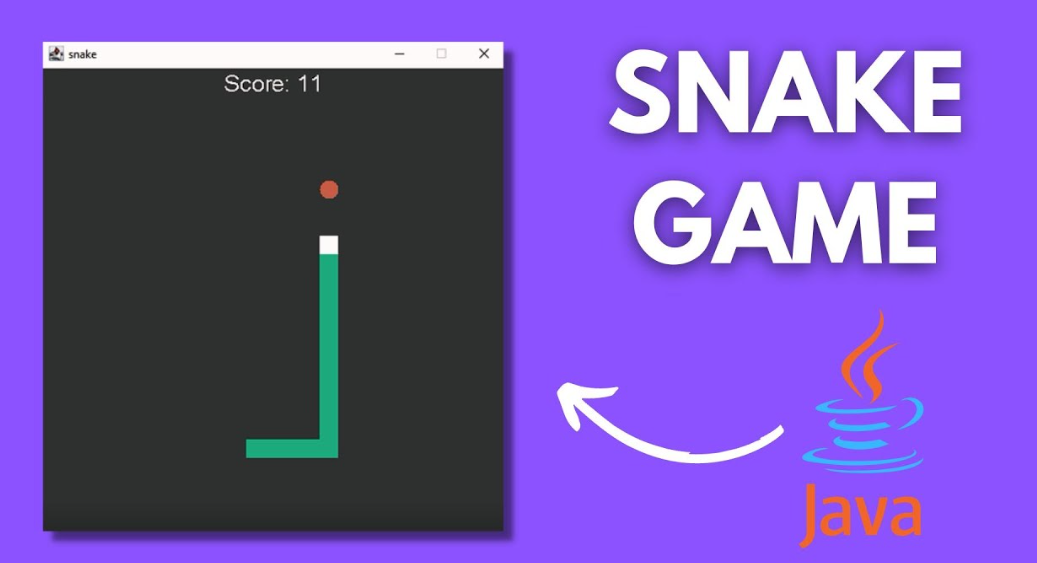
Step-by-Step Guide: Create a Snake Game in Java
Creating a Snake Game is a fantastic way to practice and improve your Java programming skills. This classic game, which has been a staple of mobile gaming since the 90s, is simple yet challenging. In this guide, Ill walk you through the entire process, from setting up your project to testing the final product. By the end, youll have a fully functional Snake Game built entirely in Java.
Table of Contents
Prerequisites
Before diving into the code, you need to ensure you have some basics covered. First, you should be comfortable with Javas syntax and object-oriented programming concepts. If youre not, I recommend brushing up on these fundamentals before proceeding.
Additionally, youll need to set up your Java development environment. You can use any IDE (Integrated Development Environment) like IntelliJ IDEA, Eclipse, or NetBeans. Ensure you have the latest version of Java installed and configured on your system.
Project Setup
Lets start by creating a new project in your IDE. If youre using IntelliJ IDEA, go to File > New Project, select Java, and give your project a name. Once your project is created, youll want to structure it properly. Create a src folder, where all your Java files will reside.
- Complete Python Course :
- Free Notes :-
- New Project :-https://www.youtube.com/@Decodeit2
- Java Projects
Understanding the Game Mechanics
The Snake Game is simple: you control a snake that moves around the screen, eating food and growing longer with each bite. The challenge is avoiding collisions with the walls or the snakes own body. The longer you survive, the higher your score.
Designing the Game Layout
To create the game window, youll use JFrame, a class from the Swing package that provides a window for your game. Set the dimensions of the JFrame to a size that allows enough space for the snake to move around comfortably. You can also set a background color or design a simple grid for the snake to navigate.
import javax.swing.JFrame;

public class SnakeGame extends JFrame {
    public SnakeGame() {
        add(new GameBoard());
        setResizable(false);
        pack();

        setTitle("Snake Game");
        setLocationRelativeTo(null);
        setDefaultCloseOperation(JFrame.EXIT_ON_CLOSE);
    }

    public static void main(String[] args) {
        JFrame frame = new SnakeGame();
        frame.setVisible(true);
    }
}
Creating the Snake Class
The Snake class is the heart of your game. This class will manage the snakes body, its movement, and how it grows. Start by defining the attributes, such as the segments of the snake and the direction its moving.
public class Snake {
    private final int[] x = new int[GameBoard.BOARD_SIZE];
    private final int[] y = new int[GameBoard.BOARD_SIZE];
    private int bodyParts;
    private Direction direction;

    public Snake() {
        bodyParts = 3;  // Initial length of the snake
        direction = Direction.RIGHT;  // Initial direction
    }

    public void move() {
        for (int i = bodyParts; i > 0; i--) {
            x[i] = x[i - 1];
            y[i] = y[i - 1];
        }

        switch (direction) {
            case UP -> y[0] -= GameBoard.TILE_SIZE;
            case DOWN -> y[0] += GameBoard.TILE_SIZE;
            case LEFT -> x[0] -= GameBoard.TILE_SIZE;
            case RIGHT -> x[0] += GameBoard.TILE_SIZE;
        }
    }

    // Additional methods for handling growth and rendering
}
Creating the Food Class
Next, create a Food class that represents the items the snake eats. Each time the snake eats food, it grows, and the food disappears from its current position and reappears elsewhere on the grid.
import java.awt.Point;

public class Food {
    private Point position;

    public Food() {
        randomizePosition();
    }

    public void randomizePosition() {
        int x = (int) (Math.random() * GameBoard.COLUMNS) * GameBoard.TILE_SIZE;
        int y = (int) (Math.random() * GameBoard.ROWS) * GameBoard.TILE_SIZE;
        position = new Point(x, y);
    }

    public Point getPosition() {
        return position;
    }
}
Handling Keyboard Input
To control the snake, you’ll need to capture keyboard input. This is where KeyListener comes into play. You can use it to listen for arrow key presses and change the direction of the snake accordingly.
import java.awt.event.KeyAdapter;
import java.awt.event.KeyEvent;

public class GameKeyListener extends KeyAdapter {
    private Snake snake;

    public GameKeyListener(Snake snake) {
        this.snake = snake;
    }

    @Override
    public void keyPressed(KeyEvent e) {
        int key = e.getKeyCode();

        switch (key) {
            case KeyEvent.VK_LEFT -> snake.setDirection(Direction.LEFT);
            case KeyEvent.VK_RIGHT -> snake.setDirection(Direction.RIGHT);
            case KeyEvent.VK_UP -> snake.setDirection(Direction.UP);
            case KeyEvent.VK_DOWN -> snake.setDirection(Direction.DOWN);
        }
    }
}
Game Loop Implementation
A game loop is essential to keep the game running smoothly. This loop will update the game state and redraw the screen at regular intervals. You can implement this using the Timer class in Java.
import javax.swing.Timer;
import java.awt.event.ActionEvent;
import java.awt.event.ActionListener;

public class GameBoard extends JPanel implements ActionListener {
    private Timer timer;
    private Snake snake;
    private Food food;

    public GameBoard() {
        snake = new Snake();
        food = new Food();
        timer = new Timer(100, this); // Update every 100 ms
        timer.start();
    }

    @Override
    public void actionPerformed(ActionEvent e) {
        snake.move();
        checkCollisions();
        repaint();
    }

    // Additional methods for rendering and collision detection
}
Collision Detection
Collision detection is crucial for determining when the game is over. You need to check if the snake collides with the walls or with itself. If a collision is detected, the game should end, and the players score should be displayed.
public void checkCollisions() {
    // Check collision with walls
    if (snake.getX(0) < 0 || snake.getX(0) >= GameBoard.BOARD_WIDTH ||
        snake.getY(0) < 0 || snake.getY(0) >= GameBoard.BOARD_HEIGHT) {
        timer.stop();  // Game over
    }

    // Check collision with itself
    for (int i =

 snake.getBodyParts(); i > 0; i--) {
        if (snake.getX(0) == snake.getX(i) && snake.getY(0) == snake.getY(i)) {
            timer.stop();  // Game over
        }
    }
}
Scoring System
The scoring system is straightforward. Each time the snake eats food, the score increases by a certain amount. You can display the score on the screen using the Graphics class.
public void drawScore(Graphics g) {
    String scoreText = "Score: " + score;
    g.drawString(scoreText, 10, 10);
}
Adding Sound Effects
To make the game more engaging, you can add sound effects. Java provides several ways to integrate audio, such as using the javax.sound.sampled package.
import javax.sound.sampled.AudioSystem;
import javax.sound.sampled.Clip;

public class SoundManager {
    public static void playSound(String soundFile) {
        try {
            Clip clip = AudioSystem.getClip();
            clip.open(AudioSystem.getAudioInputStream(new File(soundFile)));
            clip.start();
        } catch (Exception e) {
            e.printStackTrace();
        }
    }
}