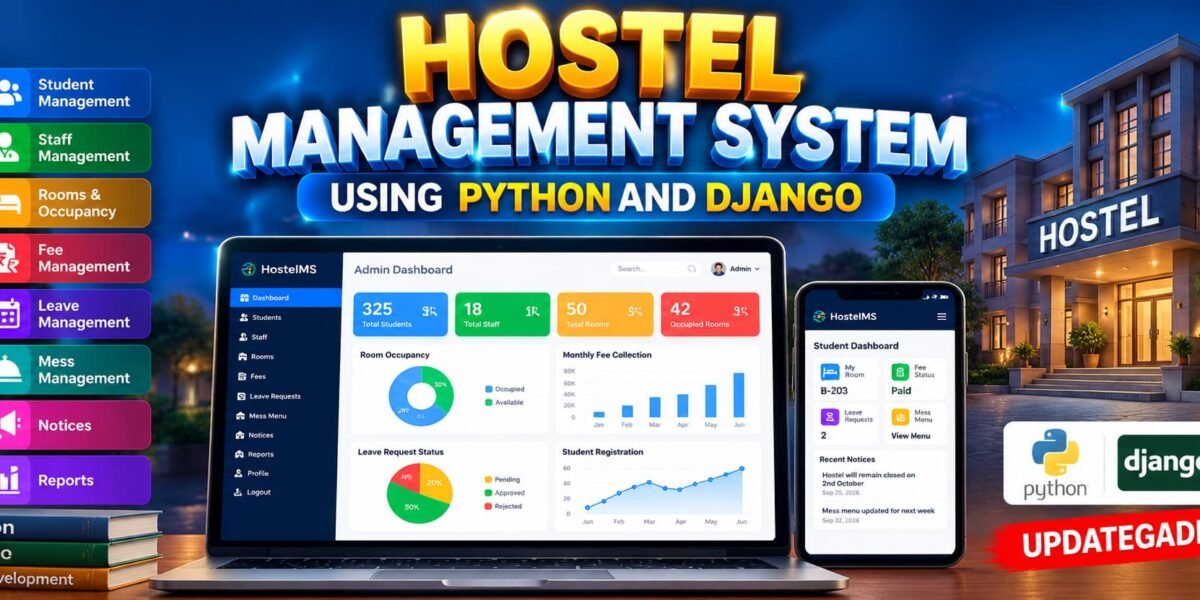
Hostel Management System Using Python and Django
The Hostel Management System is a web-based application developed using Python and Django to simplify the management of hostel operations. The system provides a centralized platform for managing students, staff, rooms, hostel fees, leave requests, mess information, notices, and other important hostel records.
Designed as an advanced college-level project, this system demonstrates how Django can be used to build a structured, database-driven management application with separate Admin, Staff, and Student panels. Each user role receives access according to its responsibilities, making the system organized and easier to manage.
Table of Contents
Complete Advance AI Topics: Click Here
Real Time Projects on YouTube:- DecodeIT
Project Overview
| Attribute | Details |
|---|---|
| Project Name | Hostel Management System |
| Language/s Used | Python, Django, HTML, CSS, JavaScript |
| Database | SQLite |
| Type | Web Application |
| Developer | UPDATEGADH |
Project Objective
The main objective of this project is to provide a centralized digital solution for hostel administration. Instead of maintaining student, room, fee, leave, staff, and mess records manually, administrators can manage these details through a single web application.
The system also separates administrative and user-level operations. Administrators can manage hostel records, staff, students, rooms, fees, leave requests, and mess information, while staff members receive operational access and students can access information related to their own hostel activities.
User Roles
Admin
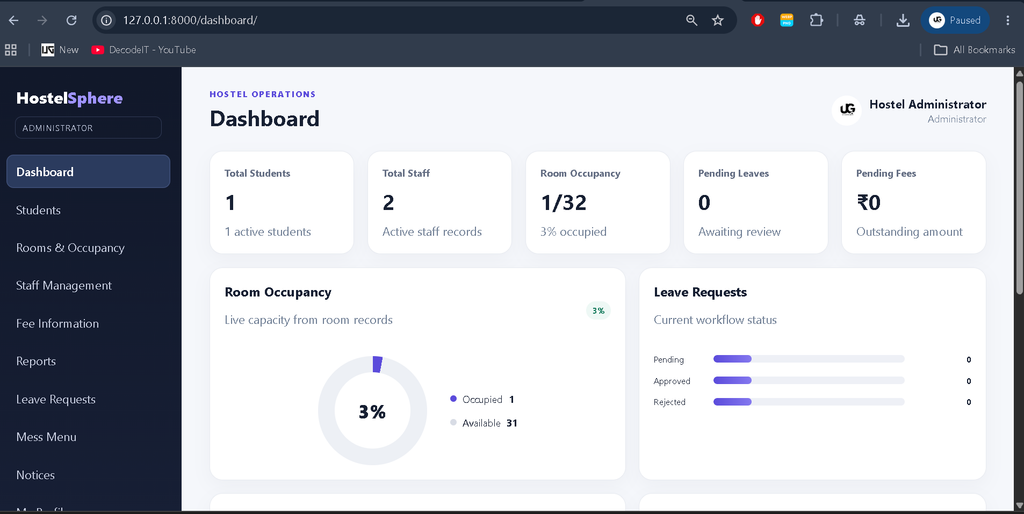
The Admin has complete management access to the hostel system. The Admin dashboard provides important statistics and database-based graphs for monitoring hostel operations. The Admin can manage students, staff, rooms, fees, leave records, mess information, notices, and reports. The Admin can also access and update their own profile details.
Staff
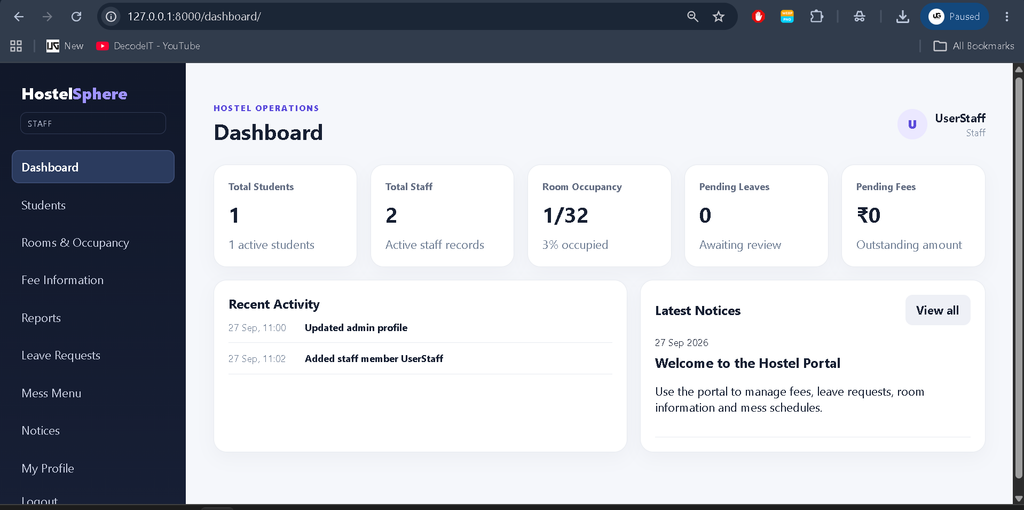
The Staff Panel is designed for day-to-day hostel operations. Staff members can access relevant student information, room and occupancy details, leave records, fee information, mess details, hostel information, notices, reports, and their own profile. Staff members do not receive unrestricted administrative permissions.
Student
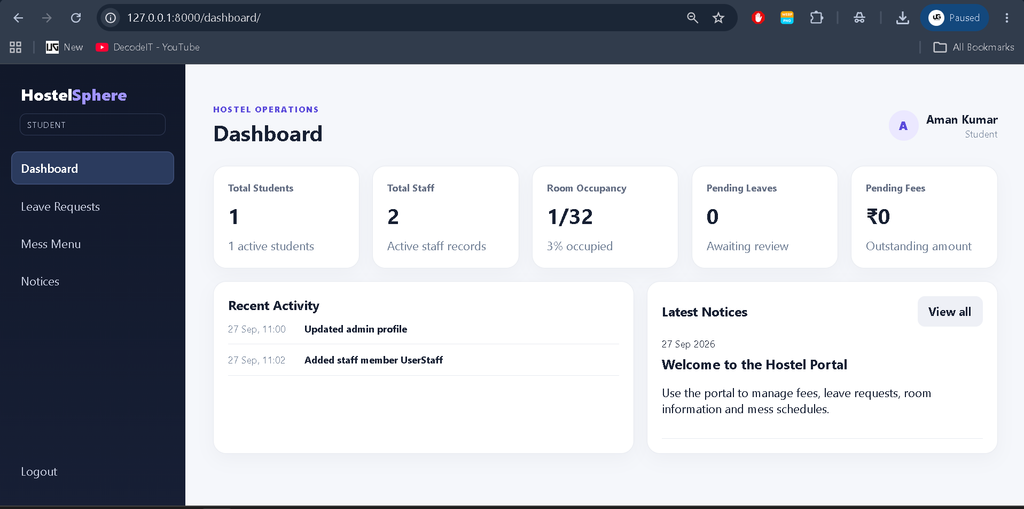
The Student Panel allows students to access their own hostel-related information. Students can view personal details, room information, fee status, leave information, mess menu, and hostel notices according to the permissions provided by the system.
Key Features
- Separate Admin, Staff, and Student panels
- Role-based access control
- Student management
- Staff management
- Room and occupancy management
- Hostel fee management
- Leave request management
- Mess menu management
- Hostel information management
- Notice management
- Reports based on available project data
- Admin profile management
- Staff profile management
- Password change functionality
- Responsive dashboard interface
Admin Dashboard
The Admin Dashboard acts as the central management area of the application. It provides an overview of important hostel information using KPI cards and database-driven graphs. The graphs are available only inside the Admin Panel and are not displayed on Staff or Student dashboards.
Depending on the available database information, the Admin dashboard can present student statistics, room occupancy, fee payment status, leave request status, monthly fee information, and student registration trends. These visualizations are connected to actual project data rather than random values.
Staff Panel
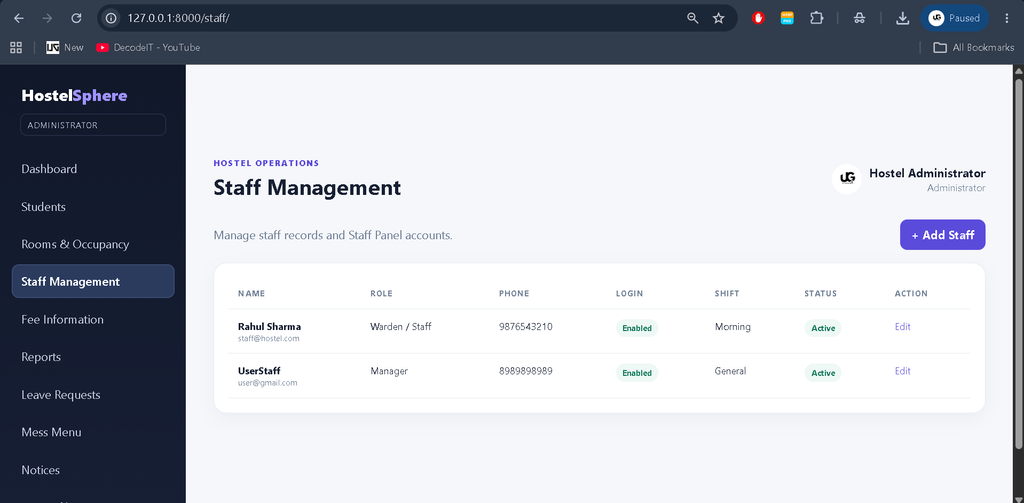
The Staff Panel provides a separate workspace for hostel staff members. It is designed to give staff access to operational information without providing full administrative control.
Staff can work with student information, room and occupancy details, leave records, fee information, mess management, hostel information, notices, and reports. Staff members can also manage their own profile details and change their password where permitted.
Student Panel
The Student Panel is focused on personal hostel information. Students can access their own details, assigned room information, fee status, leave records, mess menu, and hostel notices. Administrative management features remain restricted from student accounts.
Admin Profile
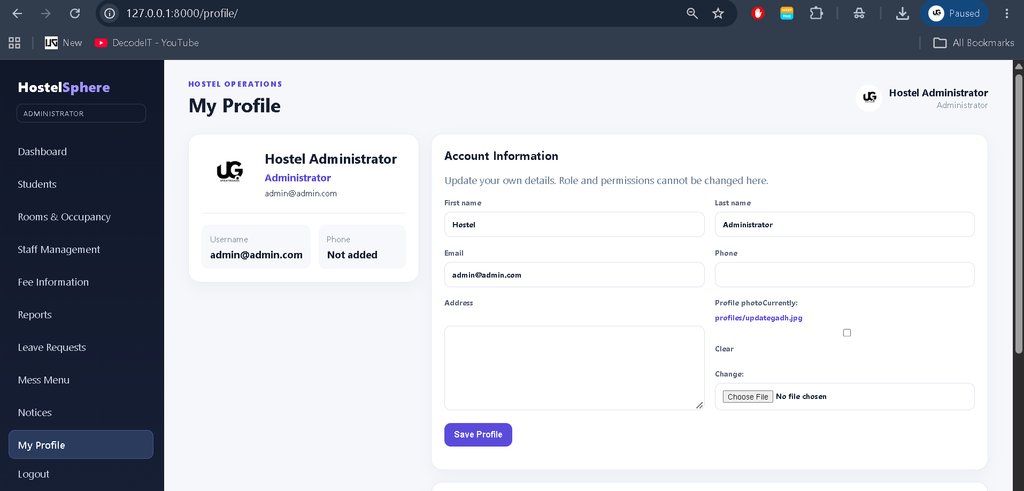
The system includes a dedicated Admin Profile section. Administrators can view and update their personal account information without manually changing database records.
The profile can contain information such as name, email, phone number, address, username, and profile photo. The Admin can edit permitted details, save changes, and change the account password. Profile information is stored in the database.
Room and Occupancy Management
The Room Management section helps maintain hostel accommodation information. Administrators and authorized staff can view room numbers, room types, capacity, occupied beds, available beds, assigned students, and occupancy status.
This information provides a structured way to understand hostel occupancy and identify available accommodation.
Fee Management
The Fee Management module maintains student hostel fee information. Administrators can manage fee records while authorized users can view relevant payment status, pending dues, due dates, and payment history.
Leave Management
The Leave Management module allows students to submit leave requests through the system. Authorized users can review available leave applications and track their status, including pending, approved, and rejected requests.
Mess Management
The Mess Management module maintains hostel meal information. Users can view daily or weekly menus covering breakfast, lunch, and dinner. Authorized users can update menu information according to the existing project permissions.
Technology Stack
- Python: Main programming language.
- Django: Web framework used for application development.
- HTML: Structure of web pages.
- CSS: Styling and responsive interface.
- JavaScript: Interactive frontend functionality.
- SQLite: Database used to store application records.
How to Download
The complete package is available so you can run, study, and submit it with confidence. It includes:
- Full Source Code
- Project Report
- Synopsis
- PPT Presentation
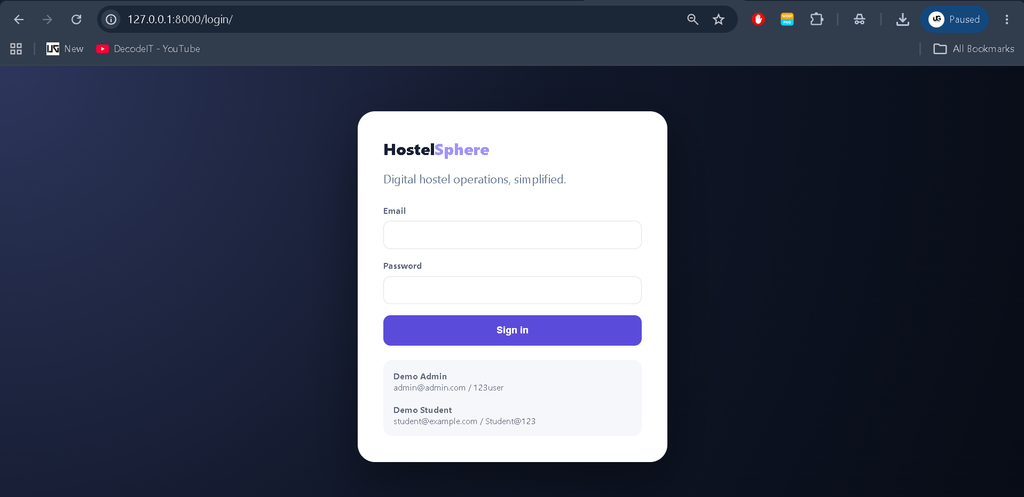
Screenshot
Installation Guide
Extract the project and open the project folder in Visual Studio Code. Open the integrated terminal and create a virtual environment:
python -m venv venvActivate the virtual environment on Windows:
venv\Scripts\activateInstall the required dependencies:
pip install -r requirements.txtApply database migrations:
python manage.py migrateFinally, start the Django development server:
python manage.py runserverOpen the local server address displayed in the terminal in your web browser.
Frequently Asked Questions
What is the Hostel Management System?
It is a Django-based web application for managing hostel students, rooms, staff, fees, leave requests, mess information, and related records.
Which technology is used?
The project uses Python and Django with HTML, CSS, JavaScript, and SQLite.
How many main user panels are available?
The system provides separate Admin, Staff, and Student panels with role-based access.
Who can view the dashboard graphs?
The dashboard graphs are available only to the Admin. Staff and Student dashboards do not display these graphs.
Can the Admin update profile information?
Yes. The Admin can edit permitted personal details and change the account password through the profile section.
Can students manage hostel records?
No. Students have access to their own permitted hostel information rather than administrative management functions.
Future Scope
- Integration with additional institutional systems.
- More advanced hostel reporting capabilities.
- Additional notification mechanisms.
- Expanded profile and document management.
- Further improvements to dashboard analytics.
Conclusion
The Hostel Management System provides a structured digital approach to managing important hostel operations using Python and Django. Its separate Admin, Staff, and Student panels create a clear division of responsibilities, while database-driven management helps reduce manual record handling.
For students, this project provides practical experience with Django authentication, database models, role-based access, CRUD operations, templates, forms, responsive interfaces, and real-world management workflows. The project can therefore serve as a strong academic implementation of a database-driven hostel management application.
Keywords:
Hostel Management System
Hostel Management System – Google Search
hostel management system lu
hostel management system project
hostel management system lucknow university
hostel management system project in html with source code pdf
hostel management system project github
hostel management system last date 2026
hostel management system project in python with source code
hostel management system project report pdf
hostel management system er diagram