Node.js process.env Property
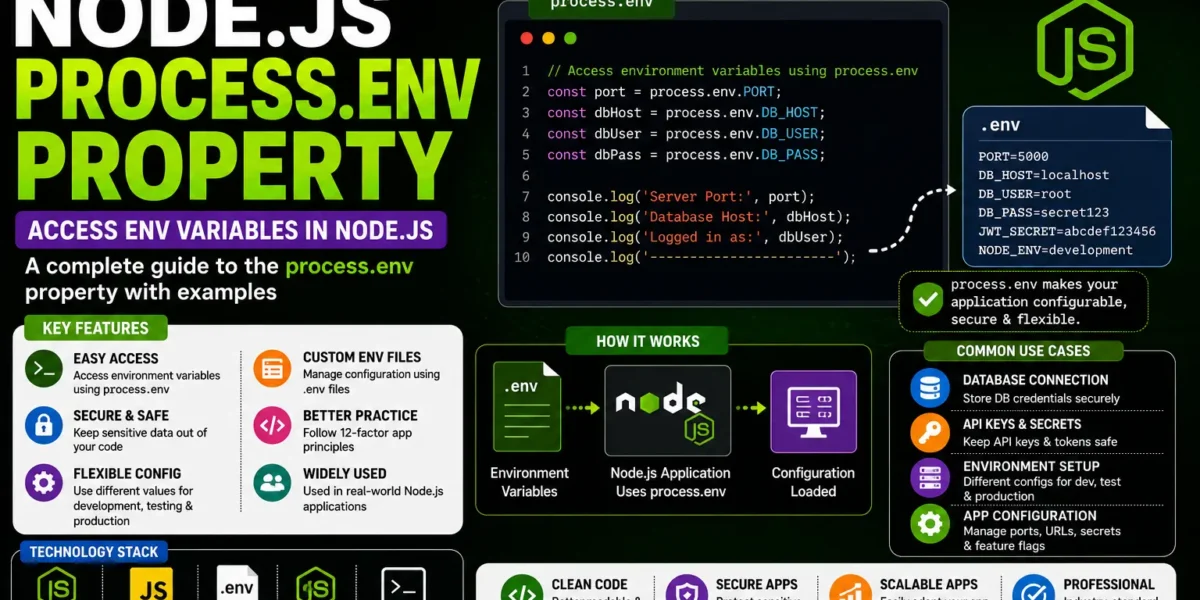
The Node.js process.env property is an important feature used to access environment variables in Node.js applications. Environment variables allow developers to store configuration values outside the application source code and access them through the Node.js process object.
Using environment variables is especially useful when an application requires different configuration values for development, testing, and production environments. Instead of directly writing configuration values inside the source code, developers can read them from the environment.
What is process.env in Node.js?
In Node.js, process is a global object that provides information and control over the current Node.js process. The env property of this object provides access to the environment variables available to the running process.
Environment variables are represented as key-value pairs. They can contain configuration information that an application needs while running.
The basic syntax is:
process.env.VARIABLE_NAMEFor example:
console.log(process.env.NODE_ENV);The value of NODE_ENV is read from the environment in which the Node.js application is running.
Accessing Environment Variables
Environment variables can be accessed directly through process.env.
console.log(process.env.USER);
console.log(process.env.PATH);
Each variable can be accessed using its corresponding name. If the requested environment variable does not exist, its value is undefined.
console.log(process.env.MY_VARIABLE);If MY_VARIABLE has not been defined, Node.js returns:
undefinedSetting Environment Variables
Environment variables can be defined before starting a Node.js application. The method used to set them depends on the operating system.
Windows
On Windows, an environment variable can be set from the command prompt before running the application.
set APP_NAME=MyApplication
node app.js
Linux and macOS
On Linux and macOS, environment variables can be defined using the export command.
export APP_NAME=MyApplication
node app.js
The Node.js application can then access the value using:
console.log(process.env.APP_NAME);Using process.env in Node.js Applications
The process.env property is commonly used for application configuration. Instead of hard-coding configuration values, developers can read them from environment variables.
For example:
const port = process.env.PORT || 3000;

console.log(`Server running on port ${port}`);
In this example, the application uses the value of the PORT environment variable. If the variable is not available, the application uses 3000 as the default port.
NODE_ENV Environment Variable
NODE_ENV is commonly used to indicate the environment in which a Node.js application is running.
Typical values include:
- development
- production
- test
Applications can use this variable to change their behavior according to the current environment.
if (process.env.NODE_ENV === 'production') {
  console.log('Running in production mode');
} else {
  console.log('Running in development mode');
}
Using Environment Variables for Configuration
Environment variables can be used to store different configuration values required by an application.
For example:
const host = process.env.HOST;
const port = process.env.PORT;

console.log(host);
console.log(port);
This approach allows the same source code to run with different configuration values in different environments.
Default Values with process.env
An application can provide a default value when an environment variable has not been defined. The logical OR operator can be used for this purpose.
const port = process.env.PORT || 3000;If PORT exists, its value is used. Otherwise, the application uses 3000.
This is useful when an application needs a fallback configuration value.
YT:- DecodeIT
Environment Variables are Strings
Values obtained through process.env are treated as strings. This is important when working with numbers or Boolean values.
const port = process.env.PORT;

console.log(typeof port);
If a numeric value is stored in an environment variable, it should be converted before performing numerical operations.
const port = Number(process.env.PORT);Similarly, Boolean values need to be handled appropriately because environment variables are represented as strings.
Using process.env with Database Configuration
Environment variables can be used for database configuration values so that the application’s source code does not directly contain environment-specific configuration.
const databaseHost = process.env.DB_HOST;
const databaseUser = process.env.DB_USER;
const databaseName = process.env.DB_NAME;
The application can then use these values while establishing the database connection.
This approach allows database configuration to be changed without modifying the application source code.
Using process.env for Application Settings
Besides server and database configuration, environment variables can be used for different application settings.
const appName = process.env.APP_NAME;
const appVersion = process.env.APP_VERSION;

console.log(appName);
console.log(appVersion);
This provides flexibility when the same application needs to run with different settings.
Environment Variables and Security
Environment variables can be useful for keeping configuration values outside the source code. This is particularly important for values that should not be directly written into publicly shared source files.
Configuration values can be supplied through the environment instead of placing them directly inside application code.
However, environment variables should still be managed carefully. They should not be unnecessarily exposed through application output, logs, or publicly accessible files.
Using a .env File
A common approach for managing environment variables during development is to use a .env file. The file can contain configuration values in key-value format.
PORT=3000
NODE_ENV=development
APP_NAME=MyApplication
The values from a .env file can then be loaded into the Node.js environment using an appropriate environment-variable package.
Once loaded, the values can be accessed through:
process.env.PORT
process.env.NODE_ENV
process.env.APP_NAME
Checking Whether an Environment Variable Exists
Before using an environment variable, an application can check whether the value is available.
if (process.env.API_URL) {
  console.log('API URL is configured');
} else {
  console.log('API URL is not configured');
}
This type of validation can help ensure that required configuration values are available before the application starts its required operations.
Using process.env with Conditional Configuration
The process.env property can also be used to select different configurations depending on the current environment.
if (process.env.NODE_ENV === 'production') {
  console.log('Production configuration');
} else {
  console.log('Development configuration');
}
This allows developers to maintain different behavior for development and production environments without changing the main application code.
Advantages of process.env
- Flexible Configuration: Configuration values can be changed without modifying source code.
- Environment-Specific Settings: Different values can be used for development, testing, and production.
- Better Configuration Management: Application settings can be managed outside the main source code.
- Useful for Deployment: Deployment environments can provide their own configuration values.
Important Points to Remember
process.envprovides access to environment variables.- Environment variables are available as strings.
- An undefined environment variable returns
undefined. - Default values can be provided using operators such as
||. - Environment variables can be used for application configuration.
NODE_ENVcan be used to identify the current application environment.
More :- UPDATEGADH
Conclusion
The Node.js process.env property is an important part of Node.js application configuration. It provides a simple way to access environment variables and allows applications to work with configuration values supplied by the operating system or deployment environment.
Developers can use process.env for values such as application settings, server ports, environment names, and database configuration. Default values can also be provided when required configuration variables are not available.
Understanding process.env is useful for building Node.js applications that can run across different environments without requiring changes to the application source code for every configuration change.
Keywords: node js process env, nodejs process env, process.env in node js, node js environment variables, nodejs environment variables, process env property node js, node js env variables, nodejs process environment, process.env example, node js configuration, node js dotenv, node js env file, NODE_ENV in node js node js process env property w3schools
node js process env property example
node js process env undefined
node js environment variables windows 10
how to setup node js environment variables windows
how to set process env in node js
node js environment variables path
set environment variable for node js in windows 11
node js process en