Node.js MySQL Update Records
The MySQL UPDATE statement is used to modify existing records in a table. In this tutorial, you will learn how to update MySQL records from Node.js using the mysql package.
Example: Update City
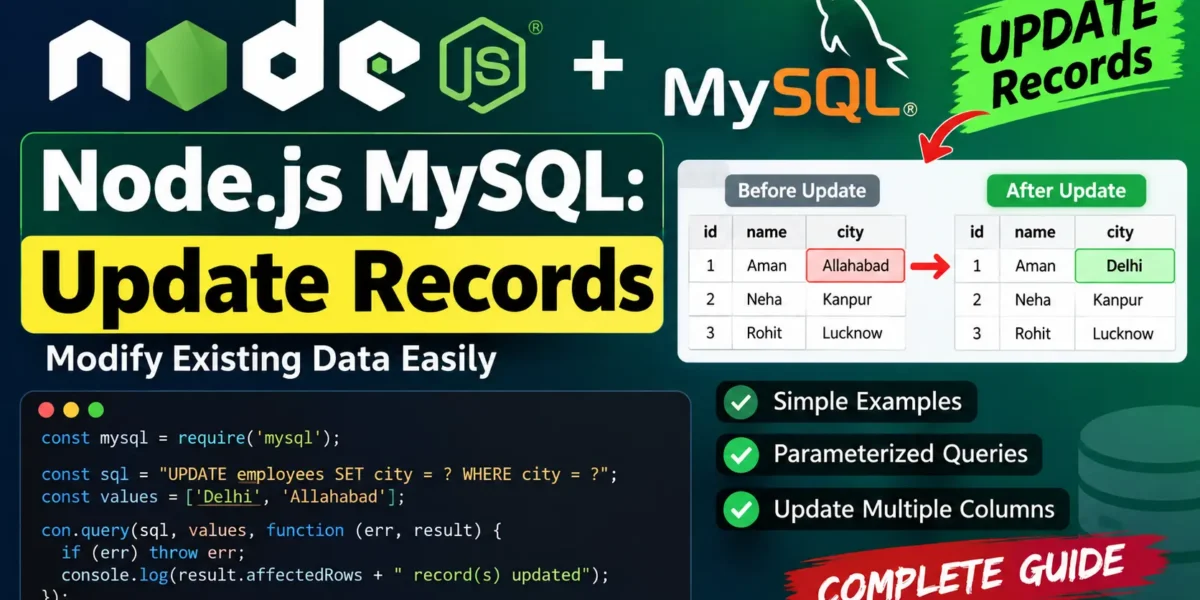
The following example connects to a MySQL database and updates the city of employees from Allahabad to Delhi.
// update.js
var mysql = require('mysql');

var con = mysql.createConnection({
  host: "localhost",
  user: "root",
  password: "12345",
  database: "updategadh"
});

con.connect(function(err) {
  if (err) throw err;

  const sql = "UPDATE employees SET city = 'Delhi' WHERE city = 'Allahabad'";

  con.query(sql, function (err, result) {
    if (err) throw err;

    console.log(result.affectedRows + " record(s) updated");
  });
});
Run the Node.js Program
Complete Advance AI Topics: Click Here
SQL Tutorial: Click Here
Save the code as update.js and run it using the following command:
node update.jsOutput:
1 record(s) updatedParameterized UPDATE Query
Using parameterized queries is a safer approach because it helps protect your application from SQL injection. Instead of directly placing values inside the SQL query, use placeholders such as ?.
const sql = "UPDATE employees SET city = ? WHERE city = ?";
const values = ['Delhi', 'Allahabad'];

con.query(sql, values, function (err, result) {
  if (err) throw err;

  console.log(`${result.affectedRows} updated`);
});
Update Multiple Columns
You can update more than one column in a single MySQL UPDATE query. For example, the following code updates both the employee’s city and salary.
const sql = "UPDATE employees SET city = ?, salary = ? WHERE id = ?";

con.query(sql, ['Mumbai', 60000, 1], (err, result) => {
  if (err) throw err;

  console.log(`${result.affectedRows} updated`);
});
Verify the UPDATE Result
The result.affectedRows property shows how many rows were affected by the UPDATE query. Checking this value helps you confirm whether the expected records were updated.
YT:- DecodeIT
Conclusion
Updating MySQL records with Node.js is simple using the mysql package. You can update a single column or multiple columns with an UPDATE query. For better security, use parameterized queries and check affectedRows after executing the query.
Keywords
Node.js MySQL Update Records, Node.js MySQL UPDATE query, MySQL UPDATE statement, Node.js MySQL tutorial, update MySQL database using Node.js, mysql package Node.js, Node.js CRUD operations, MySQL CRUD operations, parameterized MySQL query, SQL UPDATE query, Node.js database tutorial, MySQL update multiple columns, JavaScript MySQL tutorial