Node.js MongoDB Select Record
When working with Node.js and MongoDB, retrieving records from a database collection is one of the most common operations. MongoDB provides simple methods for selecting either a single document or multiple documents.
In this tutorial, you will learn how to select a single record and select multiple records from a MongoDB collection using Node.js.
Select a Single Record in MongoDB
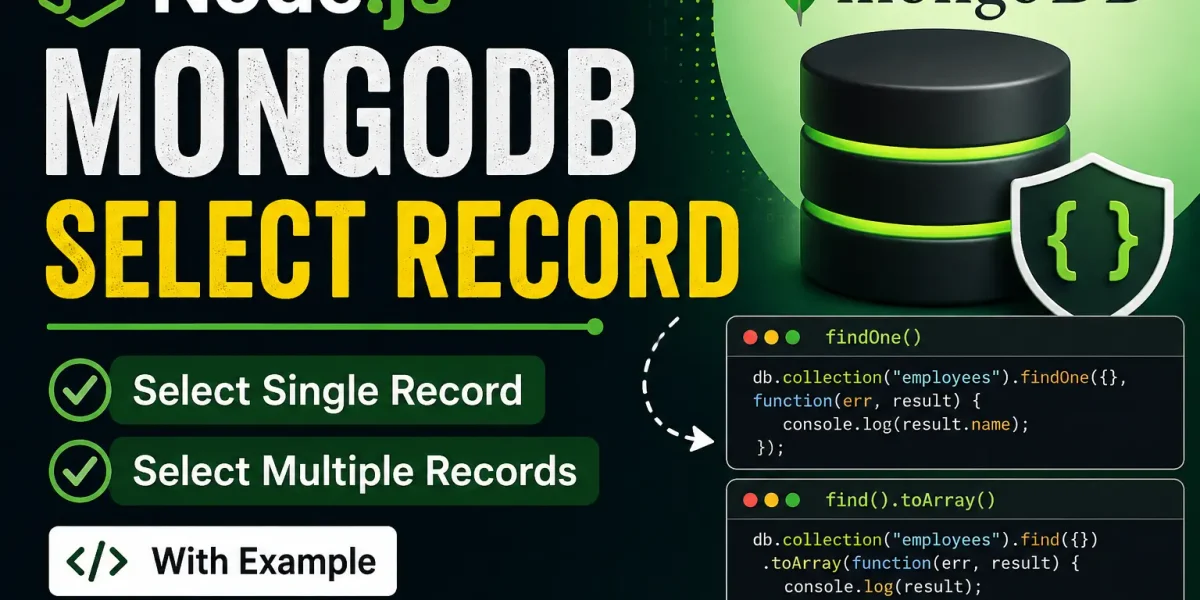
To retrieve a single record from a MongoDB collection, you can use the findOne() method. It returns the first document that matches the specified query.
Example: Select a Single Record
Let’s retrieve the first record from the employees collection.
Step 1: Create a JavaScript file named select.js and add the following code:
var http = require('http');
var MongoClient = require('mongodb').MongoClient;

var url = "mongodb://localhost:27017/MongoDatabase";

MongoClient.connect(url, function(err, db) {
  if (err) throw err;

  db.collection("employees").findOne({}, function(err, result) {
    if (err) throw err;

    console.log(result.name);
    db.close();
  });
});
Step 2: Open the command terminal and run the following command:
node select.jsThis script connects to the MongoDatabase, retrieves the first document from the employees collection, and displays the employee’s name in the console.
More:- UPDATEGADH
Select Multiple Records in MongoDB
To retrieve multiple records from a MongoDB collection, you can use the find() method. The method returns a cursor containing the documents that match the query.
You can use the toArray() method to convert the cursor into an array, making the returned documents easier to work with in Node.js.
Example: Select Multiple Records
Let’s retrieve all records from the employees collection.
Step 1: Create another JavaScript file named selectall.js and add the following code:
var MongoClient = require('mongodb').MongoClient;

var url = "mongodb://localhost:27017/MongoDatabase";

MongoClient.connect(url, function(err, db) {
  if (err) throw err;

  db.collection("employees").find({}).toArray(function(err, result) {
    if (err) throw err;

    console.log(result);
    db.close();
  });
});
Step 2: Open the command terminal and execute the following command:
node selectall.jsThis script connects to the MongoDB database, retrieves all documents from the employees collection, and displays the results in the console.
Understanding the Key MongoDB Methods
| Method | Description |
|---|---|
findOne() | Retrieves the first document that matches the specified query. |
find() | Retrieves a cursor containing all documents that match the query. |
toArray() | Converts the cursor returned by find() into an array of documents. |
Conclusion
Selecting records from MongoDB using Node.js is straightforward with the MongoDB driver. The findOne() method is useful when you need a single document, while find() can be used when you need multiple documents. The toArray() method makes it convenient to work with multiple returned documents as an array.
YT:- DecodeIT
Understanding these methods is an important part of performing database operations in Node.js and MongoDB applications.
Keywords: Node.js MongoDB select record, MongoDB Node.js, findOne Node.js MongoDB, find Node.js MongoDB, MongoDB CRUD Node.js, Node.js MongoDB example, MongoDB select query, MongoDB Node.js driver, Node.js connect to MongoDB, MongoDB find records, MongoDB search Node.js node js mongodb select record w3schools
node js mongodb select record python
node js mongodb select record example
mongodb nodejs find
mongodb findone
mongodb node js tutorial
mongodb npm
mongodb node js driver compatibility