Online Book Store Project Using MERN Stack
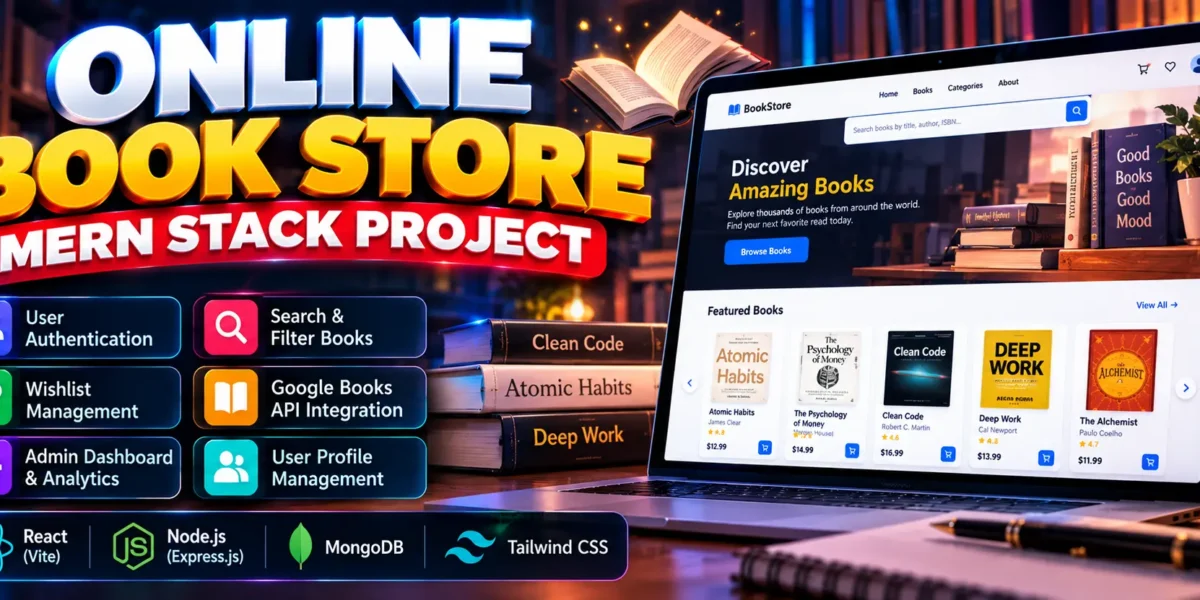
The Online Book Store Project Using MERN Stack is a full-stack web application that allows users to browse books, search by title or author, view book details, and maintain personal wishlists. Developed using React, Node.js, Express.js, MongoDB, and Tailwind CSS, the project also integrates the Google Books API to synchronize book information.
This project includes user authentication, profile management, book filtering, pagination, and an administrative dashboard with real database statistics. It is suitable for BCA, MCA, and other computer application students who want practical experience with modern full-stack development.
Complete Advance AI Topics: Click Here
Real Time Projects on YouTube:- DecodeIT
What Is an Online Book Store Using MERN Stack?
An Online Book Store is a web application that helps users discover books and organize their reading interests through personal wishlists. This project uses the MERN technology stack to provide book browsing, searching, filtering, and account management functionality.
The application retrieves book information through the Google Books API and stores synchronized records in MongoDB. It focuses on book discovery and wishlist management rather than an online purchasing or checkout workflow.
What Are the Project Details?
The project uses React for the frontend, Node.js and Express.js for backend processing, and MongoDB for data storage. Tailwind CSS supports the user interface, while JSON Web Tokens (JWT) and bcrypt support authentication and password security.
| Project Details | Description |
|---|---|
| Project Name | Online Book Store |
| Frontend | React, Tailwind CSS |
| Backend | Node.js, Express.js |
| Database | MongoDB |
| External API | Google Books API |
| Project Type | Full-Stack Web Application |
How Does the Online Book Store Work?
The application connects a React frontend to an Express.js backend that communicates with MongoDB. Users can browse books, search and filter results, view details, and maintain wishlists after logging in.
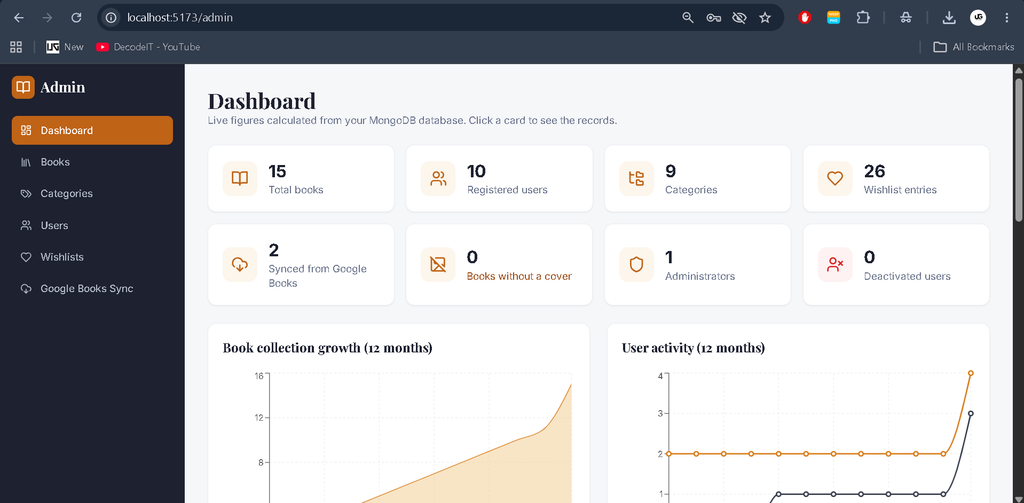
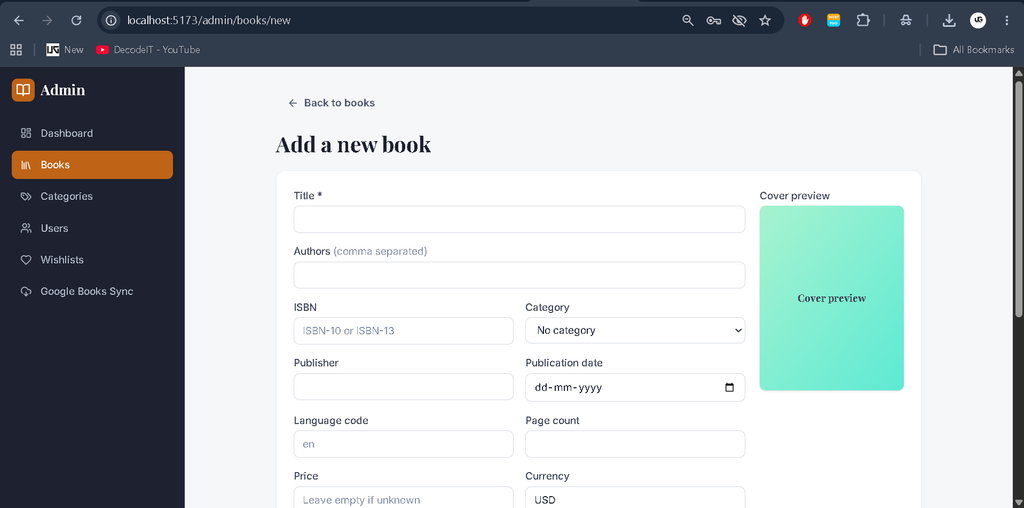
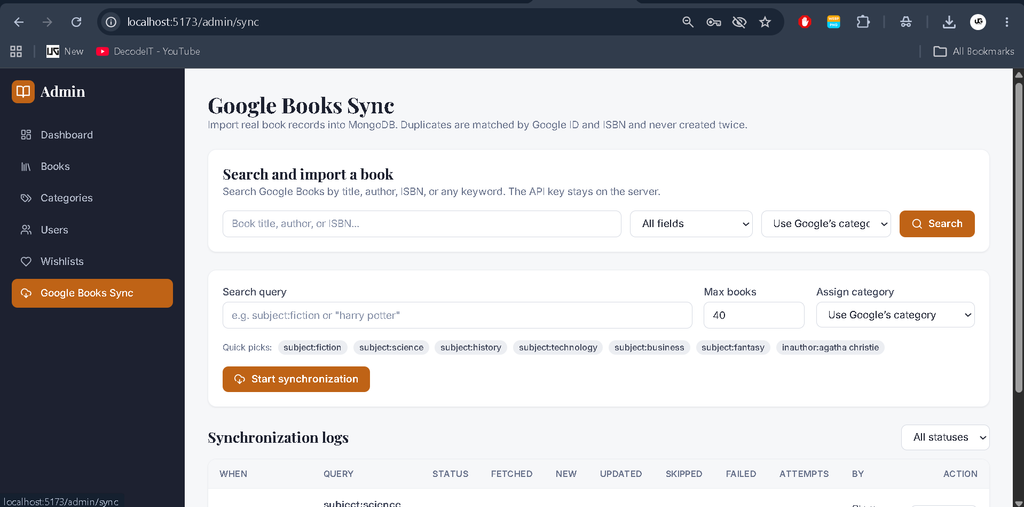
Administrators can manage books, categories, users, and wishlists through the admin dashboard. Google Books synchronization retrieves external book information, while duplicate prevention, retries, request limits, and synchronization logs help manage the import process.
What Features Are Available in the Online Book Store?
The project includes authentication, book discovery, advanced search and filtering, related book recommendations, wishlist management, profile controls, and an administrative dashboard with real database statistics.
1. User Authentication and Account Management
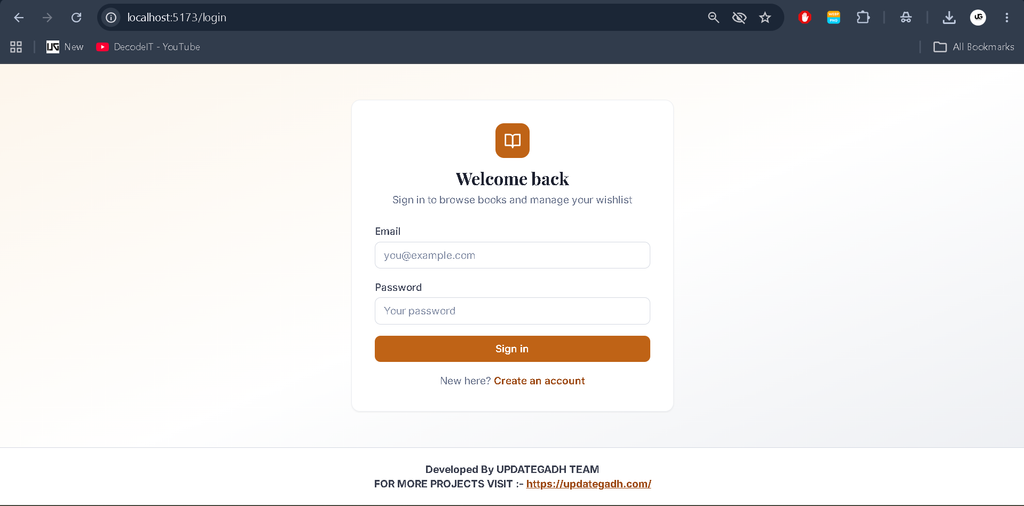
Users can register and log in using the authentication system. JWT supports authenticated requests, while bcrypt handles password hashing. Users can also edit their profiles, change passwords, and delete their accounts.
2. Book Browsing and Search
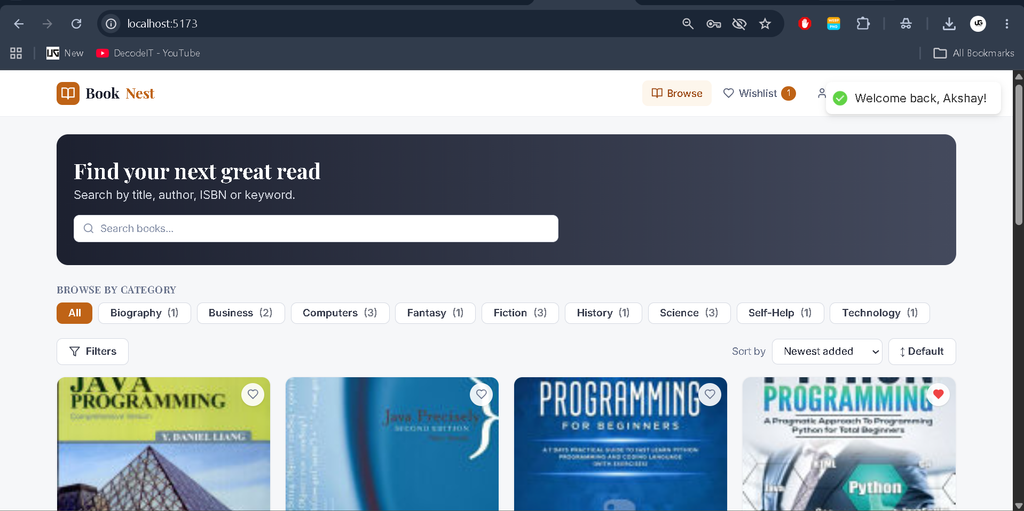
Users can browse the book catalogue and search by title, author, ISBN, or keyword. The interface also supports filtering by category, language, publisher, and price, along with sorting and pagination.
3. Book Details and Related Books
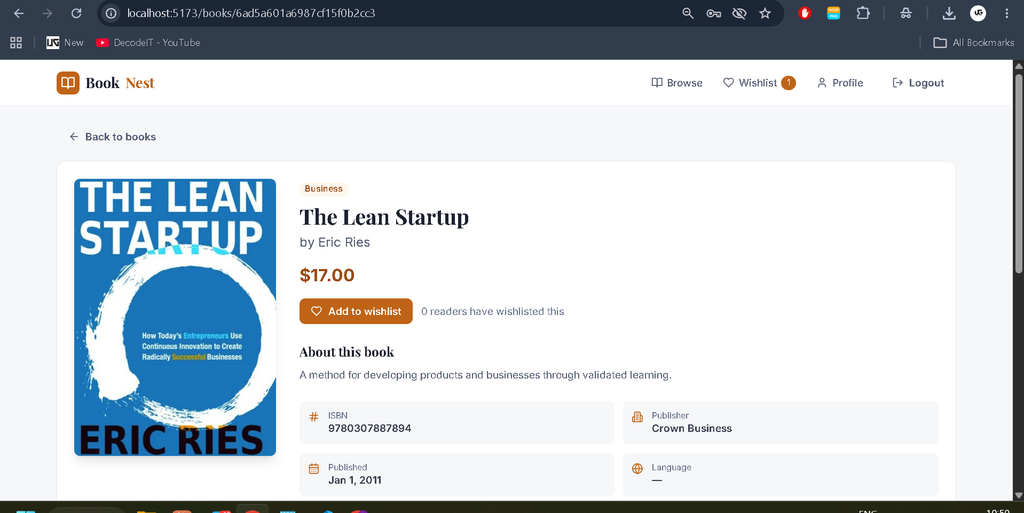
The book details page displays available book information and related titles. This helps users explore additional books based on the catalogue data.
4. Personal Wishlist
Registered users can add books to their personal wishlists and remove them when required. The system prevents duplicate wishlist entries for the same book.
5. Google Books API Synchronization
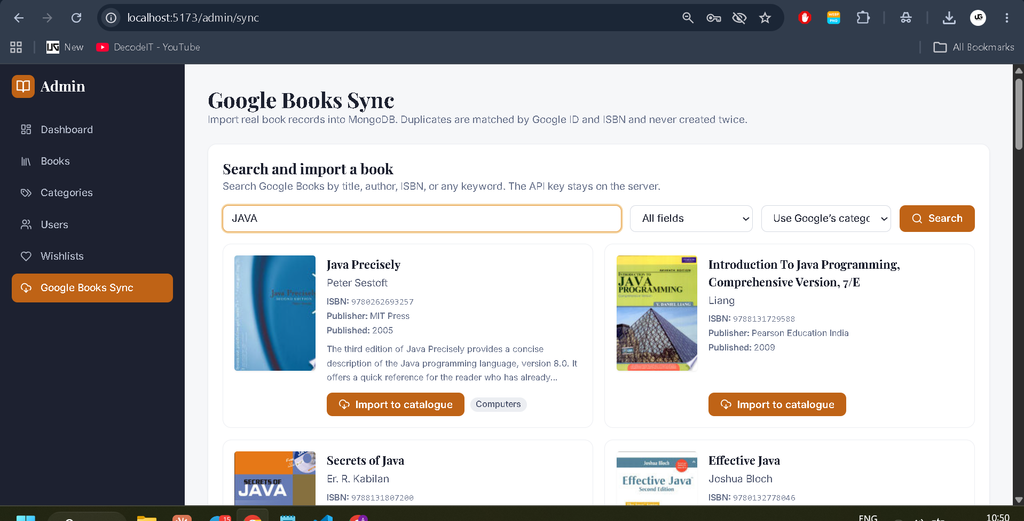
Administrators can search for books through the Google Books API and import individual results or synchronize a collection. Duplicate prevention, automatic retries with back-off, request limits, synchronization logs, and retry functionality support this process.
6. Admin Dashboard and Analytics
The administrative dashboard displays statistics calculated from MongoDB records. Clickable KPI cards, charts, and management pages help administrators explore catalogue and account information.
7. Book, Category, User, and Wishlist Management
Administrators can manage book records, categories, user accounts, and wishlist data. Server-side authorization restricts administrative API access to authorized administrators.
How to Download
The complete package is available so you can run, study, and submit it with confidence. It includes:
- Full Source Code
- Project Report
- Synopsis
- PPT Presentation
Screenshot
How to Install the Online Book Store in VS Code?
You can run the project locally using Node.js 18 or later, MongoDB, Visual Studio Code, and a web browser. The backend and frontend must be installed and started separately.
Step 1: Install the Required Software
- Node.js and npm
- MongoDB Community Server or a MongoDB Atlas connection string
- Visual Studio Code
- Web Browser
Step 2: Open the Project in VS Code
Extract the project ZIP file and open the bookstore folder in VS Code. The project contains separate server and client directories.
Step 3: Configure the Backend
Open the terminal and run:
cd server
npm install
copy .env.example .env
In Windows PowerShell, you can alternatively use Copy-Item .env.example .env. Configure MONGODB_URI, JWT_SECRET, and the administrator credentials in server/.env before seeding.
Create the administrator account and start the backend:
npm run seed
npm run dev
The API runs at http://localhost:5000 when the server starts successfully.
Step 4: Start the React Frontend
Open a second terminal in VS Code and execute:
cd client
npm install
copy .env.example .env
npm run dev
Configure the frontend environment variables if required. The Vite development server normally opens at http://localhost:5173.
Step 5: Access the Application
Open http://localhost:5173 in your browser and sign in using the administrator credentials configured in server/.env. Navigate to Admin → Google Books Sync to import books.
Register a normal user account to test book browsing and wishlist functionality. If you use a Google Books API key, configure it in the server environment file and restart the backend.
How to Use the Online Book Store?
The application supports two main roles: Admin and User. Visitors can explore public book listings, while registered users can access account-specific features.
User Role
- Browse, search, filter, sort, and paginate books.
- View book details and related titles.
- Add books to a personal wishlist and remove them.
- Edit profile information and change passwords.
- Delete their account through the available account controls.
Admin Role
- Manage books, categories, users, and wishlists.
- View database-driven dashboard statistics and charts.
- Import book information through Google Books synchronization.
- Review synchronization logs and retry failed operations.
Why Is This Project Useful for Students?
The Online Book Store project provides practical experience with modern full-stack development and API integration. It demonstrates how a React frontend communicates with an Express backend and how MongoDB stores application data.
- MERN Stack Development: Learn React, Node.js, Express.js, and MongoDB integration.
- Authentication: Understand JWT, password hashing, and role-based authorization.
- API Integration: Work with the Google Books API and external data synchronization.
- Database Relationships: Understand how users, books, categories, and wishlists are connected.
- Dashboard Analytics: Explore database-driven statistics, charts, and management interfaces.
Frequently Asked Questions (FAQs)
1. Which technologies are used in the Online Book Store?
The project uses React, Node.js, Express.js, MongoDB, and Tailwind CSS.
2. Does the project support online payments?
No. The supplied project description focuses on book browsing, Google Books synchronization, account management, and wishlists rather than purchasing or checkout functionality.
3. Which software is required to run the project?
You need Node.js 18 or later, MongoDB or a MongoDB Atlas connection string, Visual Studio Code, and a web browser.
4. How are books imported into the application?
Administrators can use the Google Books Sync page to search for books and import results into the MongoDB database.
5. Is this project suitable for BCA students?
Yes. It is suitable for BCA, MCA, and other computer application students who want practical experience with full-stack development, REST APIs, authentication, and database management.
Final Thoughts
The Online Book Store Project Using MERN Stack demonstrates how modern web technologies can be combined to create a book discovery platform with search, filtering, wishlists, account management, and administrative analytics.
Keywords: Online Book Store Project Using MERN Stack, MERN Stack Book Store, Online Book Store React Node.js, MongoDB Book Store Project, Google Books API Integration, MERN Stack Project for Students.