Node.js Child Process
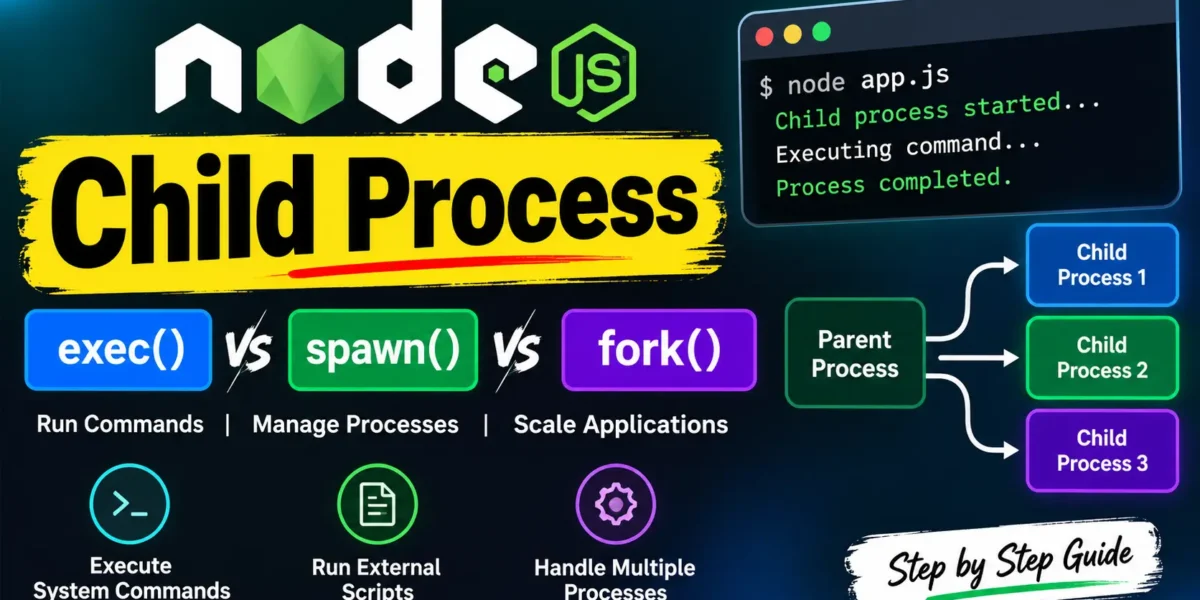
The Node.js child_process module allows developers to create and manage child processes. It is useful for executing system commands, running external scripts, and handling multiple Node.js processes independently.
Child Process Methods in Node.js
Node.js provides three commonly used methods for creating child processes:
child_process.exec()– Executes a command in a shell and buffers the complete output.child_process.spawn()– Starts a new process and works with output streams, making it suitable for large amounts of data.child_process.fork()– A specialized version ofspawn()designed specifically for creating new Node.js processes with built-in communication.
Complete Advance AI Topics: Click Here
SQL Tutorial: Click Here
1. Node.js child_process.exec() Method
The exec() method executes a shell command and collects the complete output before passing it to a callback function.
Syntax
child_process.exec(command[, options], callback)Parameters
- command: The command string that should be executed.
- options: Optional configuration such as the working directory, environment variables, encoding, shell, timeout, and maximum buffer size.
- callback: A function called after the process finishes. It receives
error,stdout, andstderr.
Example 1: Running a Batch File
child_process_example1.js
const exec = require('child_process').exec;

exec('my.bat', (err, stdout, stderr) => {
  if (err) {
    console.error(err);
    return;
  }

  console.log(stdout);
});
my.bat
dir
mkdir child
Running node child_process_example1.js executes the batch file, lists the directory contents, and creates a new folder named child. On Linux or macOS, commands such as ls can be used instead of dir.
Example 2: Creating Multiple Child Processes
support.js
console.log("Child Process " + process.argv[2] + " executed.");master.js
const child_process = require('child_process');

for (let i = 0; i < 3; i++) {
  let workerProcess = child_process.exec(
    'node support.js ' + i,
    (error, stdout, stderr) => {
      if (error) {
        console.log(error.stack);
        console.log('Error code: ' + error.code);
        console.log('Signal received: ' + error.signal);
      }

      console.log('stdout: ' + stdout);
      console.log('stderr: ' + stderr);
    }
  );

  workerProcess.on('exit', (code) => {
    console.log('Child process exited with exit code ' + code);
  });
}
When you run node master.js, the support.js file is executed three times, with a different argument passed to each child process.
2. Node.js child_process.spawn() Method
The spawn() method starts a new process and provides access to its stdout and stderr streams. Unlike exec(), it does not wait for the complete output to be buffered.
This makes spawn() a better choice for commands that produce a large amount of output or run for a longer period.
Syntax
child_process.spawn(command[, args][, options])Parameters
- command: The command to execute.
- args: An array containing command-line arguments.
- options: Optional settings such as
cwd,env,stdio,uid, andgid.
Example Using spawn()
support.js
console.log("Child Process " + process.argv[2] + " executed.");master.js
const child_process = require('child_process');

for (let i = 0; i < 3; i++) {
  let workerProcess = child_process.spawn('node', ['support.js', i]);

  workerProcess.stdout.on('data', (data) => {
    console.log('stdout: ' + data);
  });

  workerProcess.stderr.on('data', (data) => {
    console.log('stderr: ' + data);
  });

  workerProcess.on('close', (code) => {
    console.log('child process exited with code ' + code);
  });
}
Run node master.js to start three child processes. Each process executes support.js and sends its output through the standard output stream.
3. Node.js child_process.fork() Method
The fork() method is a specialized version of spawn() that is designed for starting new Node.js processes.
One of its main advantages is a built-in communication channel between the parent and child processes. This communication can be performed using methods such as process.send() and the message event.
Syntax
child_process.fork(modulePath[, args][, options])Parameters
- modulePath: The path of the Node.js module to execute.
- args: An optional array of command-line arguments.
- options: Optional configuration such as
cwd,env,execPath,execArgv,silent,uid, andgid.
Example Using fork()
support.js
console.log("Child process " + process.argv[2] + " executed.");master.js
const child_process = require('child_process');

for (let i = 0; i < 3; i++) {
  let workerProcess = child_process.fork('support.js', [i]);

  workerProcess.on('close', (code) => {
    console.log('child process exited with code ' + code);
  });
}
Running node master.js creates three separate Node.js child processes using fork().
YT:- DecodeIT
Difference Between exec(), spawn(), and fork()
| Method | Best Used For | Output Handling |
|---|---|---|
exec() | Executing shell commands | Buffers complete output |
spawn() | Large or continuous output | Uses streams |
fork() | Running Node.js modules | Streams plus IPC communication |
Conclusion
The Node.js child_process module provides powerful options for executing commands and creating independent processes. Use exec() when you need to run a shell command and collect its output, spawn() when working with large or continuous data streams, and fork() when creating separate Node.js processes that need to communicate with the parent process.
Keywords:– Node.js Child Process, Node.js child_process, Node.js exec, Node.js spawn, Node.js fork, Node.js Child Process Tutorial, Node.js subprocess, Node.js process management, Node.js child process example, Node.js IPC, Node.js tutorial Node.js Child Process, Node.js child_process, Node.js exec, Node.js spawn, Node.js fork, Node.js Child Process Tutorial, Node.js subprocess, Node.js process management, Node.js child process example, Node.js IPC, Node.js process,