Expense Tracker using Python Django
Introduction
Project: Expense Tracker using Python Django
Expense Tracker using Python Django is a complete program that has been intended to simplify and improve your financial management experience. This tool’s user-friendly design allows you to easily monitor and classify your spending, giving you a clear and structured snapshot of your financial activity. Expense Tracker goes above and beyond the fundamental capability of recording expenses by providing interesting charts and data.
Expense Tracker using Python Django
Objective
Expense Tracker using Python Django is a program that allows you to manage and report your spending, as well as study charts and data about them. To create, read, edit, and remove costs allocated to a user, the project employs authentication and CRUD activities. The project also runs costs operations to provide monthly and daily expense averages, current versus previous month expense percentages, largest and smallest expenses by category, and more.
How To Run Object
For installing the Django application clone the repository and cd inside the directory
cd django-expense-trackerAnd run:
pipenv installThis will install the virtual environments and all dependencies.
Now start the virtual environment shell:
pipenv shellRun migrations:
python manage.py makemigrations
python manage.py migrate
Create superuser:
python manage.py createsuperuserNow you can start server…
python manage.py runservervisit
How to install the Front-end
First of all you have to install the front-end packages. In case you want to start the react server in order to see changes to the front-end faster just need to cd to the front-end/ directory and run:
npm install --legacy-peer-depsOnce that’s installed, you can run:
npm run startin order to start the react server on .
How to make Front-end updates
So basically whenever you want to see your changes to the front-end displayed on the browser(without starting the react server and using only the django server), you have to save your changed files, cd to the front-end/ directory and run:
npm run buildon the front-end directory in order to update the build/ directory with your latest changes.
After that you need to cd to the root of the repository (where manage.py and this README file are located), and run:
python manage.py collectstaticThen when asked by the prompt type ‘yes’ to overwrite existing staticfiles.
After that run:
python manage.py runserverand you should see the changes you added previously now displayed on the page.
Installation – Cypress
For installing Cypress go to the e2e directory and run:
npm installRunning tests
Unit tests
For running the tests run:
python manage.py testE2E tests
For running the tests run:
npm run testFor running the tests on headless mode run:
npm run test:headlessFor opening cypress client run:
npm run test:openFeature
- Expense list.
- Expense charts.
- Monthly budget bar.
- Statistics table.
- Authentication.
- Form validation.
- Pagination.
- UI tests.
- Visual tests.
- Unit tests.
Software And Tools Required
- Django.
- Postgres.
- Bootstrap.
- Chart.js.
- Cypress.
Output
Home Page:
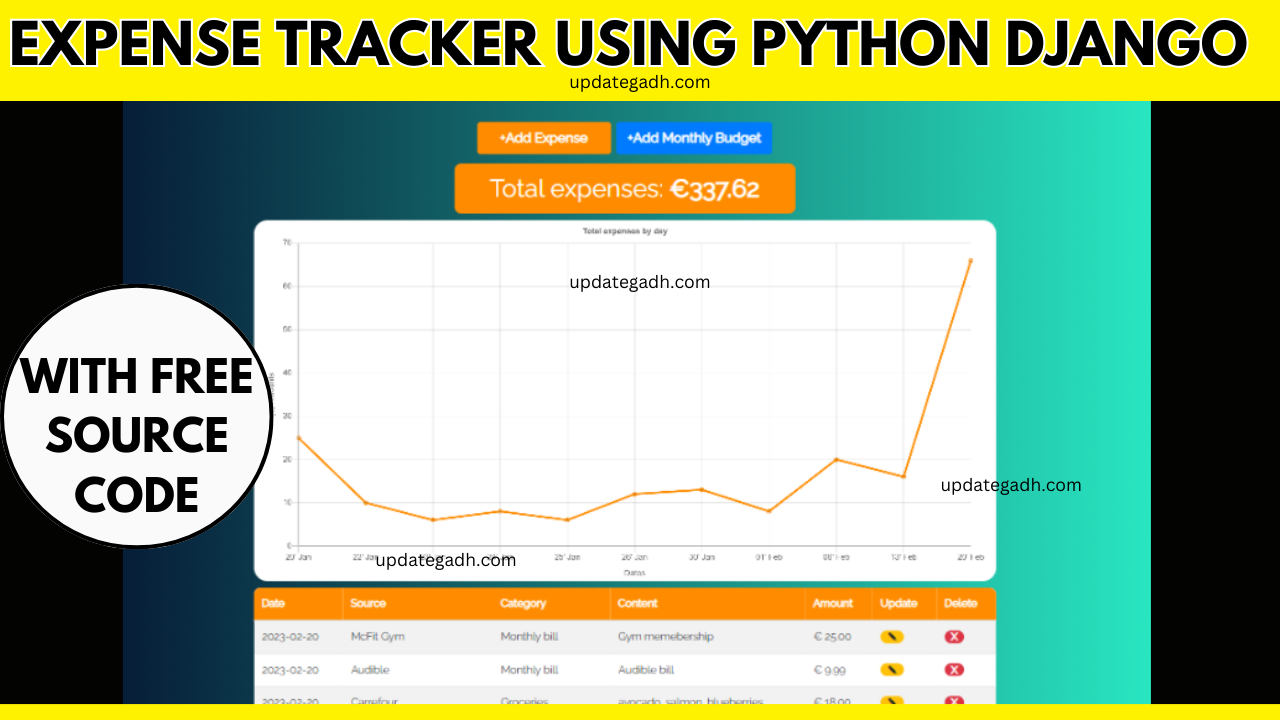
Adding Expenses :You may add an expense by selecting the “Add Expense” button, filling out the expense form, and submitting it. When you add an item, it will appear on the overall expenses element, the homepage’s line chart, and in the expenses table below.
Adding a Monthly Budget
You may create a monthly budget by clicking the Add Monthly Budget button, filling out the form, and submitting it. After you’ve added it, the budget UI will appear, including the budget progress bar, the monthly budget next to the current month’s spending, and the edit and delete options.
Viewing Charts and Statistics
Finally, by going to the Charts & information area, you may see charts and information regarding your spending. Expense charts with numbers broken down by month and week, as well as total and monthly spending broken down by category, may be found here. You may see your current monthly spending (together with options for amending or deleting the budget), as well as last month’s expenses and data such as monthly expense average, daily expense average, current versus last month expense percentage difference, and more.
Download Source Code Project:
Download Other Free Project :-
Download This Project :-
Virus note: All files are scanned once-a-day by updategadh.com for viruses, but new viruses come out every day, so no prevention program can catch 100% of them
FOR YOUR OWN SAFETY, PLEASE:
1. Re-scan downloaded files using your personal virus checker before using it.
2. NEVER, EVER run compiled files (.exe’s, .ocx’s, .dll’s etc.)–only run source code.
Note: Only for Educational Purpose
Tags:-
expense tracker using python
expense tracker using python django
expense tracker python
expense tracker python github
create an expense tracker in python
python budget tracker
python expense tracker
django user tracking
django expense tracker
django expense tracker github
php expense tracker open source
using django with python
python expense tracker project
tracking personal finances using python
expense tracker using python
expense tracker using python project ppt
expense tracker python code
expense tracker example
expense tracker using python source code
create an expense tracker in python
easy to use expense tracker app
expense tracker app using python
top 10 expense tracker app