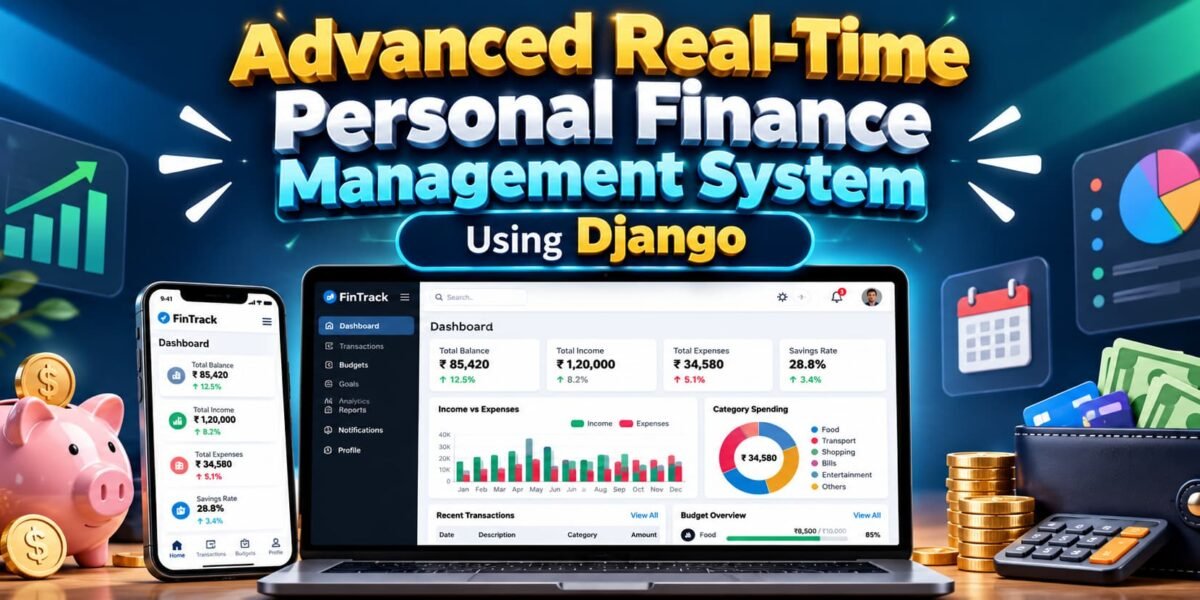
Advanced real-time Personal Finance Management System Using Django, SQLite, Bootstrap, Vanilla JavaScript, Fetch API, Chart.js, and ReportLab. The project is designed to help users manage their income, expenses, budgets, financial goals, recurring transactions, notifications, analytics, and financial reports through a modern and responsive web interface.
Unlike applications that require MySQL, PostgreSQL, MongoDB, or an external database server, FinTrack uses SQLite as its database. This makes the project easier to configure and suitable for local development, college projects, demonstrations, and learning purposes.
The application uses Django for backend processing and authentication, while JavaScript and Fetch API provide dynamic interactions without requiring a complete page refresh. Chart.js is used for financial charts, and ReportLab provides PDF report generation.
Table of Contents
Complete Advance AI Topics: Click Here
Real Time Projects on YouTube:- DecodeIT
Project Overview
| Project Name | Advanced Real-Time Personal Finance Management System |
|---|---|
| Programming Language | Python |
| Framework | Django |
| Database | SQLite |
| Frontend | HTML, CSS, Bootstrap, Vanilla JavaScript |
| JavaScript Technology | Fetch API |
| Charts | Chart.js |
| PDF Generation | ReportLab |
| Project Type | Web-Based Personal Finance Management System |
Key Features of FinTrack
1. User Authentication and Profile Management
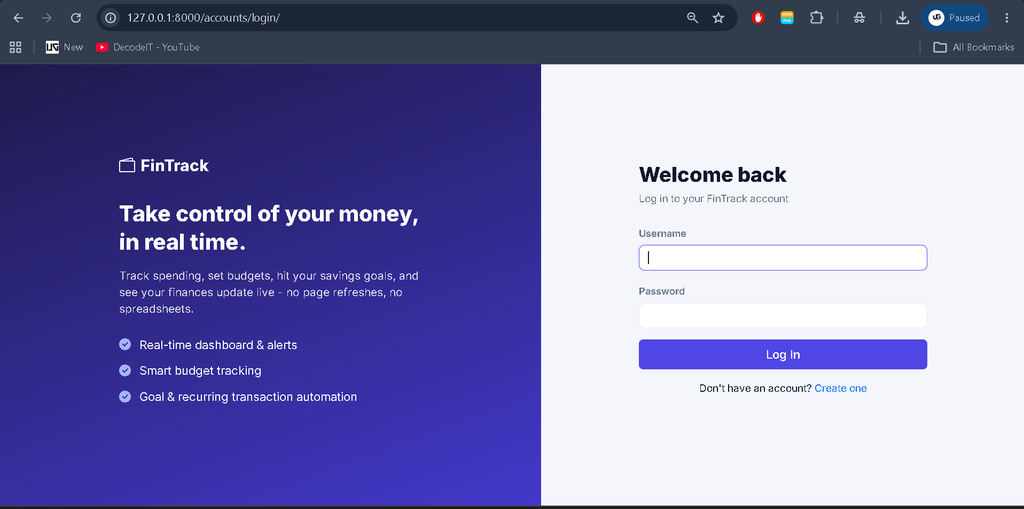
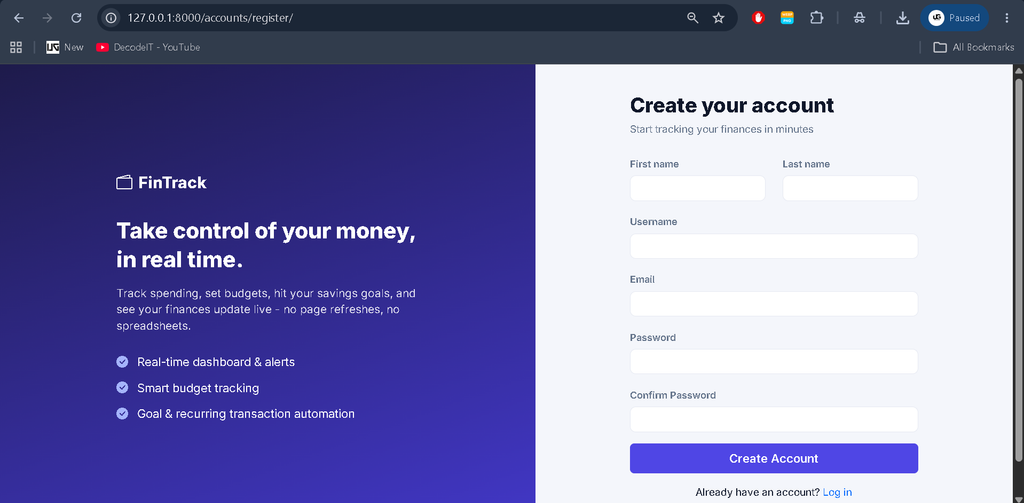
FinTrack includes a complete authentication system with registration, login, logout, and password management. Users can also manage their profile information, including avatar, currency preferences, date format, and application theme preferences.
2. Real-Time Financial Dashboard
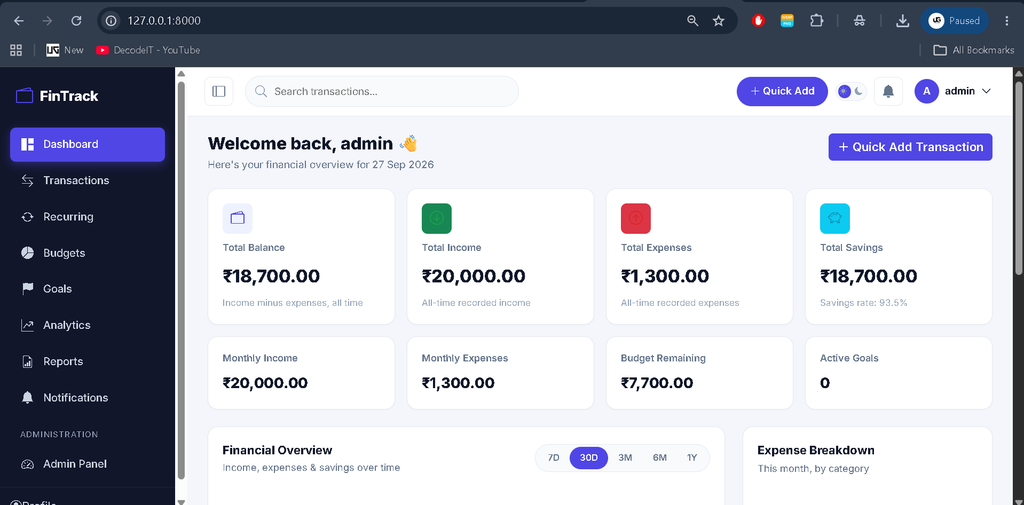
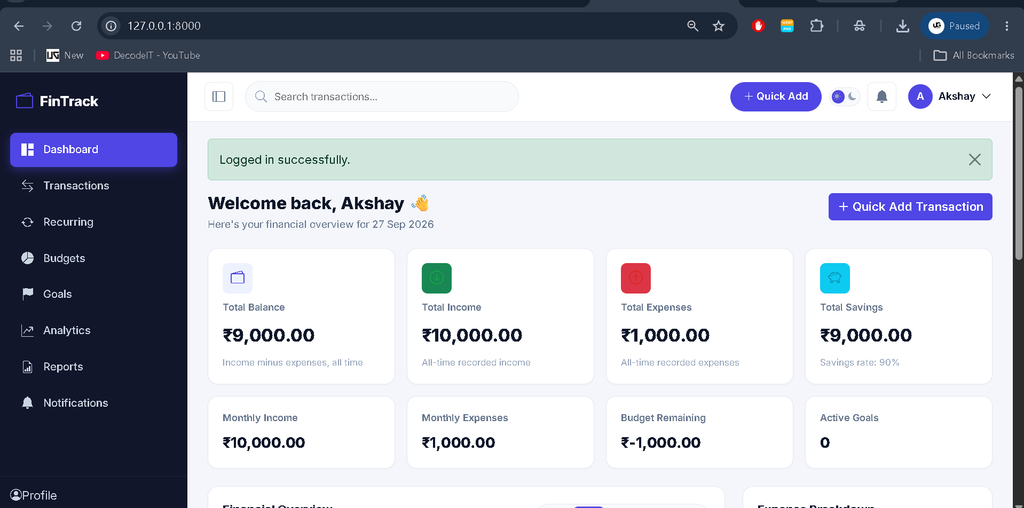
The dashboard provides a live overview of personal financial information. Balance, income, expenses, savings, savings rate, remaining budget, and active financial goals are calculated from the user’s SQLite data.
The dashboard communicates with JSON endpoints and updates information dynamically instead of relying on hardcoded financial values.
3. Transaction Management
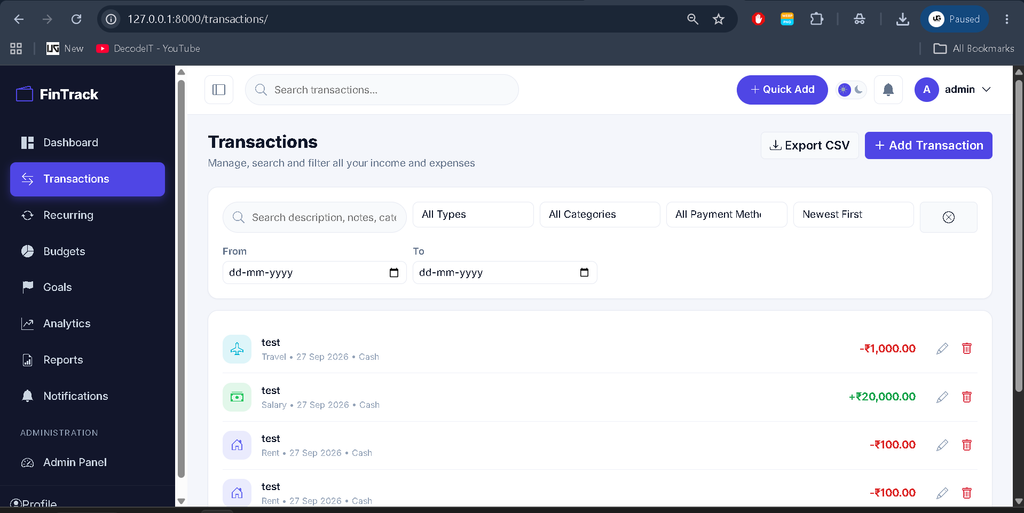
Users can manage their income and expense transactions through a dedicated transaction section. Transactions can be added, edited, and deleted using AJAX-based modal forms.
The transaction system also provides live search, filtering by transaction type, category, payment method, and date range, along with sorting, pagination, and CSV export functionality.
4. Recurring Transactions
Recurring transactions are useful for regular financial activities such as salary, rent, EMI payments, and subscriptions. FinTrack can automatically generate due transactions while preventing duplicate processing for the same period.
Recurring processing can happen when users visit relevant application pages or manually through the Django management command:
python manage.py process_recurringThe command can also be scheduled through Windows Task Scheduler or a cron job on macOS/Linux.
5. Budget Management
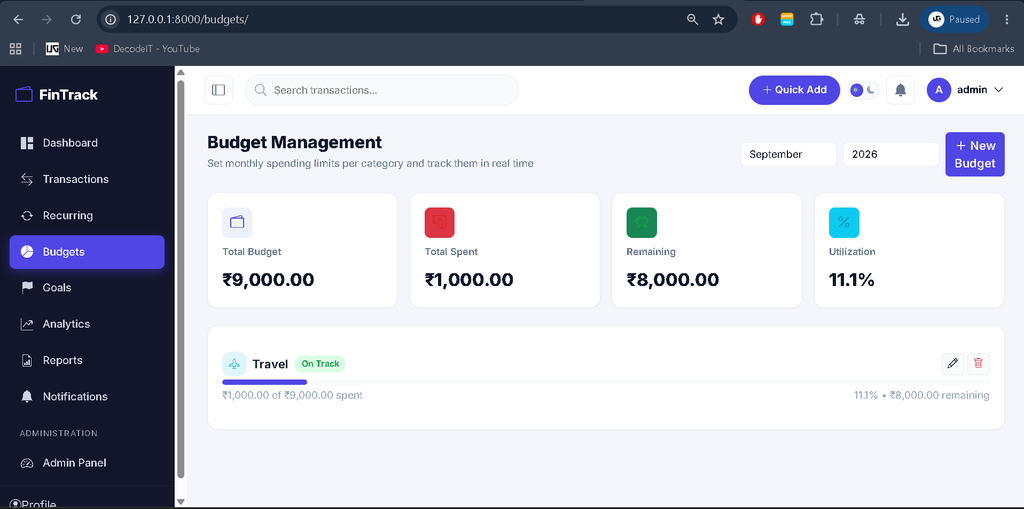
The budgeting module allows users to create monthly budgets for individual categories. The system displays the amount spent, remaining amount, and percentage of budget utilization.
Notifications can be generated when spending reaches important thresholds such as 70%, 90%, and 100% or more of the defined budget.
6. Financial Goals
Users can create financial goals by specifying a target amount, current progress, and target date. The one-tap savings update functionality makes it easier to update progress.
When a goal reaches its target amount, the system automatically marks the goal as completed and provides a notification.
7. Notification Center
The notification center provides a centralized place for application alerts. Users can view unread notifications, open the complete notification page, mark individual notifications as read, or mark all notifications as read.
Notification actions are handled through AJAX, allowing the interface to respond without unnecessary page reloads.
8. Financial Analytics
The analytics section provides visual information about financial activity. It includes 12-month income, expense, and savings trends, category-wise spending, budget utilization, savings-rate information, and average financial values.
FinTrack also includes rule-based unusual-spending awareness alerts based on the user’s own transaction history. The financial health section is informational and is not intended to provide professional financial advice.
9. Financial Reports
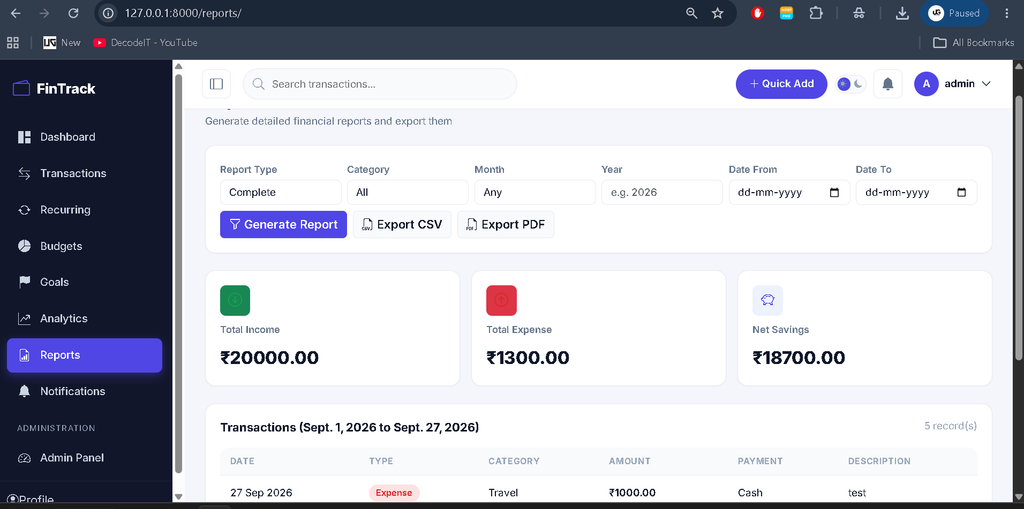
The reporting module allows users to filter financial records according to type, category, month, year, and date range. Filtered information can be exported as CSV files or PDF documents.
PDF generation is handled using the ReportLab library, while CSV provides a convenient format for further data processing.
10. Custom Staff Management Dashboard
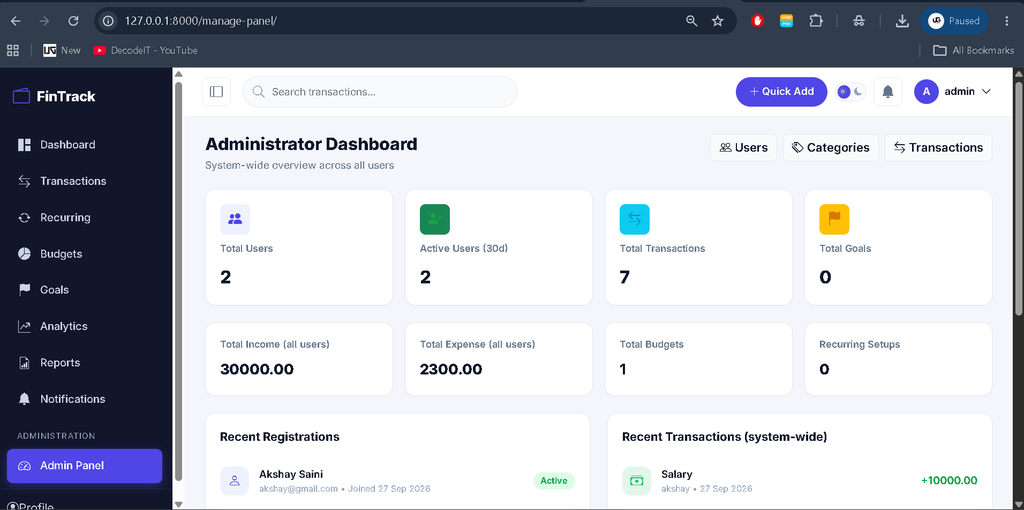
FinTrack includes a separate custom management dashboard available at /manage-panel/. This dashboard is different from Django’s default administration interface and is restricted to staff users.
Authorized staff users can view system-wide statistics and manage users, categories, and transaction-related information.
11. Dark and Light Mode
The application supports both dark and light themes. Users can switch between modes from the top navigation area. The selected preference is stored in the user’s profile and a browser cookie so the interface can maintain the selected appearance.
12. Responsive Interface
FinTrack is designed to work across desktop and mobile screen sizes. The responsive layout includes a collapsible sidebar, responsive tables, cards, charts, and navigation components.
How to Download
The complete package is available so you can run, study, and submit it with confidence. It includes:
- Full Source Code
- Project Report
- Synopsis
- PPT Presentation
Screenshot
Installation Guide for VS Code
Step 1: Create a Virtual Environment
python -m venv .venvOn Windows, activate the environment using:
.venv\Scripts\activateFor macOS or Linux:
source .venv/bin/activateStep 2: Install Required Packages
pip install -r requirements.txtStep 3: Configure Environment Variables
Copy the example environment file and create the local environment configuration.
copy .env.example .envFor macOS/Linux:
cp .env.example .envStep 4: Create Database Tables
python manage.py makemigrations accounts transactions budgets goals notifications
python manage.py migrate
The project generates migration files during setup so they can match the Django environment being used.
Step 5: Seed Default Categories
python manage.py seed_categoriesThis command creates the default income and expense categories used by the transaction and budgeting modules.
Step 6: Create a Superuser
python manage.py createsuperuserThe superuser can access the custom staff management dashboard because the account is created with staff privileges.
Step 7: Start the Django Server
python manage.py runserverOpen the local Django application in your browser using the development server address:
http://127.0.0.1:8000/How to Use the System
After starting the application, a user can register an account and log in to access the finance dashboard. From the dashboard, users can monitor their current financial information and navigate to transactions, budgets, goals, analytics, notifications, and reports.
Transactions can be added using the Quick Add option or from the dedicated Transactions page. Users can then create category budgets, define financial goals, and add recurring financial activities.
The Analytics section can be used to understand spending trends, while Reports allows users to filter and export their financial information. Staff users can access the separate management panel for system-level administration.
Testing the Project
- Register a new account and test login and logout.
- Edit profile information and change the password.
- Add income and expense transactions using Quick Add.
- Test transaction search, filtering, sorting, pagination, editing, and deletion.
- Create a budget and cross the 70%, 90%, and 100% thresholds.
- Create a financial goal and update its savings progress.
- Add a recurring transaction and verify automatic generation.
- Check Analytics charts and change available date filters.
- Generate CSV and PDF reports.
- Switch between dark and light modes.
- Test the staff-only management dashboard.
- Verify that users cannot access another user’s transactions.
- Test the responsive interface on different screen sizes.
Security Features
Security is an important part of the FinTrack architecture. Financial views require authentication, and database queries are scoped to the currently authenticated user. This prevents users from accessing another user’s financial records simply by changing an ID.
Django’s CSRF protection is applied to state-changing requests, while passwords are handled using Django’s built-in password hashing system. Server-side validation is also used to validate submitted information.
The default Django administration interface remains separate from the custom staff management dashboard.
Project Benefits
- Uses SQLite without requiring an external database server.
- Provides a complete Django-based finance management workflow.
- Includes dynamic JavaScript and Fetch API interactions.
- Provides visual financial analytics using Chart.js.
- Supports CSV and PDF financial reports.
- Includes budgets, financial goals, notifications, and recurring transactions.
- Provides separate staff management functionality.
- Supports responsive dark and light themes.
- Demonstrates authentication, database relationships, AJAX requests, API endpoints, validation, and Django management commands.
Notes and Limitations
The project was prepared in an offline environment and was not executed through python manage.py runserver during development. The project files were cross-checked manually, but users should review any error reported by their local environment during the initial migration or setup process.
PDF reports use ReportLab’s document and table layout system, so their appearance is intentionally simpler than the application’s web interface. The unusual-spending and financial-health functionality is rule-based and uses the user’s own transaction history. These features are intended for financial awareness and are not professional financial advice or fraud detection.
Frequently Asked Questions (FAQs)
1. What is FinTrack?
FinTrack is an advanced real-time personal finance management system developed using Django, SQLite, Bootstrap, Vanilla JavaScript, Fetch API, Chart.js, and ReportLab.
2. Which database is used in the FinTrack project?
FinTrack uses SQLite as its database. No MySQL, PostgreSQL, MongoDB, or external database server is required.
3. Does FinTrack support income and expense management?
Yes. Users can add, edit, delete, search, filter, sort, and paginate income and expense transactions. Transactions can also be exported as CSV files.
4. Does the project include financial analytics and reports?
Yes. FinTrack provides income, expense, savings, category spending, and budget-utilization analytics. Users can also generate reports and export them in CSV and PDF formats.
5. Can recurring transactions be processed automatically?
Yes. FinTrack supports recurring transactions such as salary, rent, EMI, and subscriptions. They can be processed automatically when users visit relevant pages or by running the process_recurring Django management command.
Conclusion
FinTrack — Advanced Real-Time Personal Finance Management System is a feature-rich Django project that demonstrates how a modern personal finance application can be developed using Django, SQLite, Bootstrap, Vanilla JavaScript, Fetch API, Chart.js, and ReportLab.
From authentication and transaction management to budgets, financial goals, recurring transactions, notifications, analytics, reports, and staff management, the project brings multiple practical web-development concepts together in one application. Its SQLite-based architecture also makes local setup straightforward without requiring a separate database server.
Keywords:
Personal Finance Management System using p
Personal Finance Management System using p – Google Search
personal finance management system project using python
personal finance management system project using java
personal finance management system project
personal finance management system project pdf
personal finance management system project github
personal finance management system research paper
what is personal financial management pdf
personal finance management companies
what is personal financial management Personal Finance Management System
Personal Finance Management System – Google Search
personal finance management system project
personal finance management system project pdf
personal finance management system project using python
personal finance management system project github
personal finance management system github
personal finance management system project using java
personal finance management system template
personal finance management system research paper
personal money management system