Parking Management System Using Python and Django
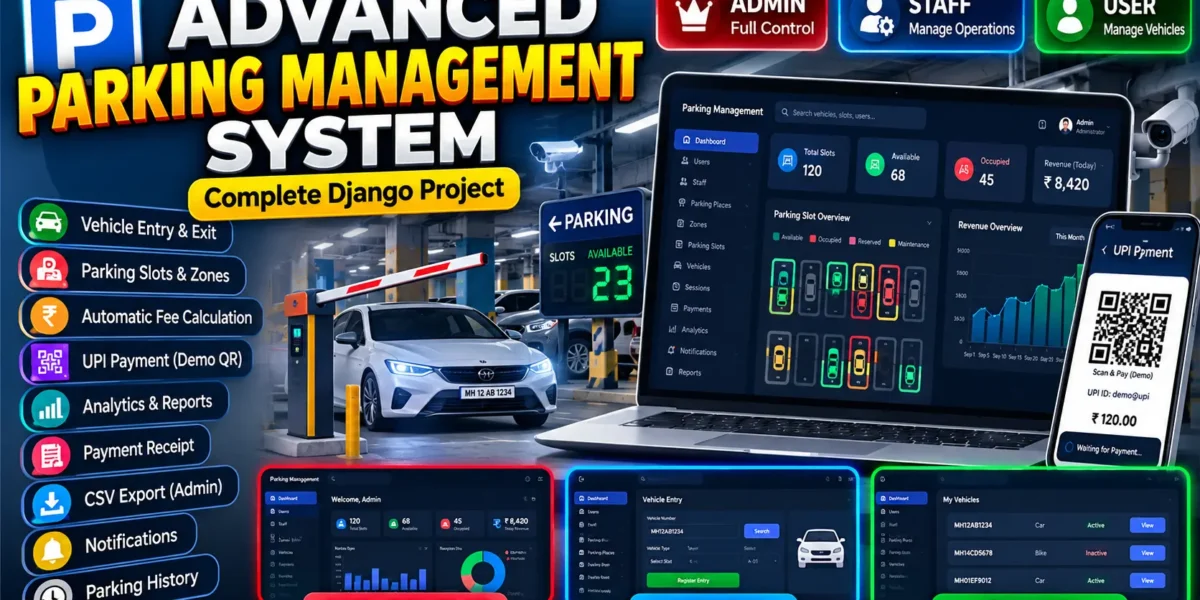
The Advanced Parking Management System is a professional, web-based Smart Parking SaaS-style application developed using Python Django. The system is designed to digitally manage parking places, zones, parking slots, vehicles, parking sessions, payments, staff operations, users, notifications, and parking analytics from a centralized platform.
The application provides separate Admin, Staff, and User panels with role-based permissions and realistic parking workflows. It includes a modern, responsive, premium dark-themed interface designed for desktop, tablet, and mobile devices.
Complete Advance AI Topics: Click Here
Real Time Projects on YouTube:- DecodeIT
Project Overview
| Project Name | Advanced Parking Management System |
|---|---|
| Technology | Python Django |
| Frontend | HTML5, CSS3, JavaScript, Bootstrap |
| Database | SQLite / MySQL |
| Type | Web-Based Smart Parking Management System |
| User Roles | Admin, Staff, User |
Included Features
- Role-Based Authentication
- Admin, Staff and User Dashboards
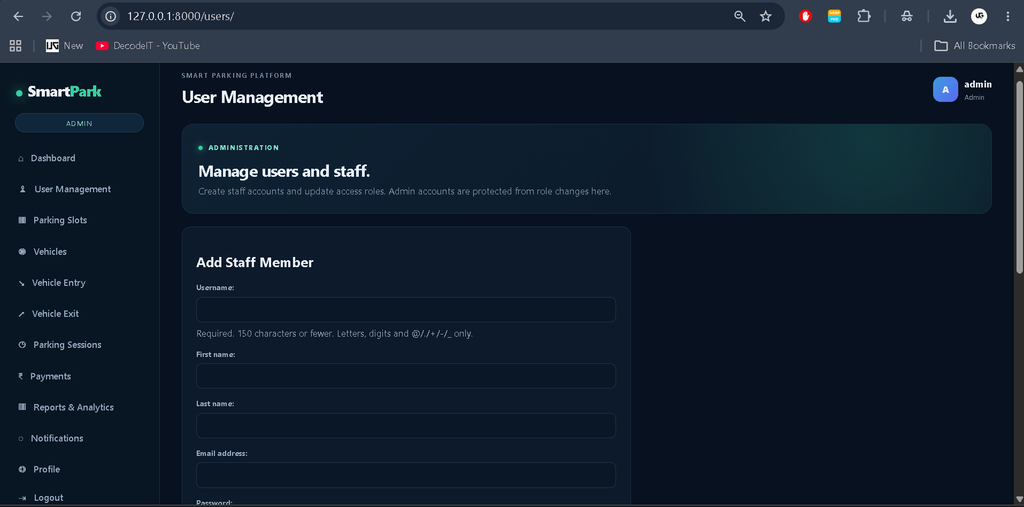
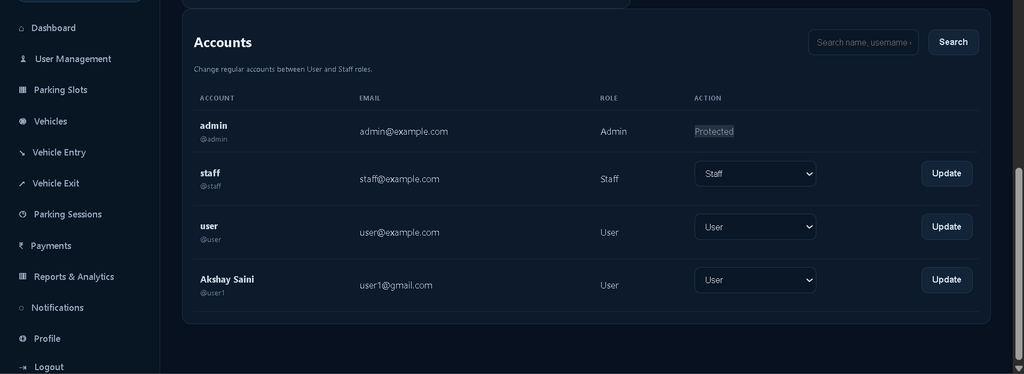
- Admin-Only User Management
- Staff Account Creation
- Profile Management
- Parking Place Management
- Parking Zone Management
- Parking Slot Management
- Visual Parking Slot Availability
- Available, Occupied, Reserved and Maintenance Slot Status
- Vehicle Type Management
- Vehicle Registration
- Vehicle Search
- Vehicle Entry Management
- Vehicle Exit Management
- Parking Session Management
- Automatic Entry and Exit Time Tracking
- Automatic Parking Duration Calculation
- Vehicle-Type-Based Pricing
- Hourly, Daily and Custom Pricing
- Automatic Parking Fee Calculation
- Payment Management
- Payment Status Tracking
- Transaction Reference Tracking
- Demo UPI Payment
- Demo UPI QR Code
- Payment History
- Parking Receipts
- CSV Payment Export
- Active Parking Tracking
- Completed Parking History
- Search and Advanced Filtering
- Notifications
- Activity Logs
- Revenue Analytics
- Parking Occupancy Analytics
- Dashboard Statistics
- Responsive Premium Dark UI
Role-Based Authentication
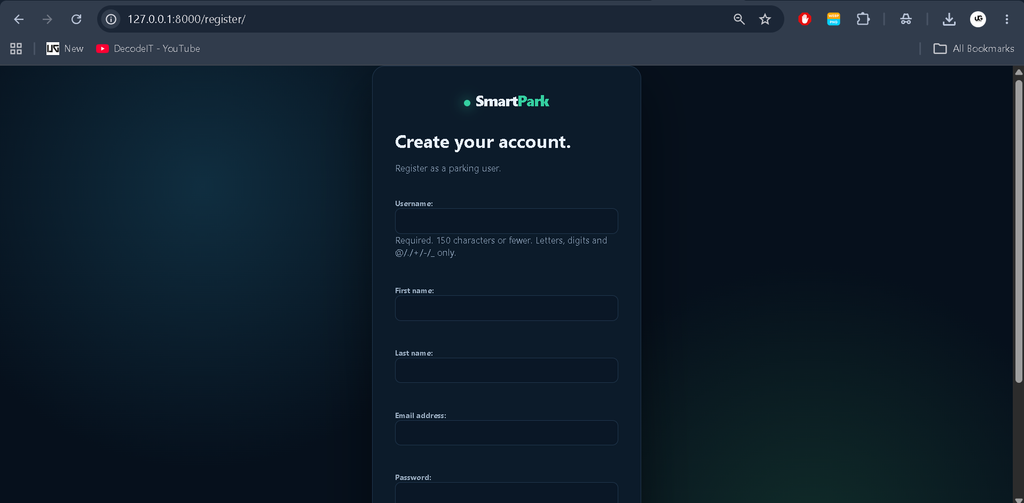
The system provides secure authentication with three primary roles: Admin, Staff and User. Each role receives a dedicated dashboard and can access only the modules and operations permitted for that role.
Admin Panel
The Admin Panel provides complete control over the parking management platform. Administrators can manage users, staff, parking locations, zones, slots, vehicles, pricing, sessions, payments, notifications and reports.
Admin Features
- Admin Dashboard
- User Management
- Staff Account Management
- Parking Place Management
- Zone Management
- Parking Slot Management
- Vehicle Type Management
- Vehicle Management
- Pricing Management
- Parking Session Management
- Payment Management
- Revenue Analytics
- Occupancy Analytics
- Parking Reports
- Activity Monitoring
- Notification Management
Staff Panel
Staff daily parking operations manage kar sakte hain.
- Staff Dashboard
- Vehicle Entry & Search
- Slot Allocation
- Active Vehicle Tracking
- Vehicle Exit
- Automatic Fee Calculation
- Payment Processing
- Receipt Generation
- Parking History
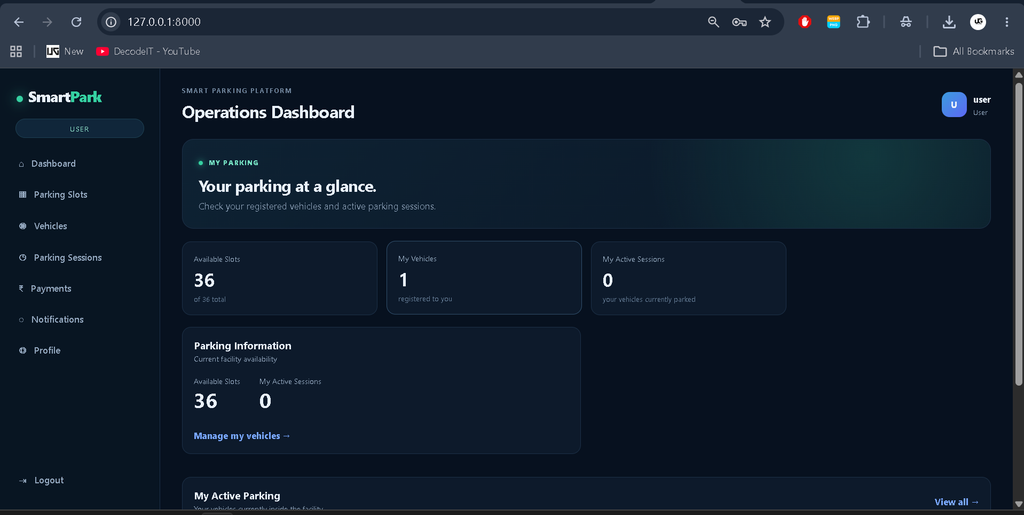
User Panel
Users apne vehicles aur parking activity manage kar sakte hain.
- User Dashboard
- Profile Management
- Vehicle Registration
- Vehicle Details
- Active Parking Session
- Assigned Slot
- Parking Duration
- Parking History
- Payment History
- Receipts
- Notifications
Parking Place Management
Admin multiple parking locations manage kar sakta hai.
- Parking Name
- Address & Contact
- Opening & Closing Time
- Description
- Status
Parking Zone Management
Parking spaces ko zones aur floors ke according organize karein.
- Zone Name & Code
- Parking Place
- Floor/Level
- Description
- Status
- Occupancy
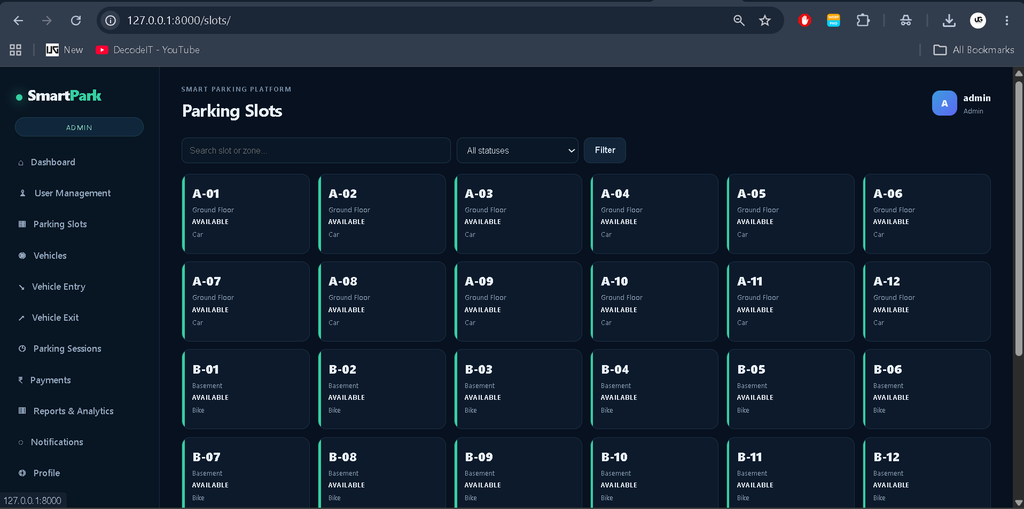
Parking Slot Management
Visual slot management ke saath real-time availability.
- Available
- Occupied
- Reserved
- Maintenance
- Slot Number
- Zone & Vehicle Type
- Current Vehicle & Session
Vehicle Management
Vehicles ko register, search aur manage karein.
- Vehicle Number
- Vehicle Type
- Brand & Model
- Color
- Owner Details
- Registration
- Status
Vehicle Entry
Staff vehicle search karke compatible available slot assign kar sakta hai.
- Entry Time Tracking
- Slot Allocation
- Automatic Occupied Status
- Parking Session Creation
Vehicle Exit
Active vehicle exit process automatically parking details update karta hai.
- Exit Time
- Duration Calculation
- Parking Charges
- Payment
- Session Completion
- Slot Available
- Activity Log
- Receipt
Parking Fee Calculation
Configured pricing rules ke according automatic charges calculate hote hain.
- Hourly Pricing
- Daily Pricing
- Custom Pricing
- Vehicle-Type Pricing
Payment Management
Parking payments ko complete record ke saath manage karein.
- Cash
- UPI
- Card
- Other
- Amount
- Payment Status
- Transaction Reference
- Date/Time
- Received By
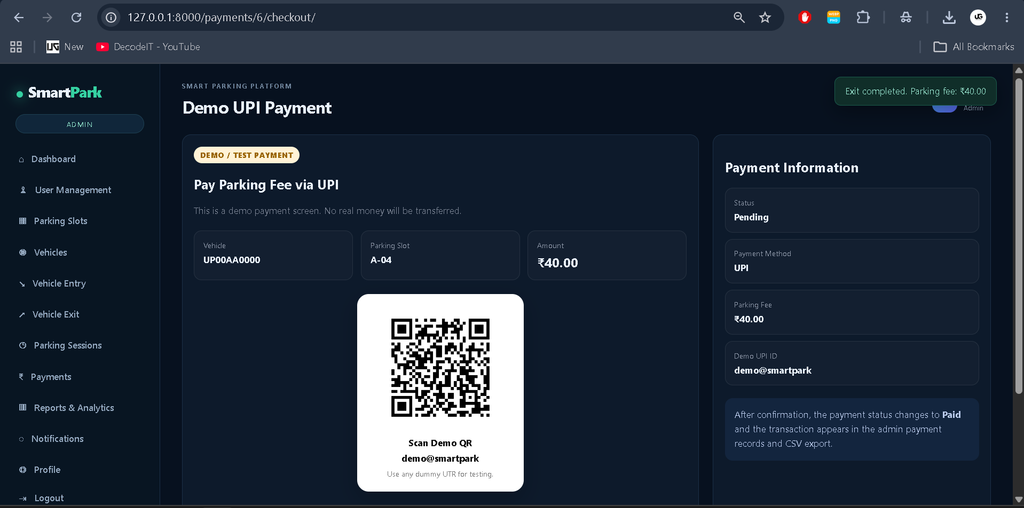
Demo UPI Payment
Testing ke liye User Panel me demo UPI payment workflow.
- Demo QR Code
- Demo UPI ID
- Payment Amount
- UTR/Reference
- Payment Status
- Date/Time
Note: Demo UPI real payment gateway nahi hai.
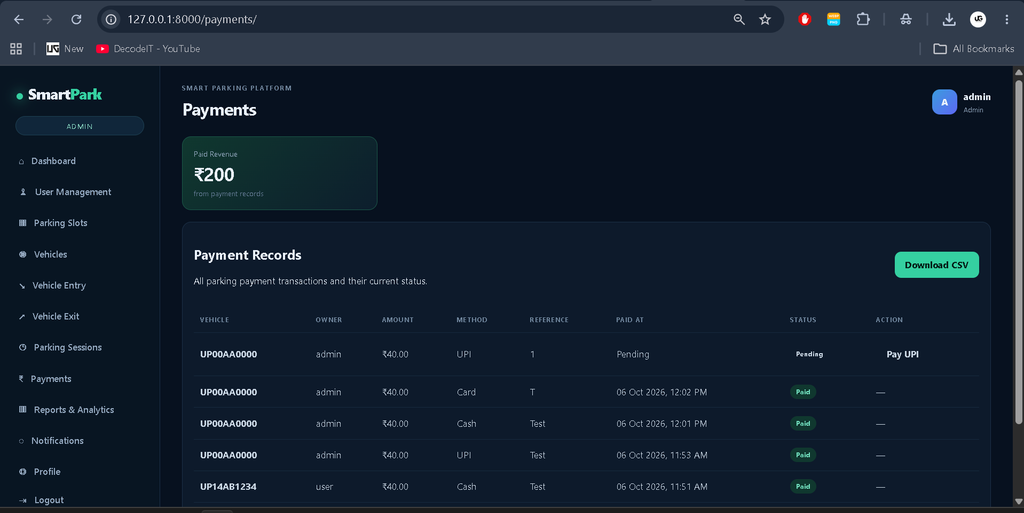
Payment Records & CSV Export
Admin complete payment records view aur CSV format me export kar sakta hai.
- Payment ID
- Receipt Number
- User & Vehicle
- Slot & Session
- Amount
- Payment Method
- UTR
- Status
- Date
- Received By
Parking Receipt
Receipt me vehicle, slot, entry/exit, duration, amount, payment method aur transaction details available hoti hain.
Notifications
Vehicle entry, exit, payment aur important parking activities ke liye notifications.
Activity Logs
Admin staff aur system activities ka operational record maintain kar sakta hai.
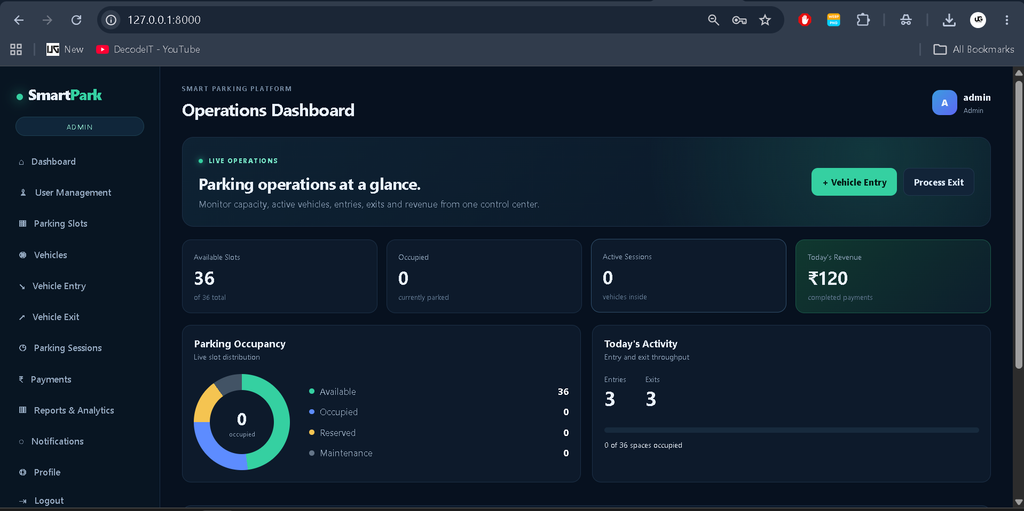
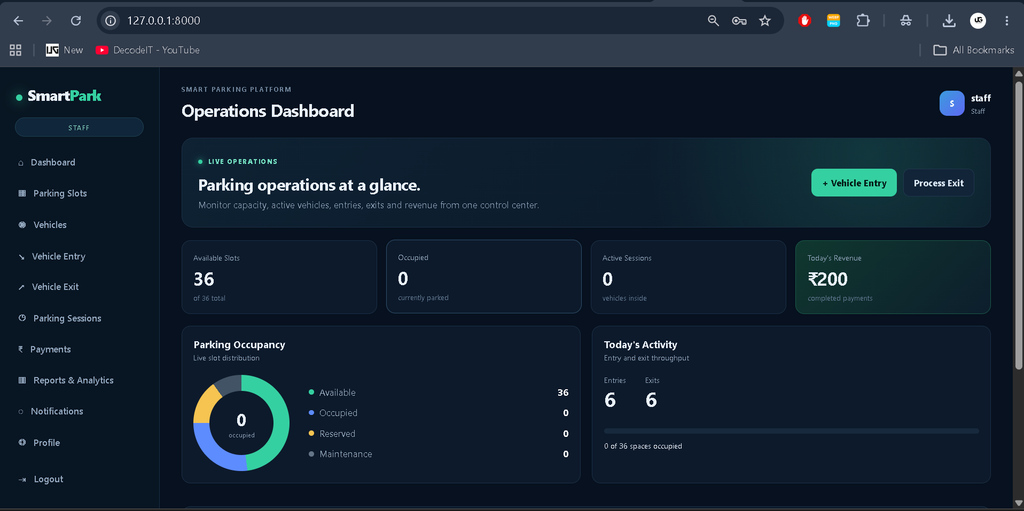
Dashboard & Analytics
Real-time database-based parking statistics aur reports.
- Parking Places
- Zones & Slots
- Available/Occupied Slots
- Active Sessions
- Today’s Entries/Exits
- Revenue
- Occupancy Analytics
Search & Filtering
Parking aur payment records ko easily search/filter karein.
- Vehicle Number
- Owner
- Vehicle Type
- Slot
- Zone
- Payment Status
- Date
- Session
Professional UI/UX
Modern SaaS-style professional interface.
- Premium Dashboard
- Sidebar & Top Navigation
- KPI Cards
- Visual Slot Layout
- Charts
- Modern Forms & Tables
- Status Badges
- Toast Notifications
- Confirmation Dialogs
- Loading & Empty States
- Responsive Mobile Design
- Modern Icons & Hover Effects
Technology Stack
- Backend: Python, Django
- Frontend: HTML5, CSS3, JavaScript
- UI Framework: Bootstrap
- Database: SQLite / MySQL
- Charts: Chart.js
- Authentication: Django Authentication
- Development Environment: Visual Studio Code
Software and Tools Required
- Python
- Visual Studio Code
- pip
- Web Browser
- SQLite or MySQL
- Git (Optional)
How to Download
The complete package is available so you can run, study, and submit it with confidence. It includes:
- Full Source Code
Screenshot
Project Installation
Follow the steps below to run the Advanced Parking Management System locally.
Step 1: Extract the Project
Extract the project ZIP file into your preferred development folder.
Step 2: Open the Project in VS Code
cd advanced_parking_systemStep 3: Create Virtual Environment
python -m venv venvStep 4: Activate Virtual Environment
For Windows:
venv\Scripts\activateStep 5: Install Dependencies
pip install -r requirements.txtStep 6: Run Database Migrations
python manage.py migrateStep 7: Create Sample Data
python manage.py seed_parkingStep 8: Start the Development Server
python manage.py runserverStep 9: Open the Application
Open the following address in your browser:
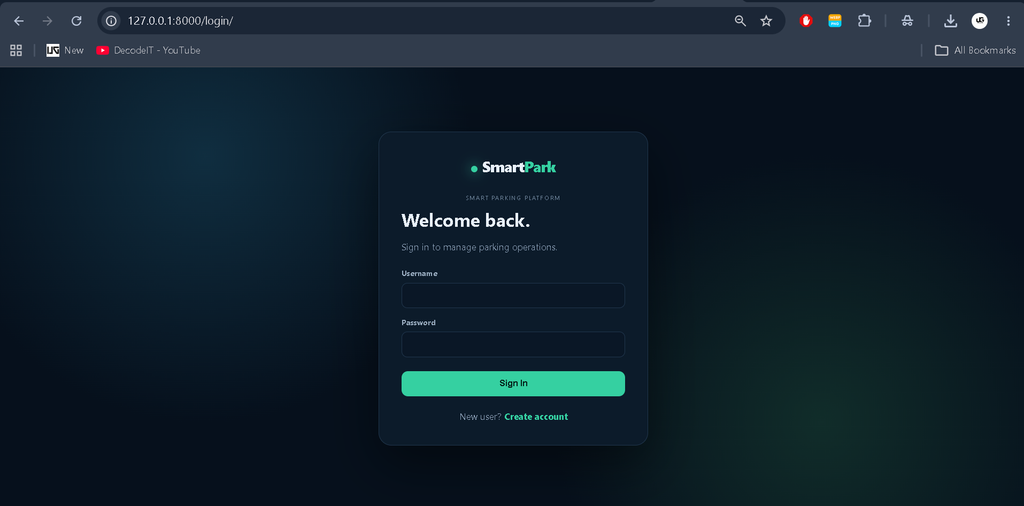
http://127.0.0.1:8000/Demo Accounts
| Role | Username | Password |
|---|---|---|
| Admin | admin | Admin@123 |
| Staff | staff | Staff@123 |
| User | user | User@123 |
Security Note: Change all demo passwords before using the project in a production environment.
Project Benefits
- Centralized parking management
- Faster vehicle entry and exit processing
- Real-time parking slot visibility
- Automated parking fee calculation
- Vehicle-type-based pricing
- Digital payment record management
- Demo UPI payment workflow
- Payment CSV reporting
- Role-based operational control
- Revenue monitoring
- Occupancy monitoring
- Improved parking record management
- Professional SaaS-style interface
- Responsive design for multiple devices
Security Considerations
- Use a strong Django SECRET_KEY.
- Never expose production passwords in source code.
- Set DEBUG=False in production.
- Use HTTPS.
- Use secure database credentials.
- Configure ALLOWED_HOSTS correctly.
- Protect administrative accounts.
- Use a verified payment provider for real transactions.
- Regularly back up the production database.
Final Thoughts
The Advanced Parking Management System provides a structured solution for managing modern parking operations. From parking slot allocation and vehicle entry to automated fee calculation, payment tracking, receipts, notifications and analytics, the system brings important parking activities into one centralized platform.
Parking Management System Using| Parking Management System Using parking management system using python parking management system use case diagram parking management system in india parking management system in delhi parking management system in uae parking management system in java parking management system in pakistan parking management system in nepal parking management system in java github