
Salon Management System Using Python and Django
The Salon and Spa Management System is a web-based application developed to simplify salon operations, appointment scheduling, customer management, billing, inventory control, and employee activities. Built using Python, Django, SQLite, Bootstrap 5, JavaScript, and Chart.js, the project provides a centralized platform for managing single or multiple salon branches.
The system includes four role-based panels: Admin, Receptionist, Stylist, and Customer. It supports live AJAX appointment booking, stylist recommendations, QR-based check-in, PDF invoices, loyalty points, memberships, inventory management, Excel reports, and database backup and restore. Its database-driven dashboards help salon owners monitor business activities using actual application records.
Complete Advance AI Topics: Click Here
Real Time Projects on YouTube:- DecodeIT
Project Overview
The application organizes salon services and appointments through dedicated panels. Administrators manage the overall business, receptionists handle bookings, stylists manage their schedules and services, and customers book appointments online.
| Project Detail | Description |
|---|---|
| Project Name | Salon and Spa Management System |
| Programming Language | Python |
| Framework | Django |
| Database | SQLite |
| Frontend | HTML, CSS, Bootstrap 5, JavaScript |
| Charts | Chart.js |
| Invoice Generation | ReportLab PDF |
| Project Type | Web-Based Management System |
What Are the Key Features of the Salon Management System?
The project includes appointment scheduling, customer records, service management, staff coordination, billing, inventory, and reporting features designed for everyday salon operations.
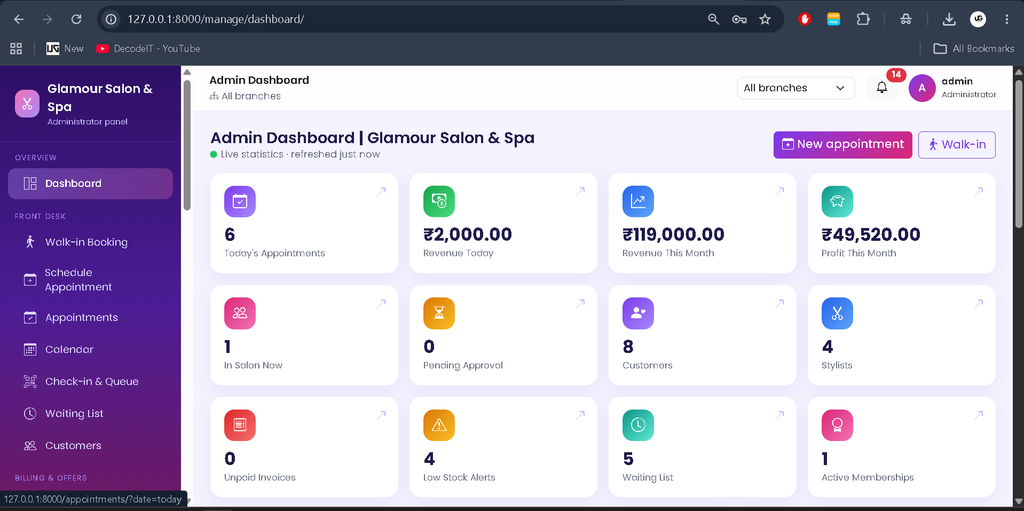
1. Admin Panel
The Admin panel provides centralized control over branches, employees, services, business settings, and reports. It uses a custom dashboard rather than Django’s built-in admin as the primary management interface.
- Branch Management: Edit existing branches and add new locations.
- Service Management: Manage service categories, individual services, and packages.
- Employee Management: Add receptionists and stylists, configure permissions, and assign branch details.
- Appointment Management: Monitor bookings and access operational records.
- Reports and Analytics: View database-driven dashboard statistics and export reports to Excel.
- Settings and Backup: Configure booking rules, taxes, loyalty settings, and database backups.
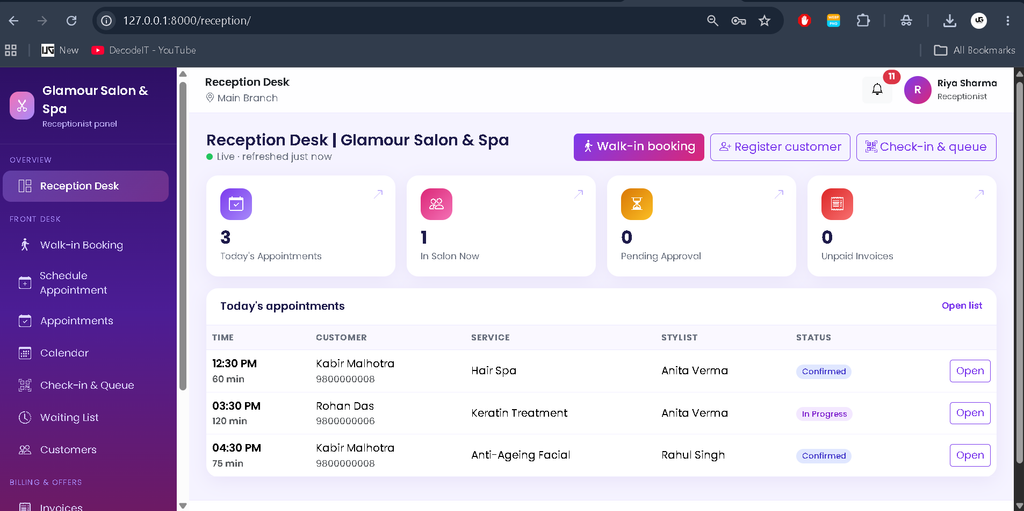
2. Receptionist Panel
The Receptionist panel helps staff manage customer appointments and front-desk activities.
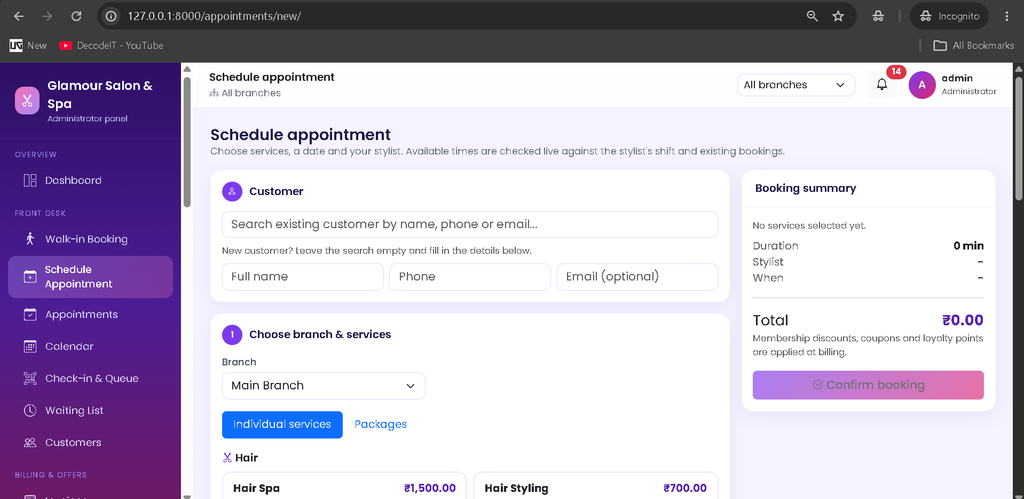
- Book appointments for walk-in customers.
- Register new customers.
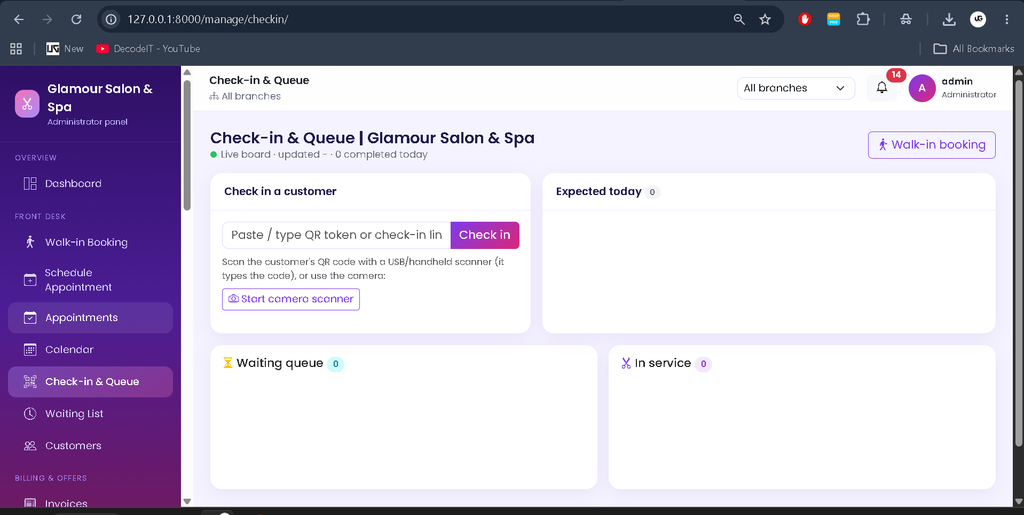
- Manage schedules and check-ins.
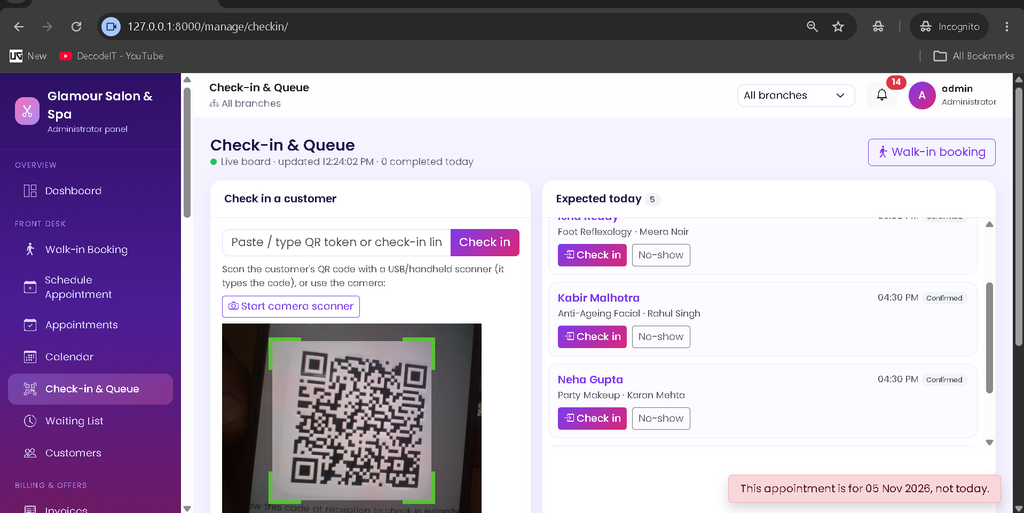
- View the live customer queue.
- Generate bills and record payments.
Access to receptionist functions can be controlled through permissions configured by the administrator.
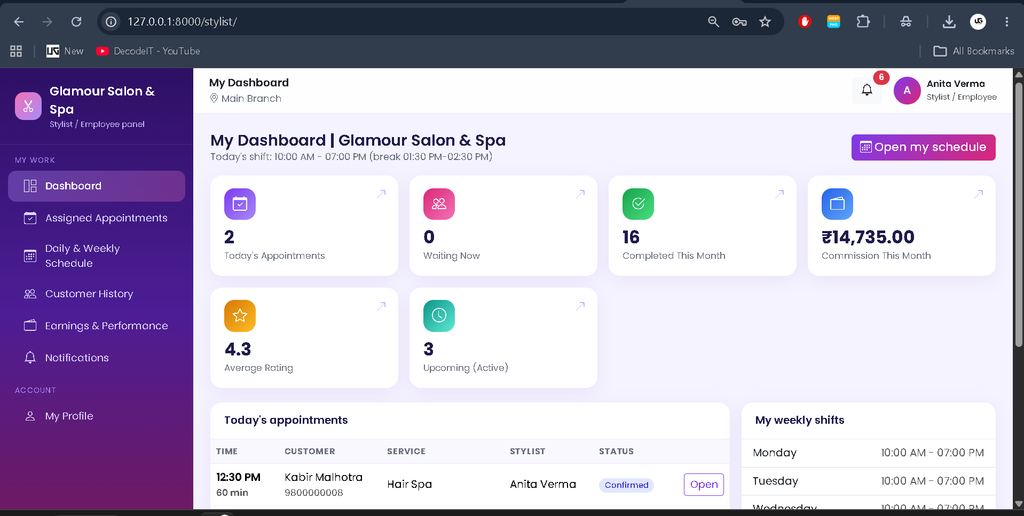
3. Stylist Panel
The Stylist panel provides tools for managing daily appointments and customer service records.
- View daily appointment lists and calendar schedules.
- Access relevant customer history.
- Record services performed and update appointment statuses.
- Review earnings and customer ratings.
Stylists are assigned to specific branches and have bookable time slots based on their configured shifts, breaks, and leave records.
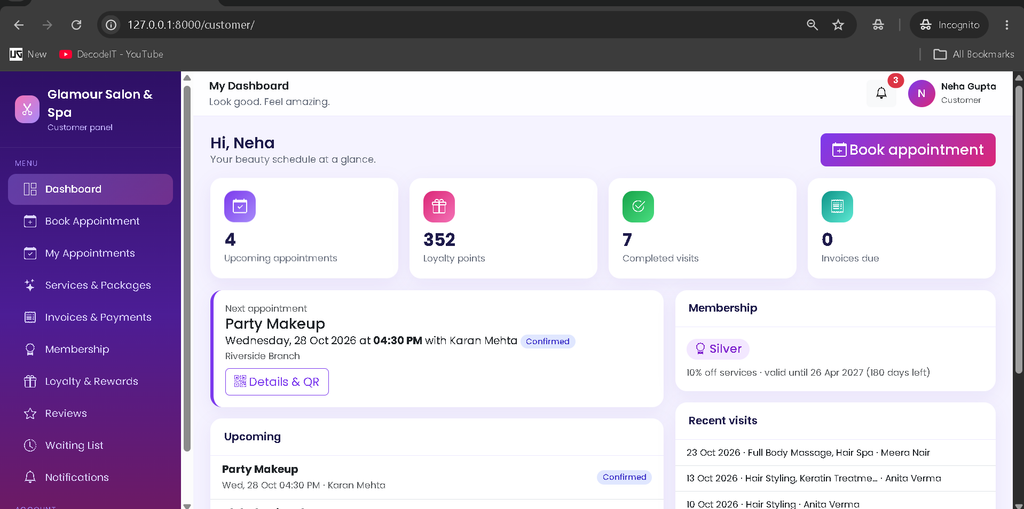
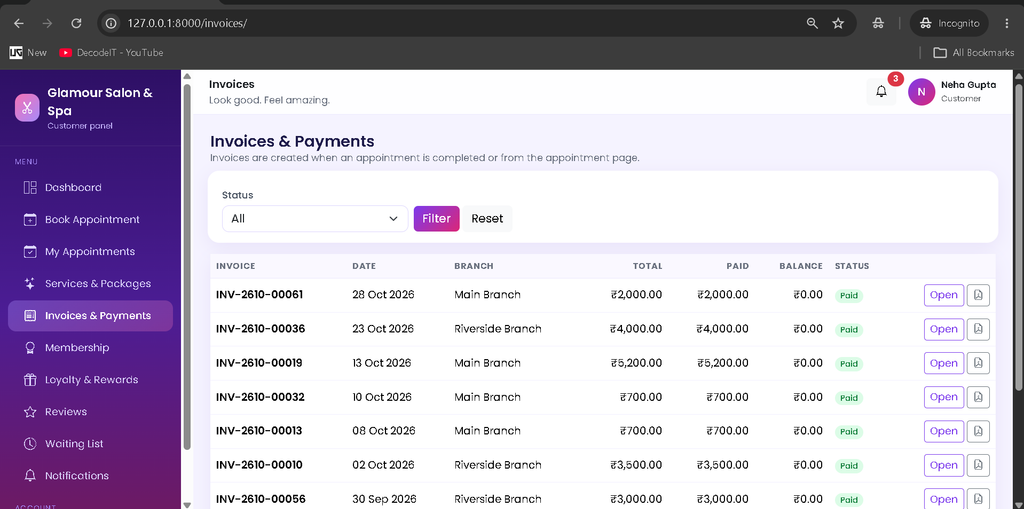
4. Customer Panel
The Customer panel allows customers to explore services and manage appointments through their accounts.
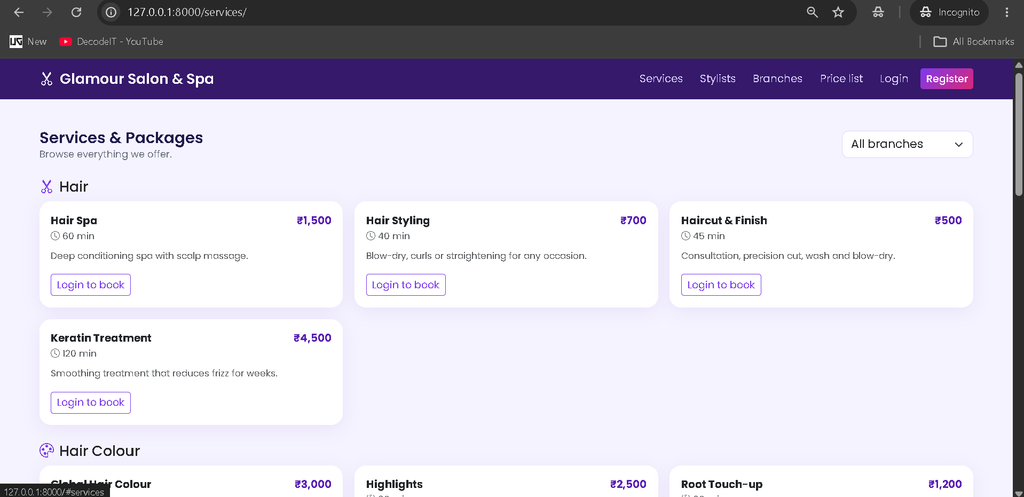
- Browse salon services and packages.
- Book appointments using available time slots.
- Receive smart stylist recommendations.
- Reschedule or cancel eligible appointments.
- View invoices and download PDF copies.
- Manage memberships, loyalty points, reviews, and waiting-list entries.
How Does Online Appointment Booking Work?
The booking system uses live AJAX requests to display available appointment slots and help prevent scheduling conflicts. When an appointment is booked or rescheduled, the application checks the stylist’s shift, breaks, leave, overlapping appointments, and the customer’s existing appointments within a database transaction.
The system also considers stylist skills, available slots, ratings, customer history, and preferred-stylist information when generating recommendations. If no suitable slot is available, customers can join a waiting list. Matching waiting-list entries can receive notifications when appointments are cancelled, rescheduled, or marked as no-shows.
Billing, Memberships, and Inventory Management
Billing and inventory features help maintain financial and operational records.
- Automatic Invoices: Invoices are created when appointments are completed.
- Payment Recording: Staff can record cash, card, UPI, and other supported payment types. The project does not include an online payment gateway.
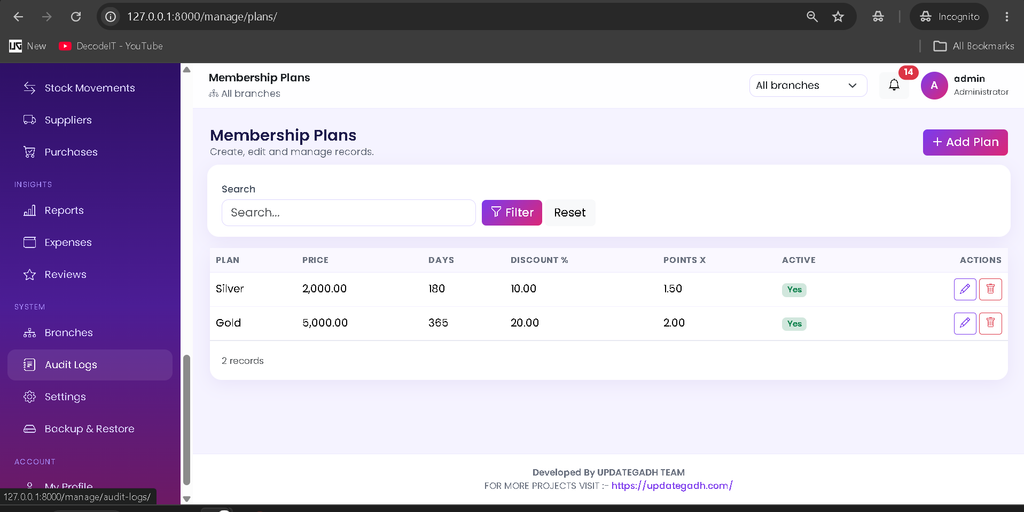
- Discounts and Loyalty: Billing calculations can apply membership discounts, coupons, loyalty points, and taxes according to the configured rules.
- PDF Invoices: ReportLab generates downloadable invoice documents.
- Inventory Tracking: A stock movement ledger records inventory changes and low-stock alerts.
- Purchase Orders: Receiving purchases adds stock and records the associated expense.
- Retail Products: Products can be sold through invoices.
QR Check-In, Reminders, and Reports
Each appointment can have a QR code that helps receptionists check customers in. The receptionist can scan the code at the check-in interface using a camera or handheld scanner. The system also supports appointment reminders and branch-based reports.
Reports can be filtered by date range and branch, then exported to Excel. Reminders may be processed automatically while the website is in use or through a scheduled management command. Email messages are printed in the terminal by default; SMTP configuration is required for real email delivery.
How to Download
The complete package is available so you can run, study, and submit it with confidence. It includes:
- Full Source Code
- Project Report
- Synopsis
- PPT Presentation
Screenshot
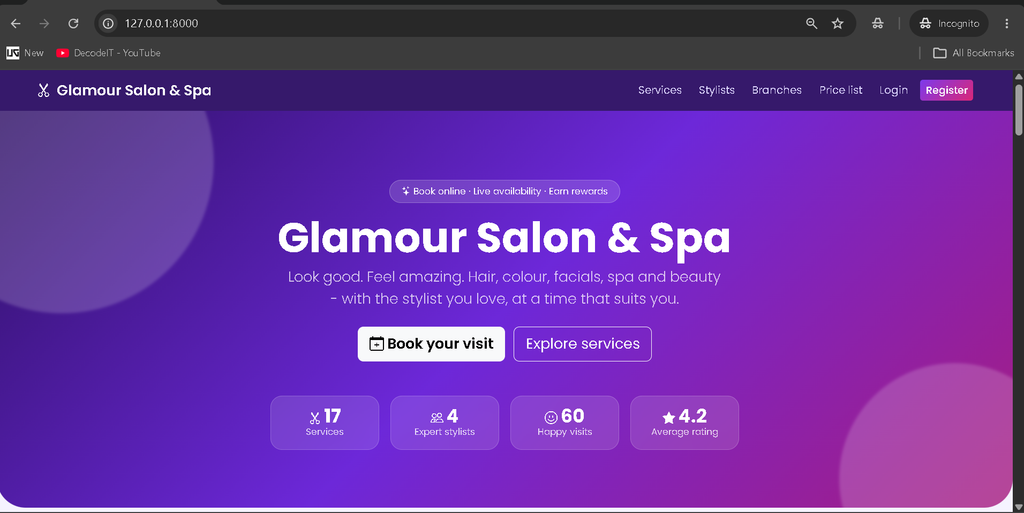
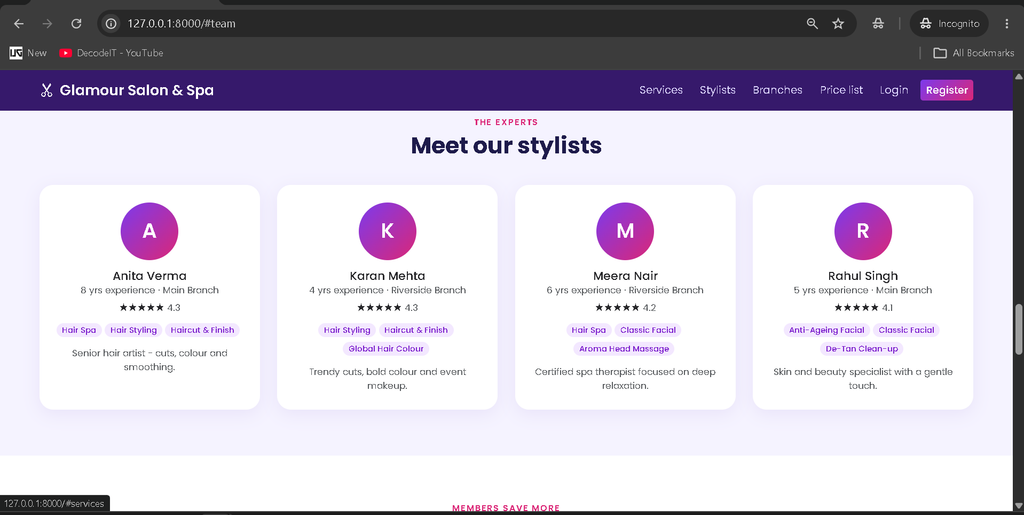
Home Page
Customer Panal
Employee Panal
Receptionist Panal
Admin Panal
How to Install and Run the Project?
Follow these steps to run the project locally using Python and Django.
- Install Python 3.10 or later and Visual Studio Code.
- Extract the project ZIP and open the project directory in VS Code.
- Open the terminal and create a virtual environment.
python -m venv venv
venv\Scripts\activate
python -m pip install -r requirements.txt
On Windows CMD, use call venv\Scripts\activate.bat to activate the environment. On macOS or Linux, use source venv/bin/activate.
Prepare the environment configuration and create the database tables:
copy .env.example .env
python manage.py migrate
python manage.py check
python manage.py test
On macOS or Linux, use cp .env.example .env instead of the Windows copy command. For a brand-new, empty database only, initialize the first branch and administrator using:
python manage.py setup_salonTo load optional sample records, run the following command after initialization:
python manage.py seed_demoStart the development server:
python manage.py runserverOpen http://127.0.0.1:8000/ in your browser. Bootstrap, Chart.js, and FullCalendar load from CDNs, so an internet connection is required for these external assets.
What Are the Demo Login Credentials?
| Role | Username | Password |
|---|---|---|
| Admin | admin | 1234 |
| Receptionist | reception1 | Demo@12345 |
| Stylist | stylist1 | Demo@12345 |
| Customer | customer1 | Demo@12345 |
The administrator account is created during initial setup. The other demo accounts are generated by the optional demo-data command. Change the administrator password immediately after the first login.
Frequently Asked Questions
1. Which technologies are used in this project?
The project uses Python, Django, SQLite, Bootstrap 5, JavaScript, Chart.js, FullCalendar, and ReportLab.
2. How many user panels are available?
There are four primary panels: Admin, Receptionist, Stylist, and Customer.
3. Does the system prevent appointment conflicts?
Yes. Booking and rescheduling operations check availability, shifts, breaks, leave, and overlapping appointments.
4. Can customers download invoices?
Yes. Customers can access invoices and download PDF copies.
5. Does the project support multiple branches?
Yes. Administrators can manage multiple branches, while receptionists and stylists are restricted to their assigned branches.
Final Thoughts
The Salon and Spa Management System using Python and Django is a practical academic project for students learning web development, database management, appointment scheduling, and business automation. Its role-based panels, booking conflict prevention, QR check-in, billing, inventory, loyalty features, and reporting demonstrate how several business processes can be combined into one application.
Salon Management System, Salon Management System , Salon Management System GitHub, Salon Management System Project, Salon Management System Project in PHP GitHub, Salon Management System Free Download, Salon Management System Project Documentation PDF, Salon Management System Project Report PDF, Salon Management System Project in PHP, Salon Management System Website, Salon Management System CodeCanyon