Doctor Appointment Management System Using Python
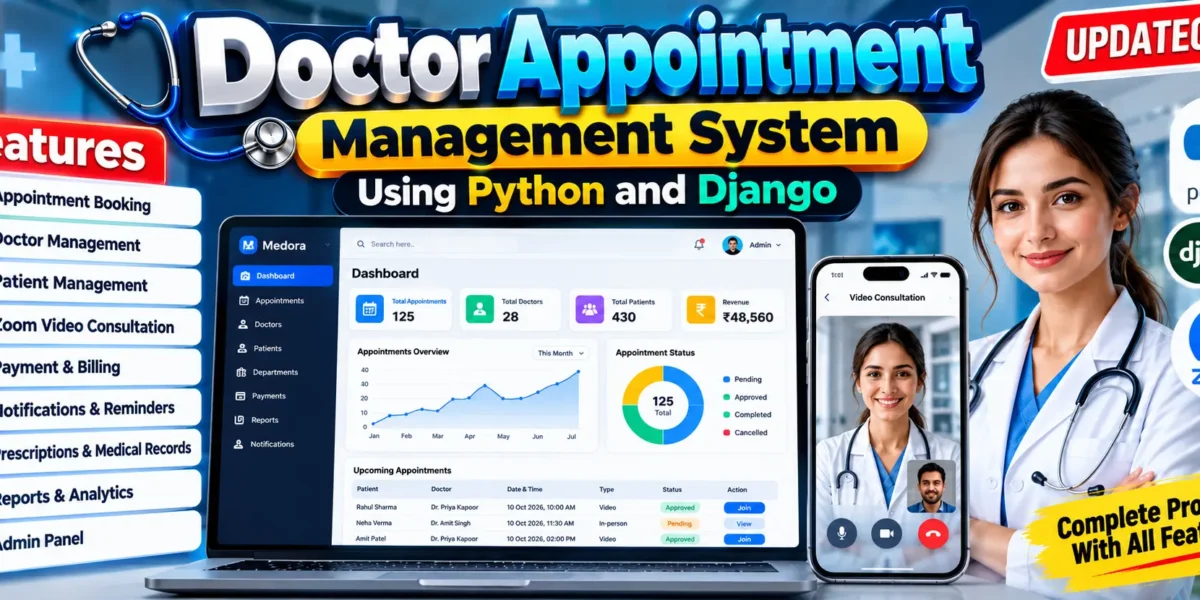
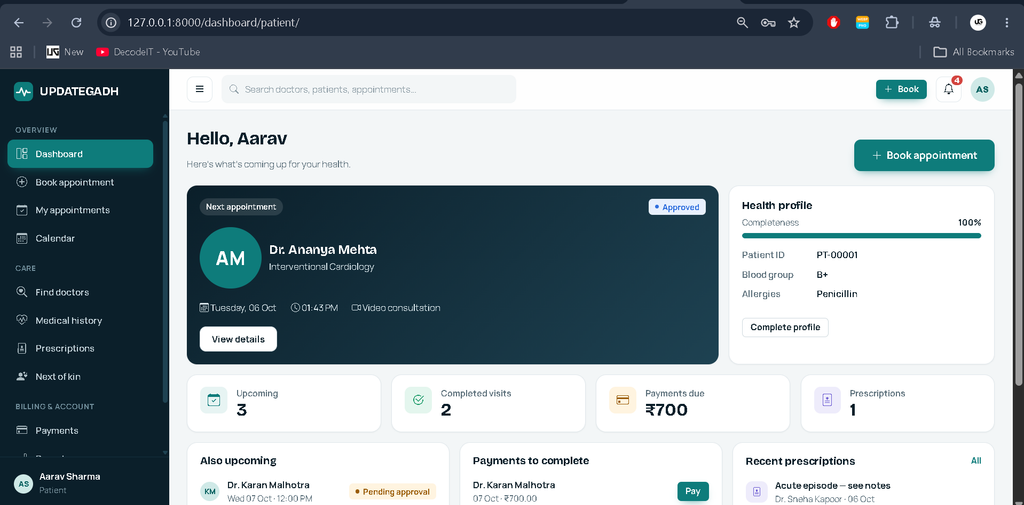
The Doctor Appointment Management System Using Python and Django is a complete clinic and appointment management application designed to simplify the way patients, doctors, and administrators manage healthcare appointments. The system provides separate experiences for patients, doctors, and administrators, along with appointment scheduling, doctor availability, medical records, payments, notifications, reporting, and online video consultations.
The project is built using Django with server-rendered templates, CSS, and JavaScript. It also integrates Zoom Server-to-Server OAuth for online doctor consultations.
Complete Advance AI Topics: Click Here
Real Time Projects on YouTube:- DecodeIT
Project Overview
| Project Name | Doctor Appointment Management System |
|---|---|
| Language/s Used | Python, HTML, CSS, JavaScript |
| Framework | Django 5.2 |
| Database | SQLite |
| Video Calling | Zoom Server-to-Server OAuth |
| Project Type | Web-Based Healthcare Management System |
| Developer | UPDATEGADH |
Available Features
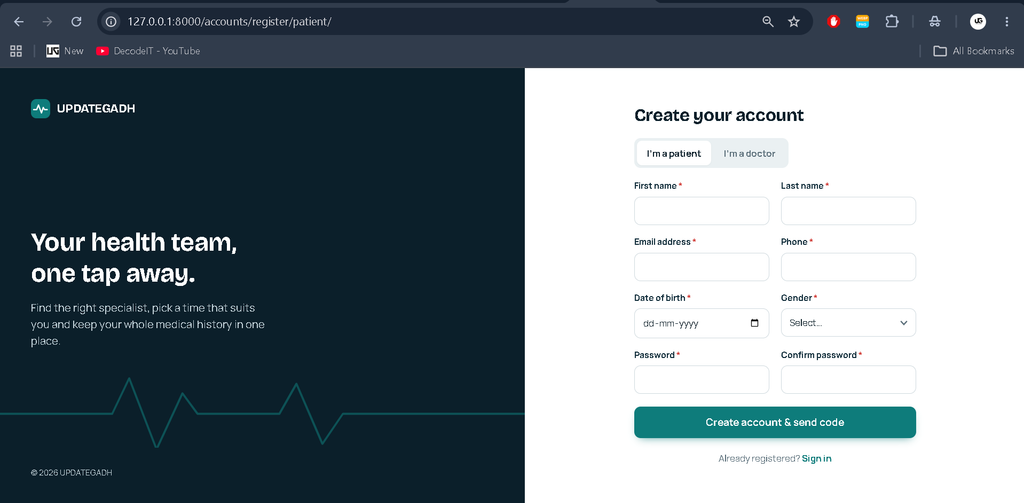
Patient Management
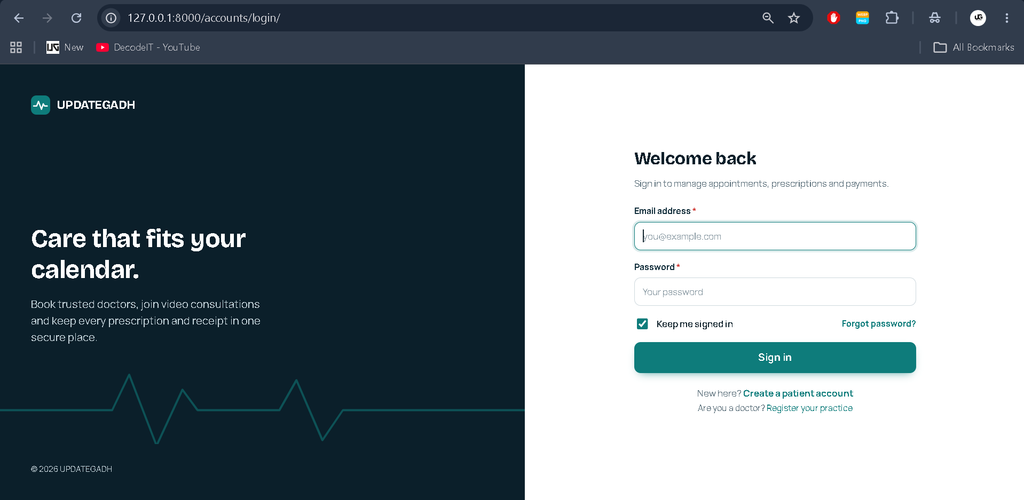
- Email-based registration and login
- Email OTP verification and password reset
- Profile and password management
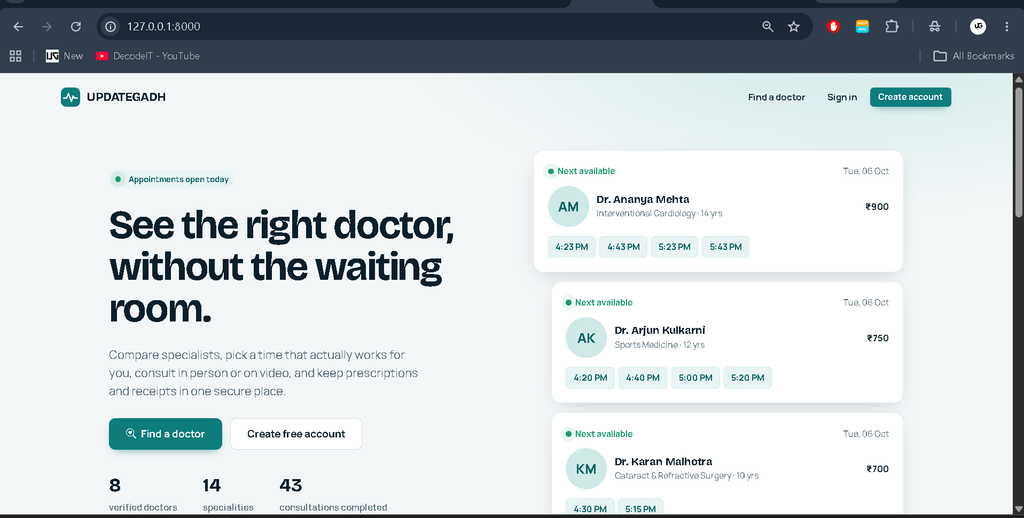
- Doctor search and specialization filtering
- Appointment booking
- Next-of-kin appointment booking
- Appointment cancellation and rescheduling
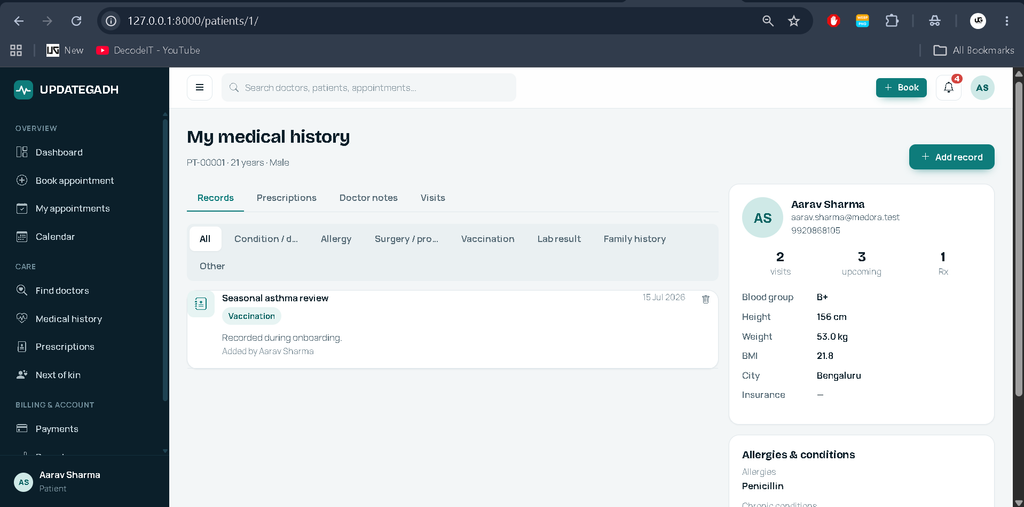
- Medical history and care information
- Online video consultation
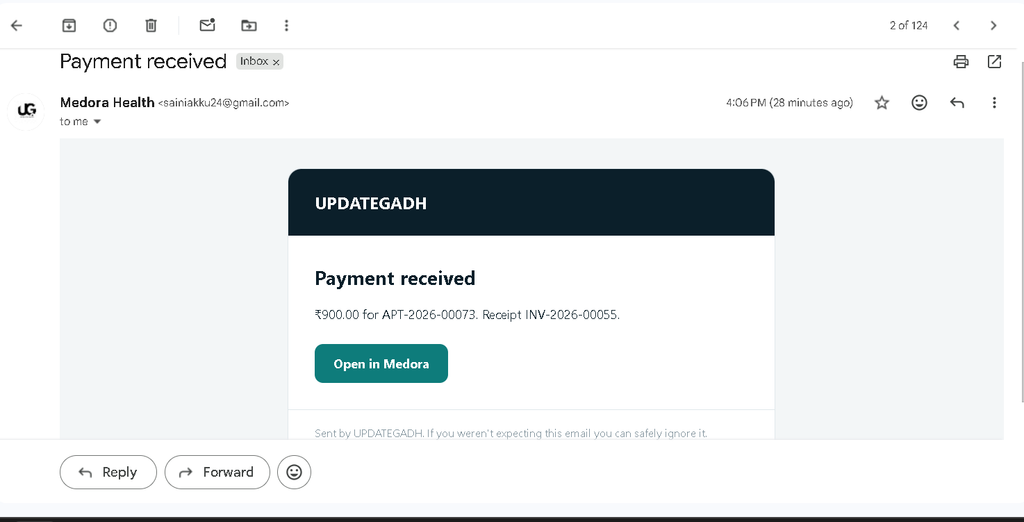
- Payment and invoice management
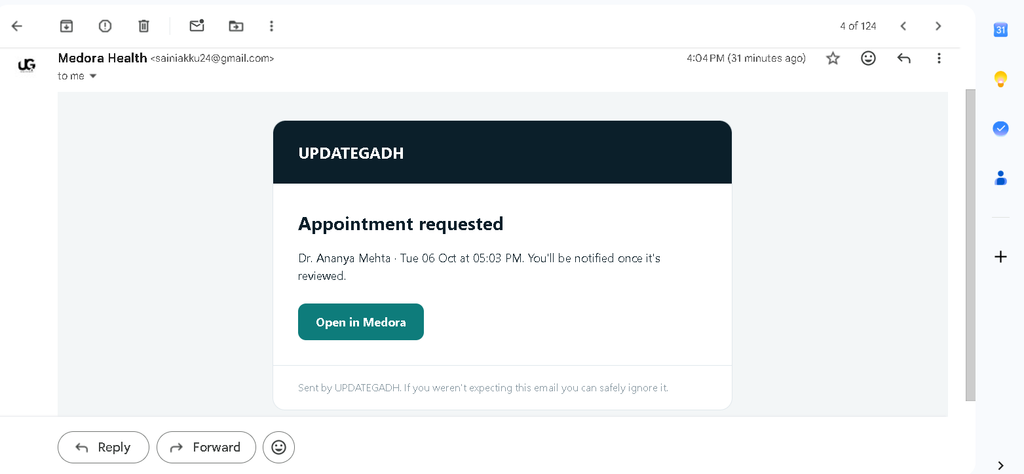
- Notifications and reminders
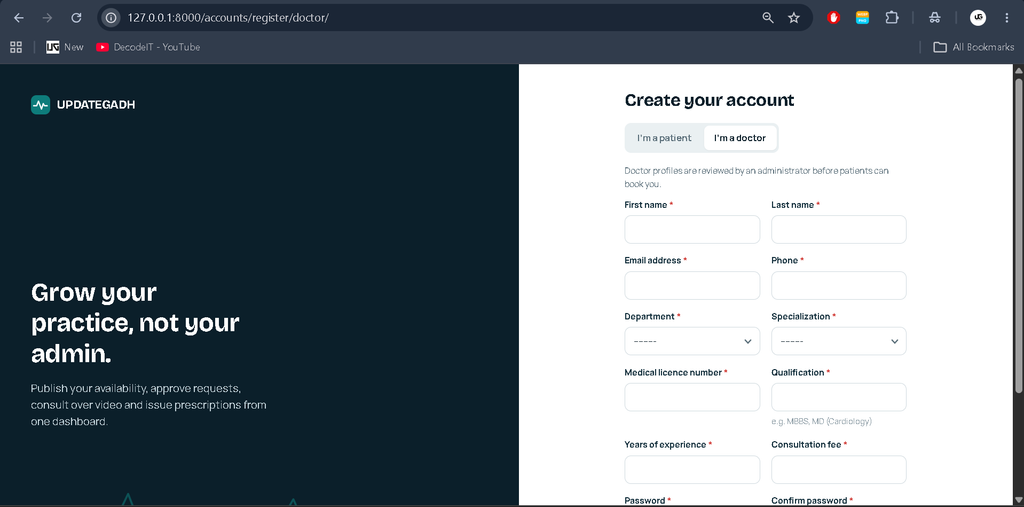
Doctor Management
- Doctor profile and specialization
- Consultation fee management
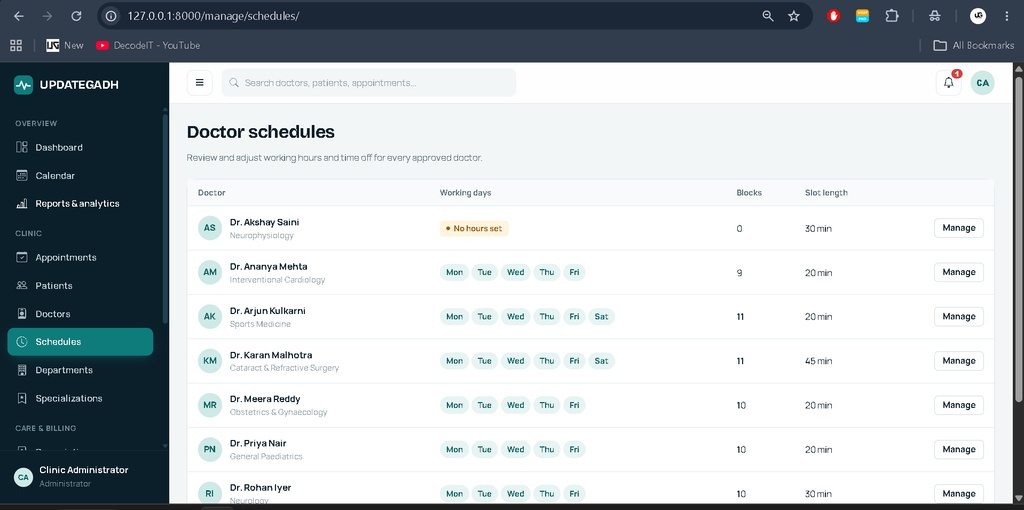
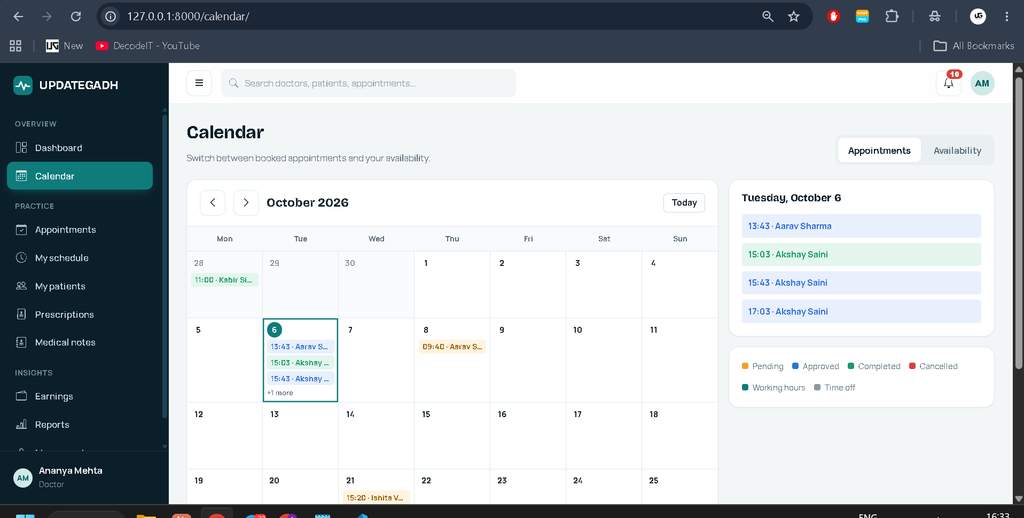
- Weekly availability schedules
- Time-off management
- Appointment approval and rejection
- Patient information management
- Medical notes and private notes
- Prescription management
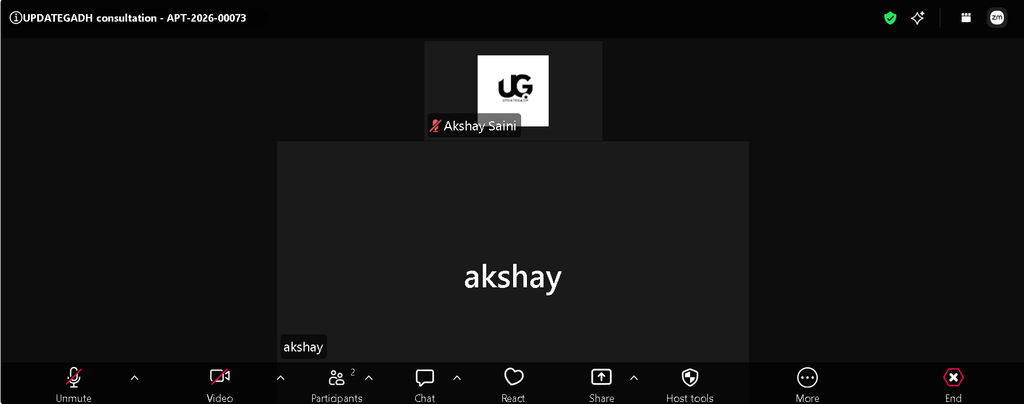
- Zoom video consultation
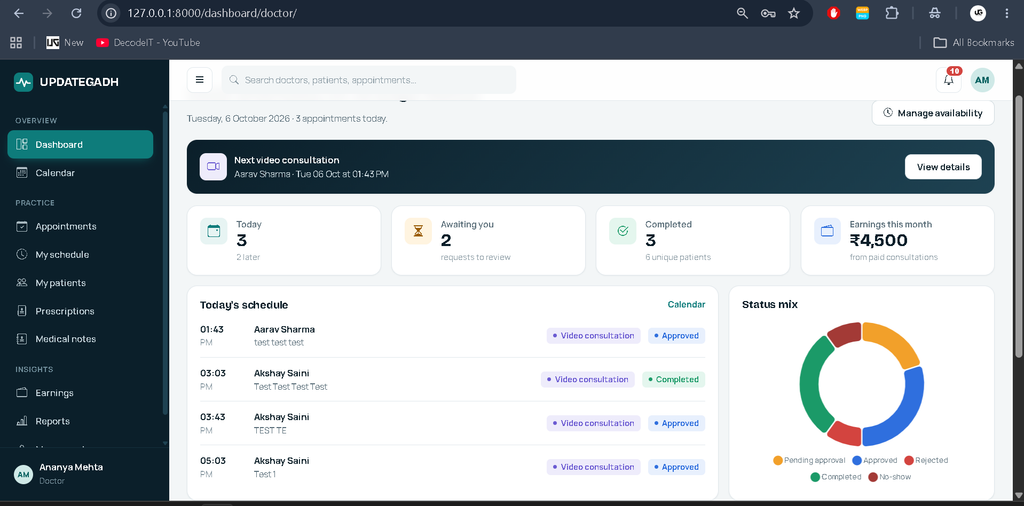
- Doctor dashboard and reports
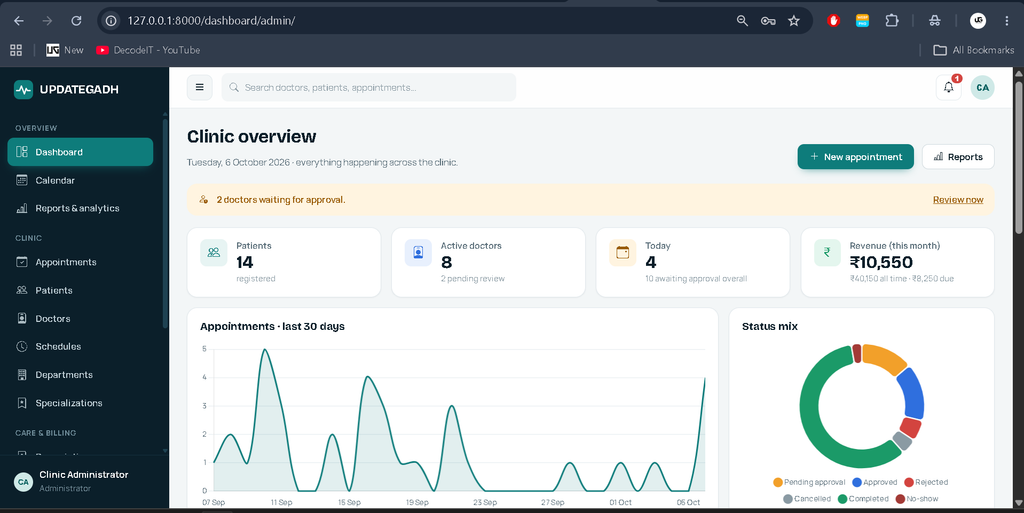
Administrator Management
- User and role management
- Doctor registration approval
- Patient and doctor management
- Department and specialization management
- Doctor schedule management
- Clinic-wide appointment management
- Payment and refund management
- Reports, charts and CSV exports
- Activity log and administration
The project also provides in-app notifications, optional email notifications, appointment reminders, downloadable PDF receipts, demo payment handling, dashboards, calendar views and reporting functionality.
Appointment Workflow
A patient selects an approved doctor, checks available slots and submits an appointment request. The appointment initially remains pending. The doctor or administrator can approve, reject, complete, cancel or mark an appointment as a no-show according to the system rules.
For an online appointment, approval triggers the Zoom meeting creation process. The Zoom meeting ID and patient/doctor meeting URLs are stored with the appointment. Patients receive the joining option while the doctor receives the host/start option.
Zoom Video Consultation
One of the major features of this project is online consultation through Zoom. The Django backend communicates with Zoom using a Server-to-Server OAuth application. This allows the application to create and update scheduled Zoom meetings without requiring the doctor or patient to authenticate with Zoom every time.
Zoom’s official documentation states that a Server-to-Server OAuth application provides an Account ID, Client ID and Client Secret, and the application must be activated before it can generate access tokens.
How to Download
The complete package is available so you can run, study, and submit it with confidence. It includes:
- Full Source Code
- Project Report
- Synopsis
- PPT Presentation
Screenshot
How to Get Zoom Account ID, Client ID and Client Secret
Follow these steps to configure Zoom for this Django project:
- Sign in to your Zoom account and open the Zoom App Marketplace.
- Open Develop and go to Created Apps.
- Click the + button and select Build an App.
- Select Server-to-Server OAuth and create the application.
- Open the App Credentials section.
- Copy the Account ID, Client ID and Client Secret.
- Open Scopes and add the meeting permissions required by the application.
- Complete the required app information and activate the application.
Zoom specifically requires the Server-to-Server OAuth app to be activated before an access token can be generated.
Required Zoom Meeting Permission
For creating meetings, Zoom currently provides the meeting:write scope. For updating meetings, the corresponding meeting update scope is required. The exact scope available to you can depend on your Zoom account permissions.
Configure Zoom in the Django Project
Create a .env file in the same directory as manage.py and add:
ZOOM_ACCOUNT_ID=your_account_id
ZOOM_CLIENT_ID=your_client_id
ZOOM_CLIENT_SECRET=your_client_secret
ZOOM_USER_ID=me
Do not publish your Client Secret or commit the .env file to a public repository. The project loads these values through environment variables.
The project uses the Server-to-Server OAuth account_credentials flow to request an access token and then uses that token to communicate with the Zoom Meetings API. Zoom states that these access tokens expire after one hour, after which the application can request a new token
Technology Stack
- Backend: Python and Django 5.2
- Frontend: Django Templates, CSS and Vanilla JavaScript
- Database: SQLite
- Authentication: Django authentication with custom email-based user model and OTP verification
- Video Calling: Zoom Server-to-Server OAuth and Zoom Meetings API
- PDF: ReportLab
- Images: Pillow
- Frontend Libraries: Chart.js and Bootstrap Icons
Node.js and npm are not required because the frontend does not use a separate Node.js build system.
Software and Tools Required
- Python 3.10–3.14
- Django 5.2
- Visual Studio Code
- SQLite
- Modern web browser
- Internet connection
- Zoom account for video appointments
No separate database server is required for the default SQLite configuration.
Installation Guide
Step 1: Open the Project
Extract the project and open the folder containing manage.py in Visual Studio Code.
cd C:\path\to\project
code .
Step 2: Create Virtual Environment
python -m venv .venv
.\.venv\Scripts\Activate.ps1
Step 3: Install Requirements
python -m pip install --upgrade pip
python -m pip install -r requirements.txt
Step 4: Configure Environment Variables
Create .env and configure Django, email and Zoom settings. For Zoom appointments, enter the Account ID, Client ID and Client Secret obtained from your Zoom Server-to-Server OAuth app.
Step 5: Run Database Migration
python manage.py migrateStep 6: Create Admin Account
python manage.py createsuperuserStep 7: Check the Project
python manage.py check
python manage.py test
Step 8: Start the Server
python manage.py runserverNow open http://127.0.0.1:8000/ in your browser.
Project Rules
The system has three main roles: Admin, Doctor and Patient. Patients can manage their own appointments and information, doctors manage their own schedules and assigned consultations, and administrators manage clinic-wide records and users.
Patients cannot approve appointments or access another patient’s information. Doctors cannot access another doctor’s appointments or administrator-only management areas. Appointment availability is controlled by schedules, appointment duration, time-off records and existing appointments.
Project Benefits
- Centralized doctor and patient management
- Online and in-person appointment support
- Automated Zoom meeting creation
- Role-based access control
- Medical records and prescriptions
- Payment and invoice management
- Notifications and reminders
- Reports and dashboard analytics
Conclusion
The Doctor Appointment Management System using Python and Django provides a complete foundation for managing modern clinic operations. It combines appointment scheduling, doctor availability, patient care, billing, notifications and online Zoom consultations into one application. The Zoom Server-to-Server OAuth integration makes it possible to automatically create online consultation meetings when eligible appointments are approved.
Doctor Appointment Management System Doctor Appointment Management System doctor appointment management system project doctor appointment management system github doctor appointment management system project report doctor appointment management system er diagram doctor appointment management system website doctor appointment management system source code medical appointment management system doctor appointment scheduling system mini project doctor appointment scheduling system