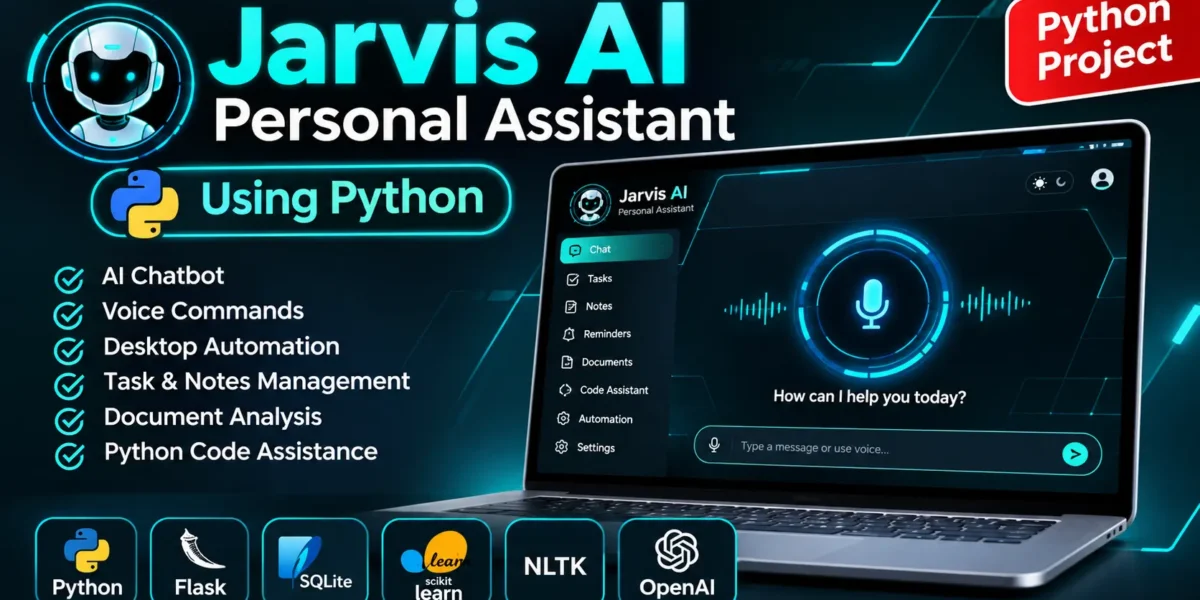
Jarvis AI Personal Assistant is a Python-based virtual assistant developed using Flask, SQLite, Natural Language Processing, and Machine Learning. It helps users perform daily tasks using text commands and voice commands. Jarvis AI Personal Assistant also supports desktop automation, browser automation, document processing, and AI-powered conversations.
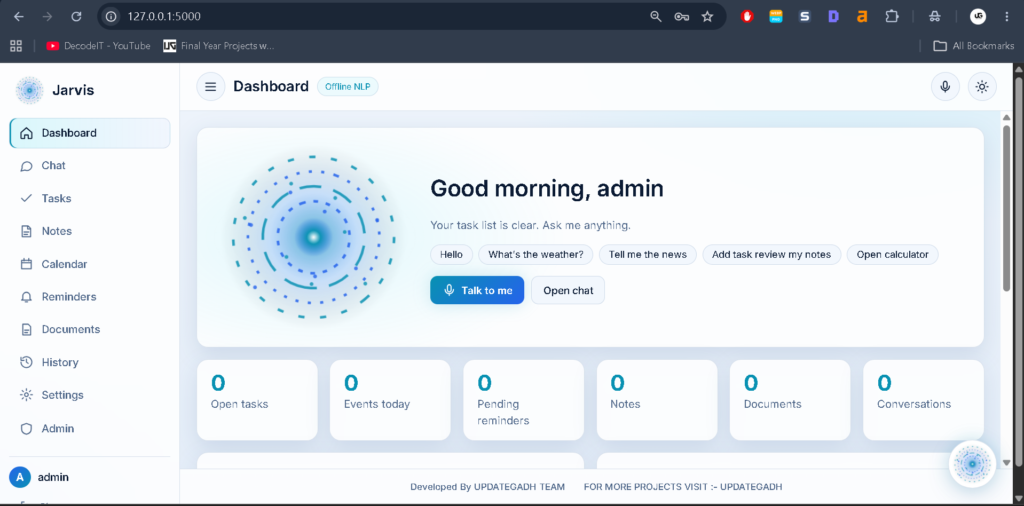
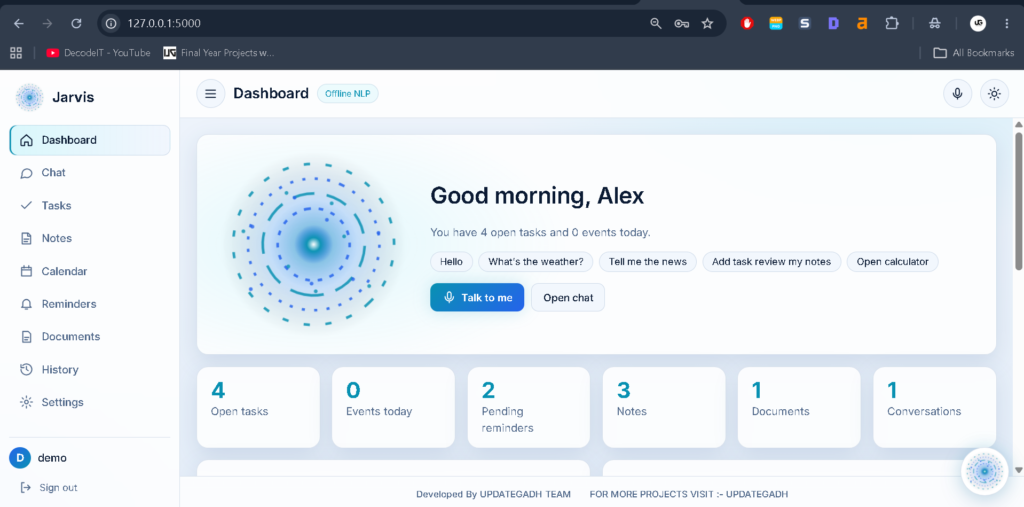
The project includes a modern dark and cyan user interface. Users can interact with Jarvis AI Personal Assistant through voice or text and use different productivity and automation features.
Real Time Projects on YouTube:- DecodeIT
Project Overview
Project Details:
Project Name: Jarvis AI Personal Assistant
Frontend: HTML, CSS, JavaScript
Backend: Python Flask
Database: SQLite
Machine Learning: Scikit-learn, TF-IDF, Logistic Regression
Natural Language Processing: NLTK
AI Integration: OpenAI API
Voice Technology: Web Speech API, SpeechRecognition, pyttsx3
What Is Jarvis AI ?
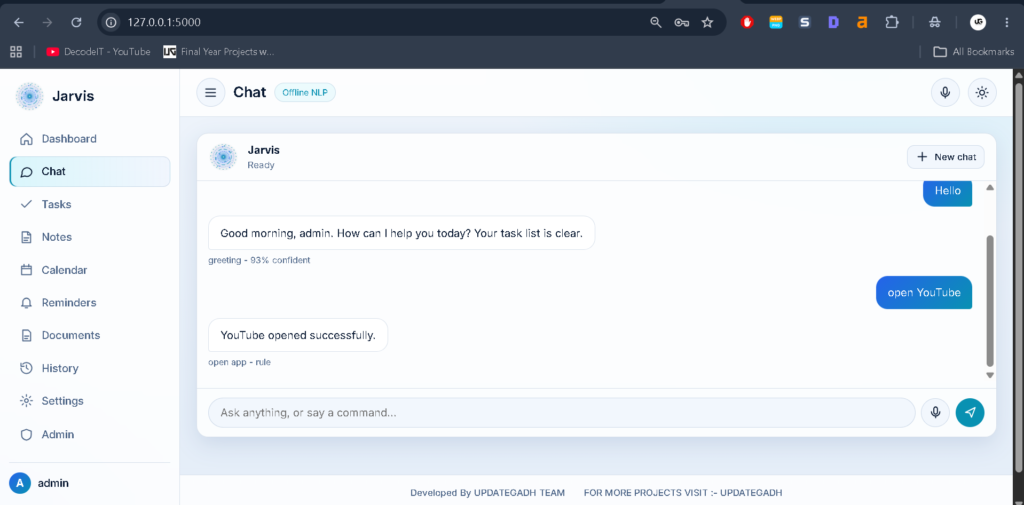
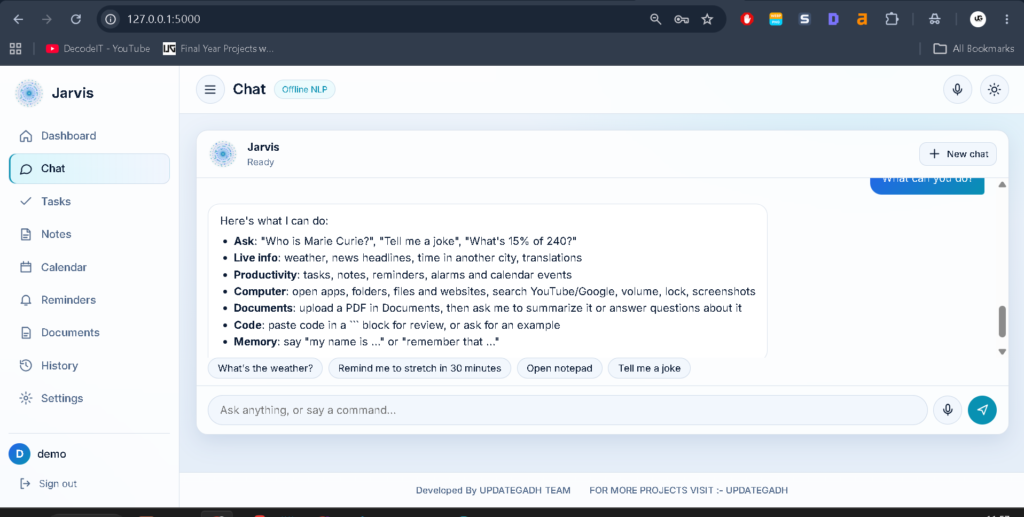
Jarvis AI Personal Assistant is a web-based virtual assistant developed using Python and Flask. It allows users to communicate with the assistant through text and voice commands. The system understands user requests, identifies their intent, and provides suitable responses.
How Does Jarvis AI Work?
The Jarvis AI Personal Assistant uses predefined rules, Machine Learning classification, confidence-based fallback, slot filling, and conversation context to understand user messages.
Its intent recognition model includes 43 intents and approximately 800 generated examples. It uses word-level and character-level TF-IDF features with Logistic Regression and NLTK Porter stemming.
AI-Powered Hotel Management System Project :- Click Here
What Are the Main Features of Jarvis AI Personal Assistant?
The Jarvis AI Personal Assistant includes several features for daily productivity and computer interaction.
- AI Chatbot for natural language conversations.
- Voice Commands for hands-free interaction.
- Continuous Listening with wake-word functionality.
- Task Management for organizing daily activities.
- Notes Management for saving important information.
- Reminders and Alarms for managing schedules.
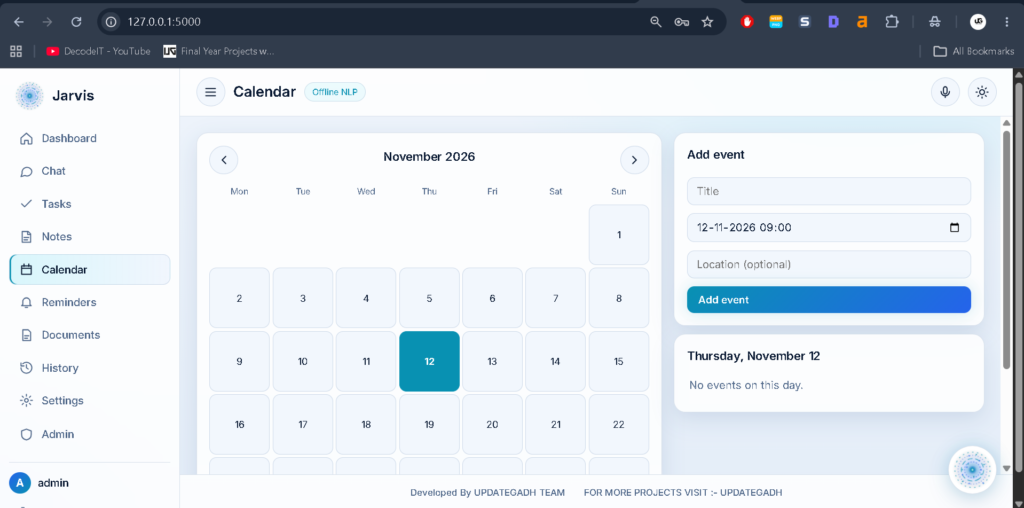
- Calendar Events for tracking activities.
- Google and YouTube Search Links.
- Wikipedia Information Search.
- Weather Information using Open-Meteo.
- Safe Calculator for mathematical operations.
- Document Extraction from PDF, DOCX, and text files.
- Document Summarization and Question Answering.
- Image Analysis when an AI API key is configured.
- Python Code Review and Code Snippet Library.
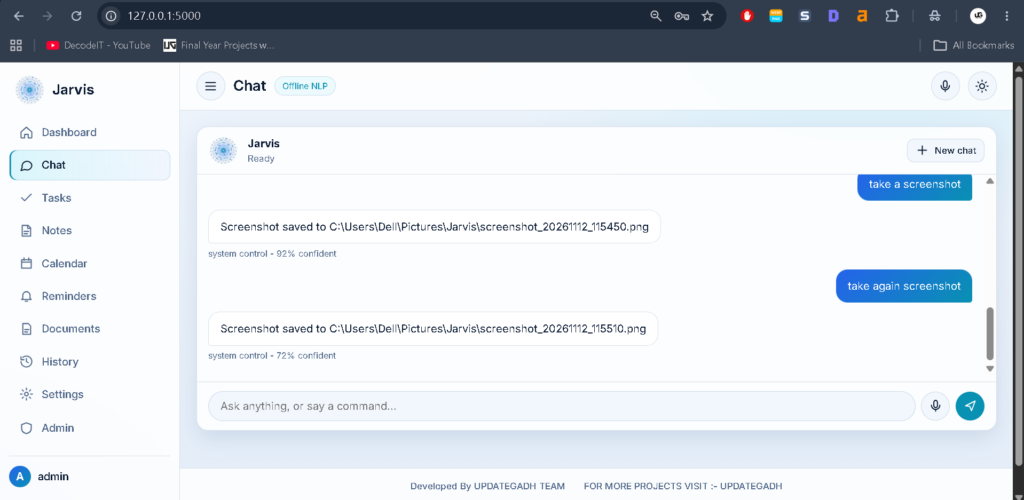
- Desktop Automation for approved applications, folders, files, and websites.
- Admin Dashboard for managing users, settings, analytics, and commands.
How Does Voice Control Work?
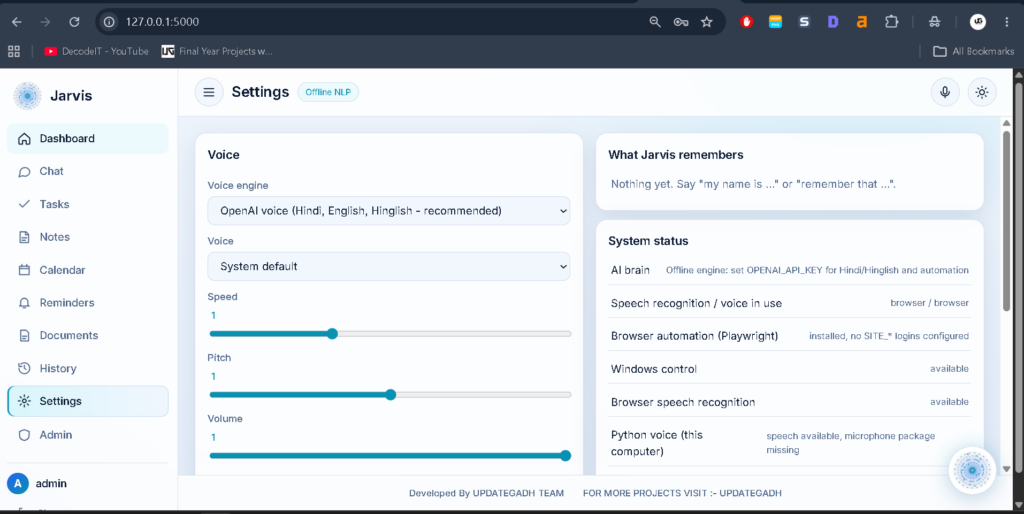
The Jarvis AI Personal Assistant supports browser-based Web Speech and Python-based speech recognition and text-to-speech engines. Users can speak commands instead of typing messages.
The voice system supports continuous listening, wake-word functionality, and customization options such as voice, language, rate, pitch, and volume. OpenAI voice processing is also available when configured.
Smart Parking System Using Python with OpenCV and YOLO :- Click Here
What Productivity Tools Are Available?
The Jarvis AI Personal Assistant provides tools to manage everyday activities, including:
- Personal Tasks
- Notes
- Reminders
- Alarms
- Calendar Events
- Conversation History
- User Settings
These tools help users organize their activities through a single assistant interface.
How Does Desktop Automation Work?
The Jarvis AI Personal Assistant can open approved applications, folders, files, and websites. It also supports selected Windows operations through its automation services.
Sensitive actions require confirmation, and authorized commands are controlled through permissions. Automation activities are recorded in an audit log.
What Is Available in the Admin Panel?
The Jarvis AI Personal Assistant includes a custom admin panel available at /admin. Administrators can manage:
- Users and Roles
- Chatbot Settings
- Analytics
- Training Dataset
- Model Retraining
- Classifier Testing
- Authorized Commands
- Audit Logs
Oral Cancer Detection Using Deep Learning :- Click Here
Which Technologies Are Used in Jarvis AI Personal Assistant?
The Jarvis AI Personal Assistant uses the following technologies:
- Programming Language: Python
- Backend Framework: Flask
- Database: SQLite
- Machine Learning: Scikit-learn
- Natural Language Processing: NLTK
- Intent Classification: TF-IDF and Logistic Regression
- Voice Interaction: Web Speech and Python voice libraries
How to Download
The complete package is available so you can run, study, and submit it with confidence.
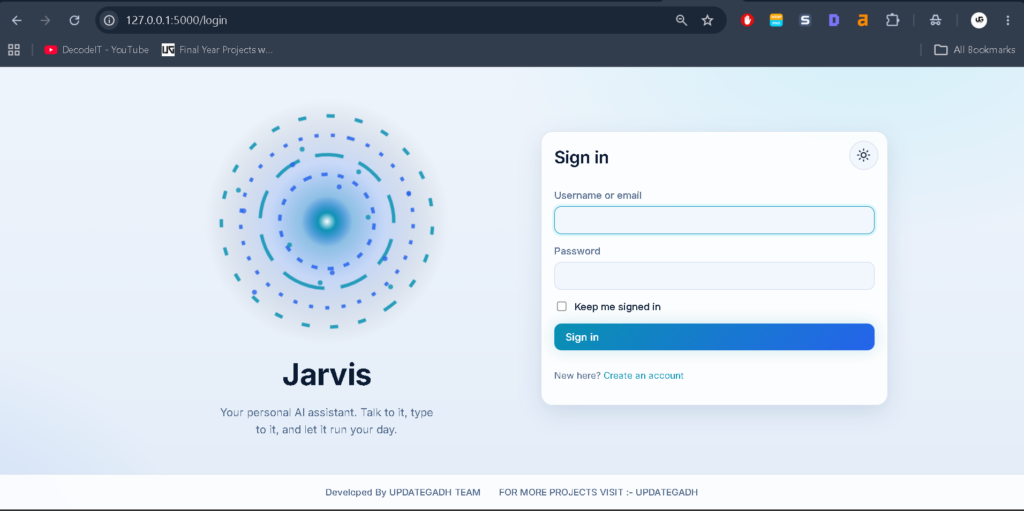
Screenshot
How to Install and Run Jarvis AI Personal Assistant?
Follow these steps to install and run the Jarvis AI Personal Assistant on Windows using Visual Studio Code.
- Step 1: Install Python 3.10 or newer on your computer.
- Step 2: Extract the project folder and open it in Visual Studio Code.
- Step 3: Open the VS Code terminal and create a virtual environment using
py -m venv .venv. - Step 4: Activate the virtual environment using
.\.venv\Scripts\Activate.ps1. - Step 5: Upgrade pip using
python -m pip install --upgrade pip. - Step 6: Install the required packages using
pip install -r requirements.txt. - Step 7: Create the environment configuration file using
Copy-Item .env.example .env. This step is optional. - Step 8: Run
python seed.py --resetto create demo data and train the intent recognition model. - Step 9: Start the application using
python run.py. - Step 10: Open your browser and visit
127.0.0.1:5000.
What Are the Login Credentials?
Use the following demo credentials to access the Jarvis AI Personal Assistant.
Admin Login:-
Username: admin
Password: Admin@12345
Demo Login:-
Username: demo
Password: Demo@12345
How to Test and Retrain the Machine Learning Model?
The Jarvis AI Personal Assistant provides commands for testing and retraining its machine learning model.
- Run tests using
pytest -q. - Retrain the model using
python train_model.py. - Rebuild the training dataset using
python train_model.py --rebuild.
Is an OpenAI API Key Required?
An OpenAI API key is optional for the basic offline functionality of the Jarvis AI Personal Assistant. However, additional AI-powered features such as advanced conversations, document question answering, image descriptions, and programming assistance require an API key.
Frequently Asked Questions
- What is Jarvis AI Personal Assistant?
It is a Python-based virtual assistant that supports text commands, voice interaction, productivity tools, and desktop automation. - Which programming language is used in this project?
Python is the primary programming language, with Flask as the backend framework. - Does Jarvis AI Personal Assistant support voice commands?
Yes, it supports browser-based and Python-based voice interaction. - Which database is used in this project?
SQLite is used to store application data. - Can I use Jarvis AI Personal Assistant without an OpenAI API key?
Yes, its supported offline functionality works without an OpenAI API key. Additional AI-powered features require API configuration.
The Jarvis AI Personal Assistant is a practical Python project for understanding Artificial Intelligence, Natural Language Processing, Machine Learning, voice recognition, and desktop automation. It brings multiple assistant capabilities together in one application and provides students with an opportunity to explore real-world Python development.