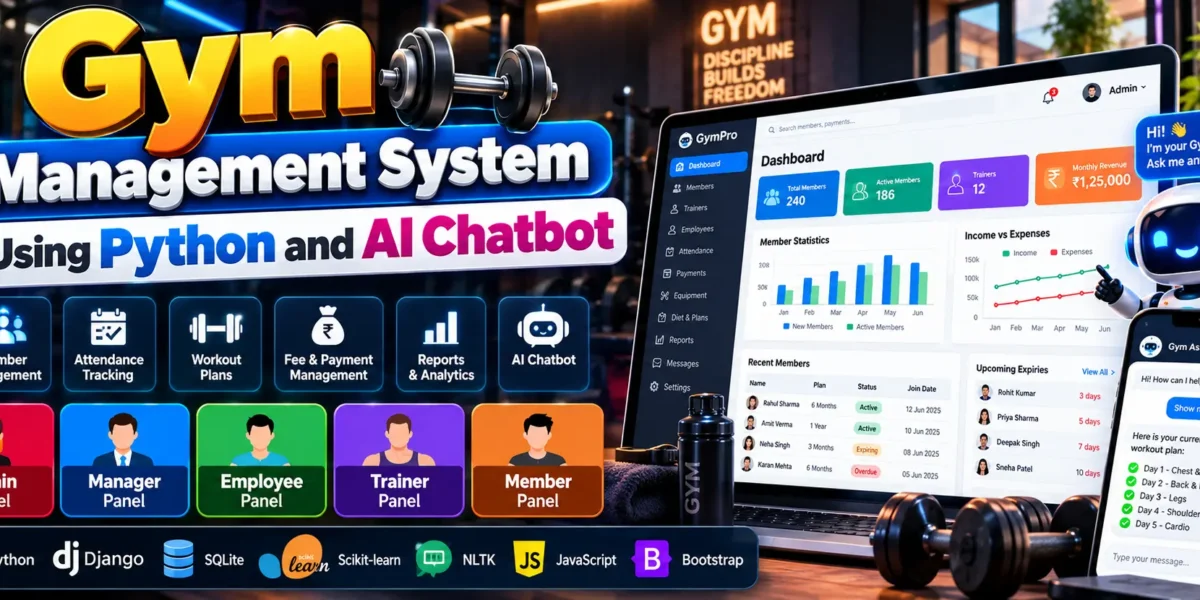
Gym Management System Using Python and AI Chatbot
The Gym Management System Using Python and AI Chatbot is a web-based application designed to simplify gym administration, membership management, employee operations, trainer activities, and financial tracking. It provides separate panels for Admin, Manager, Employee, Trainer, and Member, allowing each role to access the functions relevant to its responsibilities.
The project is developed using Python, Django, SQLite, HTML, CSS, and JavaScript. It also integrates a machine learning-based chatbot using Scikit-learn and NLTK, along with dashboard analytics, notifications, equipment bookings, reports, and automated tests. The application uses custom role-based panels instead of Django’s built-in admin interface.
Complete Advance AI Topics: Click Here
Real Time Projects on YouTube:- DecodeIT
Project Overview
| Project Detail | Description |
|---|---|
| Project Name | Gym Management System Using Python and AI Chatbot |
| Programming Language | Python |
| Framework | Django |
| Database | SQLite |
| Frontend | HTML, CSS, JavaScript |
| Machine Learning | Scikit-learn, TF-IDF, Logistic Regression, NLTK |
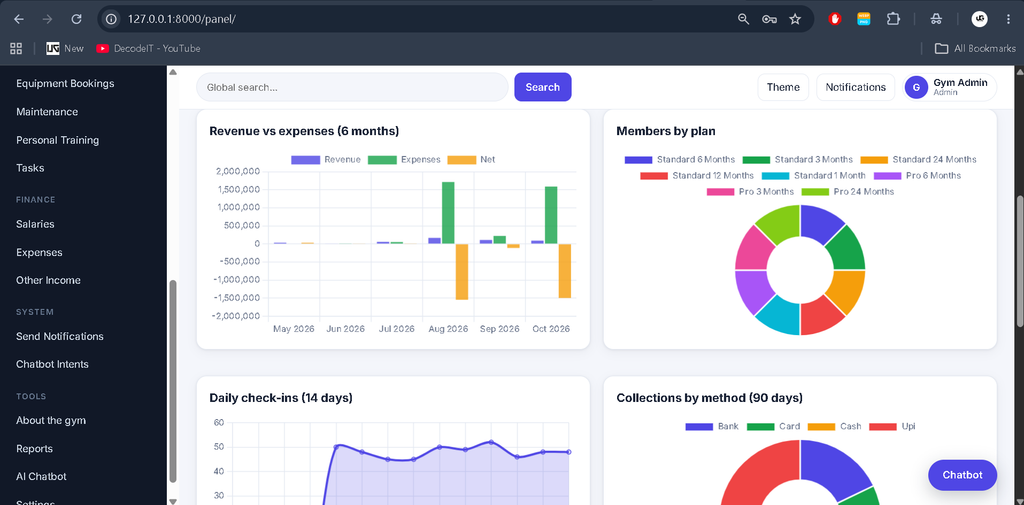
| Charts | Chart.js |
| Recommended Python Version | Python 3.10–3.12 (64-bit) |
| Development Tool | Visual Studio Code |
| Project Type | Web Application |
What Are the Main Features of the Gym Management System?
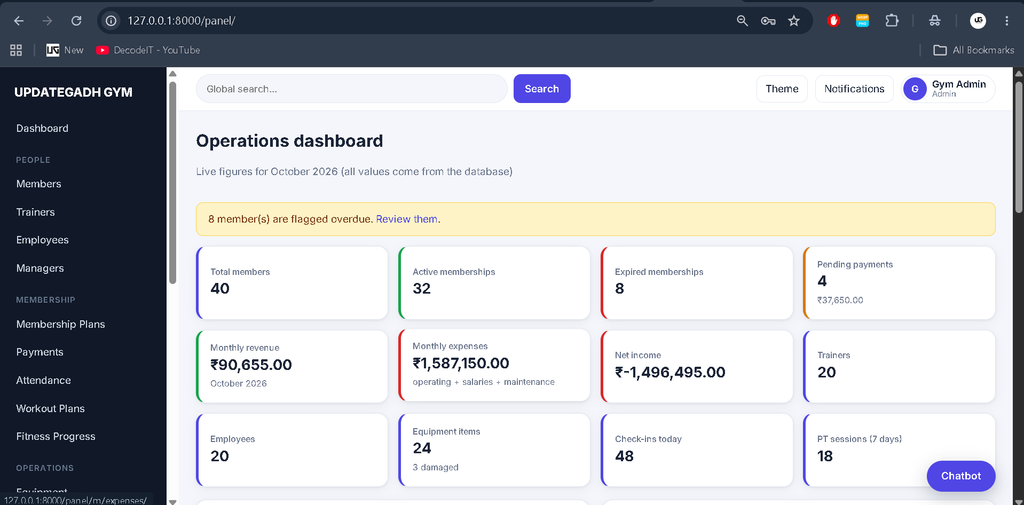
The system provides tools for managing members, fees, employees, trainers, bookings, finances, and reports. Its dashboard figures are retrieved from database queries, and dashboard cards link to relevant filtered module lists.
- Role-Based Panels: Separate panels for Admin, Manager, Employee, Trainer, and Member.
- Membership Management: Manage member information, renewals, fee collection, and expiry alerts.
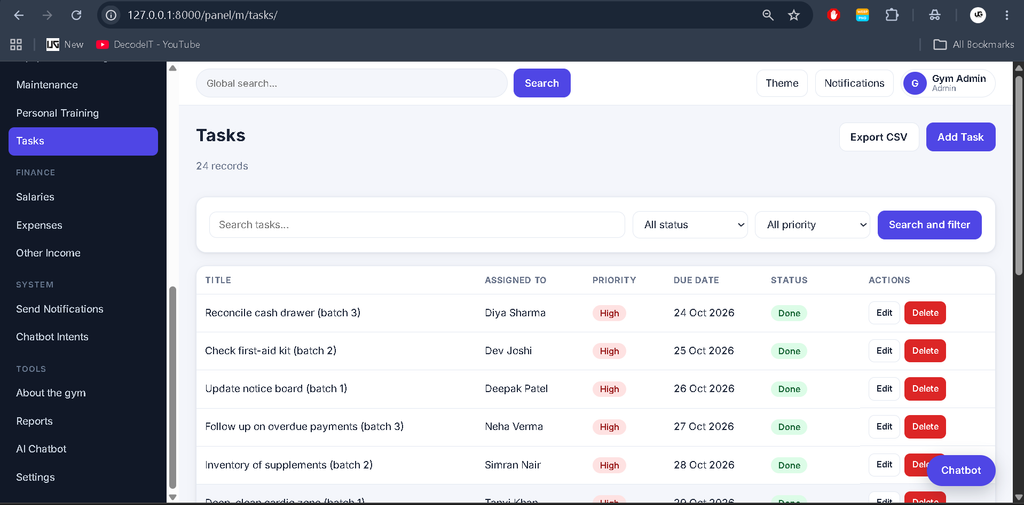
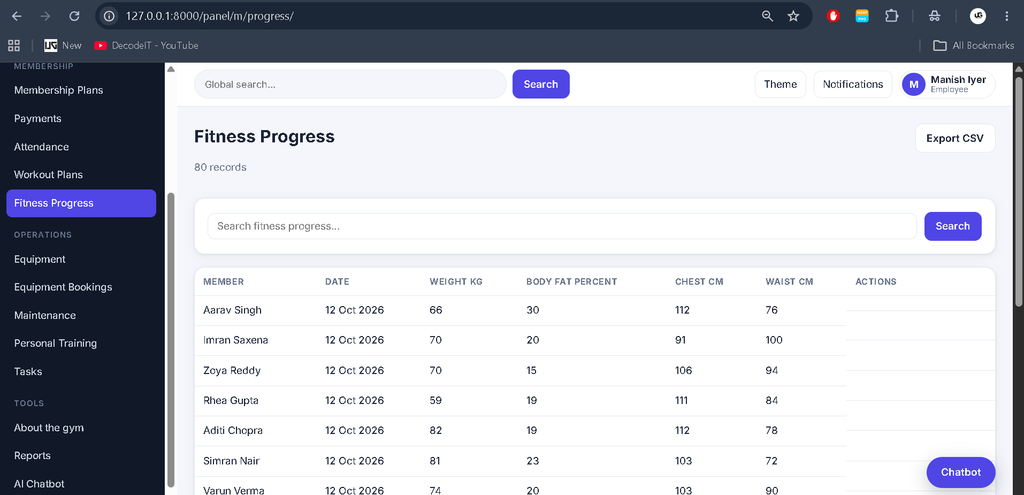
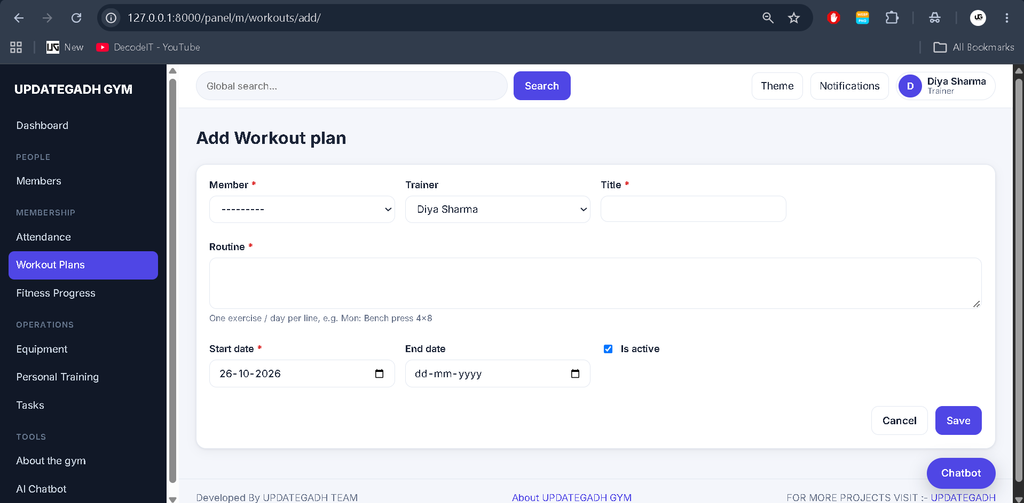
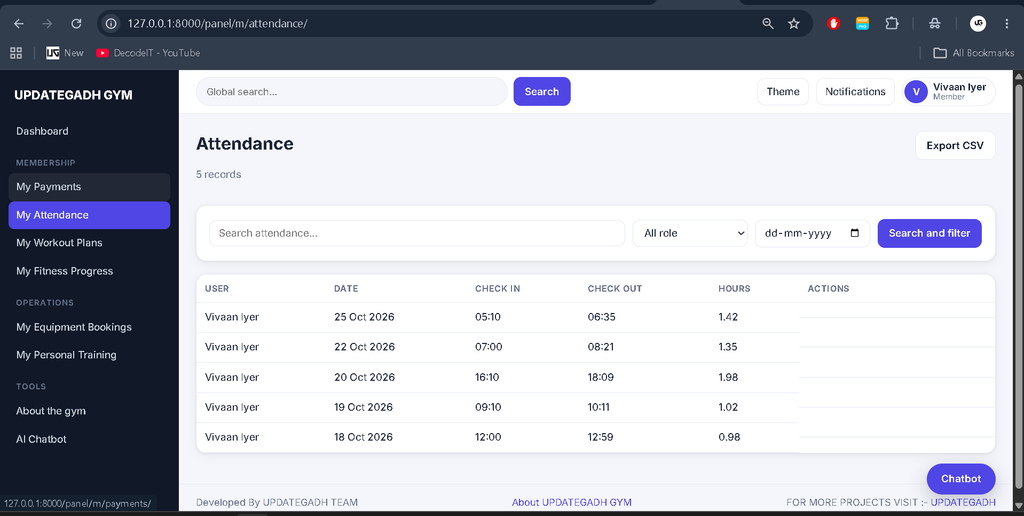
- Attendance and Training: Support attendance, bookings, training sessions, workout plans, and progress tracking.
- Financial Management: Track revenue, operating expenses, paid salaries, maintenance costs, and other income.
- Equipment Booking: Reject overlapping bookings beyond equipment quantity and prevent bookings for damaged or maintenance equipment.
- Notifications: Mark individual notifications or all notifications as read while retaining notification history.
- Reports and Exports: Generate printable reports and export list data to CSV.
- CSV Import: Import supported plans, expenses, and income records.
- AI Chatbot: Access a floating chatbot panel available across the application.
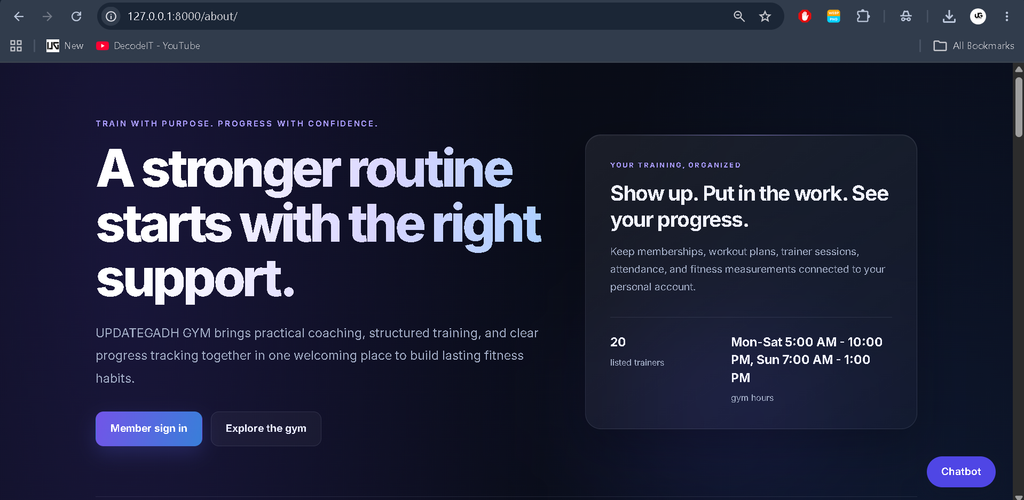
- About Us Page: Display gym information, opening hours, training options, and member sign-in links.
What Are the Different User Panels?
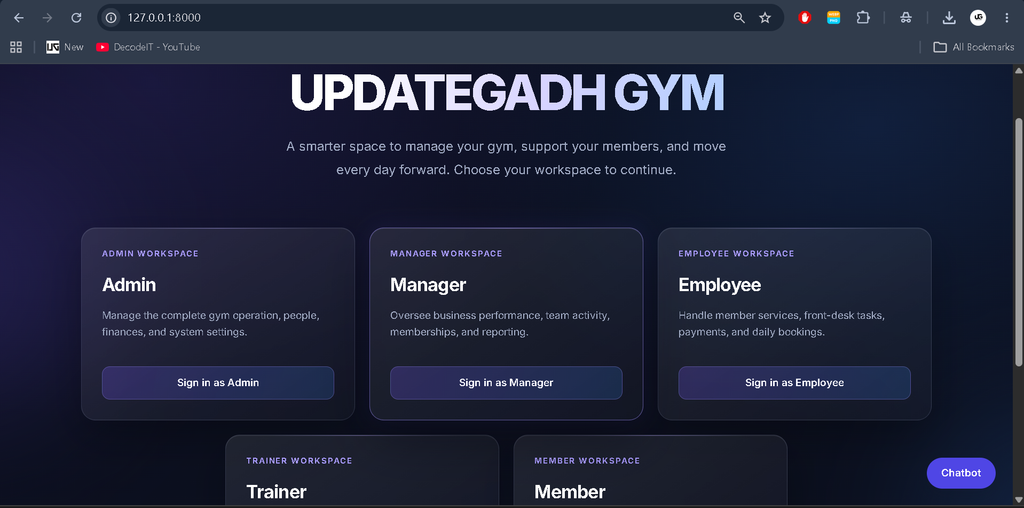
The application separates responsibilities through five custom panels. Each panel provides access to role-specific operations and information.
- Admin Panel: Provides access to overall gym administration and system management functions.
- Manager Panel: Supports finance, salaries, settings, reports, and chatbot analytics.
- Employee Panel: Supports member management, fee collection, attendance, bookings, and sessions.
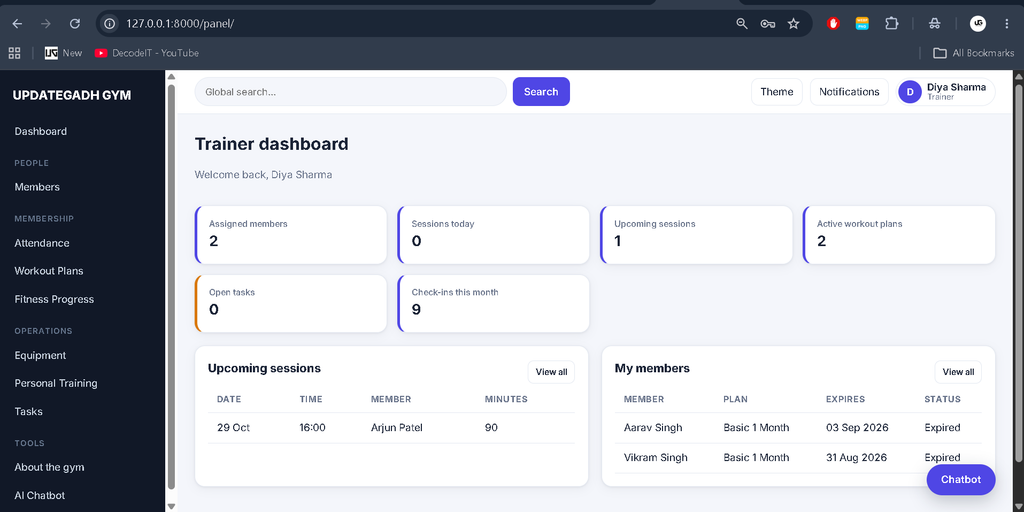
- Trainer Panel: Provides access to assigned members, training sessions, workout plans, and progress.
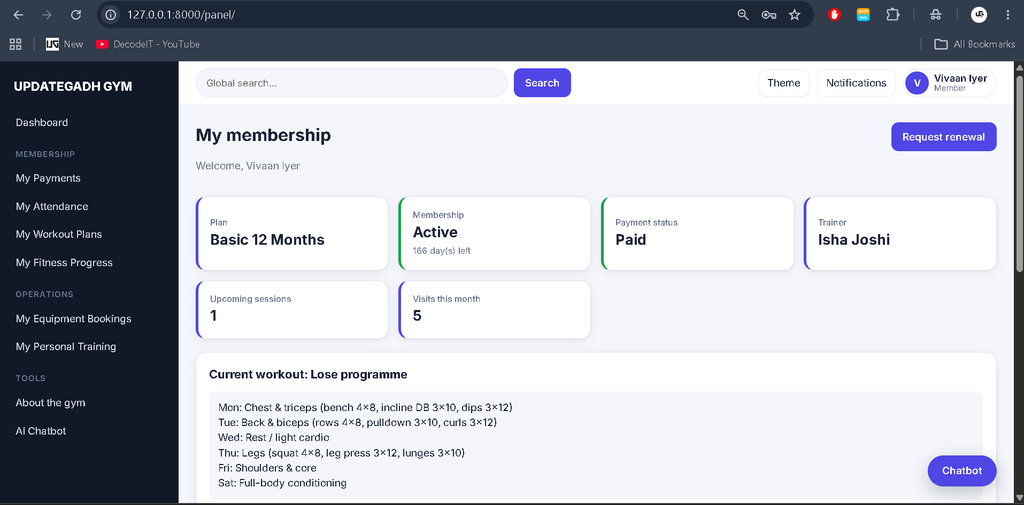
- Member Panel: Allows members to access their profiles, payments, attendance, and workouts.
How Does Membership and Financial Management Work?
The system manages membership renewals, fee collection, expiry alerts, and financial summaries using database records. When a fee is collected, the system records the payment, applies the late fee after the grace period when applicable, and extends the membership expiry date.
The financial dashboard calculates expenses from operating expenses, paid salaries, and maintenance costs. Revenue includes paid payments and other income. Demo membership records include overdue accounts, pending fees, and memberships expiring soon, making the alerts and filters useful for testing.
How Does the AI Chatbot Work?
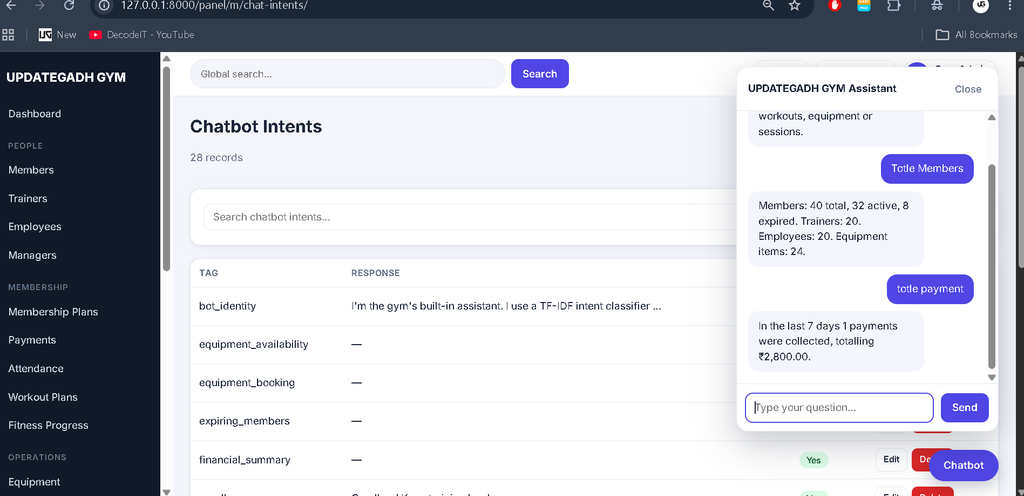
The chatbot uses Scikit-learn, TF-IDF, Logistic Regression, and NLTK to classify messages and provide suitable responses. Its implementation is organized in the gym/chatbot/ directory, containing intents.json, engine.py, and handlers.py.
Managers can add intents through the panel and retrain the model using chatbot analytics. When classification confidence falls below 0.22, the chatbot uses a fallback response. Responses are also restricted according to user roles through the handler logic.
Which Technologies Are Used in the Project?
| Technology | Purpose |
|---|---|
| Python | Core programming language |
| Django | Web application framework |
| SQLite | Database storage |
| Scikit-learn | Machine learning classification |
| NLTK | Natural language processing support |
| HTML and CSS | Page structure and styling |
| JavaScript | Frontend interactivity |
| Chart.js | Dashboard charts |
How to Download
The complete package is available so you can run, study, and submit it with confidence. It includes:
- Full Source Code
- Project Report
- Synopsis
- PPT Presentation
Screenshot
How to Run the Gym Management System in VS Code?
You can run the project locally on Windows using Python, a virtual environment, and the supplied requirements file. Python 3.10–3.12 (64-bit) is recommended for dependency compatibility.
- Extract the project ZIP file and open the
gym_management_systemfolder in VS Code. - Open the PowerShell terminal and execute these commands in order.
cd gym_management_system
python -m venv venv
.\venv\Scripts\Activate.ps1
python -m pip install --upgrade pip
pip install -r requirements.txt
python manage.py makemigrations gym
python manage.py migrate
python manage.py seed_demo
python manage.py train_chatbot
python manage.py test
python manage.py runserver
If PowerShell blocks virtual environment activation, run Set-ExecutionPolicy -Scope Process -ExecutionPolicy Bypass in the current terminal, then activate the environment again. The migration command is required because the project’s migration files are generated during setup rather than included.
After the server starts, open http://127.0.0.1:8000/ and select the appropriate panel.
What Are the Demo Login Credentials?
The project includes demo accounts for all five panels. The password for every listed demo account is Gym@12345.
| Panel | Username |
|---|---|
| Admin | admin |
| Manager | manager1 to manager20 |
| Employee | employee1 to employee20 |
| Trainer | trainer1 to trainer20 |
| Member | member1 to member40 |
Each account must be used on its corresponding panel’s login page. The demo seeder creates sample records, including different membership statuses for testing alerts and filters.
What Should You Know Before Testing?
The project documentation states that the code was syntax-checked but not executed in an environment with Django, Scikit-learn, and NLTK installed. Migrations, template rendering, automated tests, chatbot classification accuracy, and browser behaviour have therefore not been verified through execution.
Run python manage.py test after setup and review any errors. Chart.js and the Inter font load from external CDNs, so an internet connection is required for those resources. The interface can still use a fallback font if the external font is unavailable.
Frequently Asked Questions
1. Which database does the project use?
The Gym Management System uses SQLite for database storage.
2. Does the project use Django’s built-in admin?
No. It provides custom Admin, Manager, Employee, Trainer, and Member panels.
3. Which Python versions are recommended?
Python 3.10–3.12 (64-bit) is recommended for dependency compatibility.
4. Does the project include an AI chatbot?
Yes. It includes a chatbot using Scikit-learn, TF-IDF, Logistic Regression, and NLTK.
Final Thoughts
The Gym Management System Using Python and AI Chatbot is a practical student project for learning Django development, role-based access, database-driven dashboards, membership management, financial tracking, and machine learning-based chatbot integration. Its five user panels and gym-related workflows demonstrate how a web application can organize everyday administrative and training activities.
Gym Management System Using, Gym Management System Using, gym management system using php and mysql, gym management system using php, gym management system using java, gym management system use case diagram, gym management system use case, gym management system in nepal, gym management system in kenya, gym management system in india, gym management system in ethiopia