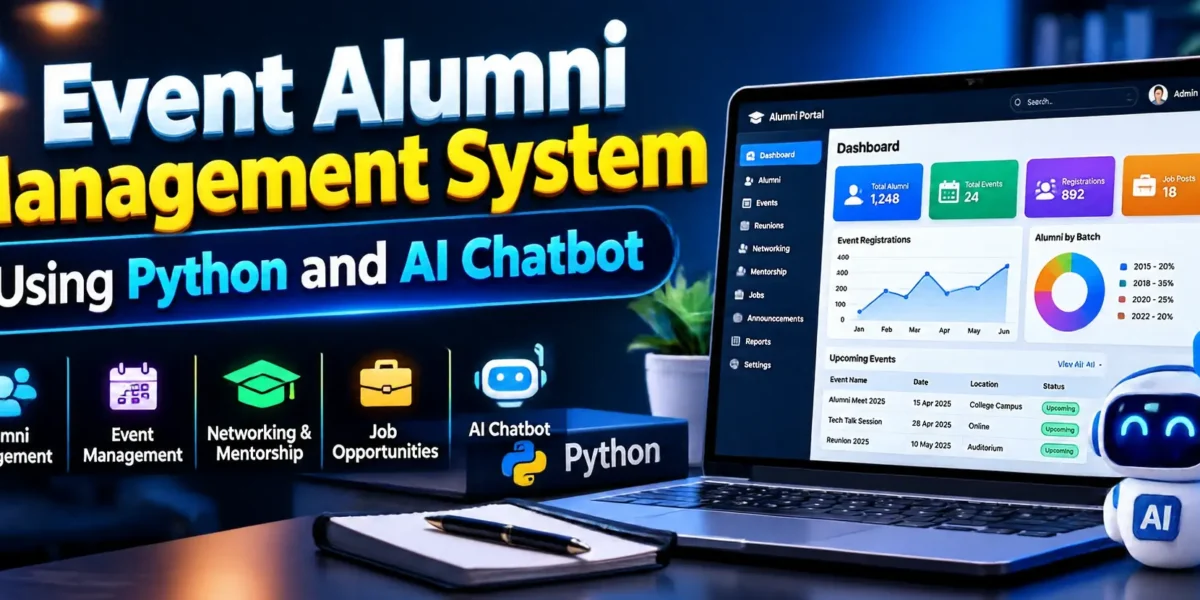
The Event Alumni Management System Using Python and AI Chatbot is a web-based application designed to help educational institutions manage alumni records, organize events, maintain professional connections, and improve communication with former students. Built using Python and Django, it combines alumni management, event coordination, and machine-learning chatbot functionality in one application.
The system includes a custom administration panel, an alumni portal, event registrations, waitlist management, reports, and an AI chatbot. SQLite stores application data, while Scikit-learn, TF-IDF, logistic regression, and NLTK support chatbot intent classification and text processing.
Complete Advance AI Topics: Click Here
Real Time Projects on YouTube:- DecodeIT
What Is the Event Alumni Management System?
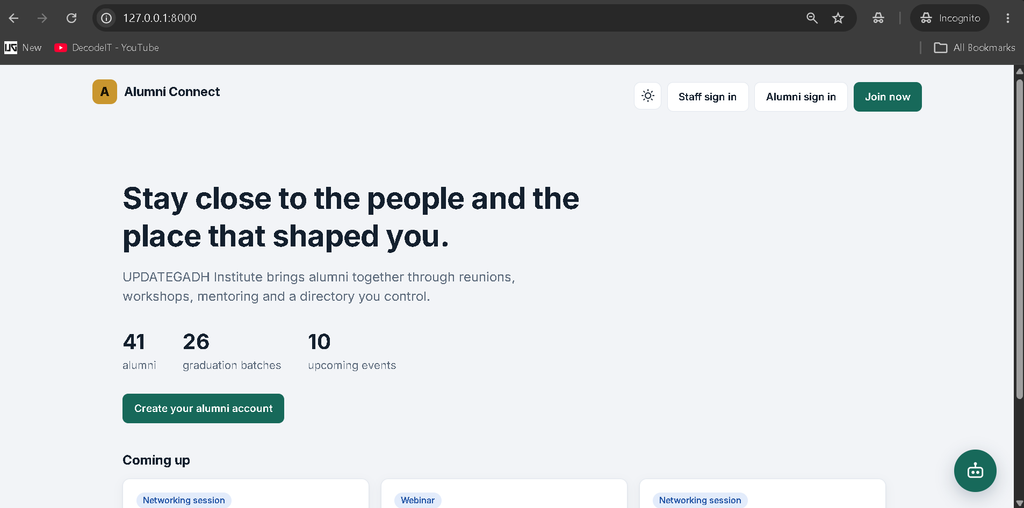
The Event Alumni Management System is a Django-based web application that helps institutions coordinate alumni activities and events. It provides separate panels for administrators, event managers, alumni officers, and alumni users.
What Are the Project Details?
| Project Detail | Description |
|---|---|
| Project Name | Event Alumni Management System Using Python and AI Chatbot |
| Programming Languages | Python, HTML, CSS, JavaScript |
| Framework | Django |
| Database | SQLite |
| Machine Learning | Scikit-learn, TF-IDF, Logistic Regression, NLTK |
| Frontend Font | Inter |
| Project Type | Web-Based Management System |
What Are the Main Features of the Project?
The Event Alumni Management System Using Python and AI Chatbot provides alumni administration, event management, role-based access, reporting, CSV operations, and an AI-powered chatbot. The following sections explain the main features and how they work.
1. How Does the Custom Admin Panel Work?
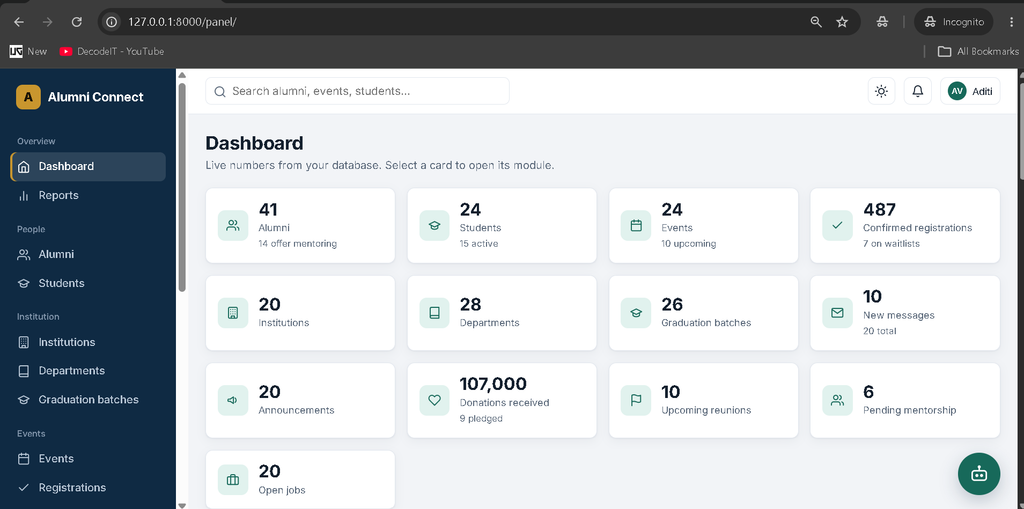
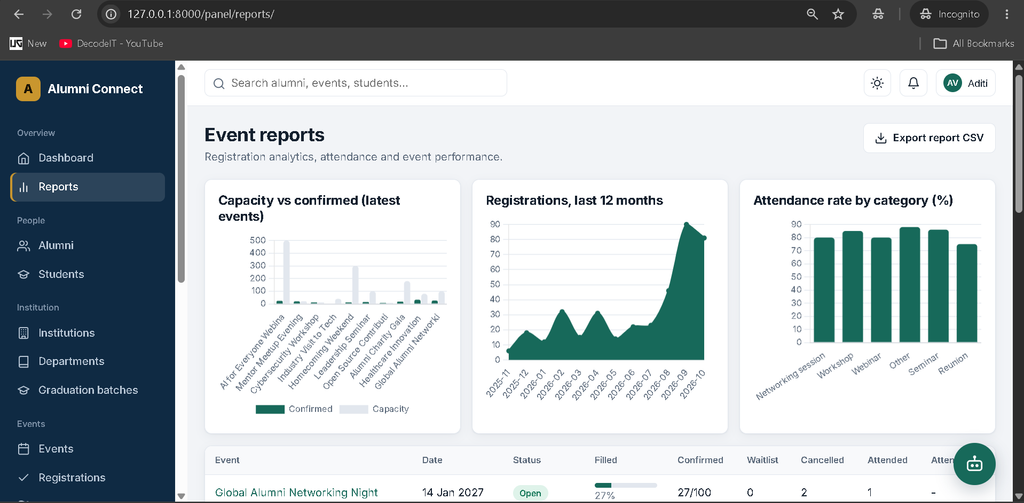
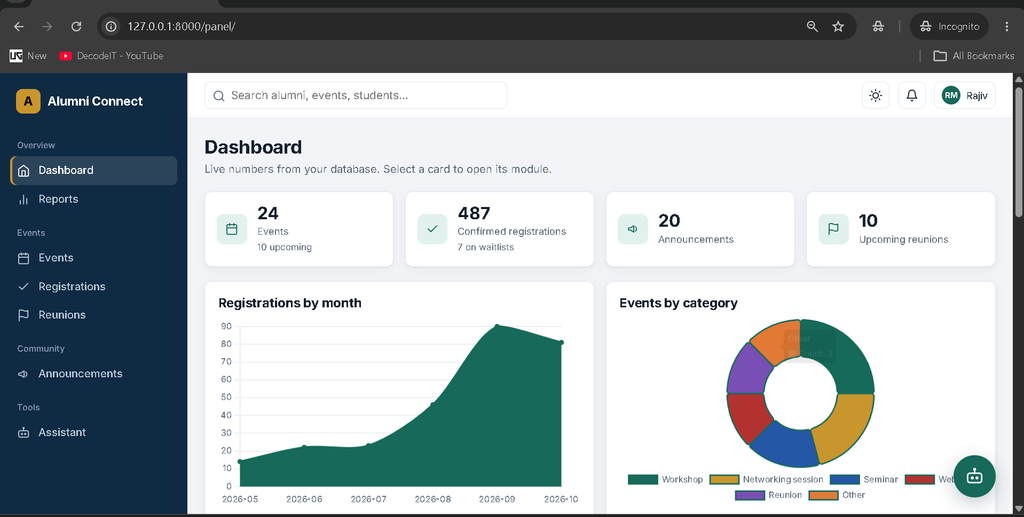
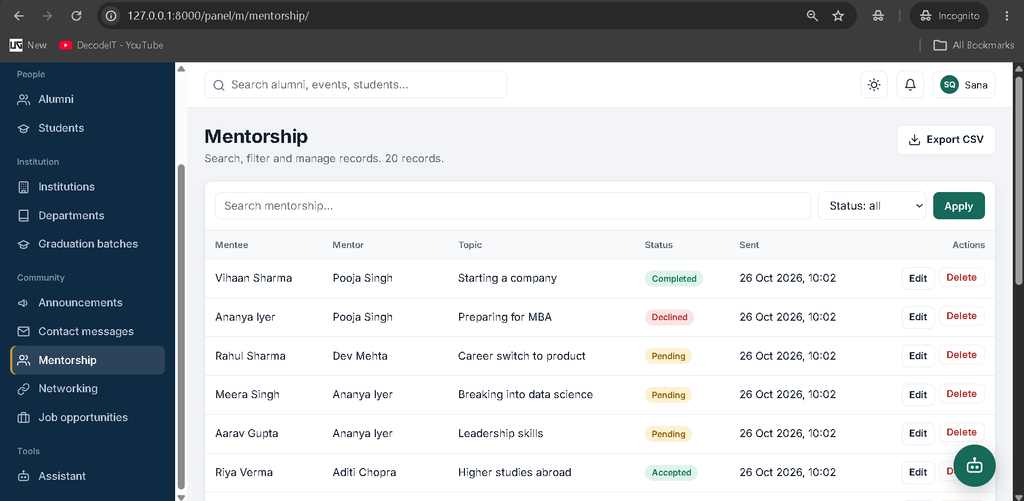
The custom admin panel allows authorized staff to manage application data through a dedicated administrative interface instead of Django’s built-in admin interface. It includes dashboard statistics, charts, global search, filters, pagination, and CSV import and export for supported modules.
- Interactive dashboard with clickable KPI cards.
- Chart.js graphs and management summaries.
- Centralized record management for supported modules.
- Global search, filters, and pagination.
- CSV import and export for supported records.
- Administrative reports and chatbot management tools.
2. Which User Roles Does the System Support?
The application provides role-based access control with different permissions for administrators, event managers, alumni officers, and alumni users.
- Administrator: Accesses the complete administration system and its supported management functions.
- Event Manager: Manages events, registrations, reunions, announcements, and reports.
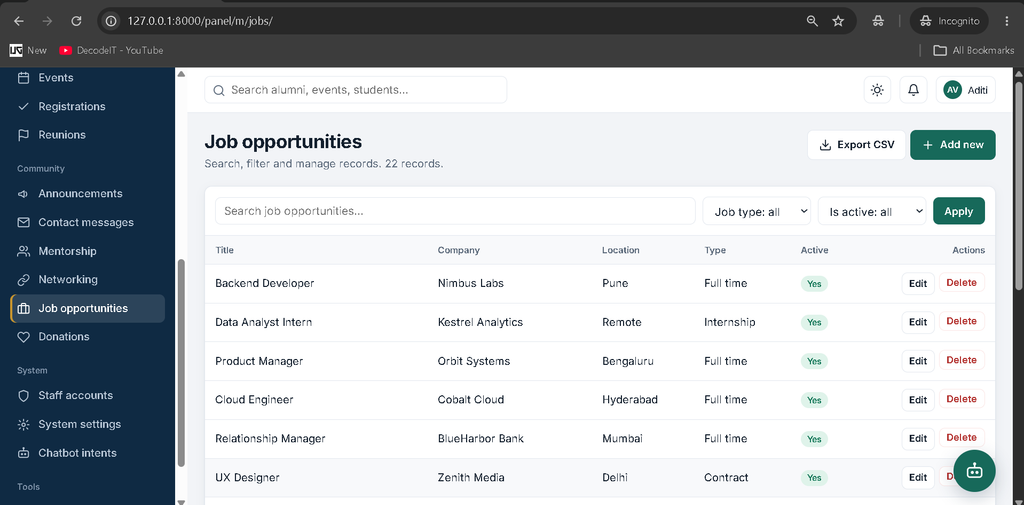
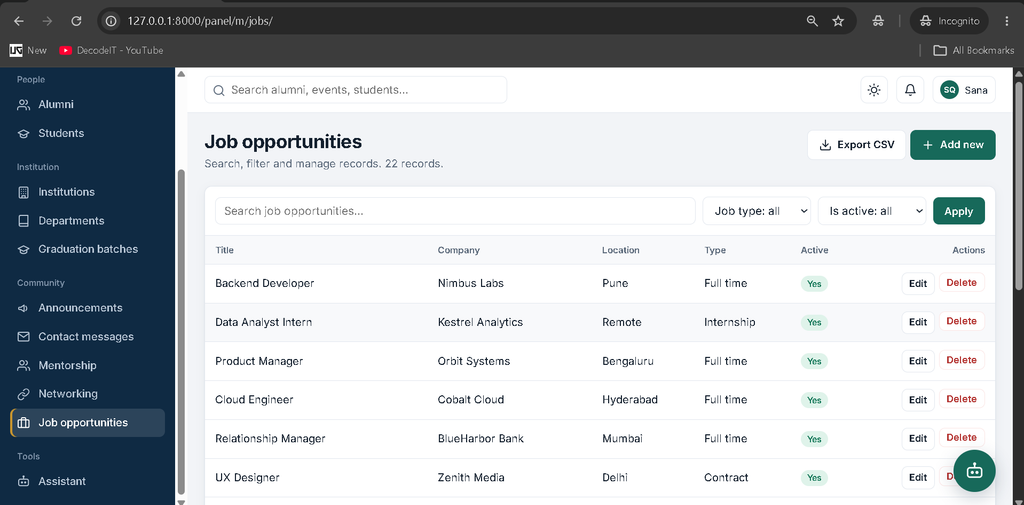
- Alumni Officer: Manages alumni, students, institutions, departments, graduation batches, messages, mentorship, networking, jobs, and announcements.
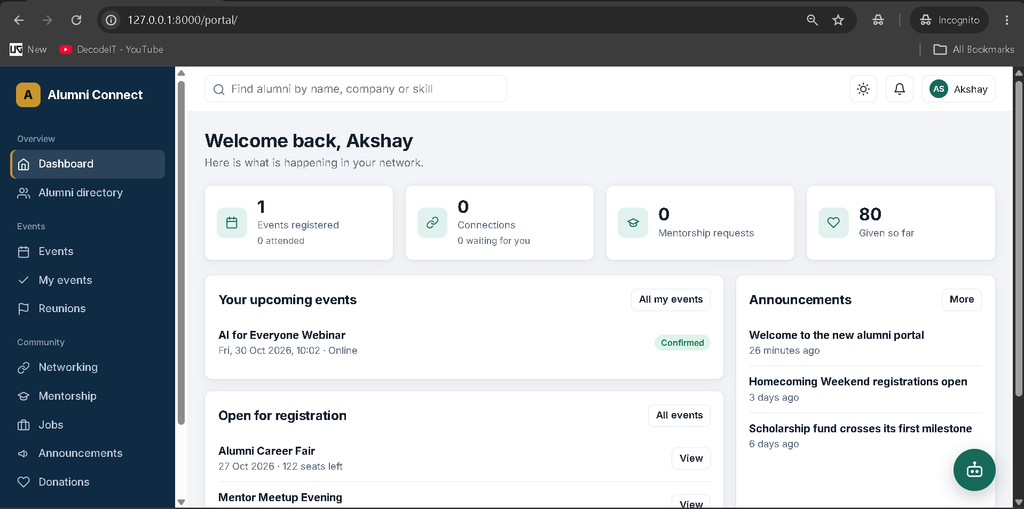
- Alumni: Uses the alumni portal to access profiles, events, networking, mentorship, job opportunities, notifications, and other available services.
3. What Can Users Do in the Alumni Portal?
The alumni portal provides a central interface where alumni can manage their profiles and access community services, events, and professional networking features.
- View the alumni dashboard and manage profile information.
- Browse the alumni directory with privacy-aware access.
- Explore events and view personal event registrations.
- Send networking connection requests.
- Submit and manage mentorship requests.
- Browse job opportunities and announcements.
- Access donation and reunion features.
- Use support services and view notifications.
- Access the available assistant functionality.
4. How Does Event and Waitlist Management Work?
The event management module allows authorized staff to create, publish, and cancel events, manage participants, track attendance, and export participant lists. The registration process checks duplicate registrations, event status, capacity, and eligibility.
- Create, publish, and cancel events.
- Manage event registrations and participant statuses.
- Check registration eligibility and event capacity.
- Handle waitlists and promote eligible participants when places become available.
- Record attendance and export participant lists to CSV.
- Generate event reminders through the application’s reminder functionality.
Event reminders can be generated when an alumnus opens the dashboard and through the provided demo-data setup command.
5. How Does the AI Chatbot Work?
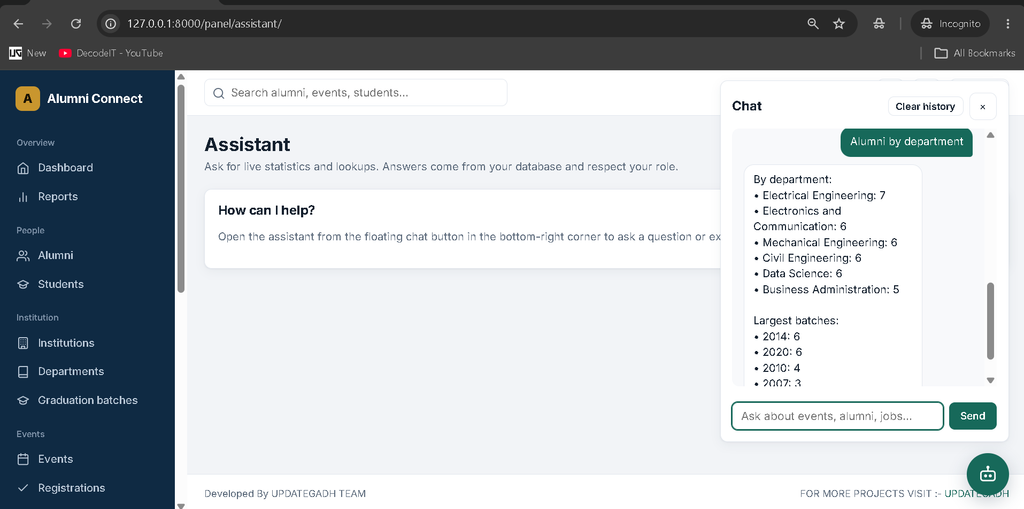
The AI chatbot uses machine learning to classify supported user queries and provide appropriate responses. It combines TF-IDF text features, logistic regression, NLTK text processing, and application handlers that can retrieve database-backed answers for supported queries.
- TF-IDF Feature Extraction: Uses word and character n-grams to represent user messages.
- Intent Classification: Uses logistic regression to identify supported query categories.
- Natural Language Processing: Uses NLTK tokenization and Porter stemming.
- Training Data: Stores chatbot intents and training sentences in a JSON file.
- Database-Based Responses: Uses application handlers to answer supported questions with application data.
- Confidence-Based Fallback: Returns a fallback response when the predicted intent does not meet the configured confidence threshold.
- Role-Based Restrictions: Restricts sensitive administrative chatbot intents according to user permissions.
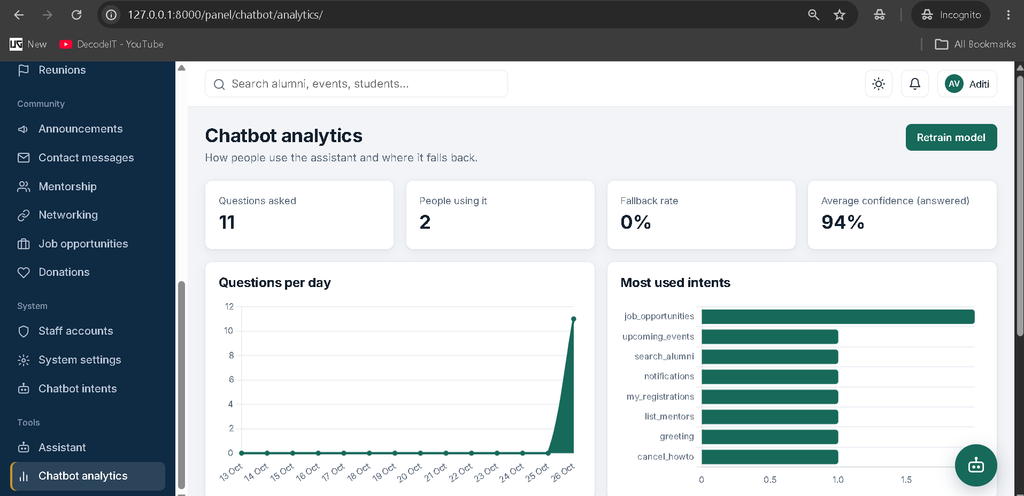
- Chatbot Analytics and Retraining: Provides administrative tools to review chatbot analytics and retrain the model.
The chatbot uses a configurable confidence threshold. If it cannot confidently identify a supported intent, it may return a fallback response instead of attempting to answer the query.
6. How Does Alumni Networking and Mentorship Work?
The system supports alumni connections and mentorship requests to help users build professional relationships within the alumni community.
- Send and manage alumni connection requests.
- Track connection request statuses.
- Submit mentorship requests with relevant topics.
- Manage mentorship request statuses.
7. How Are Jobs and Announcements Managed?
The application includes job opportunity and announcement modules that help authorized staff share professional opportunities and institutional updates with the alumni community.
- Manage job titles, companies, locations, and job types.
- Store job descriptions, application links, and deadlines.
- Create and publish announcements.
- Manage announcement audiences and publication status.
8. Does the System Support Notifications, Donations, and Reunions?
Yes, the application includes notification, donation, and reunion functionality to support alumni engagement and institutional activities.
- Display notifications within the alumni portal.
- Manage donation records, campaigns, amounts, and statuses.
- Organize alumni reunions and manage reunion information.
- Access the available support functionality.
9. What Search and Data Management Tools Are Available?
The custom administration panel includes tools for finding, navigating, importing, and exporting supported records.
- Search supported records using global search.
- Filter records using available fields.
- Navigate large record lists using pagination.
- Import supported data from CSV files.
- Export supported records, including event participant lists.
- Access administrative reporting functionality.
Which Technologies Are Used in This Project?
The application combines a Python web framework, a lightweight relational database, frontend technologies, and machine-learning libraries.
- Python: Backend programming and chatbot logic.
- Django: Web application framework.
- SQLite: Database storage.
- HTML and CSS: Page structure and styling.
- JavaScript: Frontend interactions.
- Scikit-learn: TF-IDF processing and logistic regression.
- NLTK: Natural-language text processing and stemming.
- Chart.js: Dashboard charts.
How to Download
The complete package is available so you can run, study, and submit it with confidence. It includes:
- Full Source Code
- Project Report
- Synopsis
- PPT Presentation
Screenshot
How to Install the Event Alumni Management System in VS Code?
To run the project locally, install a compatible Python version, create a virtual environment, install the required packages, create database migrations, and start the Django development server.
Step 1: What Software Is Required?
Install Python 3.10–3.12 (64-bit), Visual Studio Code, and the Python extension. Extract the project ZIP file and open the alumni_project folder in VS Code.
Step 2: How Do You Create a Virtual Environment?
Open the VS Code terminal and run:
cd path\to\alumni_project
python -m venv venv
.\venv\Scripts\Activate.ps1
If PowerShell blocks environment activation, execute:
Set-ExecutionPolicy -Scope Process -ExecutionPolicy Bypass
.\venv\Scripts\Activate.ps1
Step 3: How Do You Install the Dependencies?
Upgrade pip and install the packages listed in the project requirements file.
python -m pip install --upgrade pip
pip install -r requirements.txt
Step 4: How Do You Create the Database?
Generated migration files are not included with the project, so create migrations for the specified Django applications and then apply them.
python manage.py makemigrations accounts directory events community chatbot
python manage.py migrate
Step 5: How Do You Create Demo Data?
Run the demo seeding command to create demonstration records and train the chatbot.
python manage.py seed_demoThe command can be run again, but existing demo passwords are not overwritten.
Step 6: How Do You Run the Tests?
Execute the automated test suite to identify setup or application issues.
python manage.py testStep 7: How Do You Start the Website?
Start the Django development server using:
python manage.py runserverOpen the following address in your browser:
What Are the Demo Login Details?
The demo seeding command creates sample accounts for the administrator, event manager, alumni officer, and alumni user.
| Role | Login URL | Password | |
|---|---|---|---|
| Administrator | /panel/login/ | admin@updategadh.com | Admin@12345 |
| Event Manager | /panel/login/ | manager@updategadh.com | Manager@12345 |
| Alumni Officer | /panel/login/ | officer@updategadh.com | Officer@12345 |
| Alumni | /accounts/login/ | aarav.sharma1@alumni.example | Alumni@12345 |
These credentials are intended for local development and demonstration. Change them before deploying the application in a real environment.
How Can You Troubleshoot Common Problems?
Most setup problems can be investigated by checking the Python environment, database migrations, login route, and required dependencies.
- Missing database tables: Run the specified
makemigrationscommand followed bymigrate. - Dependency installation errors: Use a compatible 64-bit Python version and upgrade pip.
- Login problems: Use the correct login URL for your role. Re-run
seed_demoif demo accounts need restoring. - Chatbot errors: Run
python manage.py train_chatbotand verify that the required dependencies are installed. - Missing charts or fonts: Chart.js and Google Fonts load from external CDNs, so the browser needs internet access.
- Missing photos: Check the media configuration and ensure uploaded images use JPG, PNG, or WebP format and remain under 2 MB.
- Imported alumni accounts: Newly created accounts from CSV imports receive the password
Welcome@123.
Frequently Asked Questions
1. What is the Event Alumni Management System?
It is a Django-based web application for managing alumni records, events, registrations, networking, mentorship, and institutional communication.
2. Which database does the project use?
The application uses SQLite to store its data.
3. Does the project include an AI chatbot?
Yes. It uses TF-IDF and logistic regression for intent classification, NLTK for text processing, and database-backed handlers for supported queries.
4. Can different staff members access different modules?
Yes. Administrators, event managers, and alumni officers have different permissions, while alumni use the dedicated portal.
5. Has the complete project been tested?
Python syntax and selected chatbot functionality were checked during development. Django migrations, server execution, template rendering, and the complete automated test suite were not verified in that environment. Run the setup commands and tests locally before relying on the application.
Conclusion
The Event Alumni Management System Using Python and AI Chatbot combines alumni administration, event coordination, role-based access, and machine-learning chatbot functionality in one web application. It provides students with practical exposure to Django development, database management, event registration workflows, CSV operations, and basic natural-language processing.
Keywords: Event Alumni Management System Using Python and AI Chatbot, Python Alumni Management System, Django Alumni Project, AI Chatbot Python Project, Alumni Event Management System, Django SQLite Project, Scikit-learn Chatbot, Alumni Portal, Event Registration System, Python Final Year Project,Alumni Management System, Alumni Management System – , alumni management system project, alumni management system research paper, alumni management system github, alumni management system website, alumni management system project report pdf, alumni management system project source code, alumni management system project github, alumni management system project ppt, alumni management system source code