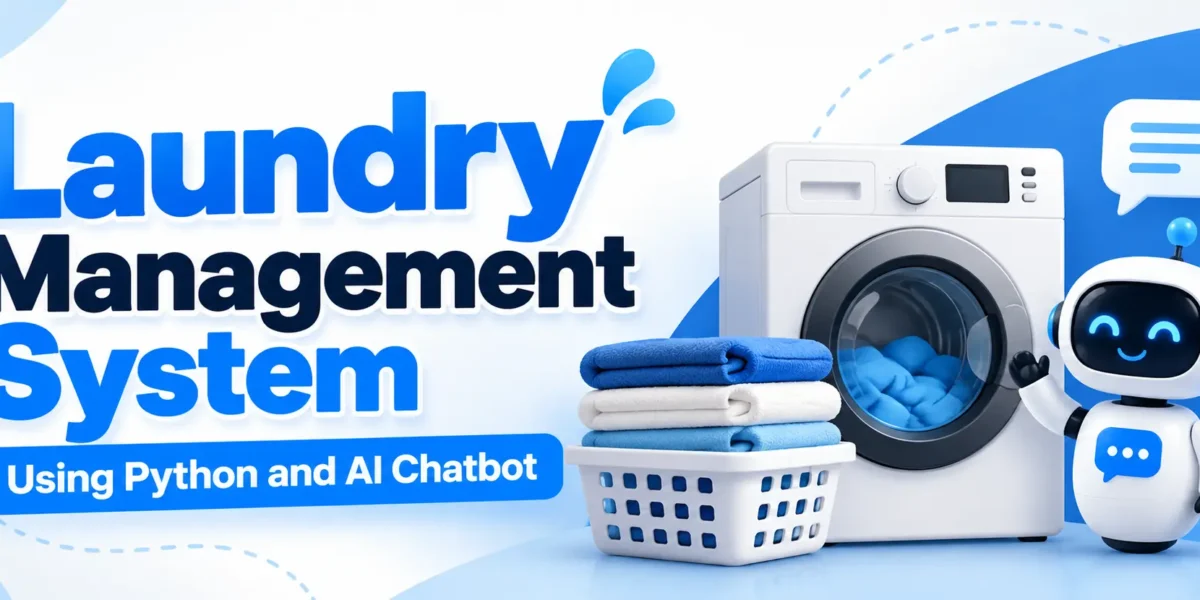
Laundry Management System Using Python and AI Chatbot
The Laundry Management System Using Python and AI Chatbot is a web-based application designed to simplify laundry business operations, including customer bookings, order processing, garment tracking, inventory management, payments, and delivery management. Developed using Python, Django 5, SQLite, Bootstrap 5, Chart.js, Scikit-learn, and NLTK, the project provides a centralized platform for managing daily laundry activities.
The application includes separate panels for administrators, managers, customers, employees, and delivery staff. Its AI chatbot helps users access relevant information, while the custom dashboard provides operational reports and analytics. This project is suitable for MCA, BCA, and computer science students interested in Python web development, database management, and machine learning integration.
Complete Advance AI Topics: Click Here
Real Time Projects on YouTube:- DecodeIT
Project Overview
The Laundry Management System organizes laundry operations through role-based access and a structured order lifecycle. Administrators and managers oversee operations, customers manage their orders, employees process garments, and delivery staff handle assigned deliveries.
| Project Detail | Description |
|---|---|
| Project Name | Laundry Management System Using Python and AI Chatbot |
| Programming Language | Python |
| Framework | Django 5 |
| Database | SQLite |
| Frontend | HTML, CSS, Bootstrap 5, JavaScript |
| Charts | Chart.js |
| AI Chatbot | Scikit-learn, NLTK |
| Project Type | Web-Based Management System |
What Are the Key Features of the Laundry Management System?
The project combines laundry booking, garment processing, payments, inventory, delivery operations, and chatbot functionality in one application.
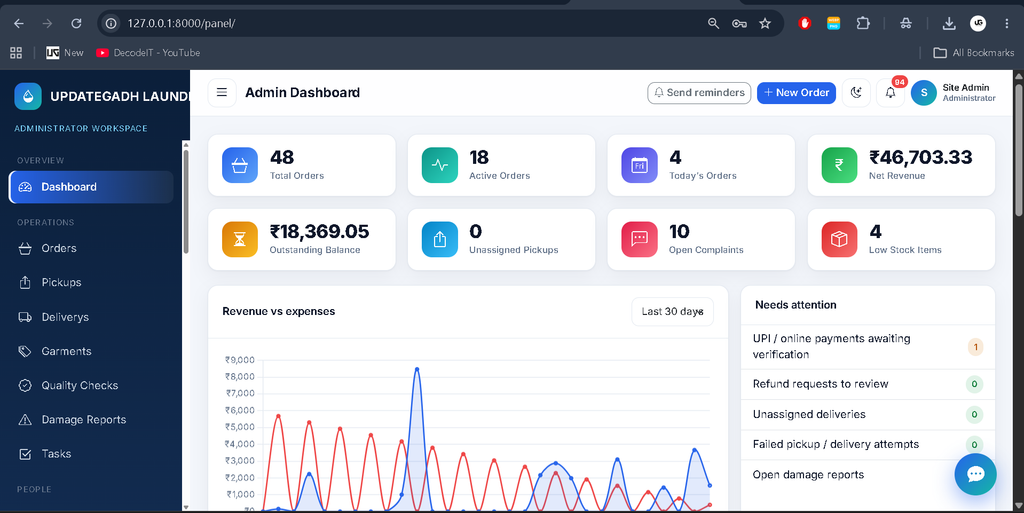
1. Custom Admin Dashboard
The administrator uses a custom dashboard to manage the main operations of the laundry business. The application does not use Django’s built-in admin interface as its primary management panel.
- Order Management: View and manage laundry orders and their progress.
- Customer Management: Maintain customer records and access relevant order information.
- Staff Management: Manage staff accounts and operational responsibilities.
- Inventory Management: Monitor stock and receive low-stock alerts.
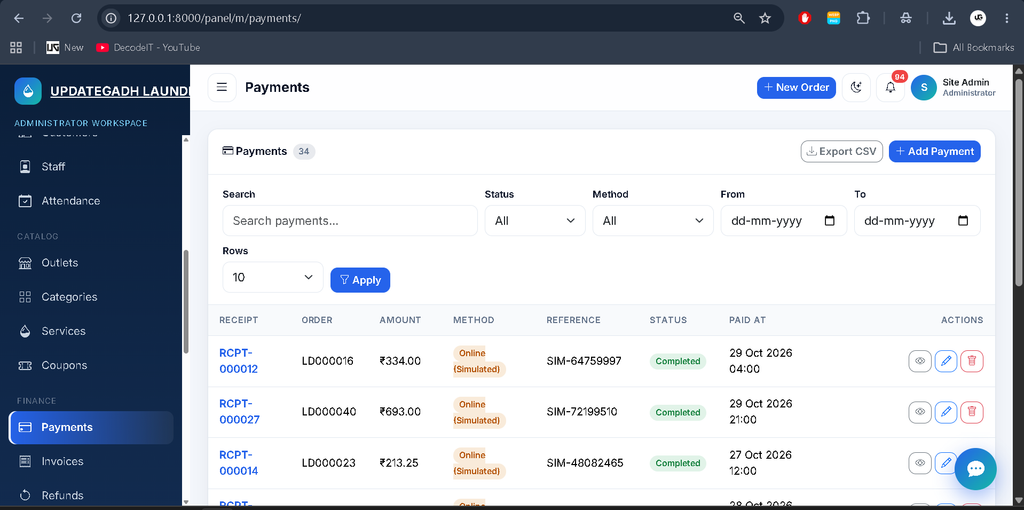
- Financial Management: Manage payments, invoices, refunds, and expenses.
- Reports and Analytics: Review operational information through dashboard reports and charts.
- Chatbot Configuration: Manage chatbot intents and patterns and retrain the model.
2. Manager Panel
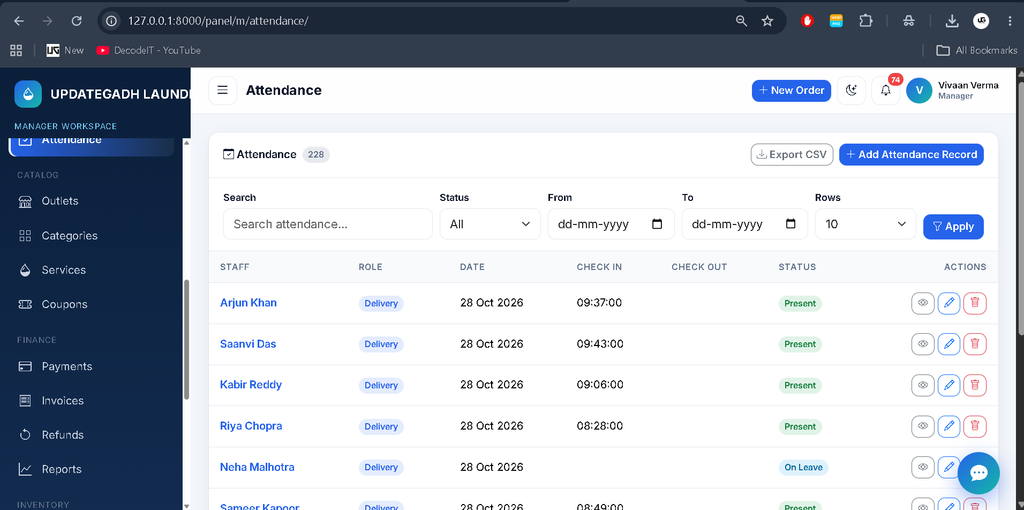
The Manager panel supports routine laundry operations, including orders, deliveries, payments, inventory, customer records, and reports. Managers can also access chatbot information and analytics according to their permissions.
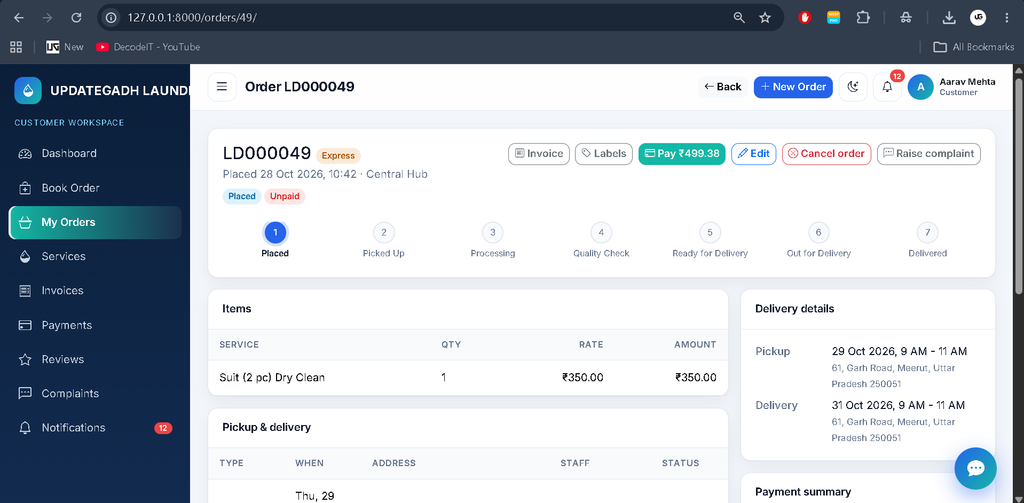
3. Customer Panel
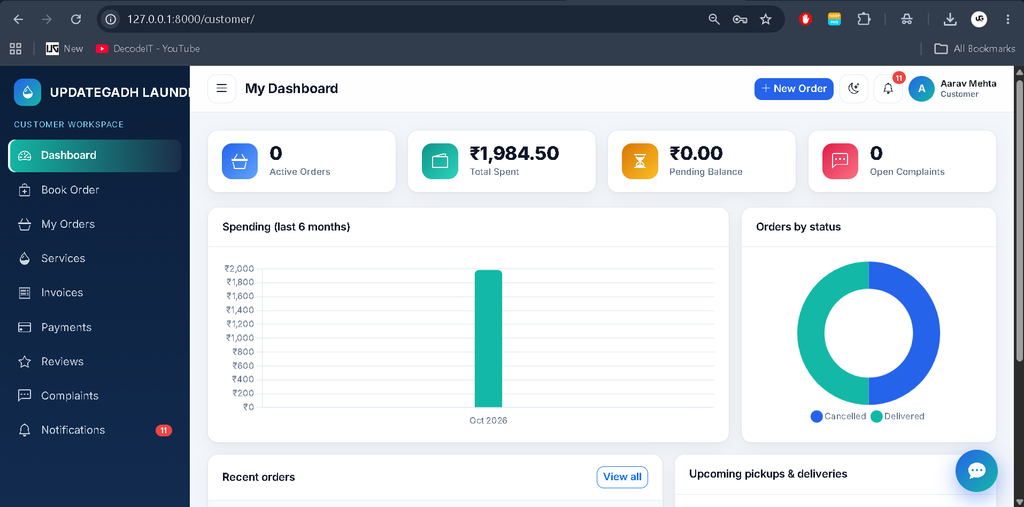
Customers can manage their laundry orders through their own accounts.
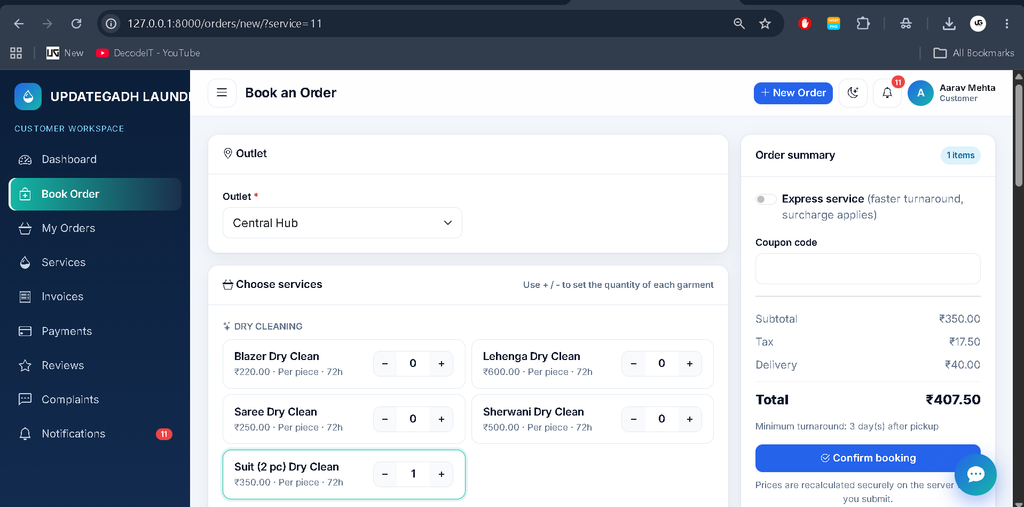
- Book laundry services and specify garment quantities.
- Select available pickup and delivery slots.
- Edit or cancel eligible orders.
- Review invoices and payment information.
- Submit reviews and complaints.
- View order status updates and notifications.
Order prices are recalculated on the server using service prices, quantities, express surcharges, coupon discounts, taxes, and delivery charges where applicable.
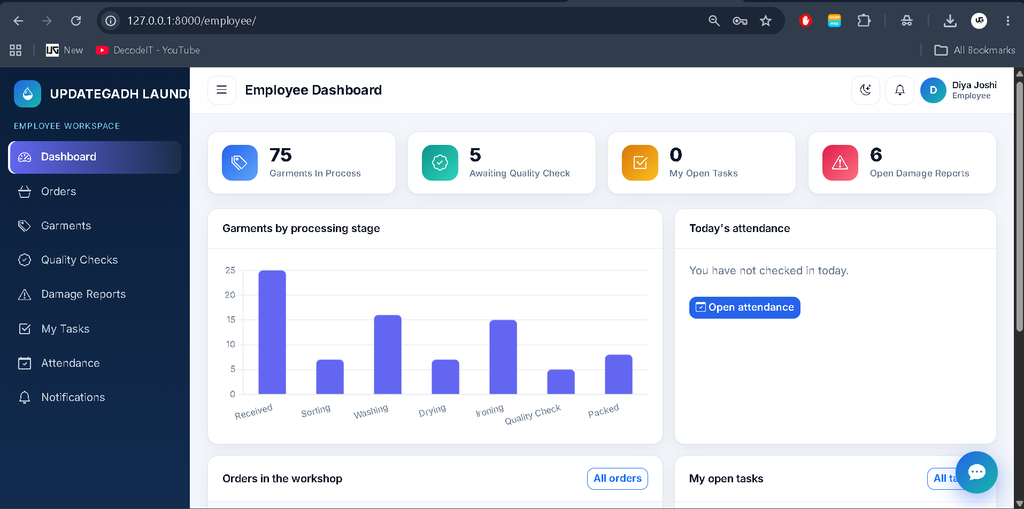
4. Employee Panel
Employees handle garment processing and quality checks. The system tracks garment stages, including sorting, washing, drying, and ironing. Employees can perform quality checks and report damaged garments. Failed quality checks return garments to washing, and the order returns to processing. Once all garments are packed, the order automatically becomes ready.
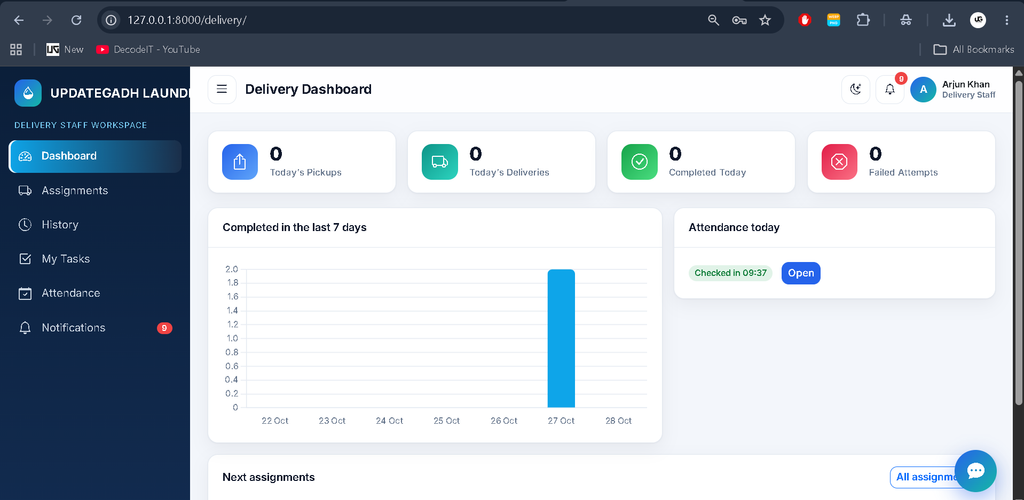
5. Delivery Staff Panel
Delivery staff can access their assigned pickup and delivery tasks. They can start tasks, complete deliveries, record cash collection where applicable, or report failed attempts with a reason. Failed deliveries can be rescheduled by administrators, and the relevant order status is updated accordingly.
How Does the AI Chatbot Work?
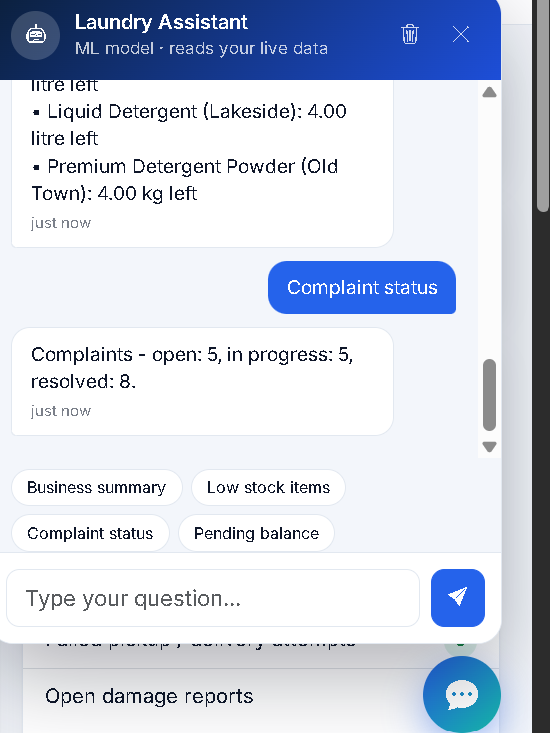
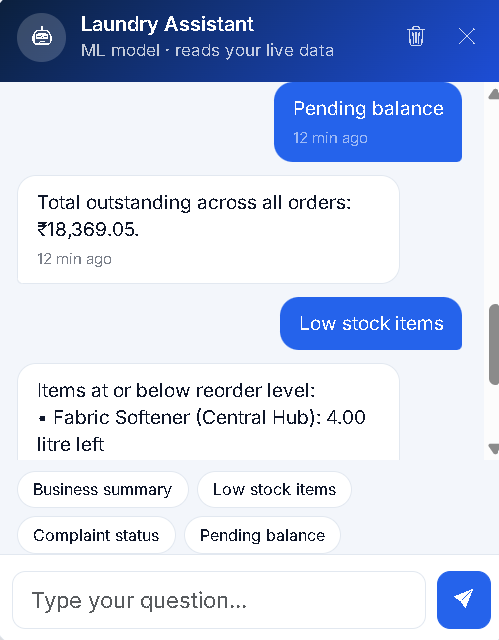
The integrated chatbot uses natural language processing and machine learning to recognize user questions and provide suitable responses. It uses an NLTK Porter stemmer, regular-expression tokenization, TF-IDF features, and Logistic Regression for intent classification.
- Question Recognition: Classifies incoming messages using trained intent patterns.
- Dynamic Responses: Reads relevant SQLite data through role-aware handlers.
- Conversation History: Stores conversation history separately for each user.
- Fallback Responses: Responds when confidence is below 0.30 or the message cannot be matched reliably.
- Intent Management: Administrators can edit chatbot patterns and retrain the model.
- Chatbot Analytics: Administrators and managers can review chatbot analytics.
The chatbot uses a local machine learning pipeline and does not require a paid AI API. Its answers depend on the available training patterns, application data, and configured handlers.
How Does the Laundry Order Workflow Work?
The application follows a defined order lifecycle to help staff and customers understand the progress of each booking.
- Booking: Customers select laundry services, quantities, and available pickup and delivery slots.
- Pickup: Assigned staff collect the garments and garment-level tracking records are created.
- Processing: Employees sort, wash, dry, and iron the garments.
- Quality Check: Garments are inspected before packing. Failed checks return items for further processing.
- Ready for Delivery: The order becomes ready after all garments are packed.
- Delivery: Assigned delivery staff complete the delivery or record a failed attempt.
- Notifications: Customers receive updates as the order status changes.
Payment and Inventory Management
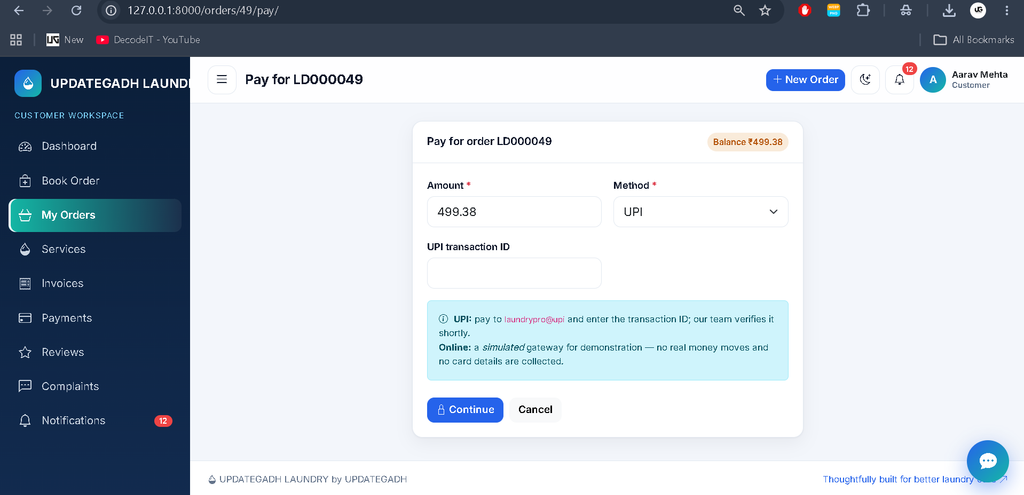
The system supports cash payments, UPI transaction submissions, and a simulated online payment gateway. UPI payments remain pending until an administrator verifies them. The simulated gateway does not collect card data or process real money. Eligible paid-order cancellations can generate refund requests for administrative approval.
Inventory management tracks detergent and softener consumption during washing and can generate low-stock alerts. Equipment and inventory requirements should be managed according to the application’s configured operational data.
How to Download
The complete package is available so you can run, study, and submit it with confidence. It includes:
- Full Source Code
- Project Report
- Synopsis
- PPT Presentation
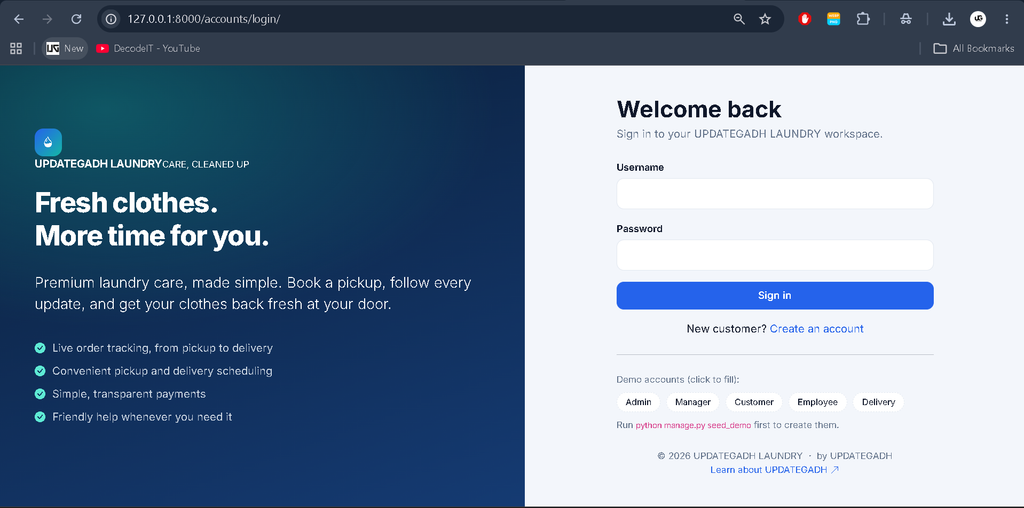
Screenshot
How to Install and Run the Project?
Follow these steps to run the Laundry Management System on Windows using VS Code and PowerShell.
- Install Python 3.10 or later and Visual Studio Code.
- Extract the project ZIP and open the project folder in VS Code.
- Open a PowerShell terminal and create a virtual environment.
python -m venv venv
.\venv\Scripts\Activate.ps1
python -m pip install --upgrade pip
pip install -r requirements.txt
If PowerShell blocks virtual environment activation, use the following command and try again:
Set-ExecutionPolicy -Scope CurrentUser RemoteSignedGenerate the required migration files and create the database tables:
python manage.py makemigrations accounts laundry chatbot
python manage.py migrate
Load demo data, train the chatbot, and run the tests:
python manage.py seed_demo
python manage.py train_chatbot
python manage.py test
Start the development server:
python manage.py runserverOpen http://127.0.0.1:8000/ in your browser and select the appropriate login panel. Bootstrap, Bootstrap Icons, Chart.js, and the Inter font load from CDNs, so an internet connection is needed for those assets.
What Are the Demo Login Credentials?
| Role | Username | Password |
|---|---|---|
| Administrator | admin | Admin@12345 |
| Manager | manager1 or manager2 | Manager@12345 |
| Customer | customer1 to customer24 | Customer@12345 |
| Employee | employee1 to employee10 | Employee@12345 |
| Delivery Staff | delivery1 to delivery9 | Delivery@12345 |
These are demo credentials. Change the passwords before using the application in a real deployment.
Testing and Limitations
The project documentation reports successful Python syntax checks, JavaScript syntax checks, template tag-balance checks, and a limited chatbot pipeline evaluation. However, the Django application, migrations, demo seeder, all views and templates, and the 67 automated tests have not been executed in the authoring environment. Run the test suite and verify the application locally before relying on it.
Final Thoughts
The Laundry Management System Using Python and AI Chatbot is a comprehensive academic project for students learning Django, database management, role-based access, machine learning, and business workflow automation. Its custom dashboard, garment tracking, inventory controls, payment handling, delivery management, and chatbot provide practical examples of integrating several application components.
Frequently Asked Questions (FAQ)
1. What is a Laundry Management System Using Python and AI Chatbot?
It is a web-based application that manages laundry bookings, order processing, garment tracking, inventory, payments, and deliveries, with an integrated AI chatbot for answering user queries.
2. Which technologies are used in this project?
The project uses Python, Django 5, SQLite, HTML, CSS, Bootstrap 5, JavaScript, Chart.js, Scikit-learn, and NLTK.
3. What are the main user roles in the system?
The system provides five roles: Administrator, Manager, Customer, Employee, and Delivery Staff. Each role has access to features based on its responsibilities.
4. Does the project include an AI chatbot?
Yes. The chatbot uses natural language processing, TF-IDF, and Logistic Regression to identify user intents and generate appropriate responses.
5. Can customers track their laundry orders?
Yes. Customers can view their order status and receive notifications as their orders move through the processing and delivery stages.
6. Which database is used in the Laundry Management System?
The project uses SQLite to store application data, including customer records, orders, and other operational information.
7. How can I run the project locally?
Install the required dependencies, generate the database migrations, run the migrations, load demo data, and start the Django development server using python manage.py runserver.
8. What are the demo login credentials?
The project includes demo accounts for each user role. For example, the administrator username is admin and the password is Admin@12345. Other roles have their own demo credentials.
9. Does the project support online payments?
The application supports cash payments, UPI transaction submissions, and a simulated online payment gateway. The simulated gateway does not process real payments or collect card details.
10. Is the project suitable for MCA and BCA final-year students?
Yes. It demonstrates Django web development, database management, role-based access, laundry workflow automation, and machine learning chatbot integration, making it a useful academic project.
Laundry Management System, Laundry Management System, Laundry Management System GitHub, Laundry Management System Project, Laundry Management System App, Laundry Management System Philippines, Laundry Management System Project Report PDF, Laundry Management System CodeCanyon, Laundry Management System Website, Laundry Management System PHP, Laundry Management System Open Source