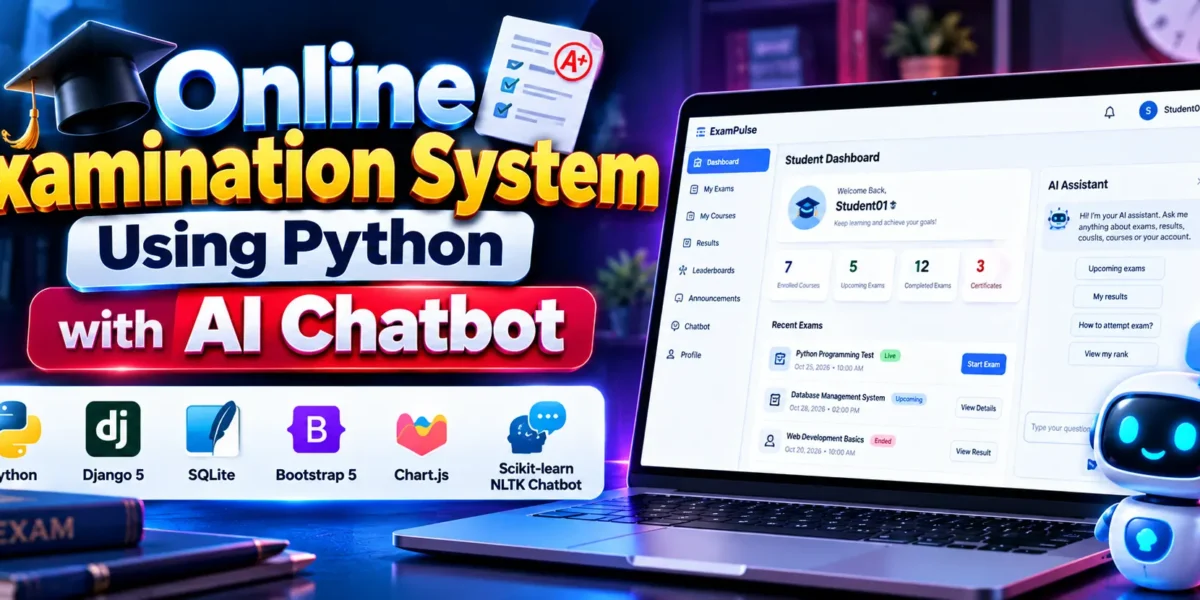
Online Examination System Using Python with AI Chatbot
Online Examination System Using Python with AI Chatbot is a web-based examination platform developed using Django 5, SQLite, Bootstrap 5, Chart.js, and a machine learning chatbot. It provides separate panels for students, teachers, and administrators to manage online exams, courses, questions, results, reports, and system settings.
The system includes timed examinations, automatic scoring, performance analytics, teacher approval, CSV exports, and an AI-powered assistant built using scikit-learn and NLTK. Its interface uses Bootstrap 5 and the Inter font to provide a consistent user experience across the application.
Complete Advance AI Topics: Click Here
Real Time Projects on YouTube:- DecodeIT
What Is Online Examination System Using Python with AI Chatbot?
This is a Django-based online examination system that helps students take tests, teachers manage exams, and administrators control platform operations. It combines examination management, performance reporting, role-based access, and a machine learning chatbot in one application.
Project Overview
The project is organized into student, teacher, custom admin, and AI assistant sections. Each section provides functionality according to the user’s role and permissions.
| Project Details | Description |
|---|---|
| Project Name | Online Examination System Using Python with AI Chatbot |
| Backend Framework | Django 5 |
| Programming Language | Python |
| Database | SQLite |
| Frontend Framework | Bootstrap 5 |
| Charts and Analytics | Chart.js |
| Machine Learning | scikit-learn, NLTK |
| Text Processing | TF-IDF, Porter Stemmer |
| Admin Interface | Custom admin panel at /panel/ |
What Are the Main Features of Online Examination System?
Online Examination System includes examination management, role-based dashboards, analytics, administrative controls, and a machine learning chatbot.
Student Panel
- Student registration, login, and profile management.
- Enroll in or leave courses.
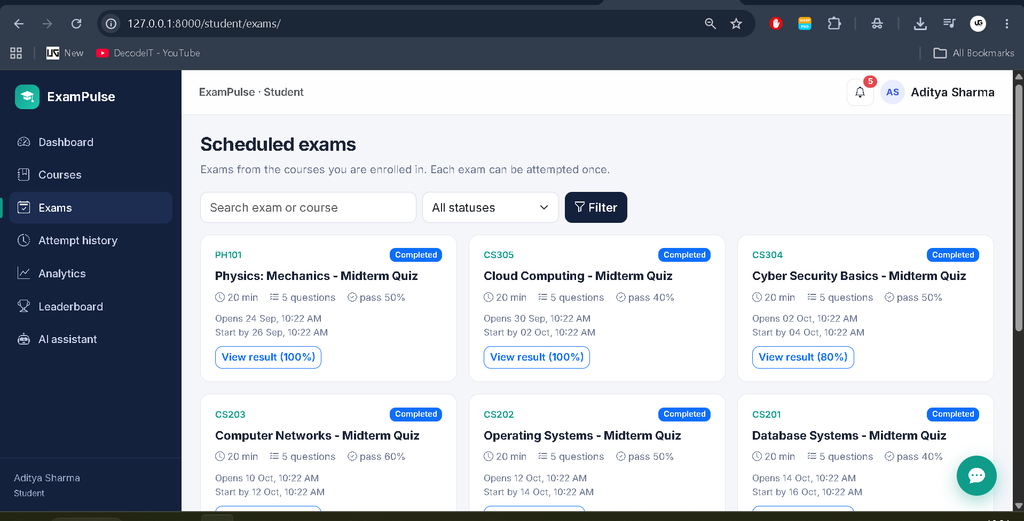
- View live, upcoming, and missed examinations.
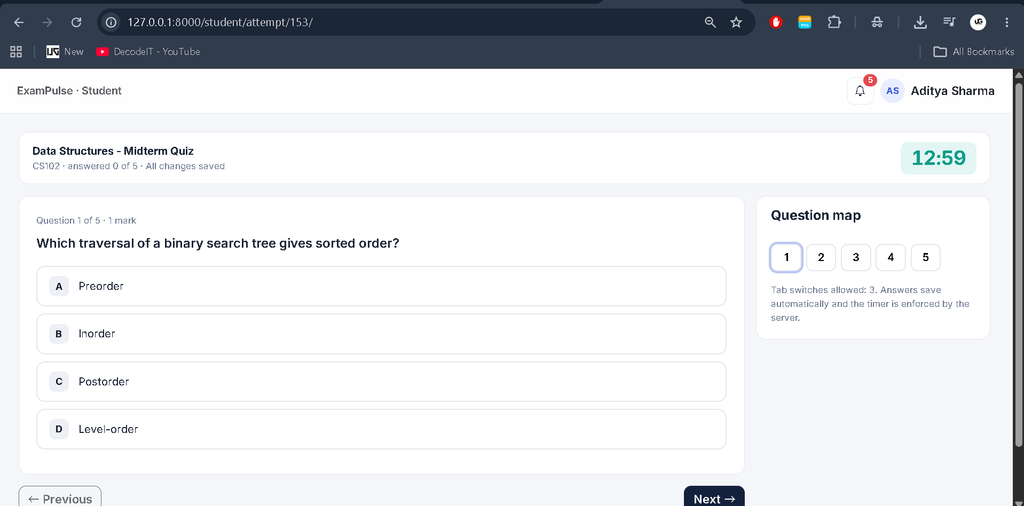
- Attempt timed multiple-choice exams with a question map and autosave.
- Automatic submission after the examination deadline.
- View results, review answers, and access examination history with filters.
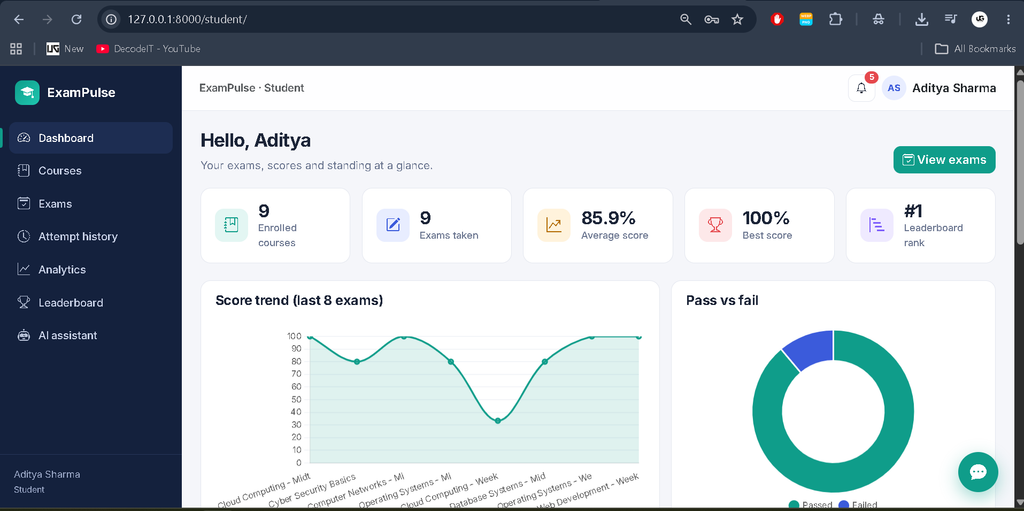
- View analytics charts and global or exam-specific leaderboards.
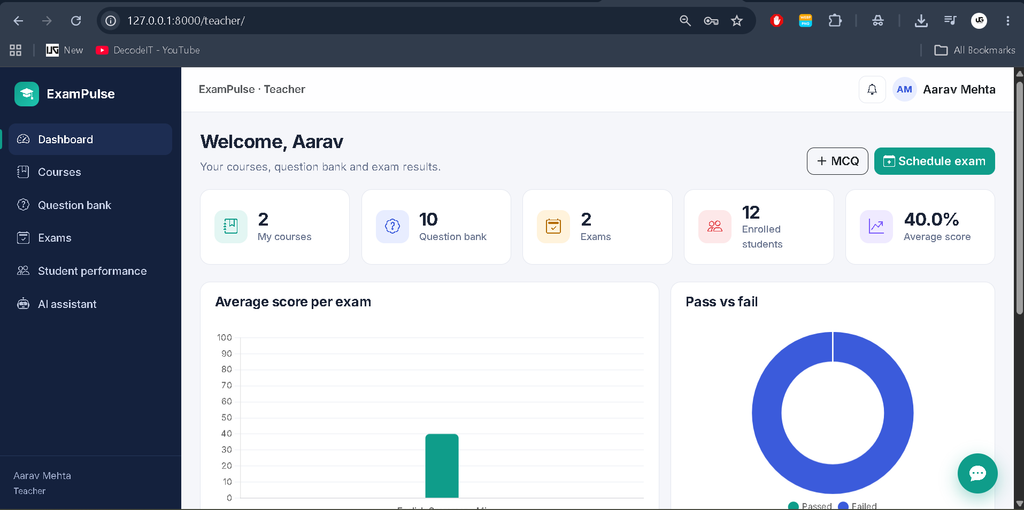
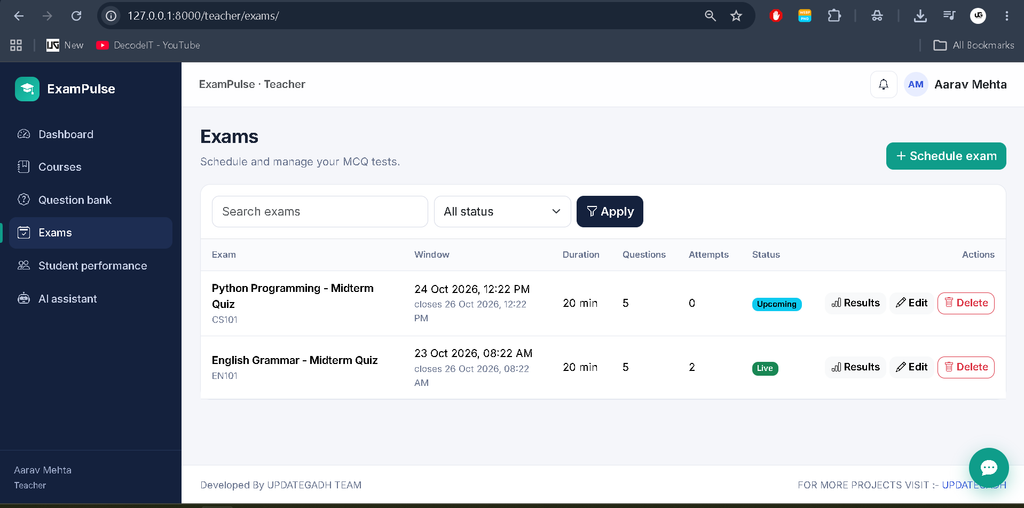
Teacher Panel
- Create, update, and manage courses.
- Maintain a searchable and filterable MCQ question bank.
- Schedule exams and select questions filtered by course.
- Analyze exam results using KPIs, score distributions, and question accuracy.
- Export examination reports to CSV.
- Generate student performance reports.
- Require administrator approval before pending teachers can sign in.
Custom Admin Panel
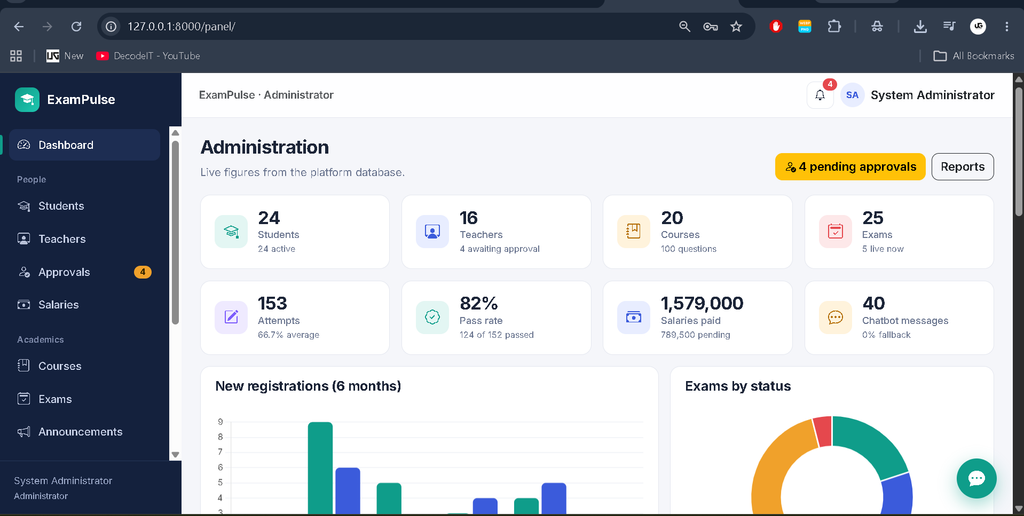
- Dashboard with KPIs and six charts using application data.
- Manage student and teacher accounts, including activation and deactivation.
- Approve pending teacher registrations.
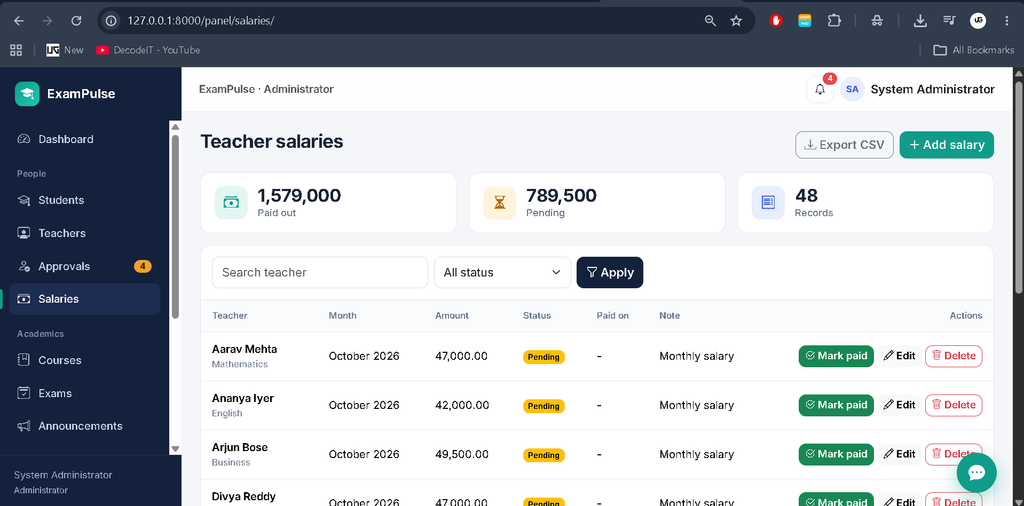
- Manage salaries and mark payments as paid, with notifications.
- Manage courses, exams, and announcements.
- Generate reports and export data to CSV.
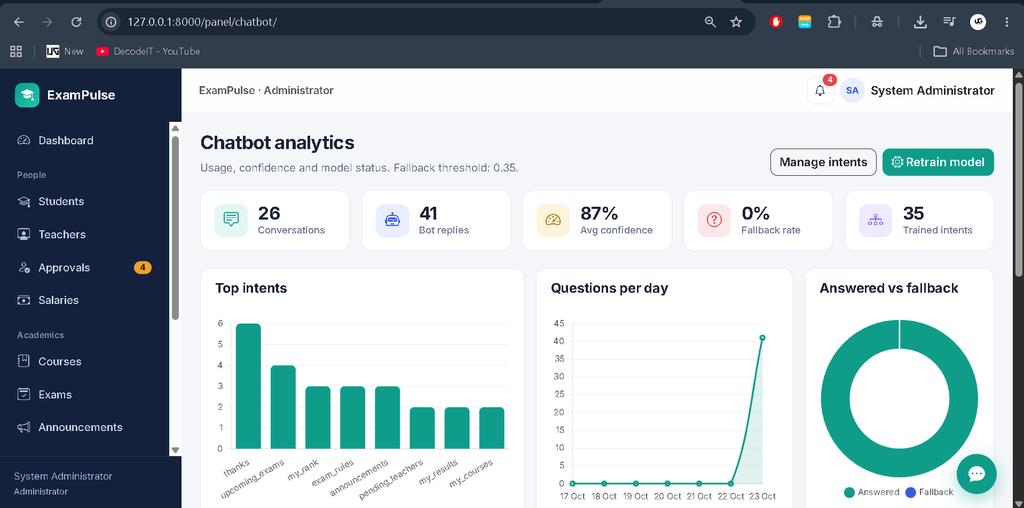
- Review chatbot analytics, edit intents, and retrain the model.
- Configure registration, tab-switch limits, chatbot confidence thresholds, and system rules.
How Does the AI Chatbot Work?
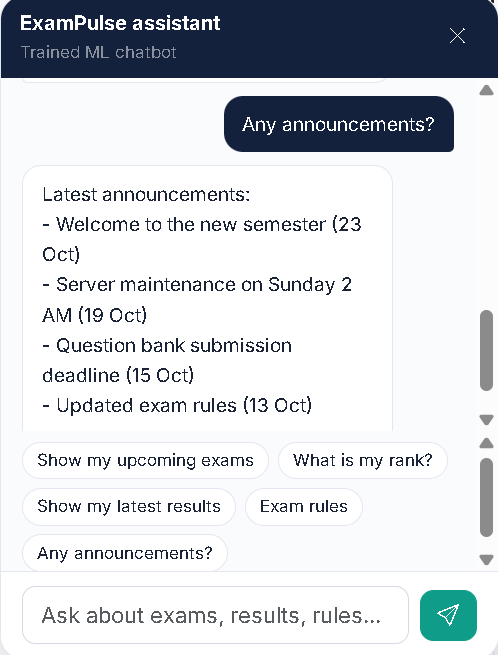
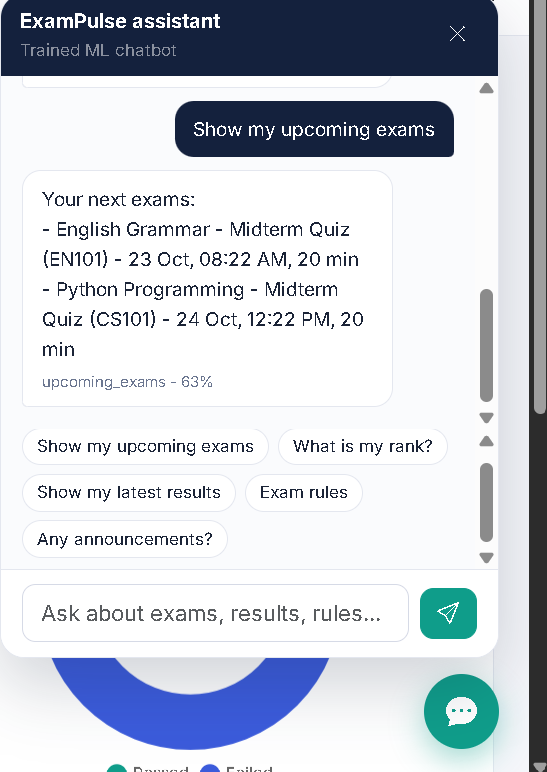
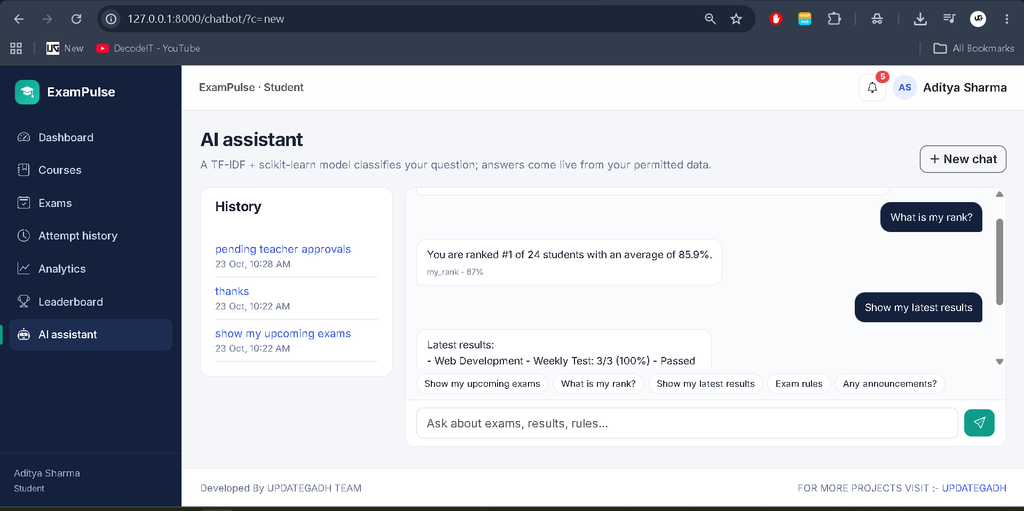
Online Examination System uses a machine learning pipeline to classify user messages into intents instead of relying only on fixed if/else rules. The model uses text preprocessing, TF-IDF features, and Logistic Regression to identify likely user requests.
- Intent dataset: Contains 35 intents, including an out-of-scope class.
- Text preprocessing: Uses an NLTK regex tokenizer and Porter stemmer.
- Feature extraction: Converts text into TF-IDF features using one- and two-word n-grams.
- Classification: Uses Logistic Regression to predict the user’s intent and confidence.
- Fallback responses: Returns suggestions when confidence falls below the configured threshold, which defaults to 0.35.
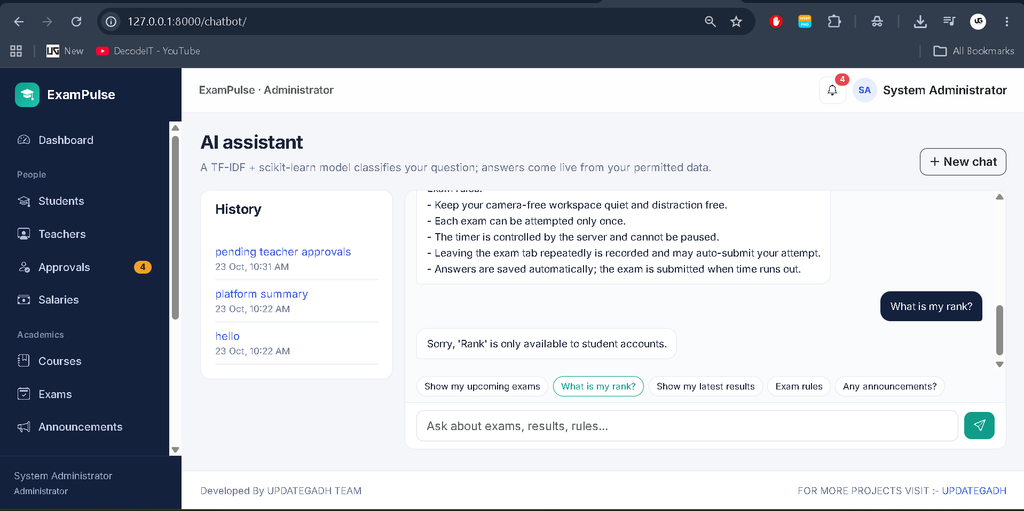
- Live information: Answers supported questions about upcoming exams, results, rankings, and pending approvals using Django models and role checks.
- Conversation analytics: Stores messages, predicted intents, confidence scores, and fallback information.
Administrators can edit chatbot intents and retrain the model through the custom admin panel. NLTK does not require separate Punkt or stopwords downloads for the described pipeline.
How Does Online Examination System Handle Examination Timing and Security?
The examination deadline is calculated on the server using the start time and exam duration. The system does not rely solely on the browser clock to determine whether an examination has expired.
Autosave requests are rejected after the deadline, with a 10-second grace period. When an expired attempt is detected on a later page load, the system can automatically submit it using the stored deadline as the submission time.
Other security measures include role-based access controls, CSRF protection, server-side validation and scoring, ownership checks, hashed passwords, database uniqueness constraints, and a conditional update guard against duplicate submissions. Secure-cookie settings can be applied when DJANGO_DEBUG=0.
What Software and Tools Are Required?
You need Python 3.10 or later, Visual Studio Code, and the project’s Python dependencies to run Online Examination System locally.
- Python 3.10+
- Visual Studio Code
- Python extension for VS Code
- Project dependencies listed in
requirements.txt - Internet access for Bootstrap, Chart.js, and Google Fonts loaded through CDNs
How to Download
The complete package is available so you can run, study, and submit it with confidence. It includes:
- Full Source Code
- Project Report
- Synopsis
- PPT Presentation
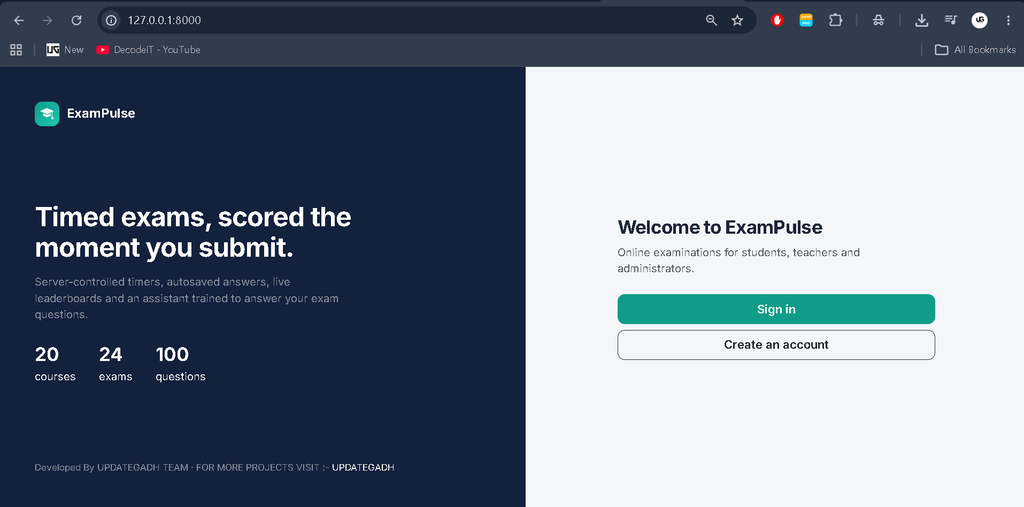
Screenshot
How to Install and Run Online Examination System in VS Code?
Follow these steps to create a virtual environment, install dependencies, initialize the database, load demonstration data, and start the Django development server.
Step 1: Open the Project
Open a terminal and navigate to the project folder.
cd online_exam_system
code .
Step 2: Create a Virtual Environment
python -m venv venvActivate it using the command for your operating system.
# Windows PowerShell
venv\Scripts\Activate.ps1

# Windows Command Prompt
venv\Scripts\activate.bat

# macOS or Linux
source venv/bin/activate
Step 3: Install Dependencies
pip install -r requirements.txtIn VS Code, press Ctrl+Shift+P, select Python: Select Interpreter, and choose the interpreter inside the virtual environment.
Step 4: Initialize the Project
The provided bootstrap script performs migrations, seeds demonstration data, and trains the chatbot.
python bootstrap.pyStep 5: Start the Server
python manage.py runserverOpen the application at http://127.0.0.1:8000/.
Alternatively, run the setup commands separately:
python manage.py makemigrations accounts adminpanel exams chatbot
python manage.py migrate
python manage.py seed_demo
python manage.py train_chatbot
python manage.py runserver
The seed command can be rerun without duplicating the demonstration records. The seed process also trains the chatbot, so the separate training command is optional after seeding.
What Are the Demo Login Credentials?
The demonstration data creates accounts for administrators, approved and pending teachers, and students. Use the credentials below to explore the corresponding panels.
| Role | Username | Password | Access |
|---|---|---|---|
| Admin | admin | Admin@123 | /panel/ |
| Approved Teacher | teacher01–teacher16 | Teacher@123 | /teacher/ |
| Pending Teacher | teacher17–teacher20 | Teacher@123 | Approval required |
| Student | student01–student24 | Student@123 | /student/ |
The AI assistant is available at /chatbot/ and through the floating chat widget. These are demonstration credentials and should be changed before deploying the application for real users.
How Can You Run the Tests?
Django’s test commands can be used to check authentication, permissions, exam functionality, chatbot behavior, seeding, and panel pages.
python manage.py test
python manage.py test exams -v 2
What Are Common Online Examination System Installation Problems?
Most setup issues can be resolved by checking the virtual environment, database migrations, teacher approval status, chatbot model, and internet connectivity.
- Missing Django, scikit-learn, or NLTK: Activate the virtual environment and reinstall the requirements.
- Missing database tables: Run the required migration commands and then migrate.
- Teacher login rejected: Pending teachers must be approved at
/panel/approvals/. - Chatbot confidence too low: Adjust the threshold at
/panel/settings/, add training phrases, and retrain the model. - Chatbot model missing: Run
python manage.py train_chatbot. - Fonts, charts, or icons missing: Check the internet connection because the interface uses external CDNs.
- Port 8000 is occupied: Start the server on another port using
python manage.py runserver 8080.
For production deployment, set DJANGO_DEBUG=0, configure DJANGO_SECRET_KEY and DJANGO_ALLOWED_HOSTS, and serve static files through an appropriate setup such as WhiteNoise or Nginx.
Final Thoughts
This is a feature-rich online examination project that combines Django-based exam management, student and teacher dashboards, administrative reporting, and a machine learning chatbot. Its server-controlled exam timing, role-based permissions, analytics, and demonstration dataset make it a useful learning project for students exploring Python, Django, and applied machine learning.
Frequently Asked Questions
1. Which framework does Online Examination System use?
Online Examination System uses Django 5 with SQLite, Bootstrap 5, Chart.js, scikit-learn, and NLTK.
2. Does Online Examination System use Django’s built-in admin site?
No. The project uses a custom admin panel available at /panel/.
3. How is the chatbot trained?
The chatbot uses NLTK preprocessing, TF-IDF features, and Logistic Regression. You can train it using python manage.py train_chatbot.
4. How are exam deadlines enforced?
The server calculates the deadline from the stored start time and exam duration, rejects late autosaves, and can automatically submit expired attempts.
5. How do I load the demonstration accounts?
Run python manage.py seed_demo after applying the database migrations. The command creates demonstration users and related records.
Keywords: Advanced Online Examination System, Online Examination System Using Django, Django 5 Project, Python Online Exam Project, Machine Learning Chatbot, Django Exam Management System, Student Examination Portal