University Management System in Python and AI Chatbot
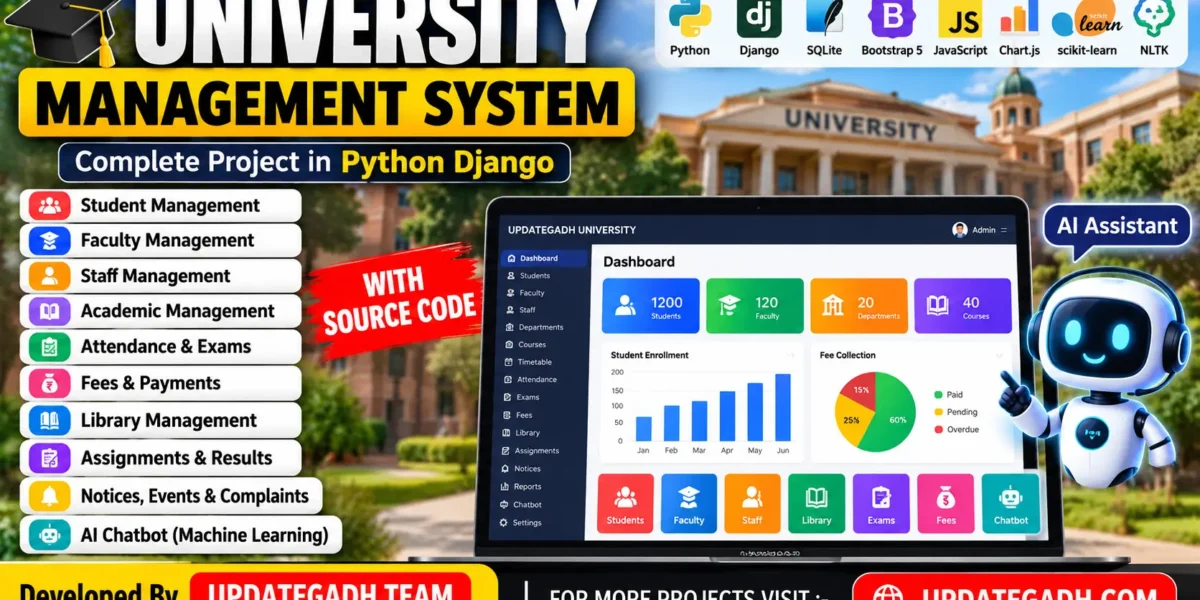
The University Management System is a web-based application developed using Python, Django, SQLite, HTML, CSS, Bootstrap 5, JavaScript, Chart.js, and a machine-learning chatbot. It helps manage university activities through separate panels for administrators, students, faculty, staff, and librarians.
The system includes academic management, admissions, attendance, examinations, fees, library operations, assignments, reports, and notices. It also features a custom admin dashboard and an AI assistant powered by scikit-learn and NLTK.
Complete Advance AI Topics: Click Here
Real Time Projects on YouTube:- DecodeIT
Project Overview Of the University Management System
| Project Detail | Description |
|---|---|
| Project Name | University Management System |
| Programming Language | Python |
| Framework | Django |
| Database | SQLite |
| Frontend | HTML, CSS, Bootstrap 5, JavaScript |
| Charts | Chart.js |
| Chatbot | scikit-learn, TF-IDF, Logistic Regression, NLTK |
| Project Type | Web-Based Management System |
What Are the Main Features of the University Management System?
School Management System Using MERN Stack :- Click Here
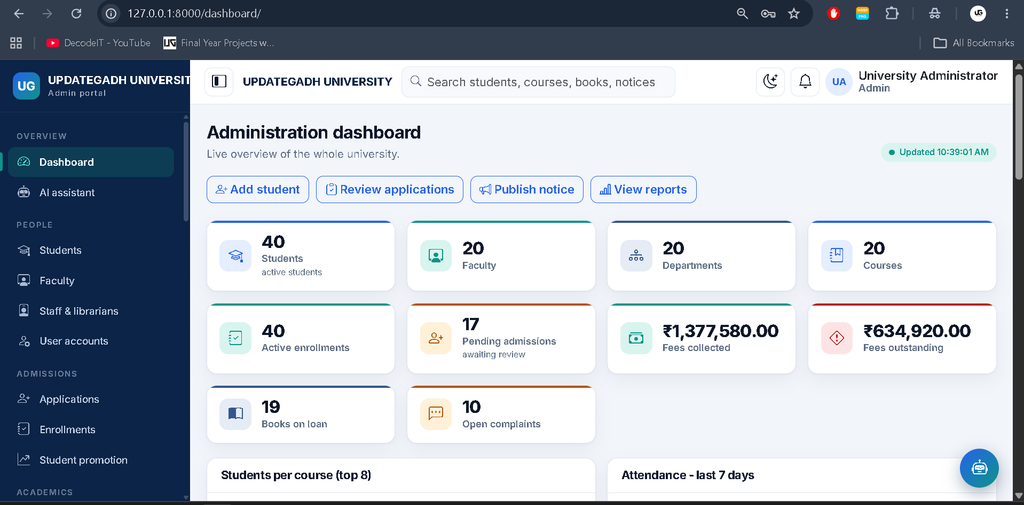
1. Admin Panel
The custom admin panel provides centralized control over university operations.
- Manage students, faculty, staff, and user accounts.
- Manage departments, courses, semesters, subjects, and faculty assignments.
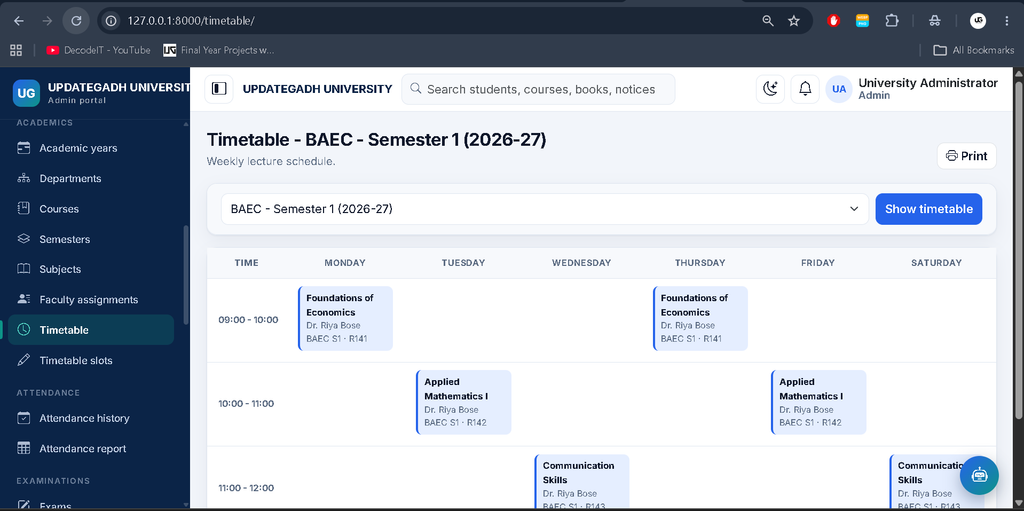
- Control admissions, enrollments, timetables, and attendance.
- Manage examinations, marks, published results, fees, and payments.
- Manage books, notices, events, complaints, and reports.
- Access system settings, activity logs, and chatbot analytics.
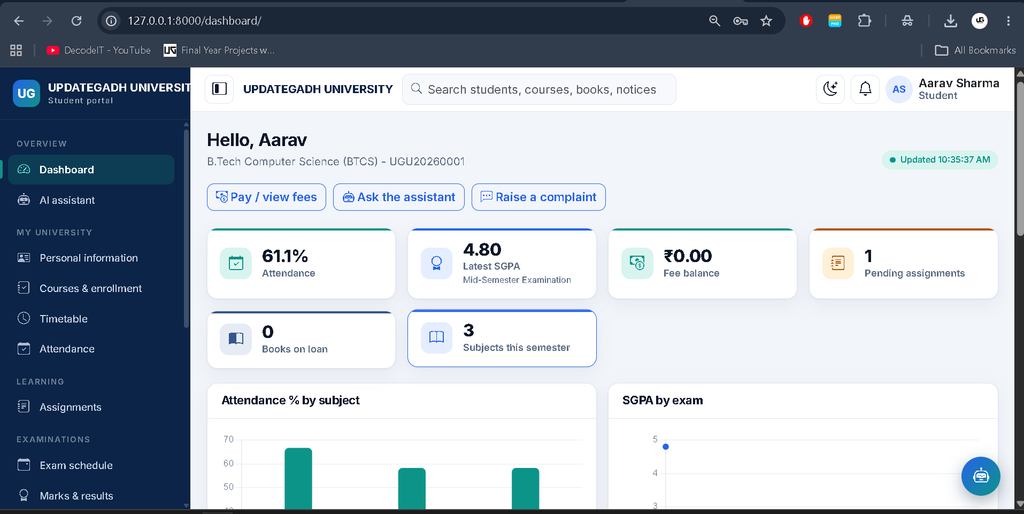
2. Student Panel
Students can access their own academic information and available university services.
- View and manage their profile information.
- View course enrollment, timetable, and attendance history.
- View examination schedules and published results.
- Submit assignments and track fee details.
- View payment history, receipts, and library records.
- Read notices, submit complaints, and use the AI assistant.
3. Faculty Panel
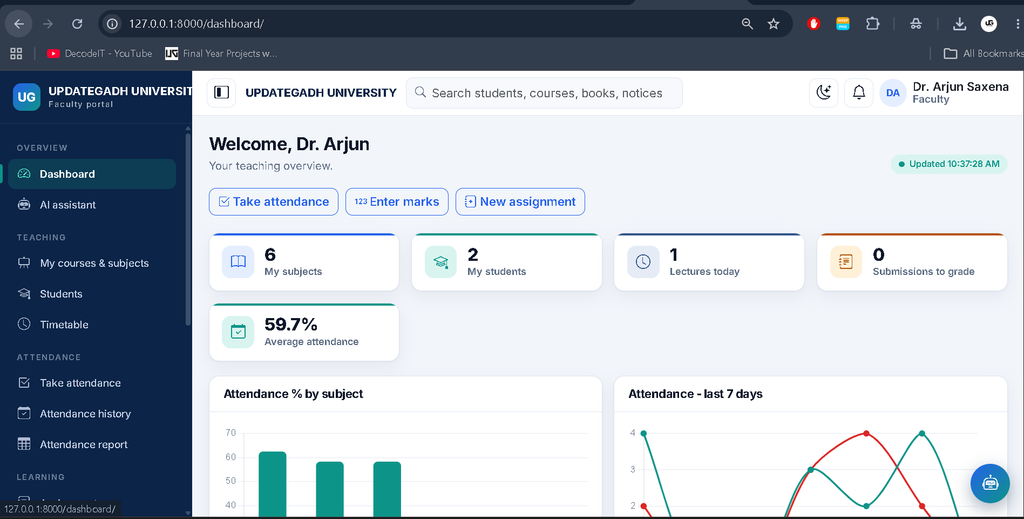
The faculty panel supports teaching and subject-related academic activities.
- View assigned courses, subjects, and timetables.
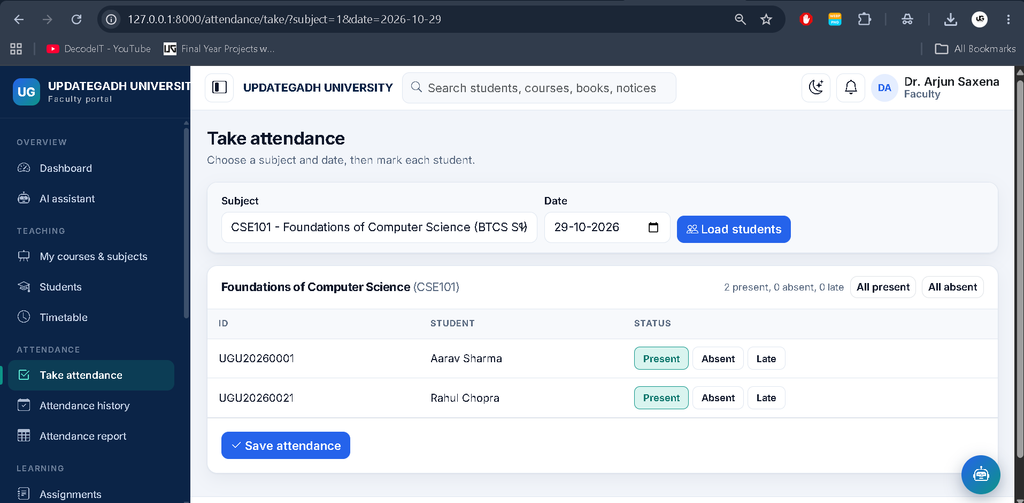
- Mark student attendance.
- Create assignments and grade submissions.
- Enter examination marks and view results.
- Review subject-wise student performance.
- Access library services and university notices.
4. Staff Panel
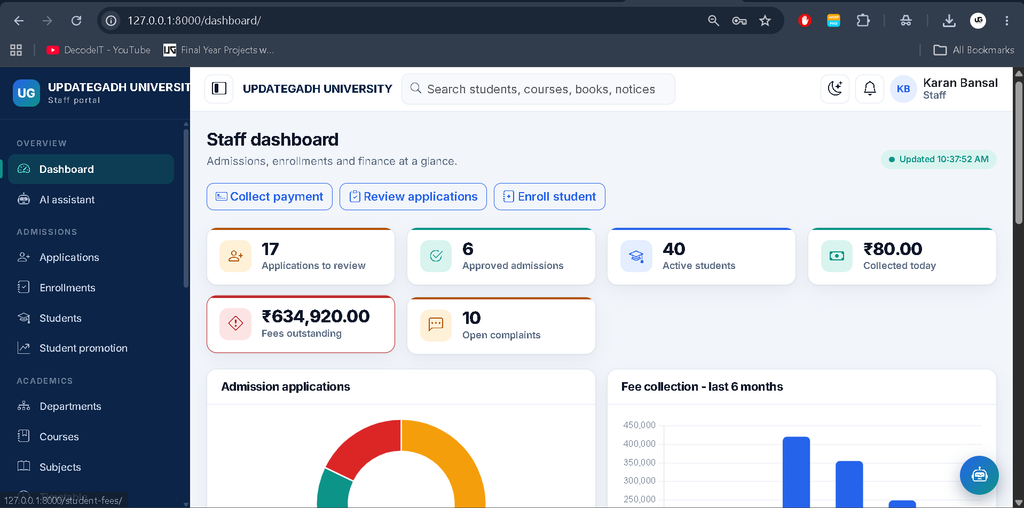
The staff panel helps authorized personnel handle administrative workflows.
- Review and approve admission applications.
- Create student accounts through the configured approval workflow.
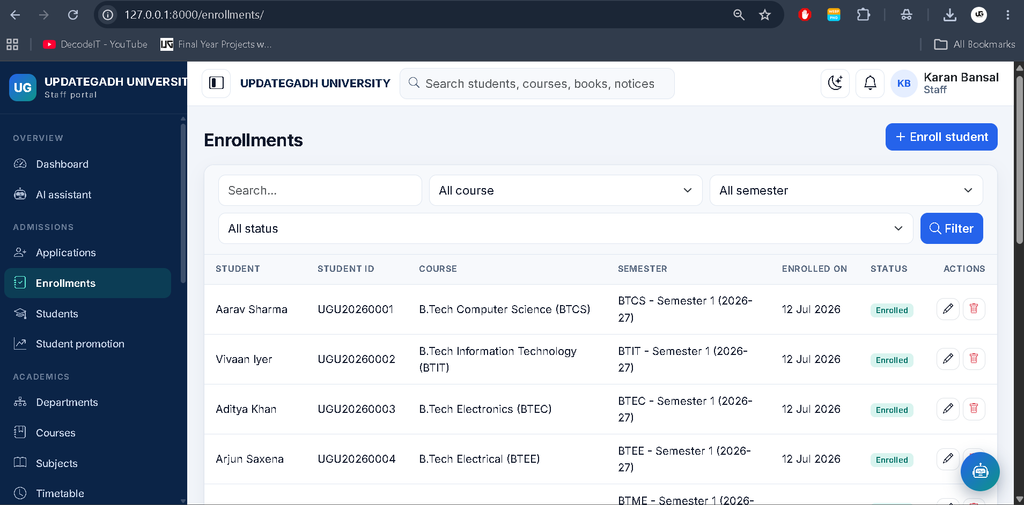
- Manage student records and enrollments.
- Manage fee structures, student fee assignments, and collections.
- Generate payment receipts and publish results.
- Handle complaints, notices, and reports.
School Management System Using PHP :- Click Here
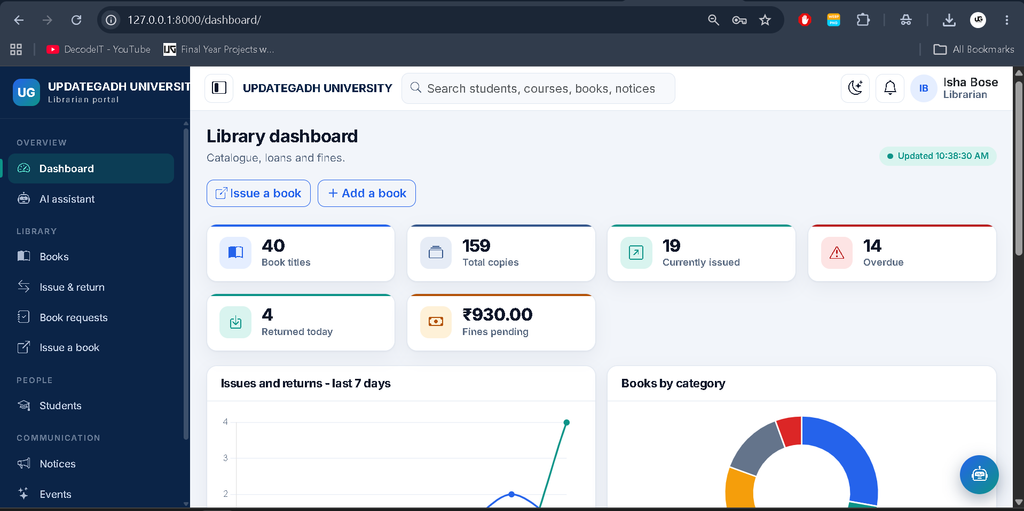
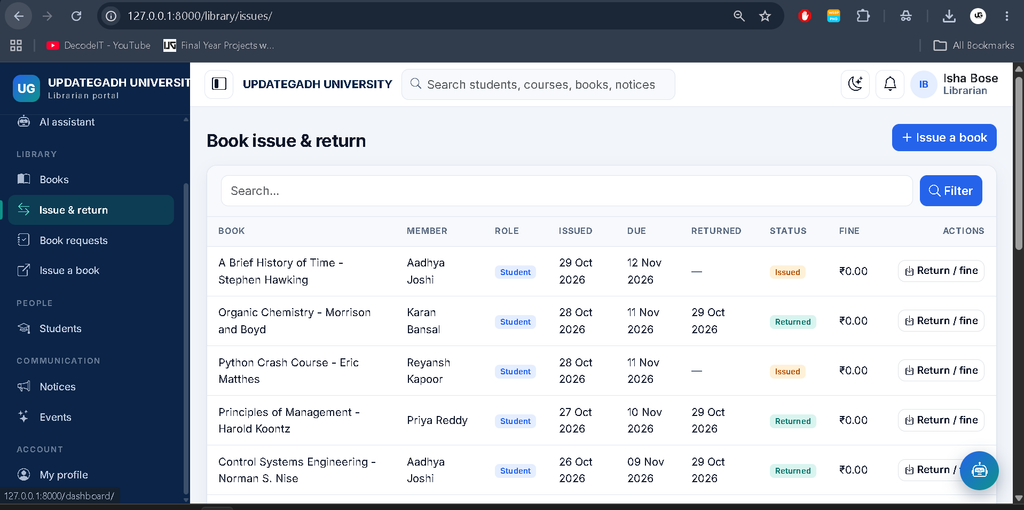
5. Librarian Panel
The librarian panel manages the university’s book catalogue and circulation activities.
- Add, update, and manage book records.
- Issue books to users and process returns.
- Calculate library fines automatically according to configured rules.
- Access the library dashboard.
6. Academic and Timetable Management
- Manage departments, courses, semesters, and subjects.
- Assign faculty members to subjects.
- Maintain student enrollment records.
- Organize timetable slots and academic schedules.
7. Attendance and Examination Management
- Record attendance and review attendance history.
- Generate attendance reports.
- Manage examination schedules and marks.
- Publish results for students to view.
- Review examination performance and rankings where configured.
8. Fees and Payment Management
- Create fee structures and assign fees to students.
- Record fee payments and maintain payment history.
- Generate receipts.
- Send fee reminders using the available management command.
- Restrict fee information to authorized admin and staff roles.
9. Assignment Management
- Faculty can create assignments.
- Students can submit their work.
- Faculty can review and grade submissions.
10. Machine-Learning Chatbot
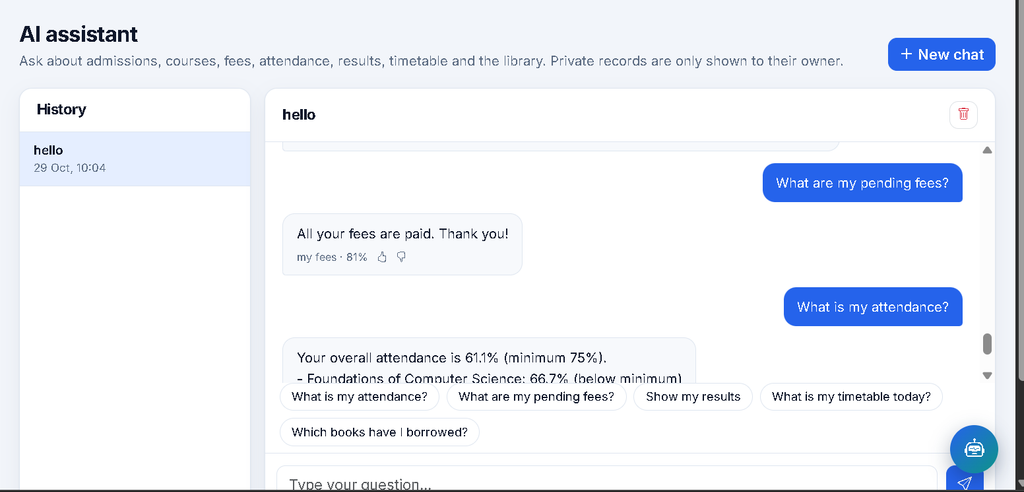
The chatbot uses TF-IDF vectorization and Logistic Regression to identify user intents. NLTK tokenization and stemming support text preprocessing.
- Answer supported questions about courses, attendance, fees, results, library records, admissions, timetables, and notices.
- Retrieve relevant information from live database records.
- Use fallback responses for low-confidence or unsupported questions.
- Maintain conversation history and collect feedback.
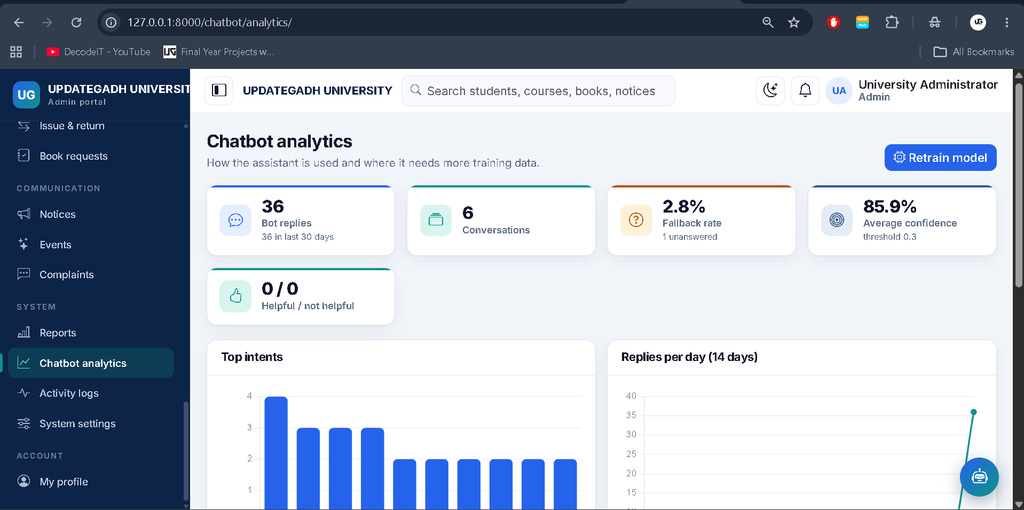
- Provide admin analytics and model retraining.
- Apply role-based restrictions to private records.
11. Notices, Events, Complaints, and Reports
- Publish and manage university notices.
- Maintain event records.
- Submit and manage complaints.
- View available administrative reports and activity logs.
Technology Stack of the University Management System
- Python and Django: Application logic and web framework.
- SQLite: Relational database storage.
- HTML, CSS, Bootstrap 5: Page structure and responsive styling.
- JavaScript and Chart.js: Interface interactions and dashboard charts.
- scikit-learn: TF-IDF and Logistic Regression model.
- NLTK: Text tokenization and stemming.
Advanced School Management System Using Python Django :- Click Here
How to Download University Management System Project
The complete package is available so you can run, study, and submit it with confidence. It includes:
- Full Source Code
- Project Report
- Synopsis
- PPT Presentation
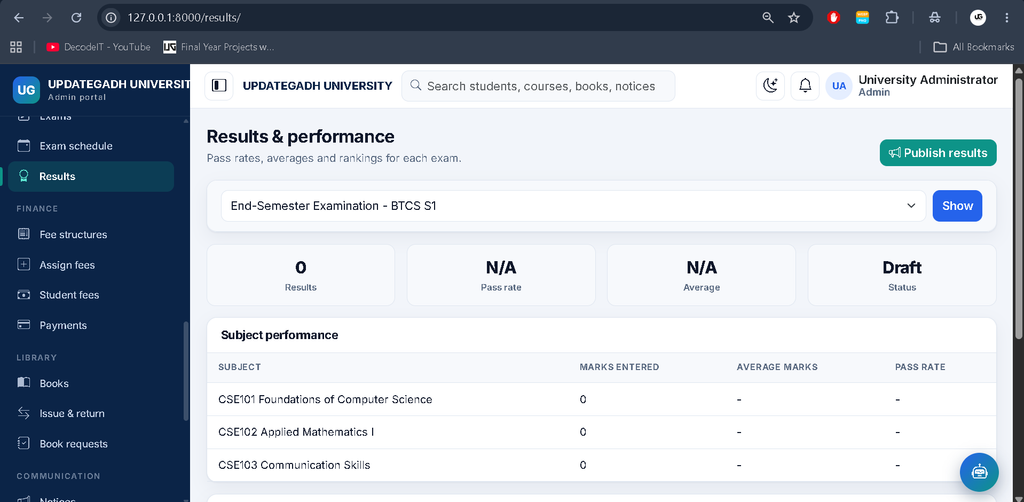
Screenshot
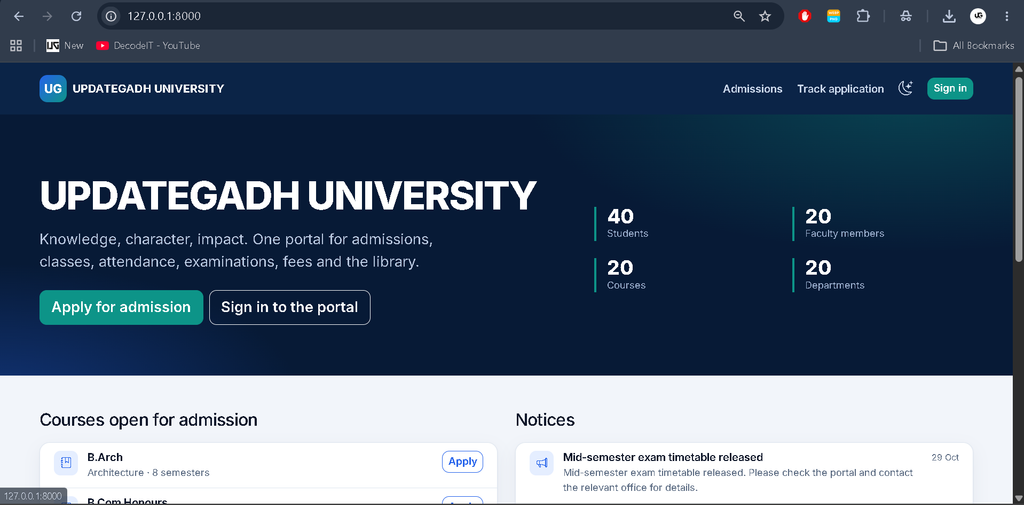
Home Page
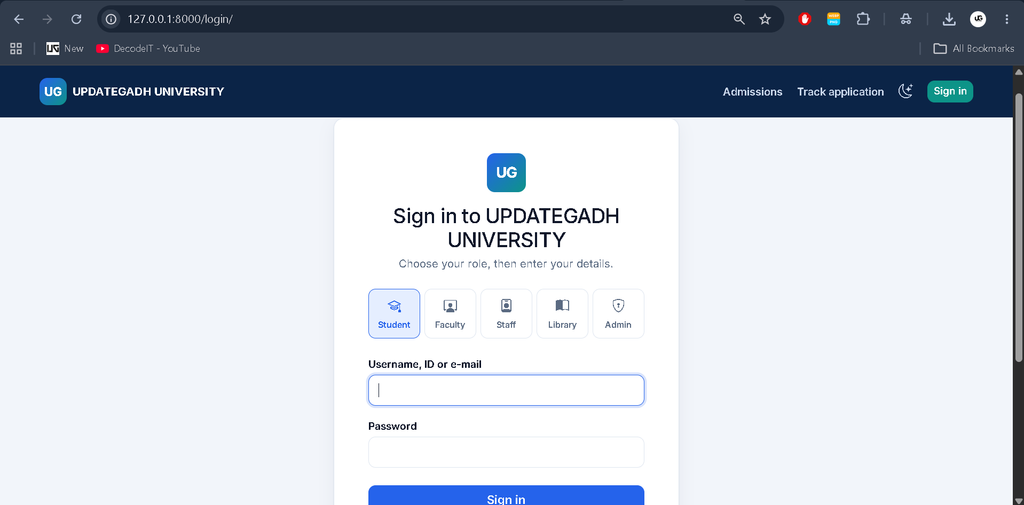
Login Page
Student Panal
Chatbot
Faculty Panal
Staff Panal
Library Panal
Admin Panal
How to Install and Run the Project in VS Code
Python 3.10 or newer is required. Open PowerShell in the extracted project directory containing manage.py.
python -m venv .venv
.\.venv\Scripts\Activate.ps1
python -m pip install --upgrade pip
pip install -r requirements.txt
If PowerShell blocks activation, run this command for the current session:
Set-ExecutionPolicy -Scope Process -ExecutionPolicy BypassGenerate migrations and create the database tables:
python manage.py makemigrations accounts academics admissions attendance exams fees learning library chatbot core
python manage.py migrate
Load demo data and train the chatbot:
python manage.py seed_demoStart the development server:
python manage.py runserverOpen http://127.0.0.1:8000/ for the public website or http://127.0.0.1:8000/login/ for the login page.
Demo Login Credentials
| Role | Username | Password |
|---|---|---|
| Admin | admin | Admin@12345 |
| Faculty | faculty01 to faculty20 | Demo@12345 |
| Student | student01 to student40 | Demo@12345 |
| Staff | staff01 to staff20 | Demo@12345 |
| Librarian | librarian01 to librarian04 | Demo@12345 |
Select the appropriate role tab on the login page. Change all demo passwords before any real deployment.
Important Verification Notes
According to the supplied project description, the application has not been executed end to end. Migrations must be generated locally, and automated tests have not been run. Browser behavior, forms, charts, and responsive layouts also remain unverified. Run the project and test each role and workflow before using real university data.
Conclusion
The University Management System project combines academic administration, student services, faculty workflows, library management, fee processing, and a machine-learning chatbot in one Django application. Its separate role-based panels and modular structure make it a useful project for learning Python, Django, database management, and introductory natural language processing.
Frequently Asked Questions
Which database does this project use?
The project uses SQLite.
Does it use Django Admin?
No. The project uses a custom administration panel.
Does the chatbot require a paid API?
The described chatbot uses locally trained machine-learning components and does not require a paid AI API at runtime.
Are migrations and tests already verified?
No. The supplied project notes state that migrations must be generated locally and automated tests have not been run.