
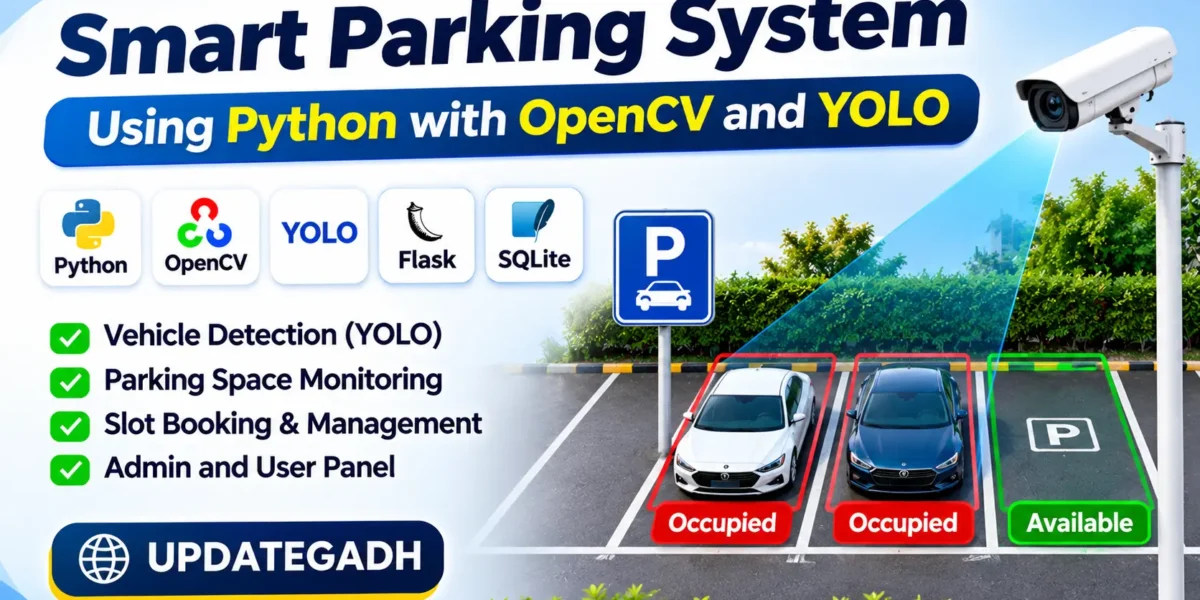
Smart Parking System Using Python with OpenCV and YOLO
The Smart Parking System Using Python with OpenCV and YOLO is an AI-based application designed to detect available and occupied parking spaces automatically. The system uses computer vision and YOLO object detection to identify vehicles from uploaded videos, webcams, images, and IP camera streams.
A desktop-based smart parking management system built with Python and Tkinter. Monitor and manage parking spaces in real time with live occupancy tracking Computerized systems being an integral part of the current era, an automated parking system is one of its most commonly used applications. The aim of this model is to build up and implement an automatic parking system that will detect the parking space with the help of image processing technique of the parking lot as well as reduce the human power.
It provides separate Admin and Driver panels. Administrators can manage parking facilities, cameras, parking slots, bookings, payments, and reports. Drivers can register, search for available parking spaces, book slots, and track their parking history. The application uses Python, Flask, OpenCV, YOLO, SQLite, and Bootstrap 5.
Real Time Projects on YouTube:- DecodeIT
Project Overview
| Project Name | Smart Parking System Using Python |
|---|---|
| Language Used | Python |
| Framework | Flask |
| Database | SQLite |
| AI Technology | YOLO, OpenCV, scikit-learn |
| Frontend | HTML, CSS, JavaScript, Bootstrap 5 |
| Type | AI-Based Web Application |
Parking Management System Using Python and Django : Click Here
What Are the Features of the Smart Parking System?
The project provides the following features for automated parking management:
- AI Vehicle Detection: Detects cars, motorcycles, buses, trucks, and bicycles using YOLO.
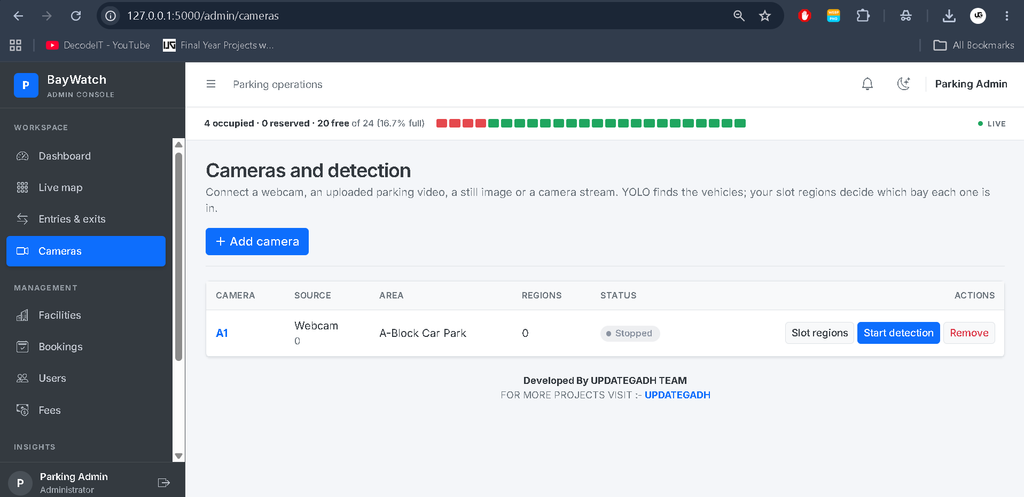
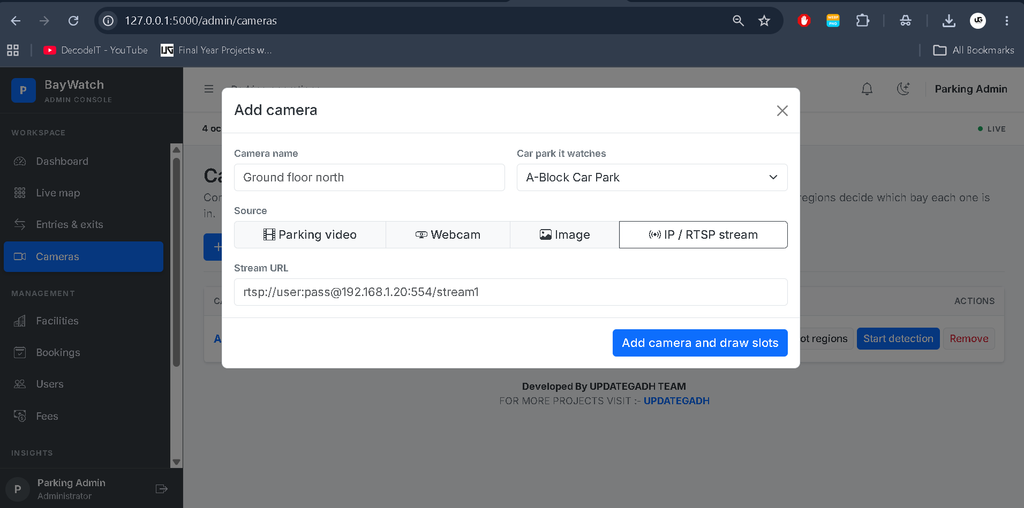
- Multiple Camera Sources: Supports uploaded videos, webcams, still images, and RTSP/HTTP streams.
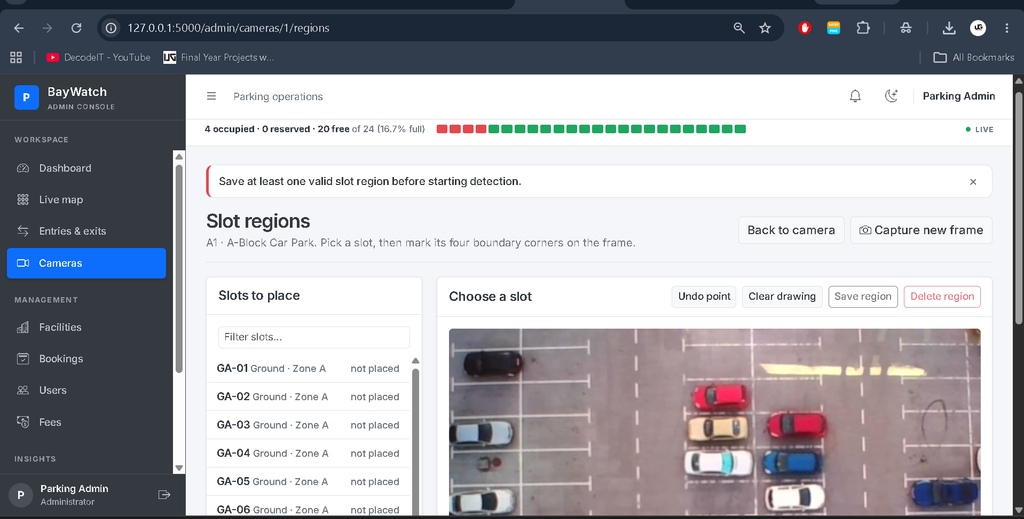
- Automatic Slot Detection: Identifies occupied and available parking spaces using manually defined slot regions.
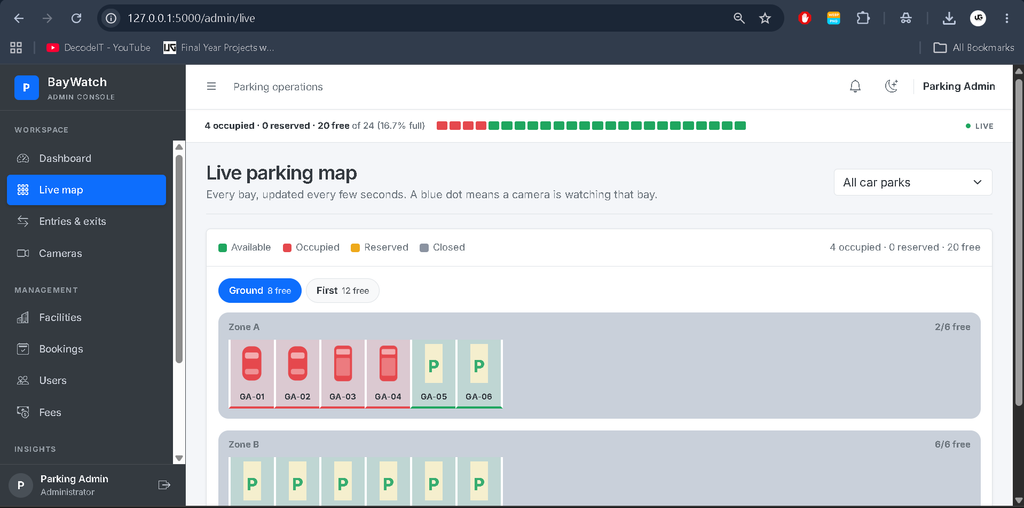
- Live Parking Map: Displays parking availability using green, red, and yellow colours.
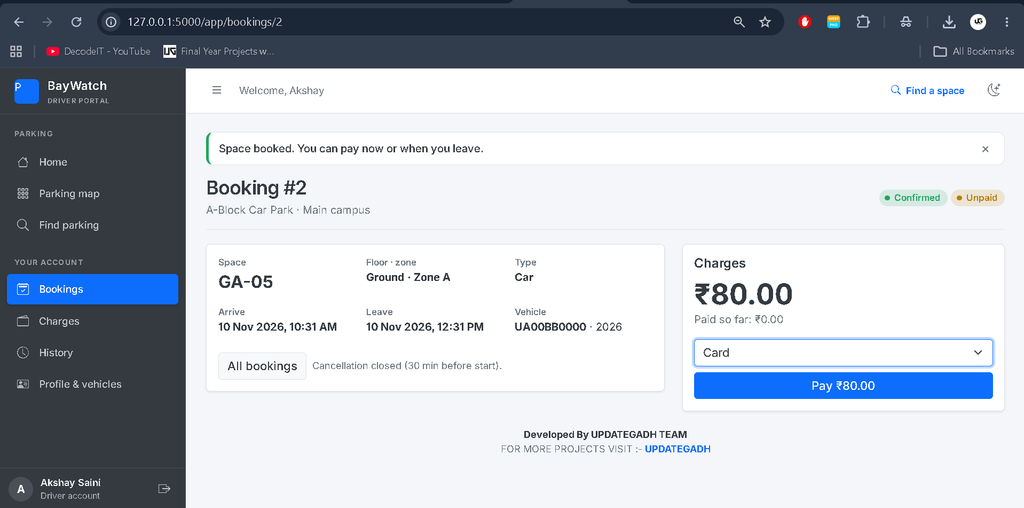
- Parking Booking: Drivers can search for available slots and book parking spaces.
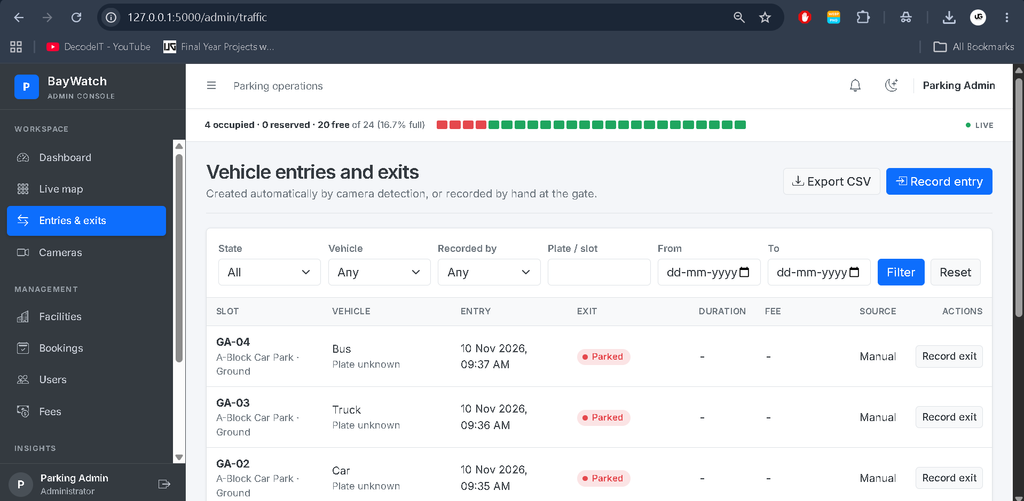
- Automatic Entry and Exit Records: Records vehicle entry and exit when parking occupancy changes.
- Fee Calculation: Calculates parking charges based on duration and configured fee rules.
- ML-Based Forecast: Uses RandomForest to forecast occupancy after sufficient parking snapshots are collected.
- Analytics and Reports: Displays occupancy trends, vehicle types, revenue, and parking activity.
- CSV Export: Allows administrators to export reports.
What Are the Project Modules?
The Smart Parking Space Detection System contains two main modules: Admin Panel and Driver Panel.
Admin Panel
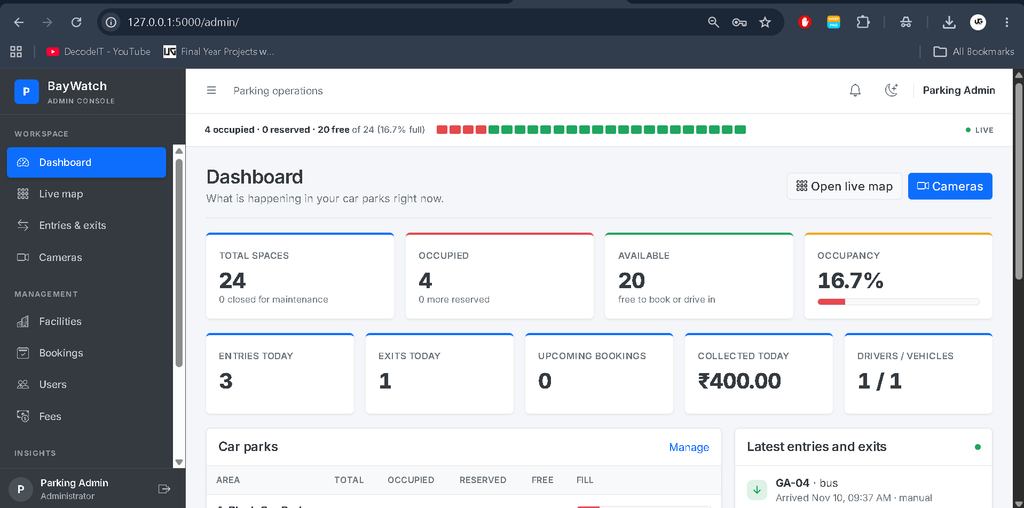
Dashboard: Admin can view parking slot details, occupancy percentage, and analytics.
Facilities: Admin can manage parking areas, floors, zones, and individual parking slots.
Camera Management: Admin can manage cameras from video, webcam, image, and IP camera sources.
Slot Region Editor: Admin can mark individual parking spaces using rectangular or polygon regions.
Entries and Exits: Admin can view automatic and manually recorded vehicle entry and exit details.
Bookings: Admin can manage parking bookings and reservation details.
Users and Vehicles: Admin can manage registered drivers and their vehicle information.
Fees and Payments: Admin can manage parking fee rules and view recorded payments and refunds.
Analytics and Reports: Admin can view parking analytics, occupancy forecasts, reports, and export data as CSV.
Settings: Admin can configure detection settings, manage alerts, and adjust parking system preferences.
Driver Panel
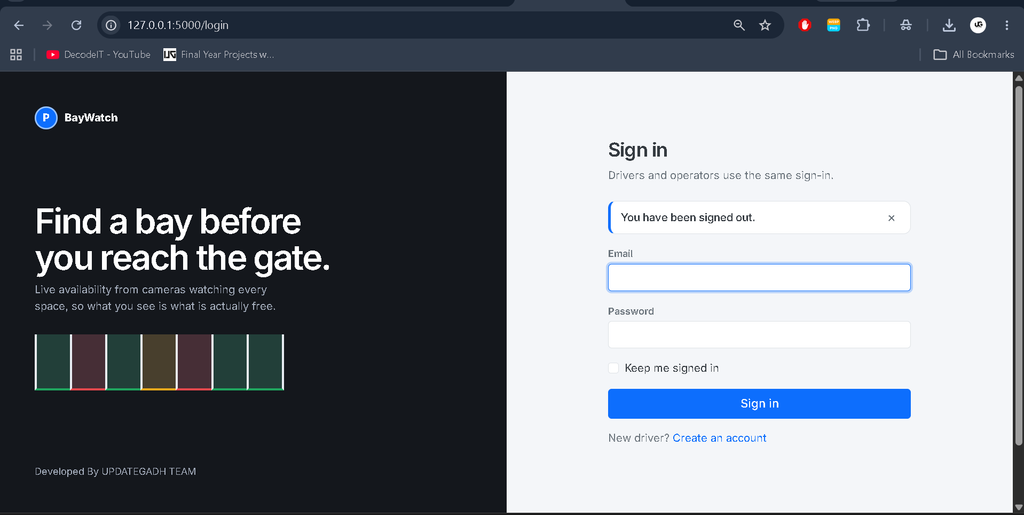
Registration and Login: Drivers can create accounts and securely log in to the application.
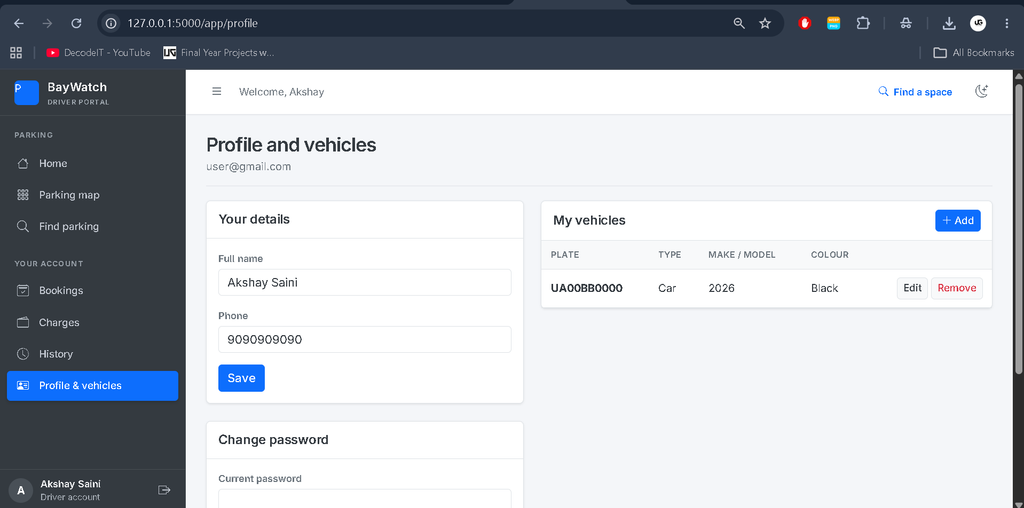
Profile and Vehicles: Drivers can manage their profiles and registered vehicles.
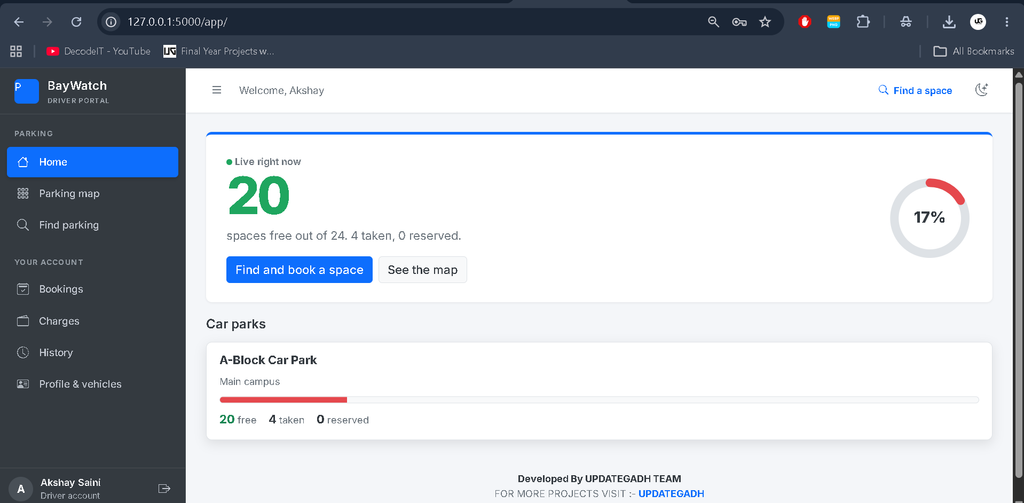
Live Availability: Drivers can view currently available and occupied parking spaces.
Search Parking: Drivers can search parking spaces by location, floor, zone, type, and time window.
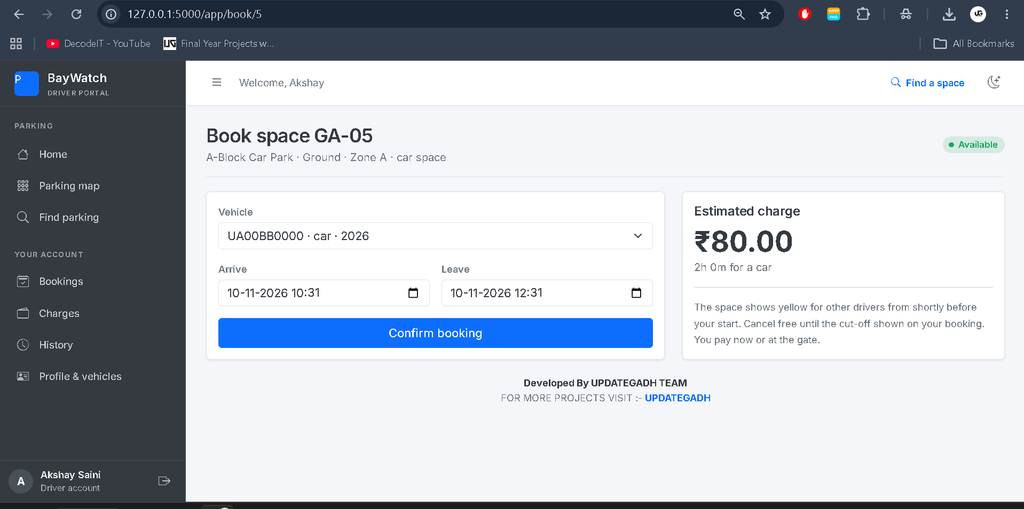
Book Parking Slot: Drivers can select available slots and view estimated parking prices before booking.
Booking Tickets: Drivers can view their booking tickets and cancel eligible bookings.
Parking History: Drivers can view previous parking records, charges, and payment statuses.
Vehicle Parking Management System Project Java JSP MySQL :- Click Here
How Does AI-Based Smart Parking System Using Python Work?
- The camera captures a parking area through a video, webcam, image, or IP stream.
- YOLO detects vehicles and identifies their bounding boxes.
- The system compares vehicle positions with manually drawn parking slot regions.
- Each detected vehicle is matched with the parking slot it covers most.
- Multiple consecutive detections confirm the occupancy status and reduce flickering.
- The database records vehicle entry and exit information.
Parking slots are displayed using three colours: green for available, red for occupied, and yellow for reserved.
Which Technologies Are Used?
- Python: Main programming language.
- Flask: Backend web framework.
- OpenCV: Image and video processing.
- YOLO (Ultralytics): Vehicle detection.
- scikit-learn: Machine learning occupancy forecasting.
- SQLite: Database management.
- HTML, CSS, JavaScript: Frontend development.
- Bootstrap 5: Responsive interface.
How to Download
The complete package is available so you can run, study, and submit it with confidence.
Screenshot

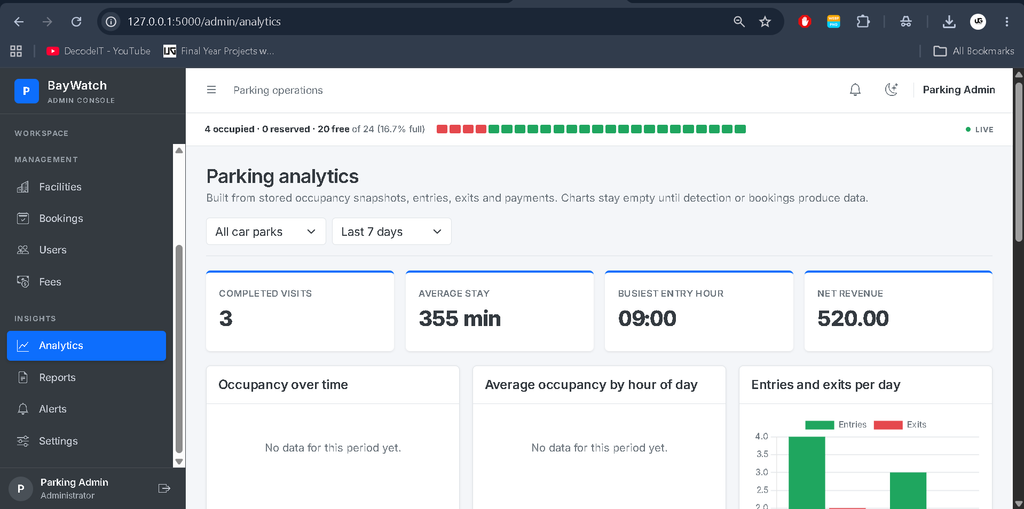
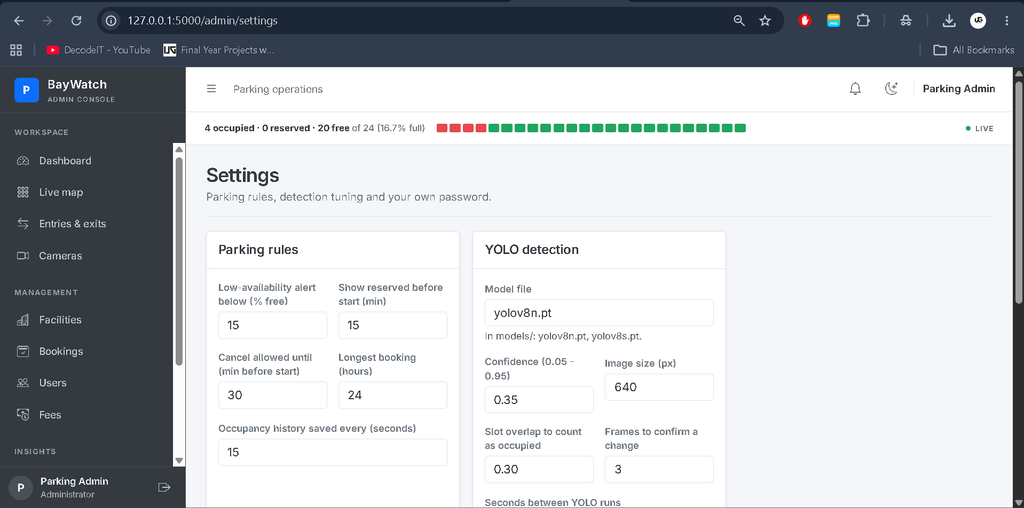
How to Install the Smart Parking System Using Python ?
Installation Guide
Step 1: Install Python 3.10–3.12.
Step 2: Extract the project ZIP file and open the smart_parking folder in VS Code.
Step 3: Creat virtual environment: python -m venv venv
Activate a virtual environment: venv\Scripts\activate
Step 4: Install the required packages: pip install -r requirements.txt
Step 5: Download the YOLO model: python download_model.py
Step 6: Setup the database: python setup_db.py –starter-lot
Step 7: Run the project: python app.py
Open your browser and visit: http://127.0.0.1:5000
Admin Login Details
Email: admin@updategadh.com
Password: Admin@12345
Note: Change the default admin password after your first login.
Frequently Asked Questions (FAQs)
1. What is a Smart Parking System ?
It is an AI-based application that detects available and occupied parking spaces using cameras and computer vision.
2. Which AI technology is used in this project?
The project uses YOLO (Ultralytics) and OpenCV for vehicle detection and parking occupancy analysis.
3. Which programming language and framework are required?
Python is used as the main programming language, and Flask is used as the web framework.
4. Can the system detect vehicles using a webcam?
Yes, the system supports uploaded videos, webcams, still images, and RTSP/HTTP camera streams.
5. Does the project support parking slot booking?
Yes, drivers can search for available parking slots, view estimated prices, make bookings, and check parking history.
Final Thoughts
The Smart Parking System Using Python with OpenCV is a useful AI and Python project for students interested in computer vision, machine learning, and web application development. It combines vehicle detection, automated parking occupancy, slot booking, fee calculation, and analytics in one application.
This project is suitable for BCA, MCA, BSc IT, and computer science students who want practical experience with Python, Flask, OpenCV, and YOLO.


[…] Smart Parking System Using Python with OpenCV and YOLO :- Click Here […]