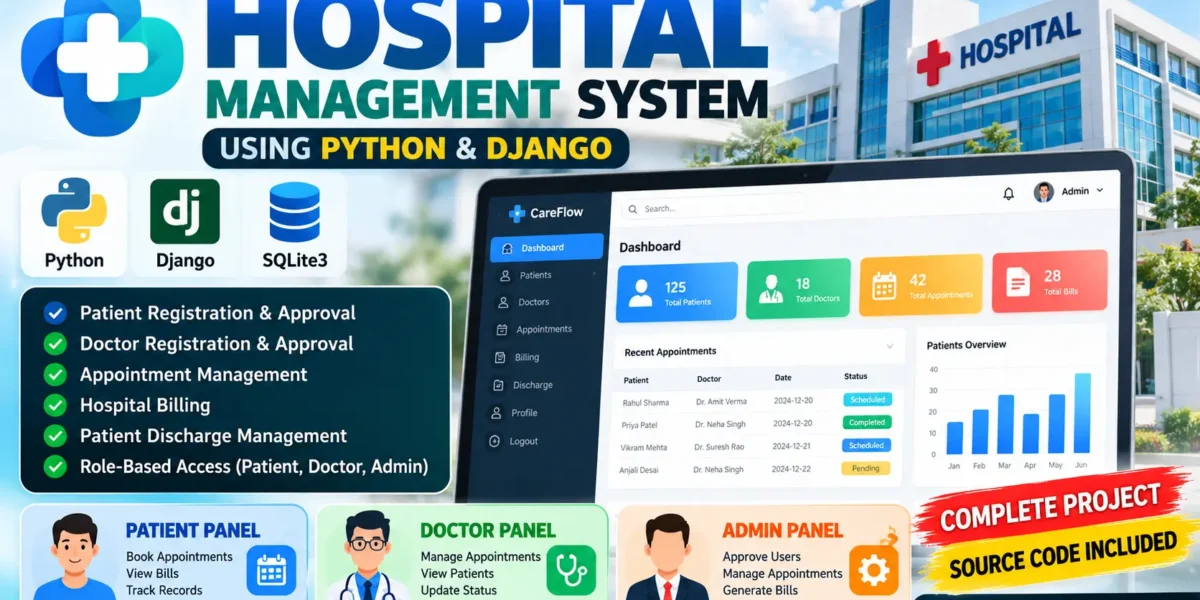
Hospital Management System Using Python and Django
The Hospital Management System is a professional web-based application developed using Python and Django to digitize and manage important hospital operations. The system provides separate panels for Patients, Doctors, and Administrators, with each role having its own responsibilities and permissions.
The application helps manage patient registrations, doctor approvals, appointments, hospital billing, and patient discharge records through a centralized system. By replacing manual record management with a structured digital workflow, the system helps improve data organization, reduce administrative errors, and make hospital operations easier to manage.
Complete Advance AI Topics: Click Here
Real Time Projects on YouTube:- DecodeIT
Project Overview
| Attribute | Details |
|---|---|
| Project Name | Hospital Management System |
| Language/s Used | Python, Django, HTML, CSS, JavaScript |
| Database | SQLite3 |
| Type | Web Application |
| User Roles | Patient, Doctor, Admin |
Available Features
The Hospital Management System contains separate modules for patients, doctors, and administrators. Each module provides functionality according to the user’s role and responsibilities.
Patient Panel
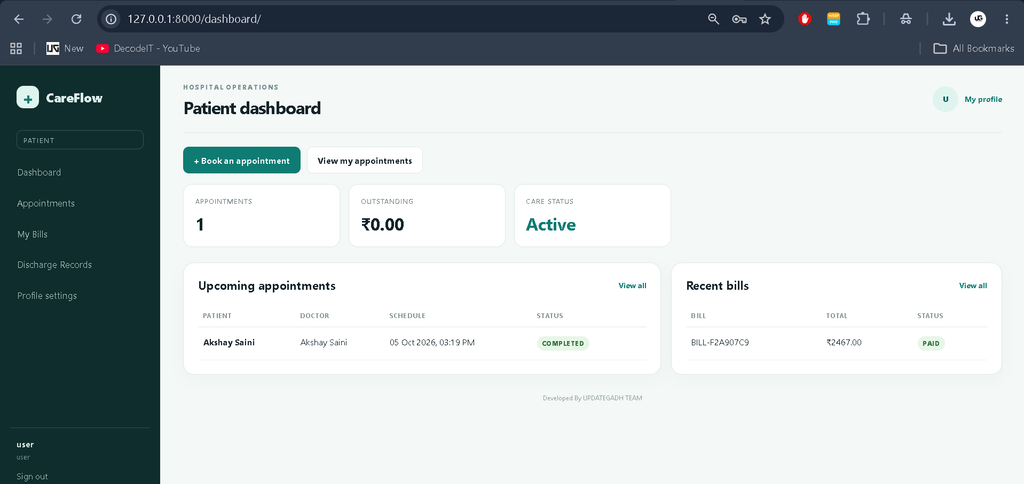
The Patient Panel allows patients to register and access their hospital-related information after administrator approval. This approval process helps ensure that only verified patient accounts can access the system.
- Patient registration
- Admin approval for registration
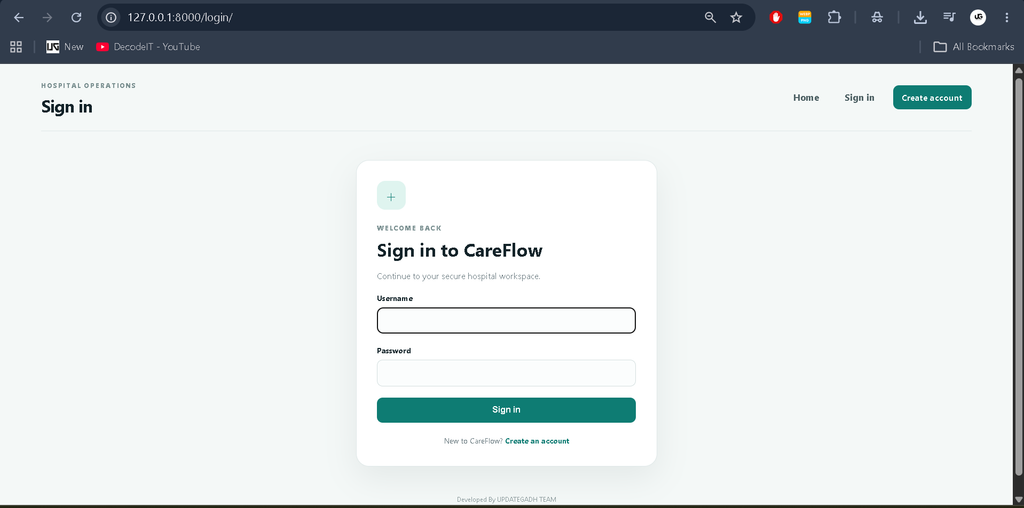
- Secure patient login
- Patient profile management
- Health issue and symptom information
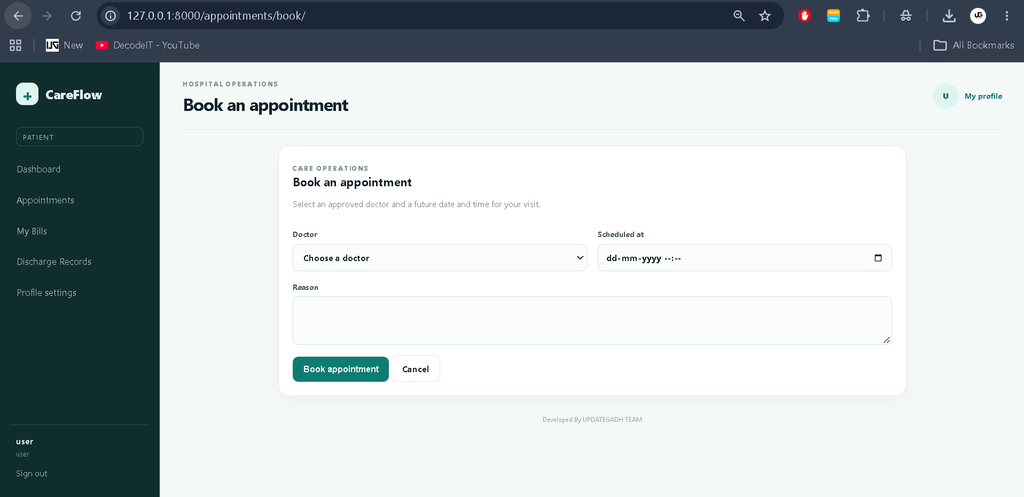
- View scheduled appointments
- View appointment status
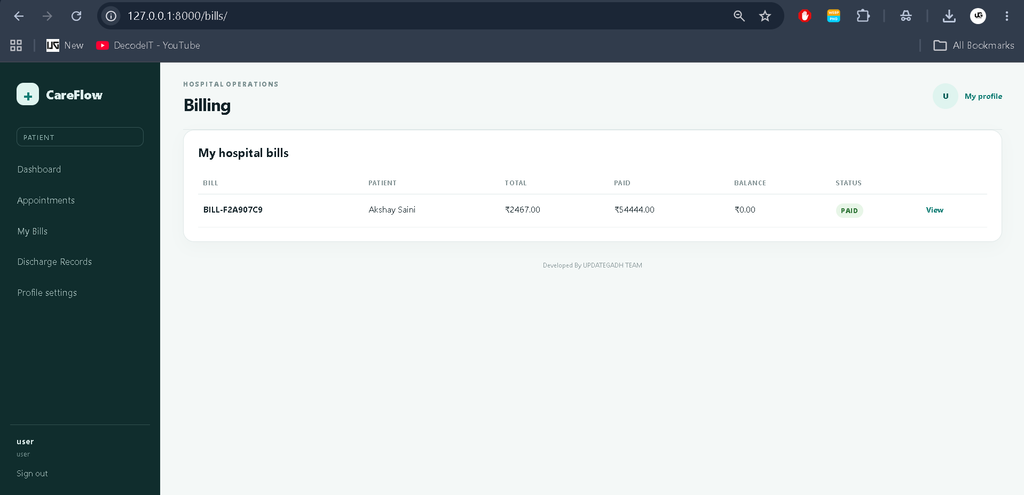
- View hospital bills
- Print or save billing information
Doctor Panel
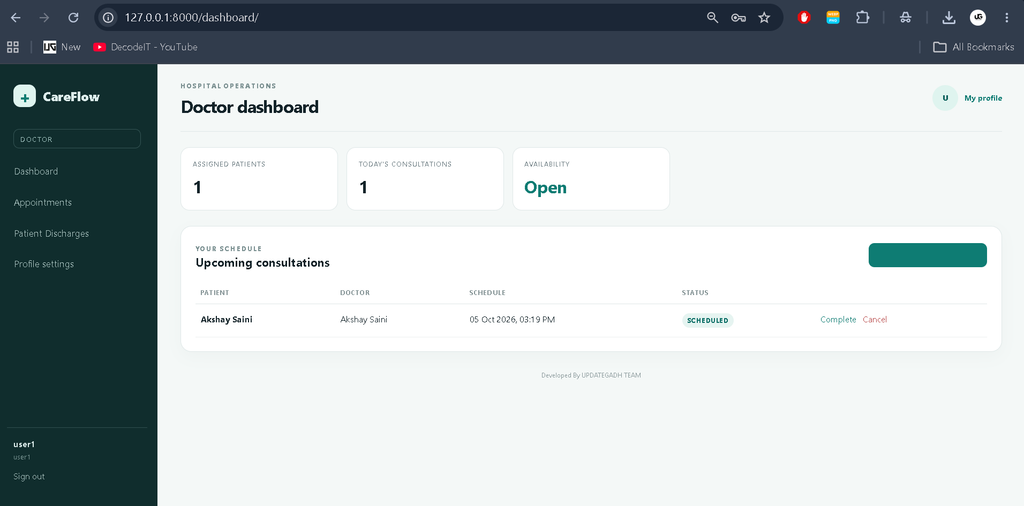
The Doctor Panel provides doctors with the tools required to manage their assigned patients and appointments. Doctor accounts also require administrator approval before access is granted.
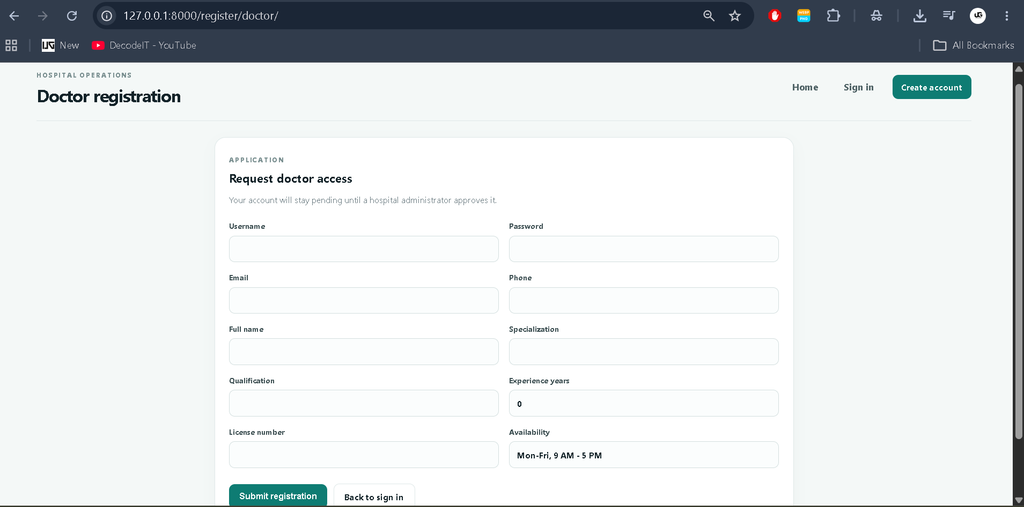
- Doctor registration
- Admin approval for doctor accounts
- Secure doctor login
- Doctor profile management
- View assigned patients
- View patient symptoms
- View scheduled appointments
- Update appointment status
- Cancel appointments when required
Admin Panel
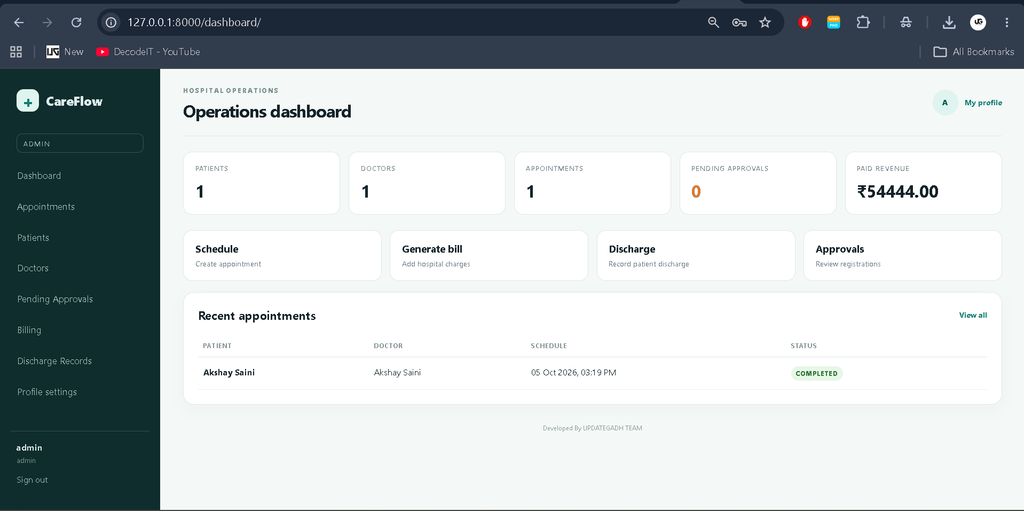
The Admin Panel is the central management area of the Hospital Management System. Administrators can control registrations, appointments, billing, patients, doctors, and discharge records through the custom application interface.
- Admin dashboard
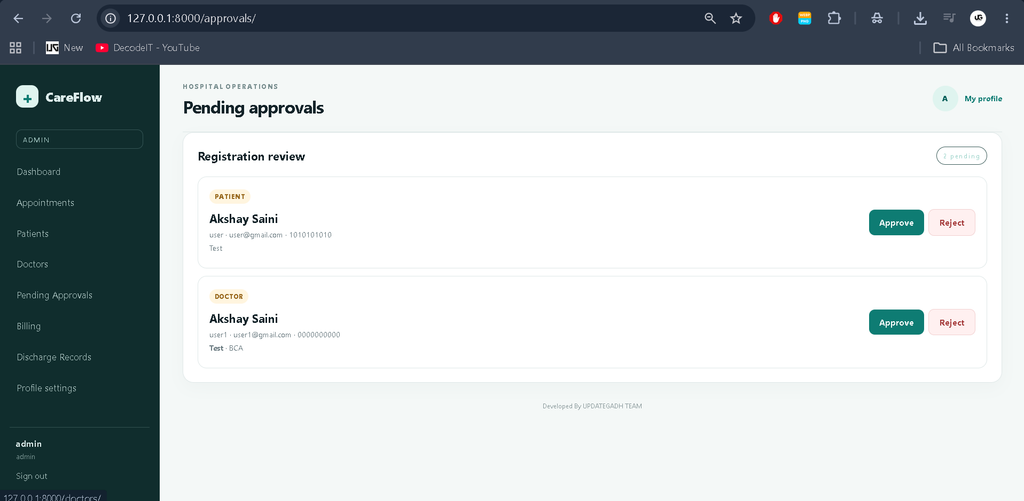
- Patient registration approval
- Patient registration rejection
- Doctor registration approval
- Doctor registration rejection
- Patient management
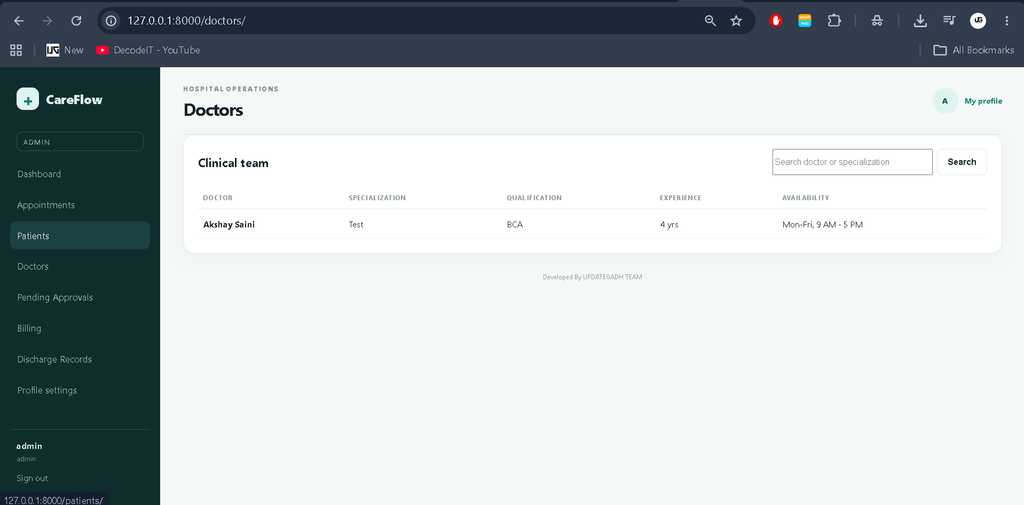
- Doctor management
- Appointment management
- Doctor assignment
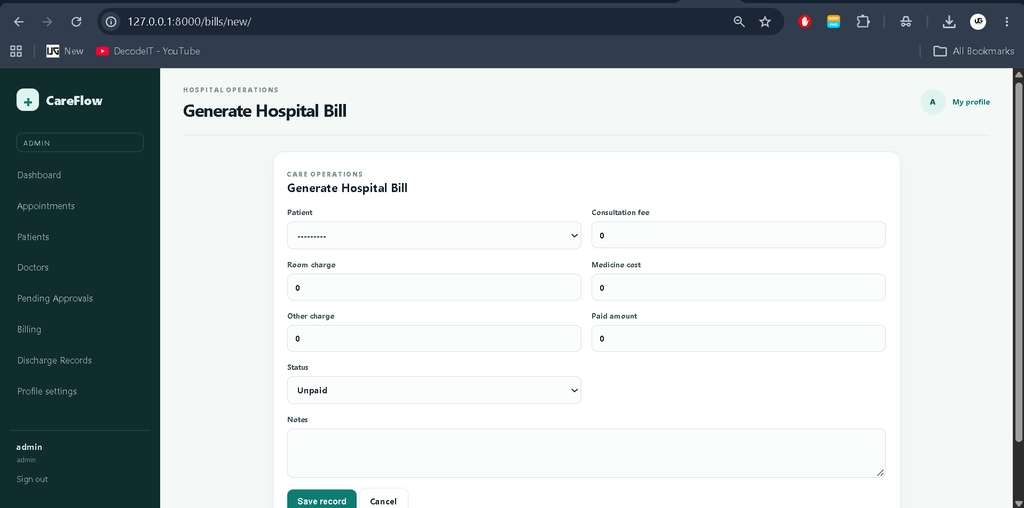
- Hospital bill generation
- Consultation charge management
- Room charge management
- Medicine charge management
- Additional medical expense management
- Patient discharge management
Appointment Management
The appointment module connects patients, doctors, and administrators in a structured workflow. Administrators can create appointments and assign patients to appropriate doctors. Doctors can view their scheduled appointments and update their status when required.
This module helps reduce dependency on manual appointment registers and provides a centralized way to organize consultation schedules.
Hospital Billing
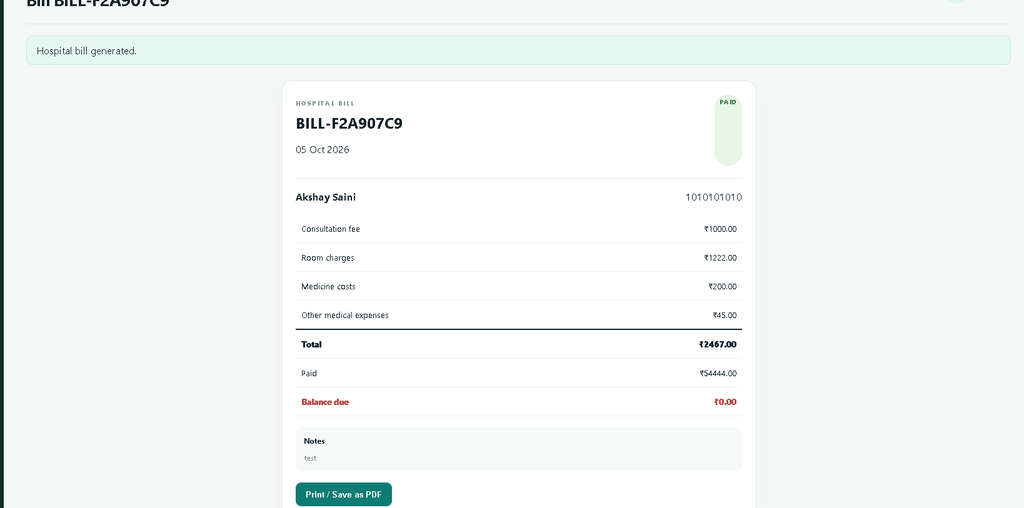
The billing module allows administrators to generate and manage hospital bills for patients. Different types of hospital expenses can be recorded within a patient’s bill.
- Consultation charges
- Room charges
- Medicine costs
- Other medical expenses
- Total bill calculation
- Patient billing records
- Printable bill information
Patients can access their billing information from their dashboard, making financial records easier to review and maintain.
Patient Discharge Management
The administrator can record patient discharge information after the patient’s hospital stay is completed. This keeps the patient’s hospital records organized and provides a structured way to maintain discharge information.
User Roles and Permissions
| Role | Main Responsibilities |
|---|---|
| Patient | Registration, appointments, profile information, bills |
| Doctor | Assigned patients, symptoms, appointments, appointment status |
| Admin | User approval, patients, doctors, appointments, billing, discharge records |
Technology Stack
- Backend: Python and Django
- Frontend: HTML, CSS and JavaScript
- Database: SQLite3
- Development Environment: Visual Studio Code
Software and Tools Required
- Python 3.x
- pip
- Visual Studio Code
- Web Browser
- SQLite3
How to Download
The complete package is available so you can run, study, and submit it with confidence. It includes:
- Full Source Code
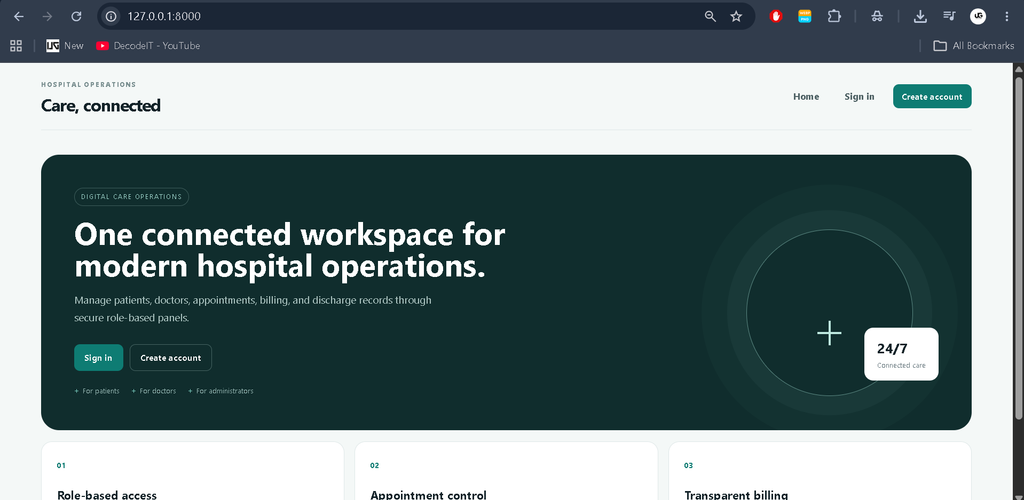
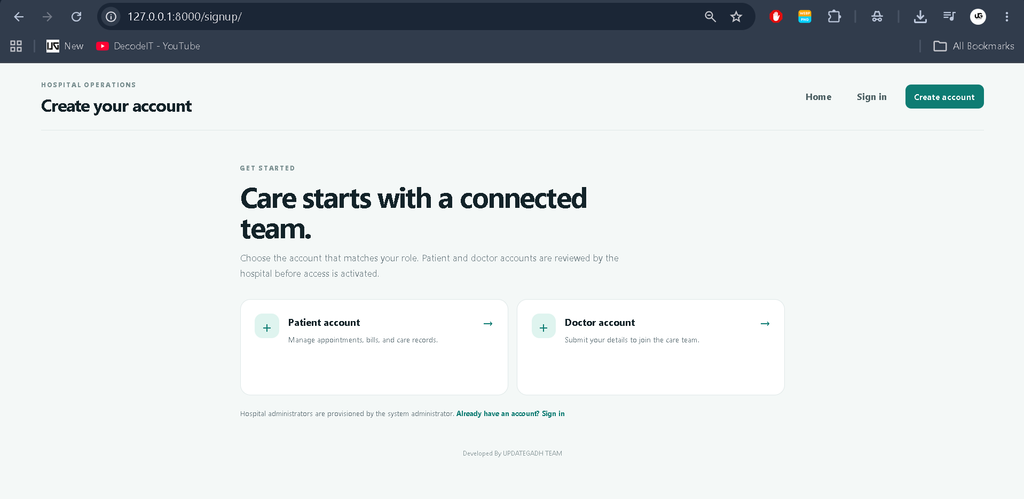
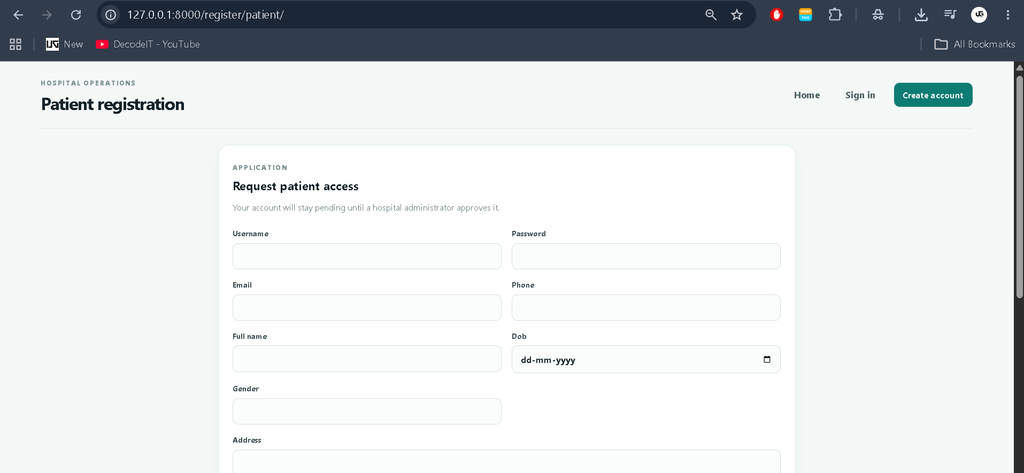
Screenshot
Installation Guide
Follow the steps below to run the Hospital Management System on your local computer.
Step 1: Extract the Project
Extract the project files and open the project folder in Visual Studio Code.
cd hospital_management_systemStep 2: Create a Virtual Environment
python -m venv venvActivate the virtual environment on Windows:
venv\Scripts\activateFor macOS or Linux:
source venv/bin/activateStep 3: Install Dependencies
Install the required Django packages using the requirements file.
pip install -r requirements.txtStep 4: Apply Database Migrations
python manage.py migrateStep 5: Create the Admin Account
Create the administrator account using the following command:
python manage.py createsuperuserEnter the required username, email address, and password when prompted.
Step 6: Start the Development Server
python manage.py runserverOpen the application in your browser:
http://127.0.0.1:8000/Usage
Patient
Patients can register through the registration page. After administrator approval, they can log in and access their dashboard. Patients can view their appointments and hospital billing information.
Doctor
Doctors can register through the doctor registration process. After administrator approval, they can access their dashboard, view assigned patients, check patient symptoms, and manage appointment statuses.
Admin
The administrator manages the complete hospital workflow. The admin can approve or reject patient and doctor registrations, create appointments, assign doctors, manage billing information, and maintain patient discharge records.
Security and Access Control
The system uses role-based access control to ensure that users can access only the modules permitted for their role. Authentication protects dashboard access, while backend authorization prevents users from accessing restricted operations through direct URLs.
Forms use server-side validation and CSRF protection to provide a safer application workflow.
Responsive Design
The application interface is designed to work across desktop, laptop, tablet, and mobile screen sizes. Dashboards, tables, forms, navigation elements, and management pages are structured to provide a consistent user experience across different devices.
Project Benefits
- Reduces dependency on manual hospital records
- Centralizes patient and doctor information
- Simplifies appointment management
- Provides organized hospital billing records
- Improves role-based access control
- Helps maintain discharge records
- Provides practical experience with Django development
- Demonstrates real-world database management
Contributing
Contributions can be made to improve the project while keeping the existing hospital workflow and technology stack consistent. Developers can improve the interface, optimize database operations, fix bugs, and enhance existing modules according to the project’s requirements.
License
This project is licensed under the MIT License. You are free to use, modify, and distribute the project with proper attribution to the original developer.
Final Thoughts
From a student’s perspective, the Hospital Management System is a practical Django project for understanding how a real-world management application can be developed. The project combines authentication, role-based authorization, database operations, CRUD functionality, appointment management, billing, and record management in one application.
Keywords: Hospital Management System Using Python and Django, Hospital Management System Django Project, Hospital Management System Python, Django Hospital Management System, Python Django Project,Hospital Management System Hospital Management System – Google Search hospital management system project hospital management system project with source code hospital management system er diagram hospital management system project for bca hospital management system project pdf free download hospital management system project with source code pdf hospital management system project class 12 python pdf download hospital management system github hospital management system website