Restaurant Management System Using Python Django
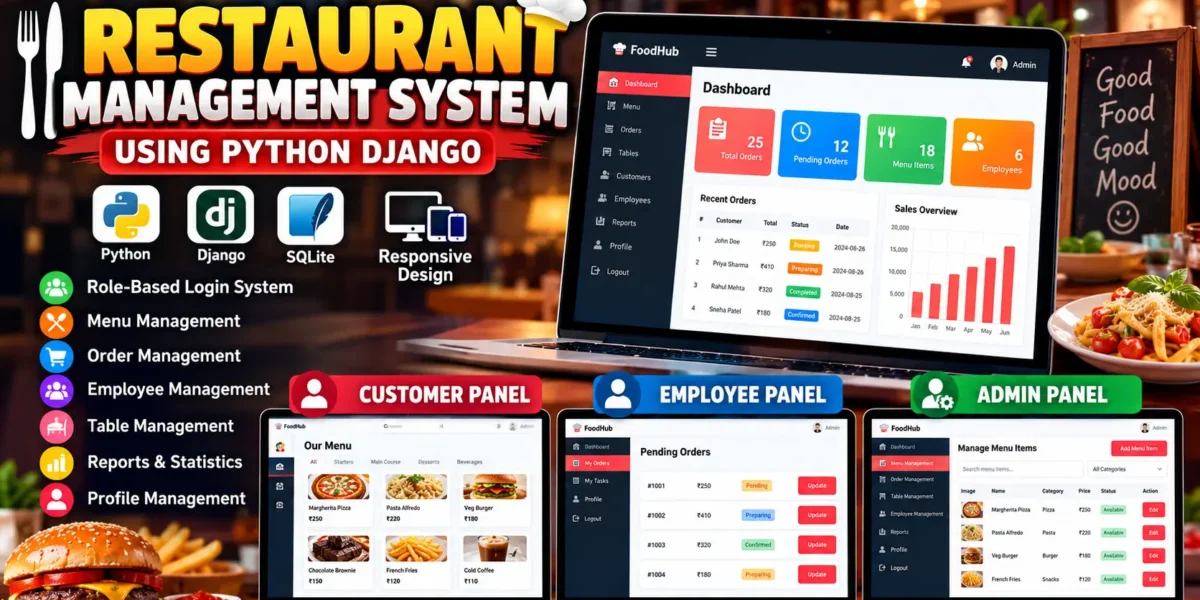
The Restaurant Management System Using Python Django is a web-based application designed to manage important restaurant operations through separate panels for Customers, Employees, and Administrators. The system provides role-based access so that each user can perform only the operations relevant to their responsibilities.
The project is developed using Python and the Django framework with SQLite as the database. It demonstrates authentication, authorization, database management, CRUD operations, order processing, menu management, employee tasks, restaurant table management, and reporting in a practical restaurant management application.
Unlike a basic restaurant website, this system provides a complete management workflow where customers can browse the menu and place orders, employees can process orders and manage assigned tasks, and administrators can supervise restaurant operations through a custom management panel.
Complete Advance AI Topics: Click Here
Real Time Projects on YouTube:- DecodeIT
Project Overview
| Attribute | Details |
|---|---|
| Project Name | Restaurant Management System |
| Language/s Used | Python, HTML, CSS, JavaScript |
| Framework | Django |
| Database | SQLite |
| Frontend | HTML, CSS, JavaScript |
| Architecture | Django MVT |
| Type | Web Application |
User Roles
Customer
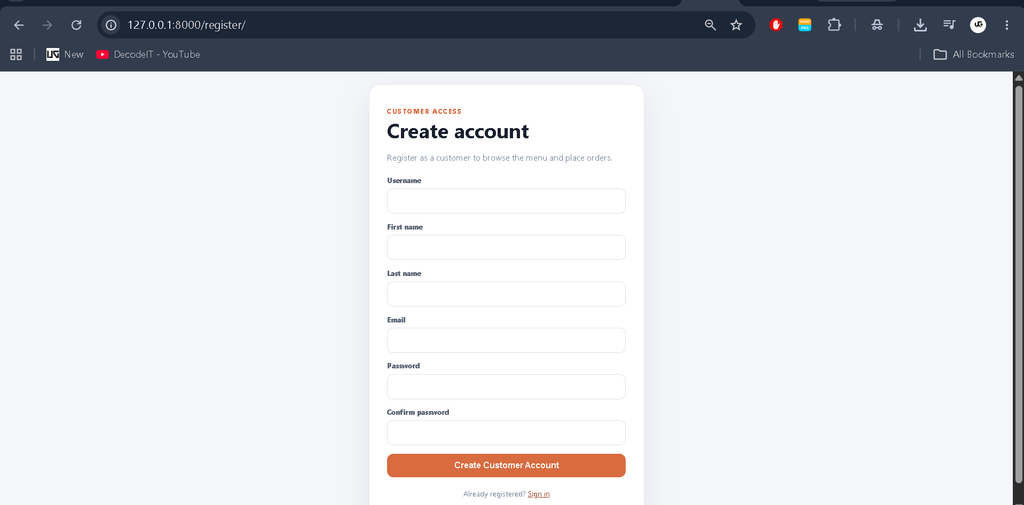
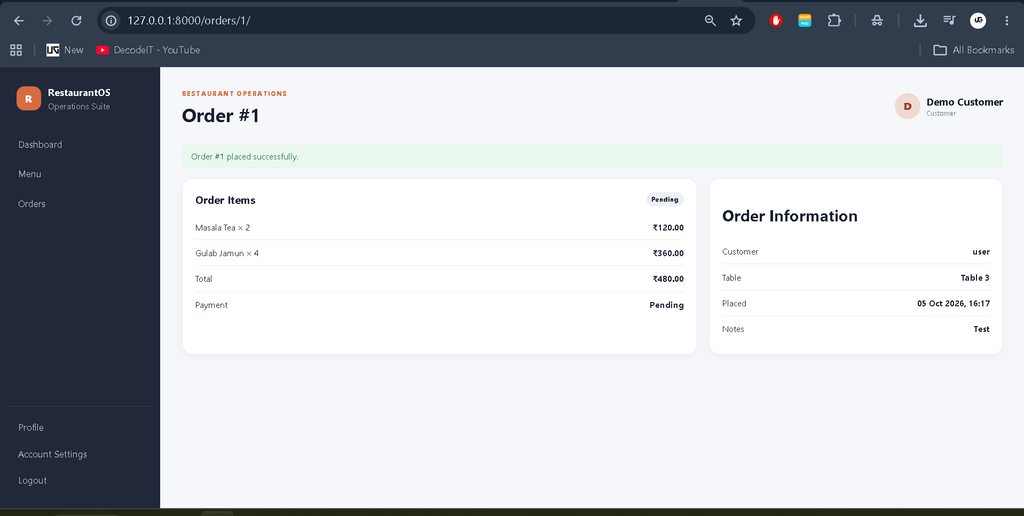
Customers can securely log in to the system, browse available menu items, view item details, place orders, and monitor their order status. Customers can access only their own records and restaurant services.
Employee
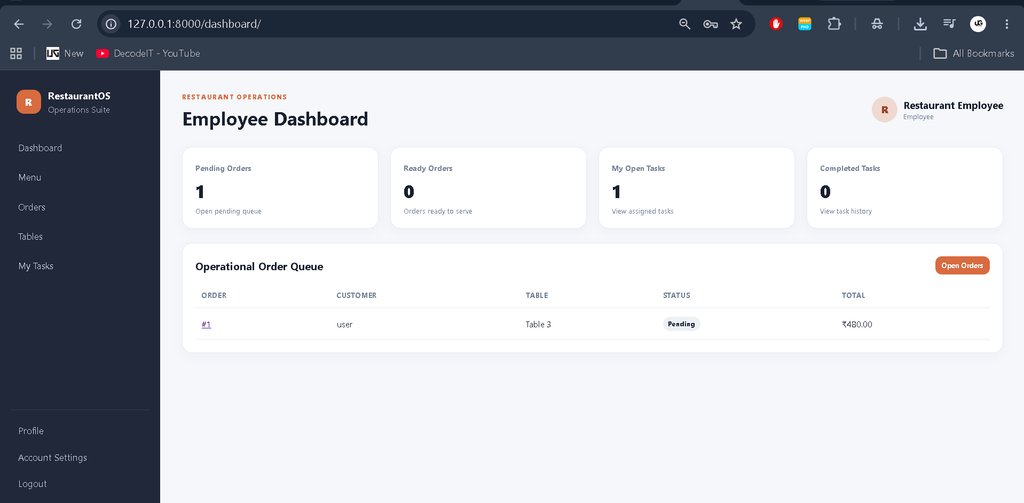
Employees have a dedicated dashboard for handling restaurant operations. They can view incoming orders, update order statuses, manage assigned tasks, and access operational information according to their permissions.
Admin
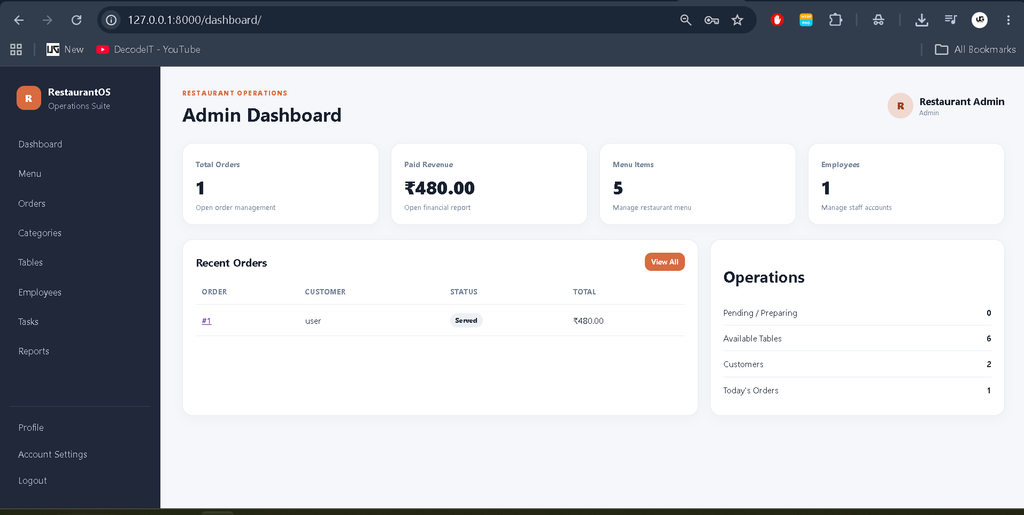
Administrators have complete control over restaurant operations through the custom application dashboard. They can manage menu categories, menu items, restaurant tables, employees, orders, tasks, and operational reports.
Available Features
Role-Based Login System
The system provides separate access levels for Customers, Employees, and Administrators. Authentication and permission checks ensure that users cannot access modules belonging to another role.
Customer Dashboard
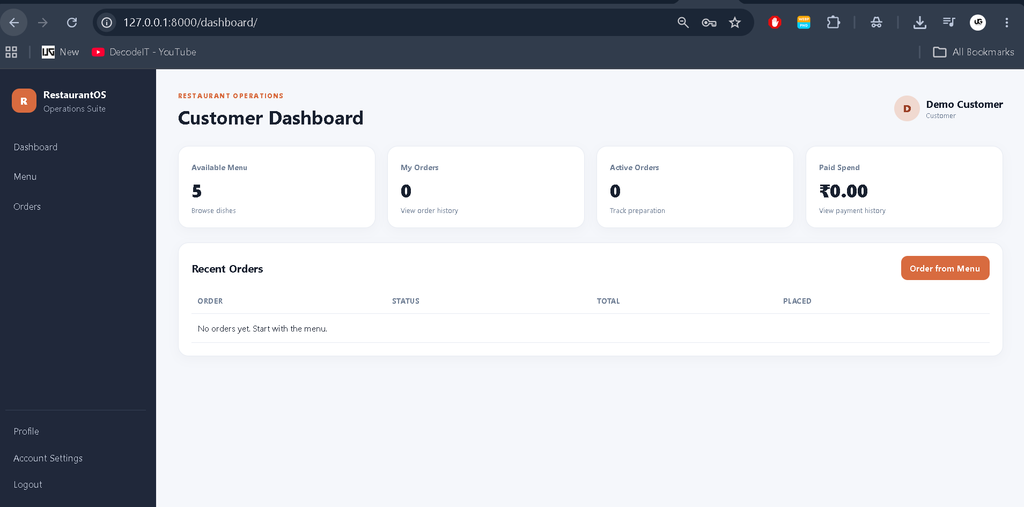
Customers receive a personalized dashboard containing relevant information such as their total orders, pending orders, completed orders, and recent activities.
Menu Management
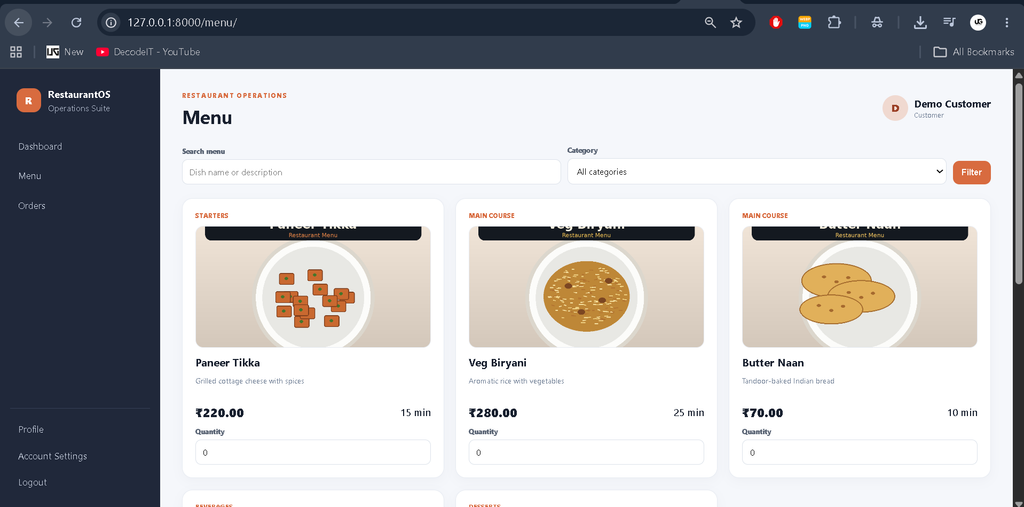
Administrators can manage restaurant menu categories and menu items. Menu records can contain the item name, category, description, price, availability status, and image.
Restaurant Table Management
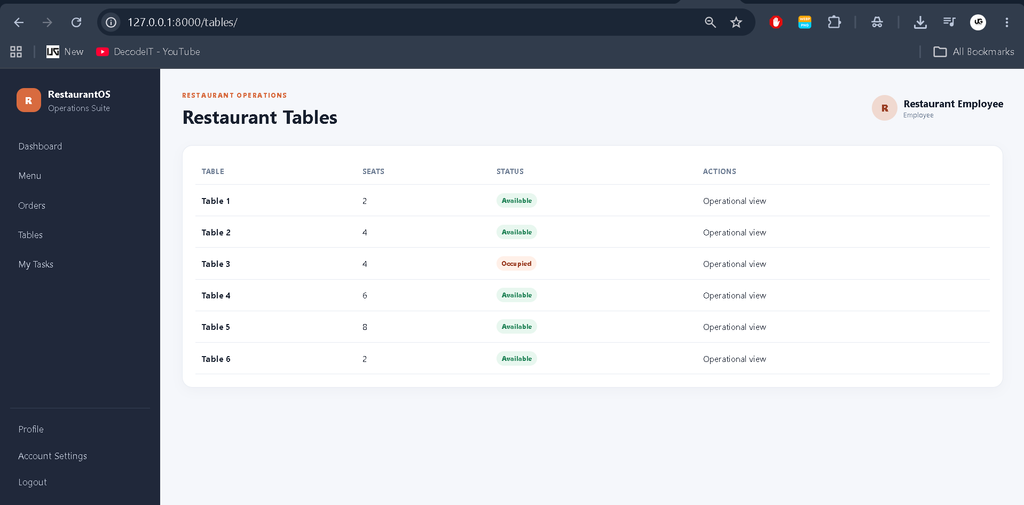
Administrators can manage restaurant tables and monitor their current status. Tables can be maintained according to statuses such as Available, Occupied, Reserved, and Maintenance.
Online Order Management
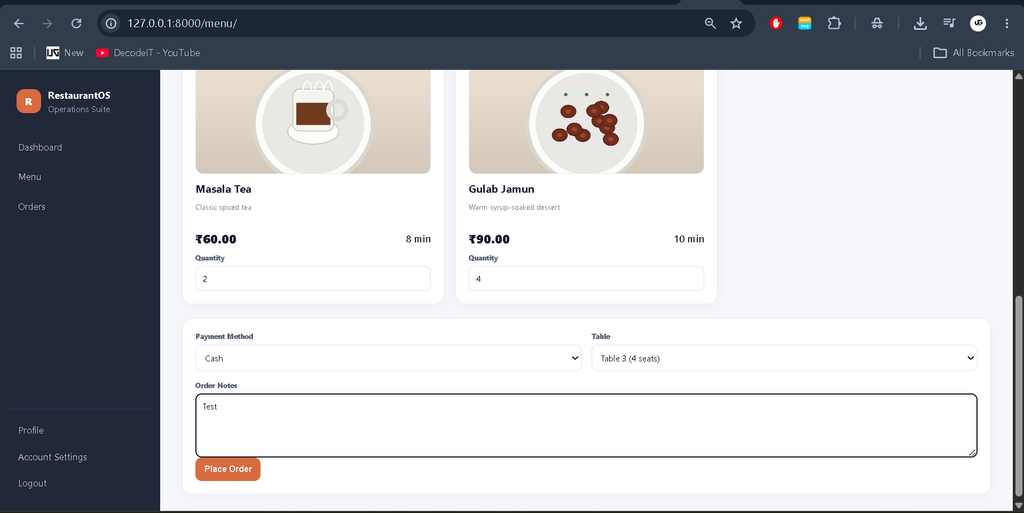
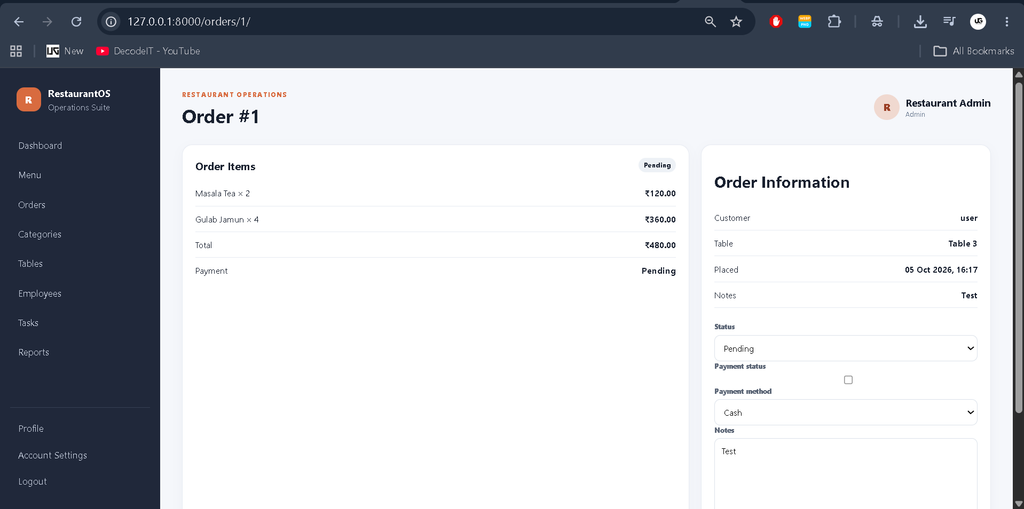
Customers can select available menu items and create orders. The system stores order details in the database and provides an order status workflow.
Order statuses include:
- Pending
- Confirmed
- Preparing
- Ready
- Completed
- Cancelled
Employee Order Processing
Employees can access incoming orders from their dashboard and update the order status as the order moves through the restaurant workflow.
Employee Task Management
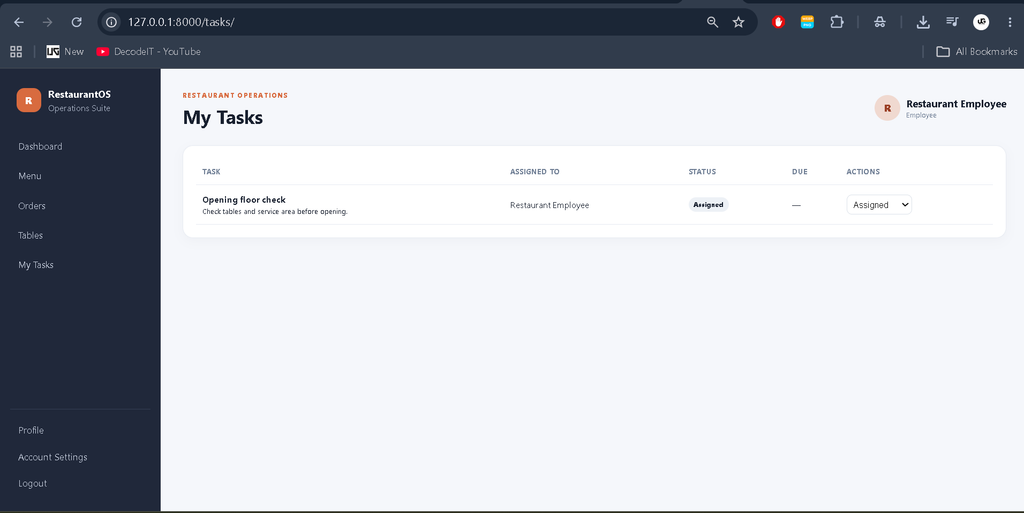
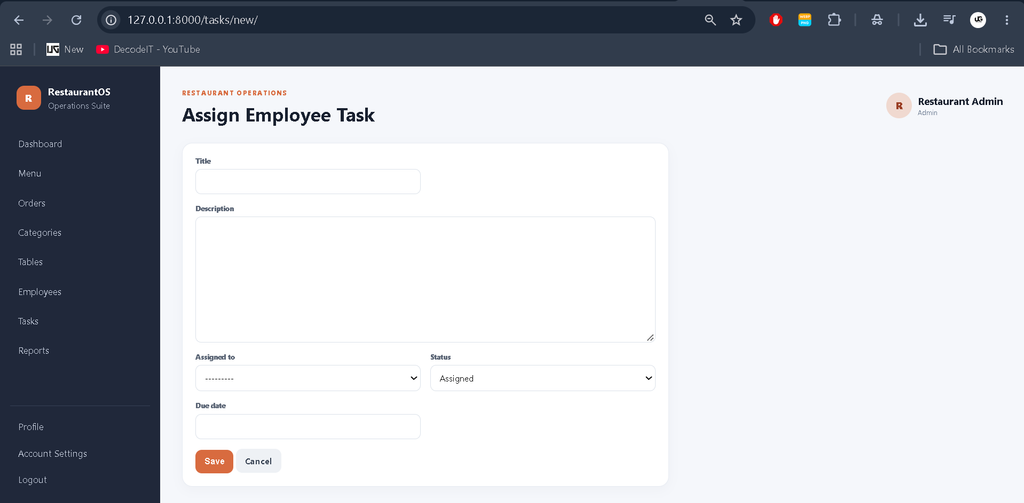
Administrators can assign operational tasks to employees. Employees can view their assigned tasks and update their task status.
Payment Management
Orders contain payment-related information so that restaurant staff can maintain payment status for restaurant transactions.
Search and Filtering
Management pages provide search and filtering options to make it easier to locate menu items, orders, employees, tables, and other records.
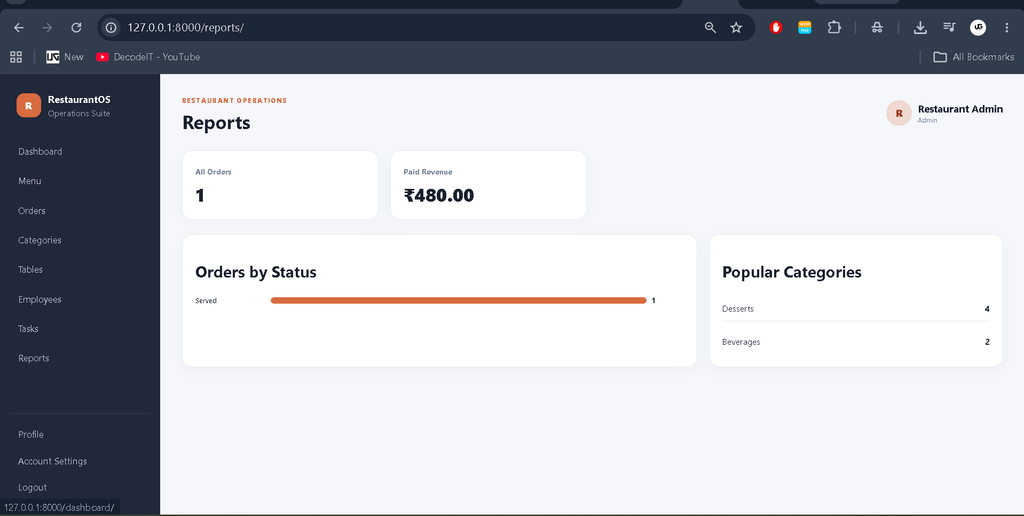
Reports and Statistics
The administration dashboard displays real database statistics such as:
- Total Orders
- Pending Orders
- Completed Orders
- Menu Items
- Employees
- Customers
- Restaurant Tables
- Revenue Statistics
Dashboard KPI cards are connected to relevant records instead of being decorative statistics.
Profile Management
Every applicable user panel includes profile management functionality:
- View Profile
- Edit Profile
- Change Password
- Account Settings
- Logout
Database
The application uses SQLite for storing restaurant information. Django migrations are used to create and maintain the database structure.
The database manages records related to:
- Users
- User Roles
- Customer Profiles
- Employee Profiles
- Menu Categories
- Menu Items
- Restaurant Tables
- Orders
- Order Items
- Employee Tasks
- Payment Information
Security
The system implements important Django security features including authentication, role-based authorization, CSRF protection, password hashing, permission-based views, form validation, unauthorized-access protection, and secure session handling.
Users cannot directly access modules that are outside their assigned role.
How to Download
The complete package is available so you can run, study, and submit it with confidence. It includes:
- Full Source Code
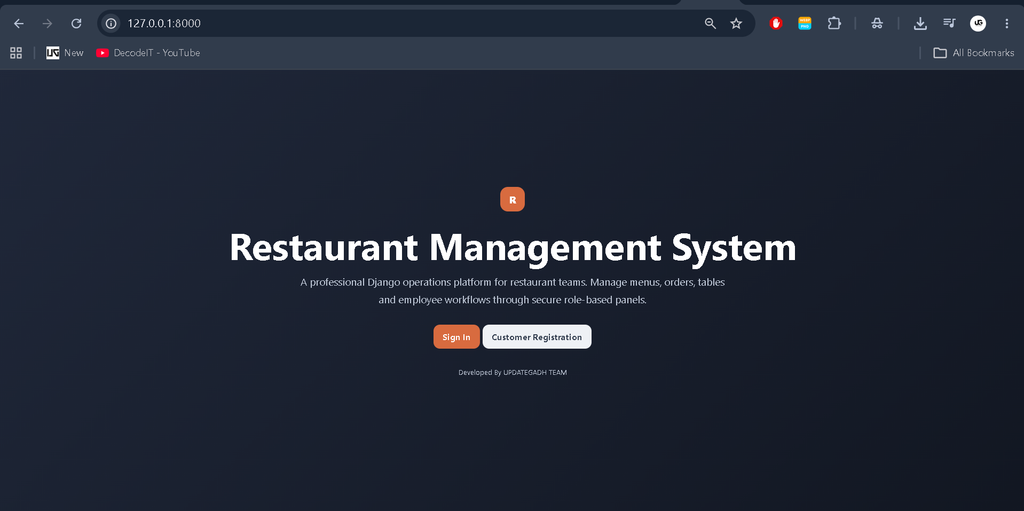
Screenshot
Installation Guide in VS Code
Step 1: Install Python
Install Python 3.x and verify the installation:
python --versionStep 2: Open the Project
Extract the project and open the project folder in Visual Studio Code.
Step 3: Create a Virtual Environment
python -m venv venvActivate the virtual environment on Windows:
venv\Scripts\activateStep 4: Install Dependencies
pip install -r requirements.txtStep 5: Apply Database Migrations
python manage.py makemigrations
python manage.py migrate
Step 6: Create Demo Data
python manage.py seed_demoStep 7: Run the Development Server
python manage.py runserverOpen the local development address displayed by Django in your browser to access the Restaurant Management System.
Demo Login
Admin
Username: akku
Password: 1234
Employee
Username: admin
Password: 123456789
Customer
Username: user
Password: user
Usage
Customer Workflow
- Customer logs into the system.
- Customer opens the restaurant menu.
- Available menu items are displayed.
- Customer selects required items.
- Customer creates an order.
- The order is stored in the database.
- Customer tracks the order status.
- Customer can view previous orders.
Employee Workflow
- Employee logs into the employee panel.
- Employee views pending orders.
- Employee processes incoming orders.
- Employee updates order status.
- Employee views assigned tasks.
- Employee updates task progress.
- Completed operational work is reflected in the system.
Admin Workflow
- Administrator logs into the management panel.
- Admin views restaurant statistics.
- Admin manages menu categories.
- Admin manages menu items.
- Admin manages restaurant tables.
- Admin manages employees.
- Admin assigns employee tasks.
- Admin supervises customer orders.
- Admin monitors restaurant reports.
Why This Project Is Useful for Students
This project is useful for students because it demonstrates how Django can be applied to a practical business-management scenario.
Students can learn:
- Django MVT architecture
- Authentication and authorization
- Role-based access control
- Database relationships
- CRUD operations
- Django models
- Forms and validation
- Template integration
- Database querying
- Dashboard development
- Responsive UI design
- Real-world order workflows
Future Scope
The system can be extended with additional restaurant-specific functionality such as:
- Table Reservations
- Online Payment Gateway
- Customer Feedback
- Invoice Generation
- Kitchen Display Management
- Food Delivery Management
- Inventory Tracking
- Sales Analytics
- Restaurant Branch Management
Conclusion
The Restaurant Management System Using Python Django provides a practical implementation of restaurant operations through a secure role-based web application. Customers, employees, and administrators receive separate functionality according to their responsibilities.
Restaurant Management System Restaurant Management System restaurant management system project in java restaurant management system project in python restaurant management system project restaurant management system project in python class 12 pdf restaurant management system github restaurant management system website restaurant management system ui design restaurant management system er diagram restaurant management system excel free download