Leave Management System Using Django and Python
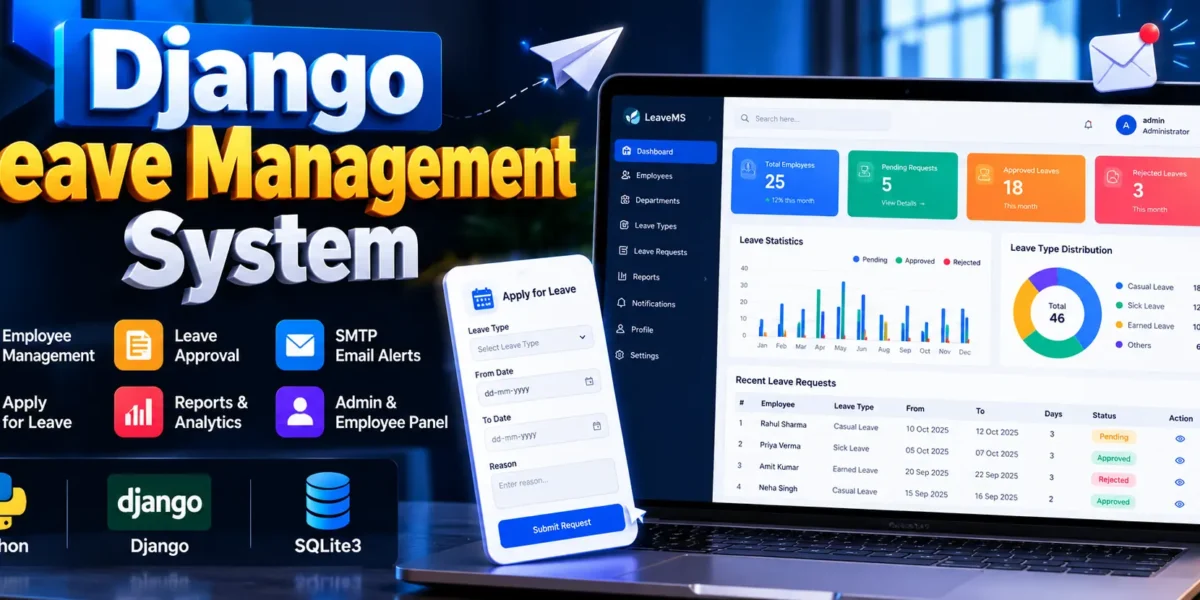
The Leave Management System Using Django and Python is a web-based application developed using Python Django to simplify and automate employee leave management. It provides a centralized platform where employees can submit leave applications, check their application status, and manage their profiles, while administrators can manage employee records, departments, leave types, and approval workflows.
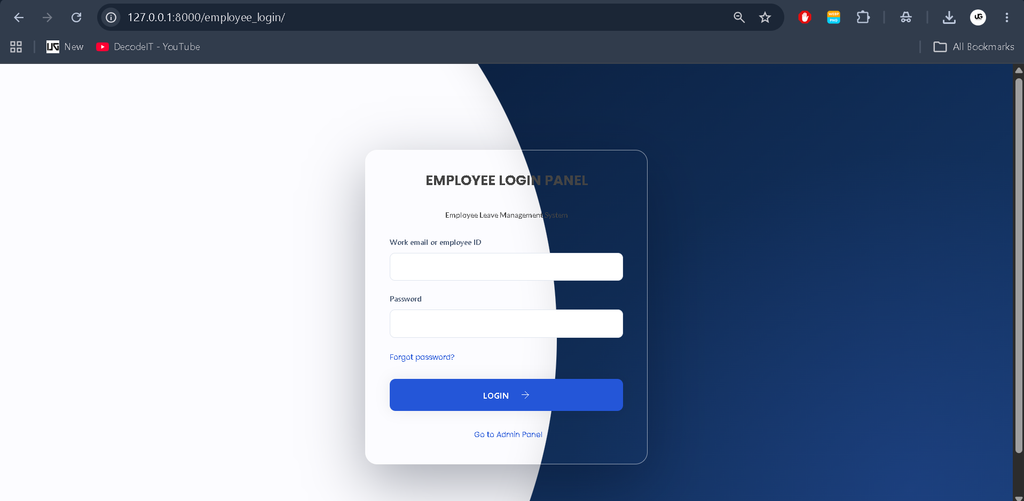
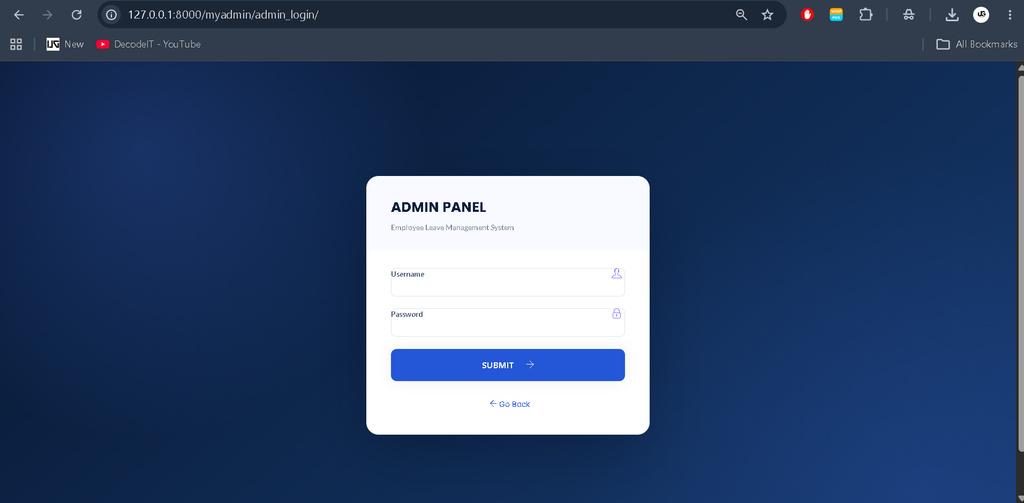
The project includes separate Admin and Employee Panels with a professional, responsive interface. It also supports SMTP-based real-time email notifications for supported leave-related events, helping employees and administrators stay informed about leave applications and decisions.
Table of Contents
Complete Advance AI Topics: Click Here
Project Overview
| Project Name | Django Leave Management System |
|---|---|
| Language/s Used | Python, HTML, CSS, JavaScript |
| Framework | Django |
| Database | SQLite3 |
| Email Integration | SMTP Email Notifications |
| Project Type | Web Application |
Download New Real-Time Projects: Click Here
Available Features
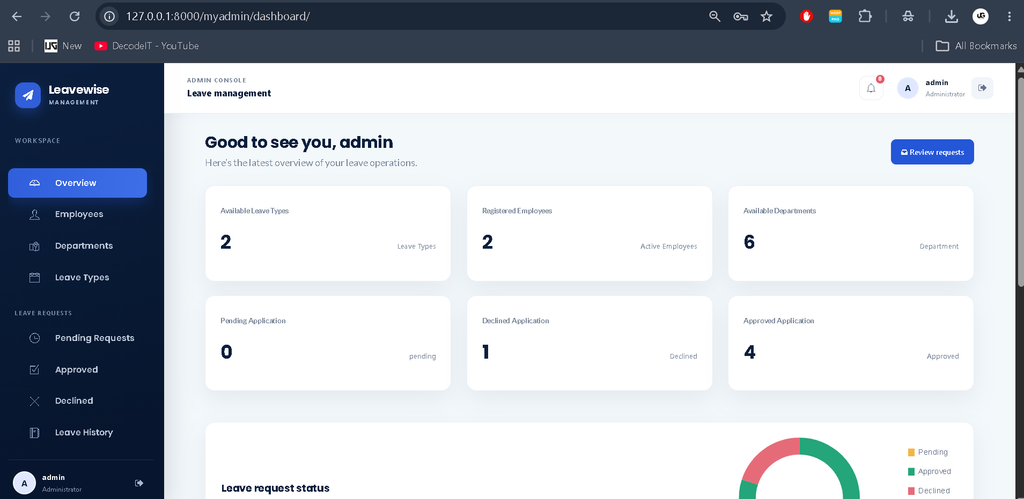
1. Admin Dashboard
The administrator dashboard provides a centralized overview of leave management activities. It displays relevant statistics, employee information, departments, leave categories, and leave request statuses using the available project data.
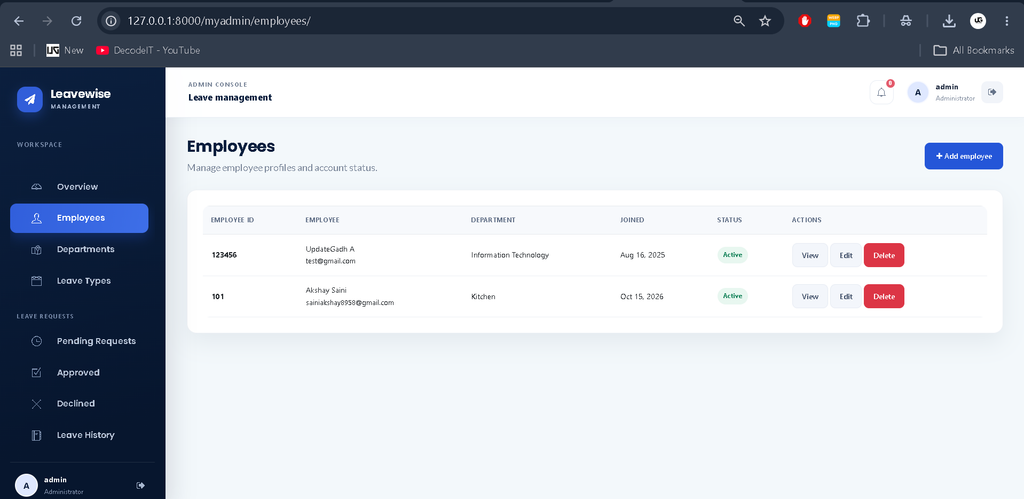
2. Employee Management
Administrators can add employees, update existing records, and view employee information. This helps maintain organized employee data within the application.
3. Department Management
The department module allows administrators to maintain department records and organize employees according to the organization’s structure.
4. Leave Type Management
Administrators can manage different leave categories, such as sick leave and casual leave, according to the options supported by the project.
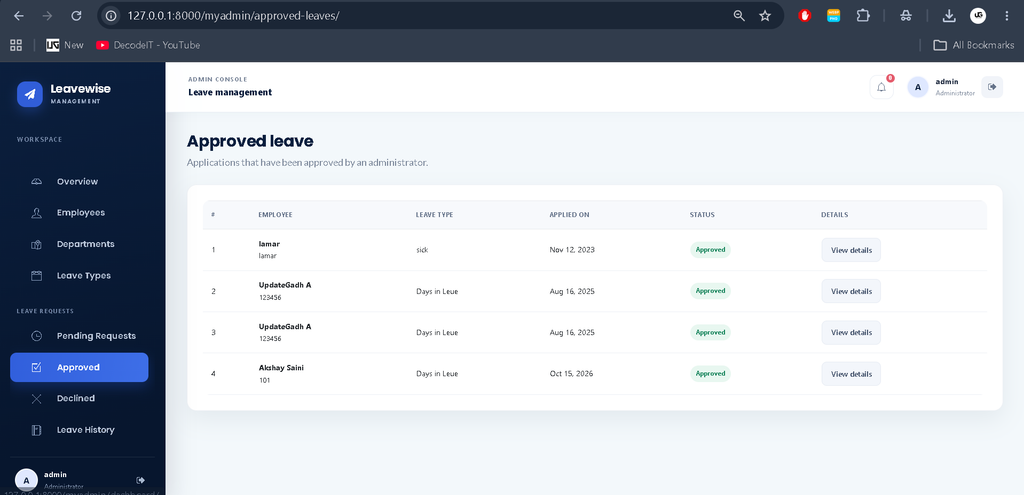
5. Leave Application and Approval
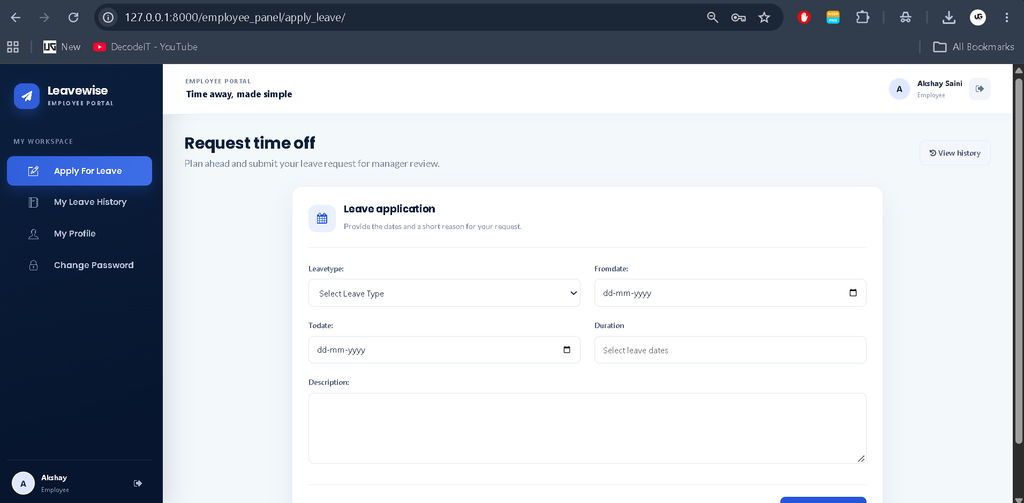
Employees can submit leave requests by specifying the leave type, dates, and reason. Administrators can review applications and approve or reject them. Employees can subsequently check their application status through their accounts.
6. Leave History
The leave history section helps employees review their previous and current applications. It provides a convenient way to track leave requests without depending on manual records.
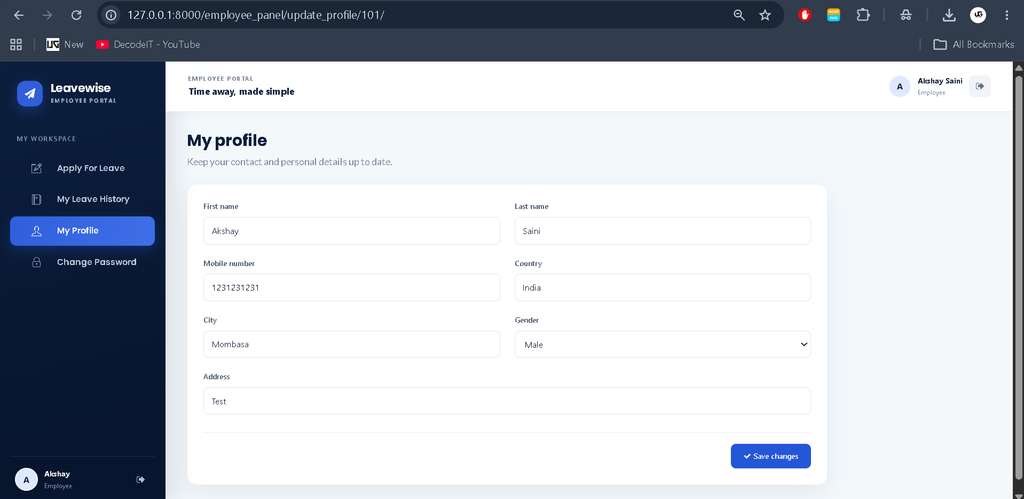
7. Profile Management
Employees and administrators can manage their personal or account information through their respective panels, according to the existing permissions and functionality.
8. SMTP Email Integration
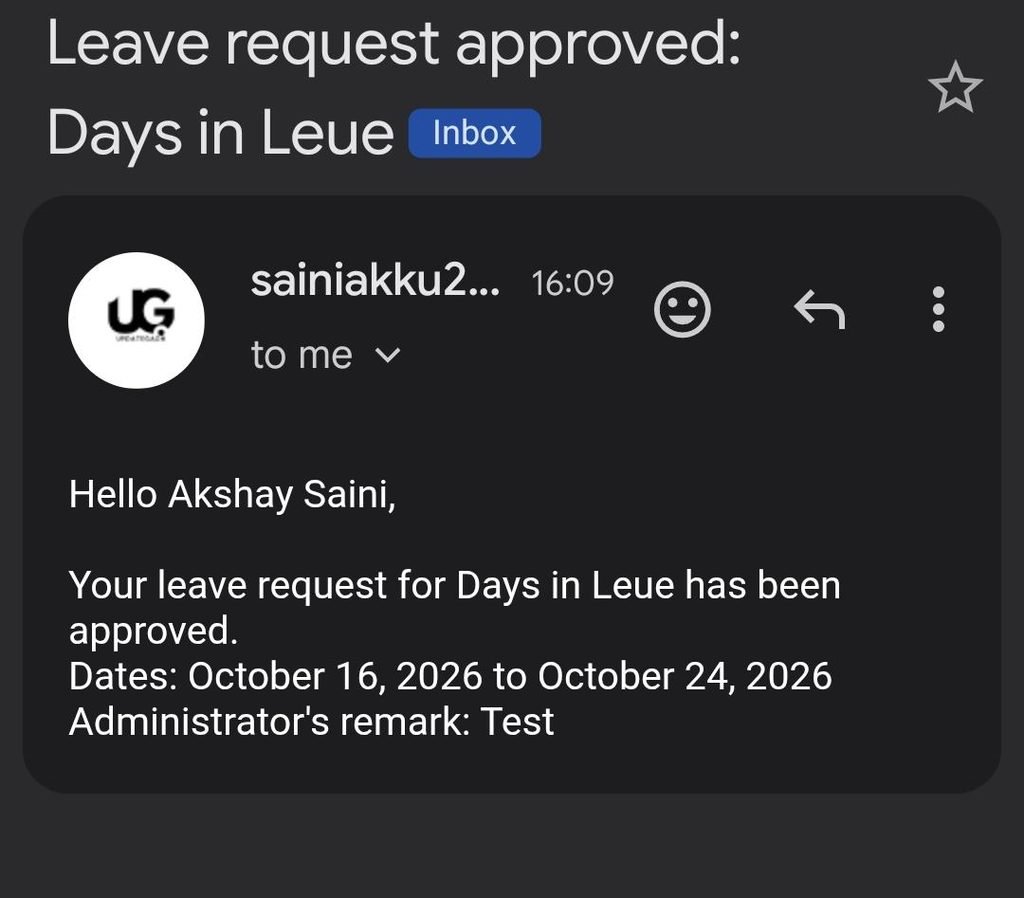
The application can send real emails through SMTP when the relevant notification events are configured. Supported events may include leave application submission, approval, and rejection. Actual delivery depends on the email settings and notification handlers implemented in the project.
Email credentials are maintained in a .env file instead of being written directly into the source code. The project can use a .env.example file to document the required configuration variables without exposing sensitive information.
9. Password Recovery
The password recovery functionality helps users regain account access through the recovery workflow configured in the application.
Technology Stack
- Python: Implements the application’s backend logic.
- Django: Handles routing, authentication, views, and database operations.
- SQLite3: Stores employee records, leave requests, departments, and related information.
- HTML and CSS: Build the application interface and page layouts.
- JavaScript: Supports interactive interface elements.
- SMTP: Enables email delivery for configured notifications.
How to Download
The complete package is available so you can run, study, and submit it with confidence. It includes:
- Full Source Code
- Project Report
- Synopsis
- PPT Presentation
Screenshot
Installation Guide
Follow these steps to run the existing project locally using Visual Studio Code.
Step 1: Open the Project
Extract the project folder and open it in VS Code. Open the integrated terminal in the project directory and activate your existing virtual environment if available.
Step 2: Install Dependencies
pip install -r requirements.txtStep 3: Configure Email Settings
Create a .env file in the project root and add your SMTP configuration. For a Gmail account, use an app password when required instead of your regular account password.
EMAIL_HOST=smtp.gmail.com
EMAIL_PORT=587
EMAIL_HOST_USER=your_email@gmail.com
EMAIL_HOST_PASSWORD=your_app_password
EMAIL_USE_TLS=True
Ensure Django loads these values from the environment and that the required email backend settings are configured. Never publish the real .env file or commit it to a public repository.
Step 4: Apply Database Migrations
python manage.py migrateStep 5: Create an Admin Account
python manage.py createsuperuserStep 6: Start the Server
python manage.py runserverOpen http://127.0.0.1:8000/ in your browser and sign in using the appropriate account. Test email delivery by triggering a configured notification event.
Project Benefits
- Reduced Manual Work: Organizes leave requests and approval activities in one application.
- Role-Based Access: Separates administrative functions from employee activities.
- Improved Communication: SMTP integration enables email updates for supported events.
- Centralized Records: Maintains employee and leave-related information in a database.
- Practical Learning: Demonstrates Django templates, authentication, database integration, and email configuration.
Frequently Asked Questions (FAQs)
1. What is a Django Leave Management System?
It is a web application developed using Python Django to manage employee leave applications, approvals, leave history, and employee records.
2. Which technologies are used in this project?
The project uses Python, Django, HTML, CSS, JavaScript, and SQLite3. SMTP is used for configured email notifications.
3. What are the main modules of the Leave Management System?
The main modules are the Admin Panel and Employee Panel. Administrators manage employees and leave requests, while employees apply for leave and track application status.
4. Does the project support real-time email notifications?
Yes, SMTP email integration can send actual emails for configured events, such as leave application submissions, approvals, and rejections. Correct email credentials and settings are required.
5. How can I run the Django Leave Management System?
Install the required dependencies, configure the .env file, apply migrations using python manage.py migrate, and start the server using python manage.py runserver.
Final Thoughts
The Django Leave Management System provides a practical foundation for understanding employee leave workflows through a web application. Its Admin and Employee Panels, SQLite3 database, leave approval process, and SMTP email integration demonstrate useful concepts in modern Django development.
Keywords: Django Leave Management System, Leave Management System using Django, Leave Management System Project in Python, Django Employee Leave Management, SMTP Email Integration Django, Staff Leave Management System, Python Django Project