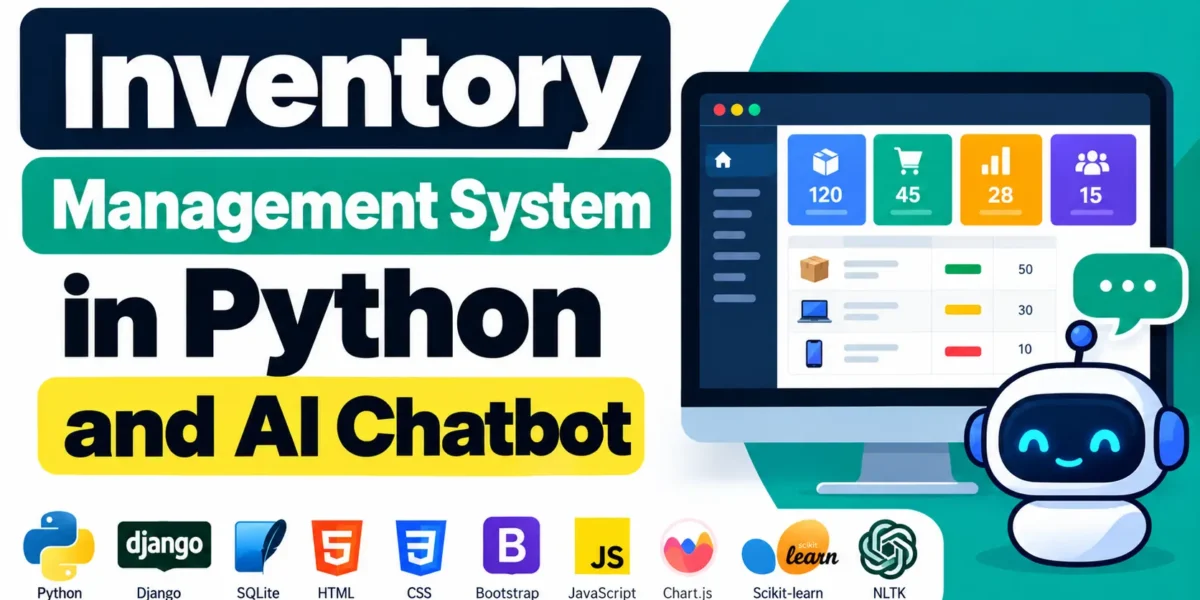
Inventory Management System in Python and AI Chatbot
Inventory management system developed using Python, Django, SQLite, HTML, CSS, Bootstrap, JavaScript, Chart.js, Scikit-learn, and NLTK. It includes four panels: Admin, Staff, Vendor, and Customer.
The project manages products, stock, warehouses, purchase orders, sales, billing, payments, returns, expenses, and reports. It also includes UG Assist, a machine-learning chatbot that provides inventory-related answers using live database information.
Real Time Projects on YouTube:- DecodeIT
What Is the Inventory Management System in Python and AI Chatbot?
Inventory Management System is a Django-based application with separate role-based panels and a custom inventory dashboard. Its interface includes a premium navy and teal design, Inter font, dark and light modes, a collapsible sidebar, and a floating ML chatbot.
| Project Details | Description |
|---|---|
| Project Name | Inventory Management System in Python and AI Chatbot |
| Language | Python |
| Framework | Django |
| Database | SQLite |
| Frontend | HTML, CSS, Bootstrap, JavaScript |
| Libraries | Chart.js, Scikit-learn, NLTK |
What Are the Main Features of Inventory Management System?
Inventory Management System Using MERN Stack :- Click Here
The system provides inventory operations, reporting, barcode management, and role-based access through its four panels.
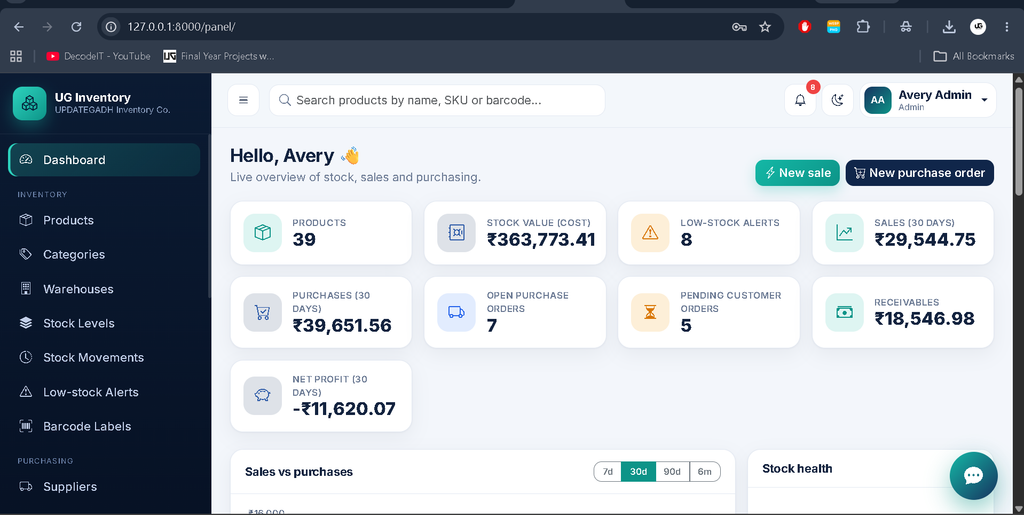
- Dashboard: Nine live KPI cards and six Chart.js charts with 7, 30, 90, and 180-day ranges.
- Products: SKU, barcode, category, supplier, unit, prices, tax, reorder level, and stock history.
- Stock: Warehouse stock levels, adjustments, transfers, and movement history.
- Purchase Orders: Draft, ordered, shipped, received, and cancelled statuses.
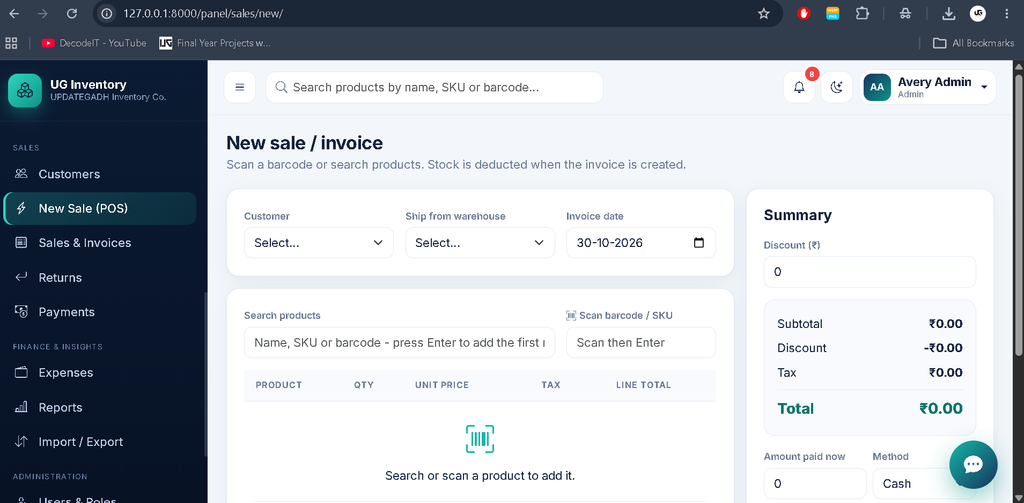
- Sales: POS-style builder, barcode scanning, discounts, partial payments, and printable invoices.
- Returns: Customer and supplier returns.
- Payments: Receipts and supplier payouts.
- Expenses: Expense tracking by category.
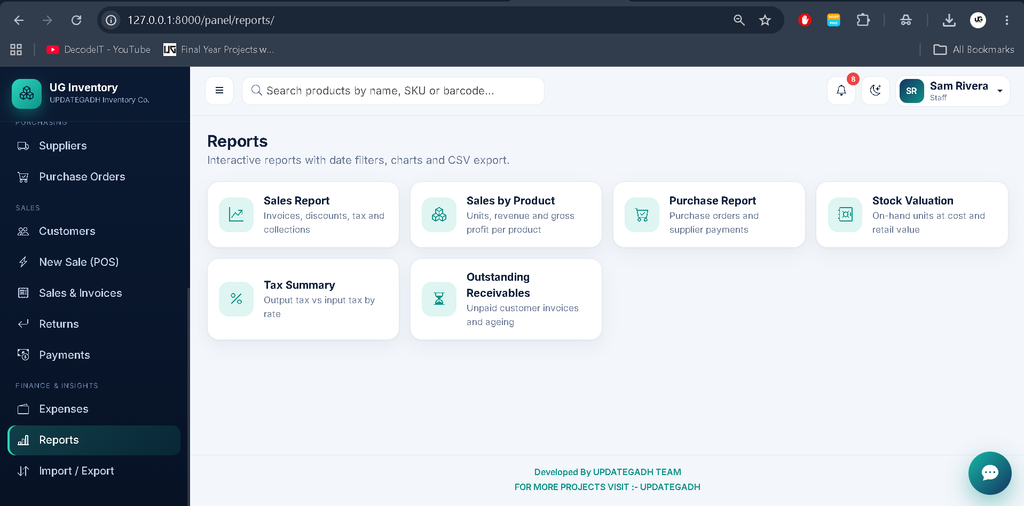
- Reports: Sales, purchases, stock valuation, profit and loss, tax, expenses, and receivables.
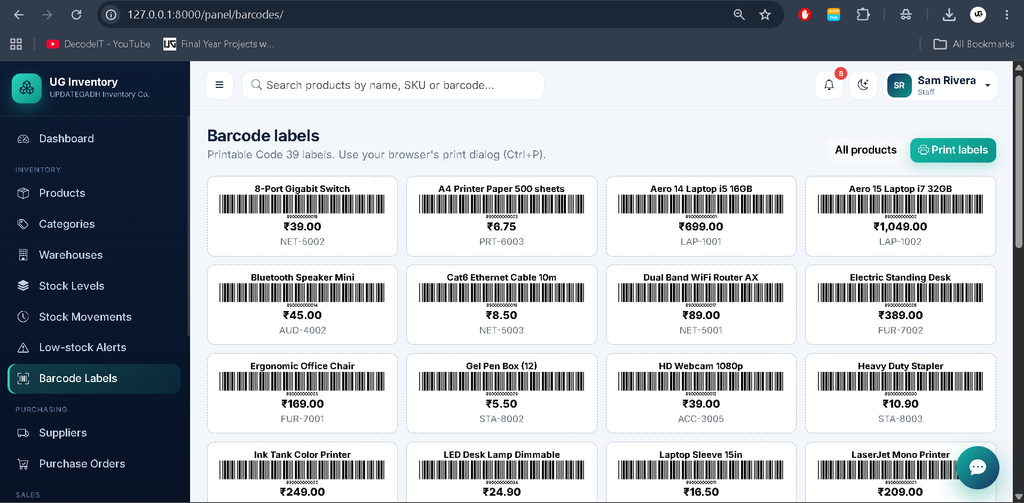
- Barcodes: Code 39 generation and printable labels.
- Alerts: Low-stock notifications and one-click Create PO.
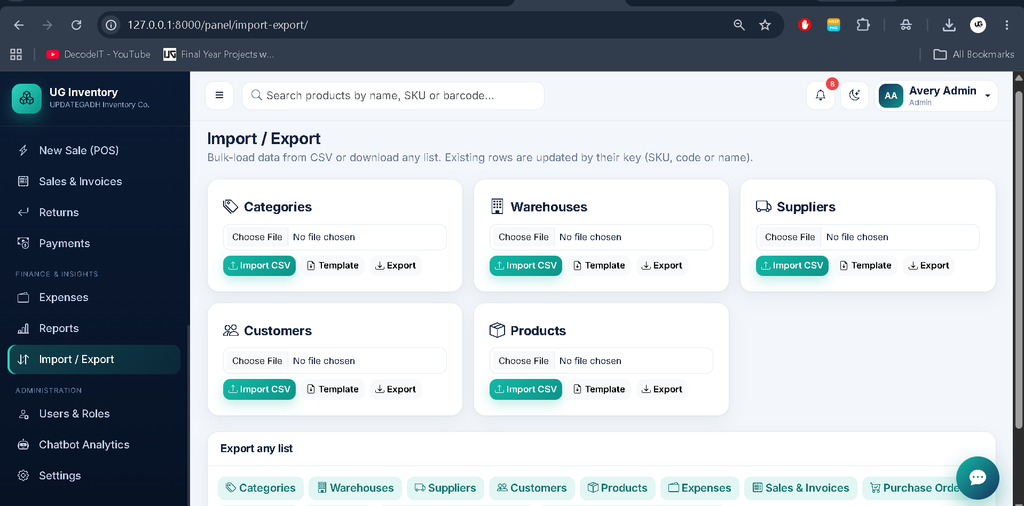
- CSV: Import and export with search and filter support.
What Features Are Available in the Admin Panel?
The Admin Panel provides access to inventory operations, user management, settings, reports, and chatbot analytics. It is available at /panel/ and uses a custom interface instead of Django Admin.
- Dashboard with nine live KPI cards and six charts.
- Global product search and low-stock notifications.
- Product, category, warehouse, supplier, and customer management.
- Stock adjustments, transfers, and movement history.
- Purchase orders, sales, invoices, and returns.
- Payments and expense management.
- Eight reports with charts and CSV export.
- Full CRUD with Ajax modals.
- Search, filters, sorting, and pagination without page reloads.
- Delete records and manage users with roles.
- Company, currency, and tax-label settings.
- Chatbot analytics and model retraining.
What Features Are Available in the Staff Panel?
The Staff Panel provides access to daily inventory operations through /panel/. Staff can manage permitted operations but cannot access administrator-only functions.
- Access the inventory Operations Panel.
- Manage products and stock operations.
- Handle purchase orders and sales.
- Fulfil pending customer orders.
- Generate invoices and handle billing.
- Manage permitted returns and payments.
- Access permitted reports and CSV operations.
Staff cannot delete records or access user management, settings, expenses, profit and loss reports, or chatbot analytics.
What Features Are Available in the Vendor Panel?
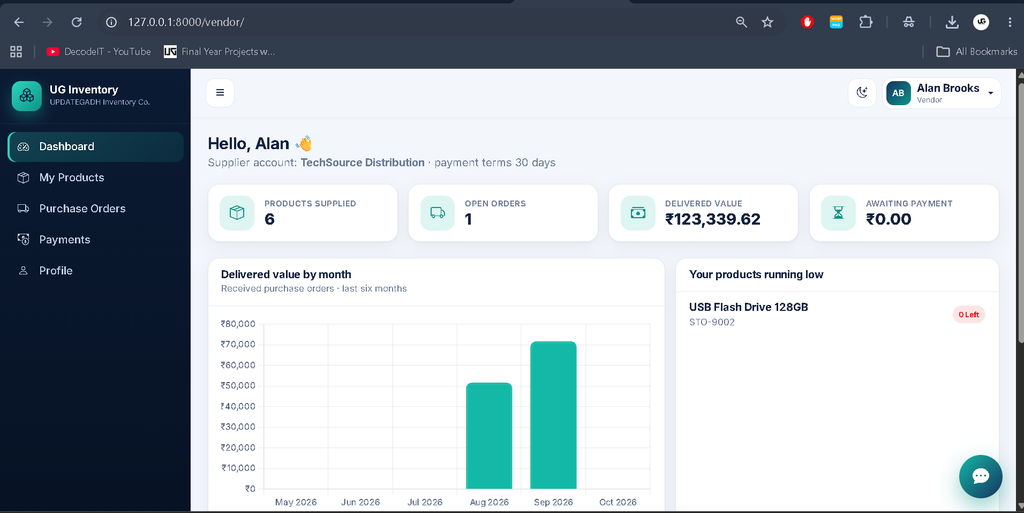
The Vendor Panel allows vendors to manage their own products, purchase orders, and payments. It is available at /vendor/.
- View and manage own products.
- Edit product supply prices.
- View own purchase orders.
- Mark purchase orders as shipped.
- Access own payment information.
Vendor access is restricted to their own products and purchase orders.
Sales and Inventory Management System Using PHP and MySQL :- Click Here
What Features Are Available in the Customer Panel?
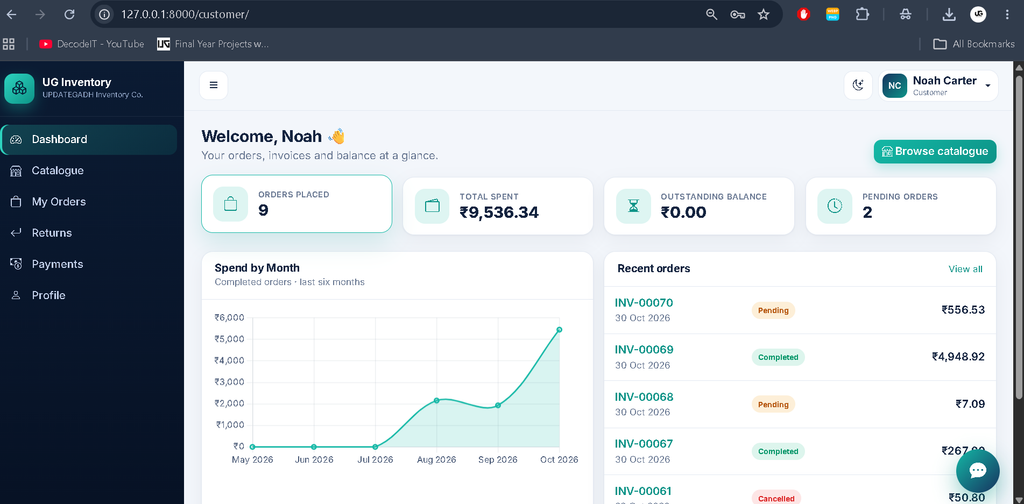
The Customer Panel allows customers to browse products, place orders, view invoices, and manage returns and payments. It is available at /customer/.
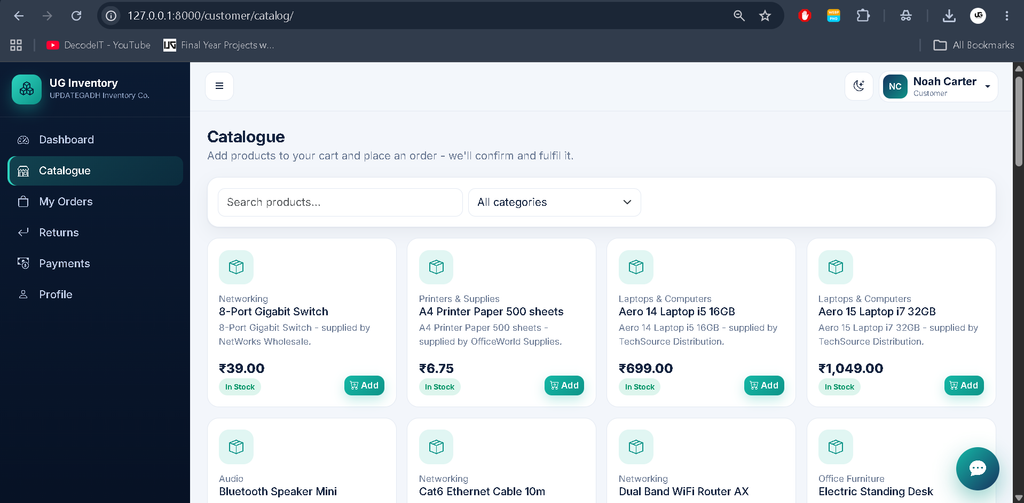
- Browse the product catalogue.
- Add products to the shopping cart.
- Place and cancel orders.
- View own invoices.
- Request product returns.
- View payment information.
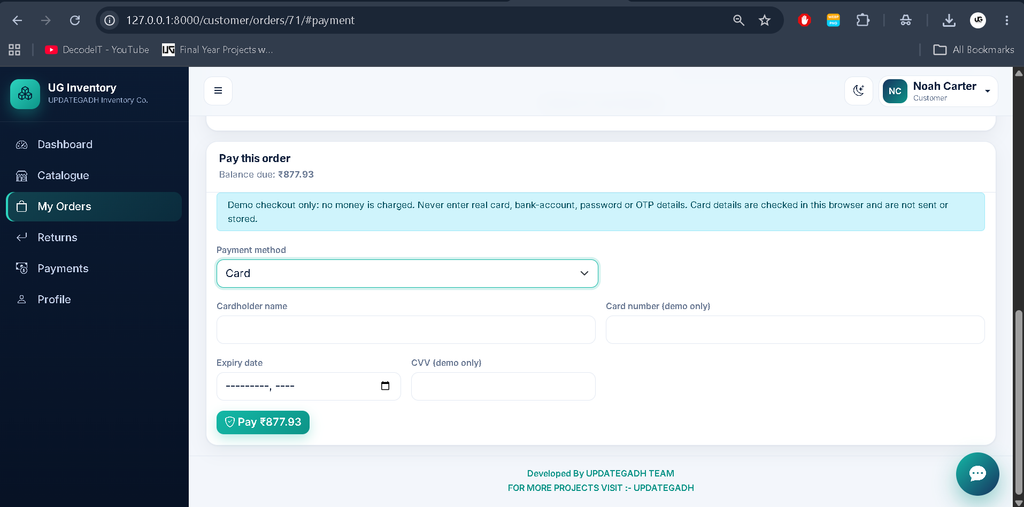
- Select Pay Later or pay during checkout.
Customers place pending orders, which staff fulfil from the sales page. Fulfilment deducts stock and converts the order into an invoice.
The demo checkout records generated transaction references but does not connect to an online payment gateway or charge funds. Card fields are validated in the browser and are never transmitted or stored.
How Does the AI Chatbot UG Assist Work?
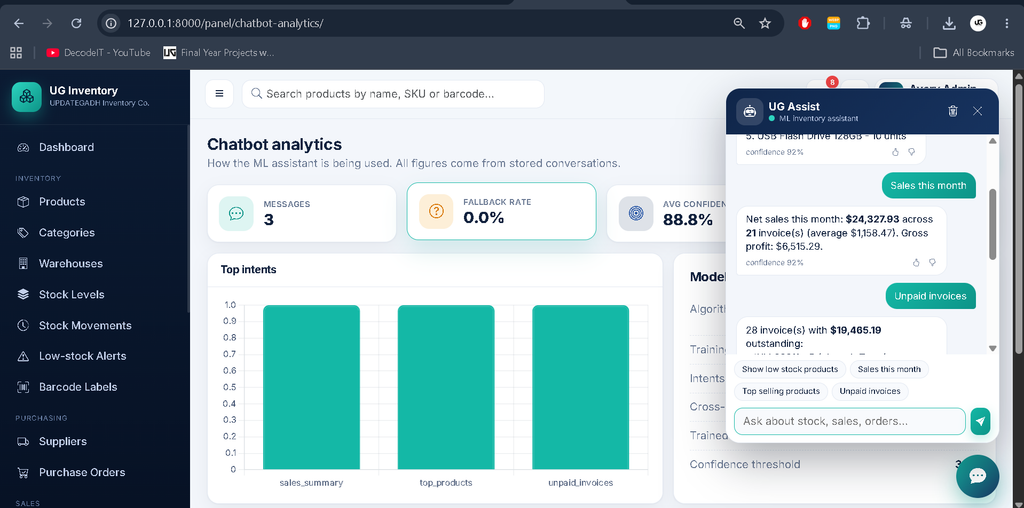
UG Assist uses NLTK and Scikit-learn to classify user questions and provide answers using live inventory data.
- Text Processing: NLTK RegexpTokenizer and Snowball stemmer.
- Feature Extraction: TF-IDF with 1–2-grams.
- Classification: Logistic Regression.
- Dataset: 32 intents and approximately 390 example phrases.
- Model:
chatbot/ml/model.joblib. - Confidence Fallback: Below 33%, the chatbot offers suggestions.
- Live Answers: Stock, prices, sales, profit, invoices, purchase orders, payments, and returns.
- Conversation History: Per-user messages, feedback, and clear button.
- Analytics: Fallback rate, average confidence, and top intents.
Inventory Management System using Spring Boot :-Click Here
Customers can access availability, prices, and their own orders. Vendors can access their products and purchase orders. Profit and expense information is admin-only.
The chatbot requires no paid APIs, and its ML model does not need an internet connection.
How Does CSV Import and Export Work?
CSV import supports products, categories, suppliers, customers, and warehouses. Files must use UTF-8 encoding, with a maximum size of 2 MB and 2,000 rows.
Records are matched by SKU, code, or name. Row-level errors are reported. List pages and reports provide CSV export.
How to Download
The complete package is available so you can run, study, and submit it with confidence. It includes:
- Full Source Code
- Project Report
- Synopsis
- PPT Presentation
Screenshot
How to Install and Run the Project?
The project requires Python 3.11 or 3.12 (64-bit), VS Code, and an internet connection for CDN resources.
Step 1: Open Project Folder
cd C:\path\to\updategadh_inventory
code .
Step 2: Create Virtual Environment
python -m venv .venv
Set-ExecutionPolicy -Scope Process -ExecutionPolicy Bypass
.\.venv\Scripts\Activate.ps1
Step 3: Install Dependencies
python -m pip install --upgrade pip
pip install -r requirements.txt
Step 4: Apply Migrations
python manage.py makemigrations accounts inventory chatbot
python manage.py migrate
Step 5: Load Demo Data and Train Chatbot
python manage.py seed_demoStep 6: Run Server
python manage.py runserverOpen http://127.0.0.1:8000/.
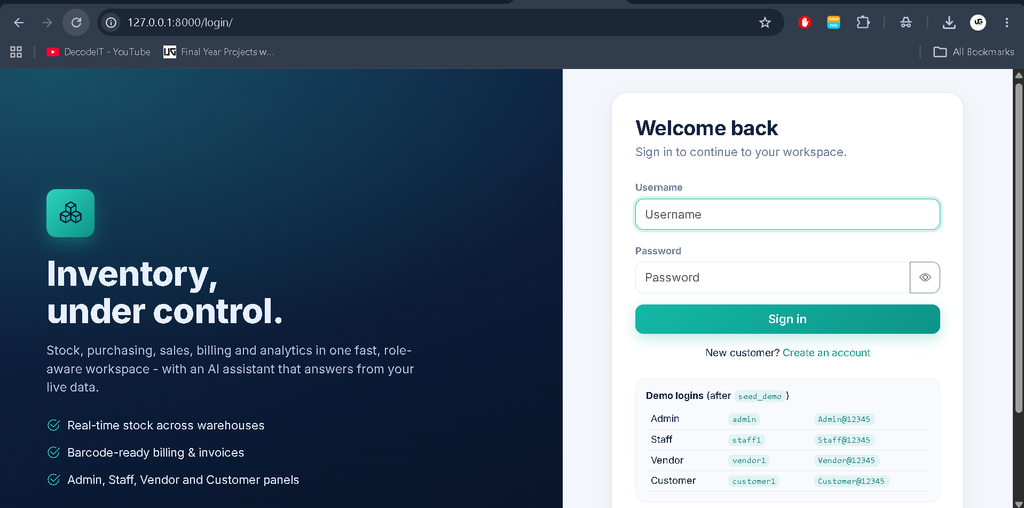
What Are the Demo Login Credentials?
The seed_demo command creates demo accounts for all four panels.
| Panel | Username | Password | URL |
|---|---|---|---|
| Admin | admin | Admin@12345 | /panel/ |
| Staff | staff1 | Staff@12345 | /panel/ |
| Vendor | vendor1 | Vendor@12345 | /vendor/ |
| Customer | customer1 | Customer@12345 | /customer/ |
Additional accounts include staff1-3, vendor1-6, and customer1-8. Change demo passwords before real use.
Final Thoughts
Inventory Management System combines product management, warehouse stock tracking, purchases, sales, billing, returns, reports, and barcode operations with an ML chatbot. The project includes four role-based panels for Admin, Staff, Vendor, and Customer.
Frequently Asked Questions (FAQs)
1. How many panels are available in Inventory Management System?
The project includes four panels: Admin, Staff, Vendor, and Customer.
2. Which technologies are used?
Python, Django, SQLite, HTML, CSS, Bootstrap, JavaScript, Chart.js, Scikit-learn, and NLTK.
3. Can vendors manage their products?
Yes. Vendors can manage their own products, edit supply prices, view purchase orders, and mark orders as shipped.
4. Can customers place orders?
Yes. Customers can browse products, use the cart, place or cancel orders, and view invoices.
5. Does the project include an AI chatbot?
Yes. UG Assist uses NLTK and Scikit-learn to answer inventory-related questions.
6. Does the system support barcode scanning?
Yes. It supports Code 39 barcodes, printable labels, and scan-to-add functionality.
7. Does the project support online payment gateways?
No. The demo checkout records transaction references without charging funds.