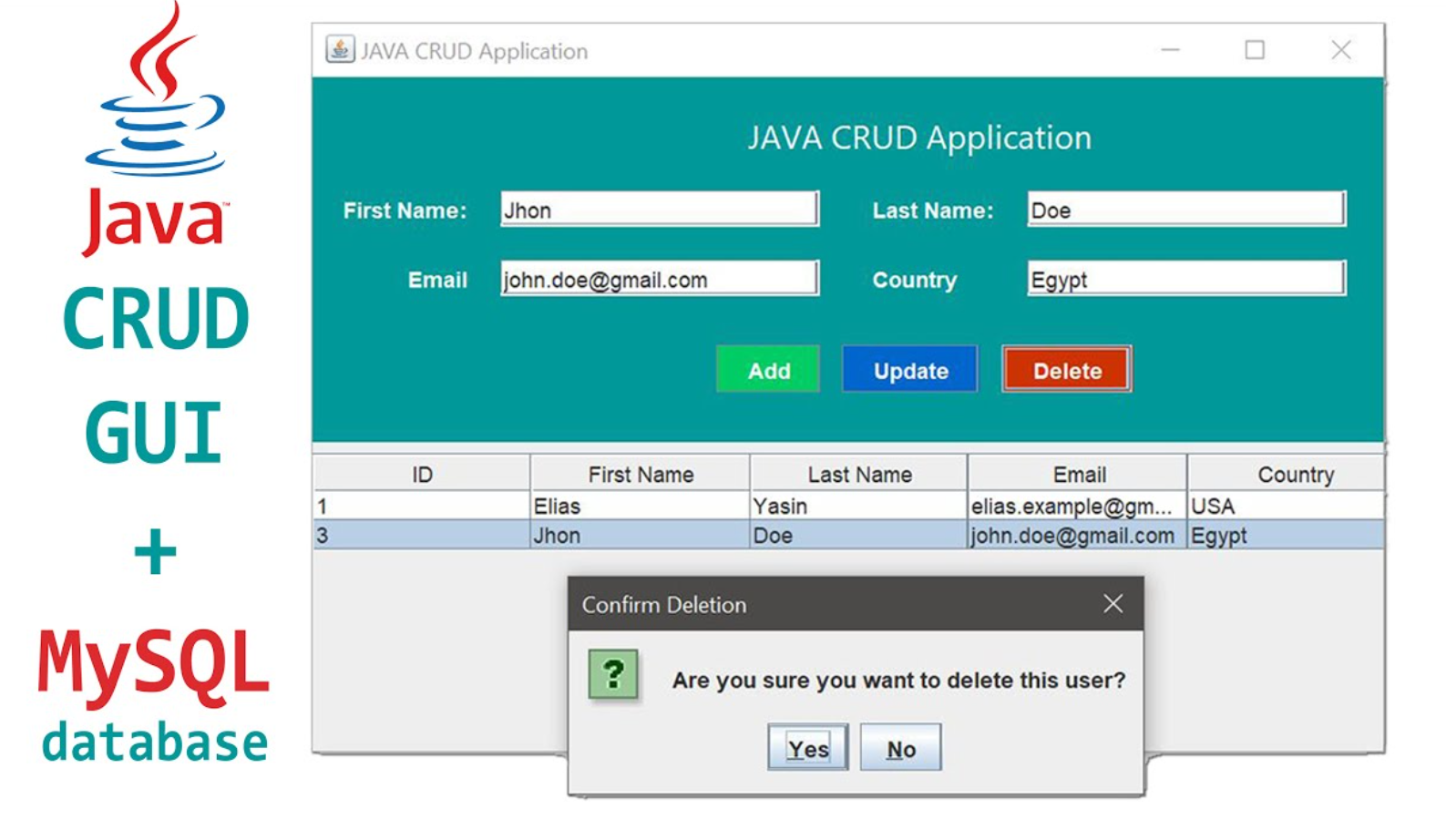
A Java CRUD GUI Application with MySQL free code (Create, Read, Update, Delete) GUI application integrated with a MySQL database is an excellent choice for managing data efficiently. This type of application enables users to interact with a database through a graphical user interface, eliminating the need for manual SQL queries. Here’s an overview of how such an application works and its core features.
Download New Real Time Projects :-Click here
Description
The Java CRUD GUI application is designed to allow users to perform basic database operations seamlessly. It combines the power of Java’s Swing or JavaFX for creating intuitive user interfaces with the robustness of MySQL for data storage and retrieval.
Features
1. User-Friendly Interface
- Designed using Java Swing or JavaFX for a clean and interactive GUI.
- Simplified navigation between different CRUD operations.
2. Database Integration
- Connects to a MySQL database to store and retrieve data dynamically.
- Offers reliable data handling with error management.
3. CRUD Functionality
- Create: Add new records into the database through input forms.
- Read: View records in a table format, with sorting and searching options.
- Update: Modify existing records directly from the GUI.
- Delete: Remove records with confirmation dialogs to prevent accidental deletions.
4. Validation and Error Handling
- Validates user inputs to prevent incorrect or incomplete data entry.
- Displays error messages for invalid operations (e.g., failed database connection).
5. Search and Filter
- Allows users to search for specific records using keywords.
- Provides filters for narrowing down data based on selected criteria.
6. Responsive Design
- Dynamically adjusts to various screen sizes and resolutions.
Technologies Used
Frontend
- Java Swing or JavaFX: For creating the GUI components like tables, forms, and buttons.
Backend
- JDBC (Java Database Connectivity): For connecting Java with the MySQL database.
- MySQL Database: Stores all the application data in an organized manner.
How It Works
- Setup MySQL Database
- Create a database and define the required tables for the application.
- Configure database credentials in the application’s configuration file.
- Establish Connection
- Use JDBC to establish a secure connection between the Java application and MySQL.
- Design the GUI
- Use Java Swing or JavaFX to create forms, tables, and buttons for each CRUD operation.
- Implement CRUD Operations
- Map GUI actions (e.g., button clicks) to backend database queries using JDBC.
- Test and Debug
- Verify the functionality of each CRUD operation and handle exceptions gracefully.
- PHP PROJECT:-
- INTERVIEW QUESTION:-
- Complete Advance AI topics:-
- Complete Python Course with Advance topics:-
Download the Complete Project
Click the link below to download the Java CRUD GUI Application for free!
Java CRUD GUI Application with MySQL free code