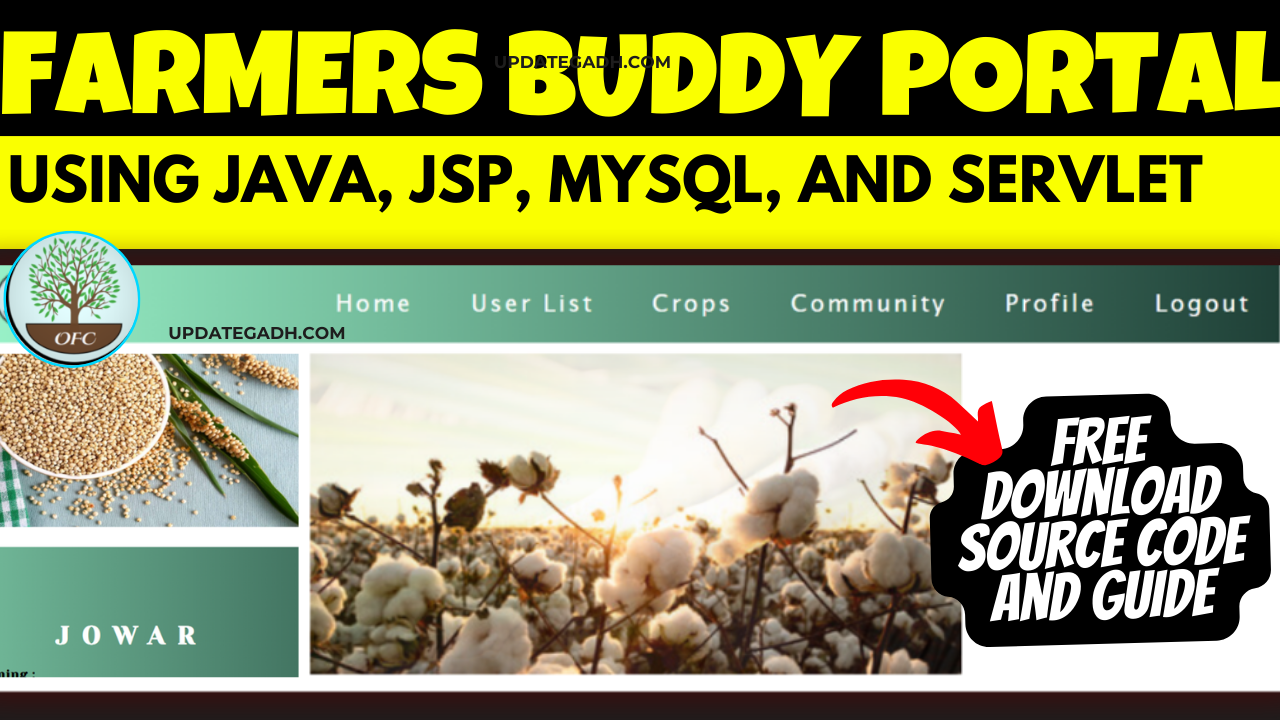
Farmers Buddy Community Portal: Building a Web Application with Java, JSP, MySQL, and Servlet with Guidance
Are you looking to create a community portal for farmers to connect, share information, and collaborate on agricultural projects? Look no further! In this article, we will guide you through the process of building a Farmers Buddy Community Portal using Java, JSP, MySQL, and Servlet.
Introduction
A Farmers Buddy Community Portal is a valuable tool that can bring farmers together to exchange ideas, learn from each other, and access important resources. By creating a web application for this purpose, you can provide a platform for farmers to connect and support each other in their agricultural endeavors.
The objective of the Organic Farmers Community initiative is to incentivize conventional farmers to embrace organic farming practices while extending assistance in marketing and distributing their yield. This endeavor encompasses several components, including a dedicated community platform, a comprehensive transitioning guide to organic farming, and an online marketplace facilitating the trade of organic goods. With a growing emphasis on health consciousness, there’s a surge in demand for organic produce. Our mission is to advocate for the advantages of organic food and bolster sustainable agricultural practices through the development of this web-based application.
Check 50+ JAVA Projects with Source Code
Table of Contents
Step 1: Making the Project
The first step in building your Farmers Buddy Community Portal is to set up the project structure. Create a new Java web application project and set up the necessary directories for your JSP files, servlets, and resources. You will also need to configure your database connection and create the necessary tables to store user information, forum posts, and other data.
| Name | Required |
|---|---|
| Project Name | Farmers Buddy Community Portal on Java, JSP, MySQL (JSP) |
| Project Platform | JSP |
| Programming Language | Servlet/JSP/Bootstrap/HTML/MySQL |
| Front End | Html, css, js, jsp, |
| Back End | java, MySQL |
| IDE Tool | Eclipse Neon |
| Database | MySQL |
| Project Type | Web Application |
Step 2: Essential Features
Some essential features to include in your Farmers Buddy Community Portal are user authentication, forums, messaging, and a resource library. User authentication will allow farmers to create accounts, log in, and access personalized features. Forums will enable users to start discussions, ask questions, and share knowledge. Messaging will facilitate communication between users, while the resource library will provide access to important documents, guides, and videos.
Step 3: Required Software and Tools
To build your Farmers Buddy Community Portal, you will need to have Java Development Kit (JDK), Eclipse IDE, Apache Tomcat, MySQL database, and a web browser installed on your computer. These tools will help you write, test, and deploy your web application efficiently.
- Java Development Kit (JDK): Install the latest version of JDK to write and compile Java code.
- Apache Tomcat: Use Apache Tomcat as the web server to deploy and run your web application.
- MySQL: Set up a MySQL database to store information about rental properties, users, and bookings.
- IDE: Choose an IDE like Eclipse or IntelliJ IDEA for developing and testing your web application.
By using these software and tools, you can efficiently develop and deploy your house rental portal with ease.
| Technologies Used |
|---|
| Java |
| J2EE |
| Servlets |
| JSP |
| HTML |
| CSS |
| Bootstrap |
| Tomcat Server |
| Hardware Requirements | Check |
|---|---|
| Processor | Pentium IV |
| Hard Disk | 40GB |
| RAM | 512MB or more |
| Software Requirements | |
|---|---|
| Operating System | Windows 10/11/7 or Linux |
| User Interface | HTML, CSS |
| Client-side Scripting | JavaScript |
| Programming Language | Java |
| Web Applications | JDBC, Servlets, JSP |
| Database | MySQL |
| Server Deployment | Tomcat 5.0 |
Step 4: Running the Web Application
Once you have completed the development of your Farmers Buddy Community Portal, it’s time to run and test the web application.
- Importing into Eclipse:
- Download it as a ZIP file.
- Open Eclipse IDE.
- Navigate to File > Import.
- Choose General > Existing Projects into Workspace.
- Select the root directory of the cloned repository.
- Click Finish.
- Installing Apache Tomcat Server:
- Download Apache Tomcat Server from according to your operating system.
- Extract the downloaded files to your desired location.
- Follow the setup instructions in the documentation.
- Configuring Tomcat Server in Eclipse:
- In Eclipse, go to Window > Preferences.
- Expand the Server section and select Runtime Environments.
- Click Add and choose Apache Tomcat.
- Browse and select the Tomcat installation directory.
- Click Finish.
- Installing MySQL:
- Download MySQL from according to your operating system.
- Follow the installation instructions provided by MySQL for your specific operating system.
- MySQL JDBC Driver:
- Download MySQL JDBC Driver from .
- Extract the downloaded files.
- Copy the JDBC Driver JAR file to the
WEB-INFfolder of your project
- Backend Setup:
- Open XAMPP and ensure Apache and MySQL services are activated.
- Go to in your web browser.
- Import the project database using the “Import” option in PHPMyAdmin.
- Front-end Setup:
- Open Eclipse and import the project.
- Add MySQL Connector JAR file to the project’s lib folder.
- Run Java on Server:
- Right-click on the project in Project Explorer.
- Select “Run As” > “Run on Server”.
- Choose Tomcat V8.0 as the server.
- Click “Next” and then “Add All”.
- Click “Done” to complete the configuration.
- Open Browser After Successful Setup:
- Open your web browser.
- Navigate to .
Step 5 :Screenshots
Step 6 : Download : (Note: Only for Educational Purpose)
Virus note: All files are scanned once-a-day by updategadh.com for viruses, but new viruses come out every day, so no prevention program can catch 100% of them
FOR YOUR OWN SAFETY, PLEASE:
1. Re-scan downloaded files using your personal virus checker before using it.
2. NEVER, EVER run compiled files (.exe’s, .ocx’s, .dll’s etc.)–only run source code.
- Download Farmers Buddy Community Portal on Java Project :-
- Download All Free Project :-
Document and Reports
This document file contains a project Synopsis, Reports, and various diagrams. Also, the abstract pdf file is inside the zip and you can modify it accordingly. Documents and Reports take 2-3 days to create as per the user Requirements
Conclusion
building a Farmers Buddy Community Portal using Java, JSP, MySQL, and Servlet can provide a valuable platform for farmers to connect and support each other. By following the steps outlined in this article and incorporating essential features, you can create a successful web application that will benefit the agricultural community. Start your project today and empower farmers to collaborate, learn, and grow together on the Farmers Buddy Community Portal!
Meta Description: Learn how to build a Farmers Buddy Community Portal using Java, JSP, MySQL, and Servlet with step-by-step guidance. Connect farmers and support the agricultural community online.
So, are you ready to create a Farmers Buddy Community Portal that will empower farmers to connect and collaborate in their agricultural pursuits? By following our step-by-step guidance and incorporating essential features, you can build a successful web application that will benefit the farming community. Get started today and make a positive impact on the agricultural industry!