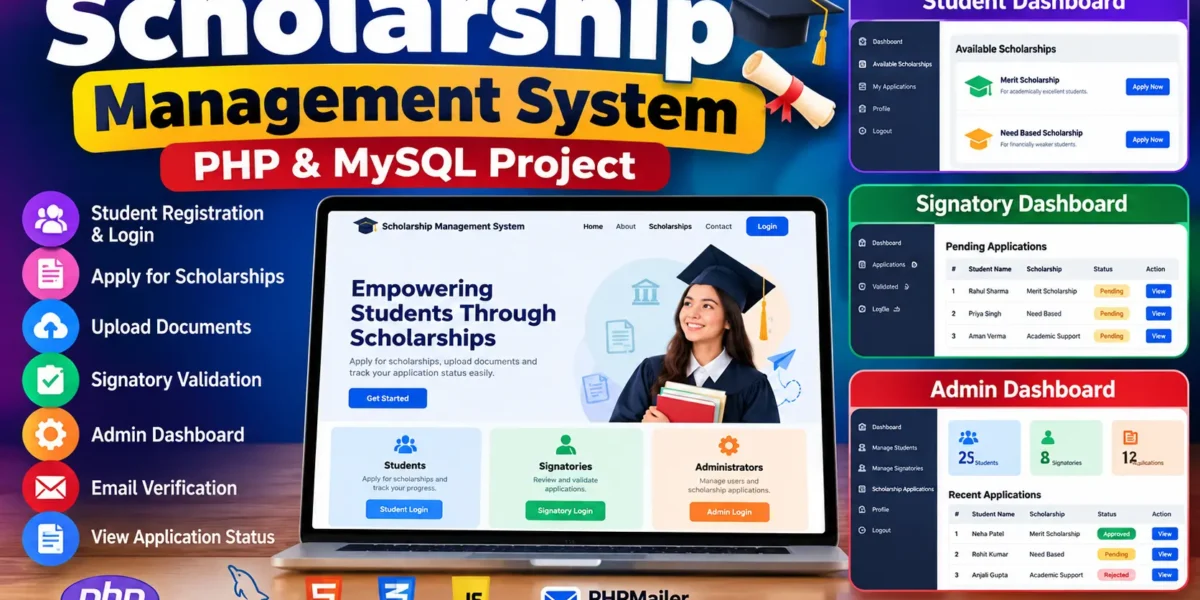
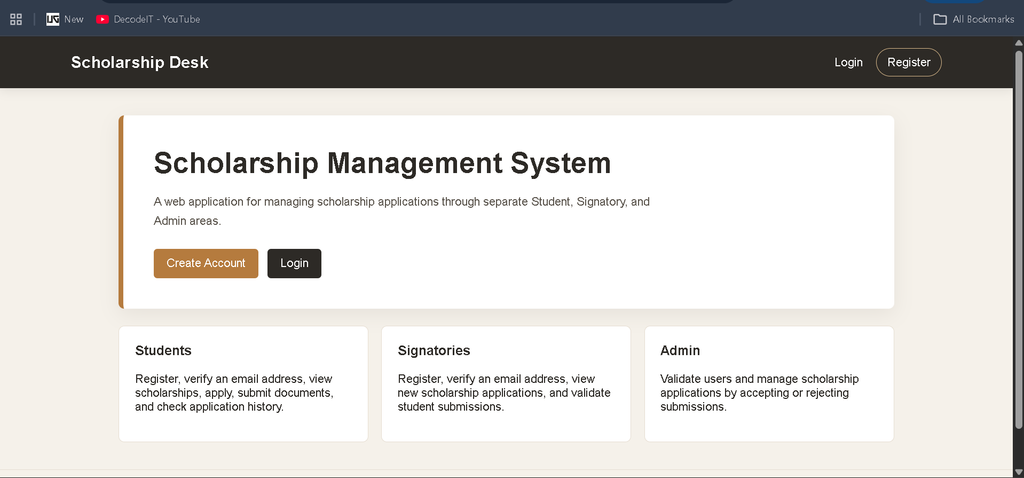
The Scholarship Management System using PHP and MySQL web application designed to organize the scholarship process through separate areas for students, signatories, and administrators. The system provides a structured way for students to register, verify their accounts, view available scholarship opportunities, submit applications, upload required documents, and check the status and history of their submissions. Signatories can review and validate student applications, while administrators can validate users and manage application decisions.
The project uses PHP for the backend, MySQL for data storage, and HTML5, CSS3, and JavaScript for the interface. PHPMailer is included for email verification. Role-based access keeps the Student, Signatory, and Admin areas separate so that each user works with the functions intended for that role.
Complete Advance AI Topics: Click Here
Real Time Projects on YouTube:- DecodeIT
Project Details
| Field | Details |
|---|---|
| Project Name | Scholarship Management System |
| Language Used | PHP |
| PHP Version | 5.6.3 / 7.4.12 |
| Database | MySQL |
| Type | Web Application |
| Developer |
Available Features
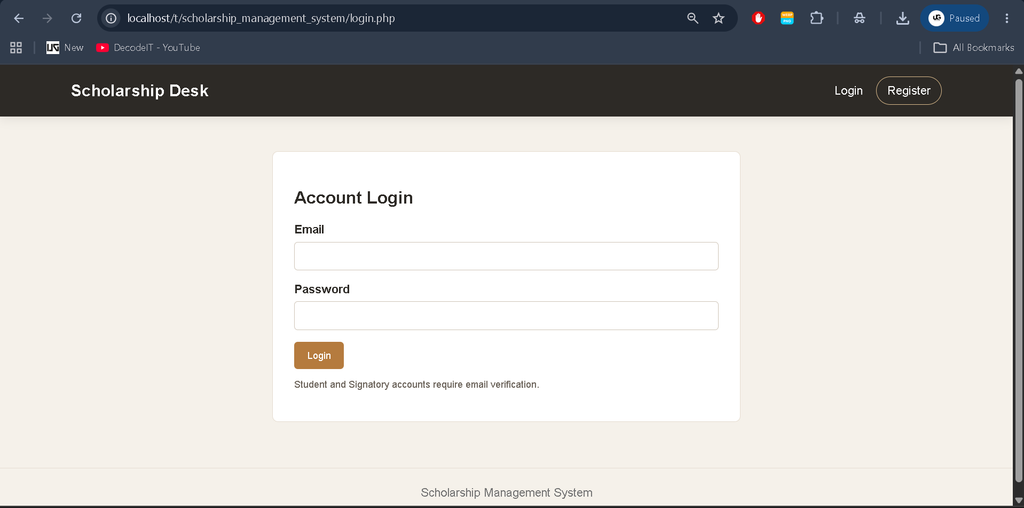
The system contains the functionality required for the scholarship workflow described in the project. Students and signatories can create accounts and log in. The application uses email verification with PHPMailer, allowing the registration process to include account verification before access to the related role area.
- Student Registration and Login: Students can create an account and use their credentials to enter the student area.
- Signatory Registration and Login: Signatories have a separate registration and login process for application validation.
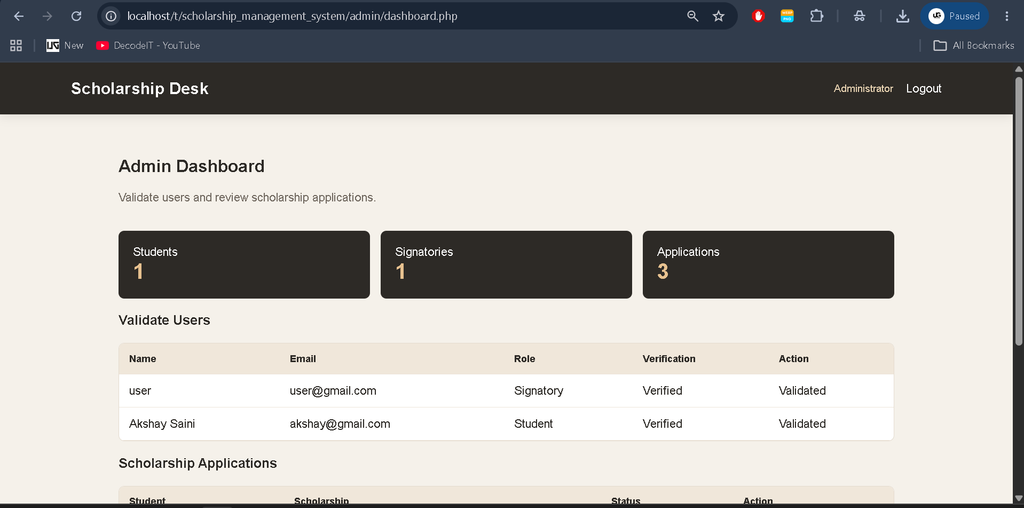
- Admin Dashboard: Administrators receive a dedicated dashboard for user validation and scholarship application decisions.
- User Validation: The administrator can validate student and signatory accounts.
- Scholarship Applications: Students can view listed scholarships and submit applications.
- Document Submission: Students can upload the required document along with their application.
- Signatory Review: Signatories can see new applications, open submitted documents, review application details, and validate applications.
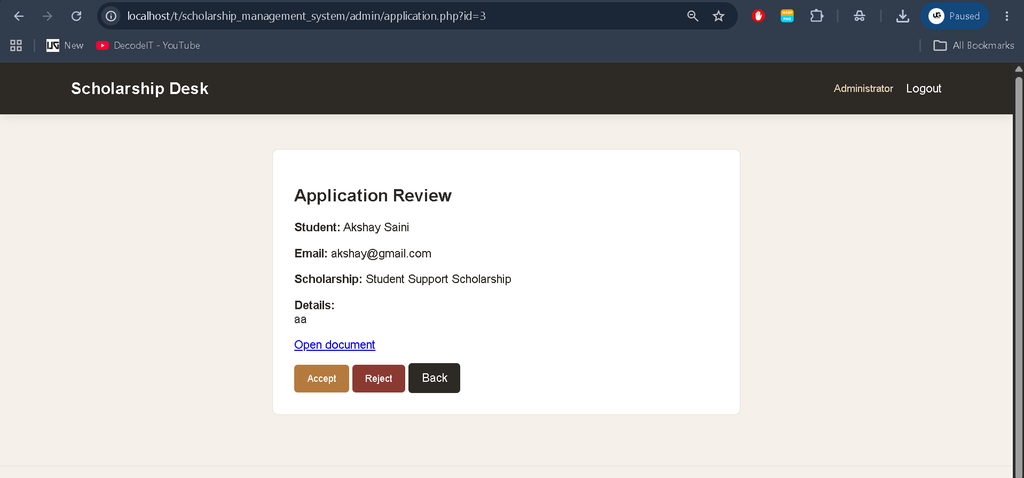
- Application Decisions: The admin area can accept or reject scholarship applications.
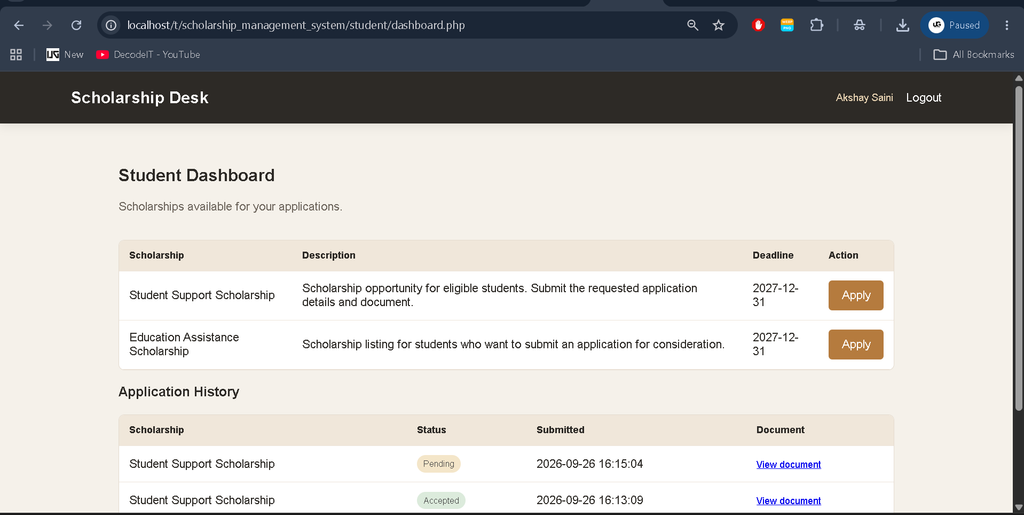
- Status and History: Students can view the current status of submitted applications and their application history.
Student Area
The Student area focuses on scholarship submission and status checking. After registration and verification, a student can log in and see the scholarships listed in the system. Each listing provides the scholarship title, description, deadline, and an option to apply. During submission, the student provides application details and uploads the required document. Submitted records remain connected to the student account, allowing the student dashboard to display the application status and previous submissions.
Signatory Area
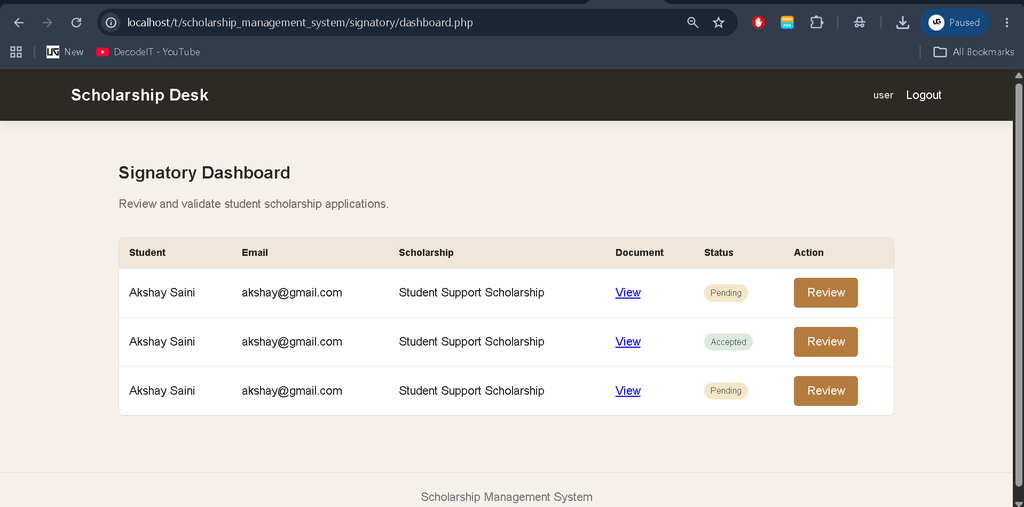
The Signatory dashboard is used to review student scholarship applications. A signatory can see application information, student details, scholarship information, submitted documents, and the current status. The review page provides the validation controls required to accept or reject an application. This area keeps the application validation work separate from student submission and administrator management.
The signatory workflow begins after a signatory registers and completes the required verification process. The dashboard presents scholarship applications that can be reviewed. The signatory can open an application, inspect the provided details, access the submitted document, and make the available validation decision. This keeps the role focused on reviewing and validating applications rather than changing the student’s registration information.
Admin Area
The Admin dashboard provides the management functions described for the project. It shows counts for students, signatories, and applications, and provides a list of users whose accounts can be validated. Administrators can also review scholarship applications and update their status by accepting or rejecting them. The dashboard therefore brings the user validation and application decision functions into one administrative area.
The administrator has a separate role-based dashboard rather than using the Student or Signatory interface. User records can be reviewed for validation, while application records can be opened for decision-making. The application status is maintained with the scholarship record, allowing the administrative area to work with the same application information that is visible to the relevant users. The Admin role therefore covers the validation and approval functions specified for the system.
Technologies Used
| Technology | Purpose |
|---|---|
| HTML5 | Page structure and form elements |
| CSS3 | User interface styling |
| JavaScript | Basic browser-side interaction |
| PHP | Backend processing and role-based pages |
| MySQL | Users, scholarships, applications, and verification data |
| PHPMailer | Email verification message handling |
Download Complete Code
Screenshots
Database File
The project includes the SQL database file at backend/scholarship_management_system.sql. It creates the database and the tables required for users, scholarships, applications, and email verification. The SQL file also includes sample scholarship records and an administrator account so the application can be started after the database is imported.
Importing the supplied SQL file provides the database structure needed by the PHP pages. The database is used for the registered users, scholarship listings, submitted applications, application status, and email verification records.
Project Setup
- Extract the project folder into the local server directory used by XAMPP or WAMP.
- Open phpMyAdmin and import
backend/scholarship_management_system.sql. - Check the database credentials in
config/database.phpand update them if the local MySQL setup uses different values. - Run Composer in the project directory so the PHPMailer dependency is installed.
- Make sure the
uploadsdirectory is available for document submissions. - Start Apache and MySQL from the local server environment.
- Open the project in the browser and use the registration or login page.
The setup process starts with the project files and database. After the SQL file is imported, the PHP database configuration should match the local MySQL environment. PHPMailer is required for the email verification part of the system. The local server should have access to the project and its upload directory before students begin submitting documents. Once Apache and MySQL are running, the application can be opened through the local project address.
Frequently Asked Questions
What technologies are used in the Scholarship Management System?
The project uses PHP for backend processing, MySQL for database management, HTML5 and CSS3 for the interface, JavaScript for basic interaction, and PHPMailer for email verification.
Who can use the system?
The system provides separate areas for three roles: Student, Signatory, and Admin. Students submit scholarship applications, signatories review applications, and administrators handle user validation and application decisions.
Can students upload documents?
Yes. Document submission is included in the student application process. A student can upload the required document along with the scholarship application.
Can students check their application status?
Yes. The Student dashboard provides application status and history so submitted scholarship records can be viewed after submission.
What does the Signatory dashboard provide?
The Signatory dashboard lists scholarship applications and provides access to application information and submitted documents for review and validation.
What can the Admin manage?
The Admin dashboard provides user validation for students and signatories and allows scholarship applications to be reviewed, accepted, or rejected.
Future Scope
The current project covers the scholarship workflow specified in the supplied requirements. Future development can build on this foundation by extending the existing scholarship management process while keeping the main Student, Signatory, and Admin roles. Possible improvements can include expanding dashboard information, improving application record presentation, and refining document and email handling as project requirements grow. Such changes are outside the current implementation.
Final Overview
The Scholarship Management System brings the listed scholarship functions into one PHP and MySQL web application. Students can register, verify accounts, apply for scholarships, submit documents, and check application history. Signatories can review and validate applications, while administrators can validate users and accept or reject applications. With separate role-based dashboards, database records, document submission, and PHPMailer email verification, the project provides the described functionality in a student-level web application.
Keywords:
Scholarship Management System Scholarship Management System – Google Search scholarship management system project scholarship management system project documentation pdf scholarship management system project source code scholarship management system login scholarship management system github scholarship management system pdf scholarship management system er diagram scholarship management system project in php github scholarship management system template