PHP Contact Form with PHPMailer
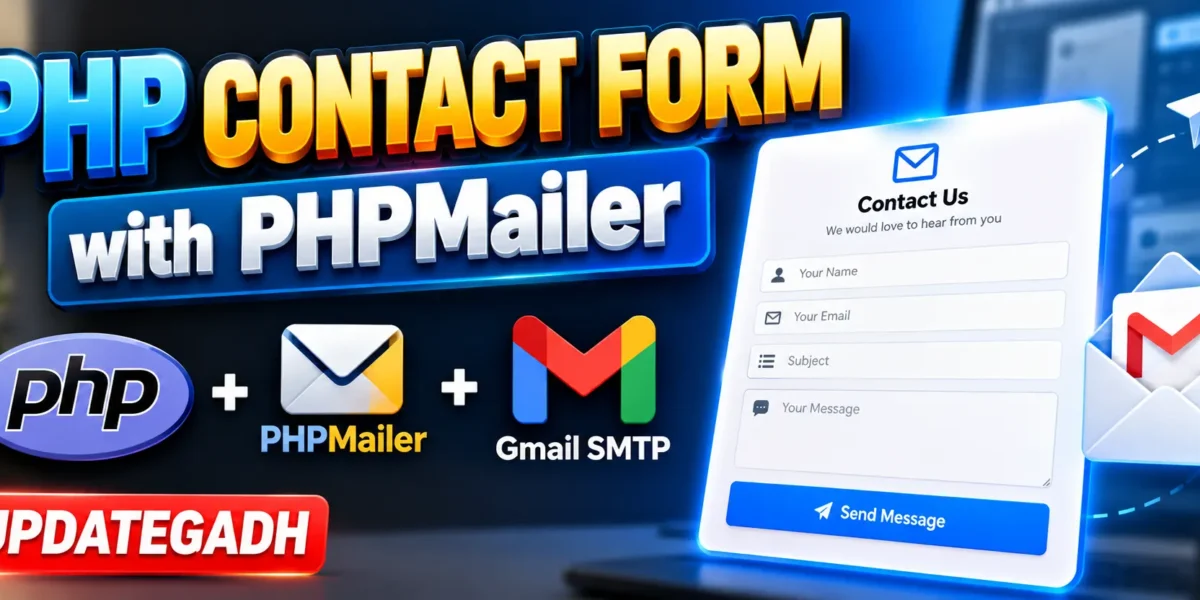
A professional contact form is an important part of any website because it allows visitors to communicate directly with the website owner. In this tutorial, we will learn how to create a PHP Contact Form with PHPMailer that can send messages directly to an email address using Gmail SMTP.
Instead of using PHP’s traditional mail() function, this project uses PHPMailer for reliable SMTP-based email delivery. The contact form includes fields for name, email, subject, and message, along with basic validation and secure email configuration.
Complete Advance AI Topics: Click Here
Real Time Projects on YouTube:- DecodeIT
What is PHPMailer
PHPMailer is a popular email-sending library for PHP applications. It provides support for SMTP authentication, HTML emails, attachments, error handling, and other useful email features.
With PHPMailer, a PHP application can connect to an SMTP server such as Gmail and send emails securely. This makes it a practical choice for contact forms and other PHP applications that need email functionality.
Features
- Responsive Contact Form: Provides a clean form that can be used on desktop and mobile devices.
- Form Validation: Validates important fields such as name, email, subject, and message.
- SMTP Email Sending: Sends submitted messages through Gmail SMTP.
- PHPMailer Integration: Uses the PHPMailer library for email delivery.
- HTML Email Support: Allows emails to be formatted using HTML.
- Error Handling: Provides feedback when an email cannot be sent successfully.
Technology Stack
| Technology | Purpose |
|---|---|
| PHP | Backend processing |
| PHPMailer | Email sending |
| HTML | Contact form structure |
| CSS | Form styling and responsive design |
| Gmail SMTP | Secure email delivery |
Demo Video
Installation Guide
Step 1: Download the Project
Download the complete project files and extract them into your local PHP development environment.
Step 2: Install
If Composer is installed on your system, open the project folder in VS Code and run the following command in the terminal:
composer require phpmailer/phpmailerComposer will download PHPMailer and its required dependencies into the project.
Step 3: Configure Gmail SMTP
Open the PHP file responsible for sending the email and configure your Gmail SMTP credentials:
$mail->Username = 'your-email@gmail.com';
$mail->Password = 'your-app-password';
$mail->addAddress('recipient@gmail.com');
The Gmail address is used for SMTP authentication, while the recipient address receives the contact form message.
Step 4: Create a Gmail App Password
For Gmail SMTP authentication, use a Gmail App Password instead of your normal Google account password.
- Open your Google Account security settings.
- Enable 2-Step Verification.
- Open the App Passwords section.
- Create a new App Password for the project.
- Copy the generated password.
- Use the App Password in the PHPMailer configuration.
Do not publish your Gmail password or App Password inside a public repository or share it with other users.
Step 5: Run the Project
For XAMPP, place the project folder inside the htdocs directory. Start Apache from the XAMPP Control Panel and open the project through your local browser.
http://localhost/your-project-folder/How the Contact Form Works
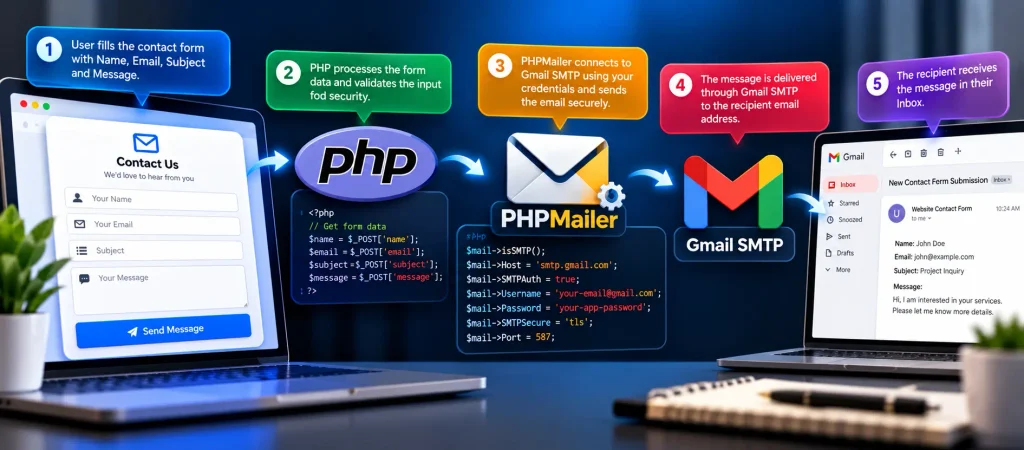
The working process of the project is straightforward. A visitor enters their name, email address, subject, and message into the contact form. PHP receives the submitted data and performs validation before processing the email.
After successful validation, PHPMailer connects to Gmail’s SMTP server using the configured credentials. The message is then delivered to the configured recipient email address.
- User opens the contact form.
- User enters the required information.
- PHP validates the submitted data.
- PHPMailer connects to the Gmail SMTP server.
- The email is sent to the configured recipient.
- The user receives a success or error response.
Why Use
PHP’s traditional mail() function can be difficult to configure reliably on many local and hosting environments. PHPMailer provides a more flexible approach by supporting SMTP authentication and popular email services.
It also provides useful error handling and supports HTML-formatted emails, making it suitable for modern PHP websites and web applications.
Security Considerations
Email credentials should always be protected. Never expose your Gmail account password or App Password in publicly accessible source code. For production applications, sensitive credentials should preferably be stored using environment variables or secure server-side configuration.
Form input should also be validated and sanitized before being included in an email. This helps reduce invalid submissions and improves the overall security of the contact form.
Project Benefits
- Easy integration with PHP websites.
- Reliable SMTP-based email delivery.
- Responsive contact form structure.
- Simple Gmail SMTP configuration.
- Useful for student projects and practical web applications.
- Can be customized according to website requirements.
Contributing
Students and developers can improve the project by adding additional validation, improved UI components, email templates, spam protection, CAPTCHA integration, or support for other SMTP providers.
License
This project can be used for learning and development purposes. Developers can customize the implementation according to their project requirements and deployment environment.
Final Thoughts
Building a PHP Contact Form with PHPMailer is a useful way to understand how PHP applications communicate with external email services. The project combines PHP, HTML, CSS, PHPMailer, and Gmail SMTP to create a practical email-based contact system.
Keywords: PHP Contact Form with PHPMailer, PHP Contact Form, PHP Contact Form, PHPMailer Gmail SMTP, PHP Send Email, PHP Contact Form Source Code, Gmail SMTP PHP