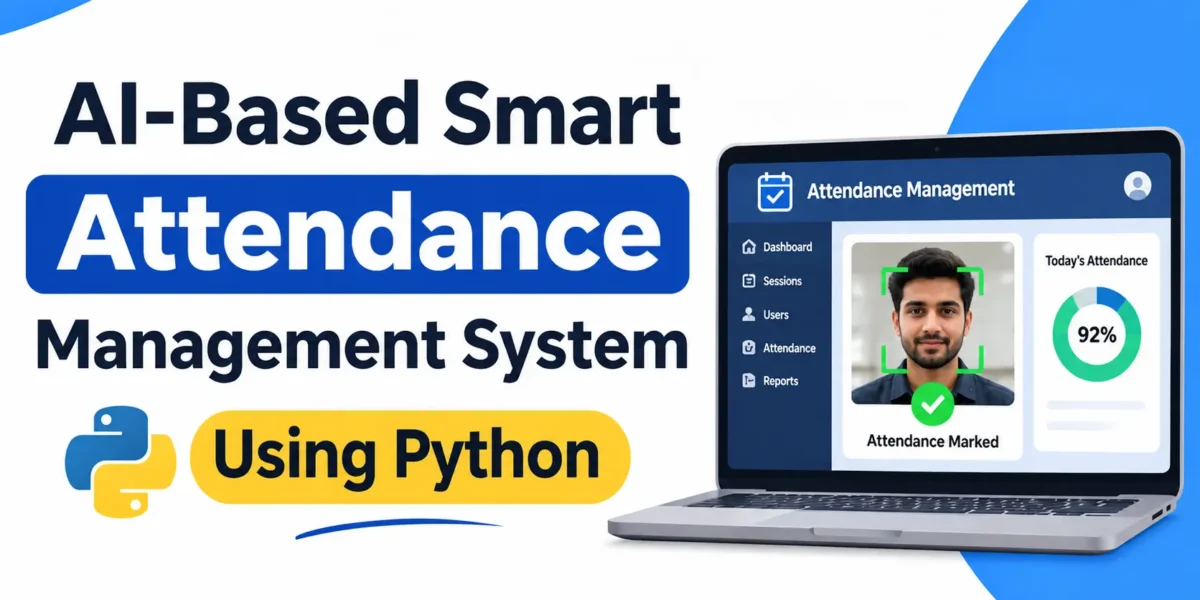
AI-Based Smart Attendance Management System
The AI-Based Smart Attendance Management System is an advanced AI-based web application designed to manage student and employee attendance through face recognition. Developed with Python, Django, SQLite, and OpenCV, it uses Haar detection and LBPH recognition to identify registered users during attendance sessions.
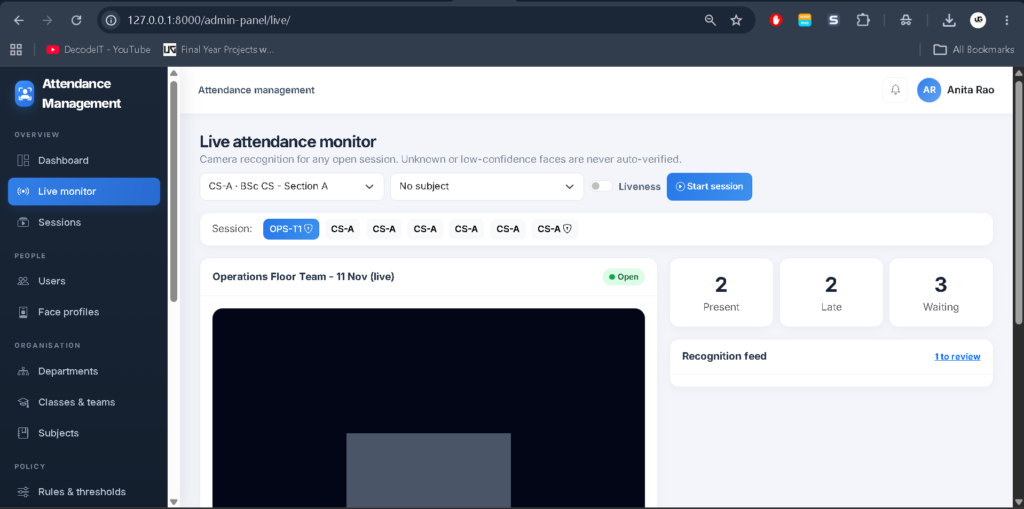
The application includes three separate interfaces: Admin Console, Teacher/Manager Classroom, and Student/Employee Portal. It supports webcam attendance, live sessions, manual verification, leave management, attendance corrections, and reporting.
Real Time Projects on YouTube:- DecodeIT
Project Overview
| Project Details | Information |
|---|---|
| Project Name | Attendance Management System Project |
| Language Used | Python |
| Framework | Django |
| Database | SQLite |
| Face Recognition | OpenCV Haar and LBPH |
| Frontend | Bootstrap 5, Chart.js, Inter Font |
| Type | AI-Based Web Application |
Student Attendance Management System using python :- Click Here
Available Features
Admin Console
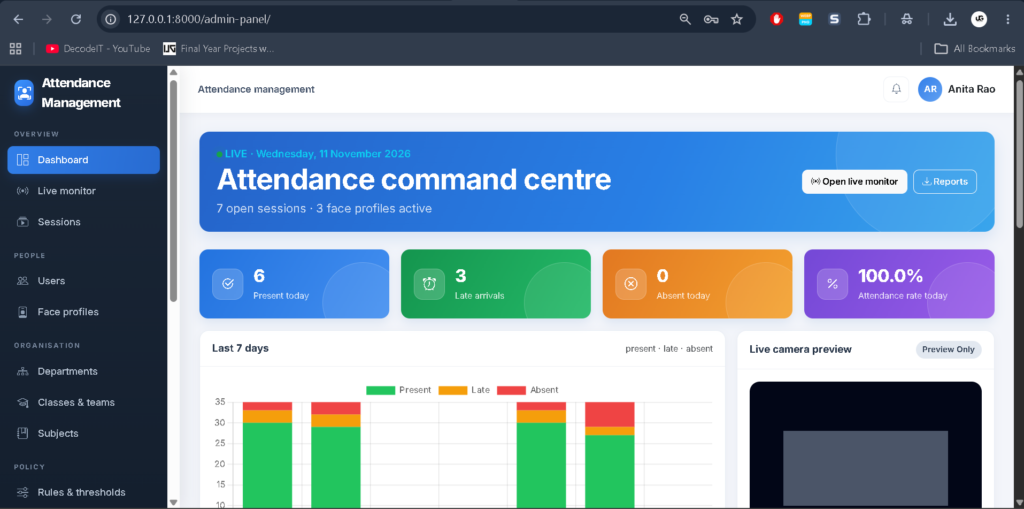
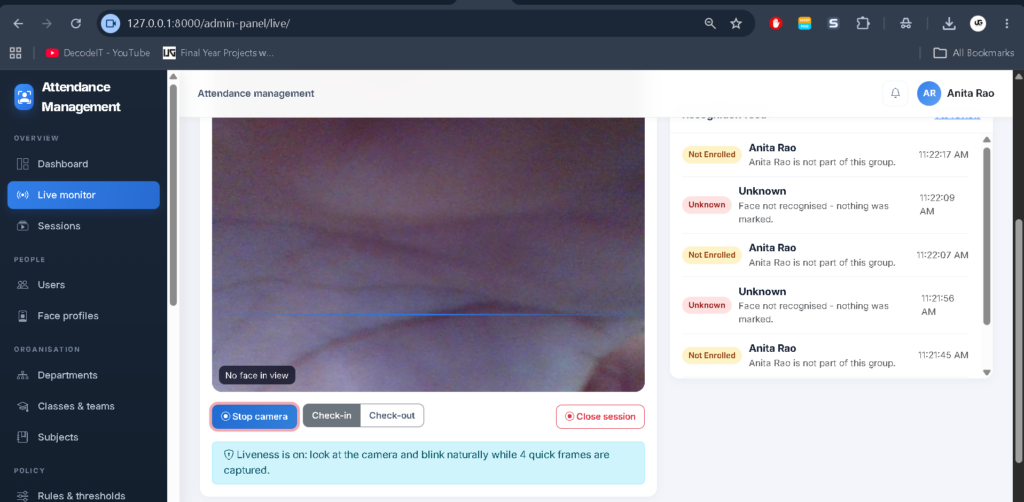
- Live Dashboard: Displays database statistics, charts, camera preview, and updates every 10 seconds.
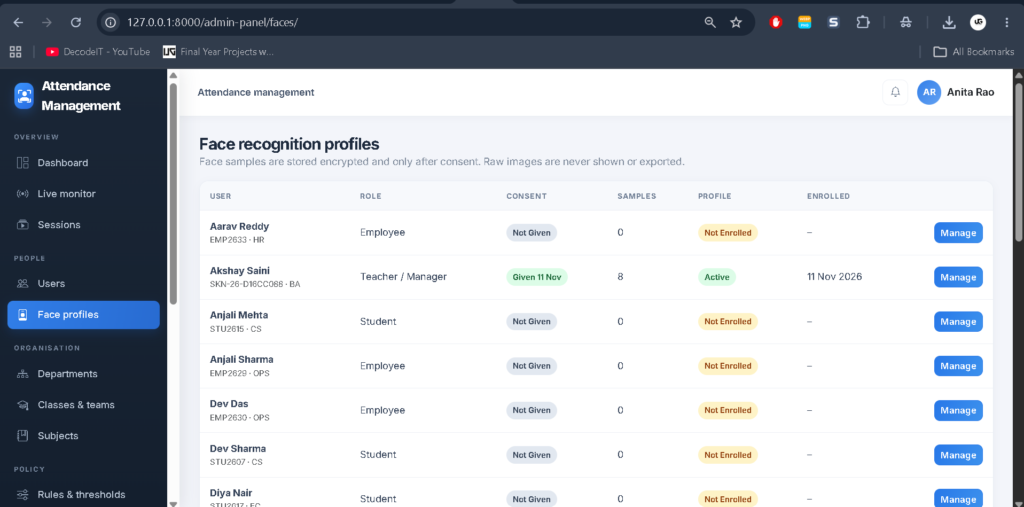
- User Management: Manages users and face profiles.
- Academic and Team Management: Manages departments, classes, teams, and subjects.
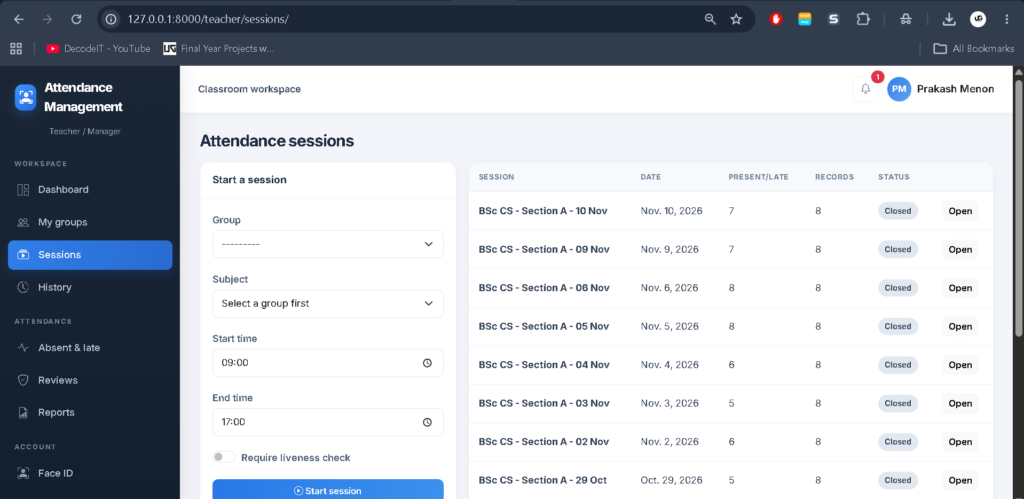
- Attendance Sessions: Monitors and manages attendance sessions.
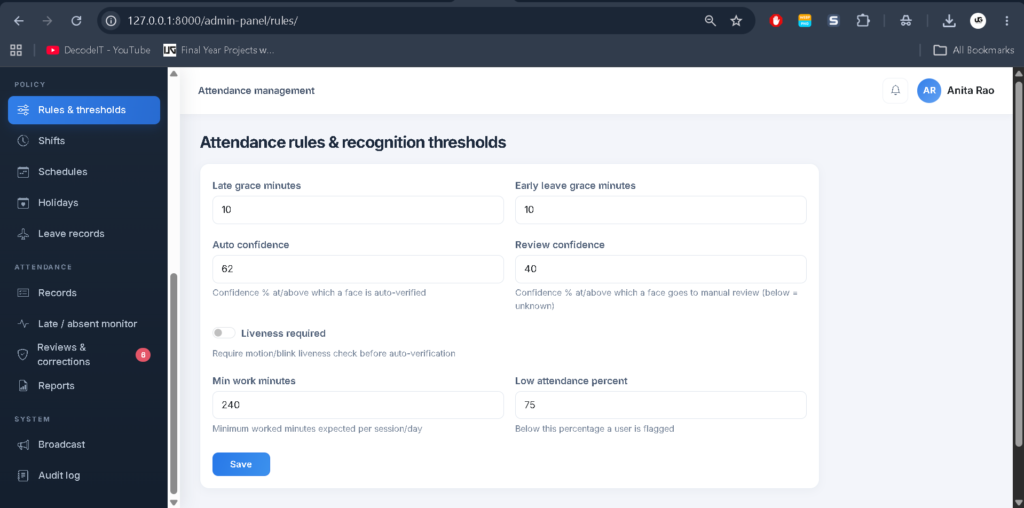
- Rules and Thresholds: Configures face recognition confidence settings.
- Schedule Management: Manages shifts, schedules, and holidays.
- Leave Management: Maintains leave records.
- Attendance Monitoring: Tracks late, absent, and early records.
- Reports: Generates daily, weekly, and monthly reports with CSV and PDF export.
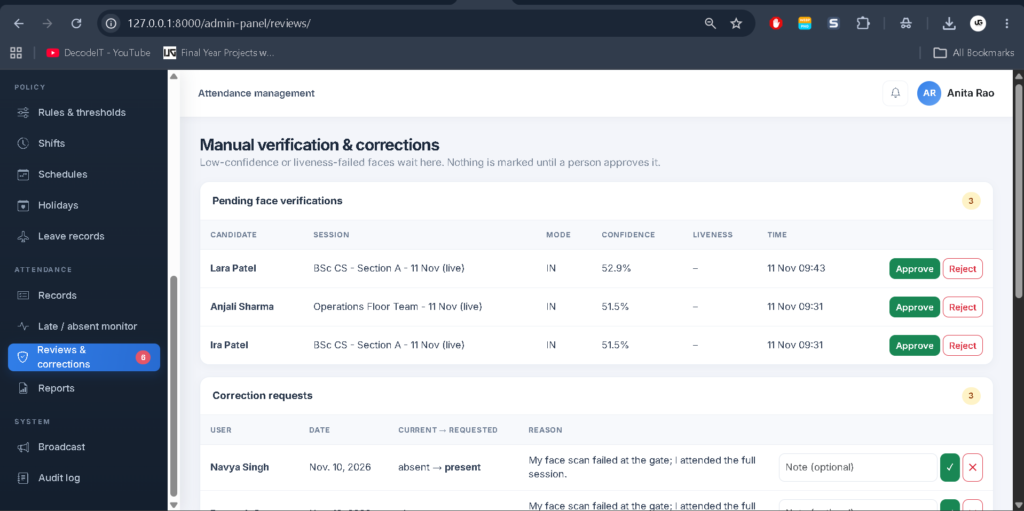
- Verification Queue: Reviews face recognition results requiring approval.
- Corrections: Approves attendance corrections with audit history.
- Notifications: Sends broadcast notifications.
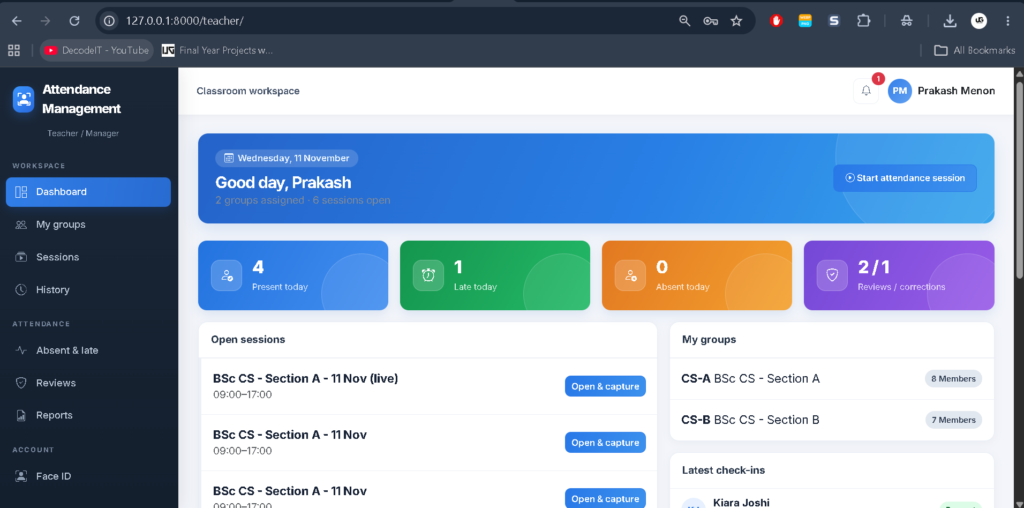
Teacher and Manager Panel
- View assigned classes and teams.
- Start and close attendance sessions.
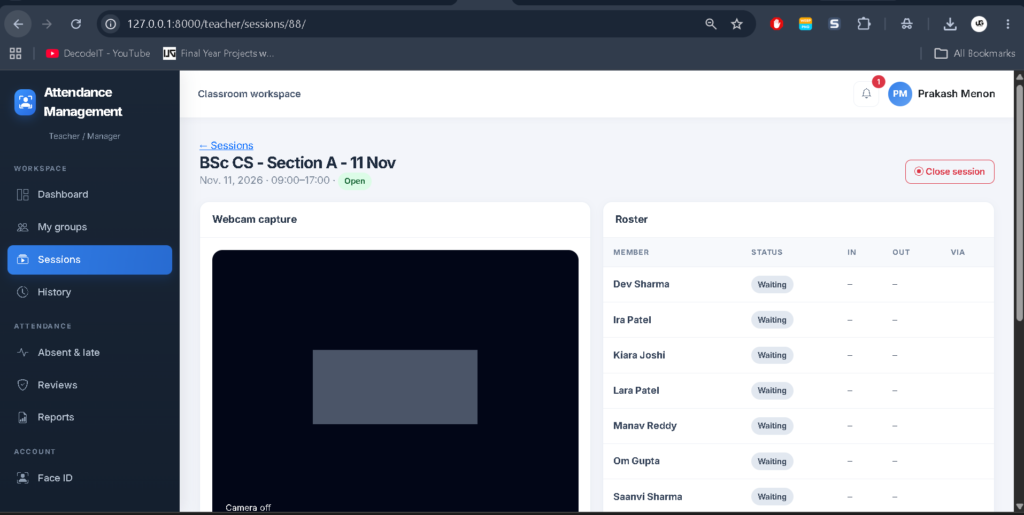
- Mark check-in and check-out using a webcam.
- View live attendance rosters.
- Mark attendance manually with a reason.
- Approve or reject face verification requests.
- View individual attendance history.
- Monitor absent and late records.
- Review correction requests.
- Generate and export attendance reports.
Student and Employee Portal
- Manage profile and password.
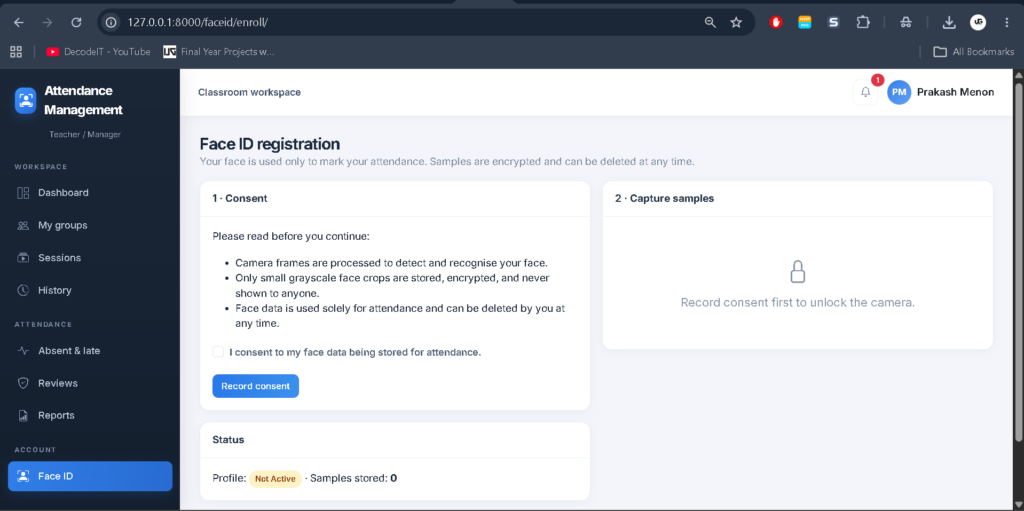
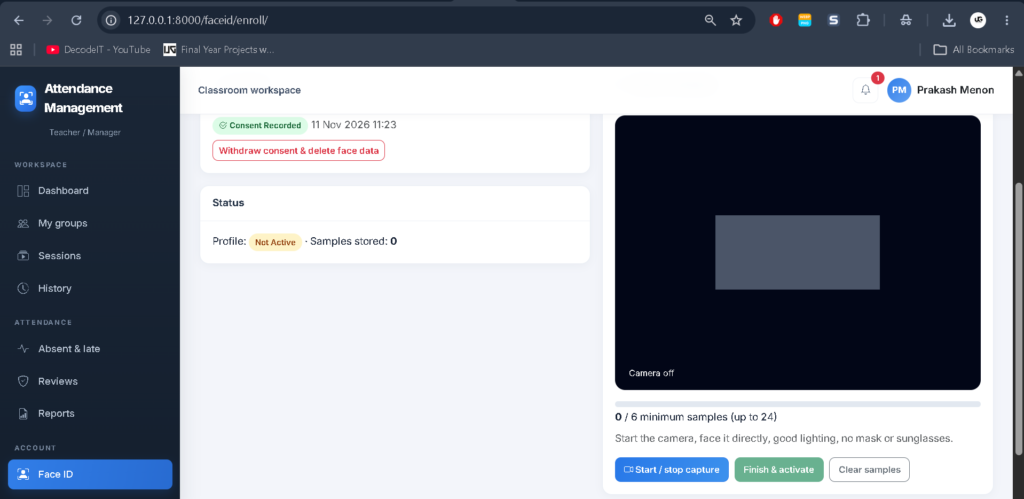
- Register Face ID with consent.
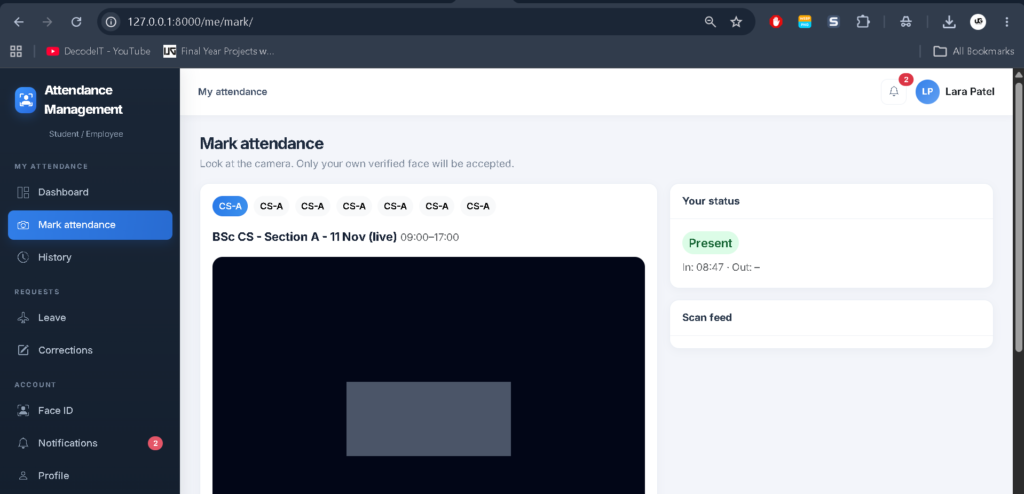
- Mark attendance through camera recognition.
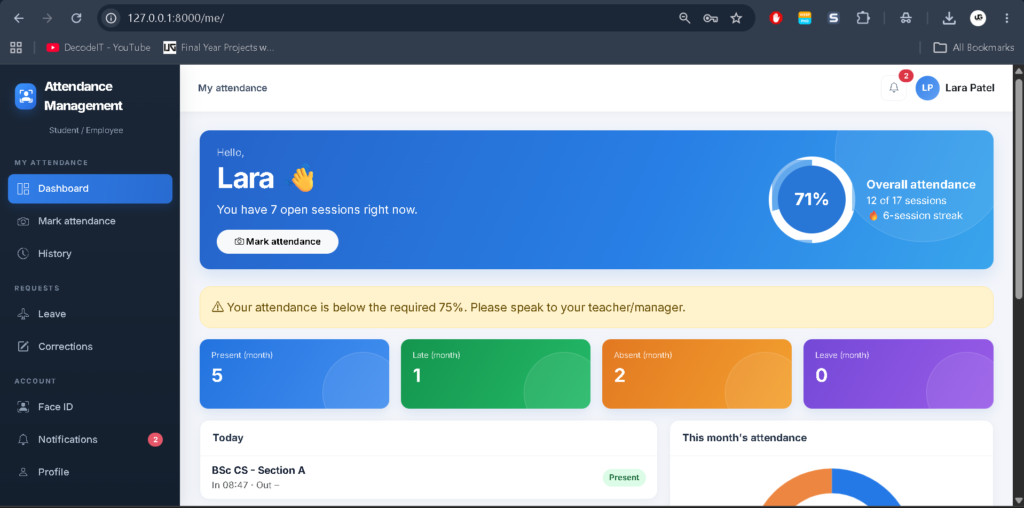
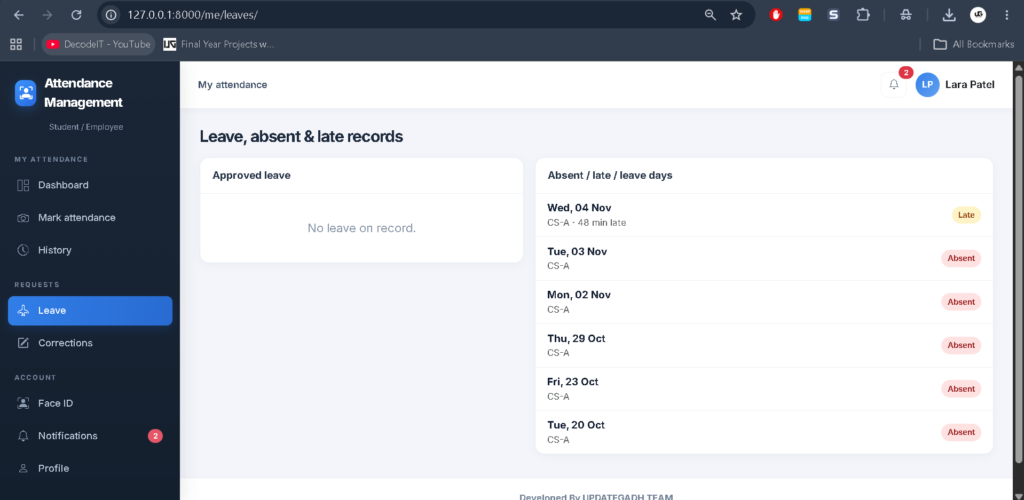
- View daily attendance status and percentage.
- Check attendance history.
- View leave, absent, and late records.
- Submit attendance correction requests.
- Receive notifications.
User Roles and Access
| Role | Access |
|---|---|
| Admin | Manage users, sessions, departments, reports, rules, and approvals. |
| Teacher/Manager | Manage assigned groups, attendance sessions, verification, and reports. |
| Student/Employee | Enroll Face ID, mark attendance, view records, and request corrections. |
Hostel Attendance Management System Using MERN Stack :- Click Here
Project Modules
- Accounts: Custom users, departments, authentication, and profiles.
- Core: Attendance models, services, reports, demo data, and retraining commands.
- Face ID: OpenCV recognition, enrollment APIs, and verification logic.
- Admin Panel: Administrative views and URLs.
- Teacher Panel: Teacher and manager views and URLs.
- Student Panel: Student and employee views and URLs.
Dashboard and User Interface
The Admin Console uses a graphite sidebar layout with statistics and Chart.js graphs. The Teacher/Manager Classroom uses top navigation, while the Student/Employee Portal provides pill-style navigation. Bootstrap 5 and the Inter font are used throughout the application.
How Does Face Recognition Attendance Work?
Users first enroll their faces by providing consent and capturing at least six samples. During an active attendance session, the application detects faces using Haar detection and compares them through LBPH recognition.
| Recognition Result | Action |
|---|---|
| Confidence 62% or higher | Automatically marked when required liveness passes. |
| Confidence 40% to below 62% | Sent for manual verification. |
| Below 40% or unknown face | Not marked; event logged. |
| Liveness failure | Sent for manual verification. |
| Wrong user or group | Rejected. |
| Already checked in | Duplicate marking prevented. |
The system calculates confidence using 100 × (1 − LBPH distance / 110). Administrators can configure thresholds according to webcam conditions.
Liveness Detection
Optional liveness checking analyses four frames for micro-motion and eye-state changes. It helps reduce basic printed-photo attacks but does not replace specialized anti-spoofing hardware.
Face Data Security
- Explicit consent is required for enrollment.
- Face withdrawal deletes samples and triggers retraining.
- Encrypted 120×120 grayscale crops are stored using Fernet.
- Duplicate enrollment across accounts is rejected.
- Face images are not returned through endpoints.
- Role-based permissions protect attendance records.
- CSRF protection and POST-only logout are implemented.
Technologies Used
| Category | Technology |
|---|---|
| Backend | Python, Django |
| Database | SQLite |
| Computer Vision | OpenCV Haar Detection, LBPH Recognition |
| Frontend | Bootstrap 5, Inter Font |
| Visualization | Chart.js |
| Encryption | Fernet |
Face Recognition Based Attendance Management System :- Click Here
How to Download
The complete package is available so you can run, study, and submit it with confidence.
Screenshot
How to Install the Attendance Management System Using Python?
Installation Guide
Step 1: Install Python 3.10–3.12 and Visual Studio Code with the Python extension.
Step 2: Extract the project ZIP file and open the Attendance Management System folder in VS Code.
Step 3: Create a virtual environment: python -m venv venv
Activate the virtual environment: venv\Scripts\activate
Step 4: Install the required packages: pip install -r requirements.txt
Step 5: Generate database migrations: python manage.py makemigrations accounts core faceid
Step 6: Setup the database: python manage.py migrate
Step 7: Create demo data: python manage.py seed_demo
Step 8: Run the project: python manage.py runserver
Open your browser and visit: 127.0.0.1:8000/
Note:- Free Attendance Management System Installation Guide
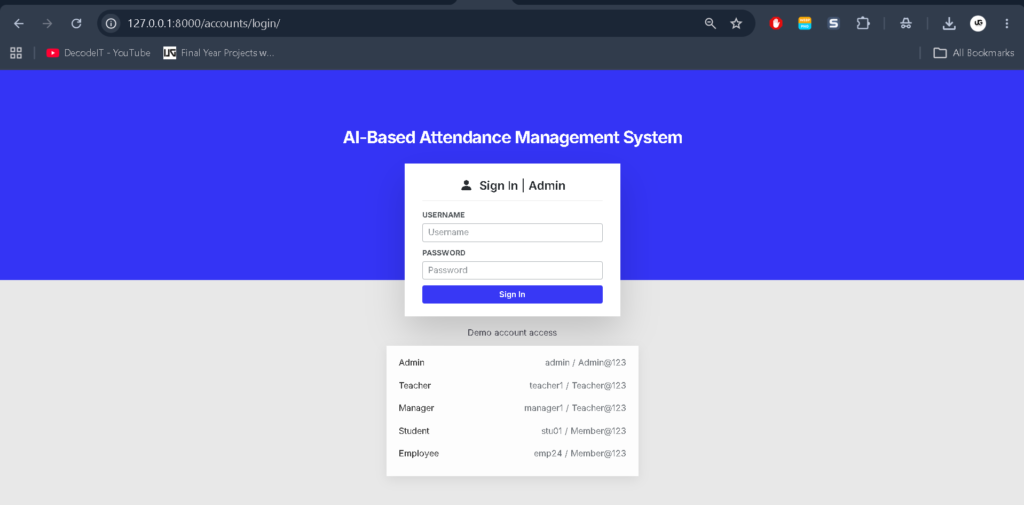
Demo Login Credentials
| Role | Username | Password |
|---|---|---|
| Admin | admin | Admin@123 |
| Teacher | teacher1, teacher2 | Teacher@123 |
| Manager | manager1, manager2 | Teacher@123 |
| Students | stu01 to stu23 | Member@123 |
| Employees | emp24 to emp35 | Member@123 |
How to Use Attendance Management System Project?
Admin: Login to manage users, classes, sessions, attendance rules, reports, and verification requests.
Teacher/Manager: Open an assigned session, start the camera, mark attendance, and review pending verification requests.
Student/Employee: Login to the portal, open Face ID, provide consent, capture at least six face samples, and select Finish and Activate. Use the Mark option during an eligible live session to mark attendance.
Note: Users stu01 to stu08 belong to the seeded CS-A live session. Demo users do not have face data by default, so complete face enrollment before testing recognition.
Frequently Asked Questions
1. What is the Attendance Management System?
It is a Django-based application that uses OpenCV face recognition to manage attendance for students and employees.
2. Which database does the project use?
The application uses SQLite.
3. Does the project support automatic attendance?
Yes. Recognized faces meeting the configured confidence and liveness requirements can be marked automatically.
4. Can teachers mark attendance manually?
Yes. Teachers and managers can mark attendance manually with a reason.
5. Does the system generate reports?
Yes. It supports daily, weekly, and monthly attendance reports with CSV and PDF export.
6. Is face enrollment mandatory for recognition?
Yes. Users must provide consent and enroll their face samples before using face recognition.
Final Thoughts
From a student’s perspective, the Attendance Management System Using Python Django and OpenCV is a practical project for understanding role-based applications, database operations, face recognition, and attendance reporting. Its separate user panels and verification workflow demonstrate how Python and Django can support attendance management.,Attendance | Dashboard, AI Attendance System & Management System,student staff attendance management system