
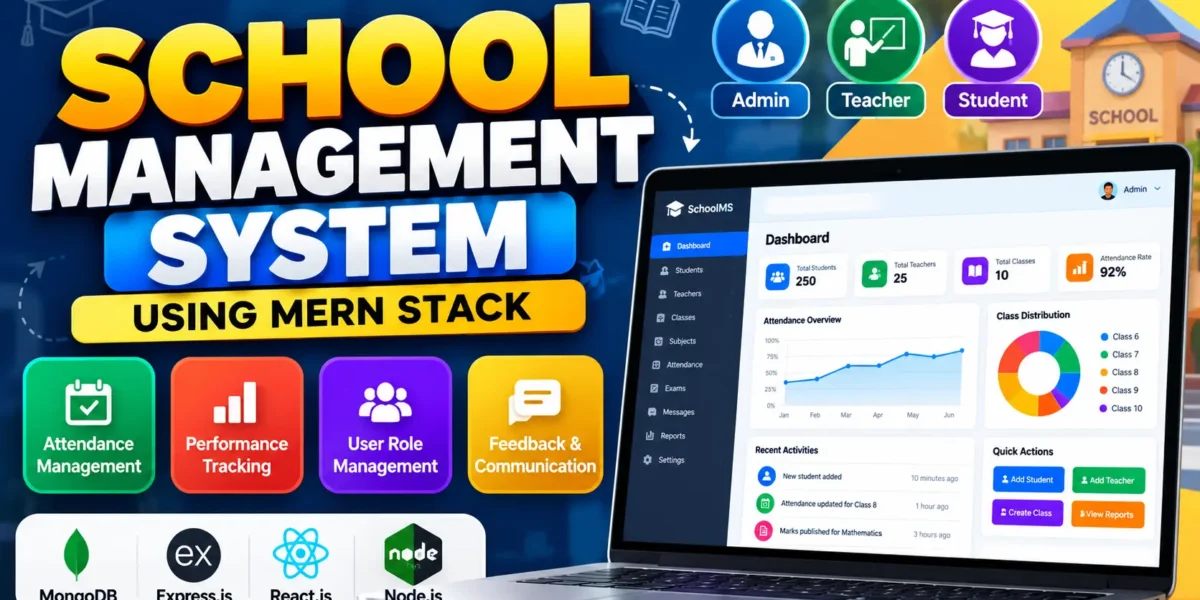
School Management System Using MERN Stack
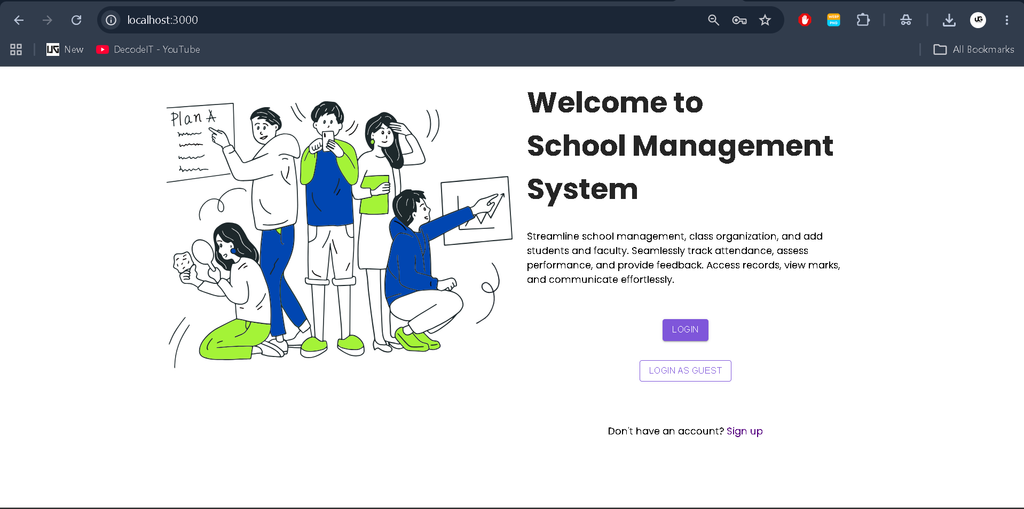
The School Management System Using MERN Stack is a web-based application designed to simplify school administration and academic activities. It provides a centralized platform for managing students, teachers, classes, attendance, academic performance, and communication. Built using MongoDB, Express.js, React.js, and Node.js, this project demonstrates how modern web technologies can improve the organization of educational institutions.
Complete Advance AI Topics: Click Here
Real Time Projects on YouTube:- DecodeIT
Project Overview
| Parameter | Details |
|---|---|
| Project Name | School Management System |
| Language/s Used | JavaScript |
| Frontend | React.js, Material UI |
| Backend | Node.js, Express.js |
| Database | MongoDB |
| State Management | Redux |
| Type | Web Application |
Introduction
Managing student records, attendance, examination marks, and communication manually can be time-consuming for schools. Maintaining information across separate registers and documents may also lead to errors and difficulties when retrieving records.
The School Management System addresses these challenges by bringing important academic and administrative operations into a single web application. Administrators can manage users and academic information, teachers can maintain attendance and evaluate students, and students can access their academic records through the platform.
The project provides practical experience in full-stack web development using the MERN technology stack and demonstrates how digital tools can support educational workflows.
Available Features
1. User Role Management
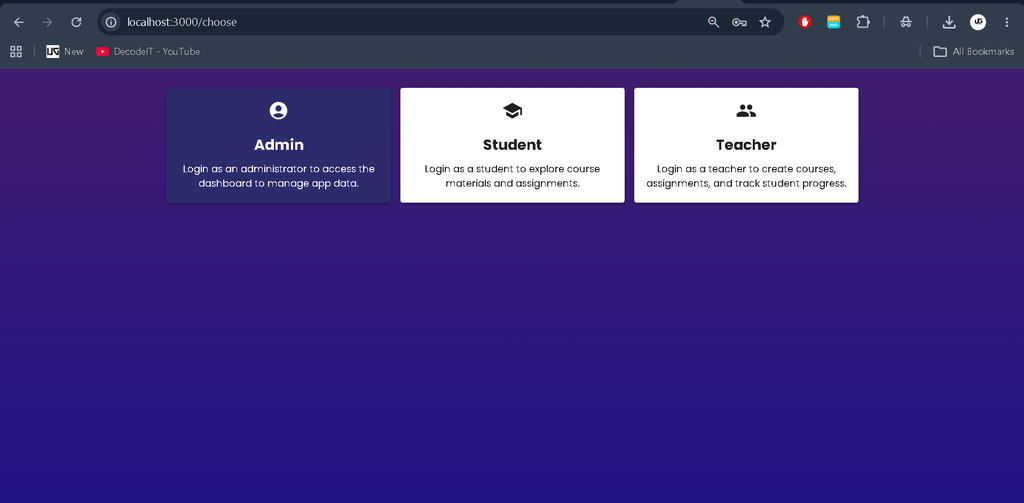
The application supports three primary user roles: Admin, Teacher, and Student. Each role has specific responsibilities and access to relevant features.
- Admin: Manages users, classes, subjects, and overall system operations.
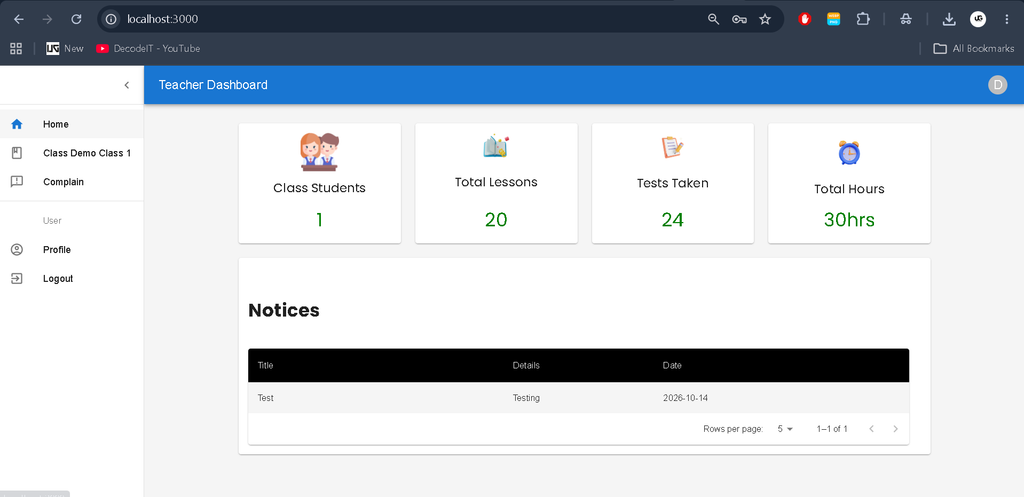
- Teacher: Records attendance, evaluates student performance, and communicates with students.
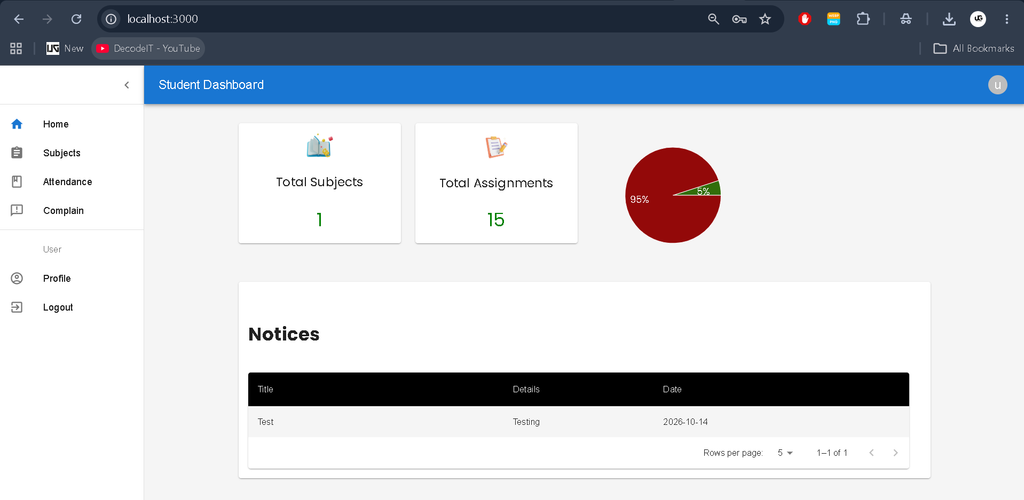
- Student: Views attendance records, examination marks, and teacher feedback.
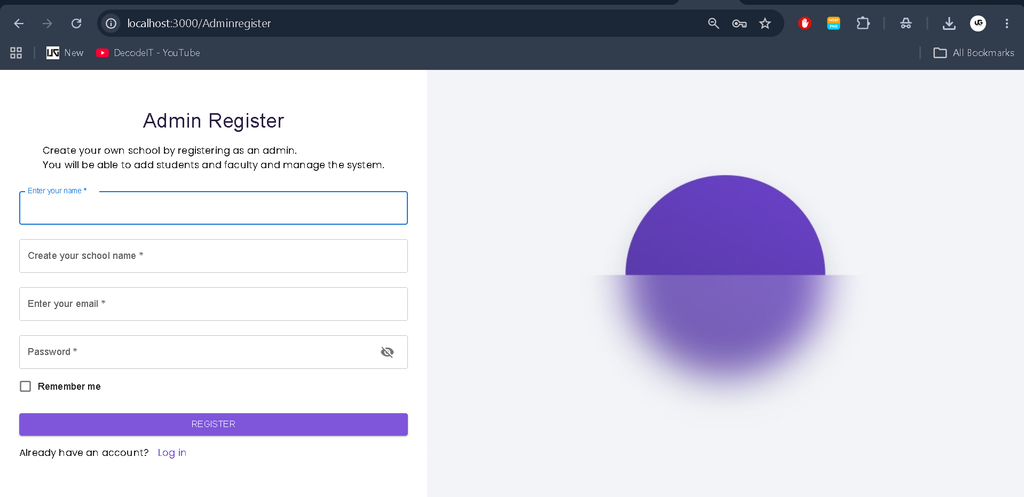
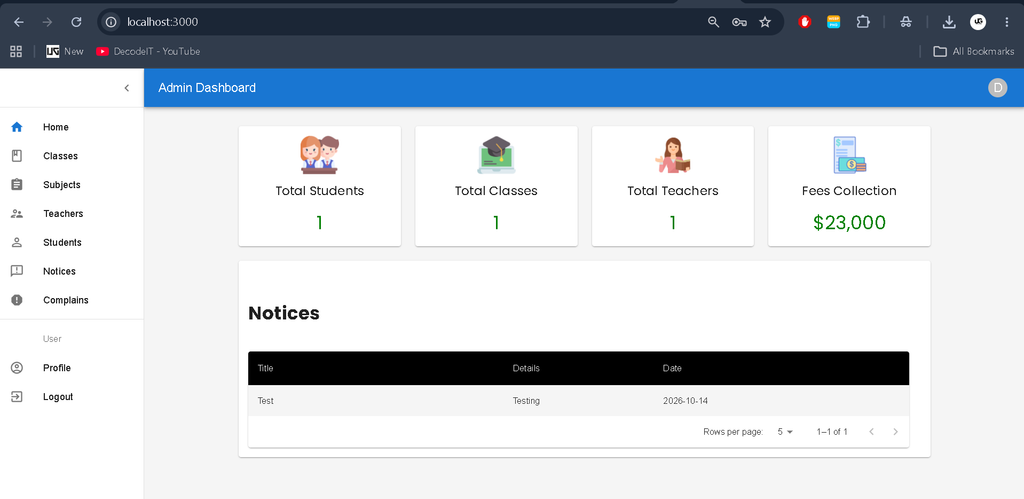
2. Admin Dashboard
The admin dashboard provides a centralized interface for managing school information and monitoring important activities.
- Add and manage student accounts.
- Register and manage teachers.
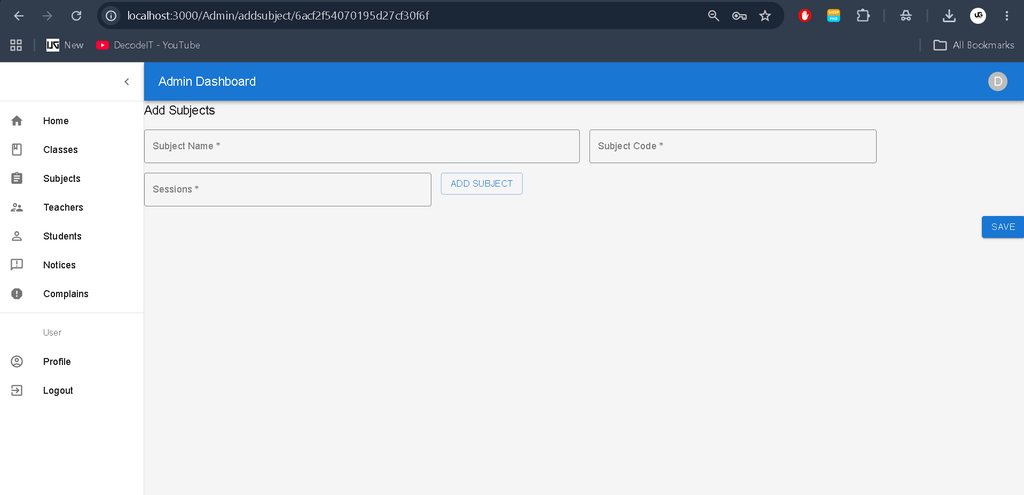
- Create classes and assign subjects.
- Manage user accounts.
- View attendance and academic performance statistics.
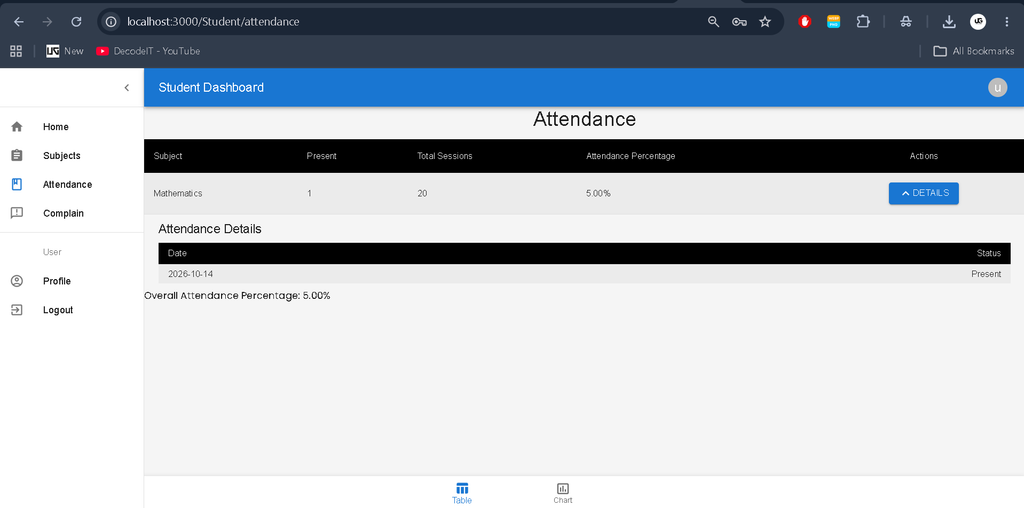
3. Attendance Management
The attendance management module allows teachers to record attendance for their respective classes. Teachers can mark students as present or absent, and the system stores attendance information in the database.
Teachers and students can review attendance records, while administrators can monitor attendance reports to understand student participation and punctuality.
4. Student Performance Assessment
Teachers can evaluate student performance by recording marks for different subjects and assessments. Students can view their marks and understand their academic progress.
This module supports transparent performance tracking and helps identify subjects where students may need additional attention.
5. Feedback and Communication
The system provides messaging and feedback functionality to facilitate communication between teachers and students. Academic discussions and feedback can be managed within the platform, helping keep relevant communication organized.
6. Data Visualization
Interactive charts and tables present information about academic performance and progress. These visual representations make it easier to identify performance trends and understand areas that require improvement.
Technologies Used
- React.js: Builds the interactive user interface.
- Material UI: Provides interface components for a consistent design.
- Redux: Manages application state and data flow.
- Node.js: Runs the server-side JavaScript environment.
- Express.js: Handles backend routes and API operations.
- MongoDB: Stores application data in a NoSQL database.
How to Download
The complete package is available so you can run, study, and submit it with confidence. It includes:
- Full Source Code
- Project Report
- Synopsis
- PPT Presentation
Screenshot
Installation Guide (VS Code)
Follow these steps to configure and run the School Management System locally. The exact folder names and commands may vary depending on the downloaded project structure.
Step 1: Extract the Project
Extract the project ZIP file into a suitable directory on your computer.
C:\Users\YourName\Documents\SchoolManagementSystemStep 2: Open the Project in VS Code
Launch Visual Studio Code and select File > Open Folder. Choose the extracted project directory.
Step 3: Install Backend Dependencies
Open the integrated terminal and navigate to the backend folder. In this example, the backend folder is named server.
cd Frontend
npm install
Step 4: Install Frontend Dependencies
Open another terminal, or return to the project root directory, and navigate to the frontend folder. In this example, it is named client.
cd backend
npm install
If your downloaded project uses different folder names, replace server and client with the actual directory names.
Step 5: Configure Environment Variables
Inside the backend folder, create a .env file and add the configuration required by the application.
PORT=5000
MONGO_URI=your_mongodb_connection_string
JWT_SECRET=your_secret_key
Replace the example values with your actual MongoDB connection string and a secure secret. Ensure that MongoDB is running locally or that your MongoDB Atlas connection is configured correctly. The variable names must match those expected by the project’s backend code.
Step 6: Start the Backend
Open a terminal in the backend directory and execute the appropriate start command configured in its package.json.
cd server
npm start
Step 7: Start the Frontend
Open a separate terminal and run the frontend application.
cd client
npm start
The frontend and backend may use different ports. Check the terminal output and project configuration to identify the correct addresses.
Step 8: Access the Application
Open the frontend URL displayed in the terminal, commonly http://localhost:3000 for a React development server. Once the application starts successfully, explore the available features using the appropriate user account and role.
Usage
1. Admin
The administrator oversees the platform and manages important school information.
- Add and manage student and teacher records.
- Create classes and assign subjects.
- Review attendance reports and performance statistics.
- Manage user roles and system records.
2. Teacher
Teachers use the application to maintain academic records and support student learning.
- Mark attendance and update attendance records.
- Record examination marks and assess performance.
- Provide feedback to students.
- Communicate with students through the available messaging features.
3. Student
Students can access their academic information through the available student interface.
- View attendance records.
- Check examination marks and teacher feedback.
- Review academic progress through charts and tables.
Why This Project Is Useful for Students
The School Management System is a practical academic project for students who want to understand full-stack web application development. It combines frontend development, backend API implementation, database operations, role-based access, and data visualization.
By studying or developing this project, students can gain experience in:
- Building interactive interfaces using React.js and Material UI.
- Creating backend APIs with Node.js and Express.js.
- Storing and retrieving data using MongoDB.
- Managing application state with Redux.
- Organizing user access according to different roles.
- Presenting academic information through charts and tables.
The project can also serve as a foundation for further development, depending on the requirements of an educational institution.
Final Thoughts
The School Management System Using MERN Stack demonstrates how modern web technologies can help organize academic and administrative tasks. Its user roles, attendance management, performance assessment, communication features, and data visualization make it a useful learning project for students exploring full-stack development.
Keywords: School Management System Using MERN Stack, MERN School Management System, School Management System Project, React School Management System, Node.js School Management System, MongoDB School Project, Attendance Management System

[…] School Management System Using MERN Stack :- Click Here […]
[…] School Management System Using MERN Stack :- Click Here […]