Advanced E-Commerce Management System Using Django
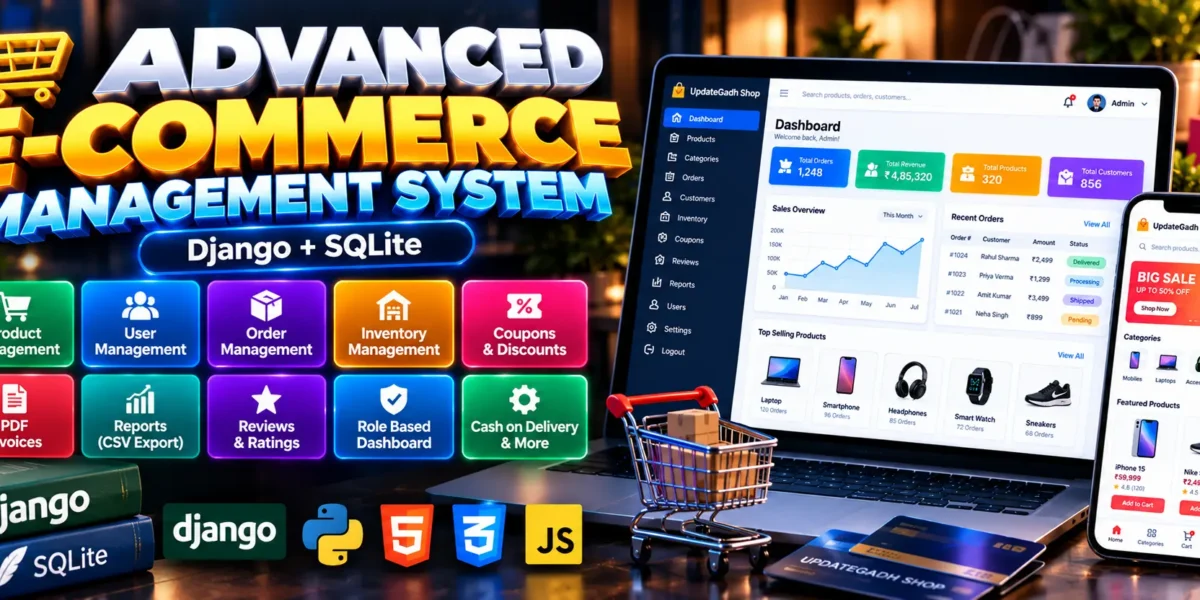
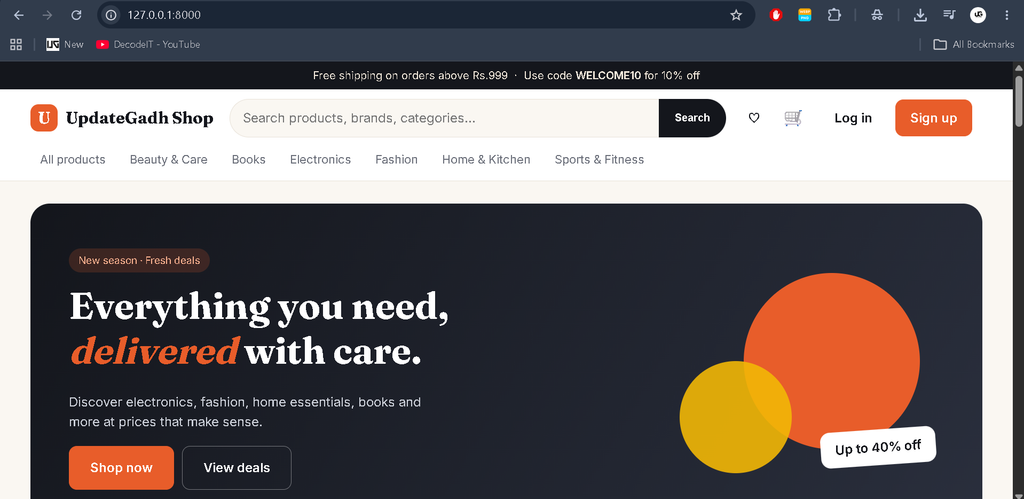
The Advanced E-Commerce Management System Using Django is a web-based shopping application developed by UPDATEGADH to manage online shopping, products, customers, orders, inventory, and sales reports. Built using Django, Python, SQLite, HTML, CSS, and JavaScript, it provides a customer storefront and a role-based management dashboard.
The project includes product search and filtering, shopping cart functionality, wishlists, coupons, customer reviews, PDF invoices, CSV reports, order tracking, and user management. It is suitable for students who want to learn Django development, database operations, authentication, inventory management, and real-world e-commerce workflows.
Complete Advance AI Topics: Click Here
Real Time Projects on YouTube:- DecodeIT
What Is an E-Commerce Management System?
An E-Commerce Management System is a web application that allows customers to browse products and place orders while authorized staff manage products, inventory, coupons, orders, and customer feedback. This project combines a shopping storefront with a dedicated dashboard for managing essential store operations.
Project Overview
| Project Details | Description |
|---|---|
| Project Name | Advanced E-Commerce Management System |
| Language/s Used | Python, HTML, CSS, JavaScript |
| Framework | Django 4.2–5.x |
| Database | SQLite by default |
| Type | Web Application |
What Are the Available Features?
Available Features
The Advanced E-Commerce Management System provides a complete set of features for online shopping, customer management, order processing, inventory control, and store administration. The application includes a customer storefront and a role-based dashboard for managing daily e-commerce operations.
1. Customer Features
- Registration and Login: Register, log in, and log out securely.
- Profile Management: Update profile details, change passwords, and manage delivery addresses.
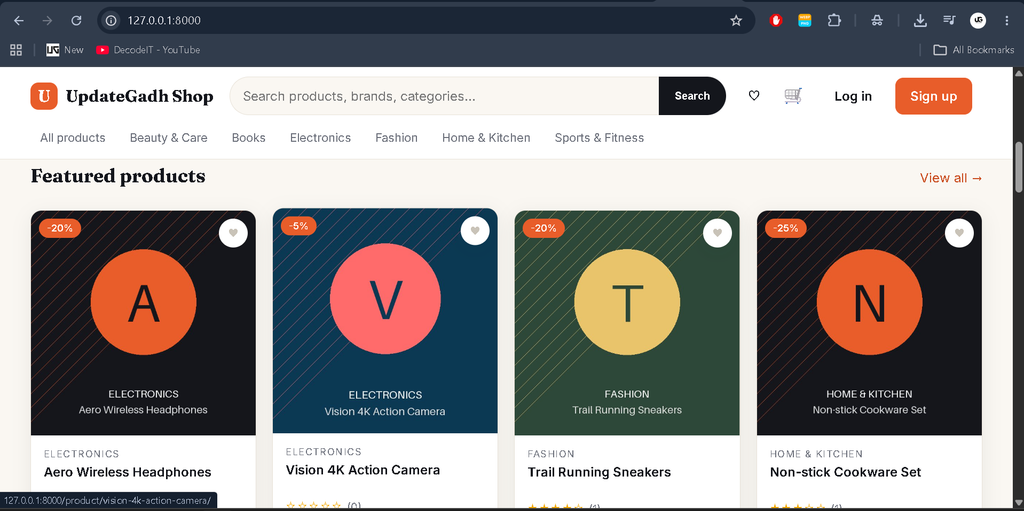
- Product Catalog: Browse products with category, price, stock, and sale filters.
- Product Search: Search products using live suggestions, sorting, and pagination.
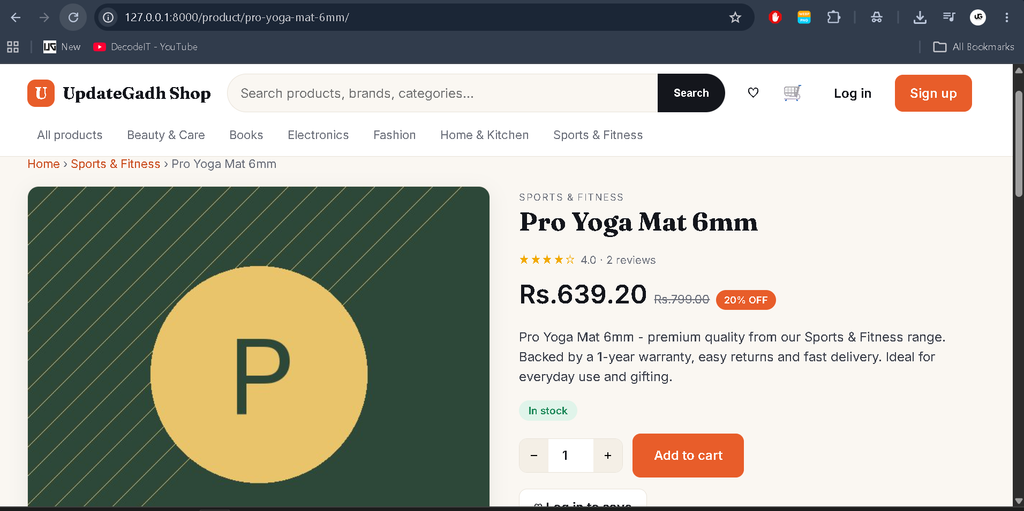
- Product Details: View product information, related products, and recently viewed items.
- Shopping Cart: Add products to the cart using AJAX, with stock quantity limits.
- Wishlist: Save favorite products for later.
- Coupon Application: Apply eligible coupons during checkout.
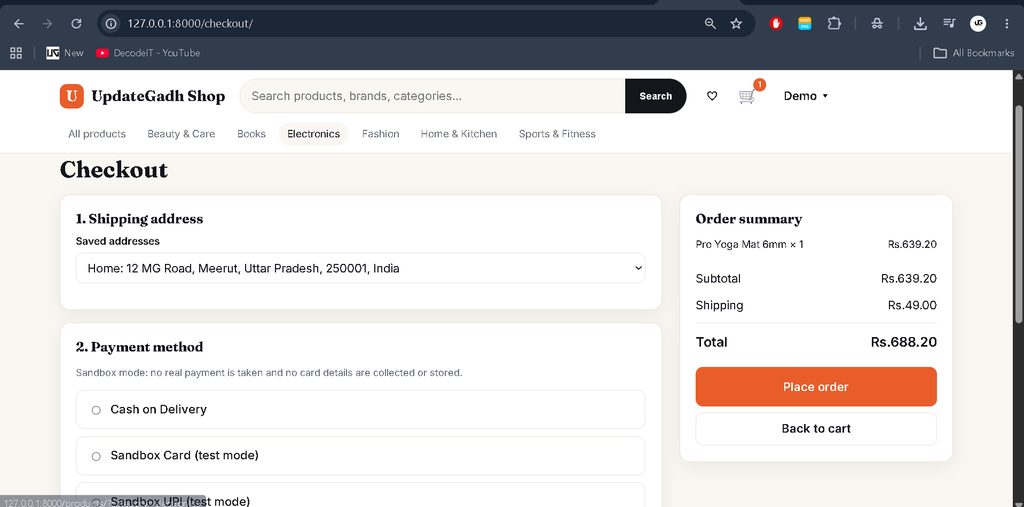
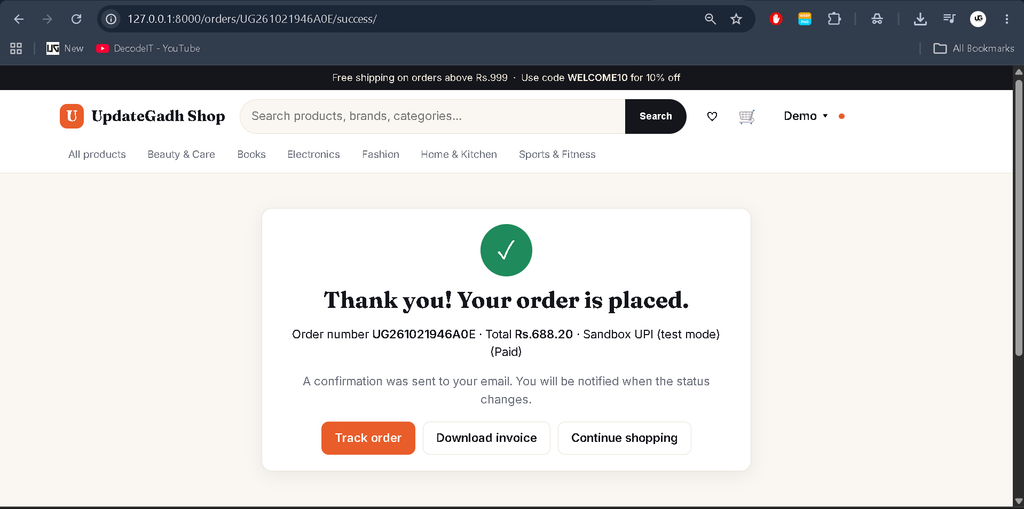
- Checkout: Place orders using the available sandbox payment options.
- Order History: View previous orders and their details.
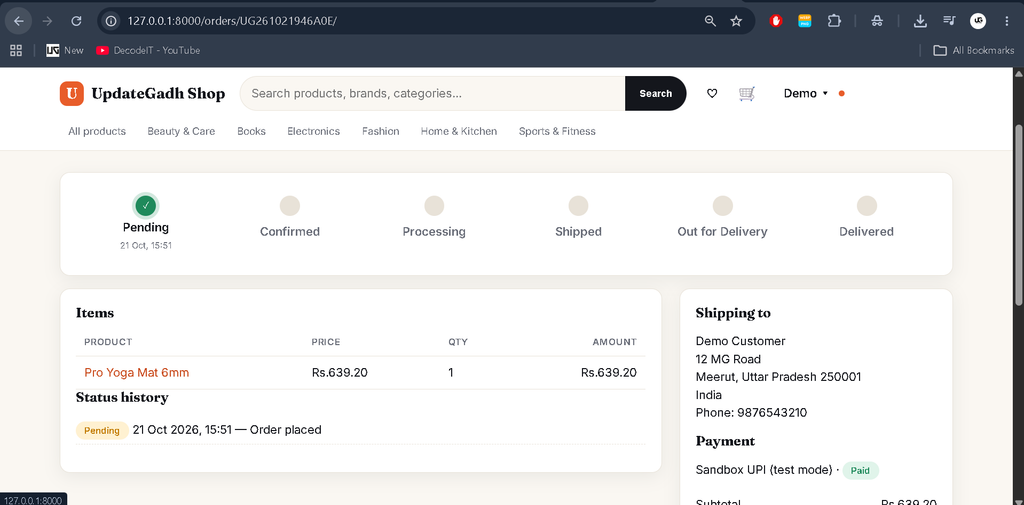
- Order Tracking: Follow order progress through status updates.
- Order Cancellation: Cancel eligible orders according to the order status rules.
- PDF Invoices: Access and download authorized order invoices.
- Product Reviews and Ratings: Submit feedback and ratings for products.
- Notifications: Receive in-app notifications about order updates.
- Contact and Feedback: Send messages and submit feedback through the available forms.
2. Admin Dashboard Features
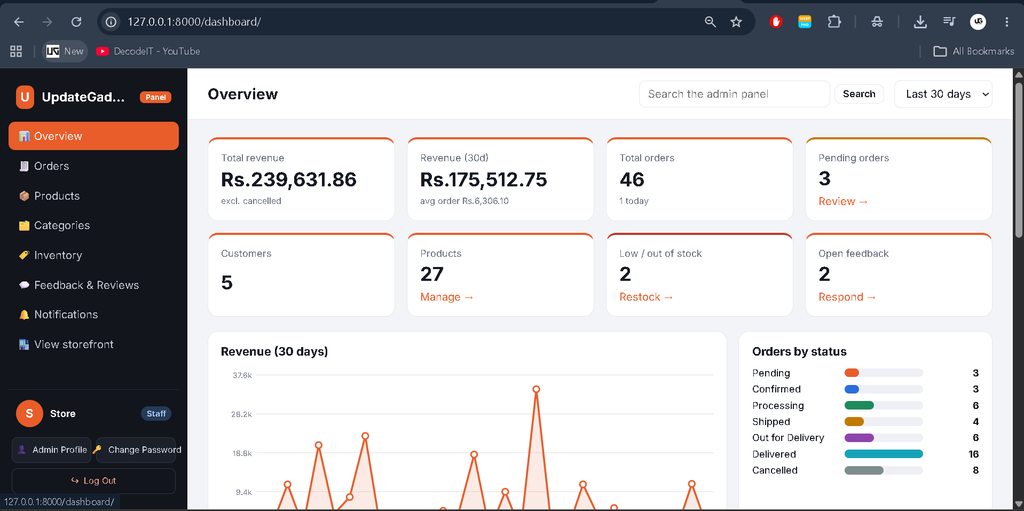
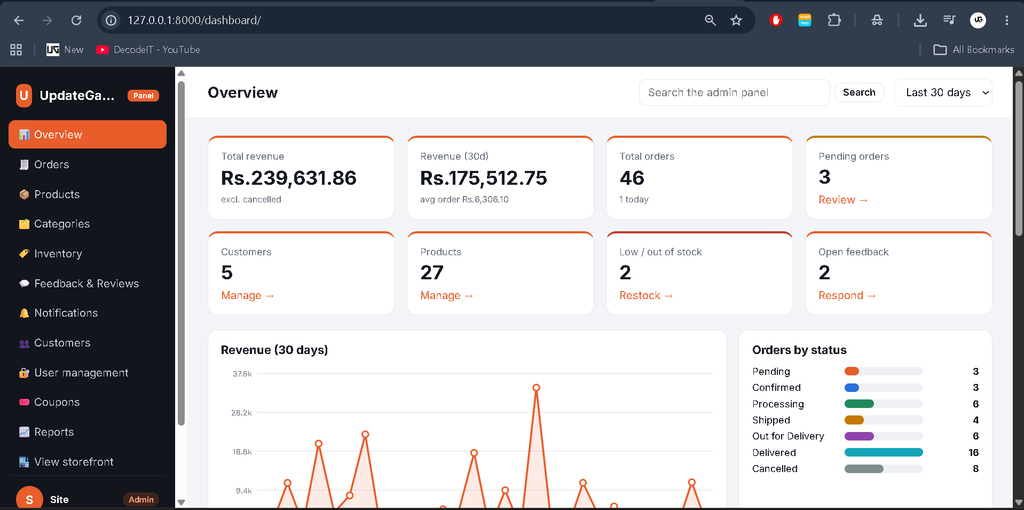
- Dashboard Overview: View KPI cards, sales statistics, order summaries, and recent activities.
- Revenue Analytics: View revenue, order-status, and category charts for 7, 30, and 90-day periods.
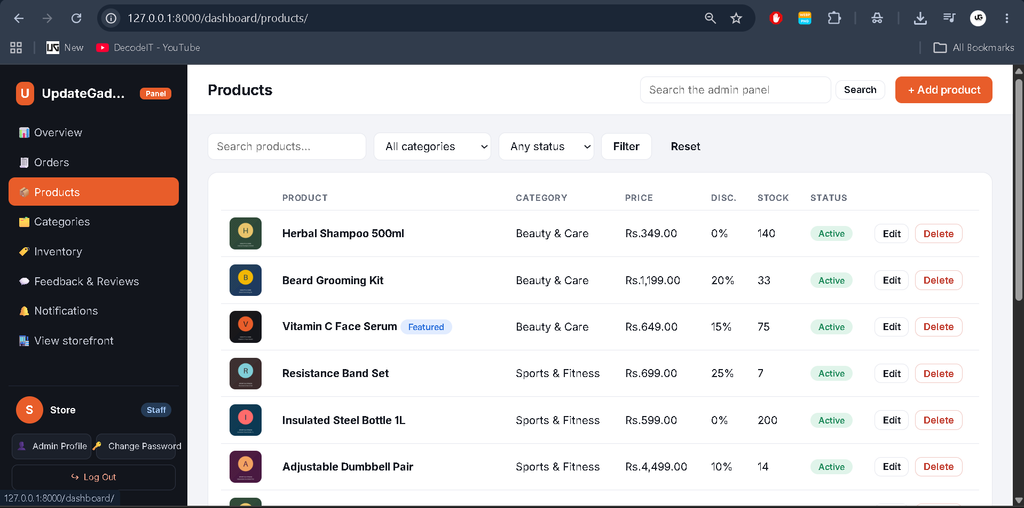
- Product Management: Add, edit, and delete products.
- Category Management: Create, update, and delete product categories, subject to applicable restrictions.
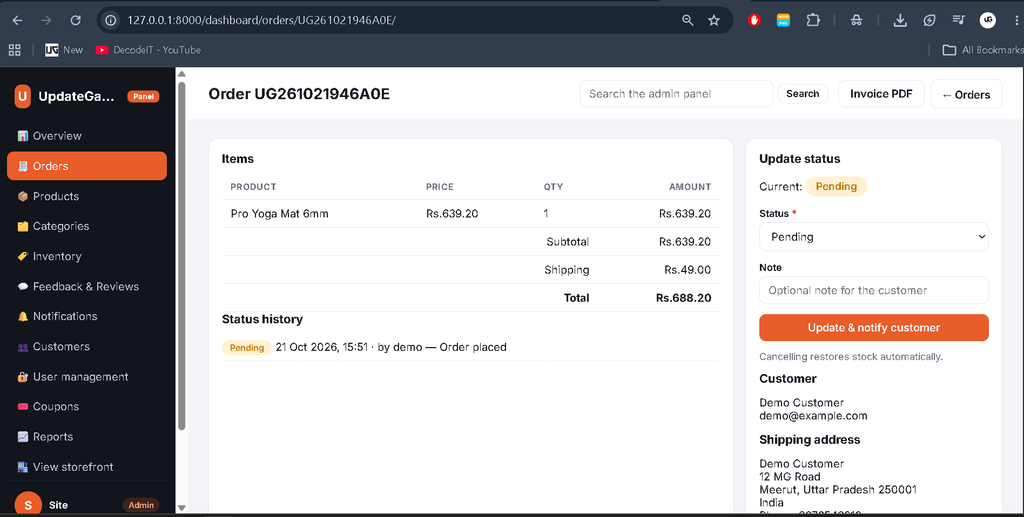
- Order Management: Search, filter, and update customer orders.
- Order Status History: Record and review changes to order statuses.
- Inventory Management: Monitor product stock and update quantities.
- Coupon Management: Create, update, and delete coupons.
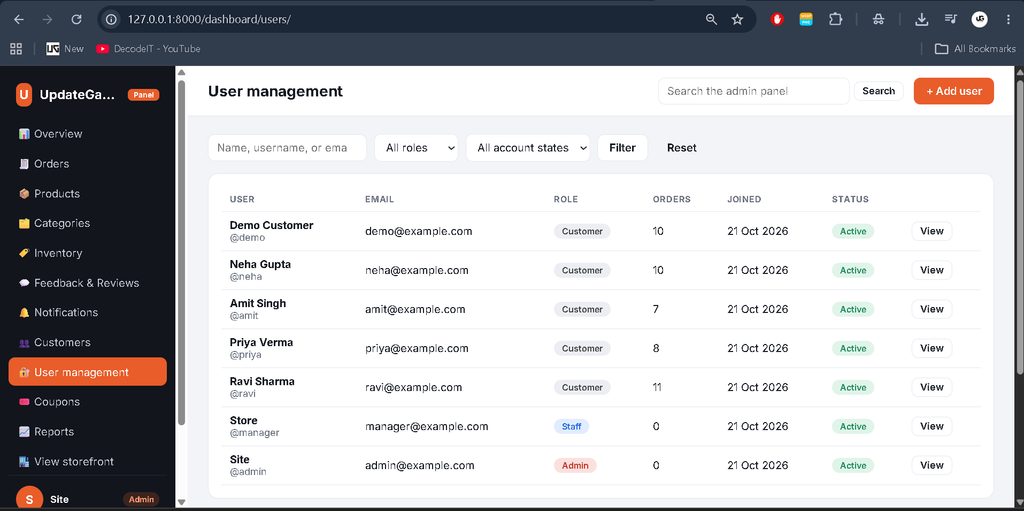
- User Management: Add, edit, and delete user accounts, assign roles, and manage account activation where supported by the implemented user-management interface.
- Customer Management: Allow superusers to access customer management features.
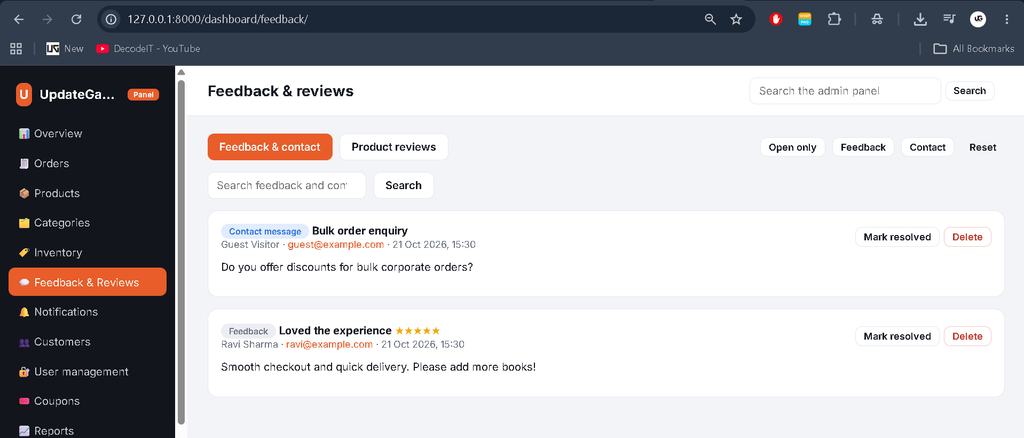
- Review Moderation: Manage customer reviews and feedback.
- Stock Alerts: Identify products requiring inventory attention.
3. Staff Management Features
- Access the dashboard with authorized staff permissions.
- Manage products and product categories.
- Process orders and update order statuses.
- Update inventory quantities.
- Manage customer feedback and product reviews.
- Access permitted operational dashboard features.
4. Order and Inventory Features
- Order Status Workflow: Pending, Confirmed, Processing, Shipped, Out for Delivery, Delivered, and Cancelled.
- Status Locking: Delivered and cancelled orders are treated as final.
- Stock Validation: Check available stock during checkout.
- Stock Restoration: Restore stock when an eligible order is cancelled.
- Duplicate Order Protection: Use a checkout token and database constraint to prevent duplicate orders.
- Coupon Usage Restoration: Restore coupon usage when an eligible order is cancelled.
- Transactional Processing: Use database transactions to help maintain consistent order and inventory records.
5. Reports and Export Features
- Order Reports: Export order data to CSV.
- Daily Sales Reports: Export daily sales information.
- Inventory Reports: Export stock-related data.
- Customer Reports: Export customer information.
- Date Range Filtering: Generate reports for selected periods.
- PDF Invoice Generation: Generate invoices for authorized orders.
6. Payment Features
- Cash on Delivery: Select the available COD payment option.
- Sandbox Card: Use the mock card payment option.
- Sandbox UPI: Use the mock UPI payment option.
- Payment Configuration: Configure enabled payment methods through application settings.
Note: Payments are simulated. The project does not process real card payments or store card numbers.
7. Security Features
- Django authentication and password hashing using PBKDF2.
- CSRF protection for POST requests.
- Environment-based configuration for secret keys and database settings.
- Form validation and user-specific access checks for orders, invoices, and addresses.
- Image upload validation for supported formats and file sizes.
- CSV formula-injection safeguards.
- Safe redirect handling.
- Secure cookie and SSL redirect settings when production debug mode is disabled.
- Role-based permissions for superusers, staff, and customers.
8. Email and Notification Features
- Generate in-app notifications for order status changes.
- Send email notifications when order statuses change.
- Use Django’s console email backend by default for local development.
- Configure SMTP settings through environment variables when email delivery is required.
9. Configuration and Testing Features
- Environment Configuration: Configure secret keys, debug mode, allowed hosts, database settings, email, currency, and shipping options.
- Demo Data: Populate sample store data using the
seed_demomanagement command. - Demo Reset: Reset seeded demo data using the supported reset option.
- Automated Tests: Test authentication, profiles, catalog filters, cart stock limits, checkout, inventory restoration, coupons, permissions, invoices, notifications, and CSV exports.
- Database Support: Use SQLite by default, with configuration prepared for PostgreSQL and MySQL.
Which Technologies Are Used?
- Python and Django: Backend logic, authentication, and application workflows.
- SQLite: Default database, with configuration prepared for PostgreSQL or MySQL.
- HTML and CSS: Page structure and styling.
- JavaScript: Interactive storefront and dashboard functionality.
- Pillow: Image validation.
- ReportLab: PDF invoice generation.
What Software Is Required?
- Python compatible with the installed Django version.
- Visual Studio Code.
- Web Browser.
How to Download
The complete package is available so you can run, study, and submit it with confidence. It includes:
- Full Source Code
- Project Report
- Synopsis
- PPT Presentation
Screenshot
How to Install and Run the Project in VS Code
Follow these steps to configure the project locally. Open the VS Code terminal in the extracted project directory.
Windows
cd ecommerce_project
python -m venv .venv
.venv\Scripts\activate
pip install -r requirements.txt
python manage.py makemigrations accounts store
python manage.py migrate
python manage.py seed_demo
python manage.py runserver
macOS and Linux
cd ecommerce_project
python3 -m venv .venv
source .venv/bin/activate
pip install -r requirements.txt
python manage.py makemigrations accounts store
python manage.py migrate
python manage.py seed_demo
python manage.py runserver
Alternatively, use run_windows.bat on Windows or ./run_mac_linux.sh on macOS or Linux. In VS Code, select the virtual environment through Python: Select Interpreter.
Open http://127.0.0.1:8000/ in your browser to access the storefront.
Demo Login Credentials
| Role | URL | Username | Password |
|---|---|---|---|
| Customer | / | demo | Customer@12345 |
| Superuser | /dashboard/ | admin | Admin@12345 |
| Staff Manager | /dashboard/ | manager | Manager@12345 |
These credentials are created by the demo seed command. Change them before any real deployment. To create a superuser, run python manage.py createsuperuser.
How to Test the Project?
Run the following command in the activated virtual environment to execute the automated tests.
python manage.py testThe tests cover account access, profiles, product search and filtering, cart stock limits, checkout, duplicate-order protection, stock restoration, coupon limits, notifications, invoice access, dashboard permissions, CSV exports, and protected category deletion.
Final Thoughts
The Advanced E-Commerce Management System Using Django is a practical project for learning how a complete online store works. It combines customer shopping features with product, order, inventory, coupon, user, and reporting management.
From a student’s perspective, this project offers hands-on experience with Django, database transactions, role-based permissions, automated testing, and secure web application development. Its modular structure also provides a useful foundation for further customization.
Frequently Asked Questions
1. Which framework is used in this e-commerce project?
The project uses Django with Python, HTML, CSS, and JavaScript.
2. Which database does the system use?
SQLite is the default database. The configuration is also prepared for PostgreSQL and MySQL.
3. Does the project support online payments?
It includes sandbox payment options for Cash on Delivery, Sandbox Card, and Sandbox UPI. Real payment processing is not enabled.
4. Can staff manage products and orders?
Yes. Authorized staff can manage products, categories, orders, inventory, and feedback through the dashboard.
5. How can I run the project locally?
Install the requirements, activate a virtual environment, run migrations, execute python manage.py seed_demo, and start the server with python manage.py runserver.
Keywords: Advanced E-Commerce Management System Using Django, Django E-Commerce Project, Python Online Shopping System, Django Inventory Management, E-Commerce Website Using Python, Django Store Management System