AI-Powered Job Portal Using Django
Introduction
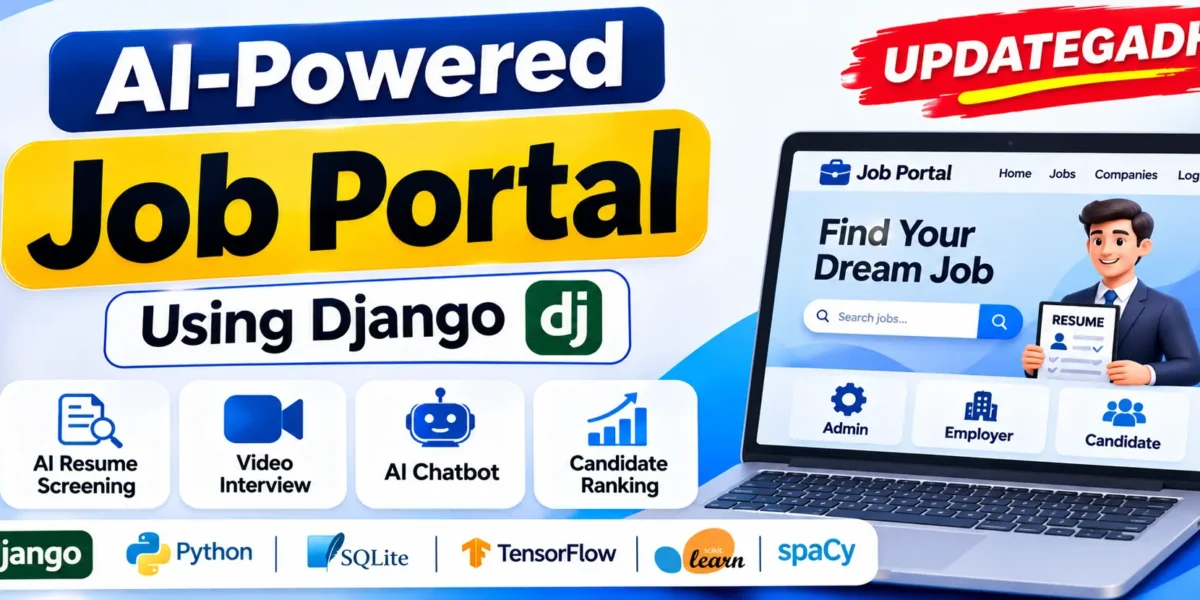
AI-Powered Job Portal Using Django is an advanced recruitment management web application designed to connect employers, recruiters, and job seekers through an intelligent hiring platform. The system combines Artificial Intelligence, Machine Learning, Natural Language Processing (NLP), and real-time video communication to simplify recruitment activities.
The project includes separate Admin, Employer, Recruiter, and Candidate panels. It provides AI-based resume screening, candidate ranking, online assessments, interview scheduling, real-time video interviews, and an intelligent chatbot. Unlike a basic recruitment website, this project combines multiple AI and machine learning technologies to support different stages of the hiring process.
Real Time Projects on YouTube:- DecodeIT
Project Overview of the Job Portal
| Project Details | Information |
|---|---|
| Project Name | AI-Powered Job Portal |
| Backend | Python, Django |
| Frontend | HTML, Bootstrap 5 |
| Database | SQLite |
| Charts | Chart.js |
| Real-Time Communication | Django Channels, WebRTC |
| AI and NLP | NLTK, spaCy, TF-IDF |
| Machine Learning | TensorFlow/Keras LSTM, Scikit-learn |
| Chatbot | TF-IDF, Logistic Regression |
| Background Tasks | Celery, Redis (Optional) |
| Project Type | AI-Based Recruitment Management System |
What Are the Main Features of the AI Job Portal?
AI Powered Resume Screening System Using Python :- Click Here
1. Custom Admin Panel
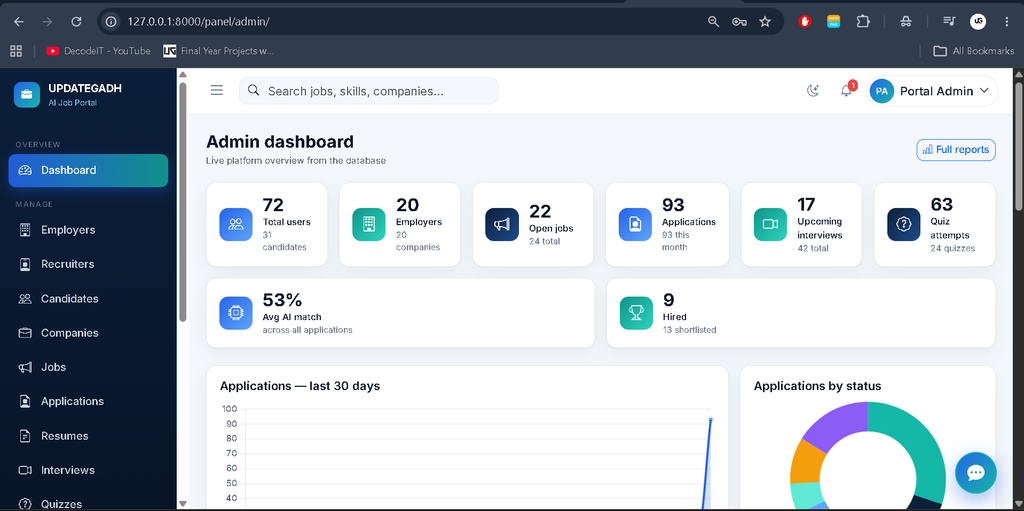
The project includes a fully customized administration panel instead of using Django’s default admin interface. Administrators can manage employers, recruiters, candidates, companies, jobs, applications, resumes, interviews, quizzes, questions, and skills.
- Dashboard with Chart.js visualizations and KPI cards.
- Search, filters, pagination, and CSV export.
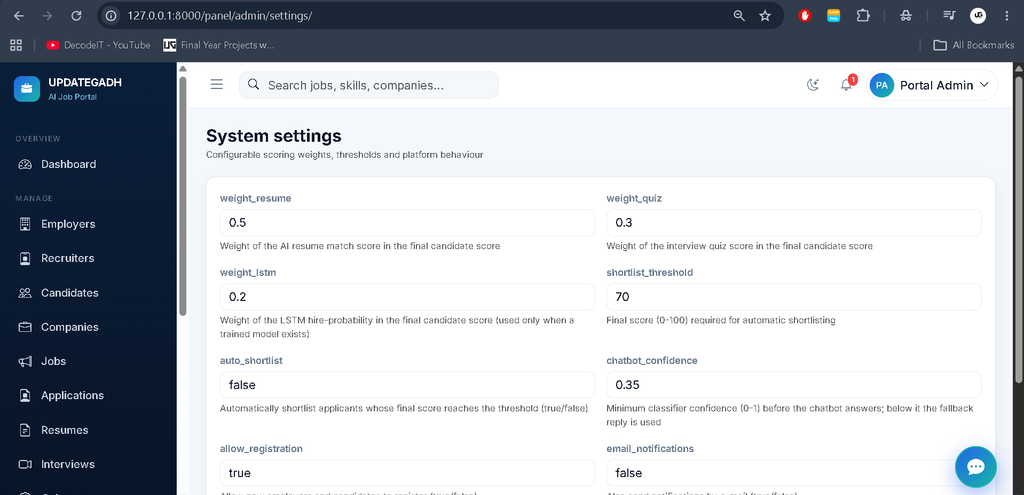
- Reports and system settings.
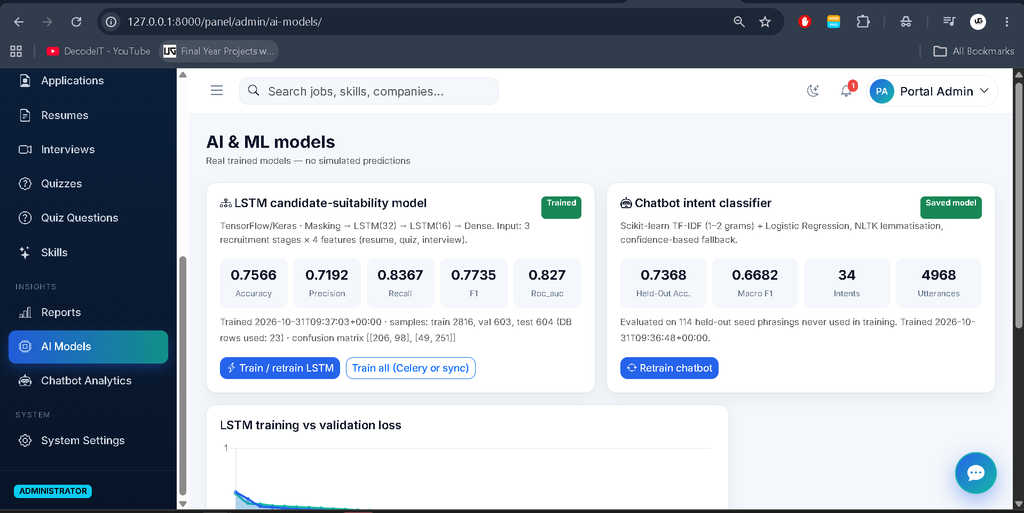
- AI model status and retraining controls.
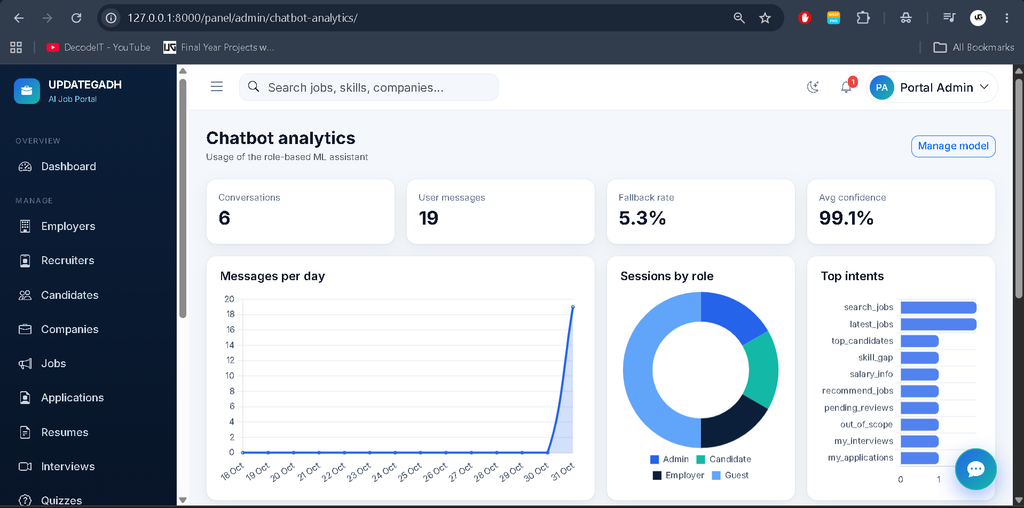
- Chatbot analytics and configurable scoring weights.
2. Employer and Recruiter Panel
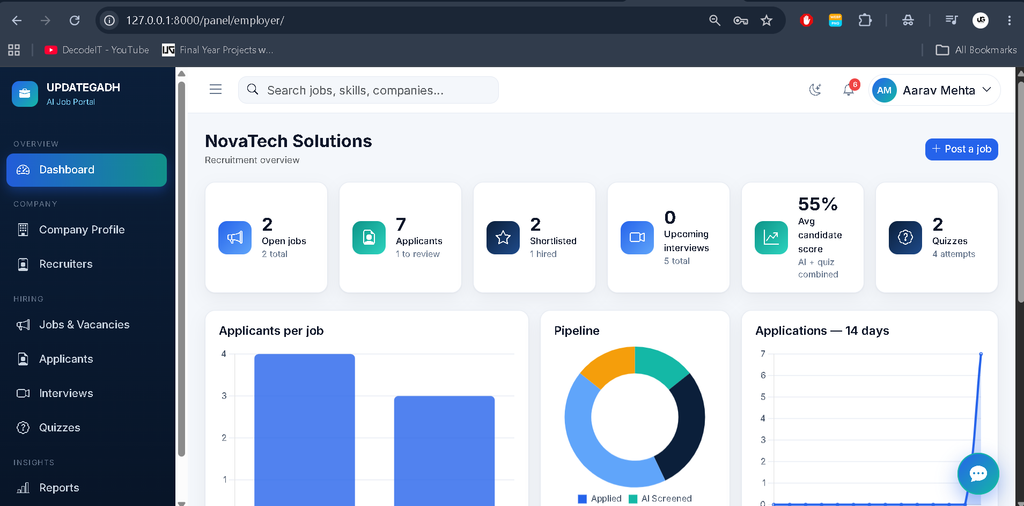
Employers and recruiters can manage recruitment activities and monitor candidates throughout the hiring process.
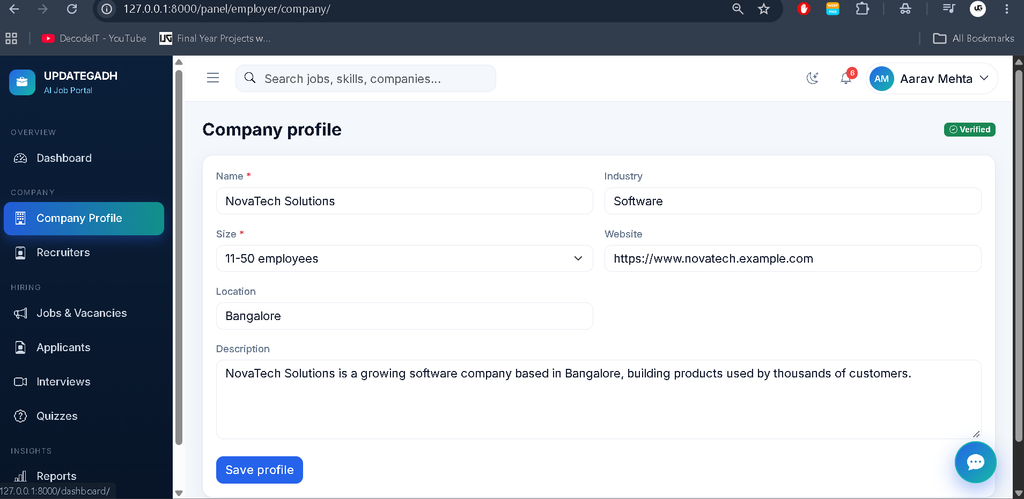
- Employer registration and company profile management.
- Recruiter team management.
- Create and manage job vacancies.
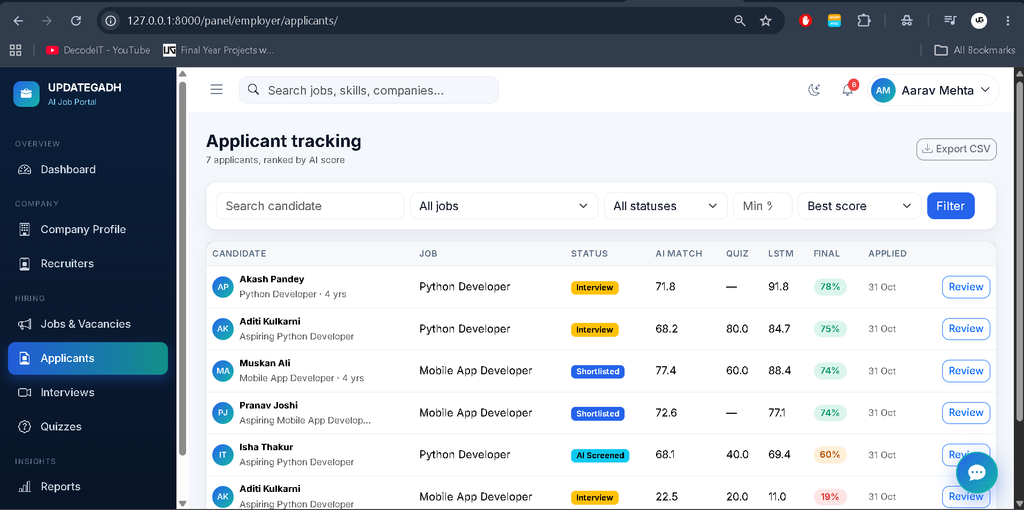
- View, filter, rank, and export applicants.
- AI-based resume analysis and candidate shortlisting.
- Reject candidates and update application statuses.
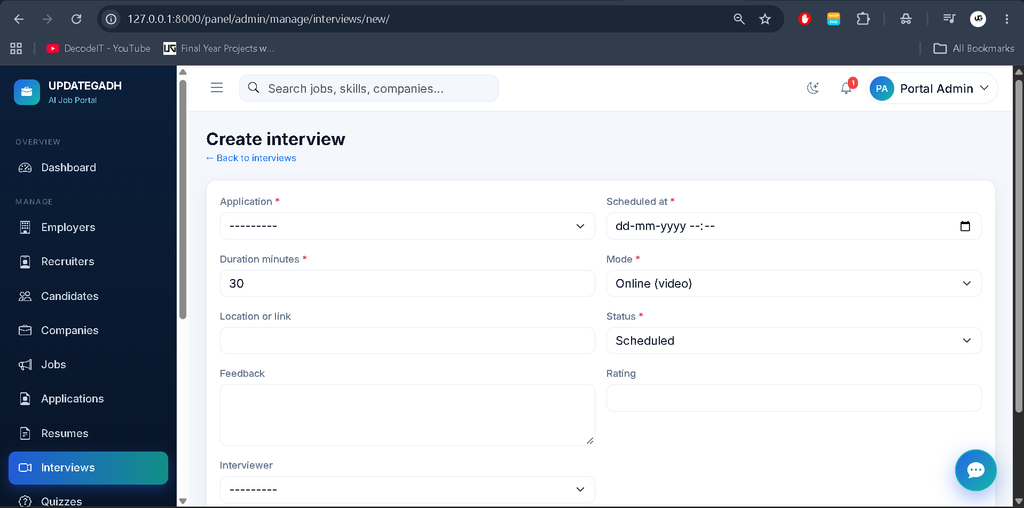
- Schedule interviews and access assigned interview rooms.
- Create multiple-choice quizzes and recruitment reports.
3. Candidate Panel
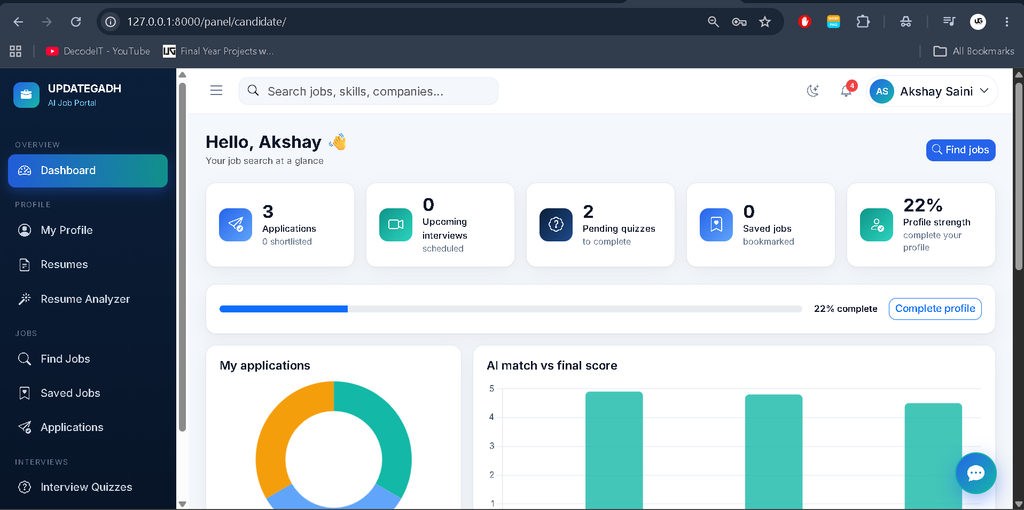
Candidates can create profiles, search for jobs, submit applications, complete assessments, and participate in scheduled interviews.
- Profile, education, experience, and skills management.
- PDF and DOCX resume uploads with NLP parsing.
- Job search, job applications, and saved jobs.
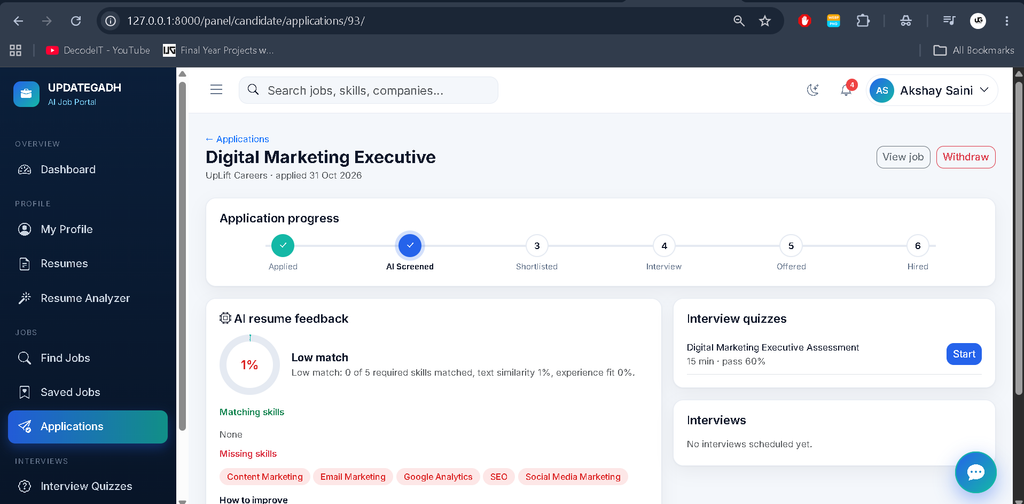
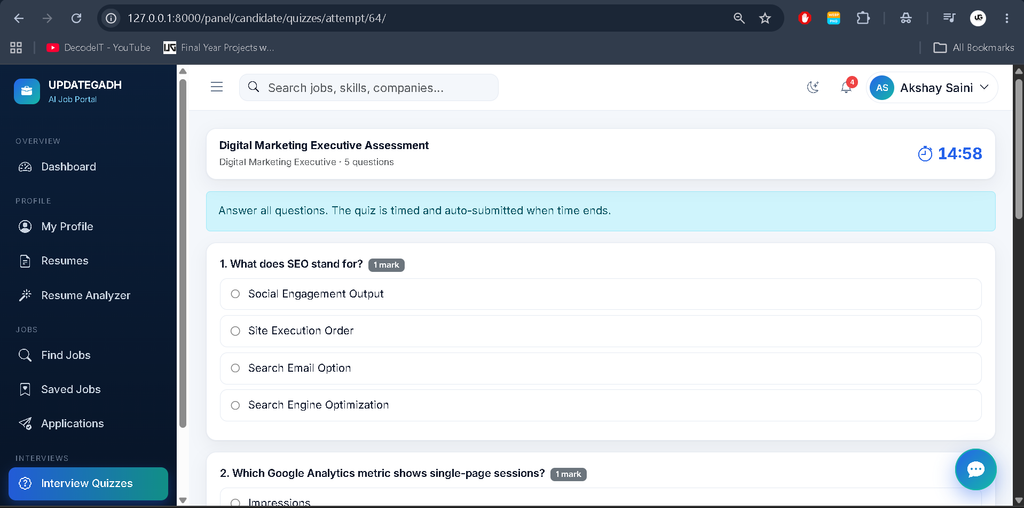
- Application tracking through a progress stepper.
- Timed quizzes with automatic evaluation.
- Interview scheduling and video-room access.
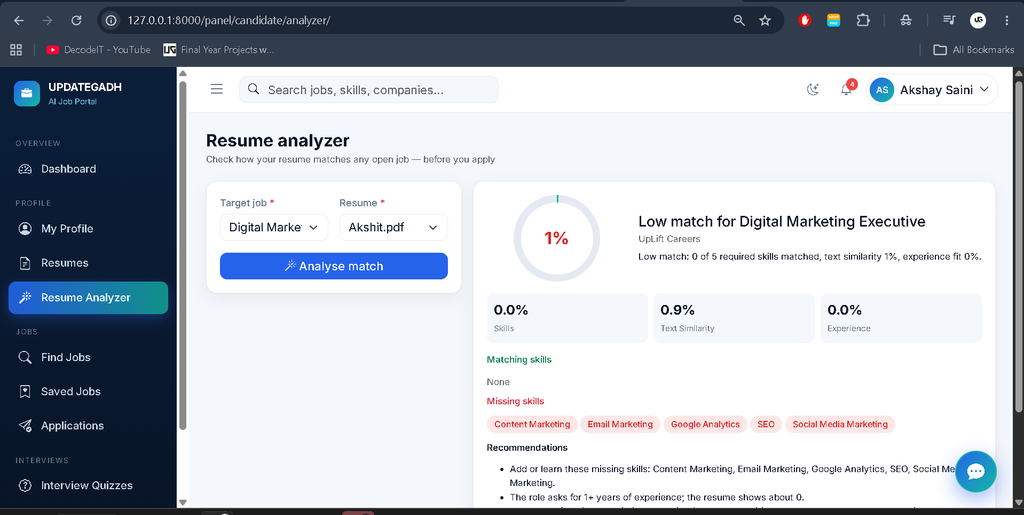
- Notifications and AI Resume Analyzer.
4. Real-Time Video Interviews
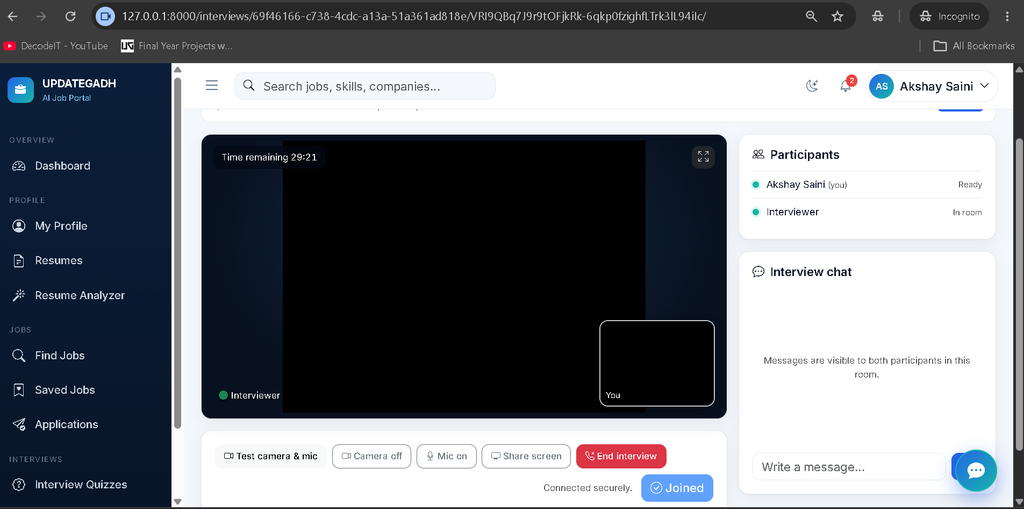
The portal supports browser-based video interviews using WebRTC and Django Channels. Audio and video communication takes place directly between participants through peer-to-peer connections.
- Camera and microphone testing and controls.
- Screen sharing and fullscreen mode.
- Interview room chat and participant presence.
- Reconnection handling and interview timer.
- Interview status updates, feedback, and ratings.
- No third-party calling SDK and no audio/video recording.
5. AI-Based Resume Screening
The AI resume screening module analyzes candidate resumes and compares their skills and experience with job requirements.
- PDF and DOCX text extraction.
- NLTK tokenization, lemmatization, and stop-word processing.
- spaCy skill extraction using PhraseMatcher.
- TF-IDF cosine similarity for resume and job matching.
- Matching skills, missing skills, recommendations, and match scores.
AI Powered Internship Scam Detection :- Click Here
The screening score combines skill coverage, text similarity, and experience fit:
Match Score = 100 × (
  0.50 × Skill Coverage +
  0.35 × Text Similarity +
  0.15 × Experience Fit
)
6. LSTM-Based Candidate Prediction
The project includes a TensorFlow/Keras LSTM model that evaluates recruitment-stage information and produces candidate predictions. The model uses a Masking layer, two LSTM layers, and a Dense output layer.
- Model training and evaluation.
- Accuracy, precision, recall, F1, and ROC-AUC metrics.
- Confusion matrix and prediction functionality.
- Saved Keras model and evaluation metrics.
The initial training dataset contains synthetic bootstrap data. Real hiring outcomes can also be included when database training is enabled. No trained LSTM model is shipped; TensorFlow must be installed and the model trained before its score is available.
7. Machine Learning Chatbot
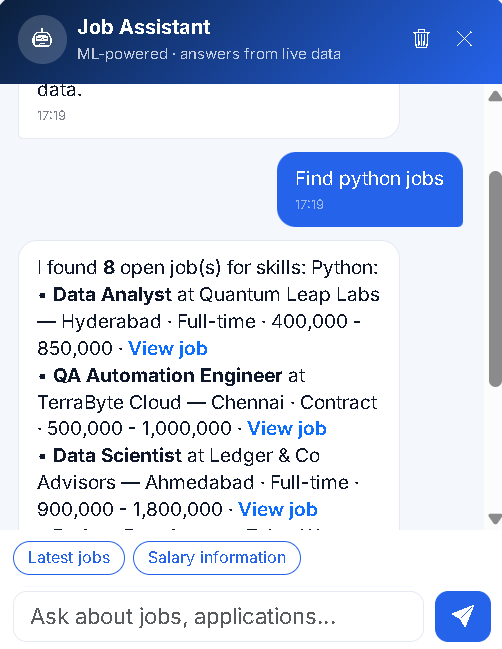
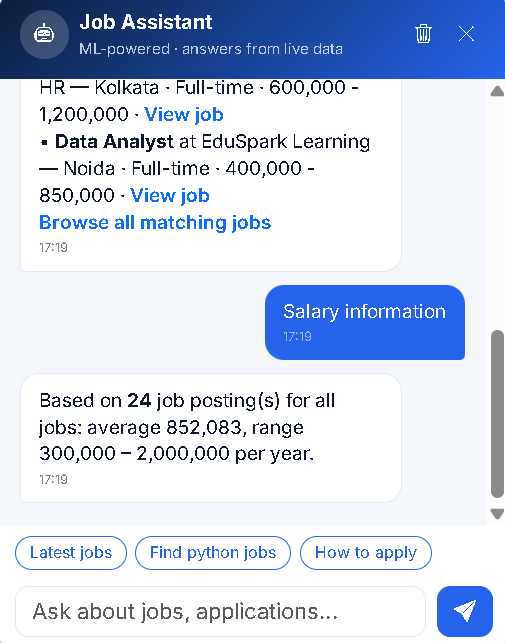
The integrated chatbot uses Natural Language Processing and Machine Learning to understand user questions and provide role-specific information.
- 34 intents with approximately 3,000 training utterances.
- NLTK lemmatization and TF-IDF processing.
- Logistic Regression intent classification.
- Confidence-based fallback responses.
- Database-backed responses and conversation history.
- Role-based access and chatbot analytics.
- No paid AI APIs required.
8. Premium User Interface
The application provides a modern interface with Inter typography, navy, white, and blue-teal colors, collapsible navigation, light and dark modes, animated KPI cards, notifications, modals, and a floating chatbot.
E-Learning Management System Using Python and AI Chatbot :- Click Here
Which Technologies Are Used?
| Technology | Purpose |
|---|---|
| Python and Django | Backend application development |
| SQLite | Database management |
| Bootstrap 5 | Responsive interface |
| Chart.js | Dashboard charts |
| Django Channels | WebSocket communication |
| WebRTC | Real-time video interviews |
| NLTK and spaCy | Natural Language Processing |
| TF-IDF | Text similarity and classification |
| TensorFlow/Keras | LSTM model |
| Scikit-learn | Chatbot classification |
| Celery and Redis | Optional background processing |
How to Download
The complete package is available so you can run, study, and submit it with confidence. It includes:
- Full Source Code
- Project Report
- Synopsis
- PPT Presentation
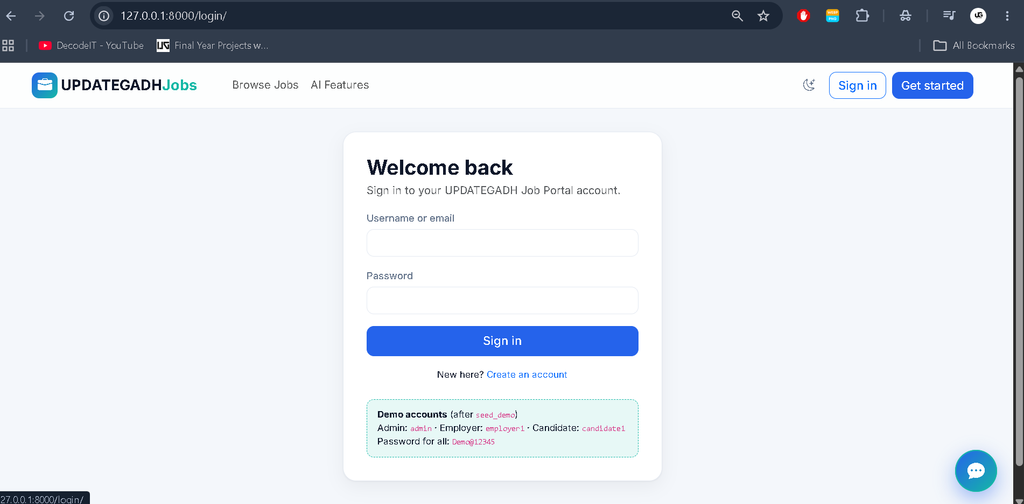
Screenshot
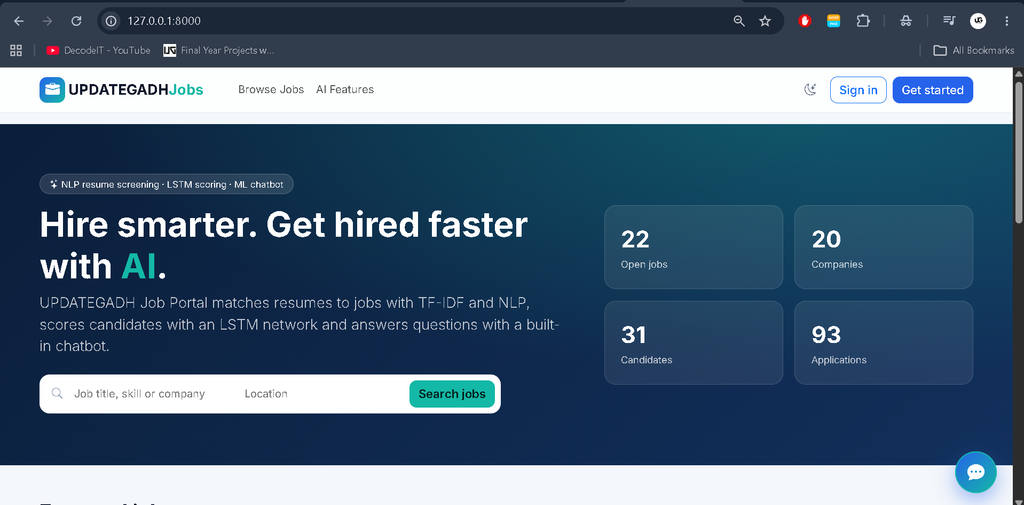
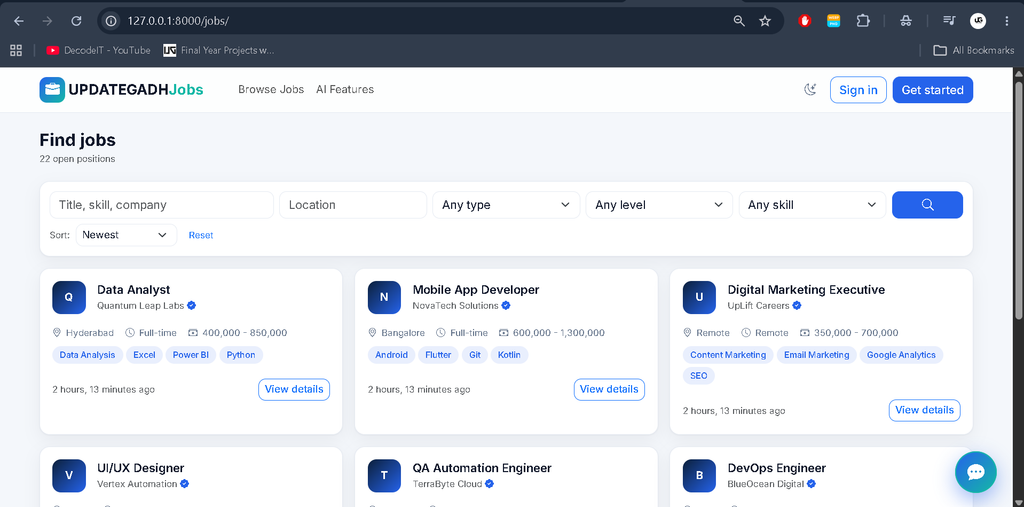
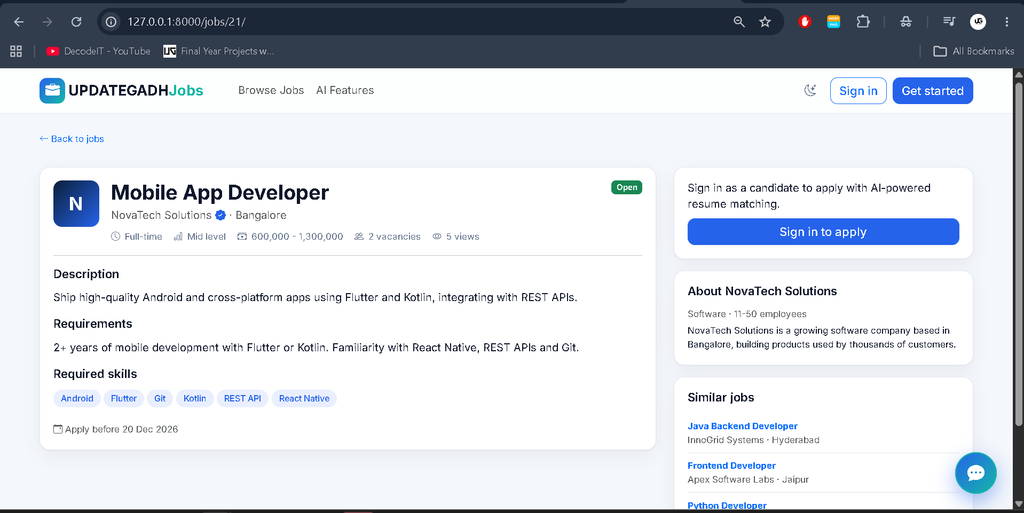
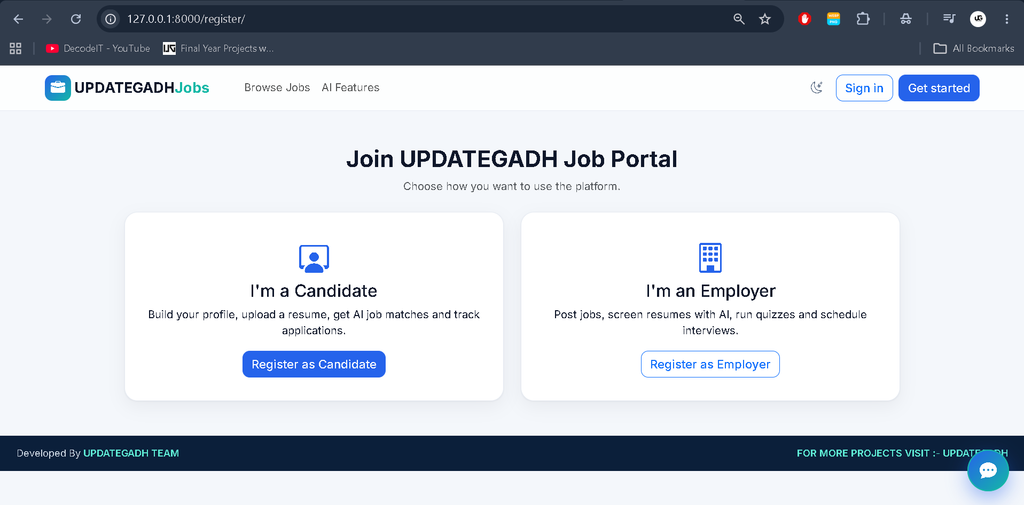
How to Install and Run the Job Portal in Windows Using VS Code?
Follow these commands to configure the project using Python 3.11 and Visual Studio Code. Python 3.10–3.12 is supported, with Python 3.11 recommended.
Step 1: Open the Project
Extract the project ZIP file, open its folder in Visual Studio Code, and open a PowerShell terminal.
cd C:\path\to\updategadh_ai_job_portal
Step 2: Create a Virtual Environment
py -3.11 -m venv .venv
Activate the environment:
.\\.venv\Scripts\Activate.ps1
If PowerShell blocks activation, execute:
Set-ExecutionPolicy -Scope Process -ExecutionPolicy Bypass
Then activate the environment again.
Step 3: Install Dependencies
python -m pip install --upgrade pip
pip install -r requirements.txt
Step 4: Install NLP Resources
python -m spacy download en_core_web_sm
python -m nltk.downloader punkt punkt_tab wordnet omw-1.4 stopwords
These resources are optional. The project includes fallback functionality if downloads are unavailable.
Step 5: Configure the Database
python manage.py makemigrations accounts core chatbot
python manage.py migrate
The project uses SQLite for database management.
Step 6: Generate Demo Data and Train Models
python manage.py seed_demo --train
This command creates demo records, trains the available machine learning models, and recalculates application scores.
Step 7: Start the Development Server
python manage.py runserver
Open the application in your browser:
http://127.0.0.1:8000/
VS Code Interpreter: Press Ctrl + Shift + P, select Python: Select Interpreter, and choose .venv\Scripts\python.exe.
What Are the Demo Login Credentials of the Job Portal ?
The project includes demo accounts for testing different user roles. The password for all demo accounts is Demo@12345.
| User Role | Username |
|---|---|
| Administrator | admin |
| Employer | employer1 to employer20 |
| Recruiter | recruiter1 to recruiter20 |
| Candidate | candidate1 to candidate30 |
You can also create an administrator account using:
python manage.py createsuperuser
How to Run Optional Celery and Redis?
Celery and Redis can be enabled for background processing. Without Redis, the project uses synchronous task execution by default.
docker run -d -p 6379:6379 redis:7
Configure the PowerShell environment:
$env:USE_CELERY = "True"
$env:CELERY_BROKER_URL = "redis://localhost:6379/0"
Start Django in one terminal:
python manage.py runserver
Start the Celery worker in another terminal:
celery -A config worker -l info --pool=solo
How Does the Video Interview System Work?
The video interview system uses Django Channels for signaling and browser WebRTC for peer-to-peer communication. Production deployment requires HTTPS for camera and microphone access, a suitable Redis configuration for multiple processes, and a reachable STUN/TURN service for reliable connections.
The project does not configure an external ICE server by default. A self-hosted coturn service and its credentials must be configured for production use. TURN credentials should be stored securely in deployment secrets.
What Security Features Are Included?
- Custom user model with role-based permissions.
- Server-side access restrictions for Admin, Employer, Recruiter, and Candidate panels.
- CSRF protection and server-side form validation.
- Django password validators and login lockout after five failed attempts for five minutes.
- Resume upload extension validation and 5 MB file limit.
- Private resume storage with restricted download access.
- Protected video interview rooms with participant authorization.
- Production settings for secure cookies, HTTPS, and HSTS.
How to Troubleshoot Common Installation Problems?
- TensorFlow installation error: Use 64-bit Python 3.10–3.12. The portal can run without TensorFlow, but LSTM functionality will be skipped.
- spaCy or NLTK download problem: Skip the optional resource installation. The fallback processing methods remain available.
- Chatbot model error: Run
python manage.py train_models --only chatbotto retrain the chatbot. - Reset the project: Delete
db.sqlite3, the contents ofmedia/resumes/, and the contents ofml_models/, then repeat the database and demo setup commands.
Frequently Asked Questions
1. What is an AI-Powered Job Portal?
It is a recruitment management application that uses AI, NLP, and Machine Learning to support resume screening, candidate evaluation, recruitment management, and communication.
2. Which framework is used of the Job Portal ?
Django is used as the backend web framework with Python.
3. Does the project include a custom admin panel?
Yes. It includes a custom administration panel and does not use Django’s default admin interface as its main management system.
4. Does the project support video interviews?
Yes. It uses Django Channels and WebRTC for real-time browser-based video interviews.
5. Does the chatbot require a paid API?
No. The chatbot uses Scikit-learn, TF-IDF, Logistic Regression, and database-backed handlers without paid AI APIs.
6. Is the LSTM model already trained?
No. A trained LSTM model is not included. Install TensorFlow and execute the model training command to generate it.
7. Which database does the project use?
SQLite is used as the database by default.
Final Thoughts
AI-Powered Job Portal Using Django is an advanced Python project that combines recruitment management with Artificial Intelligence, Machine Learning, NLP, and real-time communication. Its custom admin panel, employer and candidate dashboards, AI resume screening, LSTM prediction, ML chatbot, online assessments, and WebRTC video interviews make it a comprehensive recruitment application.Job Portal