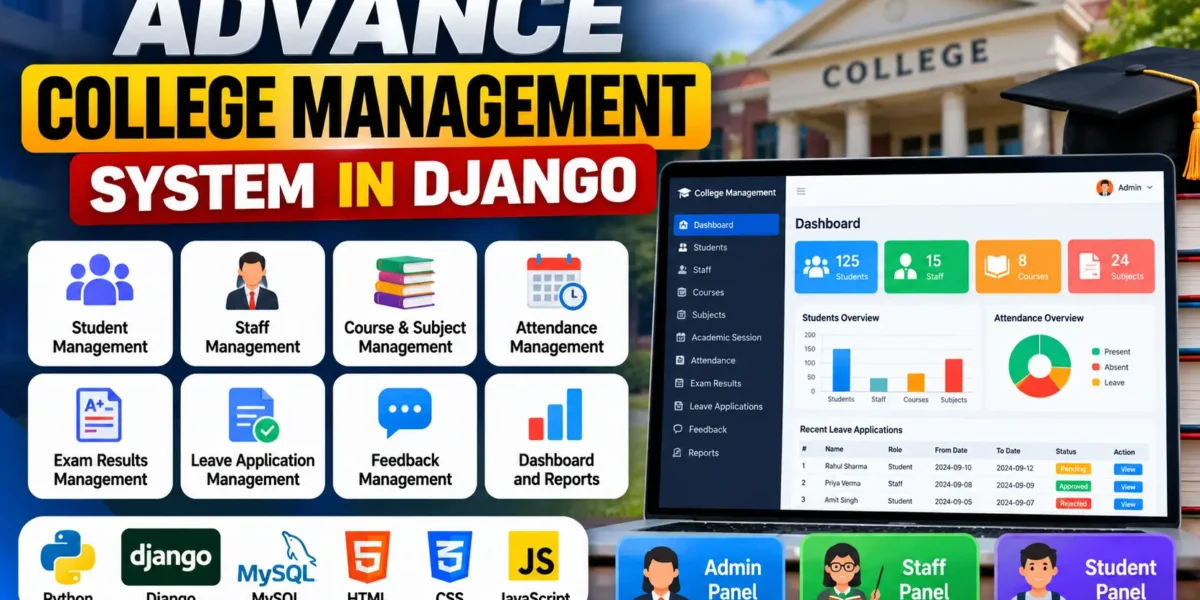
The College Management System Using Python and Django is a web-based application designed to organize the academic and administrative activities of a college. Developed using Python and Django, the project provides a centralized platform for maintaining student records, staff information, courses, subjects, attendance, examination results, leave applications, and feedback.
The application offers separate modules for administrators, teachers, and students. Each role has access to specific functions, helping users manage their responsibilities through a single system. This project is suitable for BCA, MCA, B.Tech, and other computer science students interested in learning Python-based web development.
Complete Advance AI Topics: Click Here
Real Time Projects on YouTube:- DecodeIT
Project Overview
| Project Details | Information |
|---|---|
| Project Name | Advance College Management System |
| Language/s Used | Python, HTML, CSS, JavaScript |
| Framework | Django |
| Database | MySQL |
| Type | Web Application |
Project Purpose
Colleges handle large amounts of academic information, including student details, staff records, attendance, examination results, and leave requests. Managing these activities separately can make record maintenance and information retrieval more difficult.
The Advance College Management System brings these tasks together in one application. Administrators can maintain academic records, teachers can record attendance and examination results, and students can check their attendance, view results, and submit leave applications.
The project also provides practical learning opportunities in Django models, database connectivity, authentication, CRUD operations, and role-based application development.
Available Features
1. Admin Module
- View dashboard charts and summaries related to students, staff, courses, subjects, attendance, and leave requests.
- Add, update, and delete student records.
- Manage staff and teacher information.
- Create, update, and delete courses and subjects.
- Manage academic sessions.
- View and monitor student attendance.
- Review and respond to feedback.
- Approve or reject student and staff leave applications.
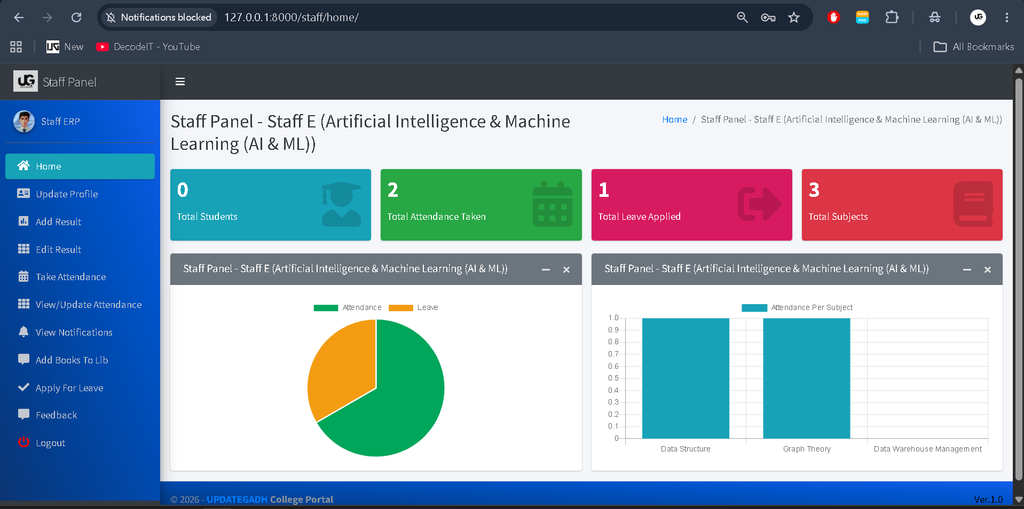
2. Staff Module
- View summaries of assigned students, subjects, and leave status.
- Record and update student attendance.
- Add and update examination results.
- Apply for leave.
- Send feedback to the Head of Department (HOD).
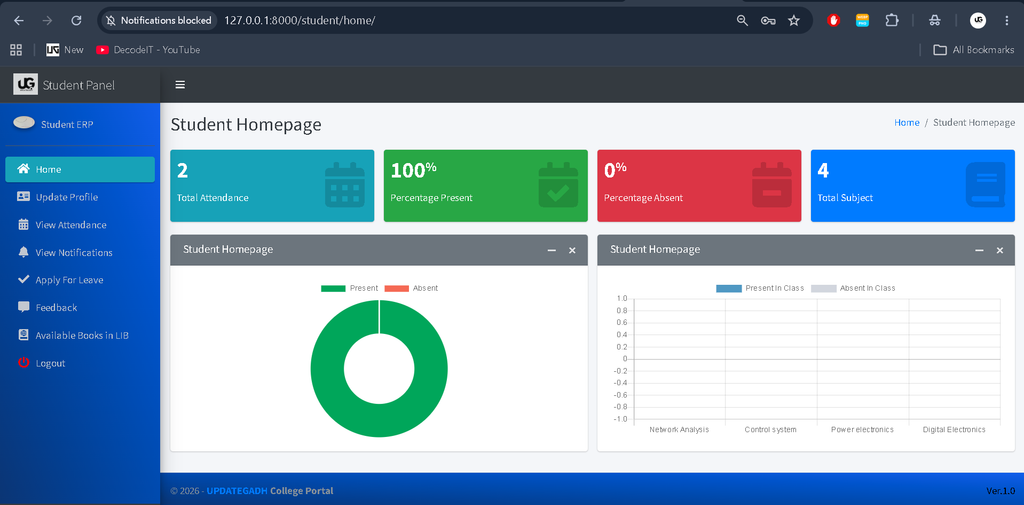
3. Student Module
- View summaries related to attendance, subjects, and leave status.
- Check attendance records.
- View examination results.
- Submit leave applications.
- Send feedback to the HOD.
Technology Stack
- Python: Handles the application’s backend logic.
- Django: Manages routing, views, models, authentication, and application functionality.
- MySQL: Stores student, staff, course, attendance, and other academic records.
- HTML: Defines the structure of web pages.
- CSS: Controls the visual presentation of the interface.
- JavaScript: Supports interactive elements where implemented.
Software Requirements
- Python version compatible with the project dependencies.
- Django and the packages listed in requirements.txt.
- MySQL Server.
- Visual Studio Code.
- The required MySQL database driver.
- A modern web browser.
How to Download
The complete package is available so you can run, study, and submit it with confidence. It includes:
- Full Source Code
- Project Report
- Synopsis
- PPT Presentation
Screenshot
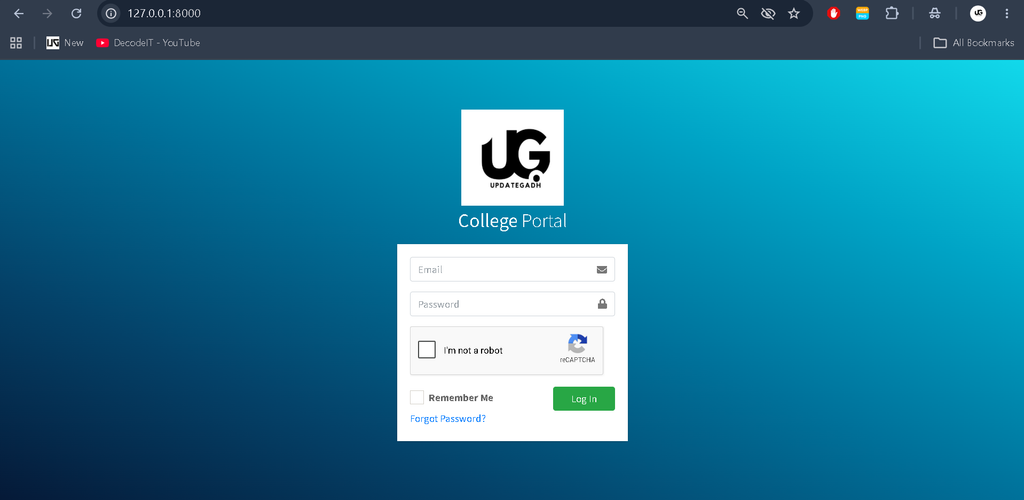
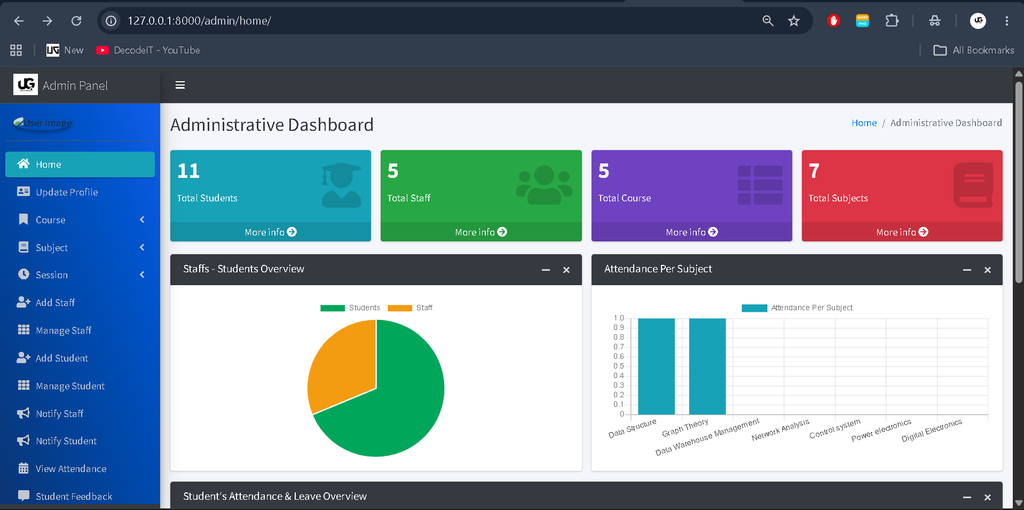
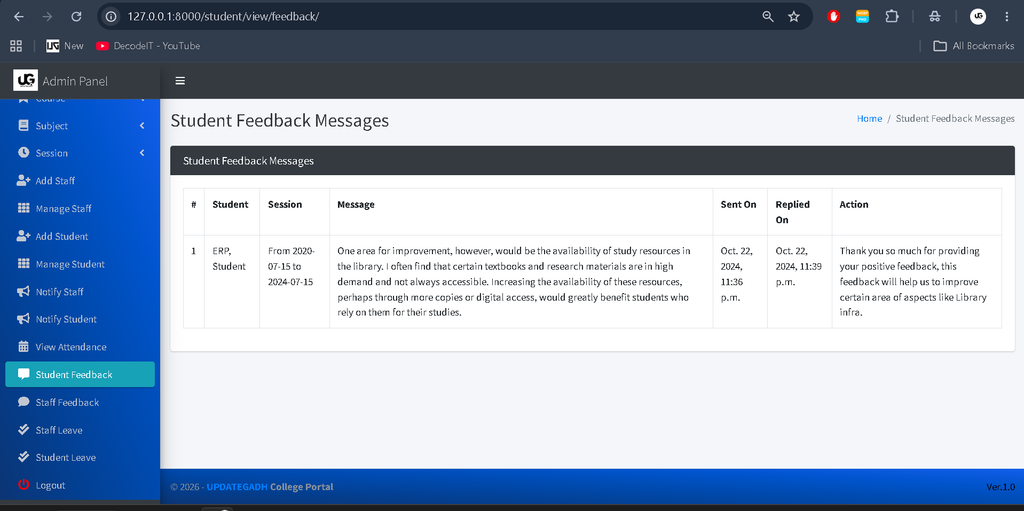
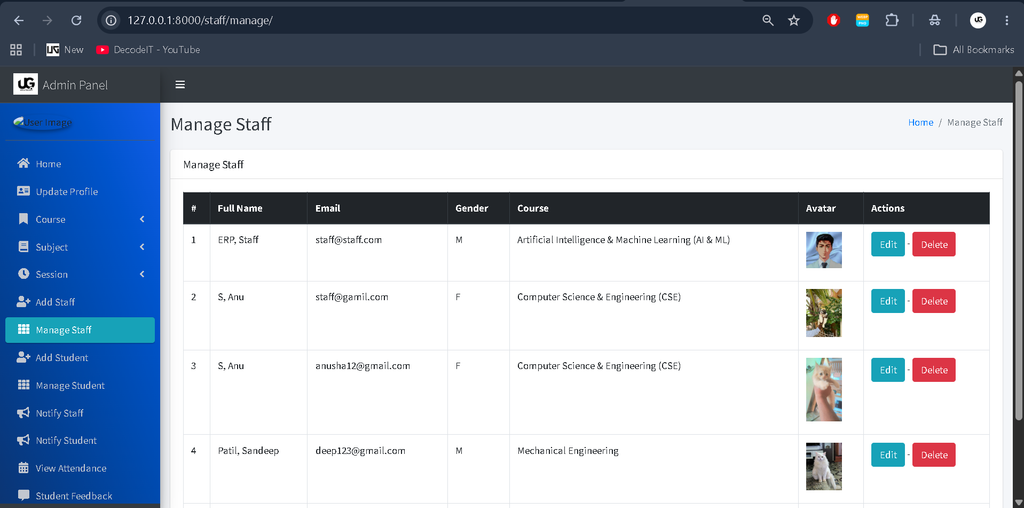
Installation Guide in VS Code
Step 1: Open the Project
Extract the project files and open the project folder in Visual Studio Code. Open a new terminal from the Terminal menu.
Step 2: Create a Virtual Environment
Run the following command on Windows:
python -m venv venvActivate the environment:
venv\Scripts\activateStep 3: Install Dependencies
If requirements.txt is included, install the packages using:
python -m pip install -r requirements.txtStep 4: Create the MySQL Database
Start MySQL Server and execute:
CREATE DATABASE college_management;Open settings.py and configure the DATABASES section with your database name, username, password, and the appropriate MySQL engine. Ensure the required database driver is installed.
Step 5: Apply Migrations
python manage.py makemigrations
python manage.py migrate
These commands prepare the database tables required by the Django application.
Step 6: Create an Administrator Account
python manage.py createsuperuserFollow the terminal instructions to create the administrator account if the project uses Django’s superuser authentication.
Step 7: Run the Project
python manage.py runserverOpen http://127.0.0.1:8000/ in your browser. If the project uses different URL settings, follow the routes defined in its source code. Configure ALLOWED_HOSTS appropriately for the environment and avoid using development settings in production.
Usage
Admin: Maintains student and staff records, courses, subjects, academic sessions, attendance, feedback, and leave applications.
Staff: Records attendance, updates examination results, submits leave applications, and sends feedback to the HOD.
Students: Checks attendance, views results, applies for leave, and communicates with the HOD through feedback.
Contributing
Developers and students can improve the project by fixing bugs, enhancing form validation, improving the interface, optimizing database queries, and refining existing modules. All changes should be tested to maintain the application’s functionality.
License
The applicable license depends on the terms supplied with the original project. Review its license file and documentation before modifying or redistributing the source code.
Frequently Asked Questions (FAQs)
1. What is the Advance College Management System in Django?
It is a web-based application that helps manage college records and academic activities, including student information, staff records, attendance, results, and leave applications.
2. Which technologies are used in this project?
The project uses Python and Django for application development, MySQL for database management, and HTML, CSS, and JavaScript for the web interface.
3. What are the main modules of the system?
The main modules are Admin, Staff, and Student. Each module provides functions according to the user’s responsibilities.
4. Can students check their attendance and examination results?
Yes. The student module includes options to check attendance records and view examination results.
5. How can I run the project in VS Code?
Create and activate a Python virtual environment, install the required dependencies, configure MySQL, apply database migrations, and run the application using python manage.py runserver.
Final Thoughts
The Advance College Management System in Django is a useful academic project for students who want to explore real-world web application development. Its separate user modules demonstrate how college records, attendance, results, and administrative requests can be managed through a centralized platform.
Keywords: Advance College Management System in Django, College Management System in Django, college management system project in Python, Django student management system, college ERP project, Advance College Management System source code,College Management System Using College Management System Using college management system using django college management system using php college management system using php and mysql college management system using python college management system use case diagram college management system use case college management system in excel free download college management system in hindi college management system in react js github