Online Car Rental Booking System Using Python
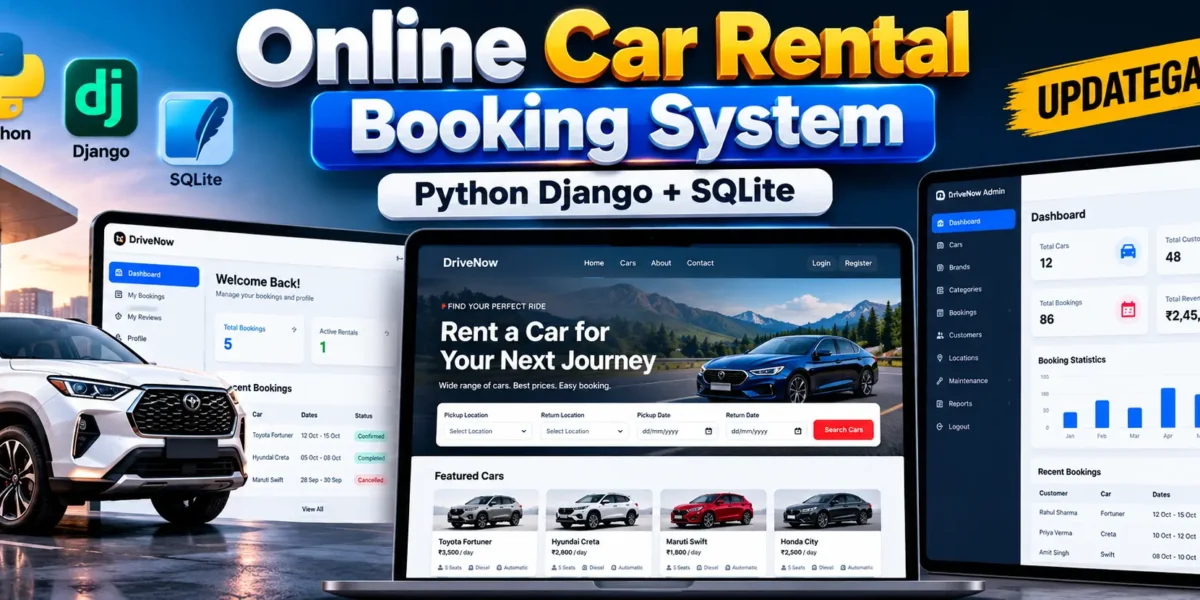
The Online Car Rental Booking System Using Python Django and SQLite is a web-based application designed to simplify car rental operations. It allows customers to register, log in, explore available vehicles, and manage their rental bookings through a single platform.
Managing car rentals manually can make it difficult to organize vehicle information, customer details, and reservations. This project provides a digital solution by bringing these operations together in one application. It also includes administrative functionality for managing cars, customers, and booking records.
Developed using Python Django, SQLite, HTML, CSS, JavaScript, and Bootstrap, this project is suitable for BCA, BSc IT, MCA, and other computer science students who want practical experience with database-driven web applications.
Complete Advance AI Topics: Click Here
Real Time Projects on YouTube:- DecodeIT
Project Overview
| Project Details | Information |
|---|---|
| Project Name | Online Car Rental Booking System |
| Language/s Used | Python, HTML, CSS, JavaScript |
| Framework | Django, Bootstrap |
| Database | SQLite |
| Project Type | Web-Based Application |
What Is an Online Car Rental Booking System?
An Online Car Rental Booking System is an application that helps customers explore rental vehicles and submit booking requests online. It provides a structured way to manage vehicle records, customer accounts, and reservation information.
Django handles the backend logic, authentication, URL routing, and database operations, while SQLite stores the application’s records. The web interface allows customers and administrators to access the functions available to their respective roles.
Available Features
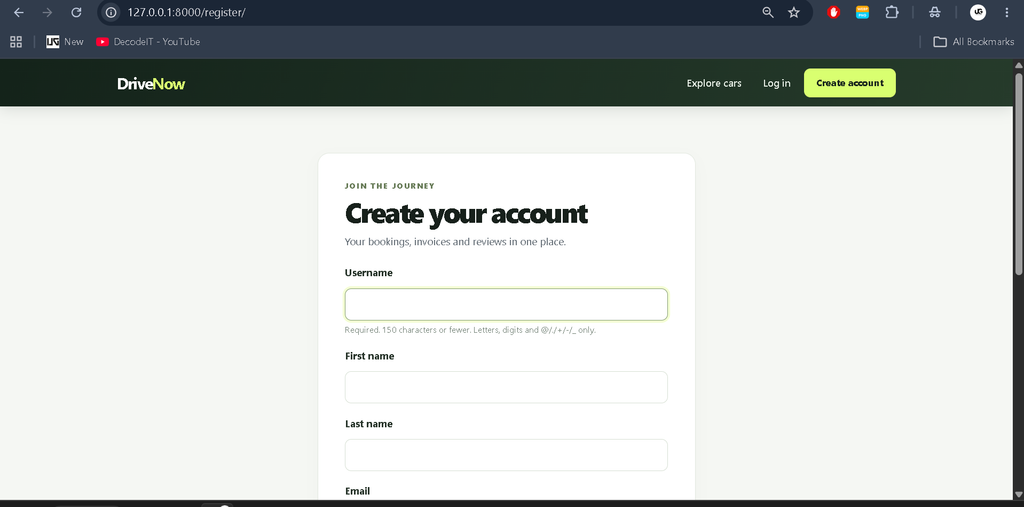
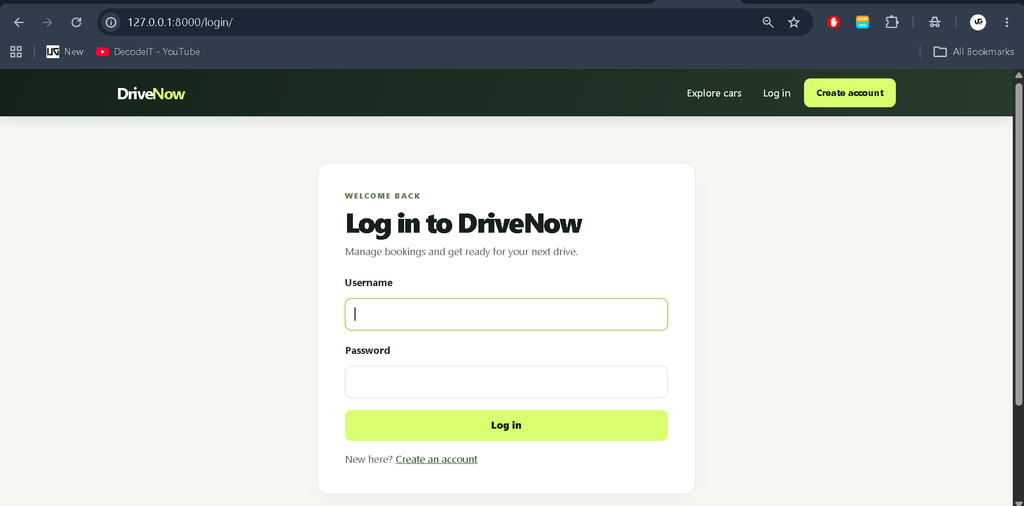
1. User Registration and Login
- Customer account registration.
- Secure login using Django authentication.
- Access to customer functionality after authentication.
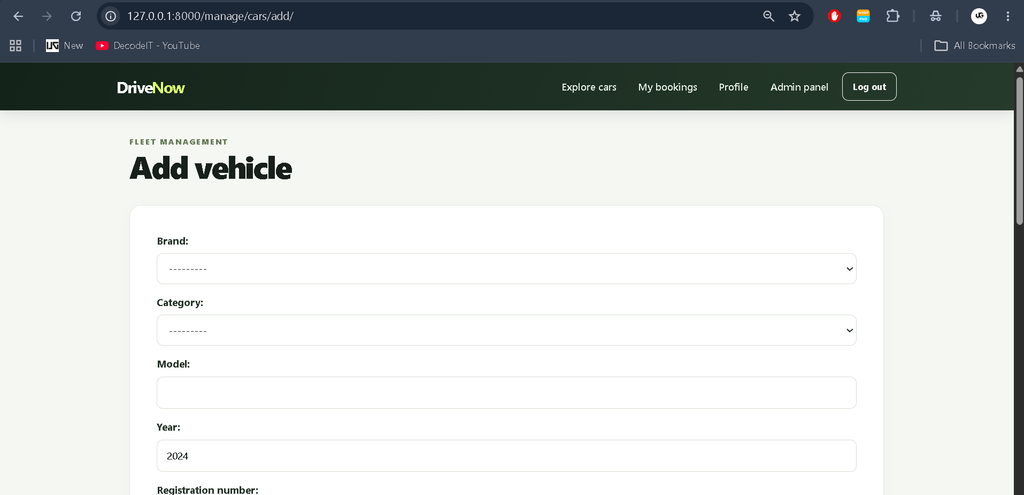
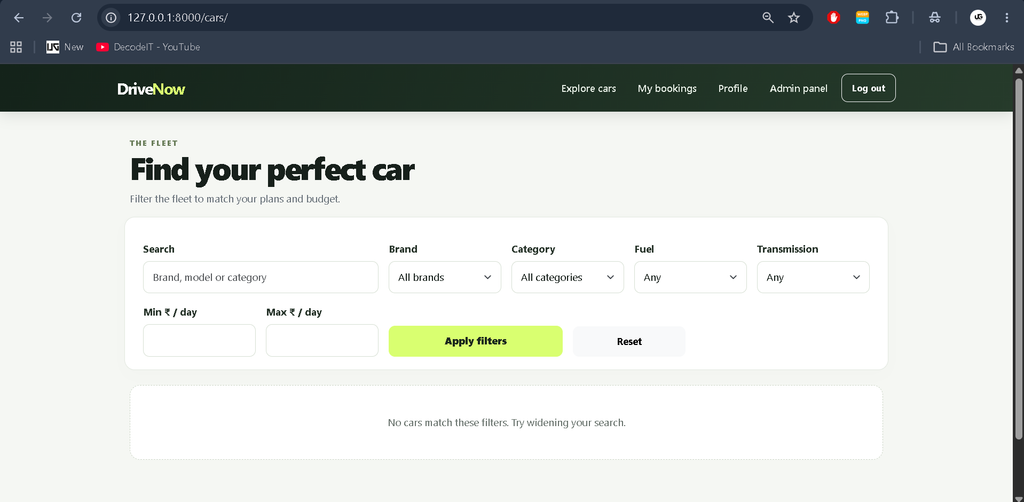
2. Car Management
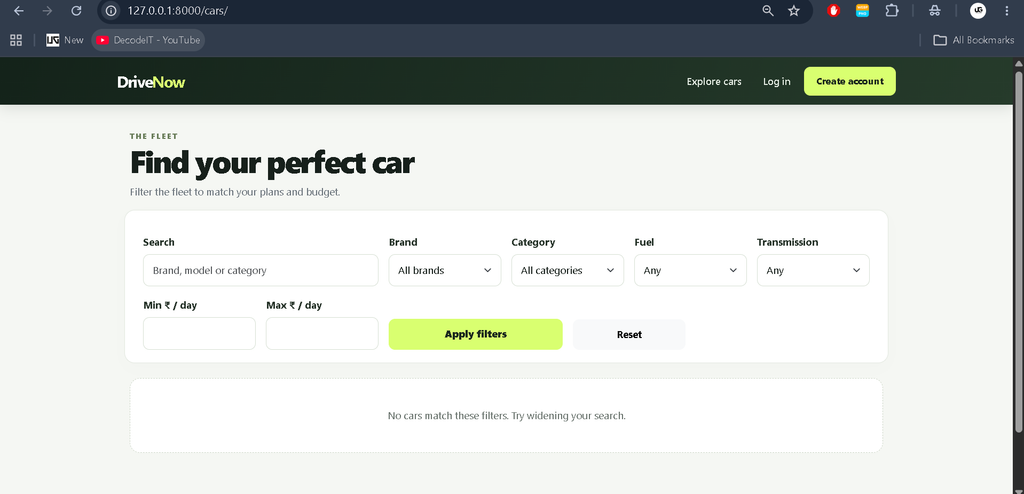
- Display available vehicle information.
- View car details before making a reservation.
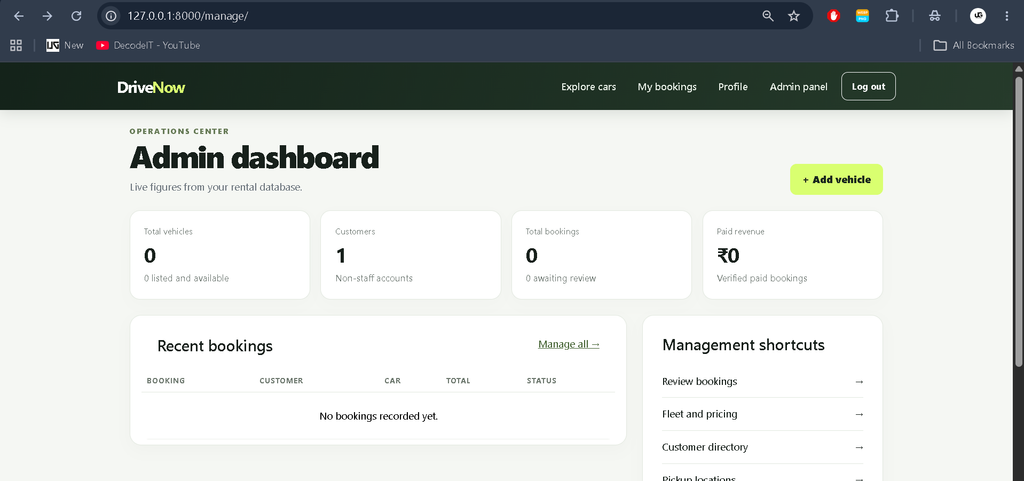
- Manage car records through the administrative functionality.
3. Booking Management
- Submit car rental booking requests.
- Store reservation information in the database.
- View booking records and their current status where supported.
4. Customer Dashboard
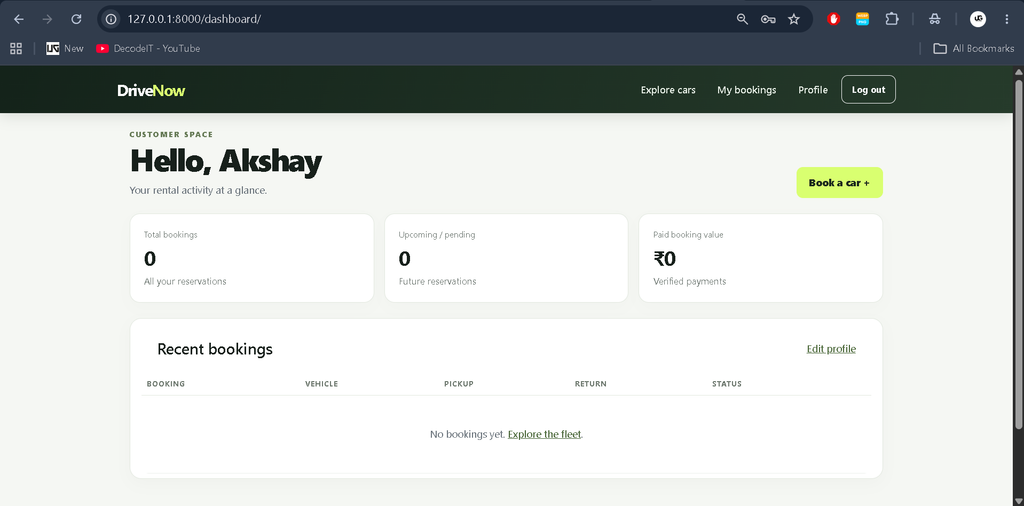
- Access customer-related pages.
- Review available booking information.
- Navigate through the customer functions provided by the application.
5. Admin Management
- Manage vehicle records.
- Review customer information.
- Access and manage booking records.
6. SQLite Database Integration
- Store application data in a local SQLite database.
- Use Django ORM for database operations.
- Create and update database tables through migrations.
Technology Stack
- Python: Implements the application’s backend logic.
- Django: Provides routing, authentication, models, views, and administrative functionality.
- SQLite: Stores customer, vehicle, and booking records.
- HTML: Structures the web pages.
- CSS: Controls the layout, colors, spacing, and styling.
- JavaScript: Supports client-side interactions.
- Bootstrap: Helps create responsive interface components.
Software Requirements
- Python installed on the computer.
- Visual Studio Code.
- Web browser such as Chrome or Edge.
- Project source code and requirements.txt file.
- Python virtual environment for dependency management.
Download complete source code
Screenshot
Installation Guide in VS Code
Step 1: Extract and Open the Project
Extract the project ZIP file into a folder. Open Visual Studio Code, select File > Open Folder, and choose the extracted project directory containing manage.py.
Step 2: Open the Terminal
Select Terminal > New Terminal in Visual Studio Code.
Step 3: Create a Virtual Environment
python -m venv venvActivate the environment on Windows:
venv\Scripts\activateStep 4: Install Dependencies
python -m pip install -r requirements.txtStep 5: Apply Database Migrations
python manage.py migrateIf model changes have not been converted into migrations, generate the required migration files first:
python manage.py makemigrations
python manage.py migrate
Step 6: Run the Project
python manage.py runserverOpen the following address in your browser:
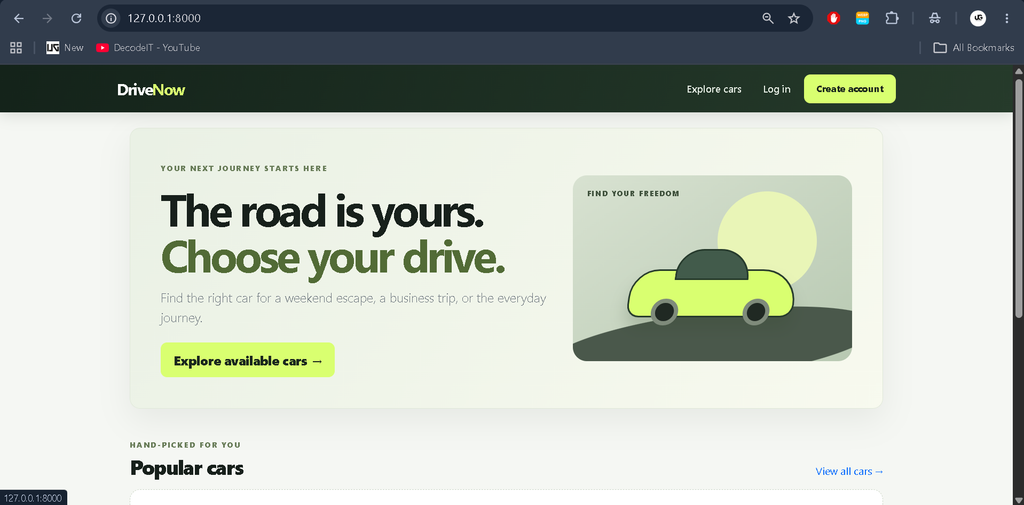
http://127.0.0.1:8000/The application should now be available locally. If the project displays a missing-table error, check that the correct migration files are present and that migrations completed successfully.
How to Use the Project
Customer
Open the application, register an account, and log in. Browse the available cars, review their details, and use the booking functionality to submit a rental request. Use the available customer pages to review reservation information.
Administrator
Access the administrative interface using an authorized administrator account. Manage car information, review customer records, and handle booking information through the available management functions.
Advantages of the Project
- Organizes car rental information in one application.
- Demonstrates Django authentication and database integration.
- Reduces dependence on manually maintained booking records.
- Provides practical experience with CRUD operations.
- Can be extended with additional rental management features.
Future Enhancements
The project can be extended with online payments, automated booking confirmations, PDF invoices, coupon management, vehicle maintenance scheduling, email notifications, and advanced booking analytics. These should be added and tested before being presented as implemented features.
Frequently Asked Questions (FAQs)
1. What is the Online Car Rental Booking System?
It is a Django-based web application that helps customers explore rental cars and manage booking requests while providing administrative tools for car and reservation management.
2. Which technologies are used in this project?
The project uses Python, Django, SQLite, HTML, CSS, JavaScript, and Bootstrap.
3. Why is SQLite used in this project?
SQLite provides a lightweight database that is convenient for local development and student projects. It does not require a separate database server.
4. How can I run the project in VS Code?
Install the dependencies, activate the virtual environment, apply Django migrations, run the development server, and open http://127.0.0.1:8000/ in a browser.
5. Can this project be extended with online payments?
Yes. A payment gateway can be integrated by implementing payment processing, transaction verification, and appropriate security checks.
Final Thoughts
The Online Car Rental Booking System Using Python Django and SQLite is a practical project for students who want to understand how a database-driven web application works. It covers important concepts such as authentication, database models, migrations, templates, and reservation management.
Keywords: Online Car Rental Booking System Using Python Django and SQLite, Python Django Car Rental Project, Car Booking System Django, Django SQLite Project, Online Car Rental System, Python Web Development Project