Skip to content
  • SiteMap
  • Our Services
  • Frequently Asked Questions (FAQ)
  • Support
  • About Us

UpdateGadh

Update Your Skills.

  • Home
  • Projects
    • Β Blockchain projects
    • Python Project
    • Data Science
    • Β Ai projects
    • Machine Learning
    • PHP Project
    • React Projects
    • Java Project
    • SpringBoot
    • JSP Projects
    • Java Script Projects
    • Code Snippet
    • Free Projects
  • Tutorials
    • Ai
    • Machine Learning
    • Advance Python
    • Advance SQL
    • DBMS Tutorial
    • Data Analyst
    • Deep Learning Tutorial
    • Data Science
    • Nodejs Tutorial
  • Blog
  • Contact us
  • Toggle search form
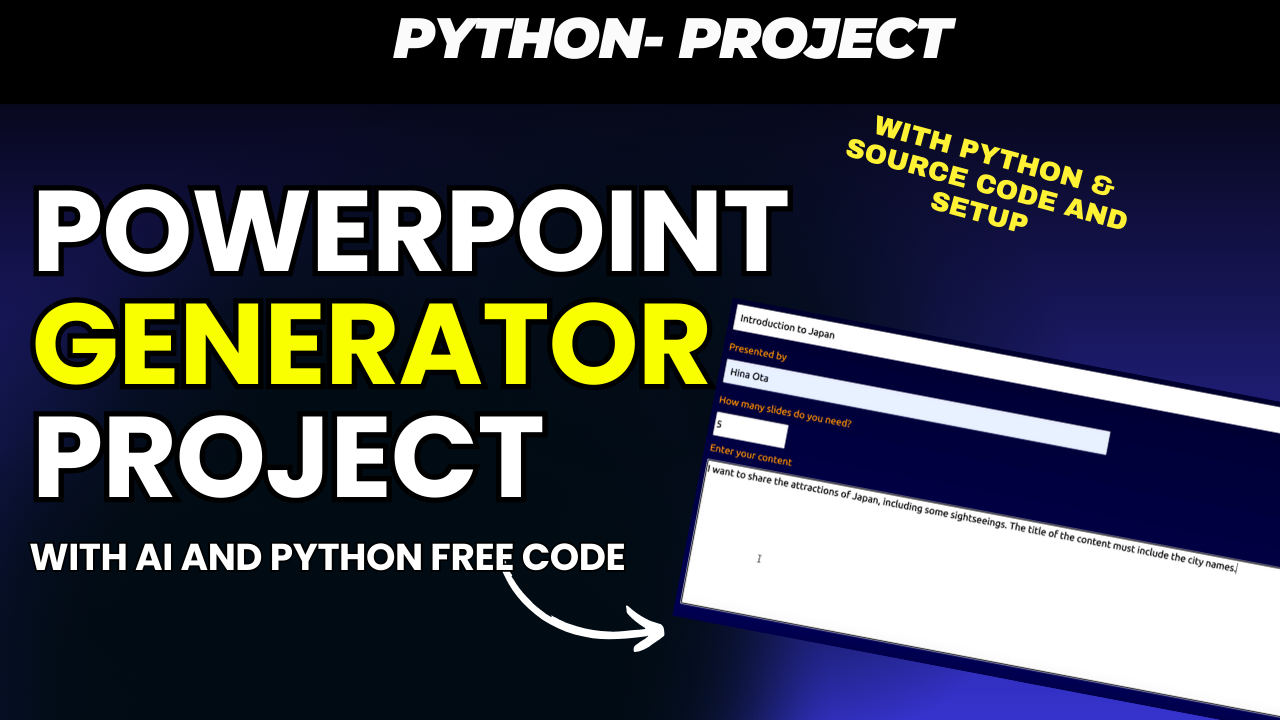
PowerPoint Generator Project

PowerPoint Generator Project with AI and Python Free Code πŸš€

Posted on November 27, 2024December 21, 2024 By Updategadh No Comments on PowerPoint Generator Project with AI and Python Free Code πŸš€

Creating engaging and professional PowerPoint presentations just got easier! The PowerPoint Generator Project, powered by Python and GPT-3.5 Turbo, is a cutting-edge web application designed to automate the tedious process of creating slide decks. Whether you’re a student, professional, or entrepreneur, this tool is here to revolutionize the way you design presentations.

PowerPoint Generator Project

Key Features 🌟

πŸ€– AI-Driven Content Creation

Harness the power of GPT-3.5 Turbo to generate slide content tailored to your input. Provide a topic or key points, and watch the AI craft detailed and relevant slide content.

😎 Intelligent Slide Generation

The application doesn’t just generate content β€” it intelligently organizes it into a cohesive slide deck with suggested titles and structured content for each slide.

🎨 Customizable Themes

Pick from various color themes to give your presentation a personalized and professional look. Perfect for aligning with your brand or style preferences.

πŸ™‚ User-Friendly Interface

With its intuitive design and straightforward instructions, anyone can create stunning presentations, even without prior design experience.

PowerPoint Generator Project

PowerPoint Generator Project

How to Get Started πŸ› οΈ

Step 1: Install Dependencies

Ensure you have Python installed on your system, then install the required packages using the requirements.txt file.

Step 3: Create a Virtual Environment πŸ“Ÿ

Set up a virtual environment to manage dependencies effectively.

On Windows πŸͺŸ

  1. Open Command Prompt and navigate to your project directory.
  2. Run the following commands:

python -m venv venv
.\venv\Scripts\activate
pip install -r requirements.txt

On macOS and Linux 🐧

  1. Open your Terminal and navigate to your project directory.
  2. Run the following commands:

python3 -m venv venv
source venv/bin/activate
pip install -r requirements.txt

Step 4: Set Up API Keys πŸ”‘

Configure Environment Variables

  1. Locate the .env.example file in the project directory.
  2. Create a new .env file and copy the contents of .env.example into it.
  3. Replace placeholder values with your actual keys:
    SECRET_KEY=your_secret_key
    OPENAI_KEY=your_openai_key
    PEXELS_API_KEY=your_pexels_key
    • SECRET_KEY: Secure random string for session management.
    • OPENAI_KEY: Your API key for GPT-3.5 Turbo. Obtainable from OpenAI Platform.
    • PEXELS_API_KEY: API key for fetching high-quality images from Pexels.

Step 5: Run the Application πŸƒ

Navigate to the myapp directory and run the Flask application:

python3 myapp/flaskapp.py

Once running, open your browser and enjoy seamless presentation creation!

Why Use the PowerPoint Generator? 🌍

  1. Save Time: Generate comprehensive slide decks in minutes.
  2. Boost Creativity: Let AI handle the heavy lifting while you focus on fine-tuning.
  3. Enhanced Visual Appeal: Integrate stunning images directly into your slides using the Pexels API.
  4. Accessibility: The application runs on local machines, making it perfect for private projects or demonstrations.

Tools and Technologies Used βš™οΈ

  • Backend: Python, Flask
  • AI Integration: OpenAI GPT-3.5 Turbo
  • Database: SQLite (or any compatible backend)
  • Frontend: HTML, CSS, Bootstrap, JavaScript
  • Image API: Pexels API
  • Authentication: Secure session management with Flask

Want to add new features or improve the application? Contributions are welcome! Follow the guidelines provided in the repository for smooth collaboration.

Download Source Code

DOWNLOAD WITHΒ SOURCE CODEΒ FOR FREE:
CLICK THE BUTTON BELOW

Download Source Code

PowerPoint Generator Project

Β 

Post Views: 1,020
AI

Post navigation

Previous Post: POS and Inventory System Free Source Code
Next Post: Python JSON: A Comprehensive Guide

More Related Articles

6 Uses for ChatGPT: Remote and Freelance Work You Must Know 5 Use ChatGPT: Remote and Freelance Work You Must Know AI
AI powered English learning app AI Powered English Learning App using React AI
Python for Machine Learning - Python for Machine Learning Python for Machine Learning AI

Leave a Reply Cancel reply

Your email address will not be published. Required fields are marked *

You may also like

  1. Top 10 AI Tools For IT Student
  2. Artificial Intelligence Tutorial | AI Tutorial
  3. The Future of Artificial Intelligence
  4. AI Automation Projects 2026 | Final Year Students
  5. Top 10 AI Agent Project Ideas for Final Year Students in 2026
  6. How to Build an AI Chatbot Using OpenAI and Streamlit

Most Viewed Posts

  1. Top Large Language Models in 2025
  2. Online Shopping System using PHP, MySQL with Free Source Code
  3. login form in php and mysql , Step-by-Step with Free Source Code
  4. Flipkart Clone using PHP And MYSQL Free Source Code
  5. News Portal Project in PHP and MySql Free Source Code
  6. User Login & Registration System Using PHP and MySQL Free Code
  7. Top 10 Final Year Project Ideas in Python
  8. Blog Site In PHP And MYSQL With Source Code || Best Project
  9. Online Bike Rental Management System Using PHP and MySQL
  10. E learning Website in php with Free source code
  • AI
  • ASP.NET
  • Blockchain
  • ChatCPT
  • code Snippets
  • Collage Projects
  • Data Science Project
  • Data Science Tutorial
  • DBMS Tutorial
  • Deep Learning Tutorial
  • Final Year Projects
  • Free Projects
  • How to
  • html
  • Interview Question
  • Java Notes
  • Java Project
  • Java Script Notes
  • JAVASCRIPT
  • Javascript Project
  • JSP JAVA(J2EE)
  • Machine Learning Project
  • Machine Learning Tutorial
  • MySQL Tutorial
  • Node.js Tutorial
  • PHP Project
  • Portfolio
  • Python
  • Python Interview Question
  • Python Projects
  • PythonFreeProject
  • React Free Project
  • React Projects
  • Spring boot
  • SQL Tutorial
  • TOP 10
  • Uncategorized
  • Agentic RAG AI System Using Python – Complete Final Year Project Guide
  • AI-Powered Online Examination System with Face Detection Using PHP & MySQL
  • Real-Time Medical Queue & Appointment System with Django
  • Online Examination System in PHP with Source Code
  • AI Chatbot for College and Hospital

Most Viewed Posts

  • Top Large Language Models in 2025 (8,632)
  • Online Shopping System using PHP, MySQL with Free Source Code (5,250)
  • login form in php and mysql , Step-by-Step with Free Source Code (4,913)

Copyright Β© 2026 UpdateGadh.

Powered by PressBook Green WordPress theme