Looking for the best AI Tools for Students in 2026? AI is changing how college students study, prepare assignments, manage time, write resumes, and crack interviews. Whether you are in BCA, MCA, B.Tech, or any IT background, picking the right AI tools can save you hours every week and boost your productivity dramatically.
In this guide, we have hand-picked the most useful free AI tools for college and engineering students in 2026, with practical tips on how to use them ethically and effectively. No paid subscriptions required – every tool on this list has a genuinely usable free plan.
AI Tools for Students in 2026
Why AI Tools Matter for Students in 2026
- Complete assignments and reports faster.
- Improve writing quality and grammar instantly.
- Learn coding concepts more easily and debug faster.
- Prepare for placements and technical interviews efficiently.
- Organise study schedules, notes, and projects in one place.
- Design presentations, posters, and resumes without design skills.
Best AI Tools for Students in 2026
1. ChatGPT – Your 24/7 Study Assistant
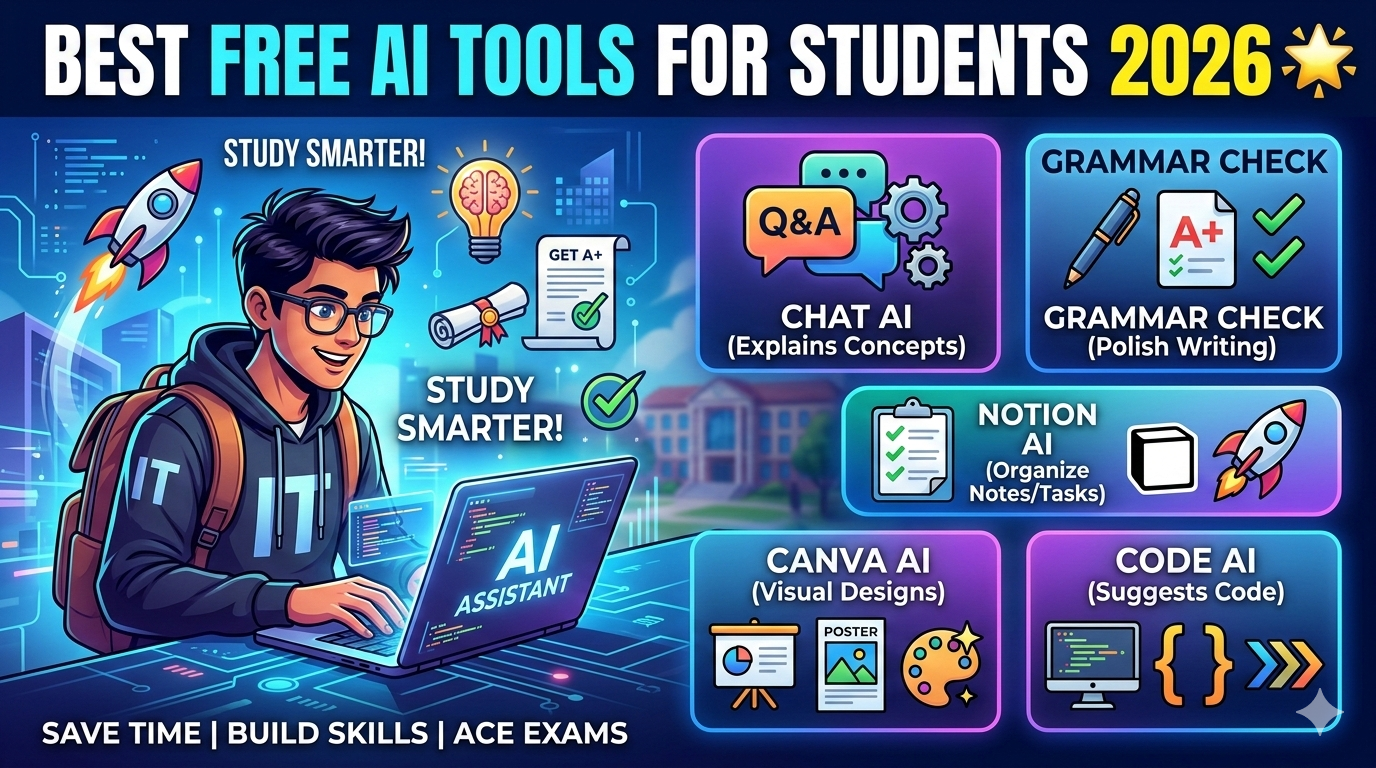
ChatGPT is the most versatile AI tool for students. Use it to clear doubts on any subject, generate essay outlines, explain difficult coding concepts in simple language, prepare for viva questions, and practise interview answers. It works like having a senior student available at 2 AM the night before your exam.
Best for: Essays, assignments, coding doubts, viva prep, and interview questions.
Pro tip: Start a chat with “You are a senior developer. I am a BCA student. Help me understand…” for much better, focused answers.
2. Grammarly – Polished English Writing
Grammarly improves grammar, spelling, sentence clarity, and tone in real time. It is essential for writing professional assignments, project reports, college emails, and resumes. The free plan covers most students’ needs – including the browser extension that works across Gmail, Google Docs, and WhatsApp Web.
Best for: Resumes, project reports, college emails, LinkedIn posts.
3. Notion AI – All-in-One Note and Task Manager
Notion AI combines note-making, task management, and project planning in one workspace. Students use it to organise an entire semester – lecture notes, assignment deadlines, project tracking, and even a personal CGPA calculator. The AI assistant inside Notion can summarise long lecture notes and generate study guides from your own content.
Best for: Semester planning, lecture notes, project management, and study guides.
4. Canva AI – Design Without Design Skills
Canva AI generates presentations, social media graphics, posters, certificates, and resumes from a single text prompt – all using ready-made professional templates. For final year students who dread making the project PPT, Canva can build a 15-slide deck in under five minutes.
Best for: Project PPT, resumes, college fest posters, social media graphics.
5. GitHub Copilot – AI Pair Programmer in VS Code
GitHub Copilot sits inside your VS Code editor and suggests entire lines and functions as you type. It is a lifesaver for final year project work, especially when you are debugging or writing boilerplate code. The best part – GitHub Copilot is completely free for verified students through the GitHub Student Developer Pack.
Best for: Final year coding projects, faster debugging, and learning new frameworks.
How to get it free: Apply at education.github.com/pack using your college email. Approval usually takes 24-48 hours.
6. Perplexity AI – Research With Cited Sources
Writing a project report, literature review, or seminar paper? Perplexity AI is an AI-powered search engine that gives direct answers with real citations you can reference. It is far faster than Google for research and saves hours when writing documentation.
Best for: Project reports, literature surveys, and finding research papers.
7. Google NotebookLM – Smart Study Assistant From Your Own Notes
Upload your lecture PDFs, textbook chapters, or research papers to NotebookLM and ask questions – it answers directly from your uploaded material with exact source citations. Instead of reading 200 pages before an exam, you can ask “What are the key concepts in Chapter 4?” and get a clean summary in seconds.
Best for: Exam preparation, summarising long lecture notes.
AI Tools for Students – Quick Comparison
| Tool | Best For | Free Plan |
| ChatGPT | Doubts, coding, viva prep | Yes |
| Grammarly | Writing and grammar | Yes |
| Notion AI | Notes and planning | Yes |
| Canva AI | PPT, resume, design | Yes |
| GitHub Copilot | Code completion in VS Code | Free for students |
| Perplexity AI | Research with citations | Yes |
| NotebookLM | Study from your own PDFs | Yes |
How to Use AI Tools Smartly as a Student
- Use AI to understand, not just copy. Ask the tool to explain the concept first, then write the answer yourself.
- Always edit and personalise AI-generated content. Examiners can spot raw AI output instantly.
- Never paste AI output directly into exams or graded work. Most colleges now use AI-detection tools.
- Treat AI as a learning assistant, not a replacement for thinking. The goal is to learn faster, not skip learning.
- Cross-check important facts. AI can hallucinate – especially with dates, names, and references.
- Combine tools. Use Perplexity for research, Notion for organising, ChatGPT for explanations, Grammarly for polishing.
Related Posts
AI Based Traffic Management System ||YOLO + OpenCV
Are AI Tools Safe for Students?
Yes – when used properly. Follow these basic safety rules:
- Never share passwords, bank details, Aadhaar numbers, or personal documents with an AI tool.
- Only use official websites and apps – avoid fake clones that pretend to be ChatGPT or Copilot.
- Read each tool’s privacy policy if you are uploading project files or sensitive content.
- For confidential college projects, use offline-capable tools like Tabnine instead of cloud AI.
- Which AI Tool Should You Start With?
Do not try to use all seven at once. Start with one based on your immediate need:
- Have an assignment due? ChatGPT for ideas, Grammarly for polishing.
- Building a final year project? Apply for GitHub Copilot via the Student Developer Pack today.
- Writing a project report? Perplexity for research, NotebookLM for summarising your textbooks.
- Making your project PPT? Canva AI builds a full deck in minutes.
- Drowning in unorganised notes? Move everything into Notion this weekend.
Watch Projects Tutorials on YouTube
Subscribe to DecodeIT2 for daily coding tutorials, final year project walkthroughs, AI tool guides, and placement tips – all free.
Subscribe to DecodeIT2 on YouTube
Frequently Asked Questions (FAQ)
Which is the best AI tool for college students in 2026?
For overall use, ChatGPT is the most versatile free AI tool for students. For coding projects, GitHub Copilot (free via the Student Developer Pack) is the strongest. For writing assignments and resumes, Grammarly is essential.
Are AI tools free for engineering and BCA students?
Yes. ChatGPT, Grammarly, Notion AI, Canva AI, Perplexity, and NotebookLM all have genuinely usable free plans. GitHub Copilot is completely free for verified students through the GitHub Student Developer Pack.
Can I use AI tools to write my college assignments?
You can use AI to brainstorm, outline, and improve your writing – but you should always rewrite the content in your own words. Most colleges now run AI-detection tools, and copy-pasted AI output is easy to identify.
Is using AI tools considered cheating in college?
Using AI to learn faster, explain concepts, or polish your grammar is not cheating. Submitting raw AI-generated content as your original work is. The rule is simple – AI is a tutor, not a ghostwriter.
Which AI tool is best for final year project work?
GitHub Copilot for coding, ChatGPT for debugging and explanations, Canva AI for the project PPT, and Perplexity for the project report. Together, they cover almost every stage of a final year project.
How do I get GitHub Copilot free as a student?
Apply for the GitHub Student Developer Pack at education.github.com/pack using your college email. Once approved (usually within 24-48 hours), GitHub Copilot becomes free.