

Logging in Python
When a Python application runs, many things happen in the background. A program may process user requests, connect to a database, perform calculations, or encounter unexpected situations. Keeping a record of these events can make it much easier to understand what happened during execution.
Python includes a built-in logging module for this purpose. It provides a structured way to create messages, assign different levels of importance to them, send records to the console or a file, and include useful information such as timestamps and error details.
In this tutorial, we will learn the basic logging levels, configure logging output, write logs to files, customize message formats, create logger objects, capture exceptions, and include variable data in log messages.
Complete Advance AI Topics: Click Here
SQL Tutorial: Click Here
What Is Logging in Python?
Logging is a technique used to record events generated while a program is running. These records can help developers understand application behavior and investigate problems without relying entirely on temporary print() statements.
For example, a log can indicate that an application started successfully, a user performed an action, a connection failed, or an unexpected exception occurred.
Why Is Logging Useful?
- Debugging: Provides information that can help locate problems in an application.
- Error Investigation: Records details about failures and unexpected conditions.
- Monitoring: Helps developers observe important application events.
- Record Keeping: Creates a history of selected events that can be reviewed later.
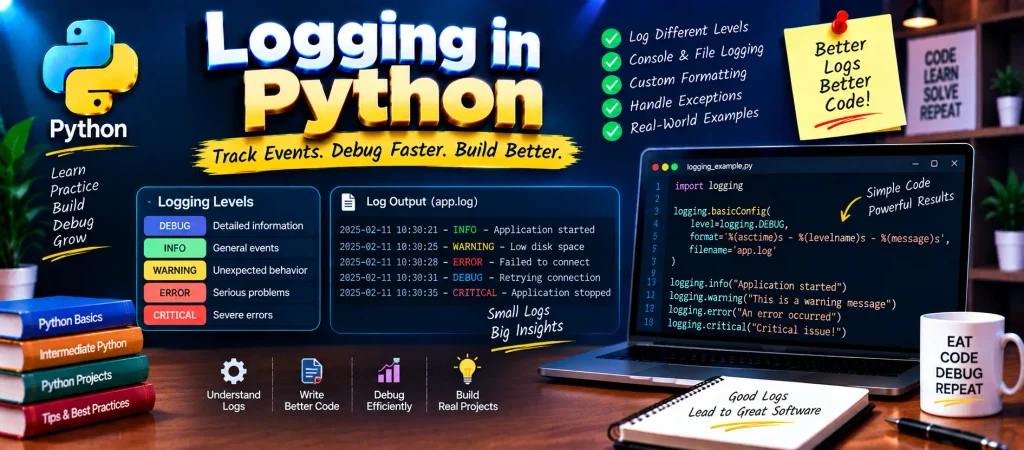
Logging Levels in Python
The logging module provides different severity levels. Choosing the appropriate level helps distinguish ordinary information from serious failures.
| Level | Value | Purpose |
|---|---|---|
DEBUG | 10 | Detailed information mainly useful while investigating a program. |
INFO | 20 | Confirms normal application activity. |
WARNING | 30 | Indicates something unusual that may require attention. |
ERROR | 40 | Reports a problem that prevented a particular operation from completing. |
CRITICAL | 50 | Represents a severe problem that may seriously affect the application. |
Basic Example
import logging

logging.debug("Debug information")
logging.info("Application is running")
logging.warning("Something needs attention")
logging.error("An operation failed")
logging.critical("A serious problem occurred")
With the default logging configuration, messages below the WARNING level are not displayed.
Typical Output
WARNING:root:Something needs attention
ERROR:root:An operation failed
CRITICAL:root:A serious problem occurred
Configure the Logging System
The default setup is suitable for simple examples, but real applications often need different settings. Python provides basicConfig() for configuring common logging requirements.
Display DEBUG Messages
To make lower-level messages visible, set the logging threshold to DEBUG.
import logging

logging.basicConfig(level=logging.DEBUG)

logging.debug("Debug information is now visible")
Save Logs in a File
Logs do not have to appear only in the terminal. They can also be redirected to a file, which is useful when records need to be examined later.
import logging

logging.basicConfig(
    filename="app.log",
    filemode="w",
    level=logging.WARNING
)

logging.warning("A warning has been recorded")
After execution, the configured log message is written to app.log.
Customize Log Messages
A logging format can contain additional details such as the time of the event, severity level, and actual message.
import logging

logging.basicConfig(
    format="%(asctime)s - %(levelname)s - %(message)s",
    level=logging.INFO
)

logging.info("User logged in")
A resulting message can look similar to:
2025-02-11 10:30:45,123 - INFO - User logged inThe format makes each entry easier to read and provides context about when the event occurred.
Customize the Date and Time
You can control how the timestamp is displayed by supplying a datefmt value.
import logging

logging.basicConfig(
    format="%(asctime)s - %(message)s",
    datefmt="%d-%b-%y %H:%M:%S"
)

logging.warning("Database connection failed")
The resulting timestamp can appear in a format such as:
11-Feb-25 10:45:30 - Database connection failedUsing a Custom Logger
For larger applications, working only with the root logger may not provide enough organization. A named logger can be created for a particular application or module.
import logging

logger = logging.getLogger("CustomLogger")

logger.setLevel(logging.DEBUG)

handler = logging.FileHandler("custom.log")

formatter = logging.Formatter(
    "%(name)s - %(levelname)s - %(message)s"
)

handler.setFormatter(formatter)

logger.addHandler(handler)

logger.debug("Application debugging started")
logger.info("Application started")
This approach provides more control over how messages are handled and is useful when different parts of a larger application need separate logging behavior.
YT:- DecodeIT
Record Exception Details
When an exception occurs, simply recording an error message may not provide enough information. The exception() method can be used inside an exception handler to include traceback information.
import logging

logging.basicConfig(level=logging.ERROR)

try:
    result = 10 / 0
except ZeroDivisionError:
    logging.exception("An error occurred")
The generated log contains the error message along with traceback information showing where the exception occurred.
Include Variable Data in Logs
Applications often need to place changing values inside log messages. Python’s logging functions support this directly.
import logging

user = "Alice"

logging.error(
    "%s attempted an unauthorized action",
    user
)
You can also use an f-string:
logging.error(f"{user} attempted an unauthorized action")The first approach allows the logging system to receive the message template and value separately, while the f-string builds the final message before the logging call.
Common Logging Levels at a Glance
| Level | Typical Use |
|---|---|
DEBUG | Detailed information during development or troubleshooting. |
INFO | Normal application events. |
WARNING | Potentially problematic situations. |
ERROR | Operations that failed. |
CRITICAL | Very serious application problems. |
Conclusion
Python’s logging module provides a practical way to record what happens inside an application. Instead of depending only on print() statements, developers can choose appropriate severity levels, save records to files, add timestamps, create named loggers, and capture complete exception information.
Once these fundamentals are understood, logging can become an important part of maintaining and troubleshooting Python applications. It is especially useful when an application needs reliable information about events that occurred during execution.
Frequently Asked Questions
What is logging in Python?
Logging is a mechanism for recording events and messages generated while a Python application is running.
What are the main logging levels in Python?
The standard levels are DEBUG, INFO, WARNING, ERROR, and CRITICAL.
How can I save Python logs to a file?
You can provide a filename to logging.basicConfig() using the filename parameter.
How can I add timestamps to log messages?
Use %(asctime)s in the logging format. A custom date representation can also be supplied through the datefmt parameter.
What is the difference between print() and logging?
print() simply displays text, while the logging system provides severity levels, formatting, output destinations, and better control over recorded application events.
How do I record a Python exception with traceback?
Inside an exception handler, you can use logging.exception() to record the error together with traceback information.
Keywords
Logging in Python, Python logging example, Python logging module, Python logging levels, Python logger, Python logging to file, Python logging to console, Python logging configuration, Python basicConfig, logger.info Python, logger.error Python, Python log file, Python exception logging, Python logging format, Python logging tutorial, Python logging best practices


