

How to Use for Loop in Python
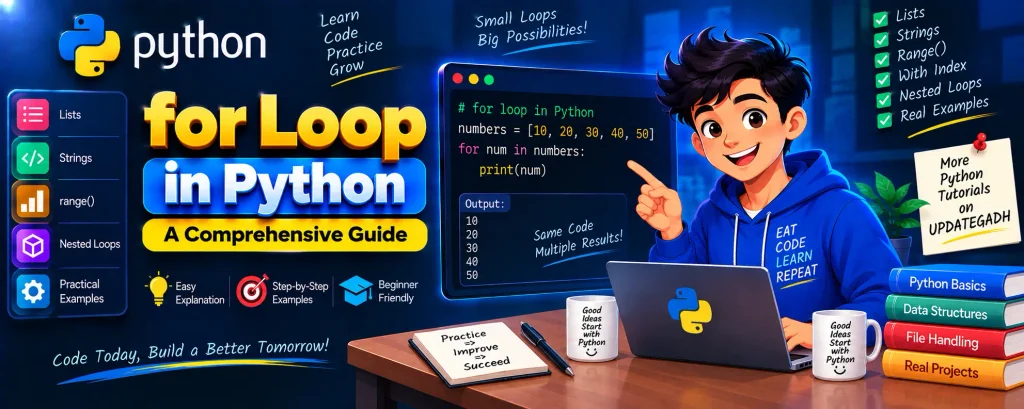
The for loop in Python is an important control structure used to repeat a block of code for each item in an iterable. It makes it easy to work with collections such as lists, strings, tuples, sets, and dictionaries.
Unlike traditional loops that require separate initialization, condition, and increment statements, Python’s for loop provides a simple and readable way to perform repeated operations.
In this guide, you will learn how to use a for loop in Python, how to iterate over sequences, how to use the range() function, and how to work with indexes.
Complete Advance AI Topics: Click Here
Complete Python Course with Advance Topics: Click Here
What is a for Loop in Python?
A for loop is used when you want to execute the same block of code for every item in an iterable. An iterable can contain multiple values that Python can process one after another.
For example, if you have a list containing five numbers, a for loop can visit each number and perform an operation on it.
The basic syntax is:
for iterating_var in sequence:
    statement(s)
Here, iterating_var represents the current item, while sequence represents the collection or iterable that you want to process.
Using for Loop with a List
A list is one of the most common data types used with a for loop. Python automatically takes each item from the list and assigns it to the loop variable.
Consider this example:
my_list = [10, 20, 30, 40, 50]

for item in my_list:
    print(item)
Output:
10
20
30
40
50
In the first iteration, item contains 10. In the next iteration, it contains 20, and this continues until all elements of the list have been processed.
Using for Loop with a String
You can also use a for loop to process each character of a string individually.
my_string = "UpdateGadh"

for char in my_string:
    print(char)
Output:
U
p
d
a
t
e
G
a
d
h
Here, the loop visits every character in the string one by one and prints it on a separate line.
Using range() Function with for Loop
The range() function is commonly used when you want to repeat a loop a specific number of times or generate a sequence of numbers.
The basic syntax is:
range(start, stop, step)The three arguments have the following meanings:
- start: The value where the range begins. The default value is
0. - stop: The value where the range ends. This value is not included.
- step: The amount by which the value changes after each iteration. The default value is
1.
Simple range() Example
You can use range() to print numbers from 0 to 4:
for i in range(5):
    print(i, end=" ")
Output:
0 1 2 3 4Notice that 5 is not included. The stop value in range() is always excluded from the generated sequence.
Using range() with Start and Step
You can provide a starting value and a step size when you need more control over the numbers generated by range().
for i in range(2, 10, 2):
    print(i, end=" ")
Output:
2 4 6 8Here, the loop starts at 2, increases the value by 2 each time, and stops before reaching 10.
Traversing a List Using range()
You can also use range() together with len() to access list elements using their indexes.
names = ['Alice', 'Bob', 'Charlie', 'Diana']

for i in range(len(names)):
    print("Hello", names[i])
Output:
Hello Alice
Hello Bob
Hello Charlie
Hello Diana
In this example, len(names) gives the number of elements in the list. The range() function generates the required index values, which are then used to access each item.
Why Use a for Loop in Python?
The for loop makes repetitive tasks easier and keeps Python code readable. Instead of writing the same statement repeatedly, you can place it inside a loop and let Python handle each iteration.
Some important benefits include:
- It makes repetitive operations simple.
- It works with many types of iterable objects.
- It produces clean and readable code.
- The
range()function provides flexible numeric iteration. - It can be combined with functions such as
len().
YT:- DecodeIT
Important Points to Remember
1. for Loops Work with Iterables
A for loop can work with different iterable objects, including lists, strings, tuples, sets, and dictionaries.
2. range() Stop Value Is Not Included
When using range(), remember that the stop value is excluded. For example, range(5) generates values from 0 through 4.
3. Indentation Is Important
Python uses indentation to identify the statements that belong to the loop.
for item in my_list:
    print(item)
The indented print() statement is executed during every iteration.
4. Use range() for Numeric Iterations
When you need to repeat an operation using a sequence of numbers, range() provides a convenient way to generate those values.
for Loop vs Traditional Loop Style
Python’s for loop is designed to make iteration simple. Instead of manually creating a variable, checking a condition, and updating the variable, you can directly iterate over an iterable.
For example:
numbers = [10, 20, 30]

for number in numbers:
    print(number)
This directly communicates what the program is doing: take each number from the list and print it.
Conclusion
The for loop in Python is a simple and powerful way to repeat operations and process items from iterable objects. You can use it with lists, strings, and many other collections.
The range() function makes numeric iteration equally convenient by allowing you to define a starting value, ending value, and step size. You can also combine range() with len() when you need to work with list indexes.
Understanding for loops is an important step in learning Python because loops are used in many programming tasks and projects. With regular practice, you can use them to write cleaner and more efficient Python programs.
Frequently Asked Questions (FAQ)
1. What is a for loop in Python?
A for loop is used to repeat a block of code for each item in an iterable such as a list, string, tuple, or set.
2. How do I write a for loop in Python?
The basic syntax is for item in sequence:, followed by the indented statements that should execute for each item.
3. What is range() used for in Python?
range() generates a sequence of numbers that can be used for numeric iterations in a for loop.
4. Is the stop value included in range()?
No. The stop value is not included. For example, range(5) produces values from 0 to 4.
5. Can a for loop work with strings?
Yes. A for loop can process each character of a string one at a time.
6. Why is indentation important in a for loop?
Indentation tells Python which statements belong to the loop and should be executed during each iteration.
Related Keywords
while loop in python, for loop in python example, for loop in python range, for loop in python with index, do while loop in python, nested loop in python, for loop in python class 11, how to write condition in for loop in python, list in python, if else in python


Thank you for your sharing. I am worried that I lack creative ideas. It is your article that makes me full of hope. Thank you. But, I have a question, can you help me?