How to Print Patterns in Python
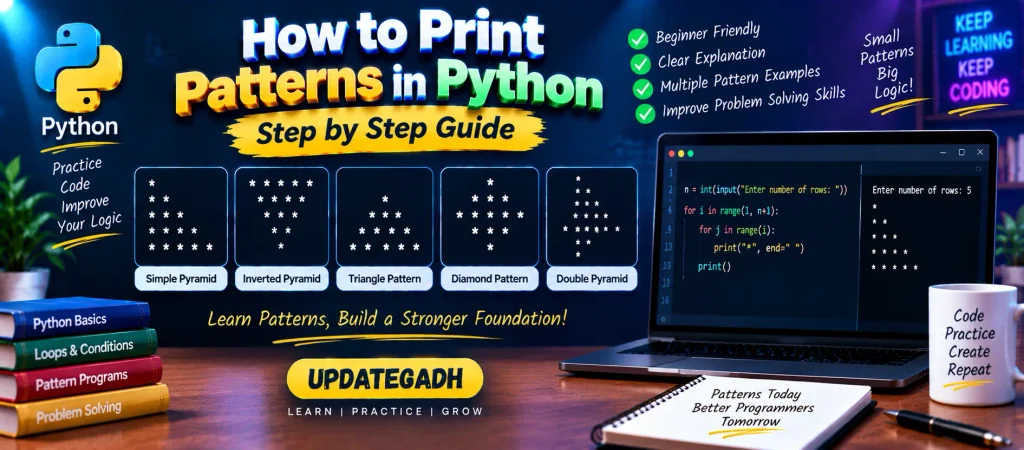
Pattern programs are a useful way to practice Python programming because they require you to think carefully about rows, columns, spaces, and repetition. They are especially helpful for understanding how nested loops work.
In a typical pattern program, one loop decides how many rows should be printed, while another loop determines what appears inside each row. By changing the loop conditions and controlling spaces, you can create triangles, pyramids, diamonds, and many other designs.
YT:- DecodeIT
How Pattern Printing Works in Python
Most pattern programs are based on three simple ideas:
- Outer loop: Determines how many rows the pattern will contain.
- Inner loop: Controls the number of symbols, numbers, or characters printed in a row.
- Spaces: Used to position the output correctly, especially in centered and reverse patterns.
Once these three concepts are clear, creating different patterns becomes much easier.
1. Simple Star Pattern
Let’s begin with a basic increasing pattern. Each new row contains one more star than the previous row.
rows = int(input("Enter the number of rows: "))

for i in range(1, rows + 1):
    for j in range(i):
        print("*", end=" ")
    print()
Output
Enter the number of rows: 5

*
* *
* * *
* * * *
* * * * *
The value of i increases with every row, so the inner loop prints an increasing number of stars.
2. Right-Aligned Star Pattern
Spaces can be placed before the stars to move the pattern toward the right side of the screen.
rows = int(input("Enter the number of rows: "))

for i in range(1, rows + 1):
    spaces = rows - i

    for j in range(spaces):
        print(" ", end=" ")

    for j in range(i):
        print("*", end=" ")

    print()
Output
Enter the number of rows: 5

        *
      * *
    * * *
  * * * *
* * * * *
Here, the number of spaces decreases as the number of stars increases. This creates the right-aligned appearance.
3. Inverted Half-Pyramid
Instead of increasing the number of stars, we can start with the maximum number and reduce it after every row.
rows = int(input("Enter the number of rows: "))

for i in range(rows, 0, -1):
    for j in range(i):
        print("*", end=" ")
    print()
Output
Enter the number of rows: 5

* * * * *
* * * *
* * *
* *
*
The outer loop counts downward from the requested number of rows, which causes the number of stars to decrease.
4. Centered Triangle Pattern
A centered triangle requires both spaces and stars. The spaces position the stars toward the center, while the number of stars grows with each row.
rows = int(input("Enter the number of rows: "))

for i in range(1, rows + 1):

    for j in range(rows - i):
        print(" ", end=" ")

    for j in range(2 * i - 1):
        print("*", end=" ")

    print()
Output
Enter the number of rows: 5

        *
      * * *
    * * * * *
  * * * * * * *
* * * * * * * * *
The first inner loop creates the leading spaces, while the second produces the stars needed for each level of the triangle.
5. Downward Triangle Pattern
You can reverse the previous idea to create a pattern that becomes smaller as it moves downward.
rows = int(input("Enter the number of rows: "))

for i in range(rows, 0, -1):

    for j in range(rows - i):
        print(" ", end=" ")

    for j in range(i):
        print("*", end=" ")

    print()
Output
Enter the number of rows: 5

* * * * *
  * * * *
    * * *
      * *
        *
The number of stars decreases on each iteration, while the number of leading spaces increases.
6. Diamond Pattern
A diamond can be created by combining two sections: an increasing triangle followed by a decreasing triangle.
rows = int(input("Enter the number of rows: "))

# Upper half
for i in range(1, rows + 1):

    for j in range(rows - i):
        print(" ", end=" ")

    for j in range(2 * i - 1):
        print("*", end=" ")

    print()

# Lower half
for i in range(rows - 1, 0, -1):

    for j in range(rows - i):
        print(" ", end=" ")

    for j in range(2 * i - 1):
        print("*", end=" ")

    print()
Output
Enter the number of rows: 5

        *
      * * *
    * * * * *
  * * * * * * *
* * * * * * * * *
  * * * * * * *
    * * * * *
      * * *
        *
The first section expands toward the widest row, and the second section gradually reduces it. Together, they form a diamond shape.
7. Double Triangle Pattern
Another simple pattern can be created by joining an increasing triangle with a decreasing triangle.
rows = int(input("Enter the number of rows: "))

for i in range(1, rows + 1):
    for j in range(i):
        print("*", end=" ")
    print()

for i in range(rows, 0, -1):
    for j in range(i):
        print("*", end=" ")
    print()
Output
Enter the number of rows: 5

*
* *
* * *
* * * *
* * * * *
* * * * *
* * * *
* * *
* *
*
The first loop builds the pattern upward, while the second loop prints the rows in reverse order.
Tips for Solving Python Pattern Programs
When creating a new pattern, it is easier to break the design into smaller parts instead of trying to write the complete program at once.
- First decide how many rows the pattern requires.
- Determine how many symbols should appear in each row.
- Check whether spaces are required before or between the symbols.
- Use a separate inner loop when spaces and symbols need different calculations.
- Test the program with a small number such as 3 or 4 rows first.
Complete Advance AI Topics: Click Here
SQL Tutorial: Click Here
Why Practice Pattern Programs?
Pattern questions may look simple, but they provide useful practice with loops and logical thinking. They help you understand how nested loops execute and how different values can be generated for every iteration.
These exercises are also commonly included in beginner programming assignments and coding interview practice, making them useful for students who are building their problem-solving skills.
Conclusion
Printing patterns in Python is an effective way to strengthen your understanding of nested loops, iteration, spacing, and logical problem-solving. Once you understand how rows and columns are controlled, you can create many different designs using stars, numbers, characters, or other symbols.
Start with simple increasing and decreasing patterns, then move toward centered triangles and diamonds. Practicing these variations will make it easier to understand more complex loop-based programming problems.
Frequently Asked Questions
How do I print a pattern in Python?
Most Python patterns can be created using nested for loops. The outer loop controls the rows, while the inner loop determines what is printed in each row.
How do I print a star pattern in Python?
You can use a nested loop and print * for every iteration of the inner loop.
Can pattern programs be created using a while loop?
Yes. Pattern programs can be implemented with both for loops and while loops. The main idea remains the same: control rows, columns, and spaces.
How do I print a pyramid pattern in Python?
A pyramid generally requires two calculations: one for leading spaces and another for the number of symbols printed on each row.
How do I create a diamond pattern in Python?
A diamond can be produced by combining an increasing centered triangle with a decreasing centered triangle.
Are Python pattern programs useful for interviews?
Pattern questions are commonly used for practicing programming logic and nested loops. They can help beginners become more comfortable with iterative problem solving.
Keywords
How to Print Patterns in Python, print star pattern in Python using for loop, how to print patterns in Python, Python pattern programs, Python star pattern, number pattern in Python, pyramid pattern in Python, square pattern in Python, reverse pyramid pattern in Python, diamond pattern in Python, triangle pattern in Python, star pattern using while loop, Python pattern printing, nested loop pattern programs, Python pattern examples, pattern programs in Python using for loop